A good setup has three parts: An agent that writes code, a chat for side questions, and a place to refine prompts.
Claude Code is the agent to start with: It reads your project, writes and runs the code, and fixes its own errors.
Cursor is the editor-style option: It's not on Setapp, but it's the top pick if you'd rather work inside a code editor.
Two of the tools come with Setapp: BoltAI 2 and TypingMind are included in Setapp Membership, from $14.99 USD/mo + tax.
The best vibe coding tools for Mac in 2026 depend on your workflow: Claude Code handles coding tasks autonomously, Cursor lets you build and edit code in an AI-powered editor, while BoltAI 2 and TypingMind help you work with multiple AI models.
I've written code for years, and vibe coding still changed how I start projects. Instead of opening a blank file, I describe what I want and let an AI agent take the first pass. But one app doesn't cover it all. The best vibe coding tools work as a small team: one writes the code, one answers questions, and one keeps your prompts sharp. Here's the setup I use on my Mac, plus a tiny utility I built with it in an afternoon.
What vibe coding actually needs (it's not just one app)
Vibe coding is building software by describing what you want in plain language. AI writes the code for you. Andrej Karpathy, who coined the term in 2025, described it as giving in to the vibes and forgetting that the code even exists.
In practice, a working vibe coding setup covers three roles:
An agent that writes code: It reads your project, makes the changes, and runs them.
A chat for side questions: For explaining an error or comparing two approaches without derailing the agent.
A place to refine prompts: Because better prompts mean fewer rounds of fixes.
You can do all three in one tool, but the best vibe coding tools split the work, because one app doing everything gets messy fast. If you want the bigger picture first, Setapp AI Gateway covers the basics of building with AI.
The vibe coding stack for Mac at a glance
These are the four vibe coding tools I tested, organized by the job each one does:
Claude Code: The agent that writes and runs the code
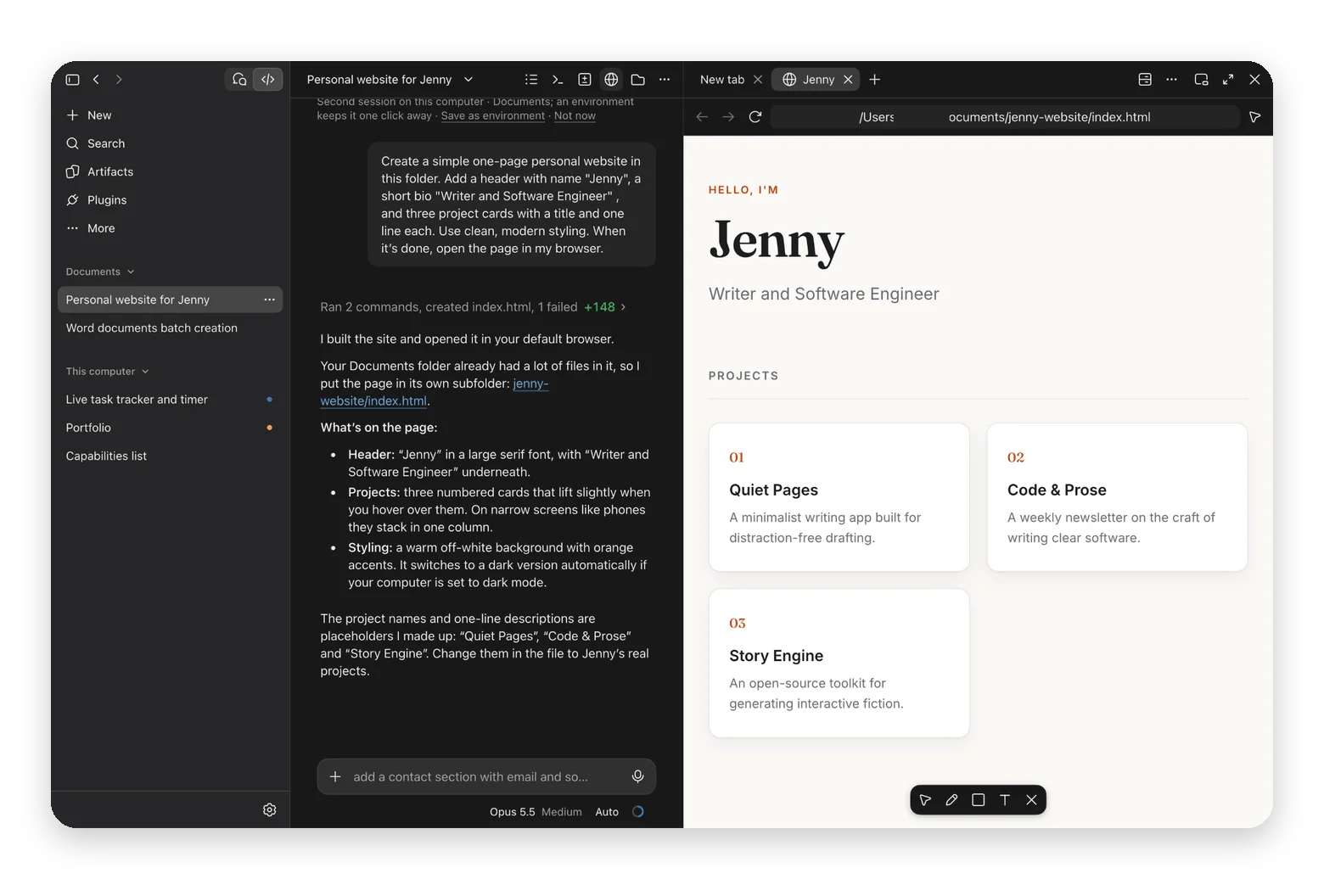
Claude Code is Anthropic's coding agent, and it's my top pick among the best vibe coding tools.
You describe what you want in the Claude desktop app, and it reads your whole project, writes the code, runs it, and fixes what breaks. That loop is what makes it feel like vibe coding rather than autocomplete: you watch it try, fail, read the error, and try again. Add MCP servers, and it can also pull in GitHub issues, docs, or a database.
One tip made a big difference: ask it to investigate before it fixes anything. When my build failed with a vague Xcode error, I typed "Explain why this build is failing before you change anything." It found a missing permission in one line, explained it in plain English, and only then made the fix.
Here’s a simple example of what vibe coding with Claude Code looks like. It’s just a small start I added for beginners. You can do a million times more with Claude Code.
Claude Code runs on a paid Claude plan or an Anthropic API key, so your usage counts against either your plan limits or your API bill.
One limit: The desktop app keeps you out of the Terminal, but the full command-line version needs a few commands. If that's a dealbreaker, Cursor (explained below) is the friendlier start.
BoltAI 2: The sidekick for every question along the way
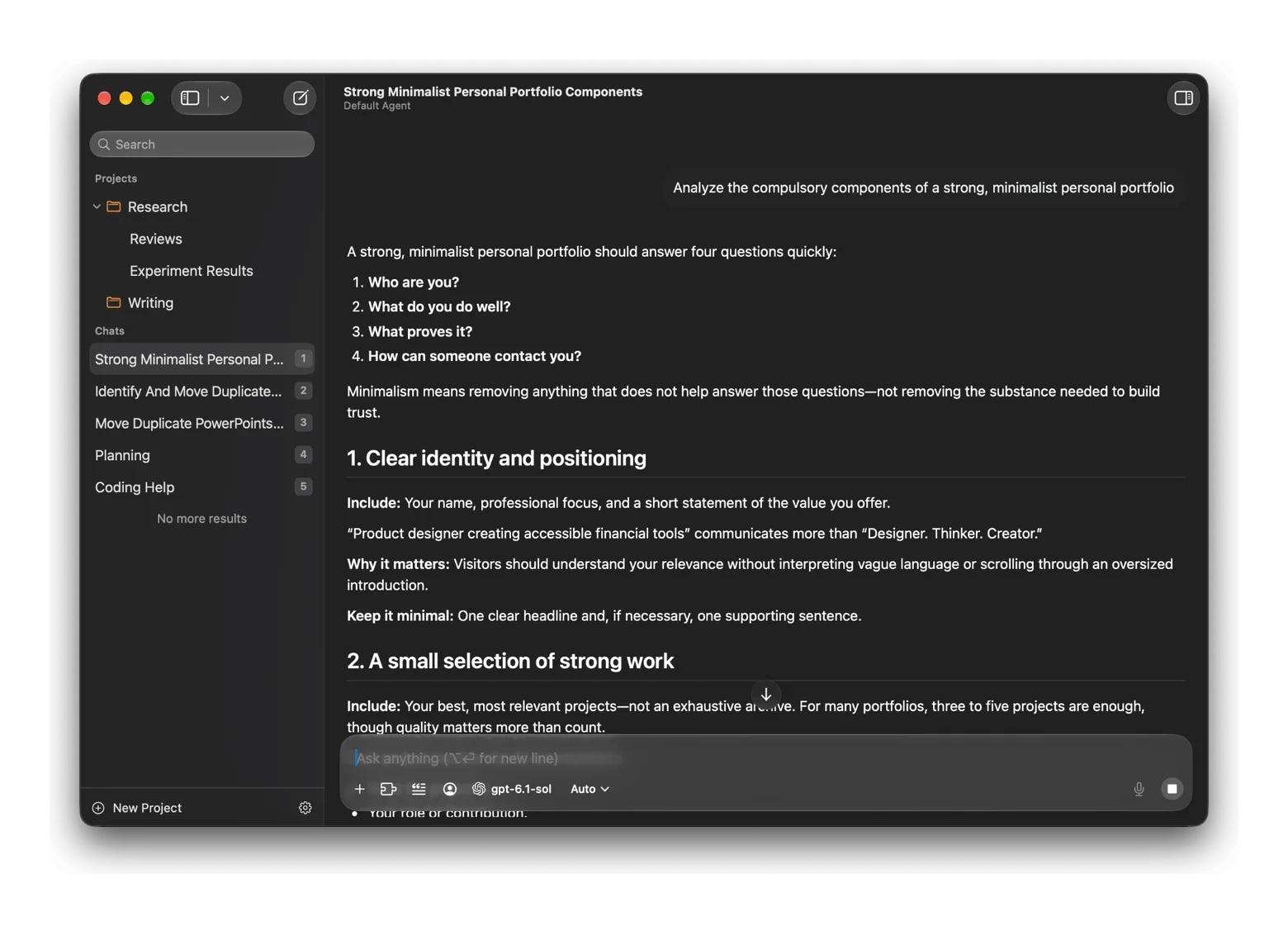
While Claude Code works, I keep BoltAI 2 open for everything that would otherwise derail it. It's one of the most flexible vibe coding apps for side questions: a native Mac app with Claude, GPT, Gemini, and local models, and it runs on Setapp AI credits or your own API key.
I love that I can ask quick questions, plan improvements, or look into similar projects without disturbing the coding agent.
One limit: It doesn't see your project files unless you add an MCP tool. You'll have to paste in snippets for code questions.
TypingMind: Where your prompts get better
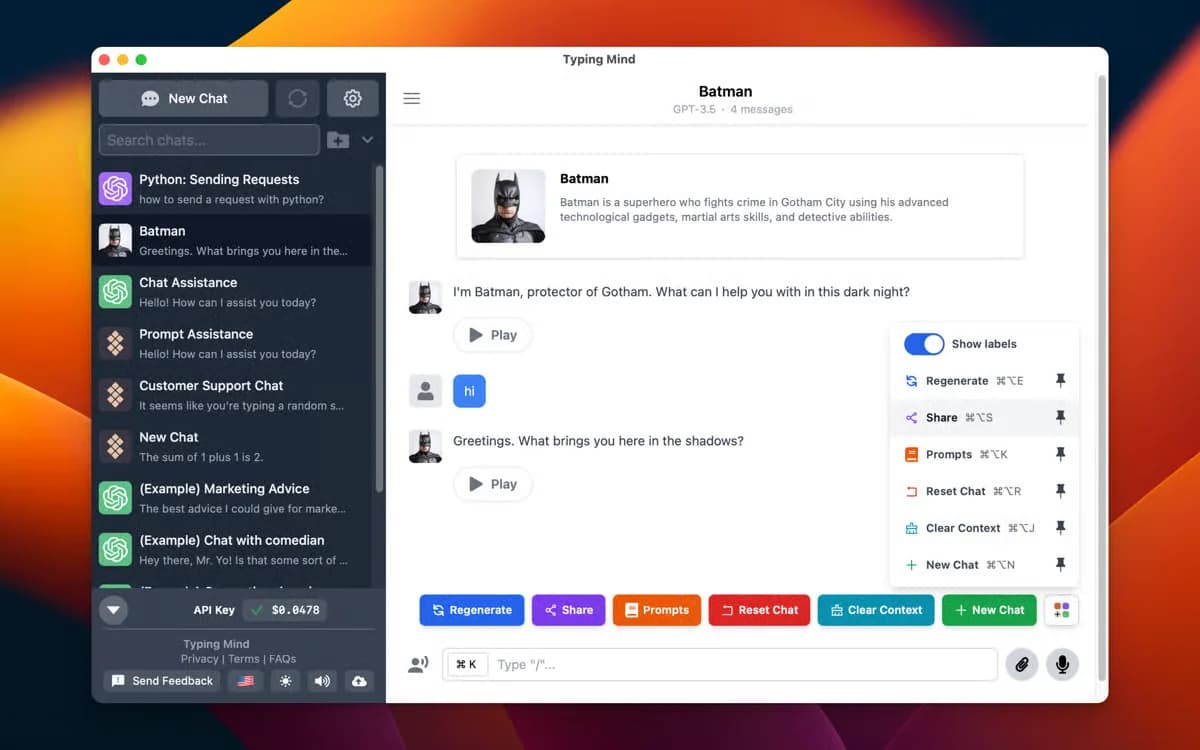
TypingMind is a chat app that puts Claude, GPT, Gemini, and other models behind one interface, with a built-in prompt library.
It's where I write and save the prompts I reuse with Claude Code. The prompt library keeps my go-to build prompts, and you can try a prompt on different models before you hand it to the agent.
Most beginners skip this step when they pick their vibe coding tools. But it's the one that saves the most fix-up rounds later.
One limit: It's another app to keep in your flow, so it pays off most once you're building regularly.
You can try TypingMind free for 7 days with a Setapp membership, and it requires AI credits or your own API key.
Cursor: The IDE-style alternative (not in Setapp, still worth knowing)
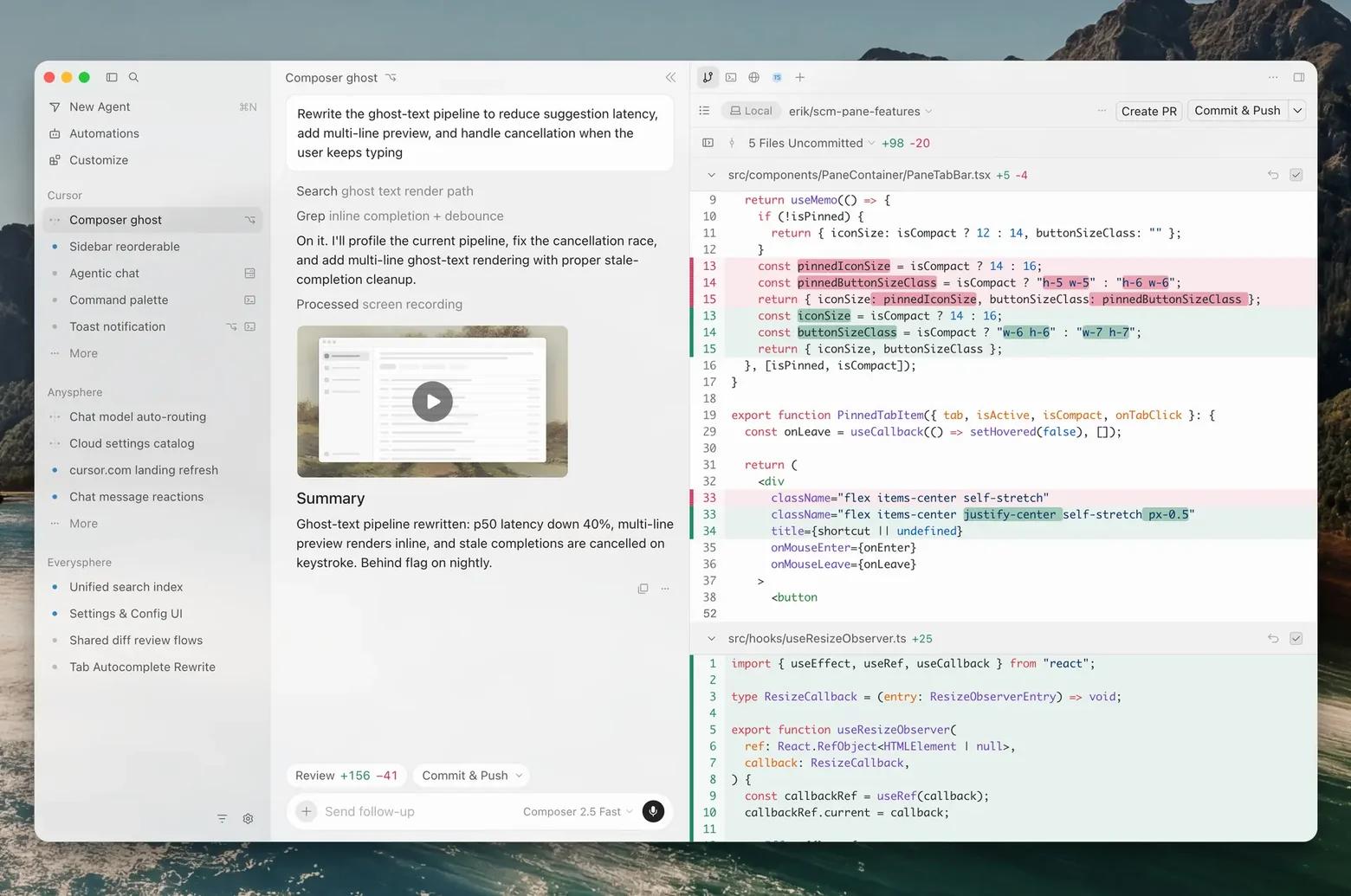
Cursor is a code editor with an AI agent built in, and it's one of the most popular vibe coding apps for a reason. Instead of working in the Terminal, you see every change as a highlighted diff in your files. This way, you feel more included in the code, and it’s easier to follow.
Cursor isn't on Setapp and has its own plans. Pick it if you love to stay in the editor view.
One limit: It's a full code editor, so it's more to learn than a chat window if you've never used one.
Vibe code your first Mac utility in an afternoon
To see if these tools for vibe coding really work together, I built a tiny menu bar app that keeps my last 10 copied items and pastes them back as plain text. I built it in small steps, and it came out well. You can follow the same steps:
Plan in TypingMind. I asked: "Turn this idea into a short spec: a macOS menu bar app that keeps my last 10 copies and pastes them back as plain text." I saved the result as spec.md in an empty folder.
Build with Claude Code. In that folder, I ran claude and typed: "Using spec.md, build this as a SwiftUI menu bar app with an Xcode project I can run. Start with the simplest version." It created the project, wrote three files, and ran the first build.
Fix the first error. The build failed, so I asked it to explain the problem before changing anything. One line later, the app showed up in my menu bar.
Iterate once. Next prompt: "Also strip tracking parameters like utm_source from copied links, and add a Clear History button." Both worked on the first try.
Ask the side questions in BoltAI 2. While Claude Code worked, I used BoltAI to write a short description for the app and explain one SwiftUI term I didn't know.
It's not App Store material, but it's mine, and I use it every day. That's the real test of the best vibe coding tools: you end up with something you actually use. And later, you can do more.
Where vibe coding stops being enough
Even with the best vibe coding tools, vibe coding works best for small tools, prototypes, and personal utilities. It gets risky when the stakes go up:
Security-sensitive code: Logins, payments, and personal data need someone who can check every line.
Large refactors: Agents can lose track across big codebases and quietly break things that used to work.
Code you can't evaluate: If you can't tell whether it's right, you can't tell when it's wrong.
Whatever an agent writes, you own every line you ship. For anything other people will rely on, have a developer review it first.
The best vibe coding tools for Mac, in one setup
A good setup for vibe coding on Mac doesn't need a pile of subscriptions. BoltAI 2 and TypingMind are both included in Setapp Membership, along with 300+ other Mac apps, from $14.99 USD/mo + tax. That covers your sidekick and your prompt workshop in one plan.
Claude Code comes from Anthropic with a paid Claude plan, and Cursor has its own plans if you go the editor route.
Try Setapp free for 7 days and build something small this weekend. That's the quickest way to find out which tools fit how you work.
The best vibe coding tools on Mac are Claude Code for writing and running code, BoltAI 2 for quick side questions, and TypingMind for refining prompts. If you prefer working inside a code editor, Cursor is the main alternative to Claude Code.
Can you vibe code without being a programmer?
Yes, you can vibe code without being a programmer, especially for small personal tools. You describe what you want, and the AI writes the code. Start with tiny projects, though, because you'll still need to test the result and explain problems clearly when something breaks.
Is Claude Code or Cursor better for vibe coding?
Neither Claude Code nor Cursor is better for everyone. Claude Code works on its own in the Terminal and suits people who want the agent to handle more. Cursor shows every change inside a code editor, which many beginners find easier to follow.
What do I need to start vibe coding on a Mac?
To start vibe coding on a Mac, the core tools for vibe coding are a coding agent like Claude Code or Cursor, plus the tools for what you're building, like Xcode for Mac apps. A chat app like BoltAI 2 and a prompt app like TypingMind round out the vibe coding setup.
Is vibe-coded software safe to use?
Vibe-coded software is safe to use for personal tools and prototypes, as long as you test it. For anything that handles logins, payments, or other people's data, have a developer review the code first, because AI can write code that works but isn't secure.
Powerful apps live on Setapp
Ditch defaults and discover new gems on one app platform.






 Best solution
 Best solution