Traditional productivity apps assume linear workflows, but ADHD brains need flexibility, visual cues, and low-friction interfaces.
According to users, one of the best ADHD apps is Be Focused, which combines task management with built-in Pomodoro timers to help you break overwhelming projects into manageable chunks. Calendars transforms chaotic schedules into visual clarity with color-coding, while Session tracks not just your time but your focus quality over sessions.
About 1 in 4 adults in the U.S. believe they have ADHD, but half of them do not seek medical help. Symptoms vary. Some people find it difficult to concentrate on their studies, some switch easily between tasks at work, and some lose track of the conversation. ADHD is not a flaw; it just means that your brain works differently.
I've spent considerable time researching ADHD apps for adults that actually work. Not the ones that promise miracles, but the ones that people with ADHD consistently use and recommend. Let's explore what makes them different.
Comparison of the best ADHD apps for Mac (2026)
While selecting apps for ADHD, I focused on the following criteria:
Minimal frustration between opening and using the app
Visual design that shows the big picture at a glance
Customization without unnecessary complexity
Support without shameful pressure
Not every app claims to be “for ADHD,” but the following tools have these features.
Turning meetings into tasks and a structured schedule
Included in Setapp Membership, free for 7 days
Evernote
Capturing ideas before you forget them
Free or from ~$8.25/month
Todoist
Managing tasks with your team
Free or from $4/month
RescueTime
Seeing where your time really goes
From $7/month
Let's take a look at each of these ADHD apps one by one!
Be Focused: Best ADHD app for task management with built-in timers
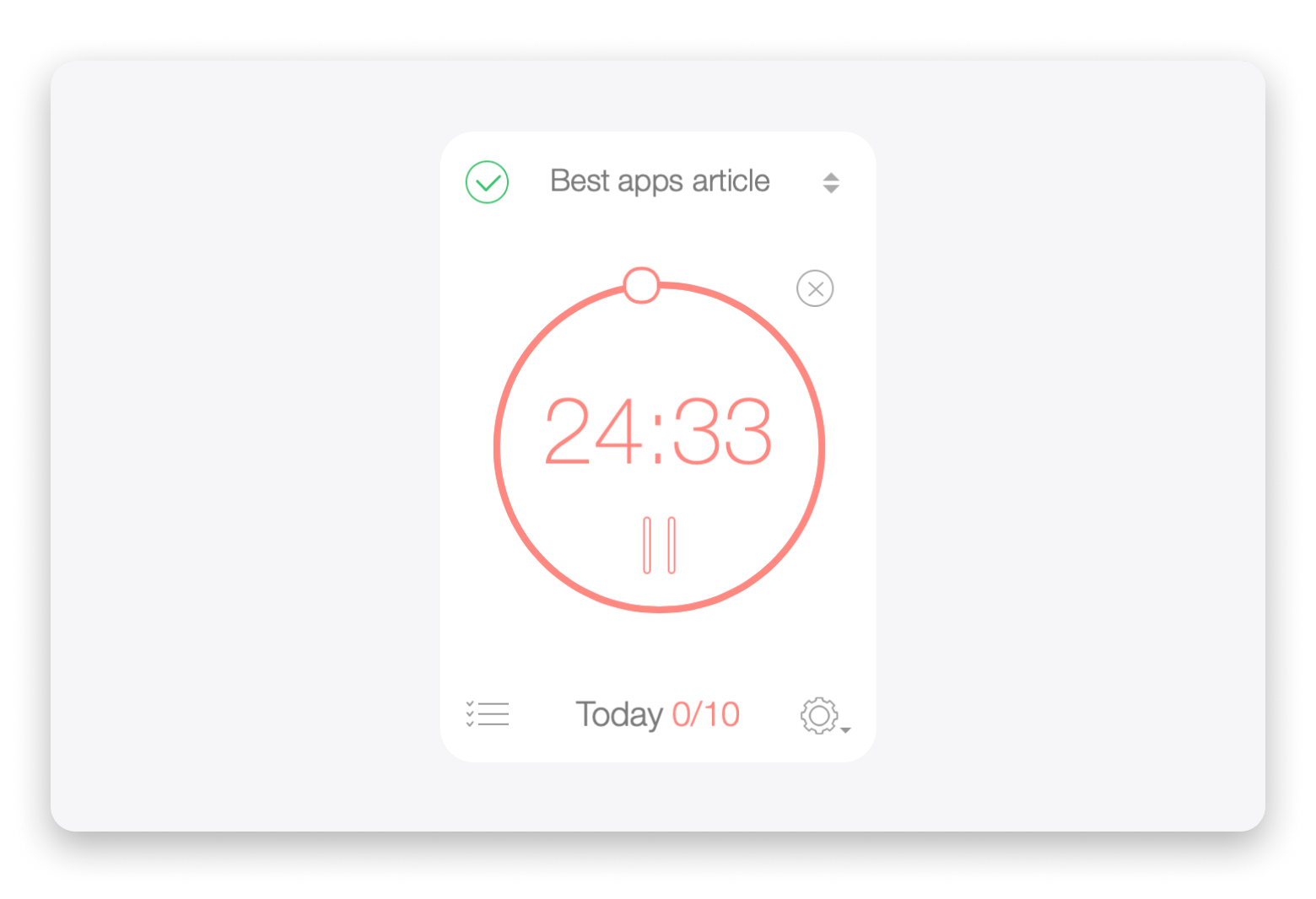
The biggest struggle with ADHD isn't laziness, it's getting started. Be Focused solves this by combining your to-do list with a timer, so you're not just looking at tasks, you're actively working through them.
Visual progress tracking creates satisfaction and motivation
Goal tracking helps maintain a long-term perspective
Syncs across Mac devices (iOS version available separately)
Cons:
No collaboration features for team projects
Price: Available on Setapp — a subscription platform with 250+ apps for MacBook, iPhone, and iPad. You can try it free for 7 days.
Calendars: Best calendar app for ADHD minds
Sometimes I think I have plenty of time, then suddenly it's 3 PM and I haven't eaten lunch. Calendars address this by making time visible and manageable.
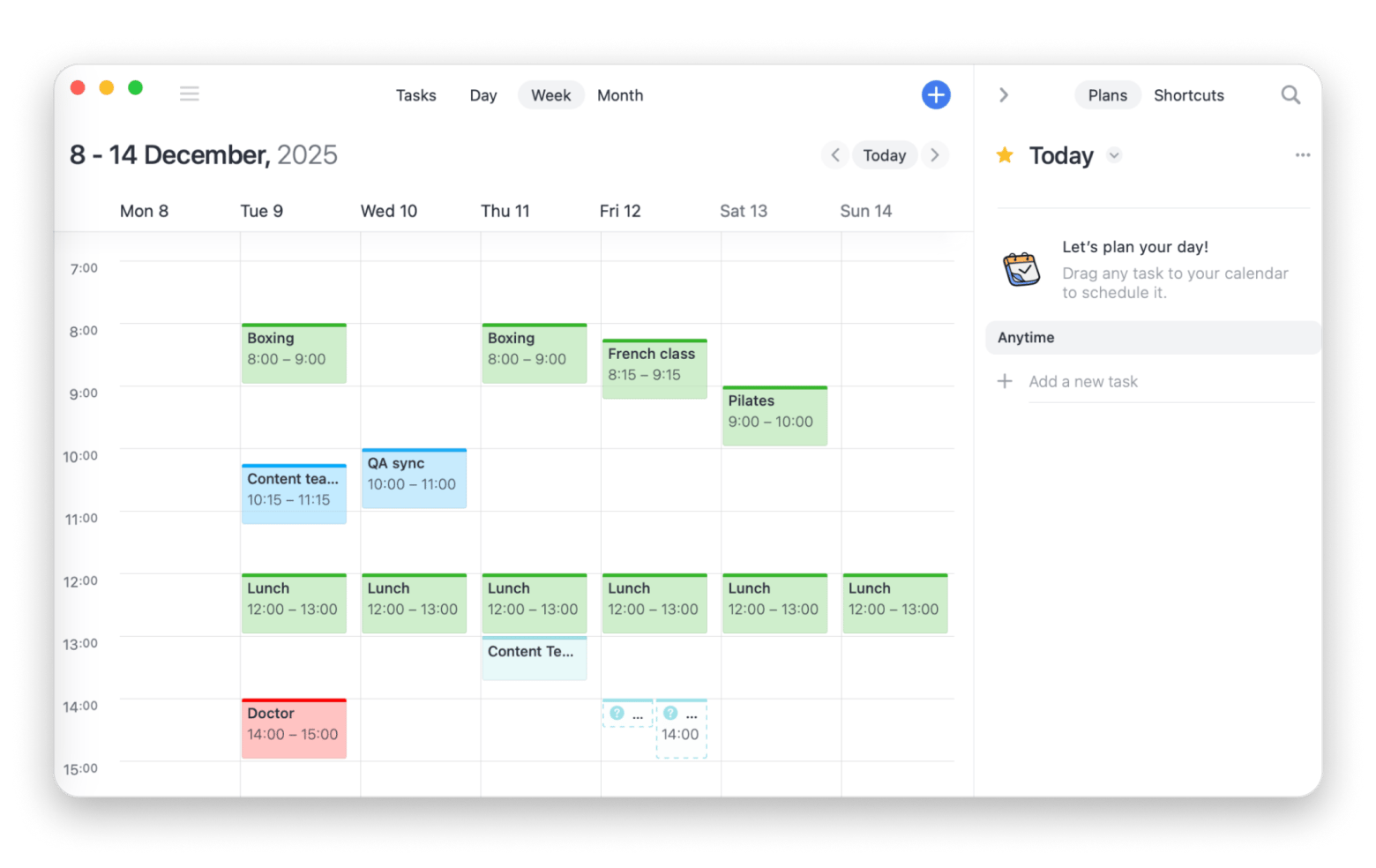
What I personally like is the color coding system. Before this ADHD app, I used Google Calendar — it was fine, but I don't like scanning that wall of text and trying to remember what's important. Now I see tasks marked in red and know they're urgent, while meetings are marked in blue and personal appointments are green.
The natural language input is a game-changer. Type "meet Alex at Starbucks tomorrow at 10" and Calendars creates the event, adds the location, and links your contact.
“I swear by the Calendars app. It’s the only way I keep my life together — work meetings, gym, dinner with friends, all in one place. I color-code everything so my brain doesn’t melt: blue for work, green for personal stuff, red for workouts. Total game changer”, says Oleksandra Melnyk, Product Marketing Manager.
Best features:
Sync multiple accounts (Google, iCloud, Outlook) to see your entire life in one view
Set up to 5 reminders per event
Color-code events for instant visual differentiation of priorities
Create event templates for recurring appointments or habit-building tasks
Pros:
Drag-and-drop task scheduling makes planning intuitive
Access to 200+ preset calendars (sports, TV shows, holidays)
Visual time blocking helps with time awareness
Cons:
Can feel overwhelming if you sync too many calendars at once
Price: Available on Setapp — a subscription platform with 250+ apps for MacBook, iPhone, and iPad. You can try it free for 7 days.
Amie: Best ADHD app for turning meetings into an organized plan
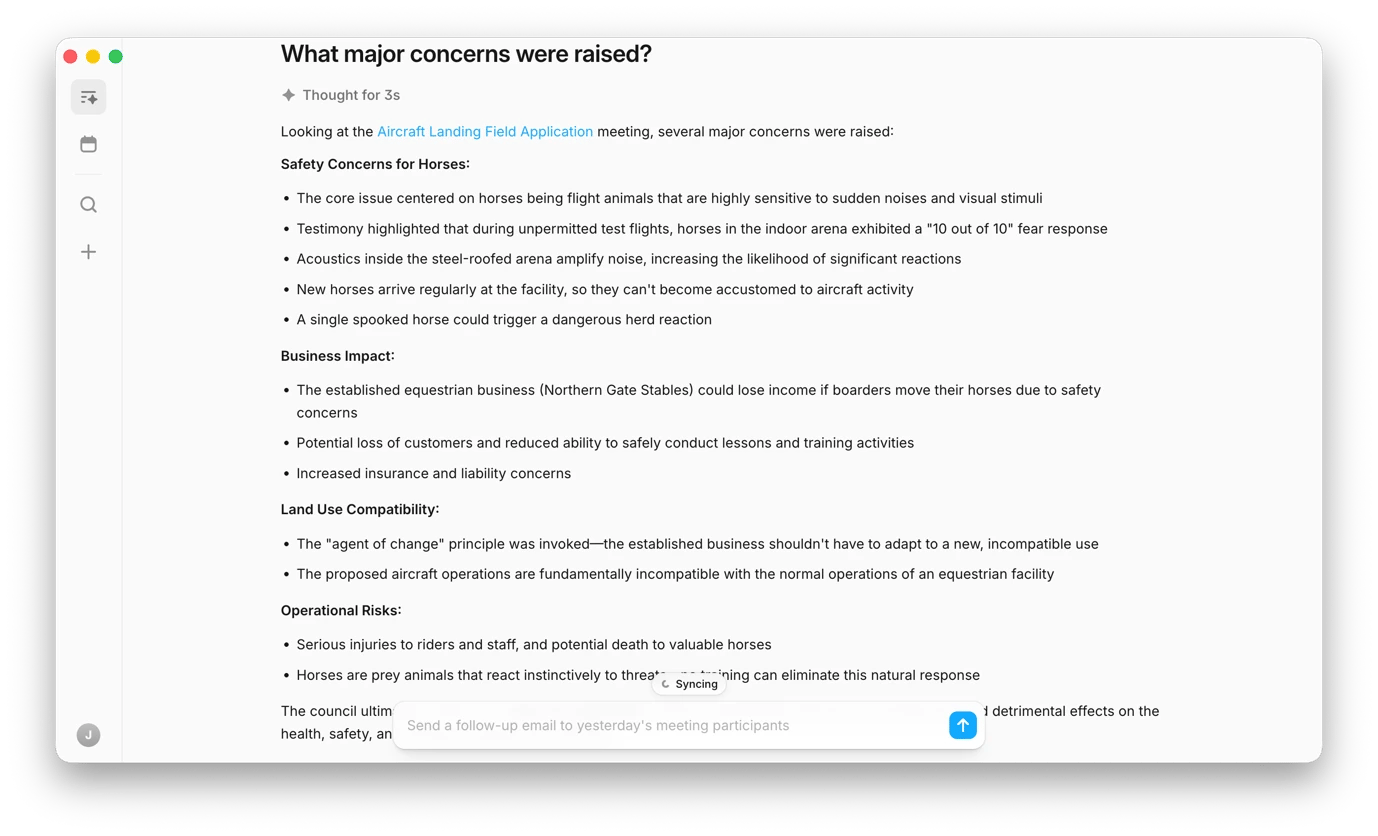
If you go to online meetings only to leave with a head full of things you need to do, only to forget them 20 minutes later, you need Amie. It automatically detects and records calls from Zoom, Google Meet, Slack, and other platforms, then gives you ready-to-use meeting notes and summaries.
If you need to go back and review the full transcript, you can do that too. But what’s even better is that Amie can turn your meeting history into a searchable knowledge base. So, if you’re trying to remember something specific — like the name of a report you discussed last December — you can simply ask, “What report did we discuss in December about the state of the market?” and Amie will find the answer for you.
Best features:
Automatically records calls, so there’s no manual setup before every meeting.
Identifies speakers.
Lets you take private notes that aren’t visible to other participants. The app takes these notes into account when creating the final meeting summary, helping it better understand the context and focus on what matters to you.
Drafts recap emails you can send after the meeting.
Extracts action items and deadlines from meetings and can push them to Notion or Slack.
Creates a searchable knowledge base from all your past calls.
Pros:
Removes the need to set up recording, transcription, and other tools before every meeting.
Saves time on follow-ups and meeting notes.
Connects your calls to your workspace and turns meeting takeaways into actionable tasks.
Cons:
You’ll get the most value from it when it’s connected to other tools like Notion, Todoist, or Slack.
AI scheduling requires access to your calendar and task list.
Price: Available on Setapp — a subscription platform with 250+ apps for MacBook, iPhone, and iPad. You can try it free for 7 days.
GoodTask: Smart ADHD app that syncs to-do’s with Reminders
If you're already using Apple Reminders and Calendar but need more power, check GoodTask. It expands on Apple's native apps without forcing you to learn an entirely new system.
Smart lists make GoodTask one of the best apps for ADHD. You can filter tasks by what's overdue, what's due today, or what's tagged for a specific project — all without manually organizing everything. For ADHD brains that struggle with categorization, this automatic organization is essential.
“One of the biggest pros of GoodTask is that it uses the native Reminders and Calendars databases. This means I can access my work tasks from Exchange, tasks from my secondary accounts on Outlook.com, my wife's google tasks, our family shared shopping list, and my personal Reminders all in one app. I can add a task in Goodtask on iPhone using Siri while driving and it will be in my Outlook tasks on work laptop the next day”, shares Reddit user.
In Your Face: Best ADHD app for unmissable meeting reminders
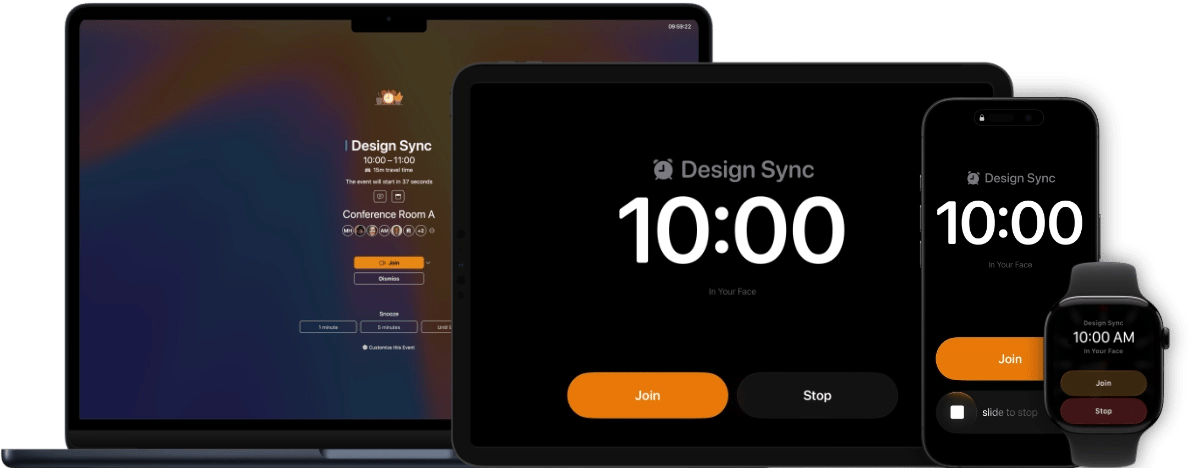
If standard calendar notifications disappear into your peripheral vision the moment they pop up, you're not lazy — that's tunnel focus, one of the most relatable ADHD experiences. In Your Face solves it by taking over your entire screen with a full-screen alert right before your meeting starts, with a one-click button to join Zoom, Meet, or Teams.
Developer Martin Höller built the first prototype over a weekend to help a coworker who kept missing meetings because he'd get too absorbed in coding to notice notifications. It worked, and Martin realized he had something. He brought In Your Face to Setapp, where it's now available both as part of the Setapp Membership (one subscription, hundreds of apps) and as a standalone purchase on the Setapp Marketplace, giving users the flexibility to pick the model that fits them.
"I really love this app. I always miss/am late to meetings and now I have no choice but to login and join on time. Thank you dev! Great app. Simple, but game changer”.
Best features:
Full-screen meeting alerts you genuinely can't tune out
One-click join for 30+ video conferencing services from the alert itself
A library of alert sounds, since the brain learns to tune out a repeated tone
Custom reminders without a calendar event — for meds, meals, or body breaks
Pros:
Designed with neurodivergent users in mind
Syncs across Mac, iPhone, iPad, and Apple Watch
Works with Google, Outlook, and iCloud calendars
Cons:
The full-screen takeover can feel intense at first
Price: Available in the Setapp Membership (250+ apps under one subscription) or as a standalone app via Setapp Marketplace.
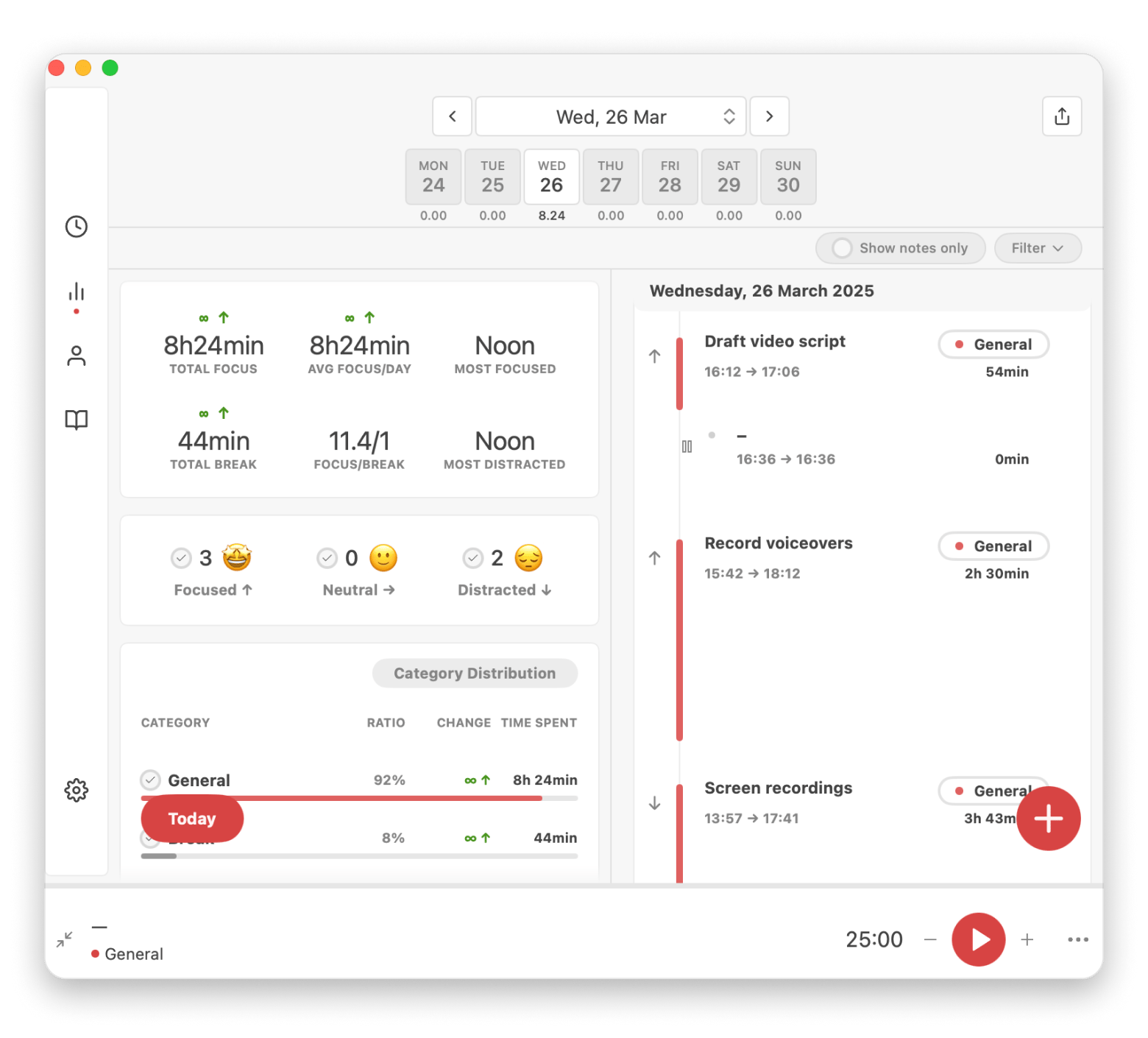
Session: Best focus timer app for ADHD with reflection tracking
Unlike classic Pomodoro timers, Session adds something special for ADHD minds: self-awareness about your focus patterns. After each work session, the session prompts you to reflect. Were you distracted? Neutral? Deeply focused? I noticed that it helps me recognize patterns. For example, I found that I can concentrate best early in the morning (perhaps because no one disturbs me with messages then). Anyway, with this information, I designed my day around my brain and became more productive,
Another special feature of Session is the breathing exercise before the start of each session. I like those little breaks between tasks when I can literally breathe out and relax.
"Blogging is my full-time job, so staying focused matters. Session helps me track how much time I actually spend on each task — and stops me from falling into a scrolling rabbit hole when I should be editing," says Thomas, creator of the NighTech Channel.
Best features:
Customizable focus intervals that adapt to your natural rhythm
Detailed analytics reveal focus patterns over time
Pros:
Syncs across Mac, iPhone, and iPad with Apple Calendar
Session log shows productivity trends by day or week
Breathing exercise creates mindful transition into focus
Cons:
Requires discipline to use consistently
Price: Available on Setapp — a subscription platform with 250+ apps for MacBook, iPhone, and iPad. You can try it free for 7 days.
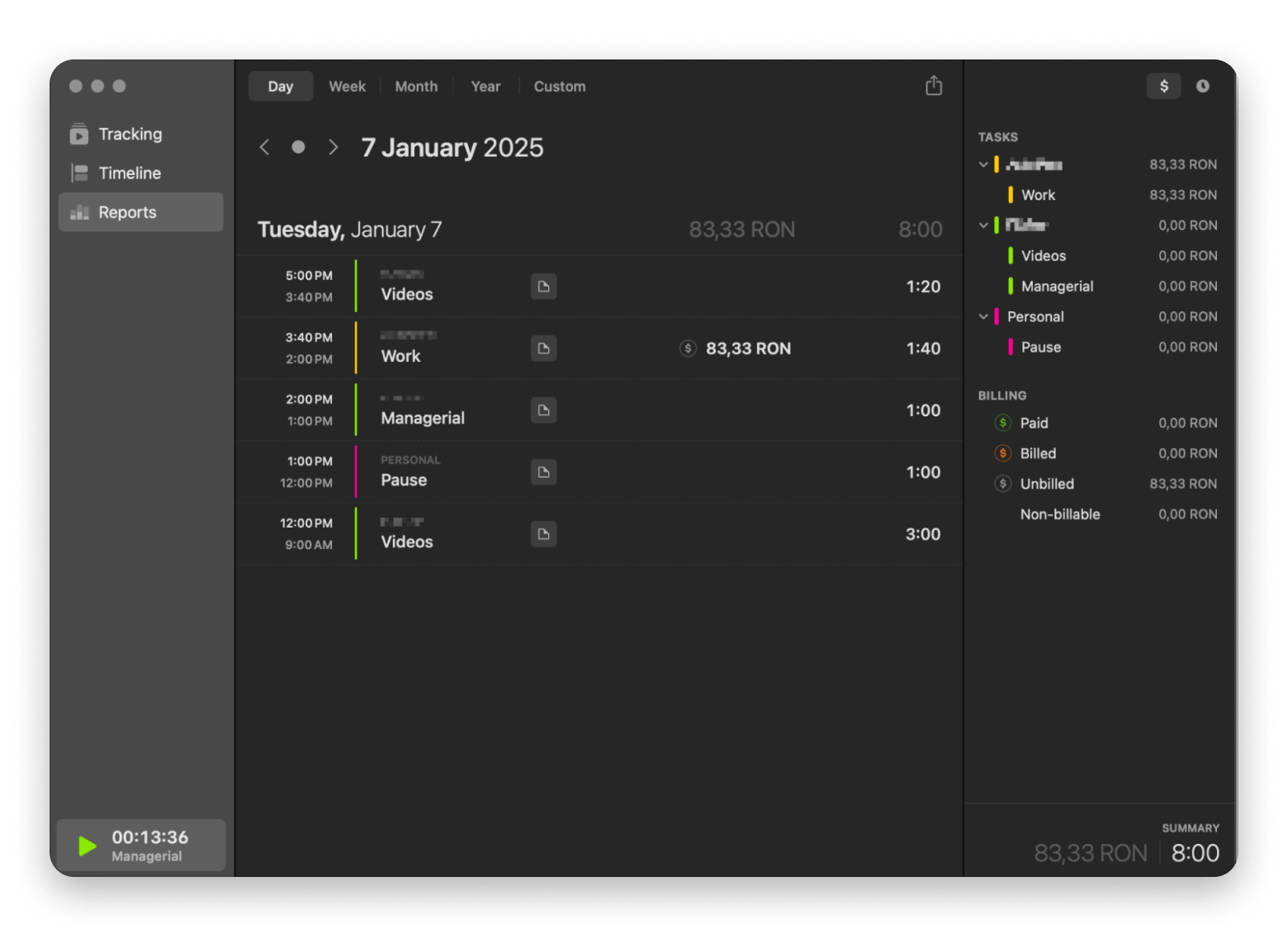
Timemator: Best automatic time tracking app for ADHD
Forgetting to start and stop timers is practically an ADHD signature move. Timemator solves this by tracking everything automatically based on what apps and files you're using.
The activity timeline shows where your day actually went, not where you think it went. For ADHD brains that experience time differently, this objective record is invaluable for understanding your work patterns.
What users love is the flexibility. You can let it track automatically, or you can manually start and stop when you want more control. The app adapts to how your brain works on any given day.
“Balancing a full-time job and side projects, I used to waste hours updating Excel sheets just to track my billable hours. Timemator changed everything — it automatically tracks time per task and project, so now I just check the totals and send an invoice. No more manual logging or spreadsheet chaos.”, says Stefan-Radu Gogolan, video editor, digital marketing specialist.
Detailed reports with progress tracking and earnings calculations
Traditional timer option for manual control when needed
Pros:
No need to remember to start and stop tracking
Works with design tools, development software, and most Mac apps
Edit entries and adjust timing sessions flexibly
Hourly rate tracking for freelancers
Cons:
May track too much if not configured thoughtfully
Price: Available on Setapp — a subscription platform with 250+ apps for MacBook, iPhone, and iPad. You can try it free for 7 days.
Awesome Habits: Best app for adults with ADHD to track habits
The main problem with most habit trackers is that they make you feel ashamed if you fail (or simply forget to enter information into the app). Awesome Habits takes a different approach.
Instead of demanding daily perfection, you can set weekly or monthly goals. For instance, I decided to exercise for three hours per week. It could be Monday-Wednesday-Friday, or two hours on Saturday and one on Sunday. I decide for myself what is convenient for me, and the app doesn't bother me with notifications that “it's time to exercise right now.” Instead, it syncs with Apple Health, so my steps, sleep, and workouts count automatically.
You're building habits without having to manually log everything — which you probably wouldn't remember to do anyway.
Best features:
Preset habits for common goals (water intake, meditation, limiting spending)
Custom reminder frequencies (daily, weekly, monthly, or custom intervals)
Unit specification for measurable progress tracking
Visual statistics show completed goals and streaks
Customizable colors and widgets make tracking enjoyable
Can track both building habits and breaking them
Cons:
May become overwhelming if you track too many habits at once
Requires consistent phone/Mac use to maintain accuracy
Price: Available on Setapp — a subscription platform with 250+ apps for MacBook, iPhone, and iPad. You can try it free for 7 days.
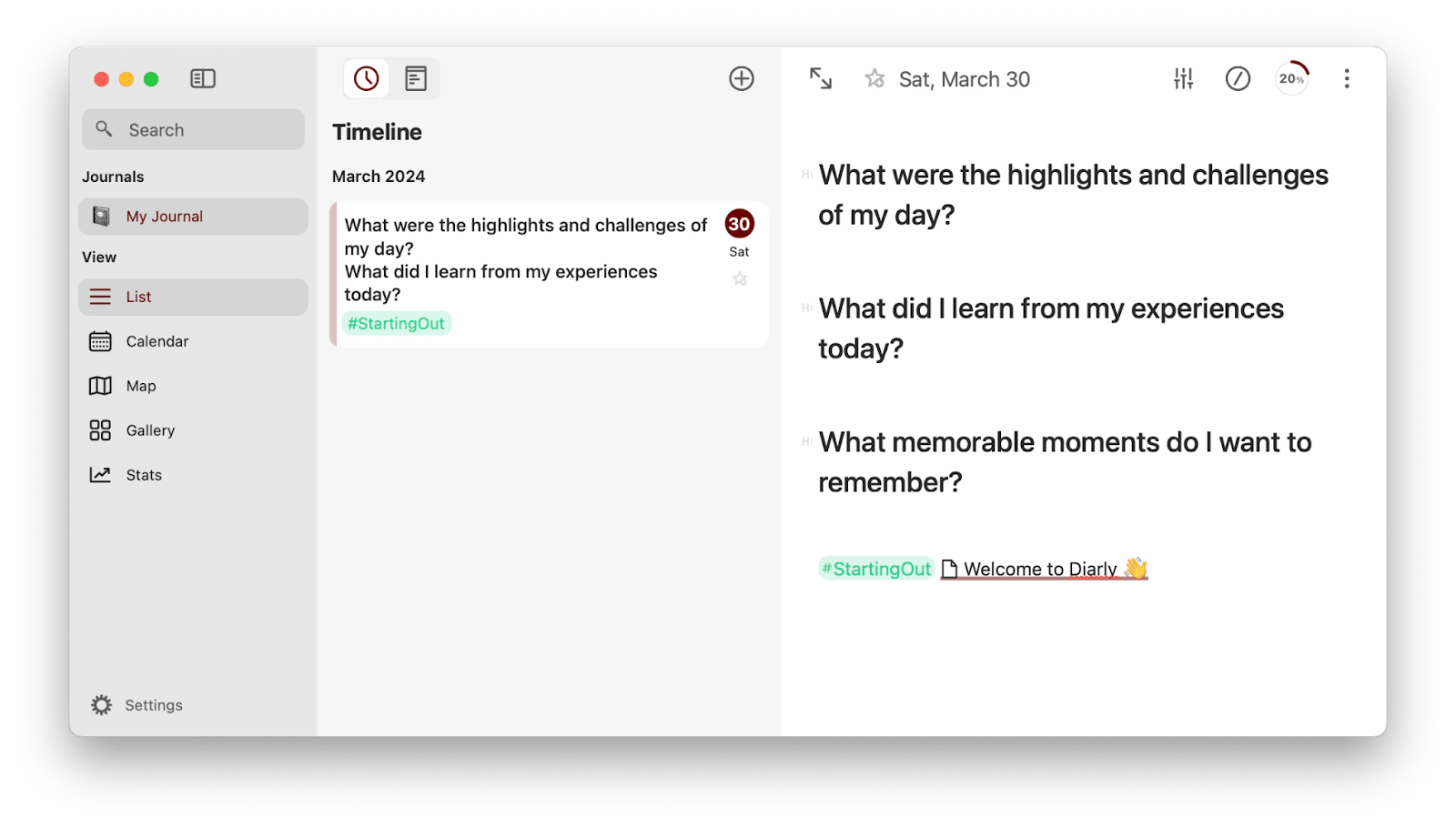
Diarly: Best journaling app for ADHD with reflection structure
Once, a therapist suggested journaling, and I was searching for the best ADHD app to help me reflect. I didn't want anything complicated, and of course, I prioritized privacy (if I wanted to reflect openly, I would do it on Instagram, right?).
Diarly is a perfect combination of a user-friendly interface, privacy, and organizational tools for ADHD, all in one app. I especially appreciate how Diarly's formatting tools let me structure ideas in whatever way makes sense to me.
“I’ve tried a number of the other (obvious) journally apps, and not quite gorton with them. (too much effort or not tailorable) I now use Diarly regularly and slowly am creating a template to do just what I want”.
Best features:
Encrypted entries protect your privacy completely
Markdown editor with preview for formatted writing
Calendar, customizable lists, and hashtag search for easy navigation
Syncs via iCloud across Mac, iPhone, and iPad
Pros:
Password protection across all devices
Custom templates for different entry types
Distraction-free interface with customizable fonts and themes
Cons:
May feel too structured for free-form writing
Price: Available on Setapp — a subscription platform with 250+ apps for MacBook, iPhone, and iPad. You can try it free for 7 days.
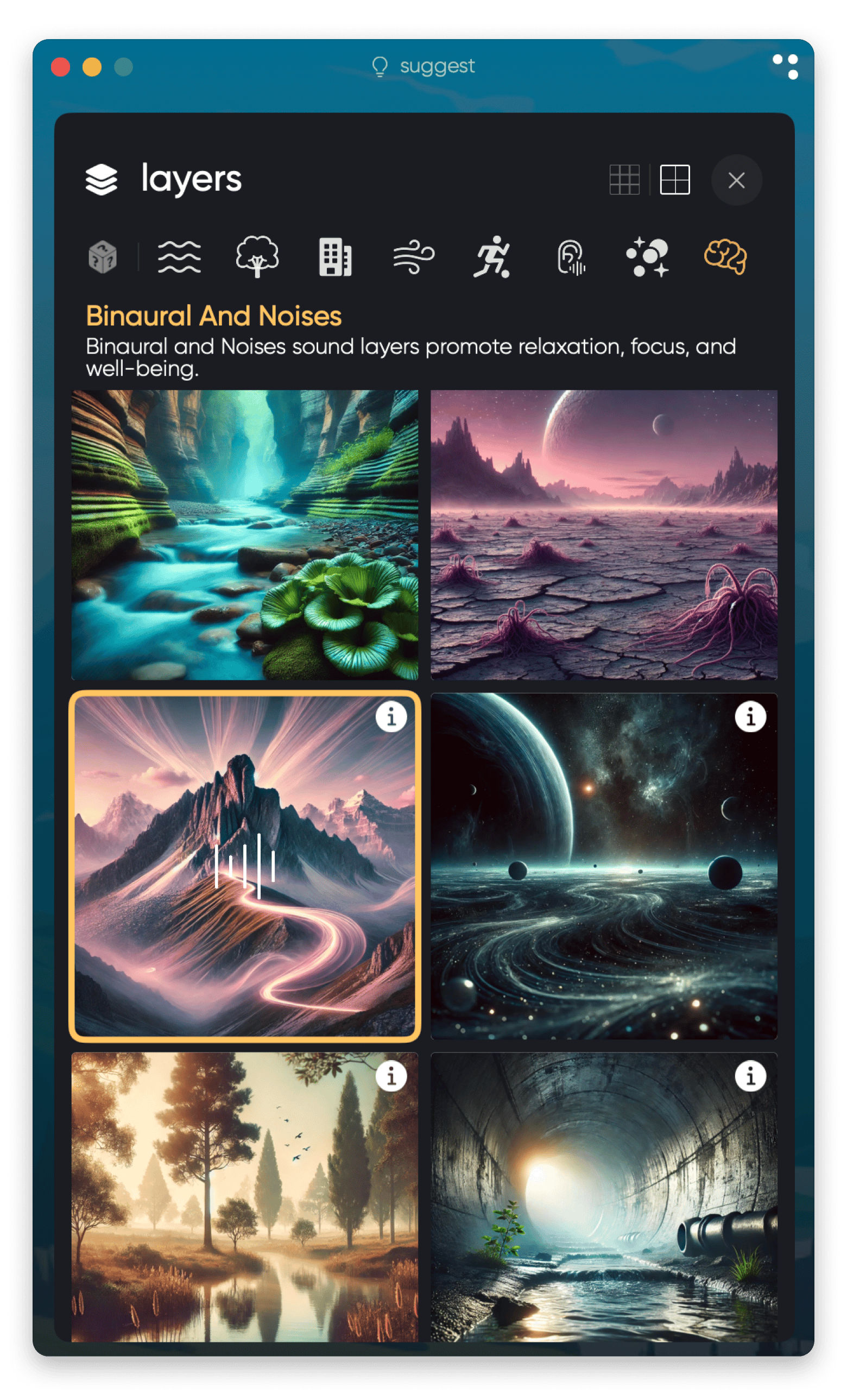
Clariti: Best soundscape app for ADHD focus and relaxation
When I worked with music playing in the background, it distracted me. Turned out that working with the right audio actually enhances focus. Clariti was a discovery for me, and even as I write this article, I have the calm sounds from this app playing in the background.
What makes Clariti unique is the location-based adaptation. The app uses real-time weather, location, and time of day to create soundscapes that change with your environment. If it starts raining outside, Clariti adjusts, keeping you grounded and present.
You can layer sounds based on what helps you personally. Some ADHD brains focus better with white noise, others with nature sounds, some with ASMR or binaural frequencies. Clariti lets you build the exact audio environment your brain needs.
Best features:
Real-time environmental adaptation based on weather and location
Customizable sound layers
Session timer with break management
Pros:
Changes with your environment for continuous grounding
Helps with focus, relaxation, and sleep in one app
Simple interface without overwhelming options
Cons:
May not appeal to those who prefer silence
Price: Available on Setapp — a subscription platform with 250+ apps for MacBook, iPhone, and iPad. You can try it free for 7 days.
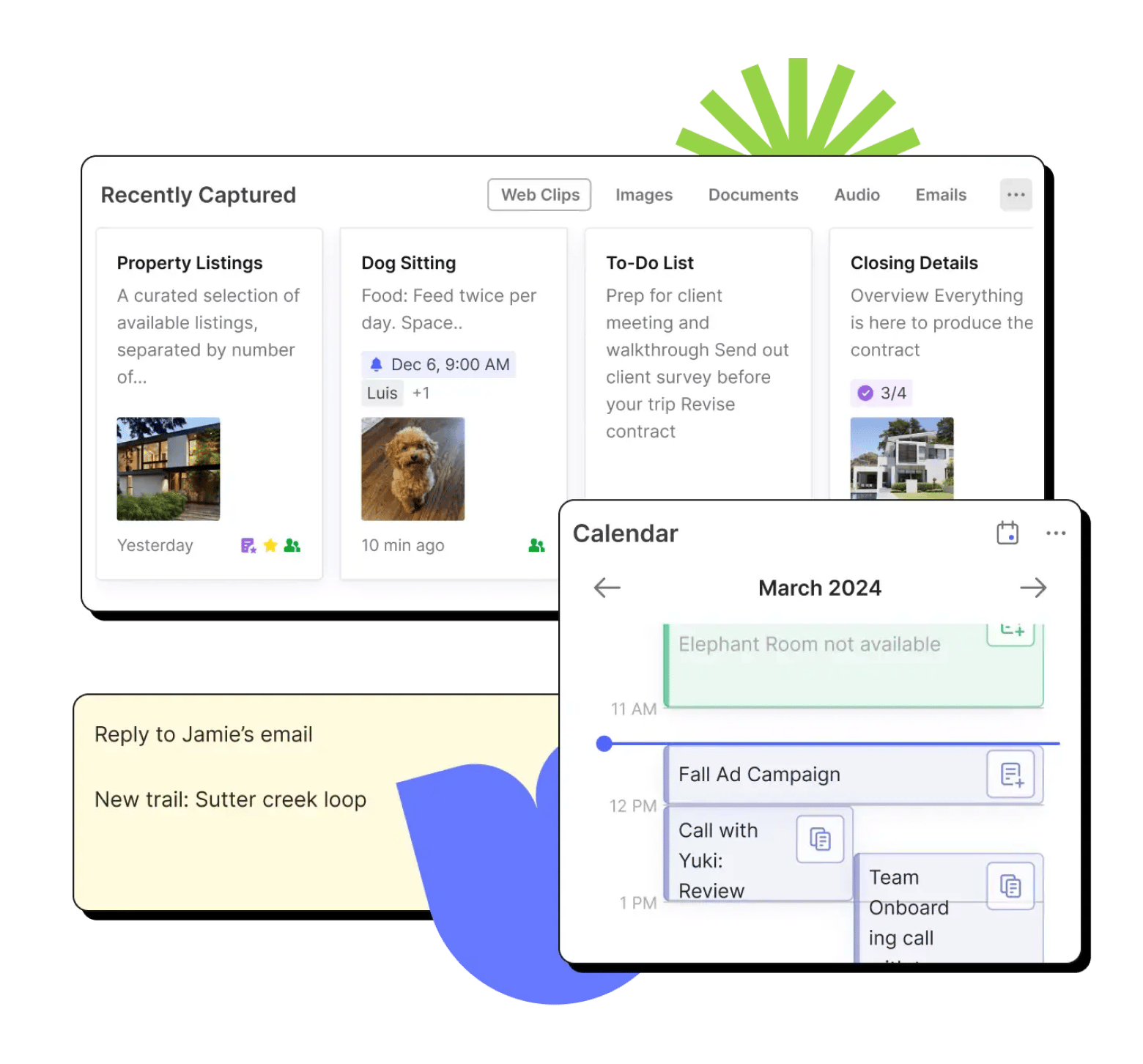
Evernote: Best ADHD app for capturing everything in one place
Sometimes, right before falling asleep, I get an idea that I can't remember in the morning. I tried writing them down in my iPhone notes, but guess how many times I actually looked back at them? Not once.
Evernote was created for just such cases. It's like your second brain, capturing everything before it disappears. And most importantly, you can easily find your notes later. When your brain can't remember where you saved something, Evernote's search finds it anyway.
Tasks live inside your notes, eliminating the need to switch between apps. You're not fragmenting your attention across multiple tools — everything lives in one searchable database.
Best features:
Capture thoughts, images, receipts, and documents on any device
AI-powered search
Tasks integrated directly into notes
Search works on note text, attachments, and even photo content
Pros:
Everything in one searchable place
Available on all platforms with automatic sync
Can capture information in any format
Strong search capabilities find information quickly
Cons:
Can become overwhelming with too much unorganized content
Price: Free or from ~$8.25/month.
Todoist: Best collaborative task manager for ADHD
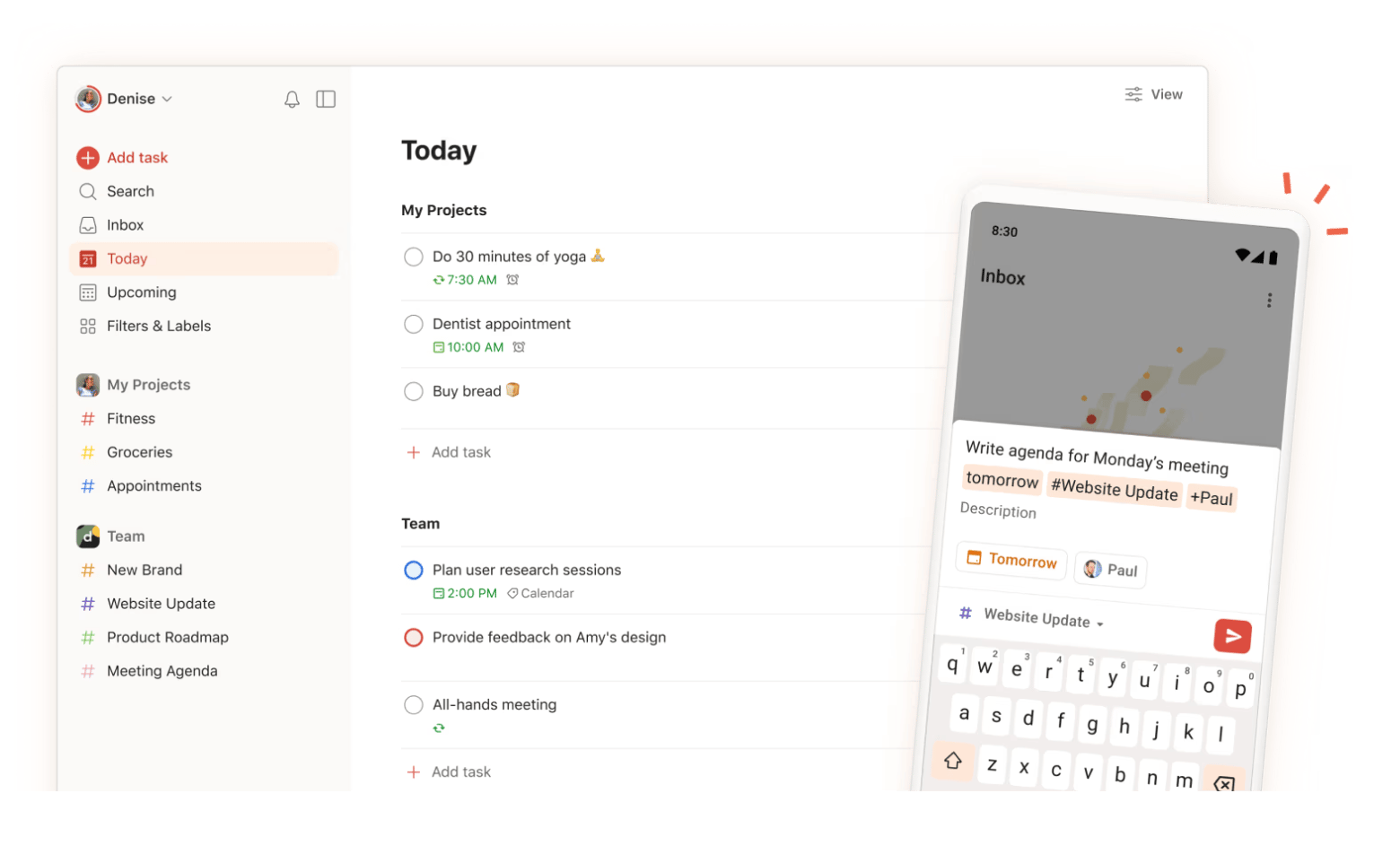
For ADHD users who work in teams or manage complex projects, Todoist is one of the top tools because it creates structure without being overwhelming.
Struggling with prioritization? Todoist helps you sort tasks. Not everything is equally urgent, and color-coded priorities make this visual rather than abstract. What users appreciate is the gamification. By completing tasks, you earn karma points and get streaks. It's gentle motivation that doesn't feel like a punishment when you're having a bad day.
“Smooth, simple, and perfect if you’re not very techy or mostly manage personal/family stuff on your phone.. Worth upgrading? Free plan’s enough for personal use. Go Pro only if you rely heavily on filters or reminders.”
Best features:
Priority levels and labels for visual organization
Recurring tasks with flexible scheduling
Project templates for repeated workflows
Pros:
Clean, simple interface
Available on all platforms with real-time sync
Collaboration features for team projects
Gamification provides motivation
Cons:
Advanced features require premium subscription
Can still become overwhelming with too many projects
Price: Free or from $4/month.
RescueTime: Best ADHD app for understanding time usage
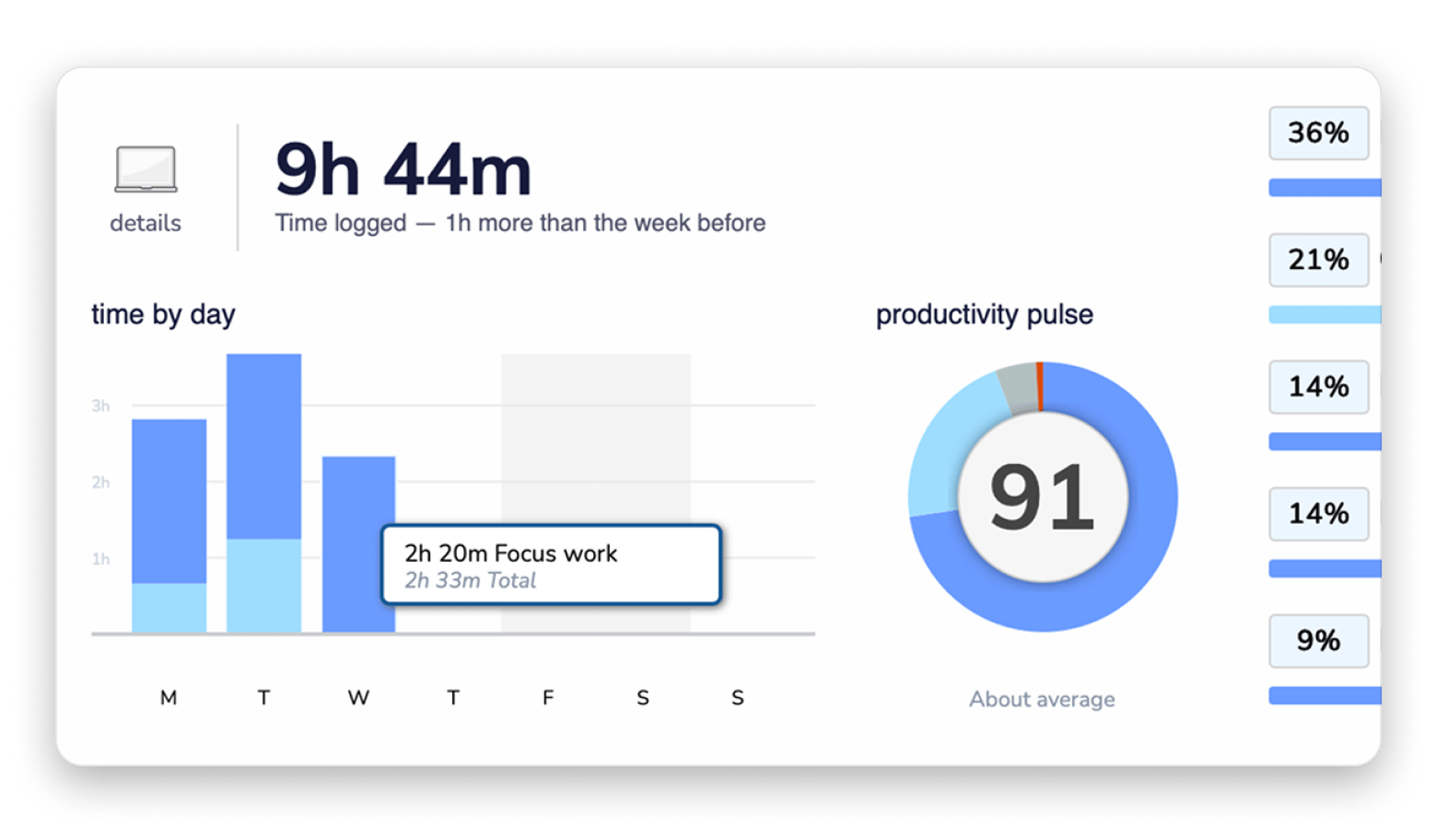
For ADHD users, the gap between perceived time and actual time is often massive. RescueTime shows objective data: you spent three hours on this project, 45 minutes on email, and yes, an hour on that "quick" social media break.
The app categorizes activities automatically as productive or distracting based on your goals. Over time, you see patterns — maybe you're most productive right after lunch, or maybe mornings are consistently derailed by email.
Weekly reports show progress without daily pressure. You're not micromanaging every minute; you're developing awareness of your actual patterns so you can work with them.
Best features:
Automatic tracking of all computer and phone activities
Weekly reports showing productivity trends
Goal setting with progress tracking
Website and app blocking during focus time
Pros:
No manual input required
Creates objective data about time usage
Identifies productivity patterns over time
Cross-platform tracking (desktop and mobile)
Cons:
May feel invasive if you're privacy-conscious
Price: From $7/month.
Create your own toolkit with the best ADHD apps
Analyzing 12 different apps for ADHD, I realized that the best aren’t the ones with the most features, but the ones you'll actually use consistently. That means finding tools that match how your brain works, not forcing yourself to adapt to rigid systems.
I believe that combining several apps creates the most effective workflow. Try Be Focused or GoodTask to manage your to-do lists, Calendars to view your schedule, and Session to actually focus during work periods. To find out exactly where your time is going, try RescueTime or Timemator. With Awesome Habits, you can finally develop the habits you need without pressure or shame, while Clariti provides the sensory environment
With Setapp, you can experiment freely. Try different combinations without commitment anxiety with a 7-day free trial and see what works for your brain!
Curious how others get more done with Setapp?
See how real users apply Setapp apps for writing, creative work, productivity hacks, and beyond.






 Best solution
 Best solution