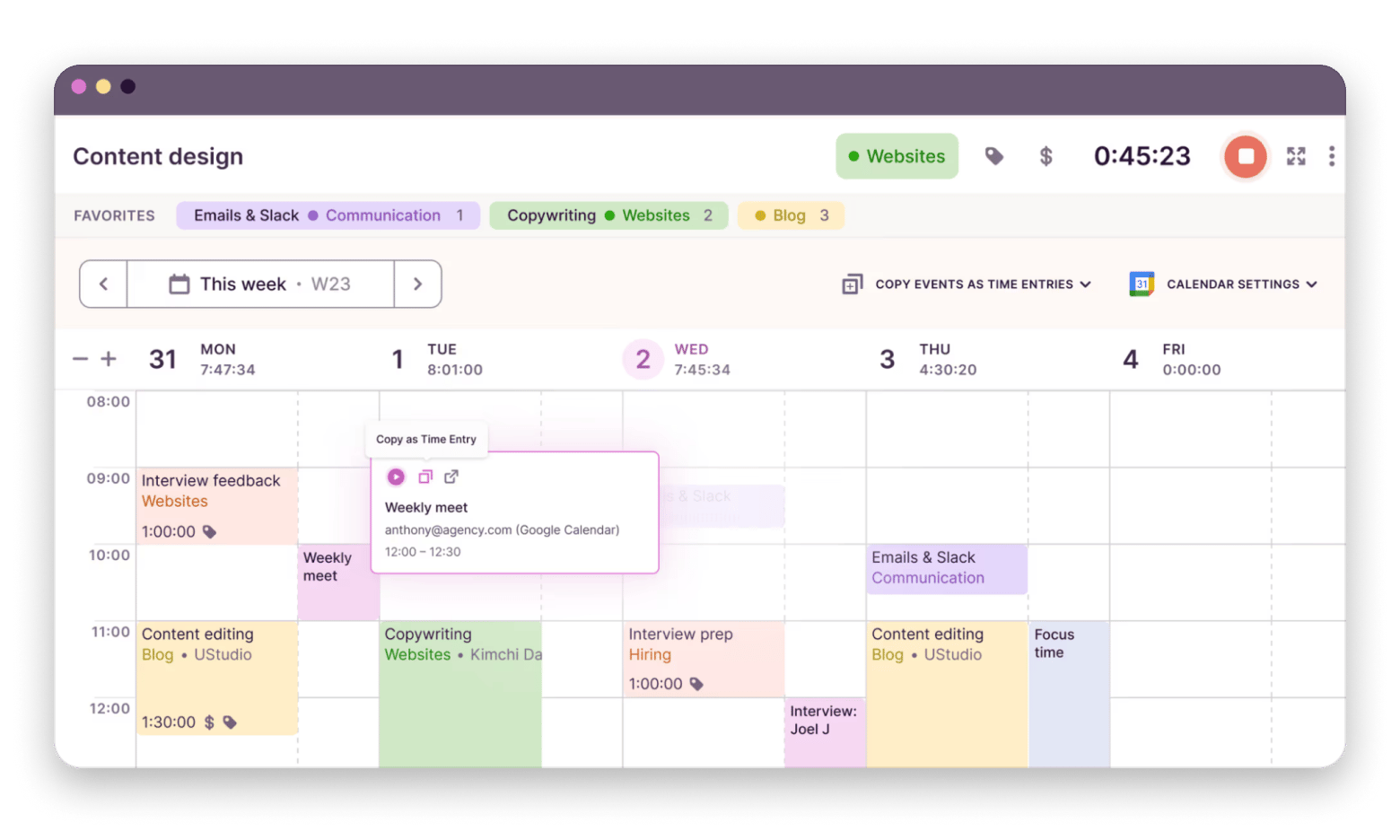
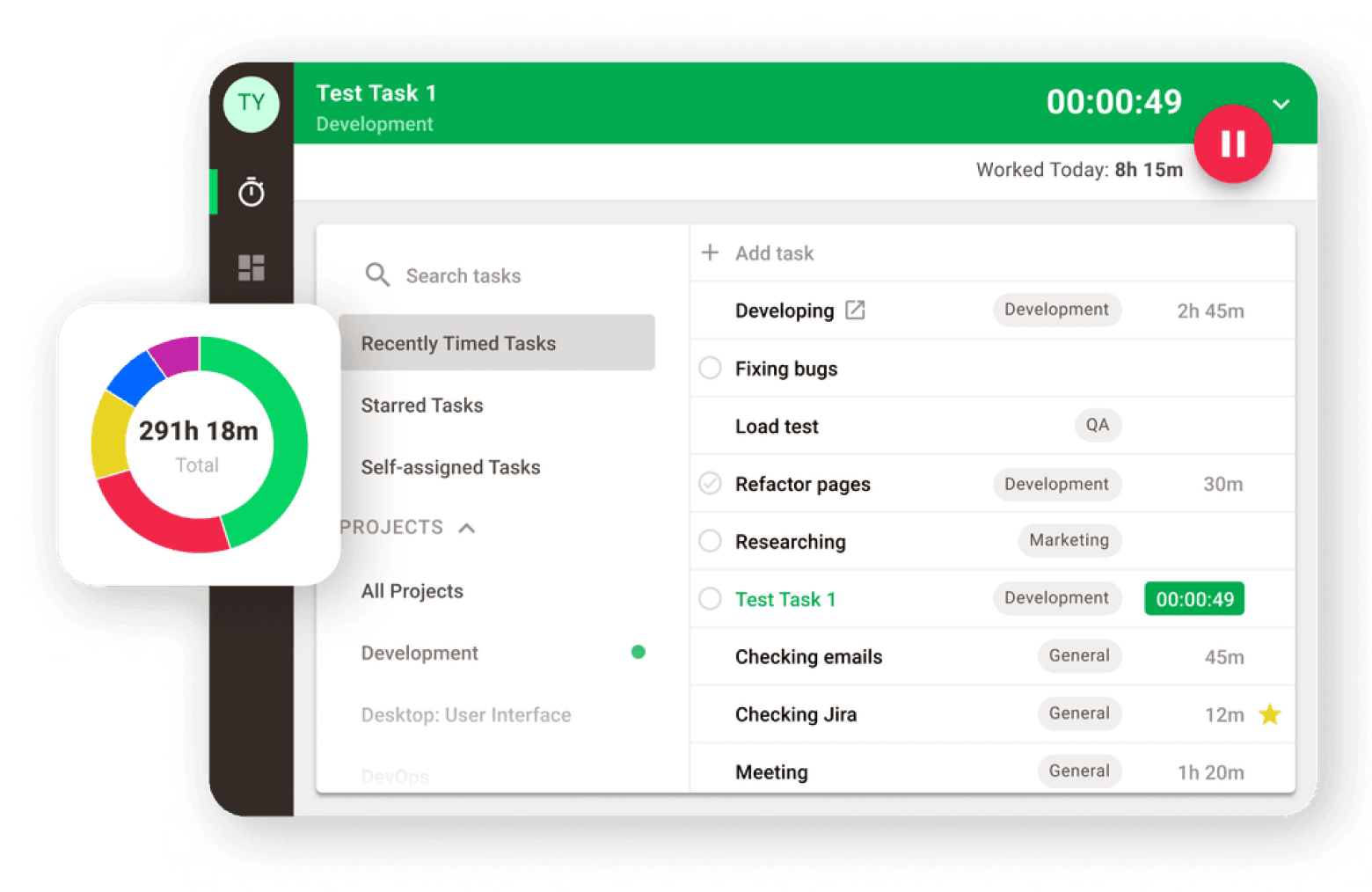
Timing is the best Clockify alternative for Mac users who want passive, automatic tracking. It runs in the background, records everything across apps and websites, and lets you review and assign time at the end of the day — no manual timers needed.
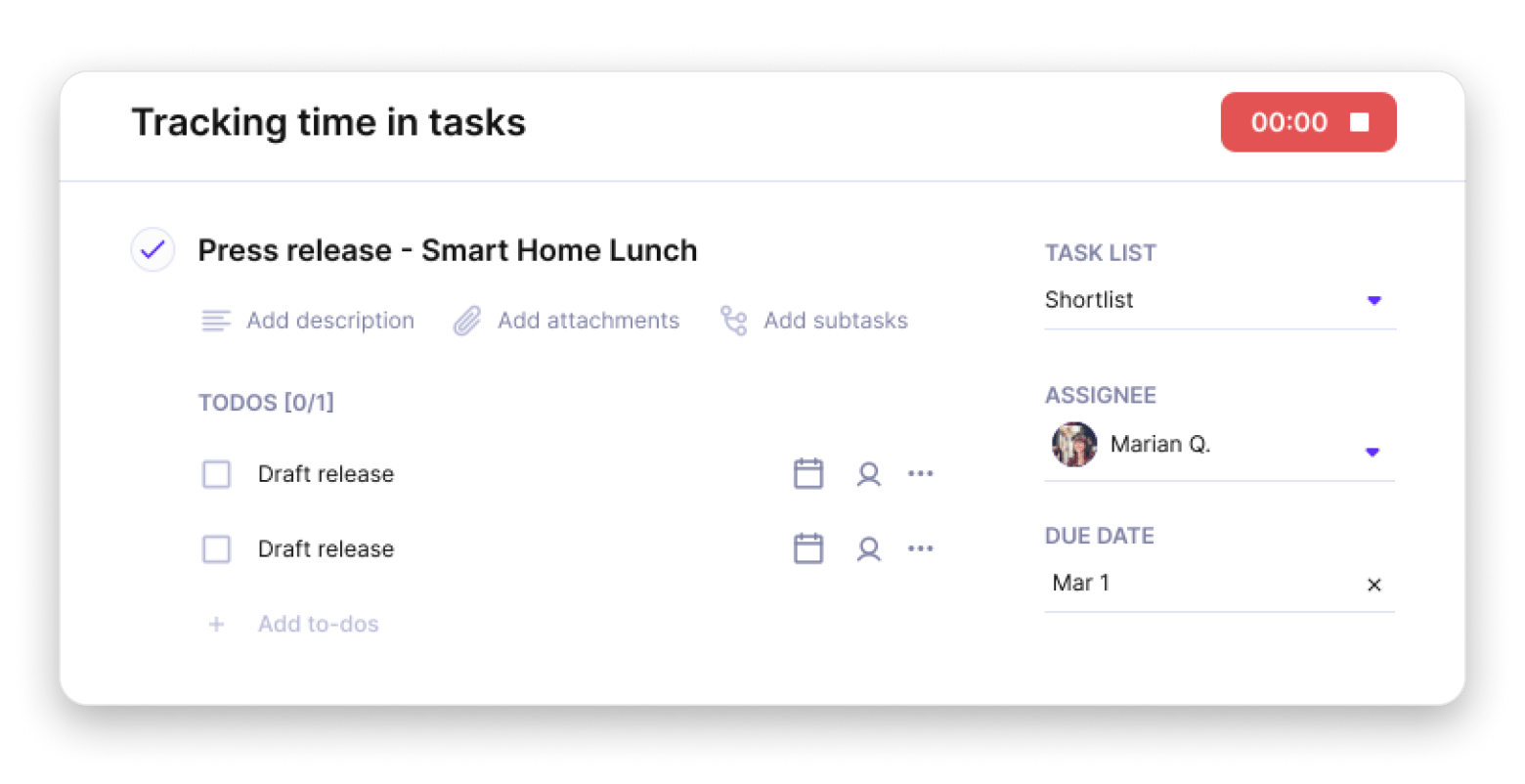
Toggl Track is the closest like-for-like Clockify replacement. It has the same interface logic but a cleaner design, a better menu bar, and an included Pomodoro timer — and it's free for up to five users.
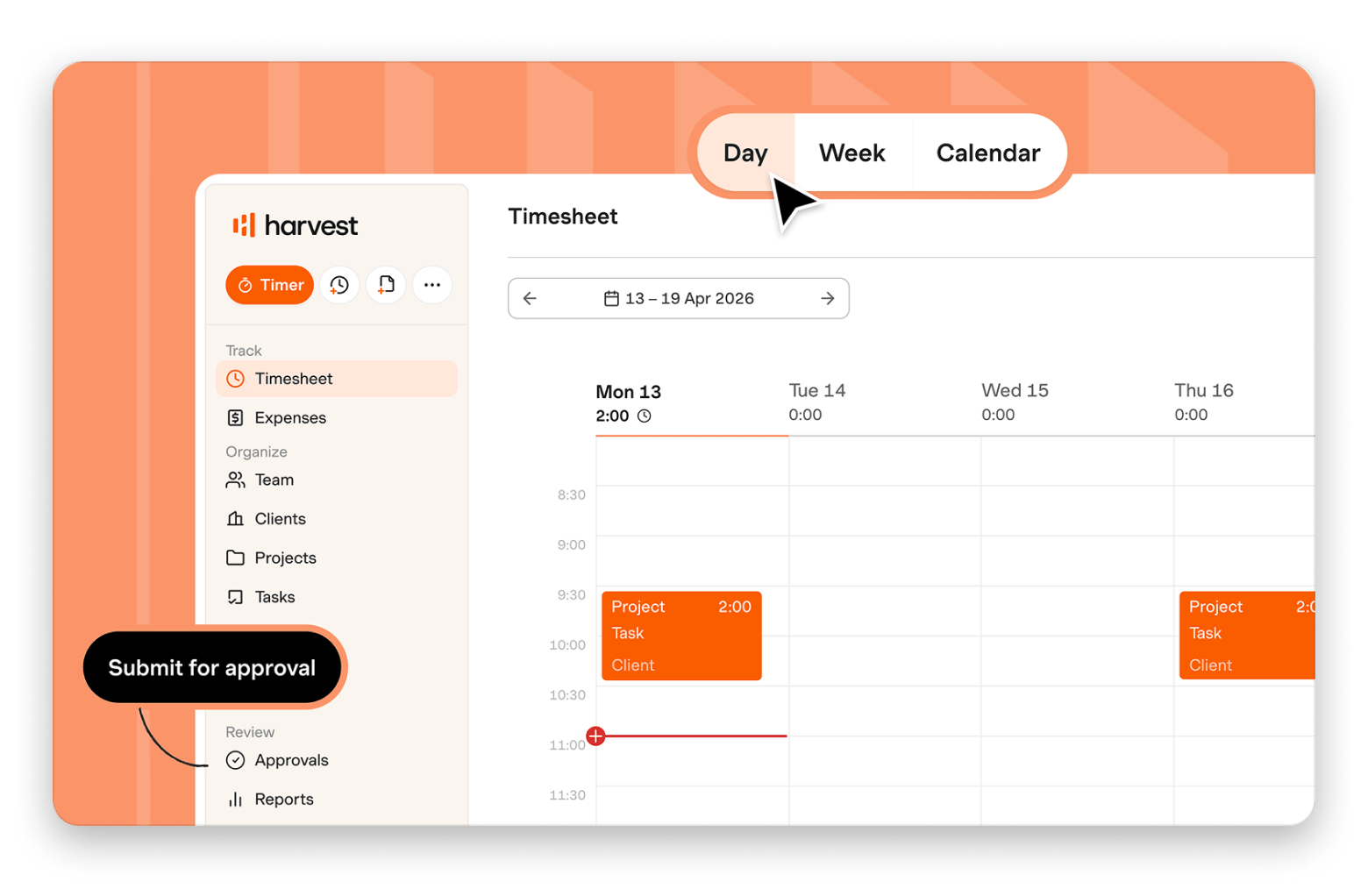
For invoicing, Harvest is the most complete option. Time tracked becomes an invoice in a few clicks, with direct Stripe and PayPal integration — something Clockify's free plan doesn't offer.
Clockify is free but manual. Timing tracks your entire Mac day automatically — no timers to start. Rated 98% by 2,054+ Mac users. Included in Setapp — cancel before Day 7, $0 charged.Get Timing and 250+ Mac apps.
Clockify does a lot for free, but it isn't Mac-native, has no automatic tracking, and its menu bar is a stripped-down afterthought. If those gaps are what's pushing you to switch, here are the nine best Clockify alternatives for Mac in 2026.
Top Clockify alternatives for Mac (detailed comparisons)
Time-tracking apps address different problems in different ways.
Some specialize in automatic tracking, while others are built around invoicing, resource planning, or attendance planning.
Before we take a detailed look at the best Clockify alternatives for Mac, here’s a quick comparison.
Available in Setapp Membership and 250+ apps for $9.99/month
Memtime
Local activity capture, privacy-first
Mac/Win/Linux
From €12 per user/month
Jibble
Clock-in/out and attendance tracking
Mac/Win/Web/iOS/Android
Free, from $5.99/user/month
Time Doctor
Monitoring with guardrails for remote teams
Mac/Win/Web/iOS/Android
From $6.70/user/month
If you want a broader look before diving into Clockify alternatives specifically, here’s a full guide to thebest time tracking apps for Mac — it covers tools across every workflow type, from solo freelancers to distributed teams.
1. Toggl Track: Best choice for simple, fast time tracking across Mac + web
Platform: Mac, Windows, Linux, Web, iOS, Android
Best use cases:
Freelancers tracking billable hours
Simple personal time tracking
Teams that want minimal setup
Toggl Track is the closest alternative to Clockify I’ve come across. The interface feels familiar and has more features (including a Pomodoro timer), but it’s cleaner, timers are easier to manage, and the overall workflow is designed for ease of use.
One of the features I like about the app is that it has automatic tracking. You can set the timer to work in the background, then later choose the relevant activities to report. Its menu bar drop-down is also much more functional compared to Clockify.
If you're a freelancer evaluating Toggl Track, you'll likely need more than just a timer. Here’s a list of the best Mac apps for freelancers that cover billing, writing, file management, and more, alongside time tracking.
2. Harvest: Best option if you want time tracking that turns into invoices
Platform: Mac, Windows, Web, iOS, Android
Best use cases:
Freelancers and professionals billing clients
Agencies tracking billable projects
Teams handling invoices and payments
Harvest is the best Clockify alternative if you are primarily tracking time to get paid. When you log hours, Harvest turns them into invoices. It also lets you add other expenses like subscriptions, and clients can pay instantly as there’s direct Stripe and PayPal integration.
When managing a team, you get a detailed view of the roles, rates, and workload. You can then review all reports in one place. But unlike Clockify, most of these features are paid, and the cost is a bit higher.
Source: getharvest.com
Pros:
Simple workflow for freelancers and agencies
Best-in-class tracked-hours-to-invoice workflow
Free tier includes invoicing, which isn’t common
Native integrations with QuickBooks Online, Xero, Stripe, and PayPal
Cons:
Free plan is limited to 1 seat and 2 projects
Pure time tracking depth is thinner than Toggl and Clockify
3. Productive: Ideal for agencies that need time tracking plus resource planning
Platform: macOS, Windows, Web, iOS, Android
Best use cases:
Running an agency where knowing profitability is crucial
Managing resource capacity across a team
Sales pipeline needs to connect directly to project delivery and billing
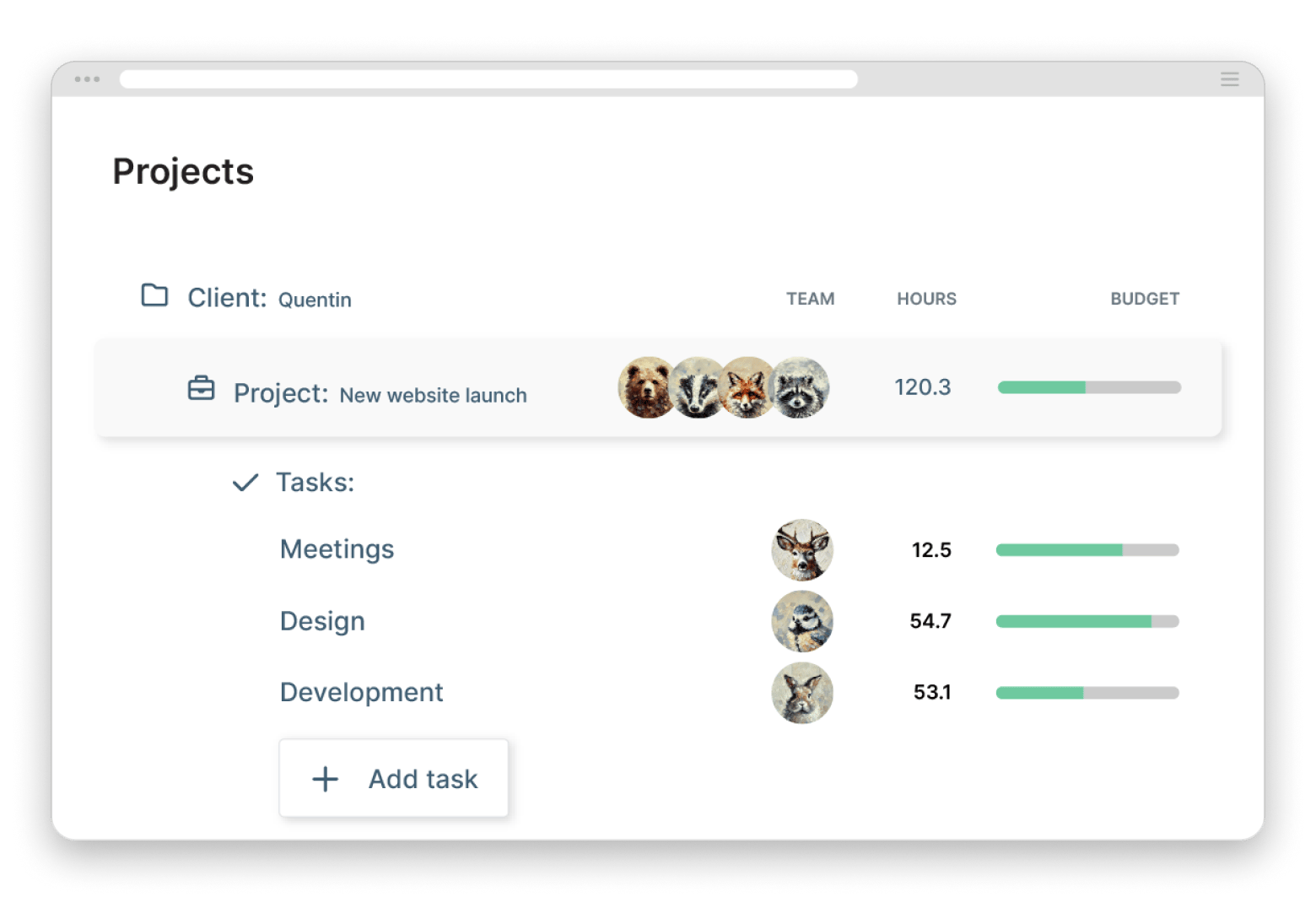
Productive is the right Clockify alternative if your team operates as an agency — you need time tracking alongside resource scheduling, budgets, and profitability reporting in one place.
It’s the platform you move to when your team becomes more of an agency. Instead of a simple time tracking app with reports, it’s actually a complete platform for agency operations.
Time tracking sits alongside other management features like project management, resource scheduling, budgeting, and agency profitability. You’ll need more setup compared to Clockify and Toggl Track, but all these are presented in a simple interface that also makes it easy for freelancers to time their work.
4. MyHours: Best choice for small teams that want straightforward tracking (and minimal monitoring)
Platform: Mac, Windows, Web, iOS, Android
Best use cases:
Teams that want to avoid employee or freelancer surveillance
Simple client billing workflows
Small freelance teams or agencies that don't need resource planning
MyHours is the best Clockify alternative for small teams that want clean, honest time tracking without employee surveillance. It has been around since 2002 and is one of the best time tracking apps for small teams.
Its philosophy is built around a clear view of financials and mutual trust. You can bill your hours, create reports, and optionally bill for them. In the mutual trust aspect, it strongly advocates against the Big Brother kind of surveillance, where admins can take random screenshots and track GPS location (that’s Clockify).
The app uses a clean, tabular interface that feels less clunky and more like an interactive spreadsheet. One of the features I find useful is a weekly Timesheet View that shows your entire week at a glance.
Source: myhours.com
Pros:
Free plan has up to 5 users with billable rates and reporting included
Less monitoring-focused than many competitors
Clean and simple interface with a low learning curve
Competitive pricing
Cons:
Higher tiers have fewer features than Clockify and Toggl
5. TimeCamp: Best option if you want automatic/app & website tracking on Mac
Platform: Mac, Windows, Web, iOS, Android
Best use cases:
Forgetting to start timers is a real problem
Logging time passively across different clients or projects to minimize interruptions
AI-based productivity analysis
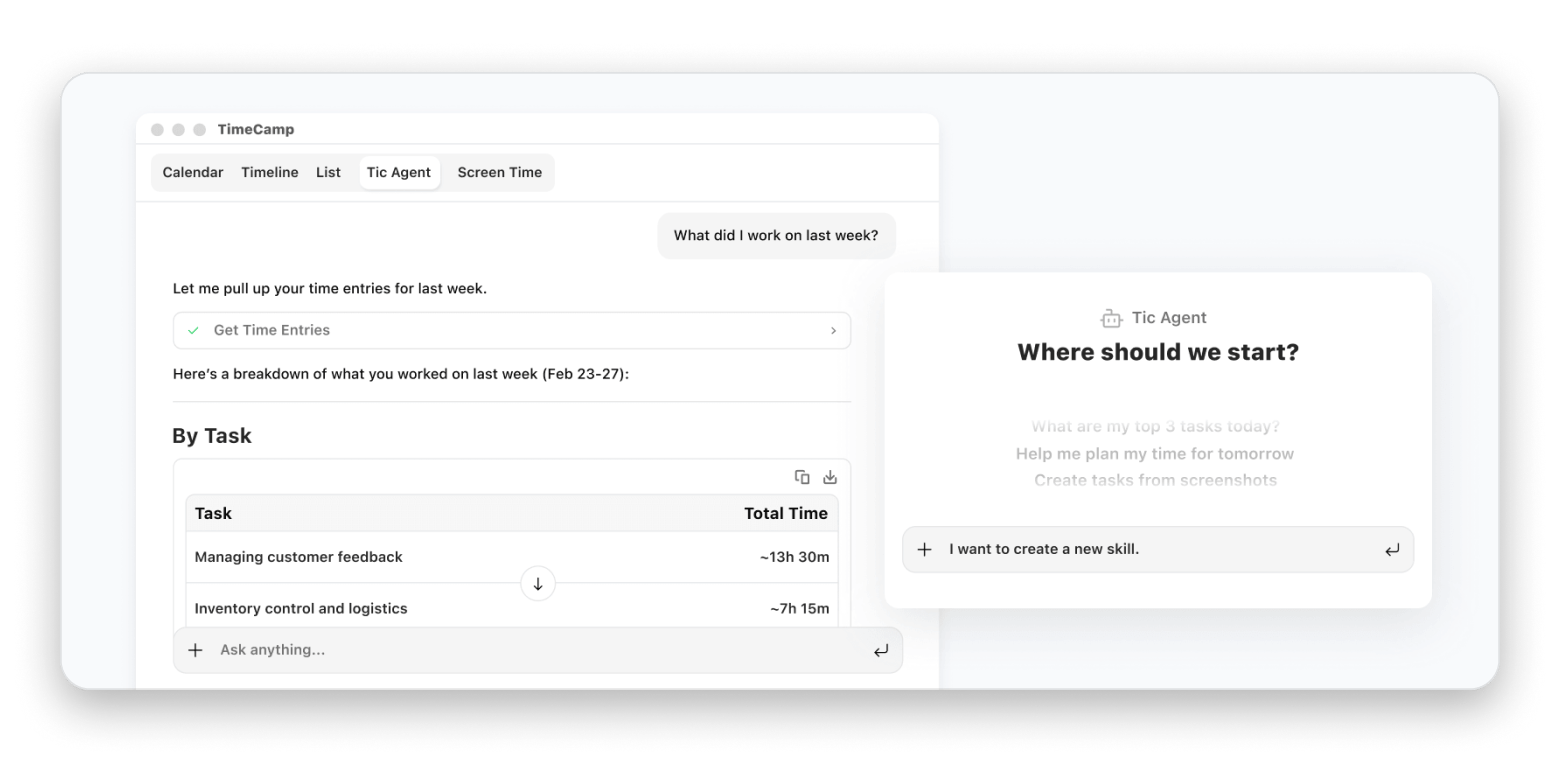
TimeCamp is a much more automated time tracker compared to Clockify and the other tools we’ve discussed. If you often forget starting a tracker like me, it’s a great Clockify alternative.
Once you set up a few rules, TimeCamp starts tracking apps, documents, and URLs in the background. If it spots things like a specific keyword or client name, it automatically allocates that time to the correct project. It also has attendance/absence management plus an AI assistant that groups activities logically. All you have to do is click approve at the end of the day.
Source: timecamp.com
Pros:
Automatic tracking via app monitoring and URL keywords
Free plan includes unlimited users and projects
Exceptionally detailed visual reports
Sufficient project and billing support
Cons:
Automatic tracking requires accurate setup
Invasive tracking features may feel uncomfortable
Interface feels busier than lightweight alternatives
6. Timing: Best choice if you want this “automatic timeline” style on Mac
Platforms: Mac
Best use cases:
You want to accurately account for your entire day
Often forget to start your tracker
You want a Mac-native time tracker
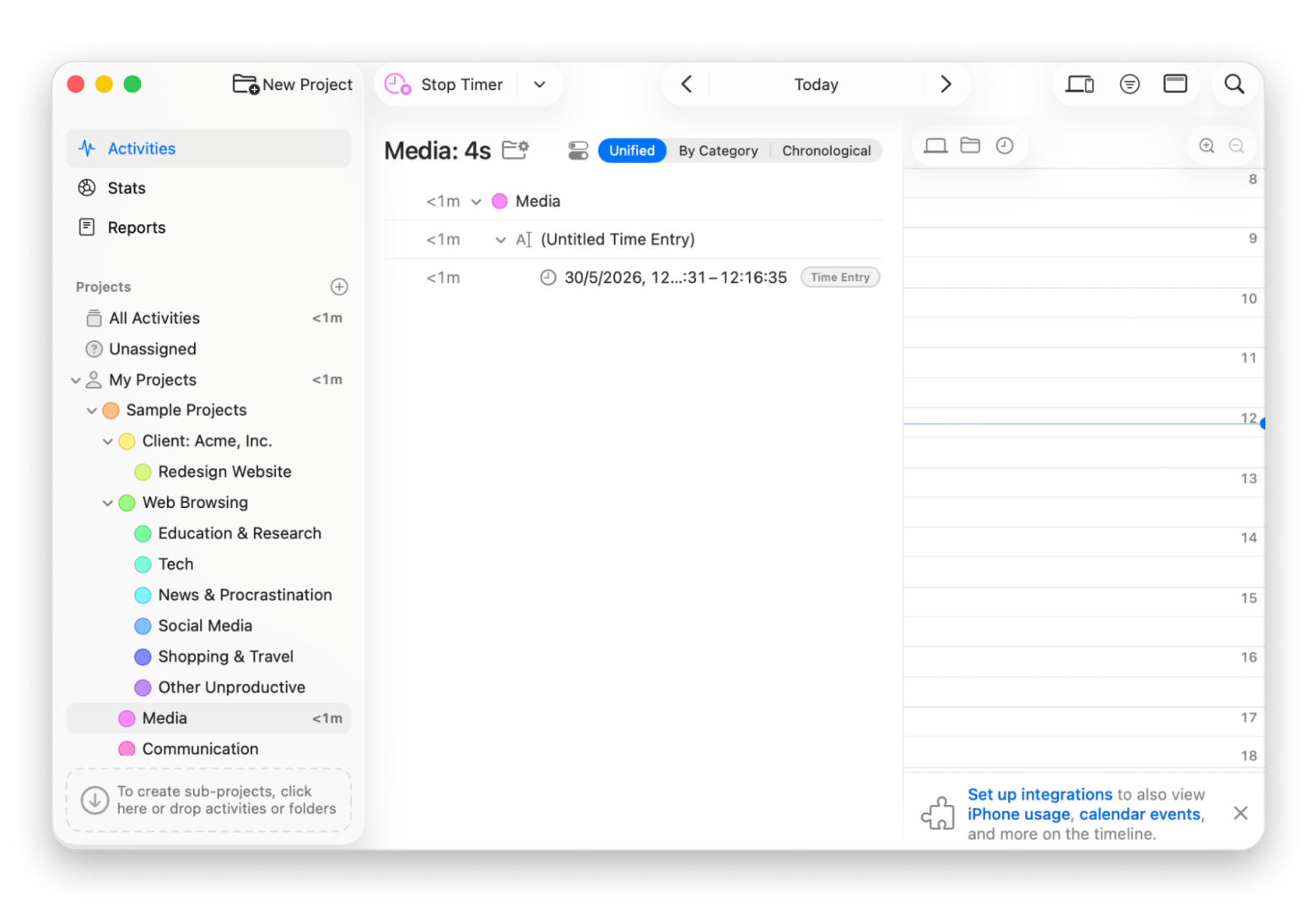
Timing is the best Clockify alternative for Mac users who want their entire day tracked automatically — no timers to start and no entries to fill in after the fact.
It’s a bit different from the other timing-based apps we’ve looked at because it’s mainly built as a passive automatic tracker. It’s most suited to freelancers and professionals who want to take an account of their days and weeks.
To do this, Timing records all your activities across apps, websites, documents, and meetings. It then learns your habits for automatic grouping, and you can also set rules it can follow to allocate time to specific clients or projects.
Due to the sensitive nature of the data the app tracks, it works fully offline. It also avoids incognito tracking, and you can exclude specific apps from the tracker.
Pros:
It tracks all Mac activity passively to know where your day went
Smart rules can auto-assign activities to projects
Works completely offline
Visual timeline makes it easy to review the day
Cons:
The review-and-assign workflow takes time to get used to
Requires some setup to get project rules working accurately
Pricing: Available on Setapp, no extra purchase necessary
If you want to pair Timing with something that helps you plan the day before it starts (not just review it afterward), the best daily planner apps for Mac have good options that integrate naturally with a passive tracker workflow.
7. Memtime: Best option if privacy means keeping raw activity data local
Platforms: Mac, Windows, Linux
Best use cases:
When handling sensitive client data
Automatic background tracking is important
Up-to-the-minute time billing
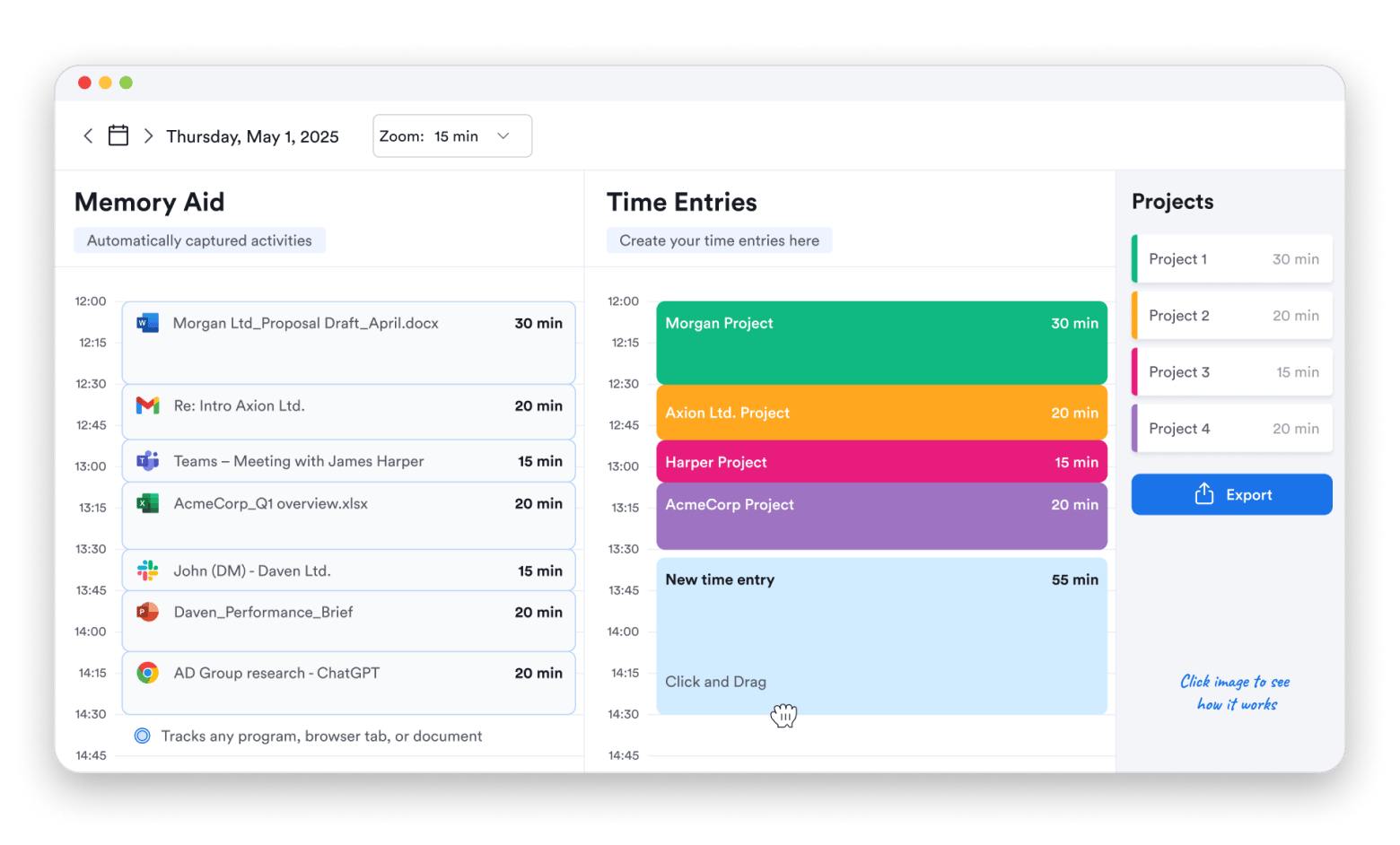
Memtime operates on a similar privacy-first model as Timing. It tracks all activity to let you remember your day and keeps the data local. It then has a split screen for sharable tracking where you can drag various activities for billing purposes. Only the local Memory Aid side has your details; the Time Entries split screen just logs general information for privacy.
One of the features I like about the app is that it integrates with 100+ apps to make billing much easier.
Source: memtime.com
Pros:
Raw activity data is stored only on the local device
Captures everything automatically
Integrates with 100+ tools
Clean split-screen interface that makes time entry easy
Cons:
Less focused on broader team management
Fewer invoicing features than Clockify
Automatic tracking may feel too detailed for some users
8. Jibble: Best choice for clock-in/clock-out and attendance on Mac
Platforms: Mac, Windows, Web, iOS, Android
Best use cases:
Managing shift-based or field-based teams
You need accurate clock-in/out records for payroll
GPS or geo-fencing is needed to verify where team members are clocking in from
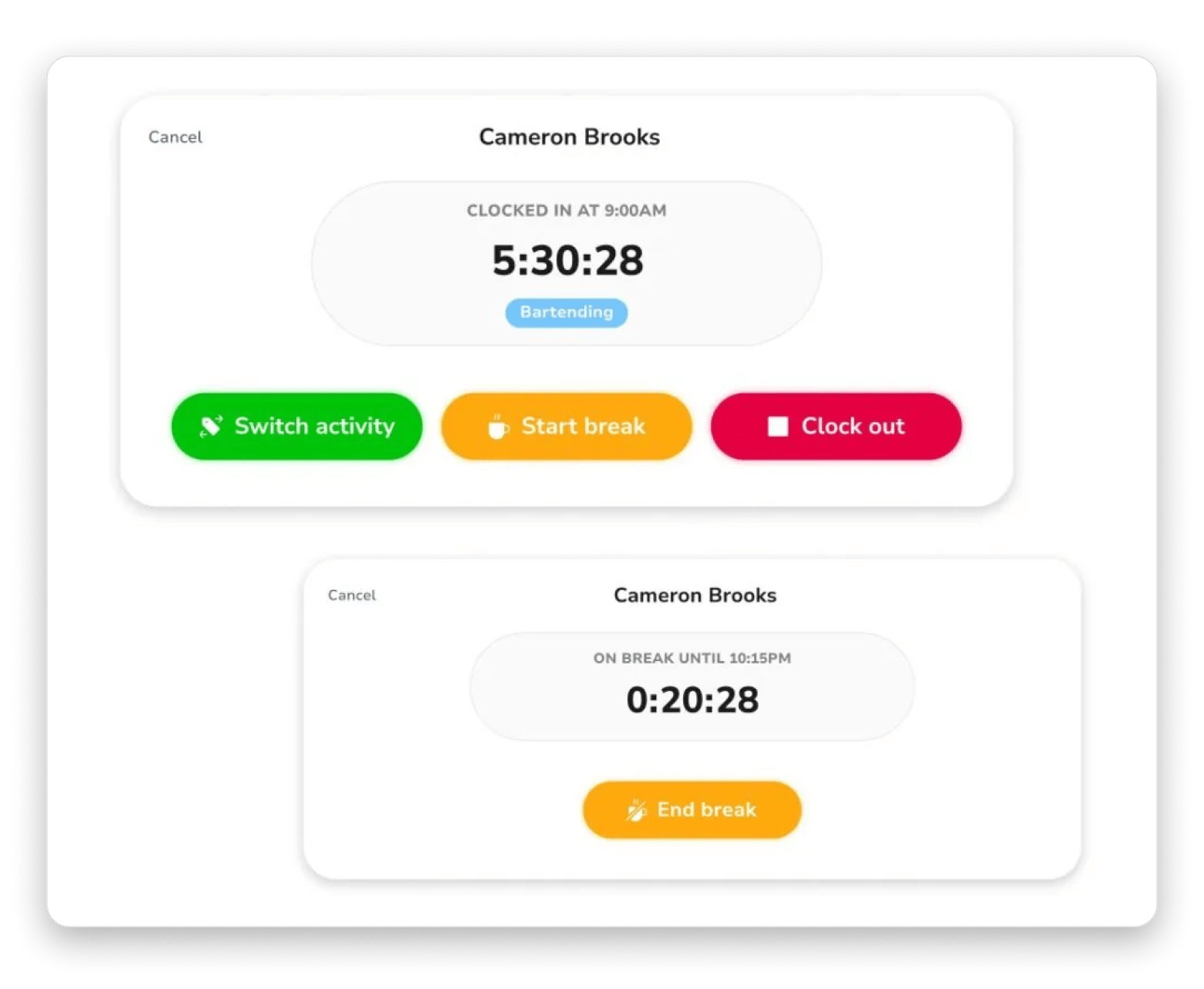
Jibble is built around attendance, which makes it different from the likes of Clockify, Toggl, and Harvest. It works best when you want to track physical attendance, as it checks who clocked in, when, from where, and for how long.
Most of its features help manage a team to confirm actual work hours and manage work schedules, leaves, and invoices. One of my favorite features is putting the app in Kiosk mode, where multiple employees can clock in from the same device. And it takes selfies to confirm actual presence.
Source: jibble.io
Pros:
Free plan with unlimited users
GPS tracking, face recognition, and geo-fencing for attendance verification
Scheduling features for managing shifts and rosters alongside tracking
Integrates with payroll tools to streamline payroll
Cons:
Not suitable for creative freelance roles
Besides the time, productivity reporting is lighter than some alternatives
Less focused on actual project management
Pricing: Free, $5.99 per user/month (Premium), $10.99 per user/month (Ultimate)
9. Time Doctor: Best option if you need monitoring features (with clear guardrails)
Platform: Mac, Windows, Linux, Web, iOS, Android
Best use cases:
Clients require proof of work in the form of screenshots or activity logs
Payroll is connected to verified active hours rather than self-reported time
Managing teams where work verification is part of the contract
Time Doctor is more oriented towards managers who need to see how employees spend their time when working. This is different from how Clockify and other apps like Timing focus on Timers and Projects.
Its mode of operation makes Time Doctor the most monitoring-heavy tool on this list. It takes random screenshots and monitors key strokes, mouse activity, and visited websites. It’s advisable to ensure proper communication with employees when using the tool.
Source: timedoctor.com
Pros:
Super-detailed activity records
Integrates with project management, HR, and payroll tools
Useful reporting and accountability features
Cons:
No free plan
Heavy monitoring features can damage team morale and trust
To ensure you choose the right tool, start with what you find frustrating about Clockify. If it’s not much and you just want an alternative, Toggl Track is the closest alternative. Harvest is the go-to if you want better billing features and workflow, while Productive is the best fit for agencies. It combines time tracking with resource planning, utilization, budgets, and profitability tracking.
MyHours and Memtime are the best Clockify alternatives when you want to offer employees privacy, while Time Doctor is the exact opposite for when monitoring is part of the job. Jibble is great for on-field teams, while TimeCamp and Timing are the best for automated tracking.
Clockify's free plan is genuinely useful — until you need automatic tracking, a Mac-native interface, or a menu bar that actually works. Timing covers all three, rated 98% by 2,054+ users, runs completely offline, and is included in Setapp alongside 250+ other Mac apps — free for 7 days.Start My Free 7-Day Trial.
FAQ (best Clockify alternatives for Mac)
Is there a free alternative to Clockify?
MyHours, TimeCamp, and Jibble offer free plans just like Clockify. Each trades some useful features for the price tag, but they are all still useful. If you have Setapp, you can also install and use Timing at no extra cost.
What are the disadvantages of Clockify?
The Clockify interface isn’t Mac-native and feels a bit dense. There’s no automatic tracking, and the mobile apps are clunky. Team management, visualization, payroll, and reporting are also limited.
What is the best clocking-in system?
The best clocking-in tool for Mac is Jibble. It’s purpose-built for that with GPS, geo-fencing, and scheduling built in. Employees can even use one app on a tablet through what the tool calls “Kiosk mode.”
Superpowers for your Mac
Tackle your tasks with dozens of helpful apps on Setapp.






 Best solution
 Best solution