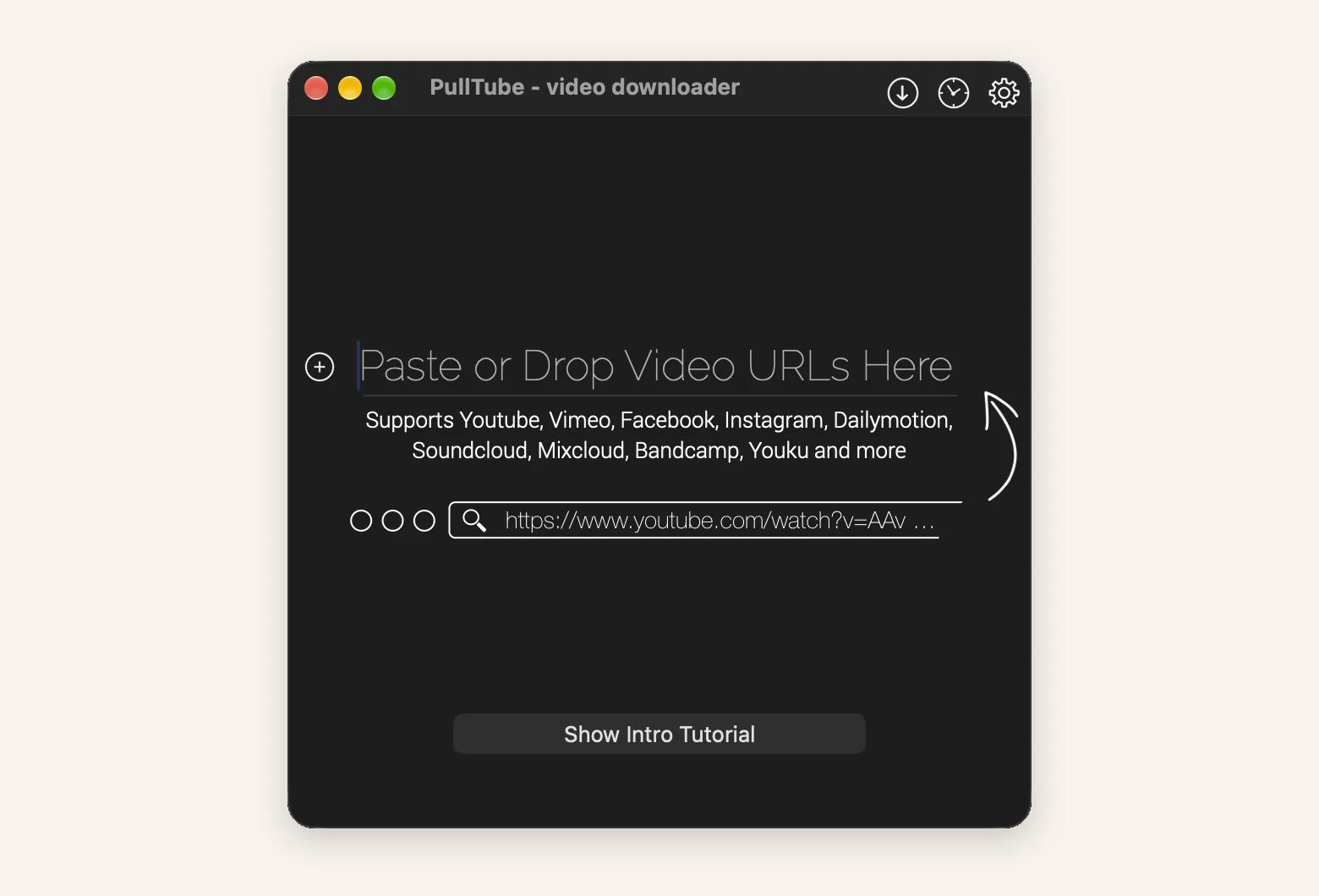
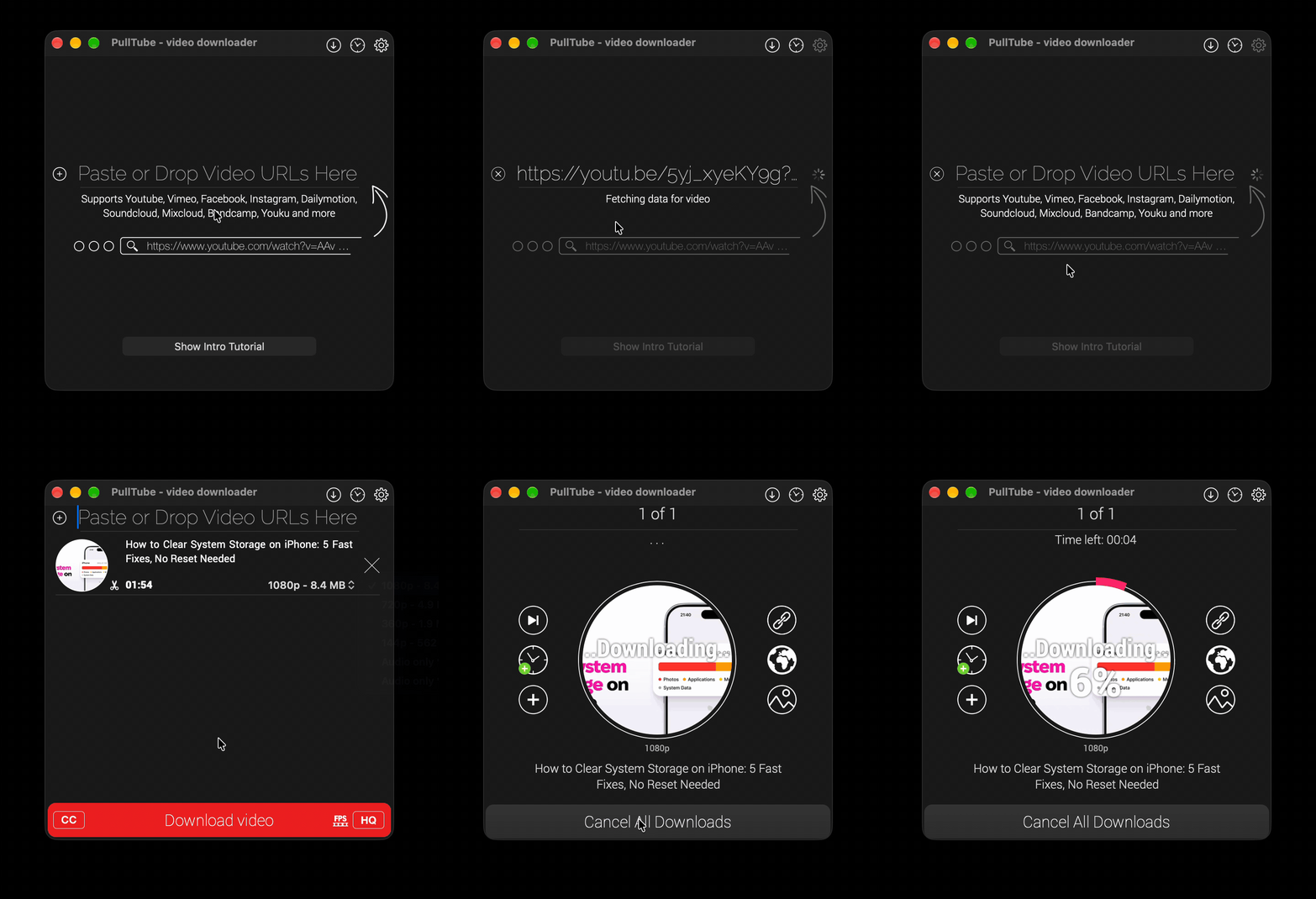
Paste a link or use a browser extension: Copy a video URL into Pulltube, choose a quality, and click Download video. The Safari, Chrome, and Firefox extensions send the page you’re on straight to the app.
Pick your format and quality: Save videos from YouTube and 1,000+ other sites at up to 8K and 60fps. For audio only, choose MP3 or M4A and keep the artwork and track info.
Download full playlists: Paste one playlist link, and Pulltube lists every video in it. No need to add them one by one.
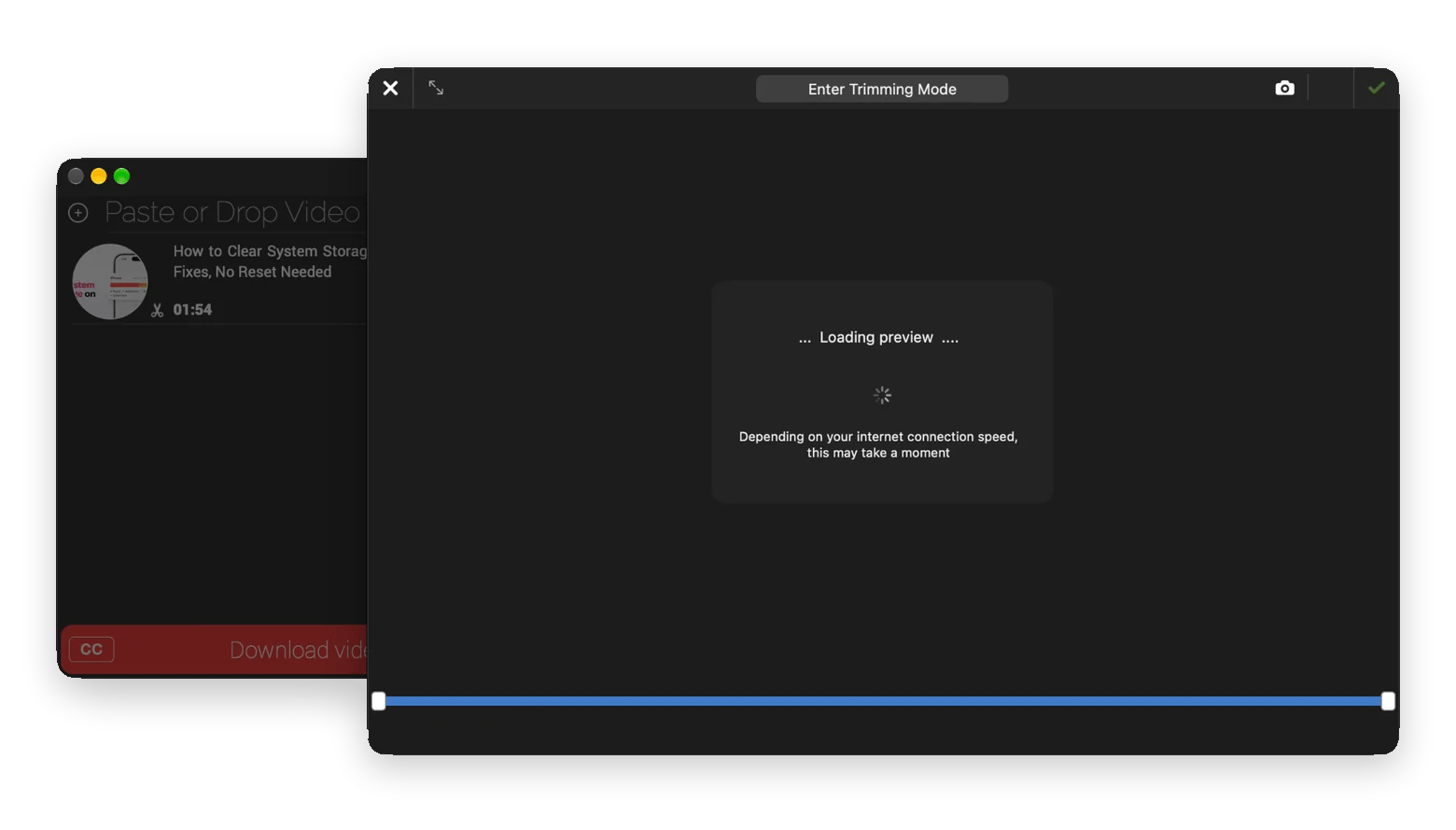
Trim before you download: Click the scissors button, drag the start and end points, and save only the part you need, like 40 seconds from a two-hour stream.
Try Pulltube on Setapp: Pulltube is included in Setapp Membership, which gives you 300+ apps for $14.99 USD/mo + tax, with a 7-day free trial. You can also buy Pulltube on its own from $19.99 USD + tax.
Pulltube from Setapp is the simplest way I’ve found to download YouTube videos: paste a link, pick a quality, and save. It sits permanently in my menu bar, and it also handles MP3s, full playlists, and clips trimmed before download. In this review, I’ll show how to use Pulltube on Mac, which features are worth keeping, and how it compares with Downie.
Or get Pulltube as a standalone app from $19.99 USD + tax. No membership needed.
What is Pulltube, and who is it for?
Pulltube from Setapp is a video downloader for YouTube, Vimeo, Instagram, Facebook, SoundCloud, and 1,000+ other sites. Here's what it can download:
Video: Up to 4K and 8K, including 60fps
Audio: MP3 or M4A, with artwork and track info kept
Playlists: The whole list, not one video at a time
Subtitles: With the video or as a separate file
Trimming: Save 40 seconds instead of a two-hour stream
It suits anyone who saves videos regularly, especially content creators who clip footage.
I love how it’s more useful than it looks and simpler than most downloaders. I’ve seen plenty of downloaders packed with options that still can’t get the basic job done right.
How to use Pulltube on Mac
To use Pulltube on Mac, install it from Setapp, paste a video link into the app window, choose a quality, and click Download video. Audio, playlists, and browser downloads follow similar steps. Below, I walk through each one, starting with how to get Pulltube from Setapp.
Setapp Membership: Pulltube is included in a single Setapp subscription offering 300+ Mac, iOS, and web apps for $14.99 USD/mo + tax. You can try all the apps in the catalog for free for 7 days.
Pulltube only: If you need Pulltube only, you can get it as a standalone app from $19.99 USD + tax.
Open Pulltube from your Applications folder or Launchpad.
Once Pulltube opens, you’re ready to paste your first video link.
Download a single YouTube video with Pulltube
To download a single YouTube video with Pulltube, follow these steps:
Copy the video link from your browser.
Paste it into the Pulltube window.
Wait a few seconds while Pulltube fetches the video details.
Choose the resolution you want from the quality menu.
Click Download video.
Save YouTube to MP3 or M4A with Pulltube
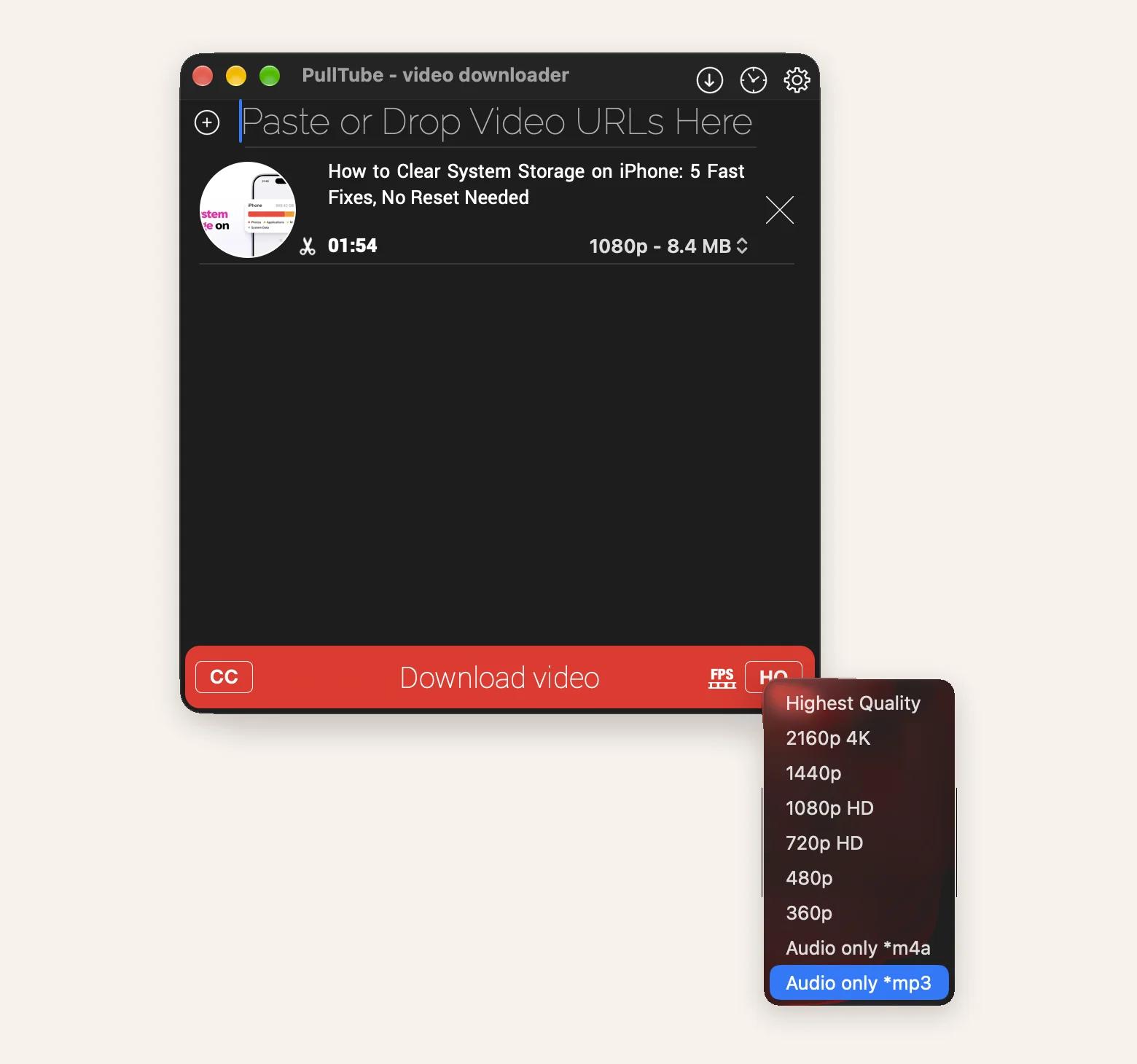
If you only need the audio, click HQ in the bottom-right corner and choose MP3 or M4A before downloading. Pulltube keeps the artwork and metadata, so the file looks right in the Music app.
Download a YouTube playlist with Pulltube
Pulltube lets you download a YouTube playlist without adding each video one by one. Paste the playlist link the same way as a single video, and Pulltube lists all the videos in it.
If you paste a video that's part of a playlist, Pulltube asks whether you want the whole playlist too.
Send links straight from your browser with Pulltube
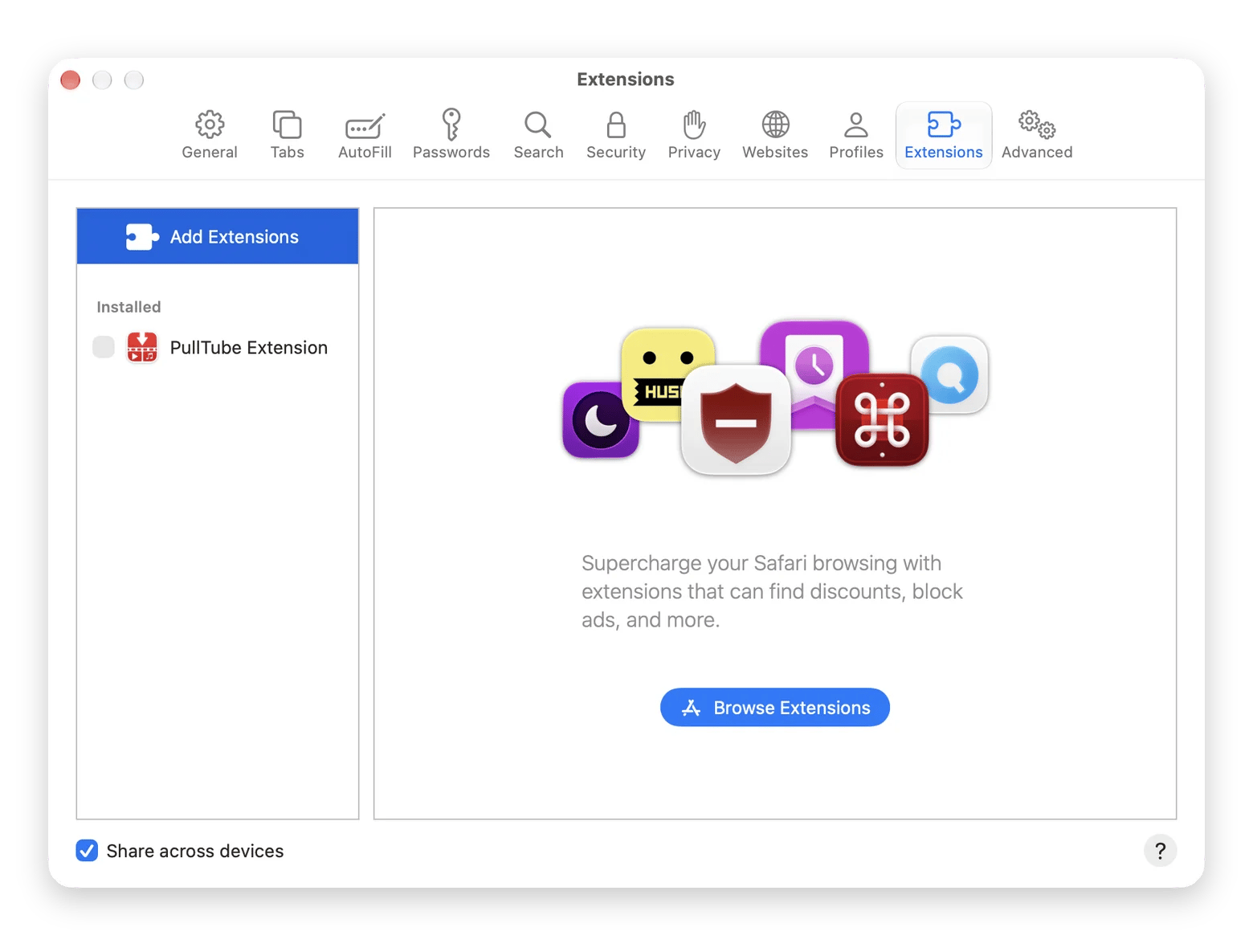
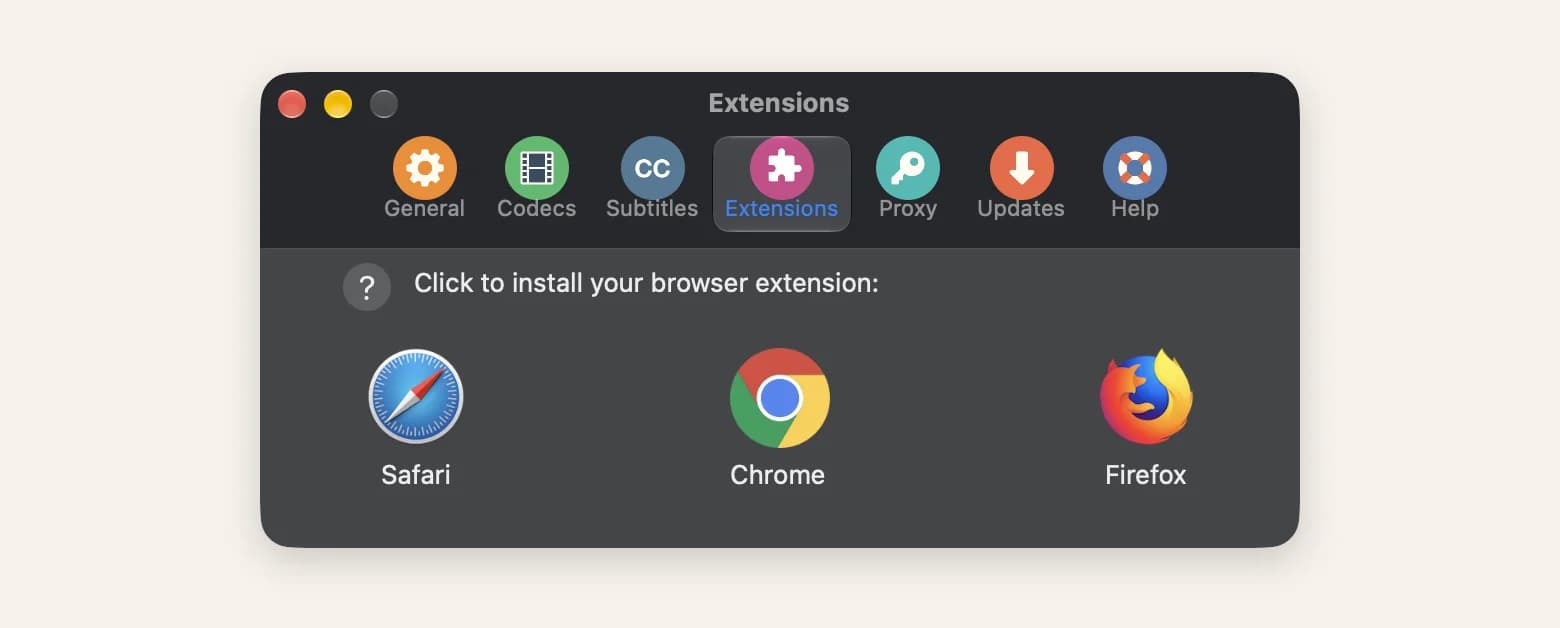
Pulltube has browser extensions for Safari, Chrome, and Firefox. Add it, so you don’t have to copy and paste every time. Here’s how:
Safari: The extension comes with the app. Turn it on in Safari > Settings > Extensions, then click the Pulltube button in the toolbar (or press Control-Shift-P).
Chrome and Firefox: Open Pulltube Settings from the menu > Go to Extensions > Click the icon for your browser to install the extension.
Click the extension, and it’ll send your current page to Pulltube.
The features that make Pulltube worth keeping
These are the features that made me stick with Pulltube on Mac.
Formats and quality
You can download videos at every quality the site offers. Some YouTube videos come as WebM, a format that QuickTime can’t always open. Pulltube converts them to MP4 while downloading, so they open right away in QuickTime.
Trim before you download
Pulltube lets you trim videos. It saves a lot of time when you need a short clip from a long livestream. You don't have to download the whole thing and cut it in another app. Setapp's roundup of YouTube downloaders for Mac also picks Pulltube as the best option for content creators for this reason.
Click the scissors button to open a video preview. Drag the start and end points, and click Trim. Pulltube downloads only that part.
Add subtitles if you need them
Click CC in the bottom-left corner and turn on subtitle downloads. You can save them with the video or as a separate file.
Speed and everyday performance
Pulltube is quick to get going. For me, it usually fetches a video in a few seconds, even a long 4K clip (depends on your connection, though).
Keep in mind that the preview can lag a little on slow connections. It happens to me sometimes. In case you get an “Error Fetching Data” message, check your VPN, firewall, or network monitor first. If that’s not it, update Pulltube (Setapp usually handles your updates).
Need only Downie? Get it as a standalone app from $4.99 USD/mo + tax.
Pulltube vs. Downie: Which one should you use?
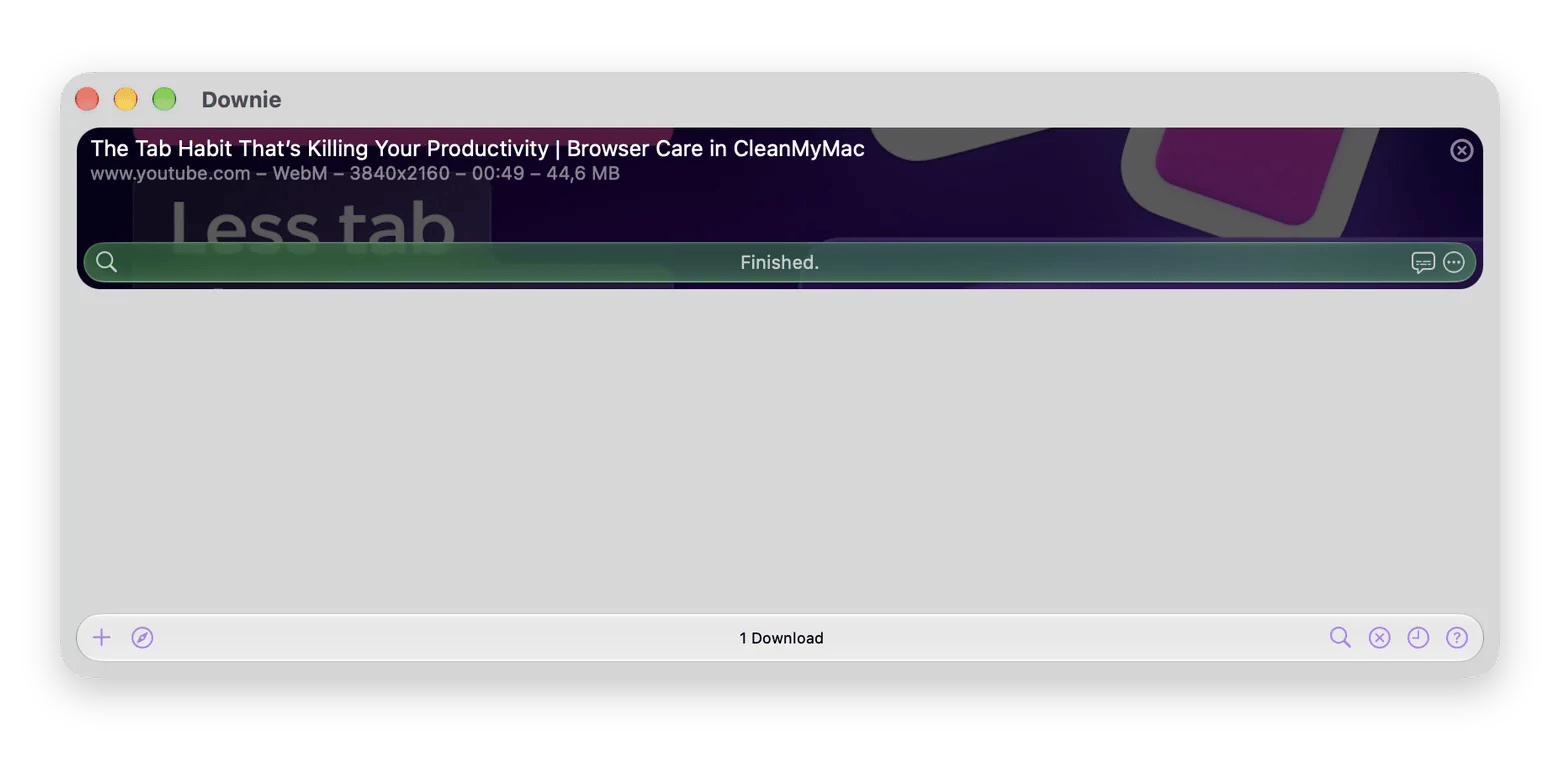
Downie from Setapp is the other big name in video downloading apps.
The Pulltube vs. Downie question comes up a lot, so here's a quick comparison:
Pulltube
Downie
Supported sites
1,000+
1,200+
Video quality
Up to 8K at 60fps
4K and higher
Audio only
MP3, M4A
Yes
Playlists
Yes
Yes
Trim before download
Yes
No
Hard-to-fetch sites
Auto-fetch after paste
User-Guided Extraction
Automation
Not available
AppleScript
Ease of use
Very easy
Easy, with more settings
Best for
Quick everyday downloads and clips
Niche sites and bigger workflows
In short, Downie handles more sites and gives you more control. Pulltube is simpler and lets you trim before you download. I use Pulltube for everyday saves and open Downie when a site refuses to cooperate. With Setapp Membership, you don't have to choose because both apps are included in the subscription.
Is Pulltube worth it?
Yes, Pulltube from Setapp is worth it if you save videos from YouTube and other sites regularly. It turns saving a video into a paste and a click. Playlists, MP3s, subtitles, and trimming cover nearly everything I need day to day. If you regularly save from unusual sites or want automation, add Downie to the mix.
Both Pulltube and Downie are available on Setapp, a subscription platform with 300+ apps for Mac, iOS, and web. Try it free for 7 days and see which app works better for you.
FAQ
Is Pulltube free on Mac?
No, Pulltube isn't free, but you can try it free for 7 days with Setapp. After the trial, it's included in Setapp Membership for $14.99 USD/mo + tax, along with 300+ other apps. You can also buy Pulltube on its own from Setapp Marketplace.
Is it legal to download YouTube videos with Pulltube?
Whether it's legal to download YouTube videos depends on the content and where you live. YouTube's terms generally don't allow downloads unless YouTube offers a download option. Saving your own uploads, Creative Commons videos, or content you have permission to use is the safe zone. Pulltube is a tool, so it's on you to respect copyright.
Can Pulltube download a YouTube playlist?
Yes, Pulltube can download a YouTube playlist in one go. Paste the playlist link into the app, and it lists every video. If you paste a single video that belongs to a playlist, Pulltube on Mac offers to download the whole playlist too.
How do I convert YouTube to MP3 with Pulltube?
To convert YouTube to MP3 with Pulltube, paste the video link, click HQ in the bottom-right corner, and choose MP3 or M4A. Then start the download. Pulltube saves the audio with its artwork and metadata, so it looks tidy in the Music app.
Pulltube vs. Downie: Which is better?
Pulltube for Mac is simpler and lets you trim videos before downloading. Downie supports more sites and offers advanced options like User-Guided Extraction and AppleScript. Both are on Setapp, so you can try each and keep the one that fits.
Download from 1000+ sites
Capture online movies, trim, customize, and save in 8K, 4K, HD, 60fps videos with PullTube






 Best solution
 Best solution