

Typeface
Find the perfect font
Mac
Version 4.2.3
macOS 12.0 or later
53.5 MB
6 languages
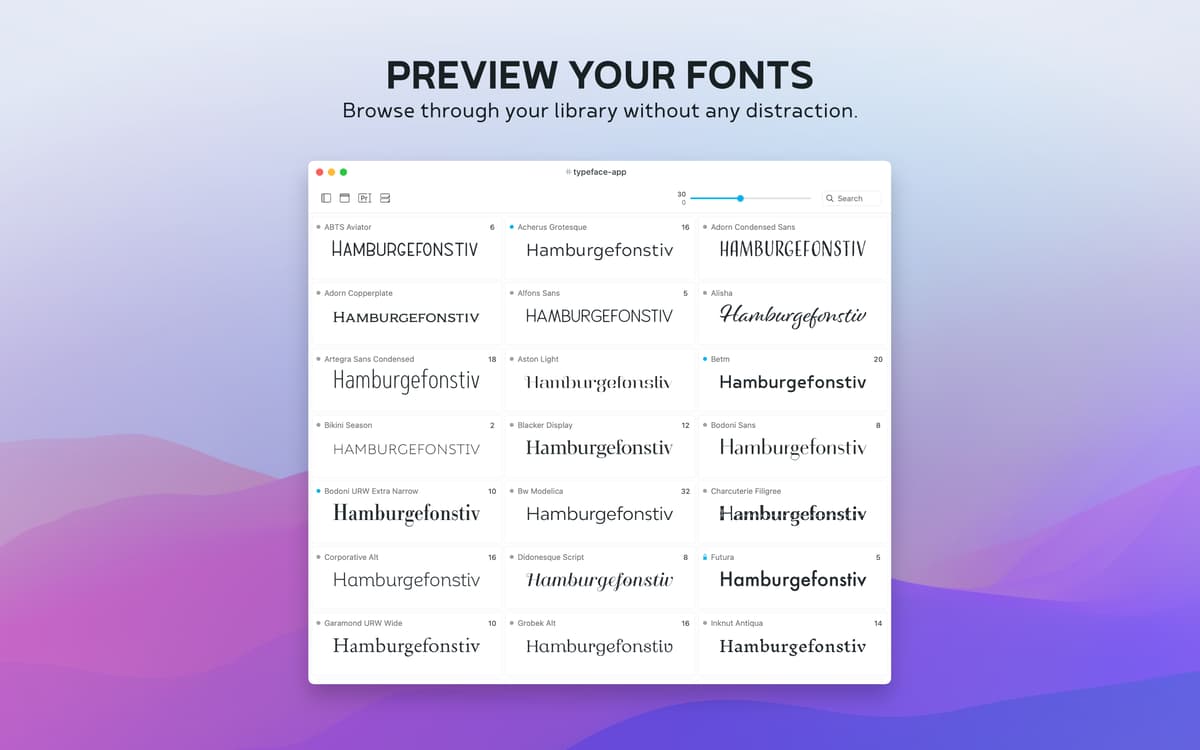
Choosing the right font is crucial to the success of any design project. But it’s often harder than it looks. Sure, we can all pretty much tell when Comic Sans isn’t going to cut it. But fewer of us can instinctively tell whether to go with Gill or Gill Sans. That’s why there’s Typeface. Think of this easy-to-use font manager as a dressing room, where you can do font previews for your project and compare fonts side by side. Built with a customizable library, this font viewer for Mac lets you preview fonts at any size, displaying any message. Whether for business or pleasure, Typeface is a great way to manage fonts and browse font collections for your work to shine.
Chose from pre-installed fonts or add yours
Compare different fonts in live preview
Create your personal library of fonts
Pick the perfect type for your design
Typeface features
Flexible font libraries
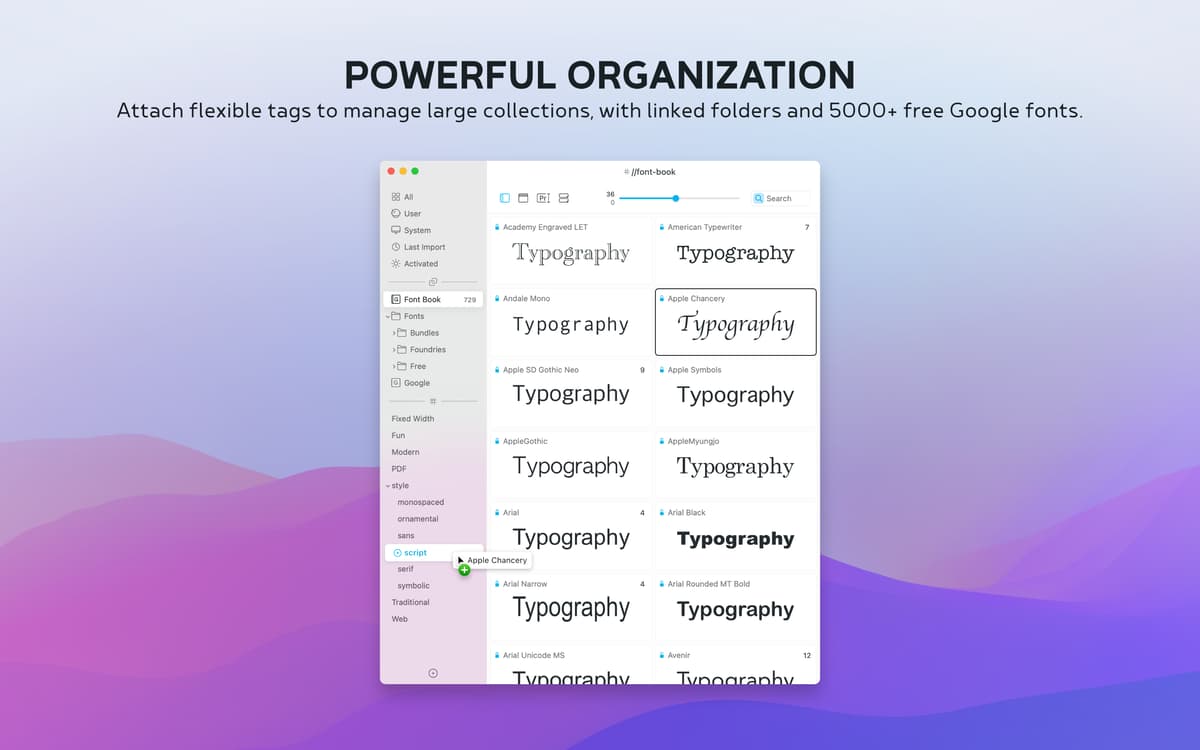
By default, the app shows all the fonts you already have installed on your Mac, including the custom ones. Many are designed to work across platforms, so you can rest assured that your work will look consistent online or on mobile. Fonts can even be grouped by family so you can search for fonts that specifically interest you and then compare them to similar styles.
Customizable display
With Typeface, you get total control of how your fonts are displayed, making the comparison a snap. You can adjust display size, sample text, bolding, and other effects in real time, giving you an accurate mockup of how fonts will look on your project. You can compare anything from single words to whole sentences in all available fonts, letting you pick your favorite fast.
Deep meta information
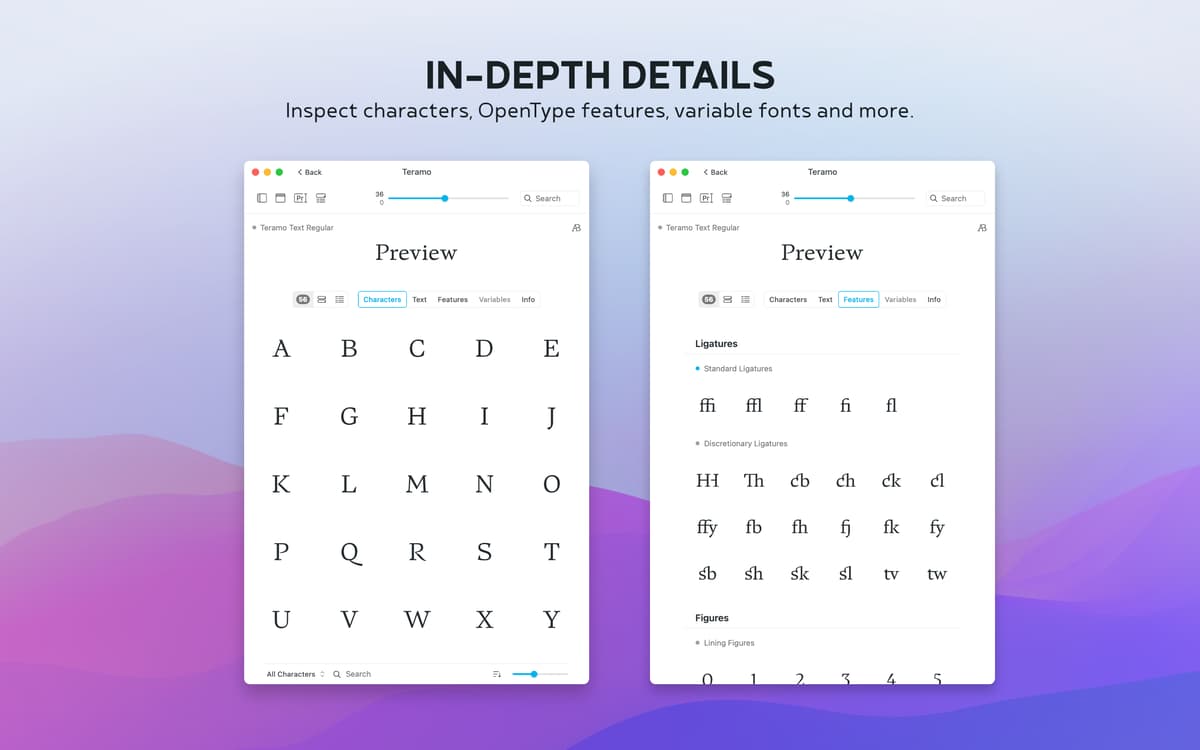
Click into any font and you’ll find all the information necessary to choose with confidence. Each font page displays the complete set of letterforms, both capital and lowercase, as well as numbers and special characters. You can also inspect the meta data in the info tab, with copyright history and any tags or groups you’ve assigned to the font. It’s a bird’s eye view of any typeface, at any time.
Straightforward live comparison
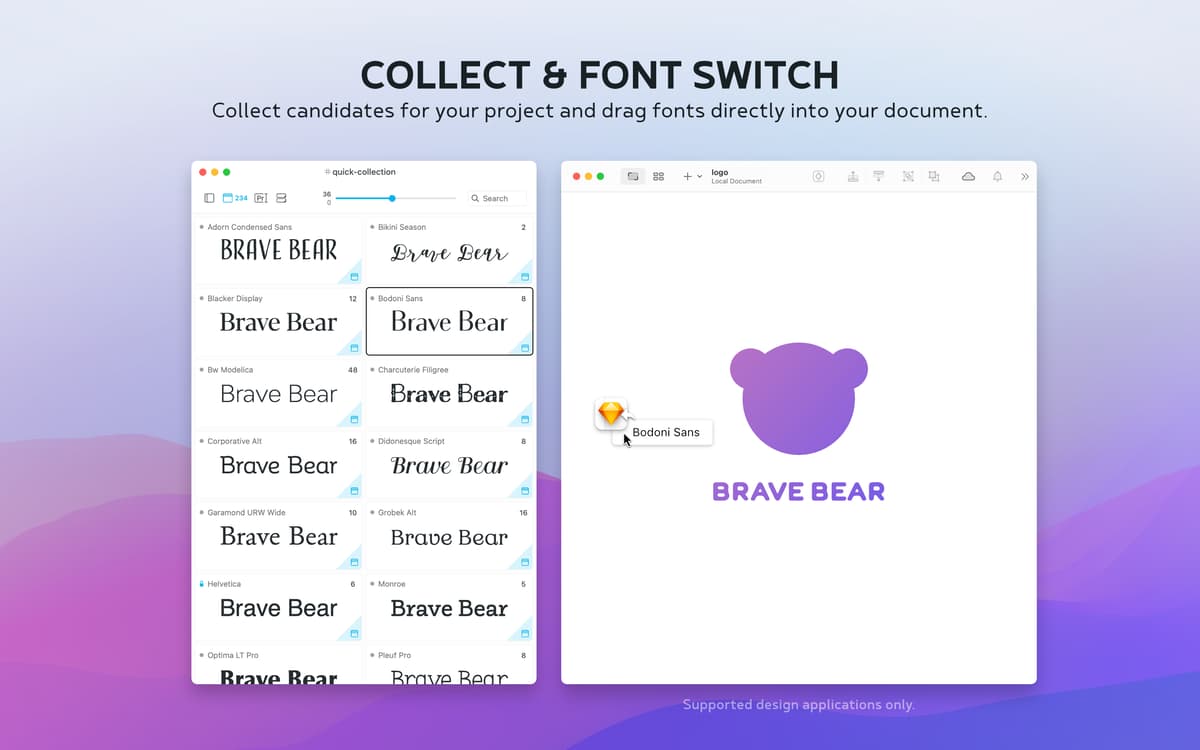
This fonts app makes it easy to compare possible fonts for any project with its seamless grouping system. The feature lets you assemble and compare candidate fonts on a separate page for easy viewing. The workspace lets you add and drop fonts with just a click, ensuring that you only focus on serious contenders. On to the next project? Just empty the set and start again.
Importing made easy
Typeface seamlessly displays your existing font library, but is also ready to expand at any time. Its handy import feature lets you instantly sync over free 2,000 Google Fonts or download specific ones from the internet or other font managers. Using importing, you can apply the app’s unmatched functionality and flexibility to your new fonts.
Smart font collections
The collections feature lets you create your own thematic or project-based font groups. With the app’s handy and flexible tagging feature, you can easily assign fonts to more than one group, and see where they overlap. Collections are great when you work with other designers and teams and need to quickly share the set of fonts required for a given project.
Ratings and reviews
Typeface
•
774 ratings
EY X
Jan 22, 2026
App version: 4.2.3
good and handy overall but could get confused in the menus sometimes
Jan-Peter Alten
Jan 9, 2026
App version: 4.2.2
Imported and activated fonts 3 times, shortly after they were gone again
Chriz
Nov 27, 2025
App version: 4.2.1
It's a shame I can't use Typeface as much as an email client. It's beautifully designed, fast and does its job perfectly. I am glad that the time of Extensis Suitcase Fusion and FontExplorer X is over and there are still indie developers who put their heart and soul into font management. Thank you!
Get hundreds of apps with Membership
Become Setapp member and use hundreds of stellar apps with one subscription.
Try 7 days free, then pay one simple fee.
Install Setapp on Mac
Explore apps for Mac, iOS, and web. Find easy ways to solve daily tasks.

Get the app you came for
That one shiny app is waiting inside Setapp. Install with a click.

Typeface
Save money and energy
The Membership helps you solve daily tasks, without overpaying for software.

Get hundreds of apps with Membership
Become Setapp member and use hundreds of stellar apps with one subscription.
Try 7 days free, then pay one simple fee.
1
Install Setapp on Mac
Explore apps for Mac, iOS, and web. Find easy ways to solve daily tasks.
2
Get the app you came for
That one shiny app is waiting inside Setapp. Install with a click.
Typeface
3
Save money and energy
The Membership helps you solve daily tasks, without overpaying for software.
Home to the top apps
From planning and routine tasks to creative pursuits and coding, tackle tasks with apps on Setapp.


Typeface
Find the perfect font