CleanShot X is the best Mac-native Loom replacement for most users. It covers the core capture-and-share loop — record, trim, annotate, share via link — without any cloud subscription or per-seat pricing.
Use FocuSee or Canvid if you want polished output without editing. Both add automatic zoom effects and AI voice cleanup so your recording looks professional even if you just hit record and talk.
ScreenFlow and Camtasia suit tutorial creators who need real editing. They're slower than Loom for quick async updates but far more capable when the output quality matters.
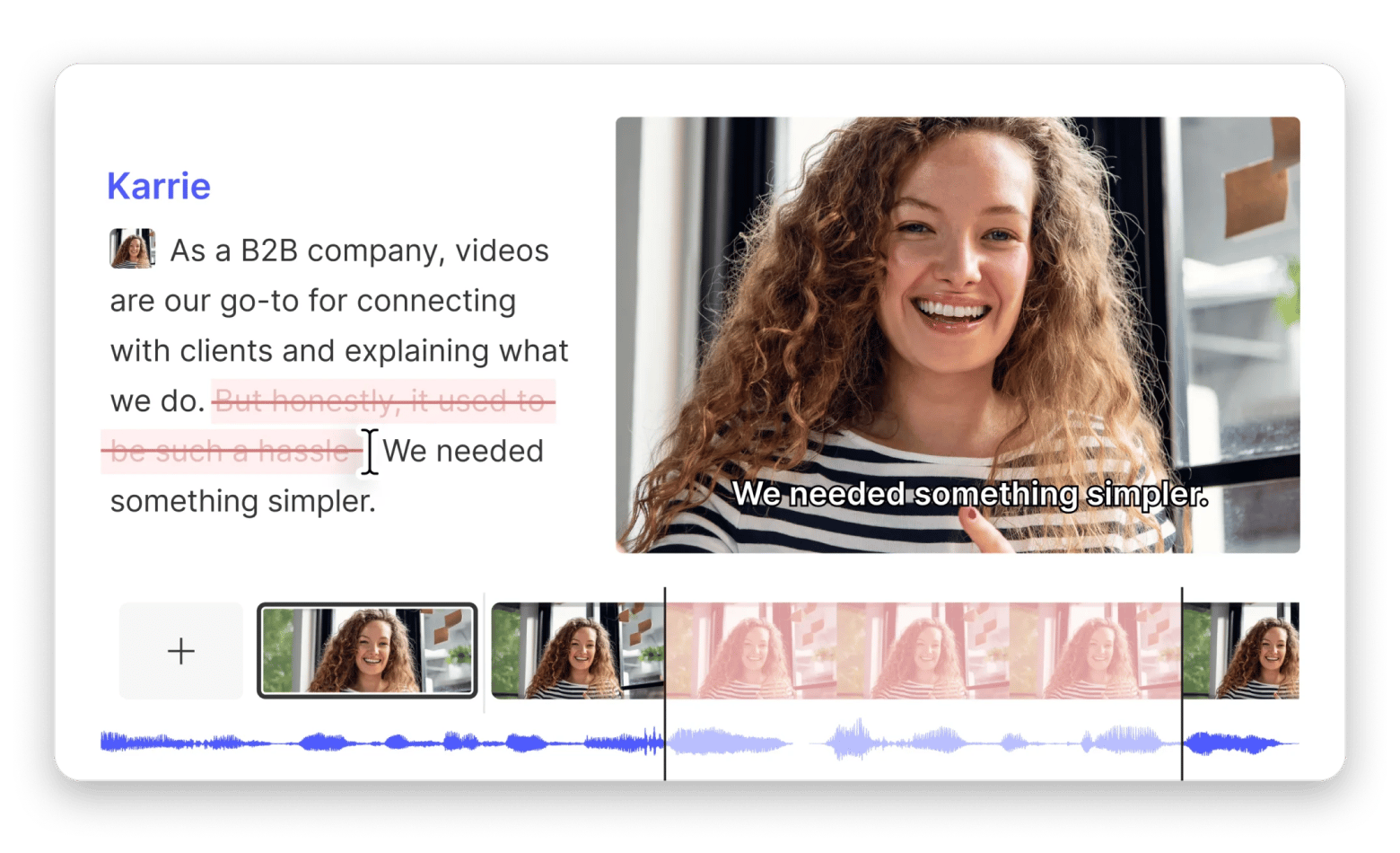
Descript is the best option if you edit by transcript. You can cut, replace, or silence audio by editing the auto-generated text — no timeline required.
Loom is an async video communication tool by Atlassian that lets you create videos for work communications, presentations, or personal use. I’ve used Loom to share presentations when doing my Digital Marketing Course, and it makes recording your screen and sharing a link quite easy.
But for more polished outputs and deeper editing, the app can feel a little basic or too restricted for some users. It only suits online workflows, and the editor is quite limited.
If you’re looking for a more Mac-native capture tool that fits an on-device workflow, I tested 12 of the best Loom alternatives that cover different workflows.
Best Loom alternatives for Mac: Detailed comparisons
To pick the best Loom alternatives for Mac, I used the GPT Alternative Finder online tool and asked it to categorize alternatives based on:
Fastest for local workflows (Mac-native apps)
Closest to Loom’s loop (video messaging apps)
Best when you need serious post-production (full editors)
Based on the findings, I tested the results, and here’s what the list looks like:
Available on Setapp for $9.99/mo + tax, no extra purchase necessary
✅ Yes
Canvid
Modern product demos with visual effects
Mac/Win
$19
User/month
❌ No
1. CleanShot X: Best “Loom-lite” replacement for Mac-native capture speed
Best for: Mac users who want the fastest possible capture, annotation, and sharing workflow
Platforms: Mac
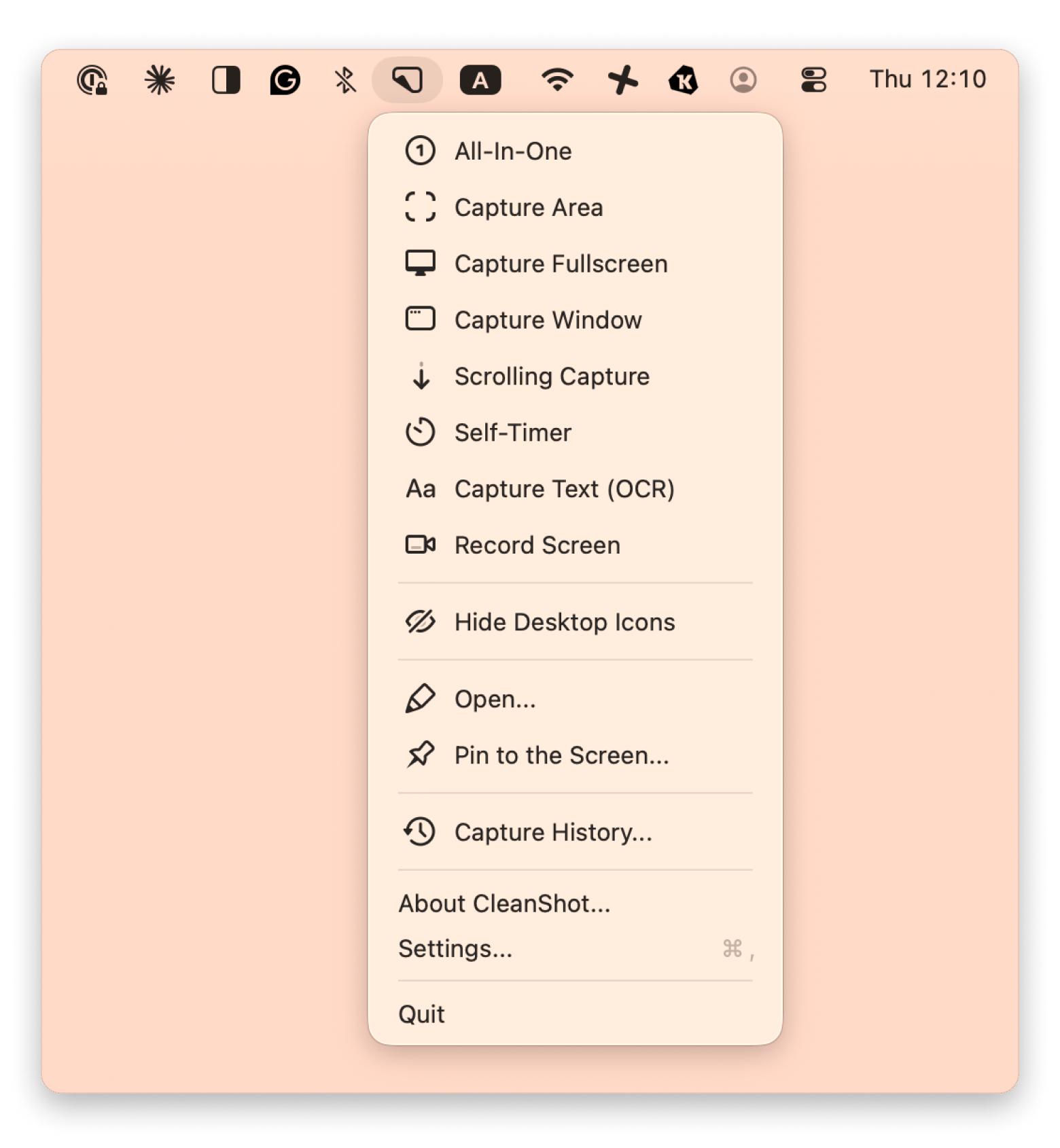
CleanShot X is a screen recording and capturing tool that lives on your menu bar. The menu is simple and Mac-like, making it easy to start recording.
When you open the screen recording feature, you can choose the resolution, decide whether to use the microphone/computer audio, and adjust the front camera to capture your face while recording. After you finish, you can edit the record by trimming, adjusting sound settings, and even turning your video into 4K. And, if you turn on sync, you can instantly share it via the cloud.
Plus, it has a superior screenshot workflow (capture area, window, full screen, and scrolling capture), so you can do both things with one tool.
The hidden gem: CleanShot X also has a clipboard history feature. If you captured video but clicked close instead of saving to your Mac or sharing, just go to Capture History and pick your video there. You can keep recording history up to a month, so there’ll be no issue finding a video:
Pros:
Mac-native capture flow pairs naturally with keyboard shortcuts and Finder-based organization.
Cover "record > trim > export > share" workflow like Loom.
Has capture history for unsaved records.
Can do excellent screenshots and editing.
Cons:
No viewer analytics or engagement tracking (you can't see if someone watched your video)
Pricing: Available on Setapp for $9.99/mo + tax, no extra purchase necessary
If you want a deeper look at Mac recording tools beyond Loom alternatives, check out the best screen recorders for Mac roundup.
2. Tella: Best choice for polished async videos on macOS
Source: tella.com
Best for: Founders, creators, and sales teams who want their async screen recordings to look polished
Platforms: macOS, Windows, Chrome, Web
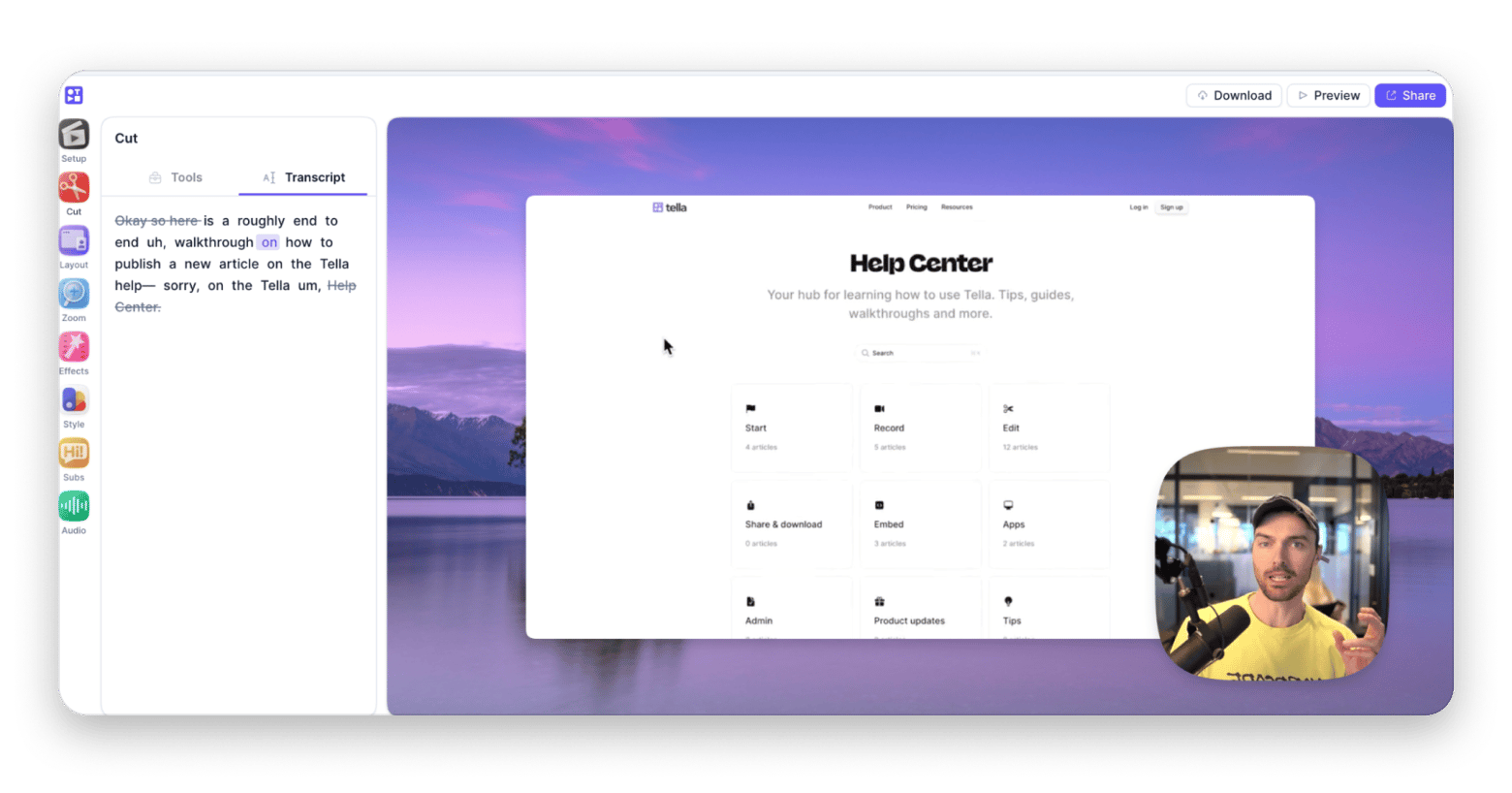
Tella is one of the closest matches to Loom if your goal is "record quickly, share as a link, but with a more presentation-ready feel.” The tool is primarily designed for regular users, with a basic editing kit included.
From my experience, Tella is a great fit if you’re a creator on YouTube, since it has some interactive features that I’d call YouTube-friendly, such as dynamic layouts that look pretty modern and visually appealing.
What I really liked is that you can blur sensitive info (passwords, email addresses, etc.) right in your video. This feature is useful for sharing content containing sensitive information with people outside your work team.
A Reddit user called Tella “really polished UI," and I agree. It feels designed for shipping short, catchy videos.
Pros:
Screen, camera, or both recording
Web-based editor included
Async video messaging and quick link sharing
Cons:
No mobile/tablet support. It’s a web-based tool
Requires decent connectivity (minimum upload speed of ~2.5-5 Mbps)
Pricing: Free, paid plans from $26/user/month
3. Camtasia: Best option if you need deep editing for professional tutorials
Source: techsmith.com
Best for: Tutorial creators who need recording, editing, annotations, and production tools in the same workflow
Platform: Mac, Windows
Camtasia is a free basic recording and editing tool that is perfect for solo creators and small teams. The tool handles basic production requirements like callouts, structured edits, polished pacing, and multiple exports.
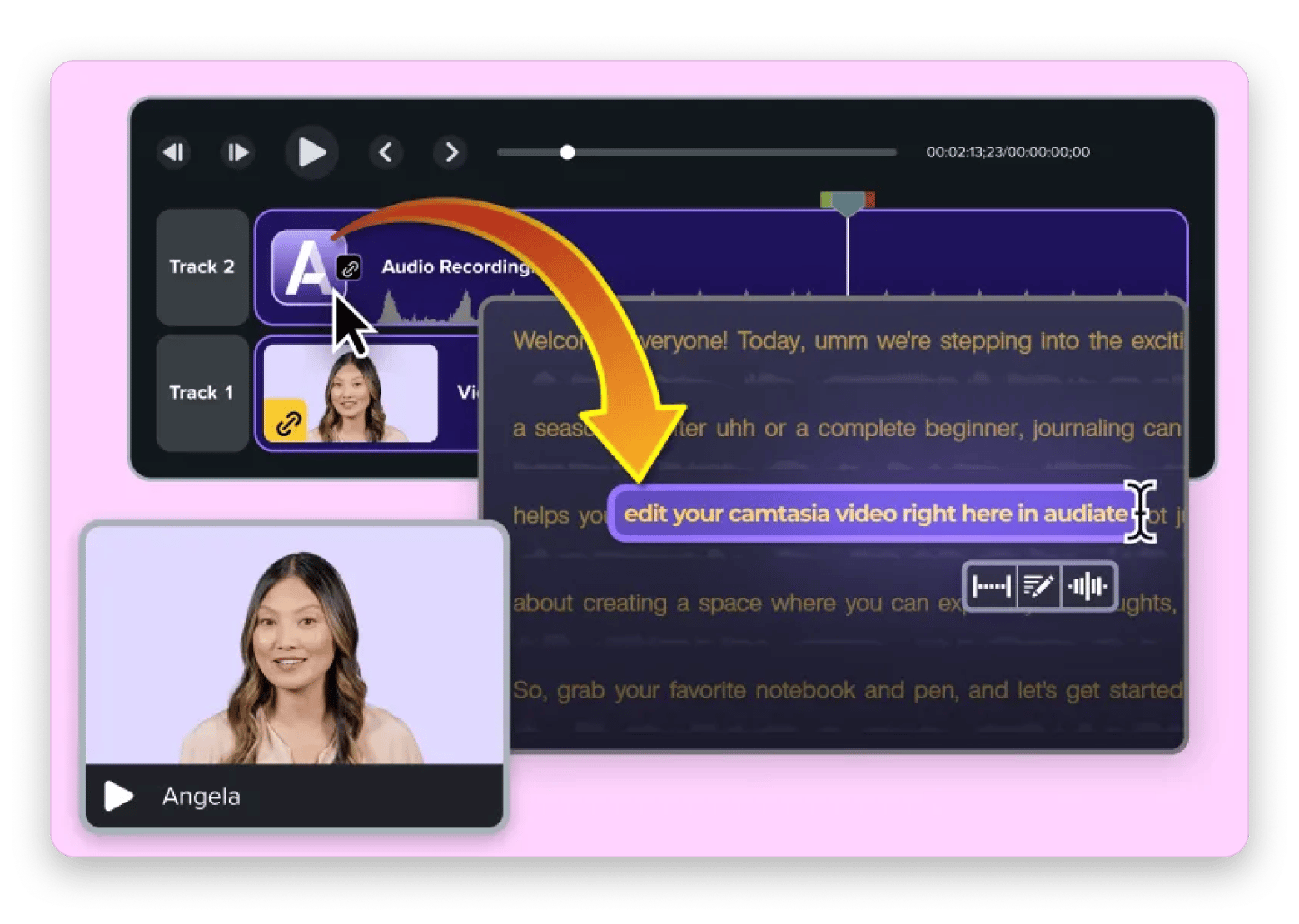
But deleting or silencing breaths and hesitations is not automatic, and you need to do it manually (or just avoid umming or ahhing a lot, joking). In this case, you need to upgrade to Camtasia Create, which has an Audiate feature to tweak your audio automatically.
Pros:
An all-in-one recording and editing workflow
Excellent annotation and callout tools
Built specifically for tutorials and training content
Good cursor effects and screen-focused editing features
Cons:
Slower workflow than Loom
Higher learning curve
Larger projects can become time-intensive
Pricing: $39/year (watermarked), from $179.88/year
If post-production is your main goal rather than quick sharing, thebest video editing software for Mac guide covers the full range of options.
4. ScreenFlow: Ideal for Mac-native recording + editing in one app
Best for: Users who want a Mac-native, all-in-one recording and editing tool
Platforms: Mac
ScreenFlow is more of a professional screen recording and video editing tool. It combines screen recording, webcam capture, audio recording, annotations, and video editing.
It’s a go-to when you want polished professional videos, maybe as tutorials or for YouTube. When you are done, you can then export. But that also means it’s not the best tool you can use to quickly show a colleague how to use a certain product, which Loom does quite well.
Pros:
Excellent all-in-one recording and editing workflow
Great annotation and cursor effect tools
Feels very natural on macOS
Great for tutorials, training, and educational content
Cons:
Much slower than Loom for quick updates
Higher learning curve than simple recording tools
Can feel excessive for basic communication videos
Pricing: $199 one-time purchase
5. Descript: Best choice for transcript-based editing (podcasts + tutorials + screen recordings)
Source: descript.com
Best for: Video and podcast creators who want to edit through transcripts instead of timelines
Platform: Mac, Windows
Descript is a modern version of a screen recorder and editor. It initially launched as simply a transcription and audio editing tool, but it’s now a full-featured video editor and screen recorder.
It’s a superb Loom alternative if you value editing but still don’t want to complicate the process. Instead of a timeline editor, you can delete parts by deleting specific words in the video’s transcript (auto-generated). You can even add or replace others, and the tool will clone your voice to correct your video. Note that it recently started using AI credits.
Pros:
Transcript-based editing is dramatically faster
Filler word removal, silence trimming, and AI voice correction are built in
Screen recording included alongside the full editor
Strong collaboration features for remote editing teams
Cons:
Recent pricing overhaul introduced metered AI credits
Not ideal for non-spoken content
Less focused on instant sharing workflows
Pricing: From $24/user/month
6. FocuSee: Best for highly polished video records
Best for: Users who want automatic polishing and AI functionalities
Platforms: Mac
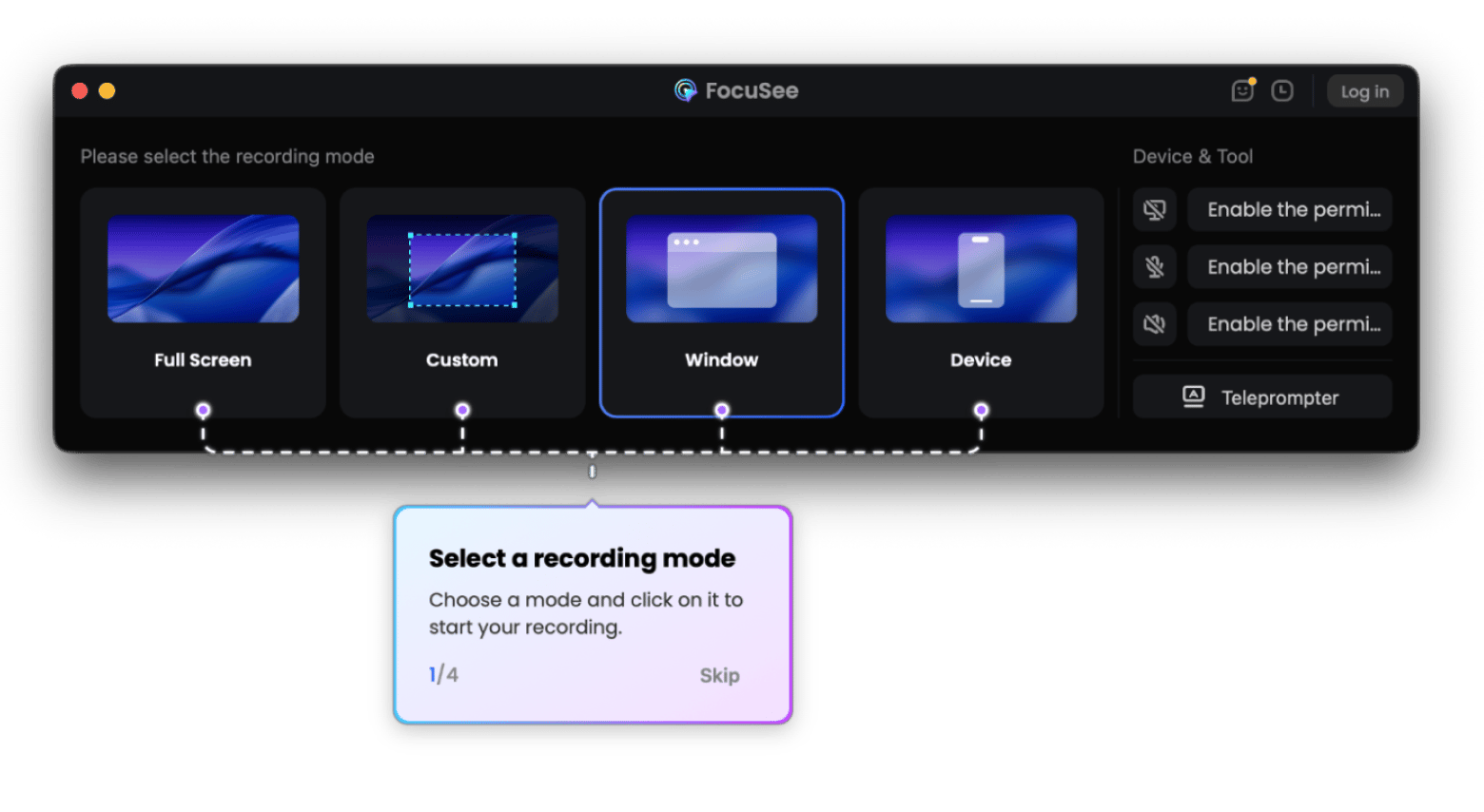
FocuSee also uses AI to take video recording to the next level. Based on the features and functionalities in the app, it’s more oriented towards presentations, tutorials, and walkthroughs. It also has a sharing option that completes it as one of the best Loom alternatives.
What I like most is that it automates polishing a video. You can automatically add zooms, cursor highlights, backgrounds, and overlays. There’s also an option to enhance your voice to make it clear and remove breathing sounds and mouth noises. Plus lots of other AI features like avatars, subtitle generation, and background removal.
Pros:
Automatic zoom and click give a polished feel without manual edits
AI voice clarity for audio cleanup
Faster production workflow than traditional editors
Great for presentations and tutorials
Cons:
Less focused on team communication than Loom
Not ideal for complex multi-track productions
Pricing: Available on Setapp for $9.99/mo + tax, no extra purchase necessary.
7. Capto: Best choice if you want local recording + lightweight organization
Best for: Mac users who want to record, annotate, edit, and keep their captures organized in a local library
Platforms: Mac
Capto is another of the best Loom alternatives, although it specializes in local capture and editing. It offers screenshots, scrolling captures, and video recording.
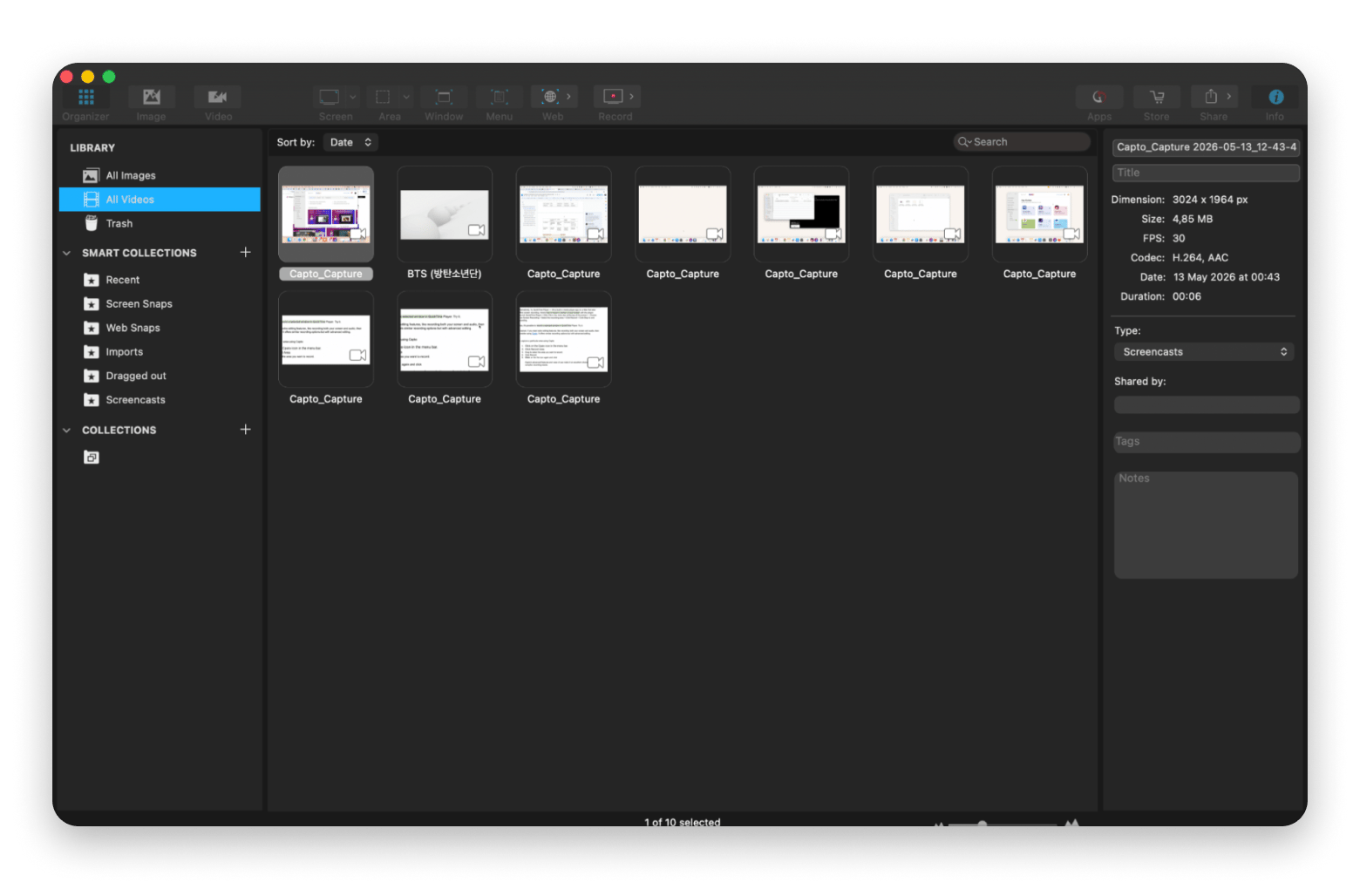
What I like most about Capto is that you can capture iPhone videos, and the editor is quite capable for everyday tasks. You can cut your clips, fade in and fade out the audio, and add voiceover and annotations. It also has a media browser that lets you organize your screenshots and videos to avoid digging through Finder. There’s no built-in for direct links, but you can share to Dropbox, Facebook, YouTube, and others without leaving the app.
Pros:
Built-in media library keeps all recordings organized in one place
No cloud dependency, it works fully offline
The editor is highly capable of everyday tasks
Mac-native experience
Cons:
No shareable link workflow
Editor not meant for complex productions
Pricing: Available on Setapp for $9.99/mo + tax, no extra purchase necessary
8. Supademo: Best option if you need interactive product demos (not just video)
Source: supademo.com
Best for: Product, sales, and marketing teams who want an interactive product walkthrough
Platforms: Mac, Windows, Web
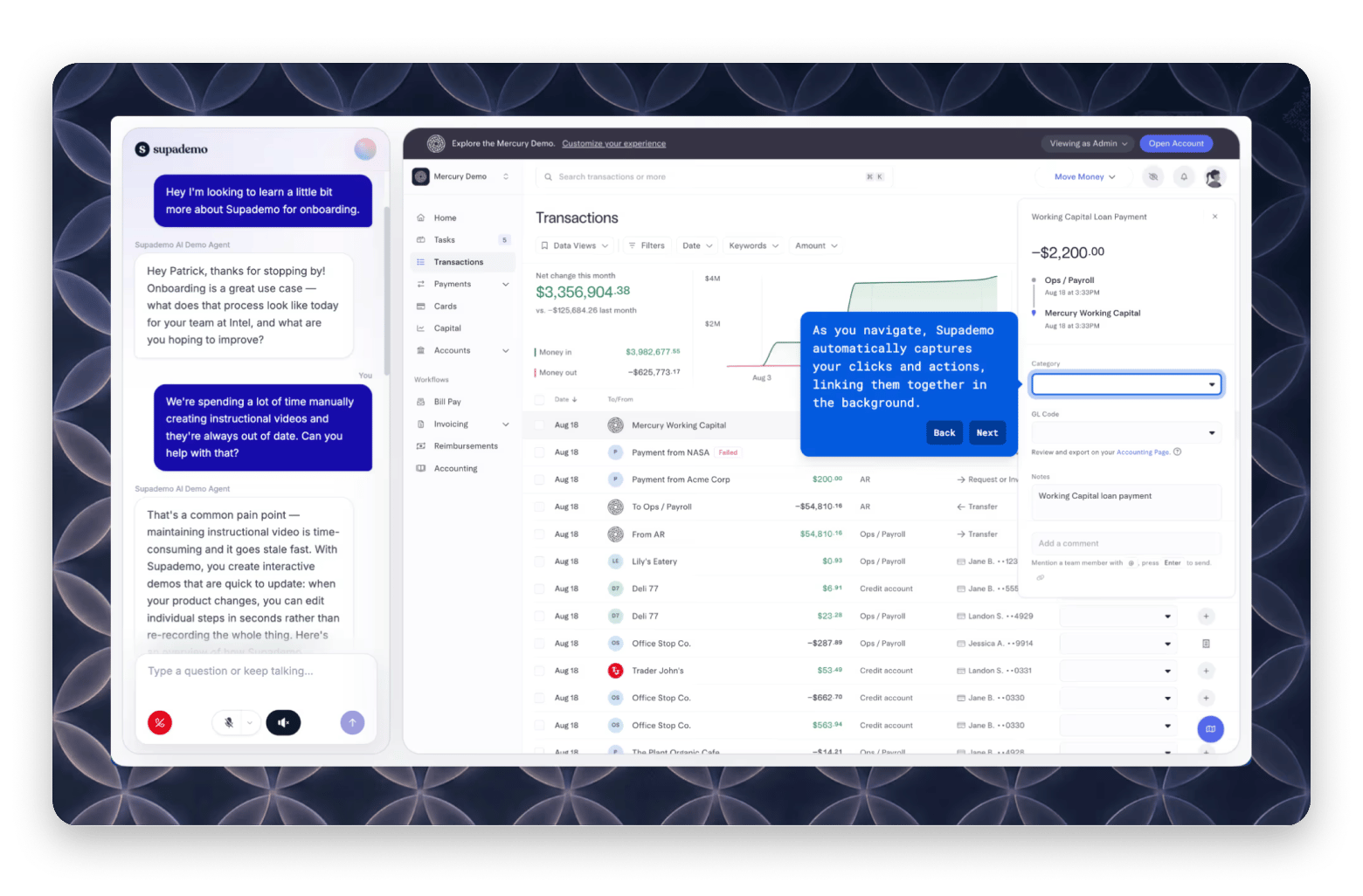
Supademo is similar to Loom in that it’s meant for sharing walkthroughs, and you can also track sessions, drop-offs, and viewers. But it’s also quite different from the other tools on my list.
Instead of simple video staring, Supademo captures your product interface and turns it into an interactive HTML demo. In other words, your viewers can actually interact with the video through clicks. It also takes text instructions instead of actual audio and generates the voice-over.
Pros:
Interactive, clickable demos instead of passive video
Personalization variables let you customize each demo per viewer or company
Can be embedded in landing pages, emails, and help centers
Strong fit for sales, onboarding, and product marketing teams
Cons:
Not a video messaging tool
The tool is super-expensive (up to $450/month)
Learning curve for setting up and customizing demos properly
Pricing: Free plan (highly limited), paid plans from $50 per user per month
9. VEED: Ideal if you want browser-based recording + editing (no installs)
Best for: Users who want recording, editing, captions, and sharing tools without installing desktop software.
Platforms: Web
VEED is a Loom alternative that doesn’t require actual installation. It keeps everything in the browser to make sharing as easy as Loom does.
However, it’s different in that its main feature is editing. The workflow is meant for people who want to share videos on social media, especially growth marketers, product managers, and tutorial creators.
The editing tool kit offers captions, trimming, branding, effects, layouts, eye correction, and lots of social-media-focused features. Most of the features are powered by AI, but you need credits to use them.
Pros:
No installation required
Powerful AI editing like auto-subtitles in 125+ languages and filler word removal
One-click aspect ratio presets for YouTube, Instagram
Teleprompter built in for reading scripts while recording
Cons:
Charges AI credits per action
Free plan is highly restricted in quality and has watermarks
Everything requires a working internet connection
Pricing: Free (very limited), paid plans from $20 per user/month
10. Cap: Best open-source Loom alternative for Mac with storage control
Source: cap.so
Best for: Users who want greater ownership over recordings, storage, and sharing
Platforms: Mac
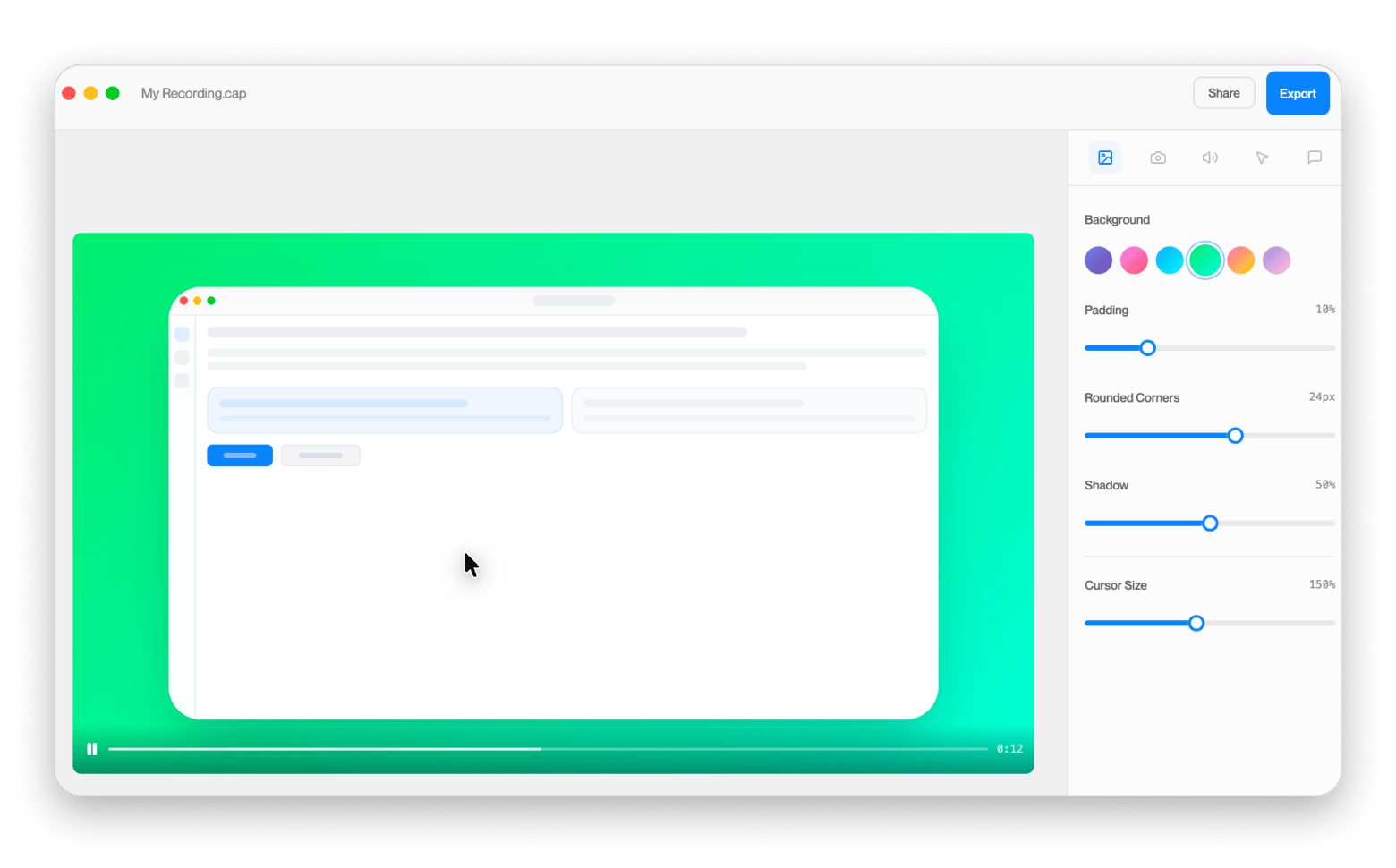
Cap is interesting in that it focuses on giving users ownership of their recordings, which is quite different from what Loom does. Instead of locking you in a cloud plan, it lets users control where their recordings live and are shared. You can connect to your own cloud-based rather than Cap’s servers.
One other thing I like is that, despite its open-source background, Cap is actually designed with an approachable background for everyday use.
Pros:
Local recording with no caps or watermarks
Self-hosting option gives full control over where recordings are stored
Shareable link workflow similar to Loom (fast sharing)
Auto-zoom on click for cleaner playback without manual editing
Cons:
Still a young project, interface is still maturing
Free shareable links capped at 5 minutes per video
No webcam overlay or talking-head layout at the moment
Pricing: Desktop $58 one-time, Cap Pro $12/mo per user
11. iShowU: Perfect for crisp tutorials, demos, and social media clips
Best for: Creators producing tutorials, walkthroughs, educational videos, and lightweight content for social platforms
Platforms: Mac
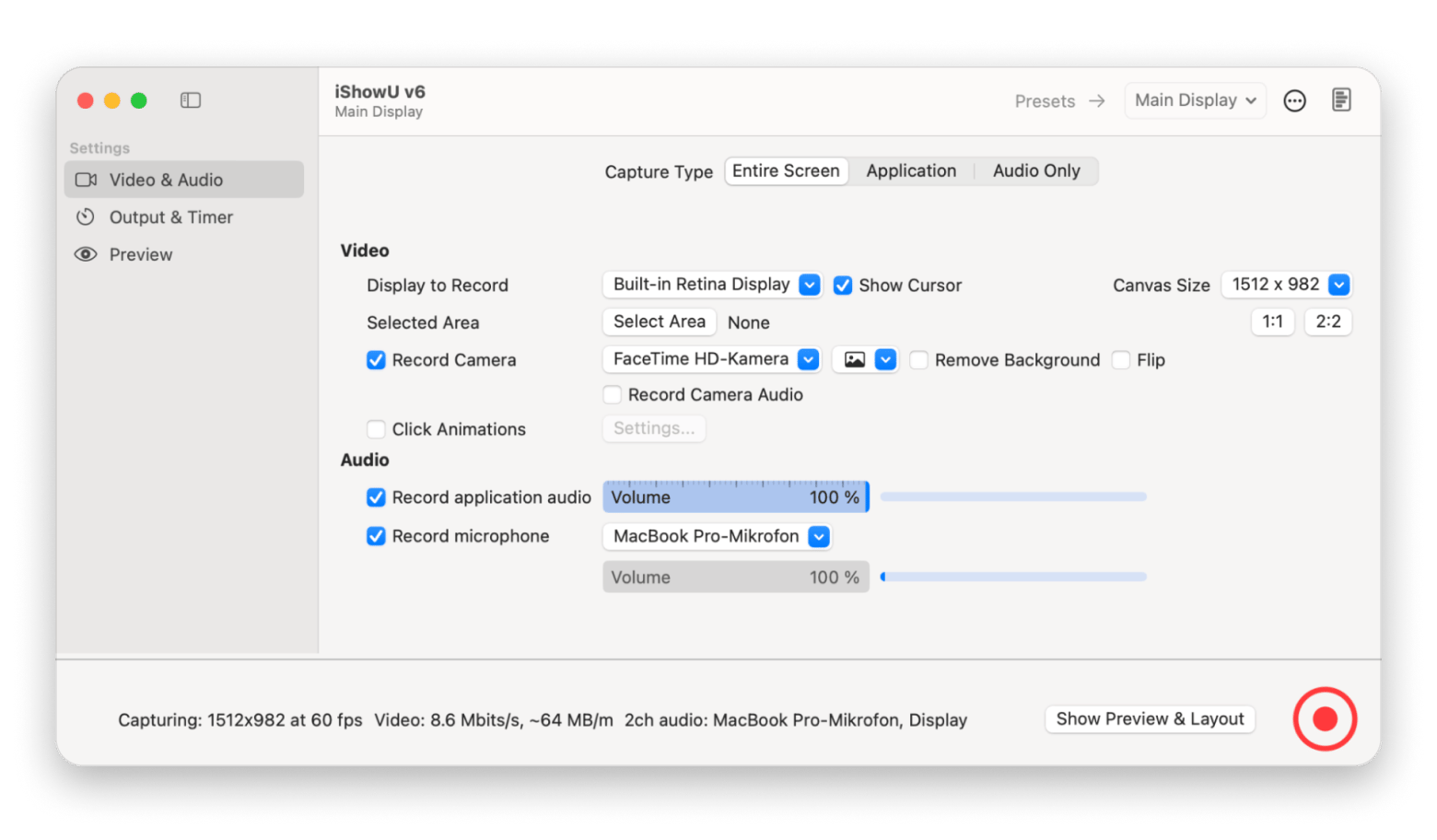
iShowU has been around since 2006 and still offers most of what Mac users need. One of the features I like most is that you can switch between a simple and a more production-style interface.
However, I have to say it still feels more focused on recordings than async video sharing. If you are looking for an HD local option, it works great and is actually available on Setapp.
Pros:
Real-time encoding for immediate availability
Layered recording with things like logo overlay and iPhone camera via USB
Simple and Pro mode in one app
Included in Setapp, no additional cost
Cons:
No built-in editor or timeline
No shareable link workflow, you have to export and host yourself
Not a video messaging or async communication platform
Pricing: Available on Setapp for $9.99/mo + tax, no extra purchase necessary
12. Canvid: Best choice for modern “polished demo” effects (Apple Silicon required)
Best for: Marketers and course creators who want automatic zoom effects, AI voice clarity, and instant shareable links
Platforms: Mac, Windows
Canvid is also a newer tool like Cap and positions itself as an AI-powered screen recorder. But it’s actually closer to Screen Studio with auto zooms and professional walkthroughs. Immediately you finish recording, you get a polished video with effects.
This makes it a great tool for building product demos, tutorials, and customer support walkthroughs. It also works great for quick internal updates, as it provides instant share links.
Pros:
Automatic zoom on every click and AI voice clarity built in
Lifetime Desktop license at $75 is quite competitive
Quick Share renders and copies a shareable link in one step
4K export with hardware encoding on Apple Silicon
Cons:
Less suited for quick internal communication
Limited advanced editing capabilities
Smaller ecosystem than established competitors
Pricing: $19 User/month or $75 desktop one-time purchase
Which Loom alternative is right for you?
The easiest way to choose the best Loom alternative is to consider what you are trying to improve or change.
If you want a workflow that’s close to Loom but gives you more control and a Mac-native experience, CleanShot X is the best Loom alternative. CleanShot X is also a top pick in thebest screenshot apps for Mac guide.
If you want to stay closer to async video communication, Tella, FocuSee, and Canvid all try to make recordings look more professional without burdening you with production-level editing.
ScreenFlow and Camtasia are also focused on video recording, but provide much better editing capabilities. Capto is also in this category, but with more of a local-based workflow that still offers link sharing.
If you are a creator who spends most of your editing time polishing spoken content, Descript lets you edit from the transcript. Supademo also offers lots of AI functionalities, but is more focused on showcasing software. And if you just want a simple way to capture your tutorials or iPhone recordings, iShowU is a great Loom alternative.
The tool is available on Setapp alongside others like CleanShot X, FocuSee, and Capto— try any of them free for 7 days. One subscription, 250+ Mac apps. Cancel before Day 7 — $0 charged. Start My Free Trial.
FAQ
What is the alternative to Loom on Mac?
The closest Mac-native alternatives to Mac are CleanShot X for fast capture and sharing, Tella for polished async communication, and ScreenFlow for more editing depth.
What's better than Loom?
“Better” depends on what you value. If you want more output quality and editing features, Tella, Capto, and ScreenFlow are all better. If you want a simple way to share your annotated screenshots and videos, CleanShot X is superb.
What replaced Loom?
Loom is still available despite the Atlassian acquisition in 2023. If you are looking to move for that reason, Tella is a direct Loom replacement, and CleanShot X also offers quick capture > share.
Does anyone know of any free alternatives to Loom/Screen Studio?
Cap is the free Loom alternative with basic shareable links. If you already have Setapp, you can also install Capto, CleanShot X, FocuSee, and iShowU without an extra purchase.
Which is better: Zight (CloudApp) or Loom?
Zight and Loom are different in that Zight is built around capture-to-link for screenshots, GIFs, and short recordings. Loom focuses on async video communication with viewer analytics and team features.
Best screen capturing app
Use CleanShot X for all your screen recording needs.






 Best solution
 Best solution