Eney
beta exclusive

Meet Eney, a local-first AI assistant for busywork

Learn More
FocuSee

FocuSee

Record screen and polish video
  • Mac


  • Version 2.0.0


  • macOS 10.15 or later


  • 229.5 MB


  • 7 languages

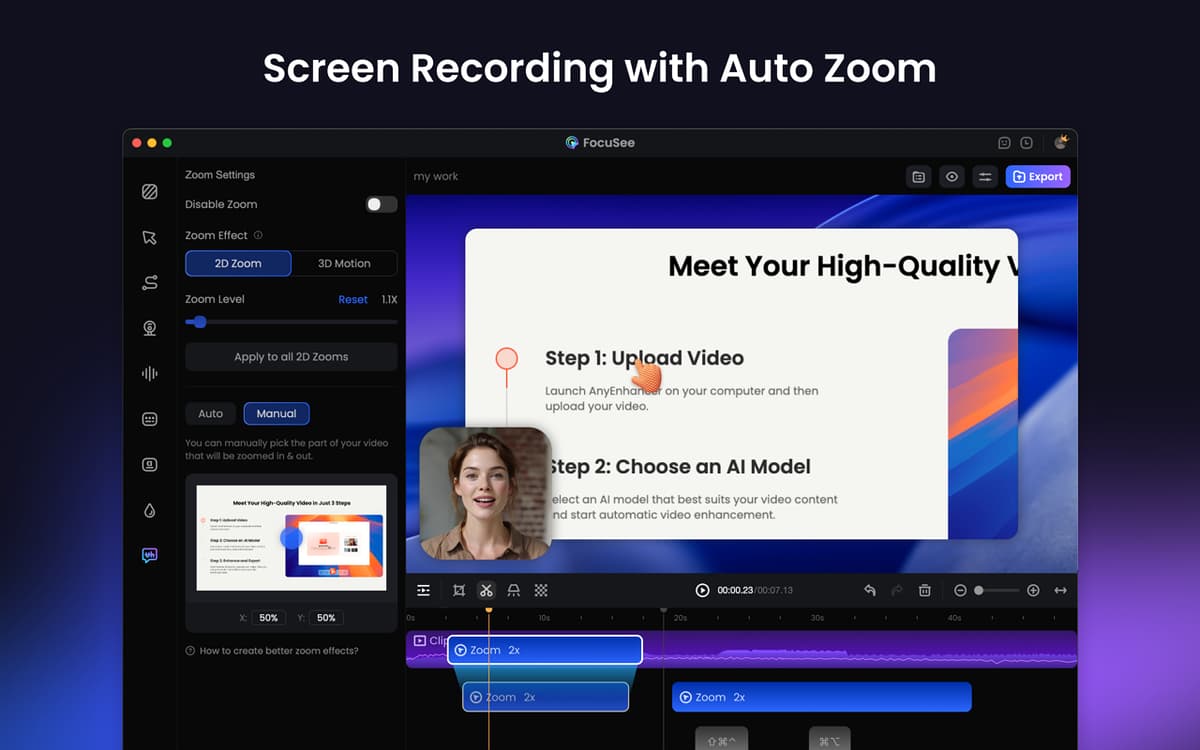
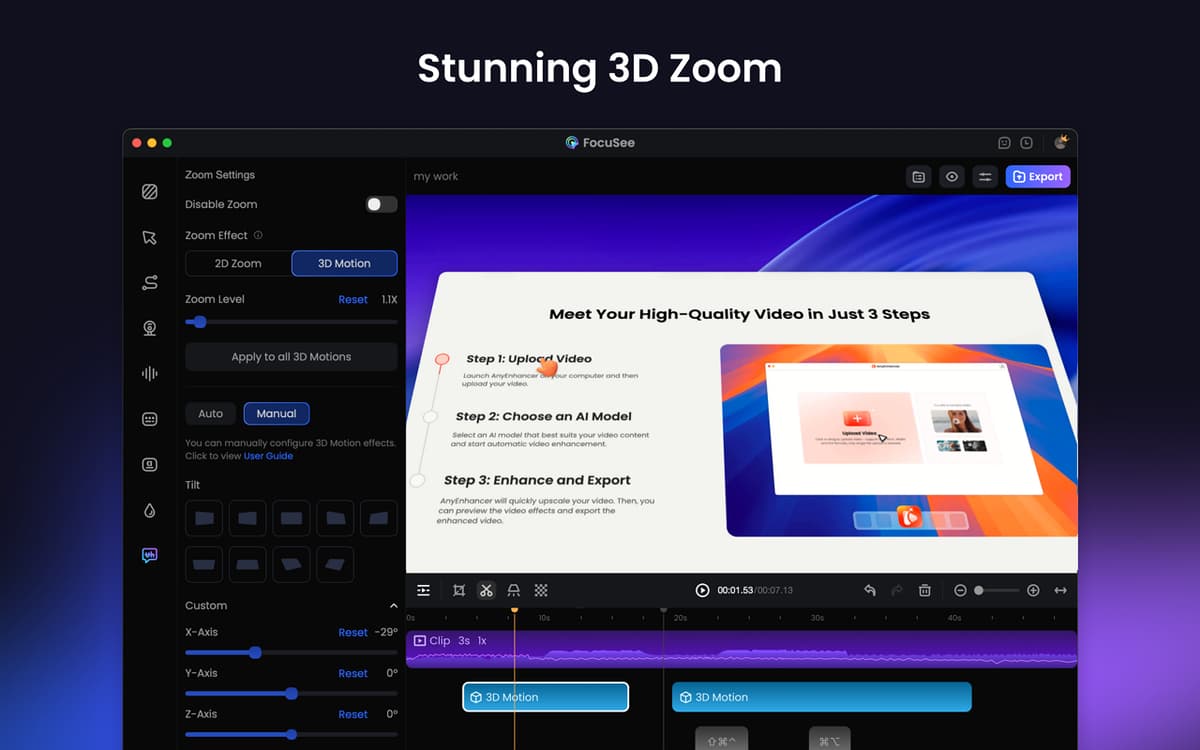
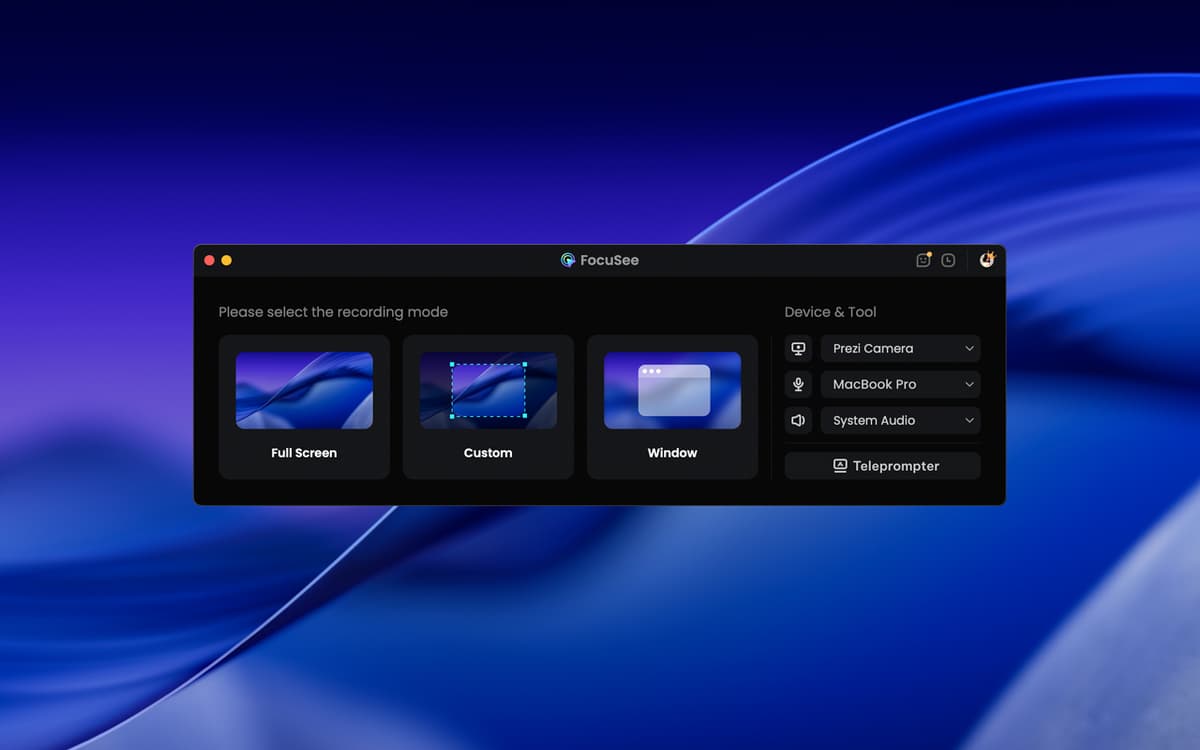
_With Setapp, you get the FocuSee Standard version._ Editing videos for tutorials, demos, or social media can take hours. FocuSee simplifies the process by automatically adding zooms, cursor highlights, backgrounds, and overlays to make your videos look polished. All you have to do is record, and FocuSee will transform your raw footage into professional-looking content quickly and easily.

  • Record screen, webcam, and voice in one go

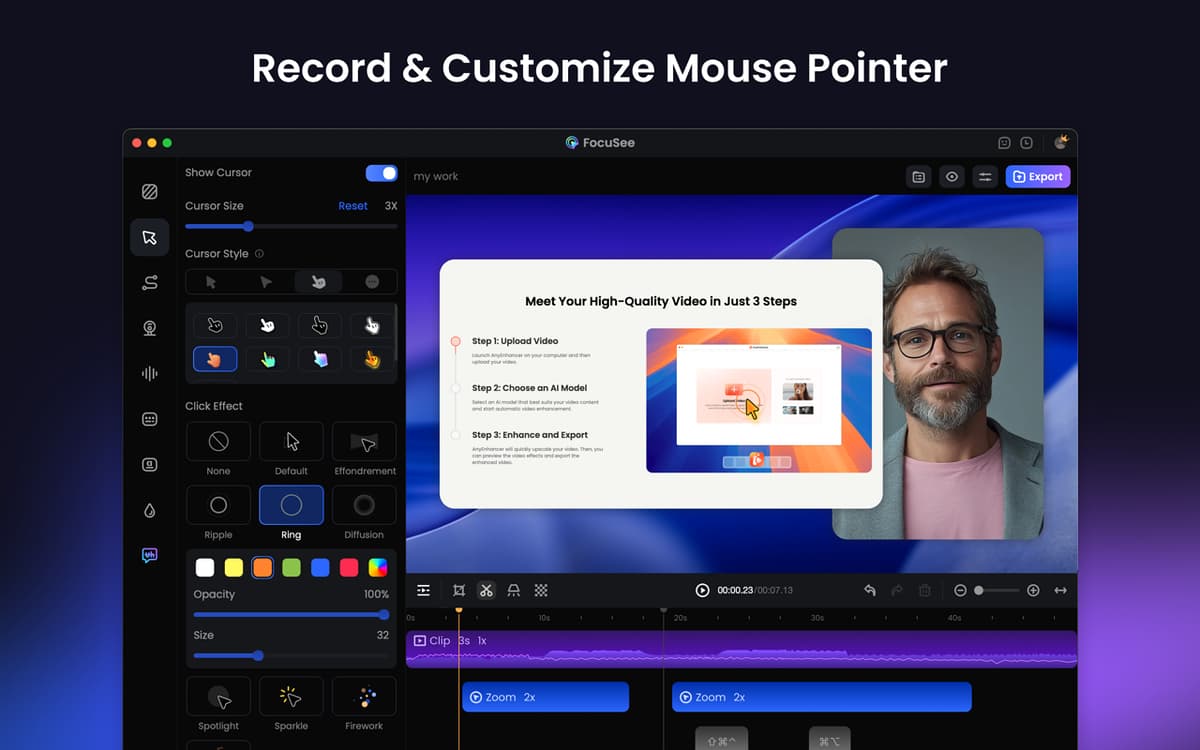
  • Point out actions with cursor highlights and zooms

  • Trim, adjust speed, denoise, add backgrounds

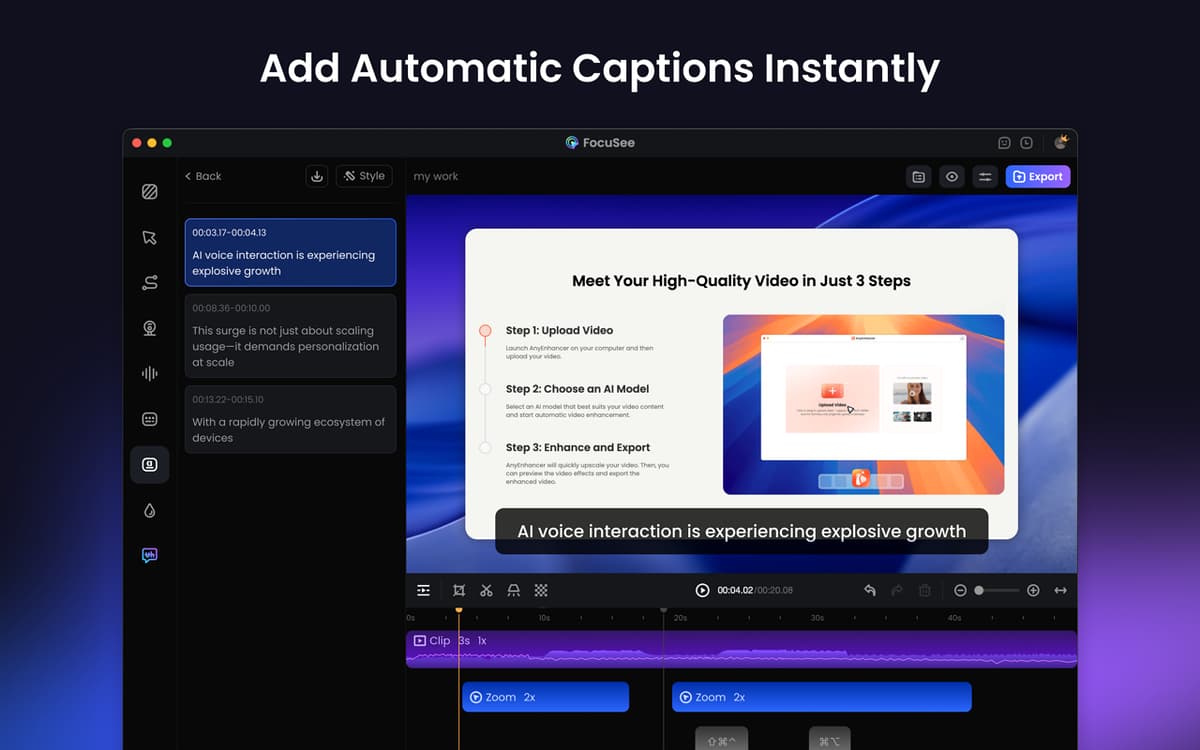
  • Use a scrolling script and add captions

FocuSee features


Capture everything in one go

FocuSee lets you capture your screen, webcam, and voice simultaneously. You can record your entire screen, a specific window, or a custom area. Perfect for demos, tutorials, sales pitches, and more. The app automatically follows your cursor, highlights key points, and even adds smooth zooms. Want to display keyboard shortcuts during recording? You can do that too.


Enhance and customize your videos

After recording, it’s possible to trim clips, change the playback speed (even for specific portions), add calls to action, use camera frames and filters, add backgrounds, and much more. The best part? You can save your preferred settings as presets to use later, making your workflow faster and more consistent.


Add narration and captions

Use the teleprompter overlay to display your script on the screen so that you can stay on track and deliver videos that are smooth and confident. You can also enhance the audio volume and reduce background noise to ensure crystal-clear sound. Finally, add captions to help your audience understand your content better.


Share your videos anywhere

Export your videos in high quality — from HD to 4K — suitable for YouTube, social media, or presentations. Resize them for different platforms with a couple of clicks. It’s also easy to copy a shareable link so you can send your videos directly or embed them in your website or online courses.


FocuSee icon image

Ratings and reviews


FocuSee

88%

103 ratings

  • Tavia Gilbert

    Dec 5, 2025

    App version: 2.0.0

    Love it!

    Response from Developer

    Yesterday

    Thank you so much for your kind words and for taking the time to share your feedback! We're thrilled to hear that you're enjoying FocuSee. 😊 Our team is dedicated to making video creation smoother and more efficient, and it means a lot to know it’s working well for you. If you ever have suggestions or need any help as you explore further, please don’t hesitate to reach out. Happy recording! Best regards, The FocuSee Team

  • Simon Kemper

    Nov 27, 2025

    App version: 2.0.0

    Top!

    Response from Developer

    Yesterday

    Thank you for letting us know FocuSee is a hit! Hearing that it delivers the smooth, efficient experience you were hoping for makes all our effort worthwhile. If you ever have suggestions or need any help as you explore further, please don’t hesitate to reach out. Happy creating! Best regards, The FocuSee Team

  • Klára

    Nov 25, 2025

    App version: 2.0.0

    It works quite nicely, but there are some key features missing. One – keyboard shortcuts! Someone already mentioned not being able to zoom in or out from the timeline with keyboard shortcuts, but also there is no switching the tools, I am used to use blade shortcut, but here I have to always click the button, which is draining the life out of me. And second – there is no option to add text overlay or anything, which would be really useful to be able for example write out what I said so that people can look it up and know how it’s spelled etc. Third thing I was missing is the option to rearrange the clips on the timeline! I realized I forgot to mention something in the beginning of the video, I added it at the end with the intention to cut it out and move it to front but found no way to do that! If they work on the app some more and add these crucial features, it would be a nice switch from Screenflow, but not there yet.

    Response from Developer

    Yesterday

    Thank you so much for taking the time to share such thoughtful and detailed feedback. We’re glad to hear that FocuSee works quite nicely for you, and we truly appreciate you outlining these specific areas for improvement. Your suggestions are incredibly valuable. We have officially logged the following feature requests with our product team for evaluation and future planning: We completely agree that these features would greatly enhance the editing experience. Please note that our team is currently focused on developing new 3D camera movement capabilities, which means the timeline for implementing the features you mentioned may be somewhat extended. However, your input is part of our roadmap discussions. In the meantime, feel free to reach out anytime to check on the status of these updates. We’re here to help and are committed to making FocuSee even more powerful for creators like you. Thanks again for your support and for helping us build a better product. Best regards, FocuSee

See all reviews

Get hundreds of apps with Membership

Become Setapp member and use hundreds of stellar apps with one subscription.
Try 7 days free, then pay one simple fee.

  1. 1

    Install Setapp on your Mac

    Explore apps for Mac, iOS, and web. Find easy ways to solve daily tasks.

    Setapp user interface image
  2. 2

    Get the app you came for

    That one shiny app is waiting inside Setapp. Install with a click.

    Setapp user interface imageFocuSee app icon

    FocuSee

  3. 3

    Save money and energy

    The Membership helps you solve daily tasks, without overpaying for software.

    Setapp user interface image
  1. 1

    Install Setapp on your Mac

    Explore apps for Mac, iOS, and web. Find easy ways to solve daily tasks.

    Setapp user interface image
  2. 2

    Get the app you came for

    That one shiny app is waiting inside Setapp. Install with a click.

    Setapp user interface imageFocuSee app icon

    FocuSee

  3. 3

    Save money and energy

    The Membership helps you solve daily tasks, without overpaying for software.

    Setapp user interface image
One simple monthly fee. Hundreds of apps.

Why you can trust Setapp

Safe and delightful app experience is our mission. Only apps with excellent reputation and stable performance can join Setapp.

Learn more

ISO-certified company

Setapp is made by MacPaw, a trusted company with ISO 27001 certification.

Be confident apps are safe

All Setapp apps were notarized by Apple, no malware was found.

Rely on reviews and ratings

Choose apps based on honest opinions of your fellow Setappians.

FocuSee

FocuSee

Record screen and polish video