PDF Squeezer
Compress PDFs without quality loss


Mac, iOS
Version 4.7.6
macOS 13.0 or later
108.4 MB
23 languages
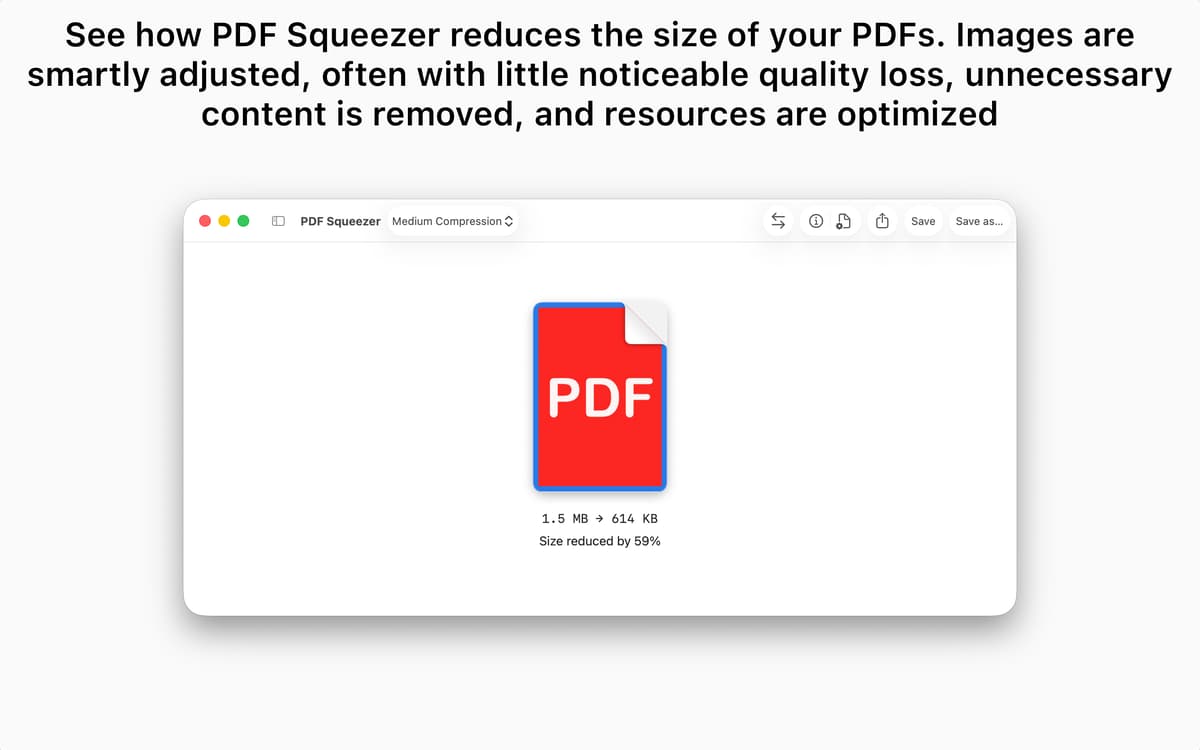
PDF Squeezer is a simple app to quickly compress PDF files. Take any large PDF file, simply drop it into the app and get a file that’s much smaller. PDF size reducer is perfect for sending files, fitting them into size-restricted application forms, or uploading them into the cloud, especially when you’re not sure you’ll have a strong, reliable internet connection.
Prepare PDFs for uploading to the web
Fix the “your file is too large” problem
Compress files without ruining quality
Compress multiple PDF files at once
PDF Squeezer features
Minimalistic interface
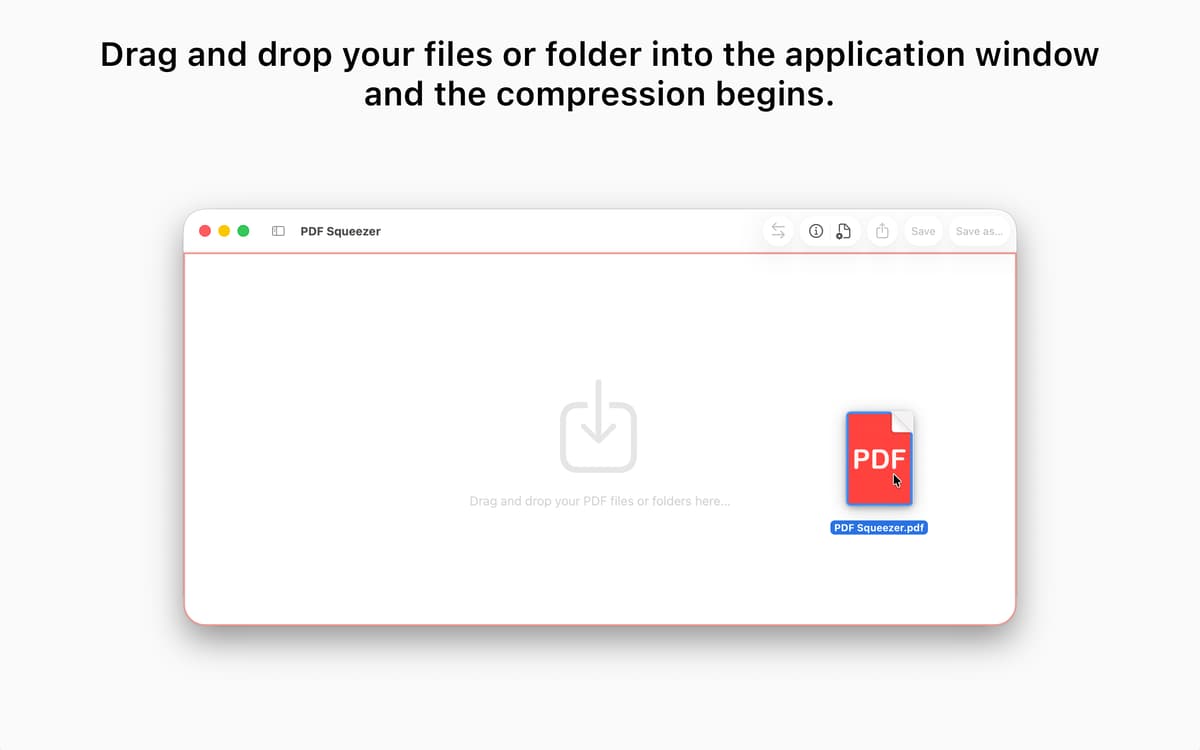
There are no multiple settings and extra buttons, nothing to confuse you when all you need is to make a file smaller. Open the app and see that it has a simple “Drag your files here” spot and that’s it. Drag the file, reduce it, and save it back to your Mac.
Shrink PDF documents for web
You’ve probably seen size limit on plenty of websites which require uploading documents. Job applications, resumes, visa-related docs, anything needed to upload to online forms that have size limits for documents is now easy.
Batch reduce PDF size
You can save plenty of time on file resizing by placing batches of files into PDF Squeezer at once. They will get processed and reduced one by one, so you can pick up the end result when it’s all done. Same goes for multiple folders.
Compress all files in folders
You can compress every file in a folder and its subfolders as well, all with a single move. Just drop the folder into the app, and every PDF file in there, together with the subfolders included, will get compressed automatically.
Works for password-protected PDFs
In case the file you need to compress is password-protected, worry not. The app will reduce its size and leave the information intact, including the password. You can be sure your important documents are safe (and weight much less) after the reduction.
Preserve the quality
In case you have a beautiful presentation and fear that compression might ruin the quality of images, PDF Squeezer is a smart app that takes care of it. You can customize the quality before compressing to make sure the file preserves the right look.
Ratings and reviews
PDF Squeezer
•
1692 ratings
Jaime
Jun 2, 2026
App version: 4.7.6
Good App. It comes to help very frequent needs.
Response from Developer
Jun 2, 2026
Hi Jaime, I’m glad to hear that the app is helpful to you. :) Cheers Daniel
Sagar
May 29, 2026
App version: 4.7.5
Keeps giving me the same error that the file couldn’t be processed. I tried this with three different files. What a waste of time. Stay away from this app.
Response from Developer
May 31, 2026
Hi Sagar, There was a little hiccup in the old PDF Squeezer version that caused some PDFs not to get compressed properly. Could you please update to the newest version? It should sort that out for you. Best regards Daniel
Maksym Vatralik
May 15, 2026
App version: 4.7.4
The latest version not only fails to compress my PDFs from Figma, but actually makes them larger and displays the error message “The file could not be reduced with the selected profile.”
Response from Developer
May 31, 2026
Hi Maksym, There was a little hiccup in the old PDF Squeezer version that caused some PDFs not to get compressed properly. Could you please update to the newest version? It should sort that out for you. Best regards Daniel
Get hundreds of apps with Membership
Become Setapp member and use hundreds of stellar apps with one subscription.
Try 7 days free, then pay one simple fee.
Install Setapp on Mac
Explore apps for Mac, iOS, and web. Find easy ways to solve daily tasks.

Get the app you came for
That one shiny app is waiting inside Setapp. Install with a click.

PDF Squeezer
Choose your subscription
One app or more with a Setapp membership. Get apps the way you want.

Get hundreds of apps with Membership
Become Setapp member and use hundreds of stellar apps with one subscription.
Try 7 days free, then pay one simple fee.
1
Install Setapp on Mac
Explore apps for Mac, iOS, and web. Find easy ways to solve daily tasks.
2
Get the app you came for
That one shiny app is waiting inside Setapp. Install with a click.
PDF Squeezer
3
Choose your subscription
One app or more with a Setapp membership. Get apps the way you want.
Home to the top apps
From planning and routine tasks to creative pursuits and coding, tackle tasks with apps on Setapp.


PDF Squeezer
Compress PDFs without quality loss