ToothFairy
Connect Bluetooth devices faster
Mac
Version 2.8.8
macOS 12.0 or later
15.8 MB
8 languages
Take control of your Mac’s Bluetooth devices with just one click or keypress. ToothFairy is the new Bluetooth assistant you can’t live without: simply connect, disconnect, or switch between devices in seconds right from your menu bar, or with a customizable keyboard shortcut. In addition, see helpful information for each device at a glance, instead of digging through frustrating menus.
Fix bluetooth connection problems
Save time connecting AirPods
Connect multiple Bluetooth devices
Fine-tune the quality of your audio
ToothFairy features
One click Bluetooth pairing
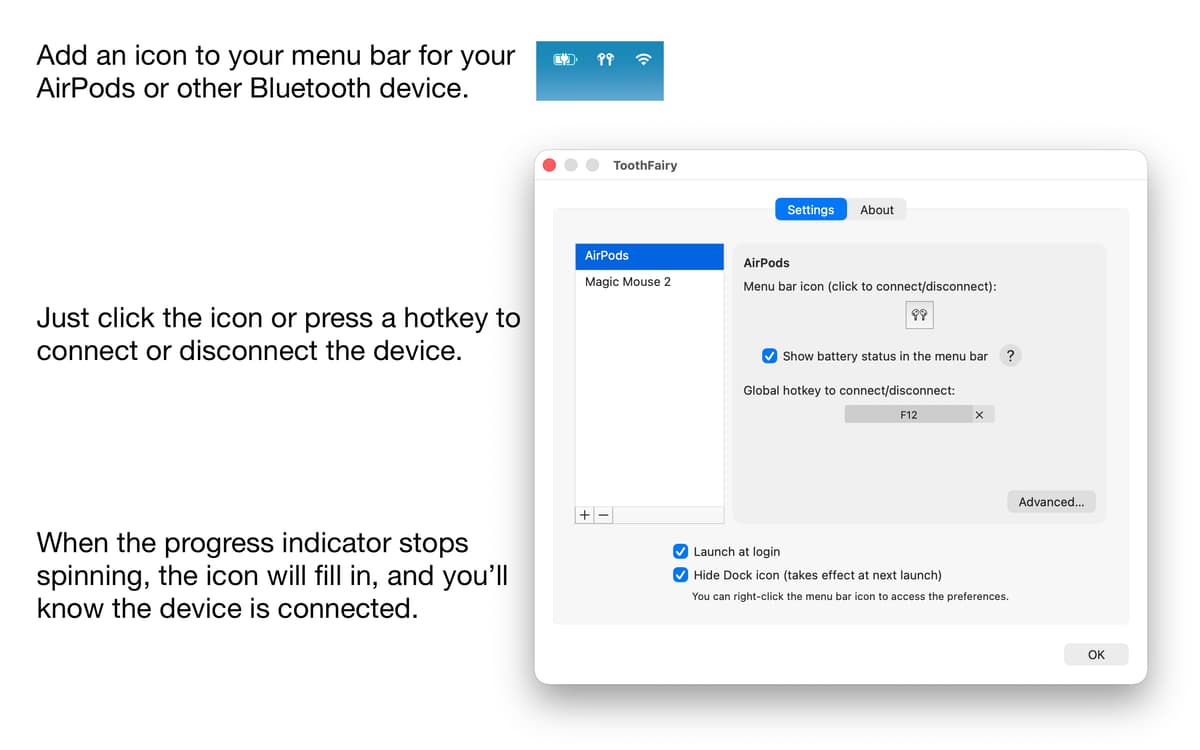
Now you can connect and disconnect devices like AirPods with a single click. Simply click the icon for your paired device in the menu bar to enable or disable it, making the switch between your Mac and iPhone a breeze. ToothFairy will automatically launch when you log in, so it’s ready to go right away and always there when you need it.
Customized for you
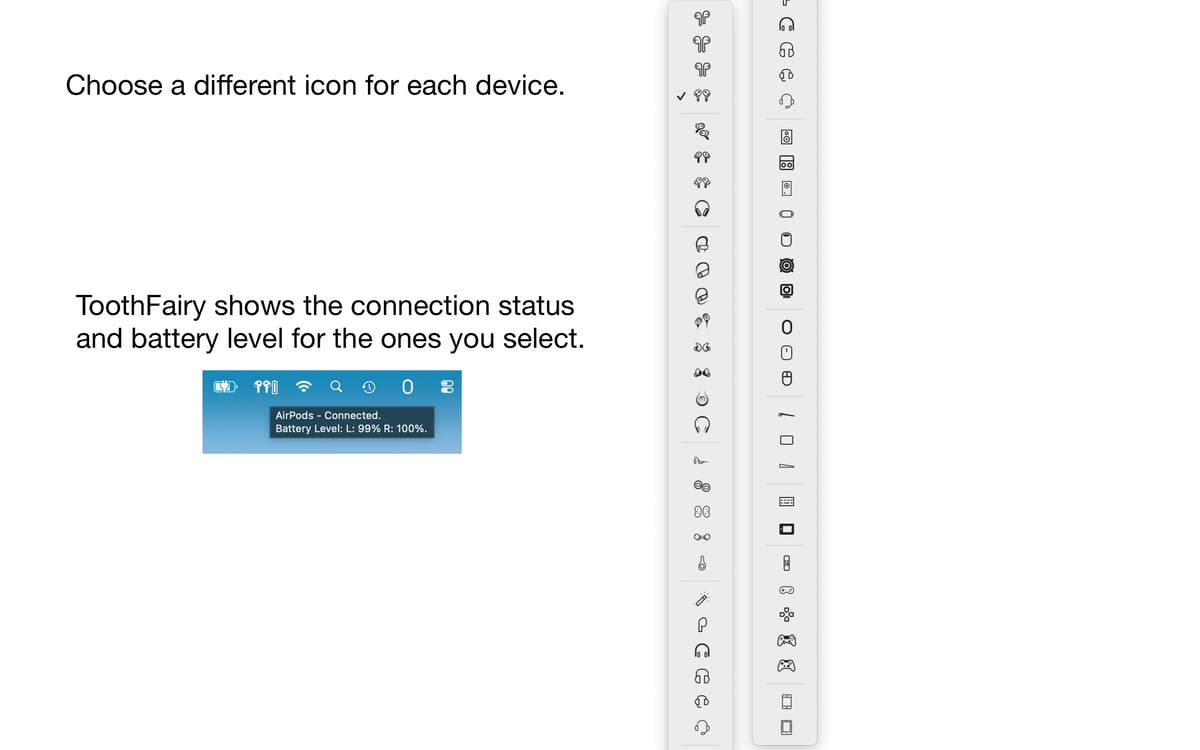
Make your Bluetooth devices work for you with customizable shortcuts to navigate through them. ToothFairy lets you change the icons used for each device in the menu bar so you can instantly see what’s connected right now. You can even add hotkeys for each device, making it easier to switch between them.
Works with most Bluetooth devices
Bring your one-click wonder to almost any Bluetooth device. ToothFairy works with AirPods, headphones, speakers, headsets, controllers, keyboards, and mice. ToothFairy will add them all to your menu bar so you can switch between them with ease.
Get better audio quality
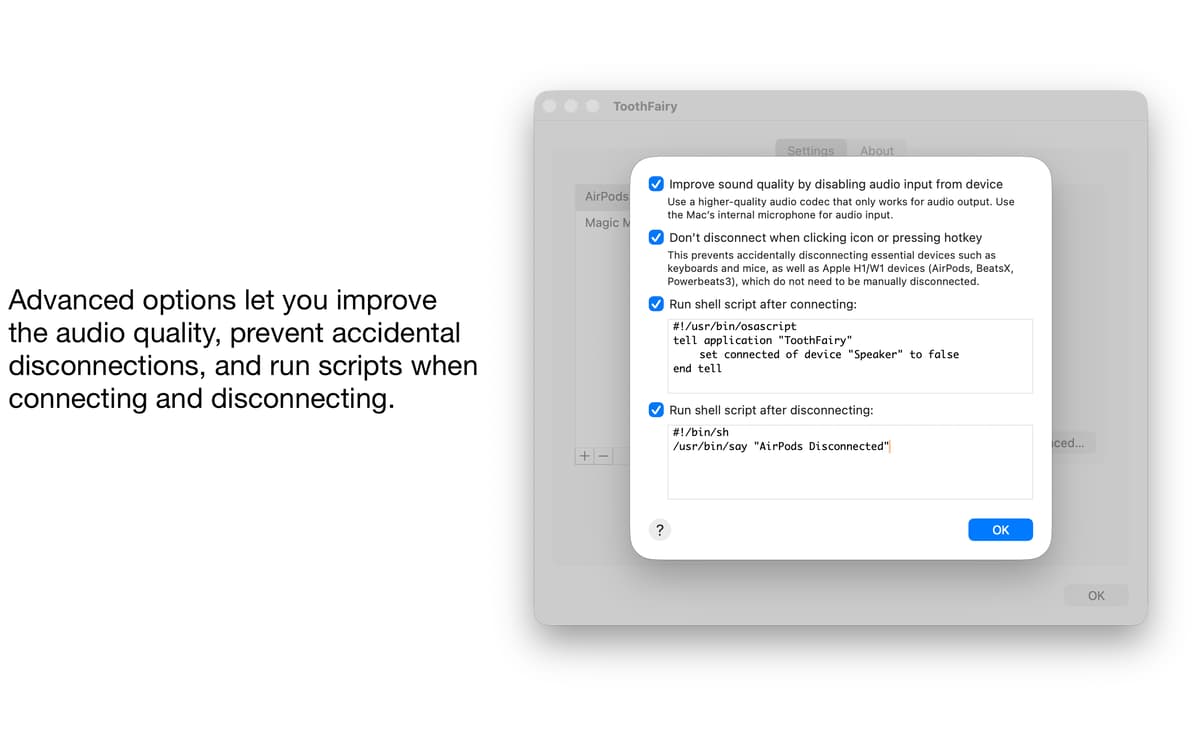
Fine-tune the best audio experience for your favorite headphones. As macOS automatically uses the SCO audio codec to allow both audio output and microphone input from your audio devices, ToothFairy lets you swap to the high-quality AAC codec when you only care about audio output, so you can get to the best listening experience when you want it.
Stay on top of your devices
See what your Bluetooth connections are doing at any moment. ToothFairy’s simple menu bar interface comes with helpful indicators, which let you know when the device is connected and its battery level. Now you can be sure you’re using the right device at the right time and stay on top of your charging before the battery runs dry.
Advanced power-user features
Get more out of your Bluetooth devices. ToothFairy comes loaded with advanced features to help you customize your setup. Prevent accidental disconnection, improve audio quality, or even run custom shell scripts when you connect or disconnect a device. For example, launch your favorite music app as soon as your headphones are connected.
Ratings and reviews
ToothFairy
•
422 ratings
Zeshan Ahmed
Oct 12, 2026
App version: 2.8.8
Unfortunately it doesn’t work. I have tried this app multiple times in the past couple of years to switch my magic keyboard between two macbooks with different Apple IDs, but unfortunately, it always fails.
Response from Developer
Oct 13, 2026
Sorry, but the case you are describing is not expected to work, and is documented as such on the web site and manual. Apple’s Bluetooth APIs are able to connect devices that are paired with the Mac. Some devices are able to pair with more than one Mac at a time, and thus you can use ToothFairy to switch between the Macs. Apple’s Magic keyboards used to support this feature, but Apple removed it in recent versions. Now they can only pair with one Mac at a time, so to switch between devices you would need to first pair with the second Mac in the Bluetooth settings (or by plugging in the cable).
Peter
Jan 8, 2026
App version: 2.8.8
I've been a user of this app for a long time, both on and off setapp. I still find it a really useful app for connecting my bluetooth headphones, especially when, for whatever reason, you can't make use of the auto-switching via iCloud. Without this app there's no other way to connect in one click. It also makes it easy to see whether you're not connected. In scenarios like trying to get ready to join a meeting that's about to start, it makes a big difference. The developer is really responsive via email and on their forum, which is great too. Definitely recommend!
ST
Jan 7, 2026
App version: 2.8.8
Didnt get it after several attempts what the advantage should be against any normal bluetooth connection. Multiconnect depends on the devices themselves. I just use my Bose speakers and Air PodsPro and couldnt find out what advantage this app could have.. Shame there is still no star rating and only thumbs up an down..
Response from Developer
Jan 7, 2026
The Bluetooth connection is the same, but you can initiate it with a single click or keypress. You get a visual display of the connection status and battery level. You can run scripts to automate things when the device connects or disconnects. You can prevent macOS from switching to using the device’s microphone, which improves the audio output quality.
Get hundreds of apps with Membership
Become Setapp member and use hundreds of stellar apps with one subscription.
Try 7 days free, then pay one simple fee.
Install Setapp on Mac
Explore apps for Mac, iOS, and web. Find easy ways to solve daily tasks.

Get the app you came for
That one shiny app is waiting inside Setapp. Install with a click.

ToothFairy
Choose your subscription
One app or more with a Setapp membership. Get apps the way you want.

Get hundreds of apps with Membership
Become Setapp member and use hundreds of stellar apps with one subscription.
Try 7 days free, then pay one simple fee.
1
Install Setapp on Mac
Explore apps for Mac, iOS, and web. Find easy ways to solve daily tasks.
2
Get the app you came for
That one shiny app is waiting inside Setapp. Install with a click.
ToothFairy
3
Choose your subscription
One app or more with a Setapp membership. Get apps the way you want.
Home to the top apps
From planning and routine tasks to creative pursuits and coding, tackle tasks with apps on Setapp.


ToothFairy
Connect Bluetooth devices faster