
BlackFlare
Keep Mac awake while AI codes
Mac
Version 1.3.2
macOS 13.0 or later
7.3 MB
1 languages
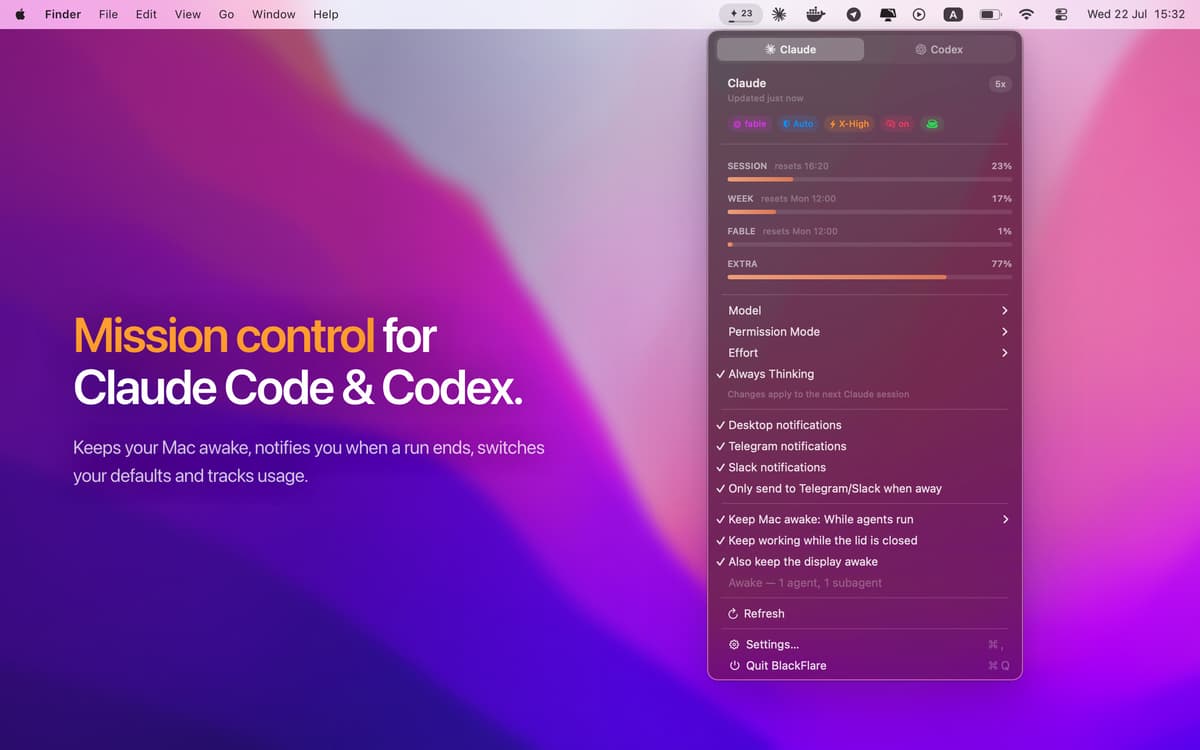
BlackFlare is a menu bar app for Mac that looks after your Claude Code and Codex sessions. Start a session, close the lid, and go touch some grass. BlackFlare keeps your Mac awake until the work is done, then lets it sleep as usual. It pings you when a session finishes or needs you, and shows your plan usage right in the menu bar. Everything stays on your Mac, with no accounts and no tracking.
Run overnight refactors with lid closed
Get pinged on Telegram or Slack
Watch Claude and Codex usage limits
Switch model, mode, and effort fast
BlackFlare features
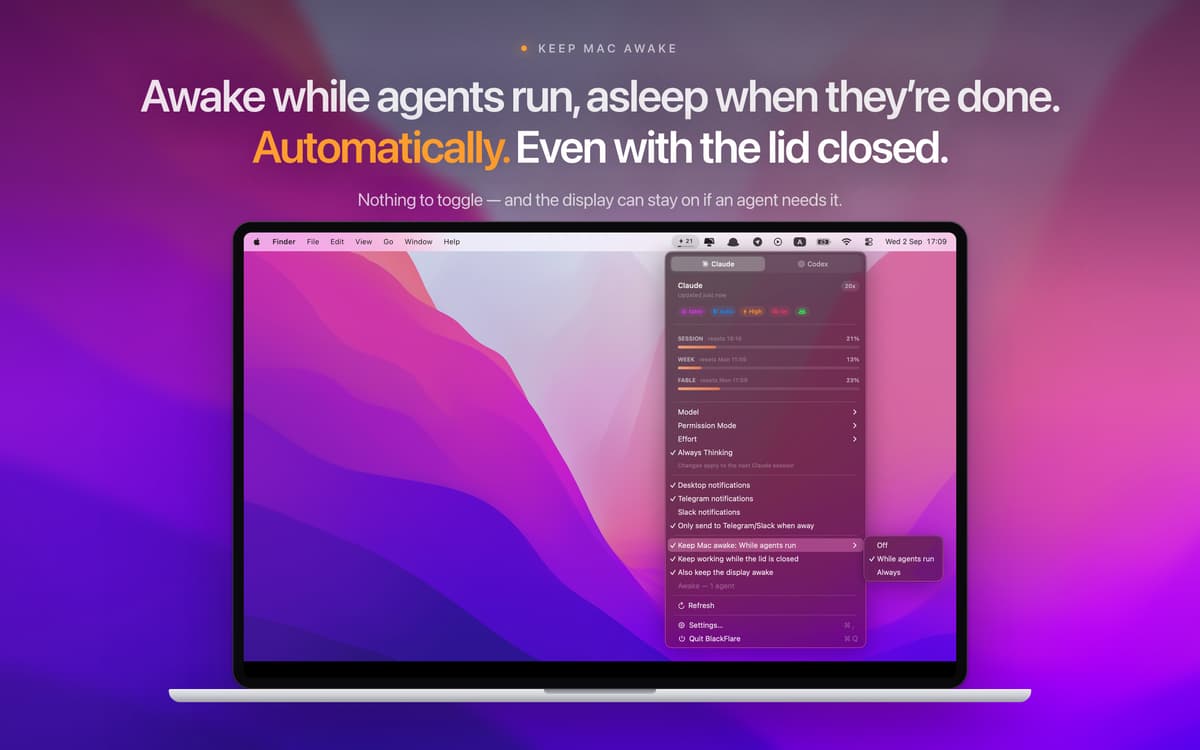
Keep your Mac awake, lid closed or not
A sleeping Mac means a stalled agent. BlackFlare keeps your Mac running while a session is active, even with the lid shut and no external display. When the work wraps up, your Mac goes back to sleeping normally.
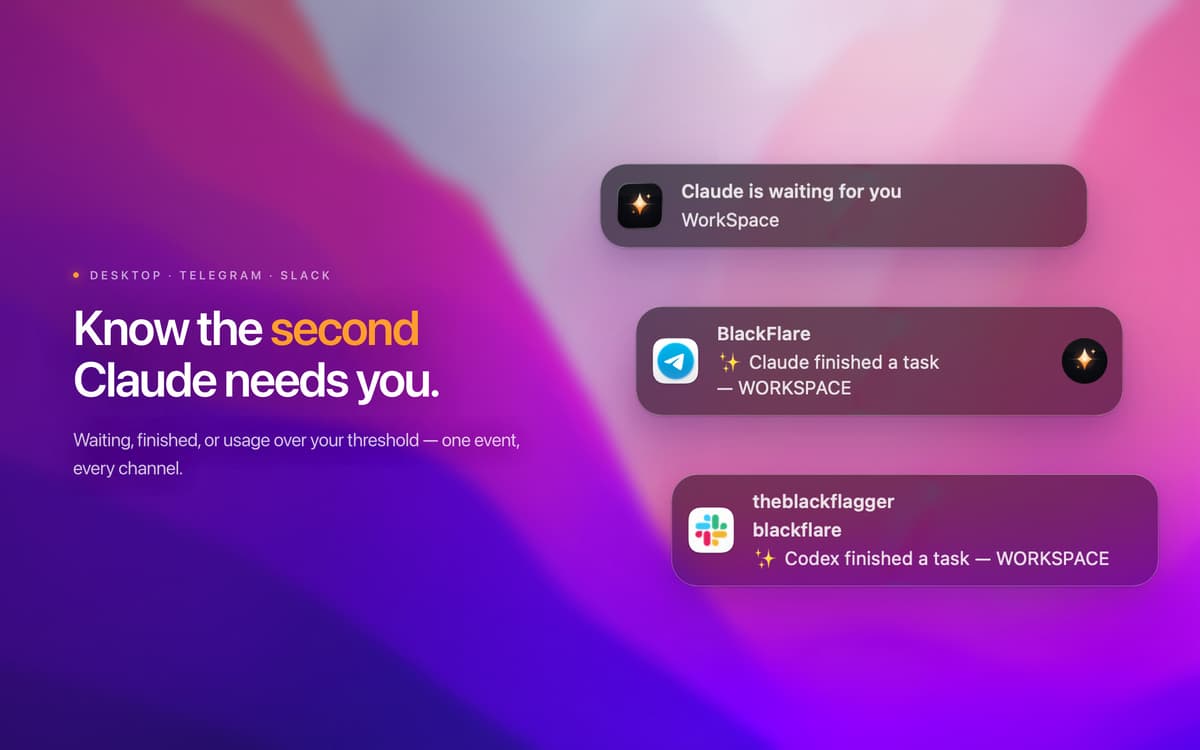
Get notified wherever you are
The moment a session finishes or needs your input, BlackFlare lets you know. Keep alerts on your Mac, or send them to Telegram or Slack. It covers sessions in your terminal and agents running inside VS Code or JetBrains.
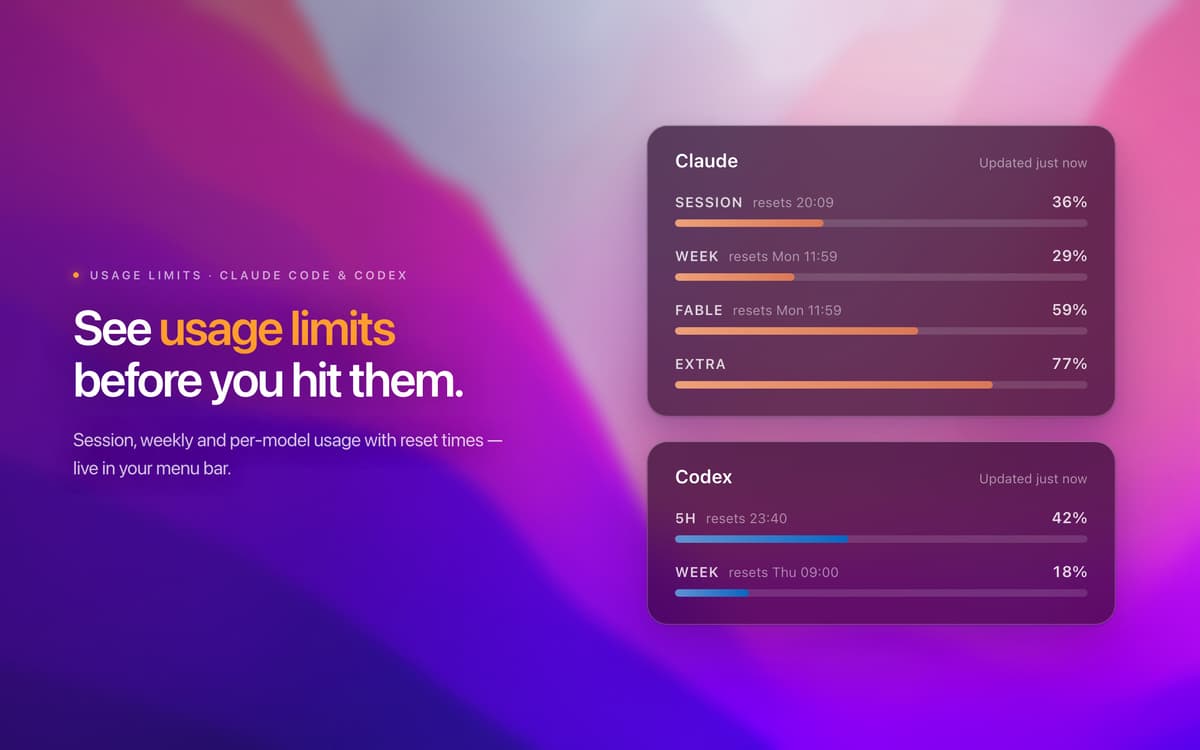
See your usage before you hit the limit
Check per-model Claude and Codex usage in the menu and on the menu bar icon. Set your own thresholds, and BlackFlare warns you before you cross them. No more finding out about a limit by running into it.
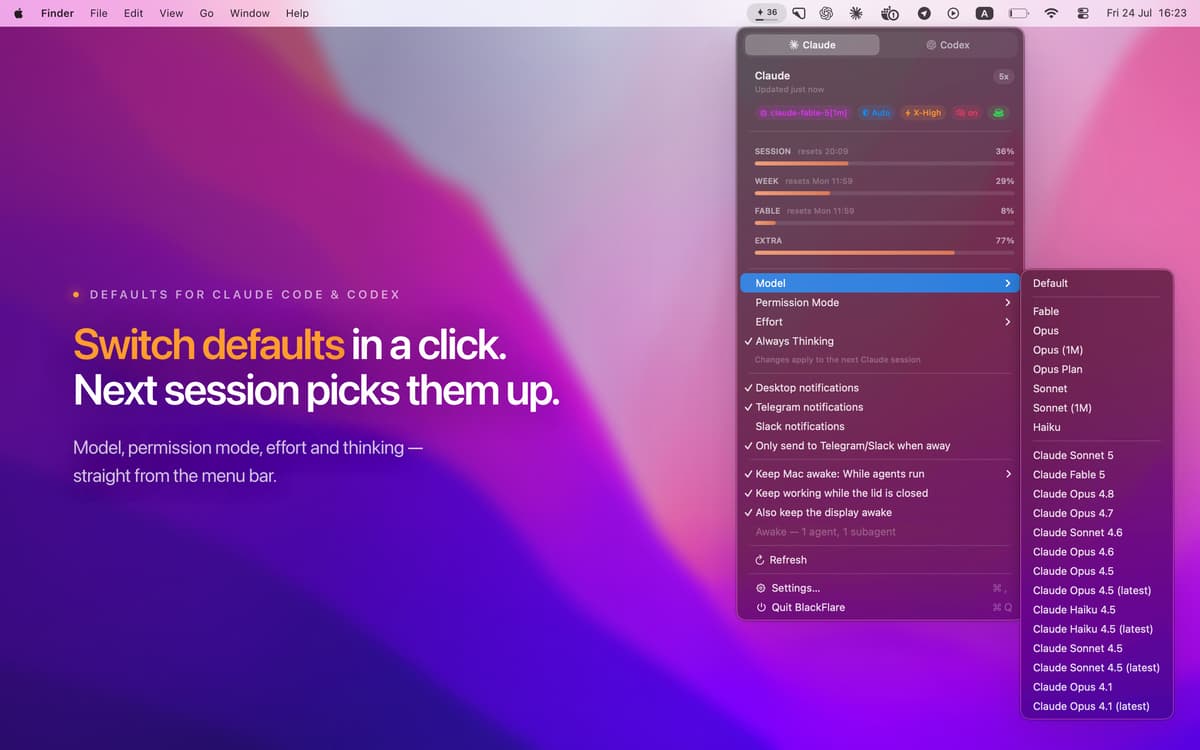
Change your defaults from the menu bar
Pick your model, permission mode, effort level, and thinking mode without remembering a single flag. BlackFlare applies your choices to the next session by editing each tool’s own config file. It preserves the file byte for byte and backs it up first.
Keep it private
BlackFlare runs entirely on your Mac. No accounts, analytics, or telemetry. It asks for one thing: read-only Keychain access to show your exact usage.
Run it on any Mac
BlackFlare works on macOS 13 or later and is universal, so it runs natively on Apple silicon and Intel Macs.
Ratings and reviews
BlackFlare
•
7 ratings
Mohammad Alhobayyeb
Oct 22, 2026
App version: 1.2.0
I like the app however, it lacks support for Antigravity
Response from Developer
Oct 22, 2026
Thank you for the kind review and the feedback! Antigravity support is on our roadmap, together with Grok Build. We plan to ship both soon. Thanks again for using BlackFlare.
Get hundreds of apps with Membership
Become Setapp member and use hundreds of stellar apps with one subscription.
Try 7 days free, then pay one simple fee.
Install Setapp on Mac
Explore apps for Mac, iOS, and web. Find easy ways to solve daily tasks.

Get the app you came for
That one shiny app is waiting inside Setapp. Install with a click.

BlackFlare
Choose your subscription
One app or more with a Setapp membership. Get apps the way you want.

Get hundreds of apps with Membership
Become Setapp member and use hundreds of stellar apps with one subscription.
Try 7 days free, then pay one simple fee.
1
Install Setapp on Mac
Explore apps for Mac, iOS, and web. Find easy ways to solve daily tasks.
2
Get the app you came for
That one shiny app is waiting inside Setapp. Install with a click.
BlackFlare
3
Choose your subscription
One app or more with a Setapp membership. Get apps the way you want.
Home to the top apps
From planning and routine tasks to creative pursuits and coding, tackle tasks with apps on Setapp.


BlackFlare
Keep Mac awake while AI codes