
Can Opener
Choose which app opens what
Mac
Version 1.0.15
macOS 14.0 or later
29.7 MB
1 languages
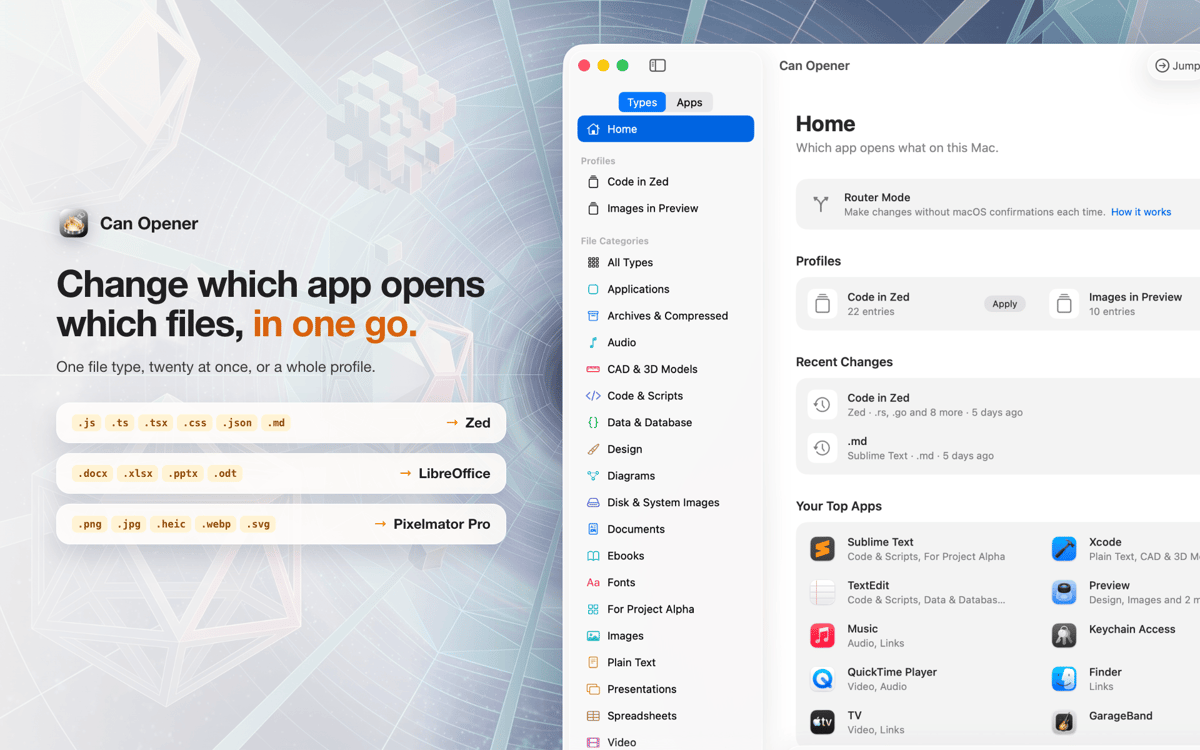
Can Opener is a default app manager for Mac that lets you change which app opens each file type, all in one place. Move twenty file types to a new editor at once, instead of digging through Get Info one by one. Save your setups as profiles, so “Work” and “Hobby project” are one click away. Not sure which app you want? Set a file type to Ask Every Time and pick on the spot.
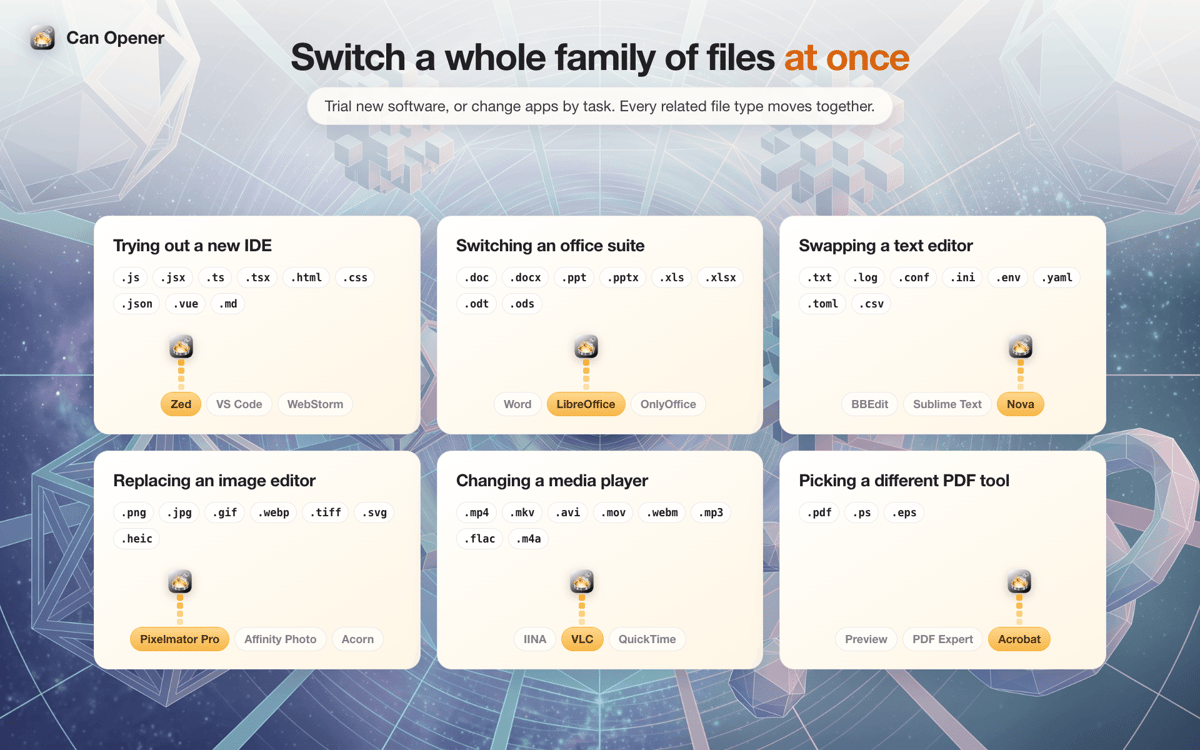
Switch your code editor in one go
Set up work and hobby profiles
Choose an app each time you open a file
Send client files to the right app
Can Opener features
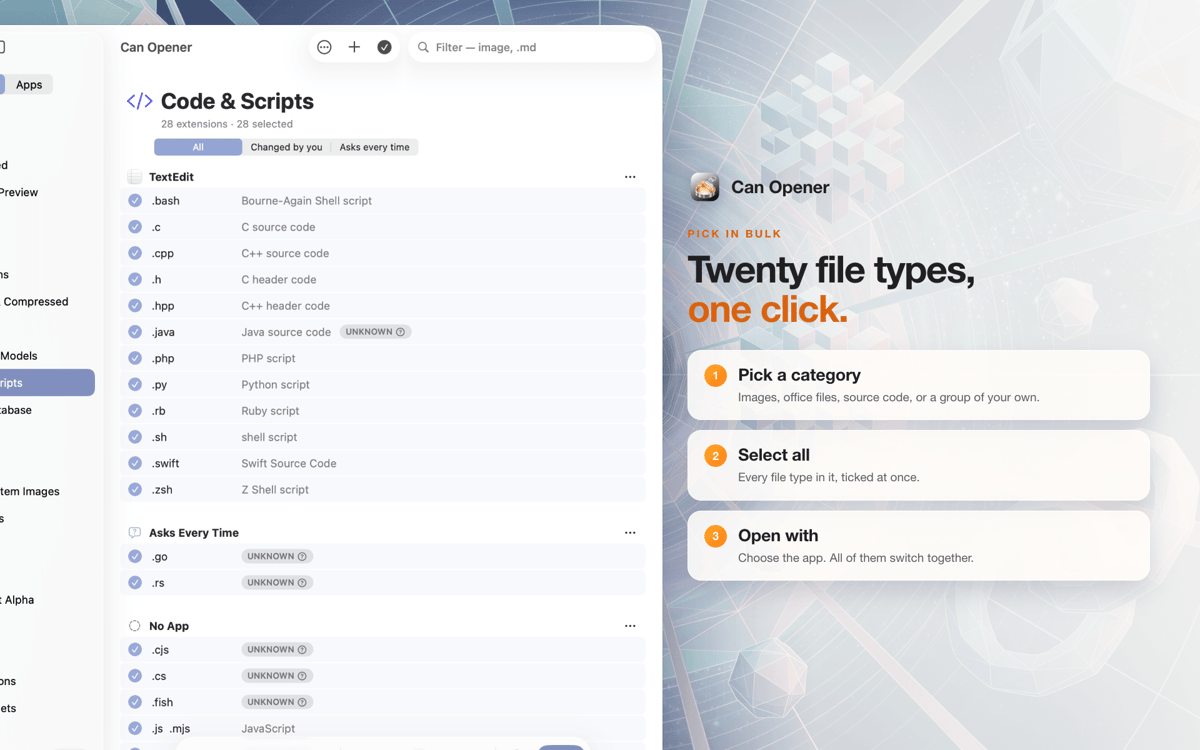
Change file types in bulk
Pick a whole category, like Images, Code, or Office files, and move every type to a new app at once.
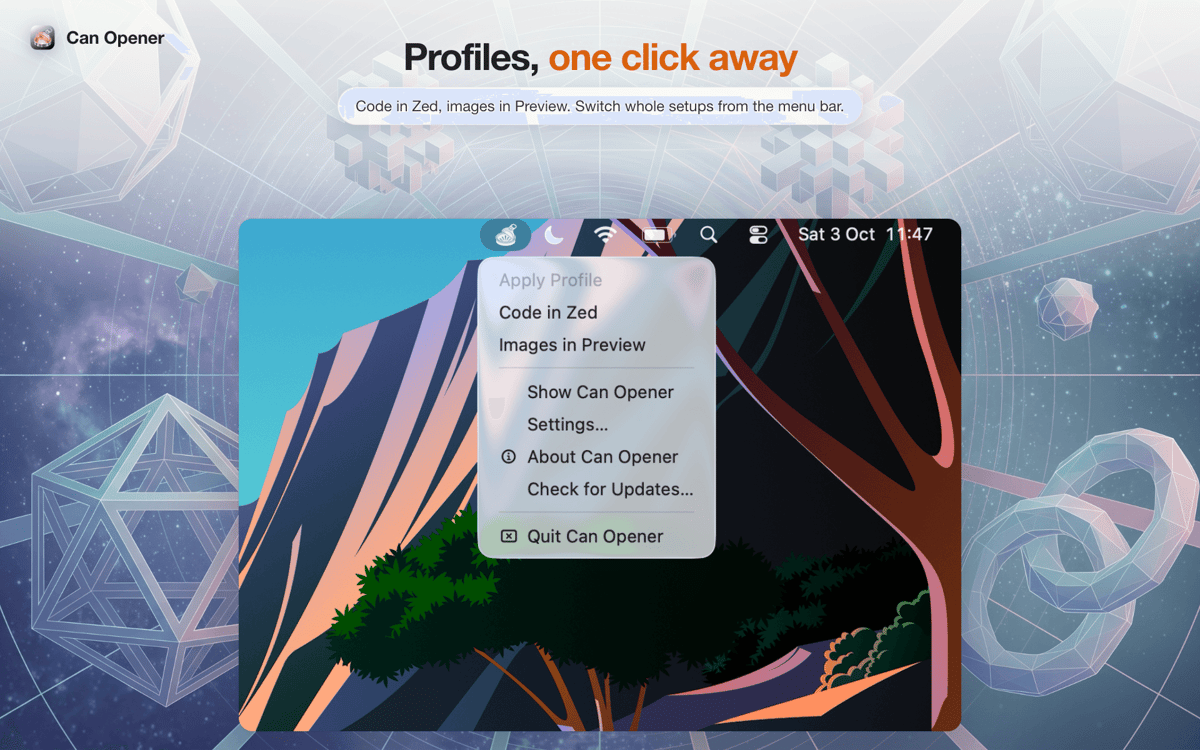
Profiles for every setup
“Work” opens code in IntelliJ and documents in Word. “Hobby project” sends them to VS Code and Pages. Switch from the window or the menu bar.
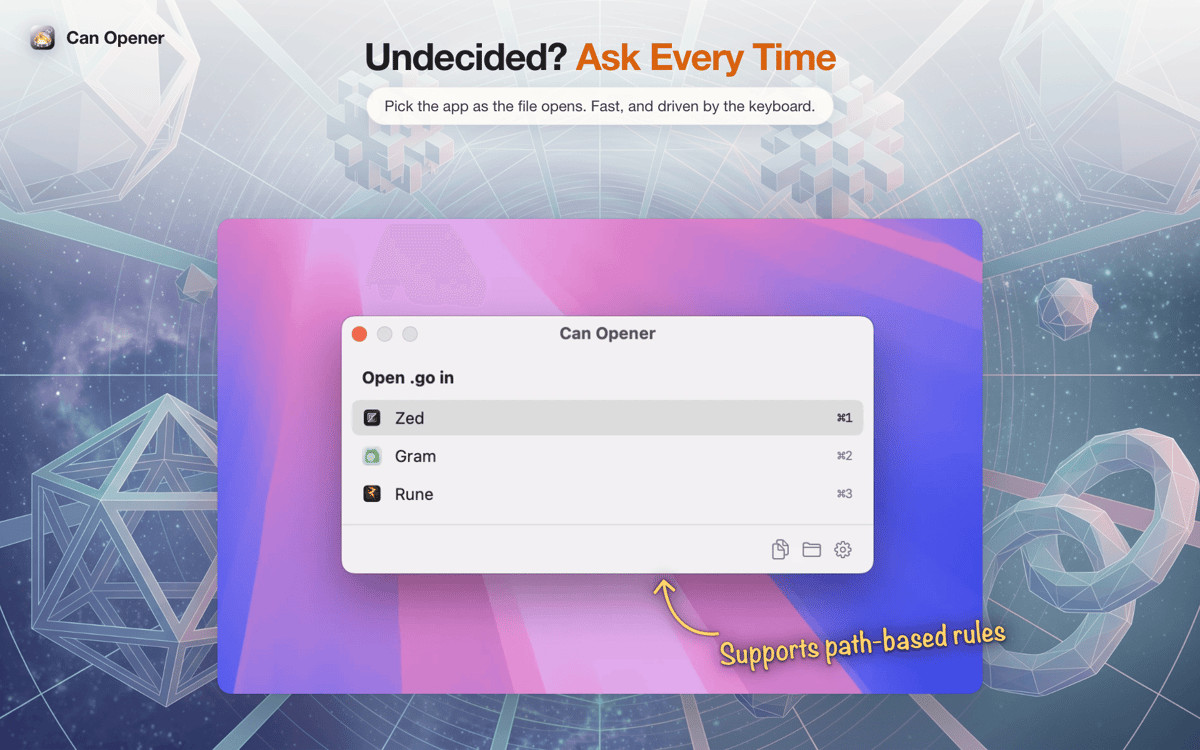
Ask Every Time
A small chooser pops up when you open a file. Press ⌘1, ⌘2, or ⌘3 and it opens in the app you picked.
Path rules
Files in your client’s folder go straight to their app, no questions asked.
Links and source files, separated
Use a browser for web links and an editor for HTML files.
Undo and quick search
Roll back any recent change in one click, or jump to any file type, app, or profile with ⌘P.
Get hundreds of apps with Membership
Become Setapp member and use hundreds of stellar apps with one subscription.
Try 7 days free, then pay one simple fee.
Install Setapp on Mac
Explore apps for Mac, iOS, and web. Find easy ways to solve daily tasks.

Get the app you came for
That one shiny app is waiting inside Setapp. Install with a click.

Can Opener
Choose your subscription
One app or more with a Setapp membership. Get apps the way you want.

Get hundreds of apps with Membership
Become Setapp member and use hundreds of stellar apps with one subscription.
Try 7 days free, then pay one simple fee.
1
Install Setapp on Mac
Explore apps for Mac, iOS, and web. Find easy ways to solve daily tasks.
2
Get the app you came for
That one shiny app is waiting inside Setapp. Install with a click.
Can Opener
3
Choose your subscription
One app or more with a Setapp membership. Get apps the way you want.
Home to the top apps
From planning and routine tasks to creative pursuits and coding, tackle tasks with apps on Setapp.


Can Opener
Choose which app opens what