Clamshell
Work with the lid closed



Mac
Version 1.4.23
macOS 14.0 or later
9.6 MB
4 languages
Clamshell — lid-close sleep manager for Mac. Close the lid and your Mac keeps working: downloads finish, builds run, AI agents do their thing. No external display, no plugged-in peripherals — just a one-click arm from the menu bar. Open the lid back up and you're right where you left off.
Run AI agents overnight, lid shut
Keep long builds going without babysitting
Transfer big files, screen closed
Arm or disarm with one menu bar click
Clamshell features
One click to arm, zero friction
Arming Clamshell takes a single click on the menu bar icon. Prefer not to reach for the mouse? There's a keyboard shortcut too. On supported MacBooks, holding Option while closing the lid arms Clamshell on the way down — complete with a small closing animation that makes the whole thing oddly satisfying.
Stays armed through power changes
Plugging or unplugging your charger normally resets lid-close sleep behind your back. Clamshell watches for every power event and re-arms instantly, so an overnight job doesn't quietly die because a cable shifted at 2 a.m.
Low-battery safety net
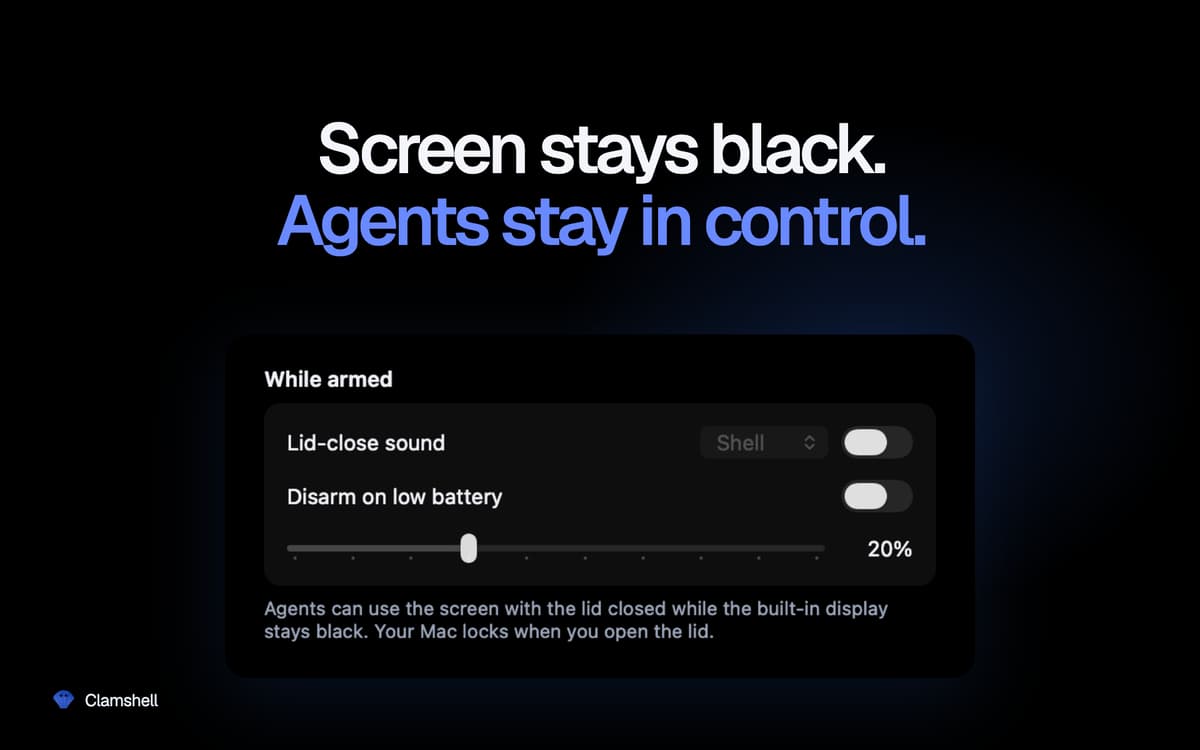
Set a battery threshold and Clamshell will disarm itself automatically when you hit it — letting your Mac sleep instead of running the battery flat. You stay in control without having to remember to check.
Momentary by default, persistent if you want
Open the lid and your Mac goes back to behaving normally — no forgotten settings draining the battery in your bag. Prefer to keep Clamshell always on? One switch in settings does it. If the app ever quits unexpectedly, normal sleep behavior is restored automatically. No stuck states.
Nothing hiding in the background
No Dock icon, no windows, no admin password, no helper daemons, no kernel extensions. Just one menu bar icon that tells you at a glance whether your Mac will keep working when you shut it.
Ratings and reviews
Clamshell
•
21 ratings
Yoram Kornatzky
Sep 29, 2026
App version: 1.4.19
Great. But one shortcoming is that it cannot operate when using external displays.
Miha
Sep 2, 2026
App version: 1.4.17
I was skeptical when I first saw this, but so far it has worked incredibly well for me. A MacBook Air can run on battery for a looong time in this mode (just take care if you chuck it in a backpack or similar — it can get HOT!).
Vincent Keunen
Aug 20, 2026
App version: 1.4.14
Simple and very useful. Well designed. Developer responds fast to suggestions.
Get hundreds of apps with Membership
Become Setapp member and use hundreds of stellar apps with one subscription.
Try 7 days free, then pay one simple fee.
Install Setapp on Mac
Explore apps for Mac, iOS, and web. Find easy ways to solve daily tasks.

Get the app you came for
That one shiny app is waiting inside Setapp. Install with a click.

Clamshell
Choose your subscription
One app or more with a Setapp membership. Get apps the way you want.

Get hundreds of apps with Membership
Become Setapp member and use hundreds of stellar apps with one subscription.
Try 7 days free, then pay one simple fee.
1
Install Setapp on Mac
Explore apps for Mac, iOS, and web. Find easy ways to solve daily tasks.
2
Get the app you came for
That one shiny app is waiting inside Setapp. Install with a click.
Clamshell
3
Choose your subscription
One app or more with a Setapp membership. Get apps the way you want.
Home to the top apps
From planning and routine tasks to creative pursuits and coding, tackle tasks with apps on Setapp.


Clamshell
Work with the lid closed