
Contain
Bring your Mac windows together in tabs

Mac
Version 1.5.0
macOS 13.0 or later
2.5 MB
1 languages
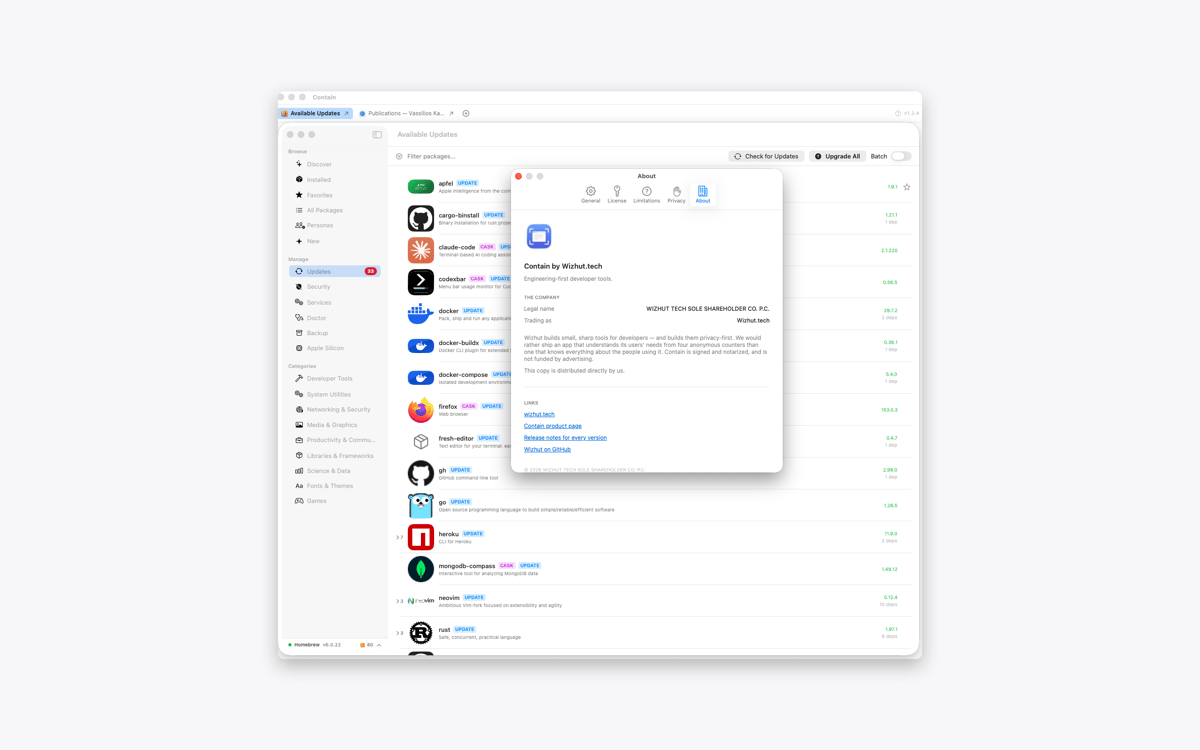
Contain is a tabbed window manager for Mac. Gather documents, browser windows, terminals, and other windows into one resizable container. Each window gets its own tab, so switching between tasks takes one click. When you release a window, it returns to its previous size and position.
Gather windows from different apps
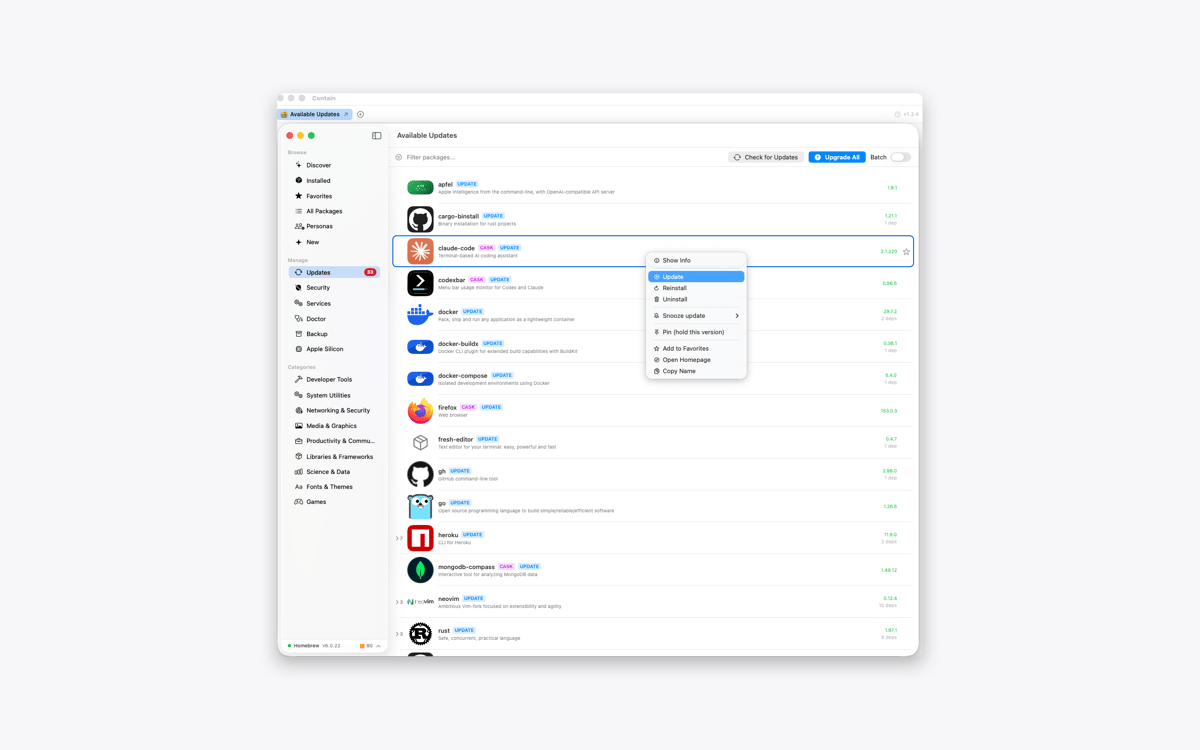
Switch between them using tabs
Find windows across desktops and displays
Restore every window to its previous layout
Contain features
Keep different apps together
Collect the windows you need inside one tidy container. Add a document, browser, terminal, or any other open window without changing the rest of your desktop.
Give every window a tab
Contain creates one tab per window, not one per app. If you’re working with three documents from the same app, you’ll get three separate tabs. Click a tab to switch between them.
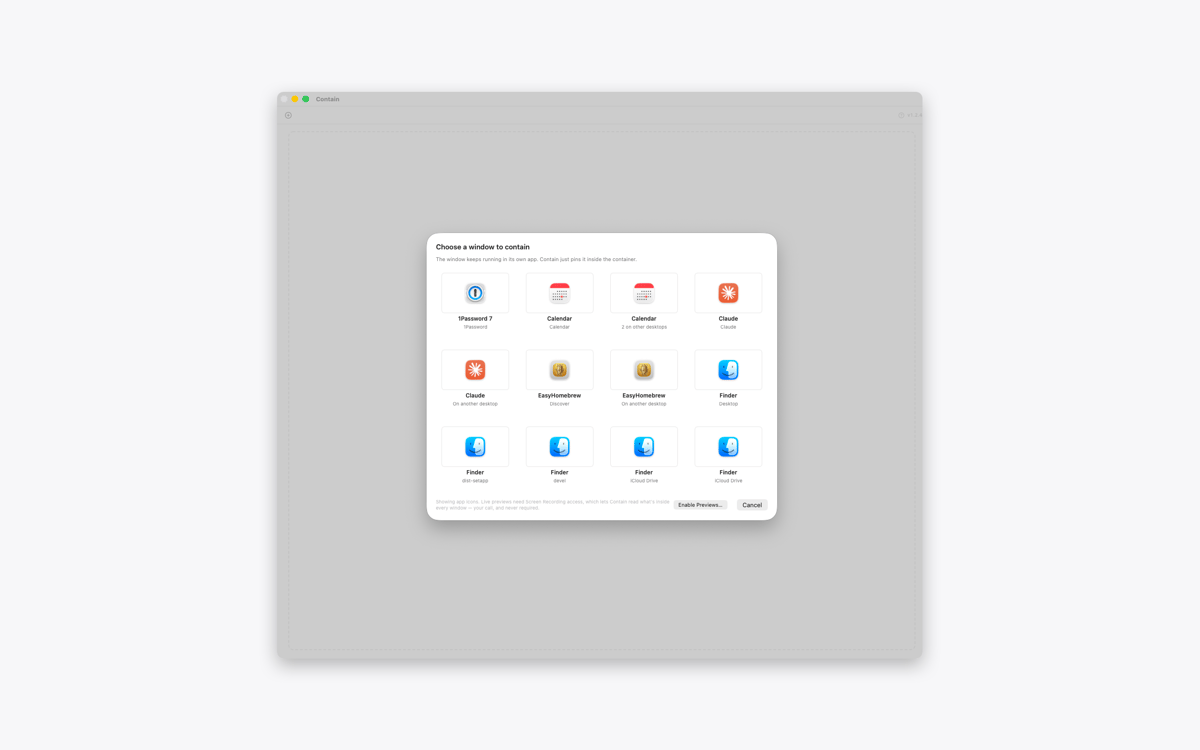
Find windows across your Mac
Open the grid picker to see windows from different desktops and displays. Select one, and Contain brings it into your current workspace. With optional Screen Recording access, the picker can show live previews instead of app icons.
Move and resize as one
Move or resize the container, and the active window follows along. Use the green window button to fill the display and resize every contained window to match.
Release windows without losing your layout
Click the release button to return a window to the desktop. Contain restores its previous position, size, display, and full-screen state. Quit the app, and all contained windows go back where they were.
Keep every window interactive
Contain doesn’t copy or mirror your windows. The original windows remain fully interactive inside the container, while other windows from the same apps stay untouched.
Get hundreds of apps with Membership
Become Setapp member and use hundreds of stellar apps with one subscription.
Try 7 days free, then pay one simple fee.
Install Setapp on Mac
Explore apps for Mac, iOS, and web. Find easy ways to solve daily tasks.

Get the app you came for
That one shiny app is waiting inside Setapp. Install with a click.

Contain
Choose your subscription
One app or more with a Setapp membership. Get apps the way you want.

Get hundreds of apps with Membership
Become Setapp member and use hundreds of stellar apps with one subscription.
Try 7 days free, then pay one simple fee.
1
Install Setapp on Mac
Explore apps for Mac, iOS, and web. Find easy ways to solve daily tasks.
2
Get the app you came for
That one shiny app is waiting inside Setapp. Install with a click.
Contain
3
Choose your subscription
One app or more with a Setapp membership. Get apps the way you want.
Home to the top apps
From planning and routine tasks to creative pursuits and coding, tackle tasks with apps on Setapp.


Contain
Bring your Mac windows together in tabs