
DateDrop
Drop a date and time in a click
Mac
Version 2.2.0
macOS 14.0 or later
15.2 MB
11 languages
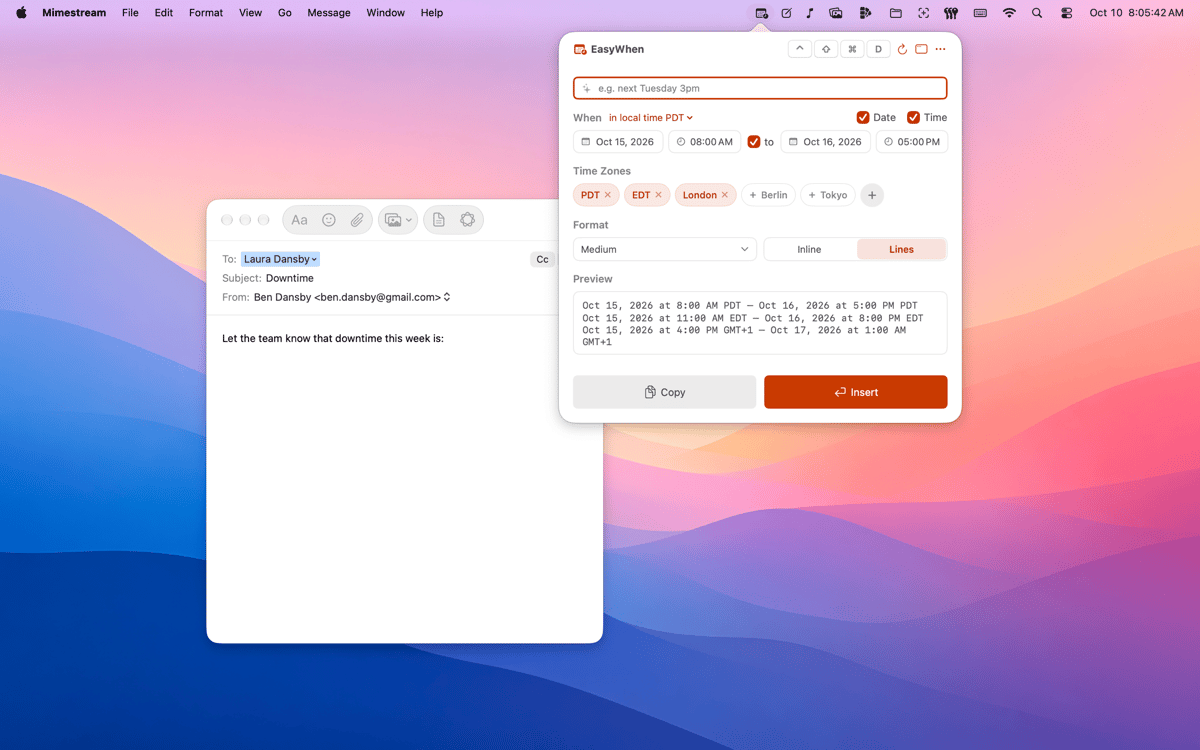
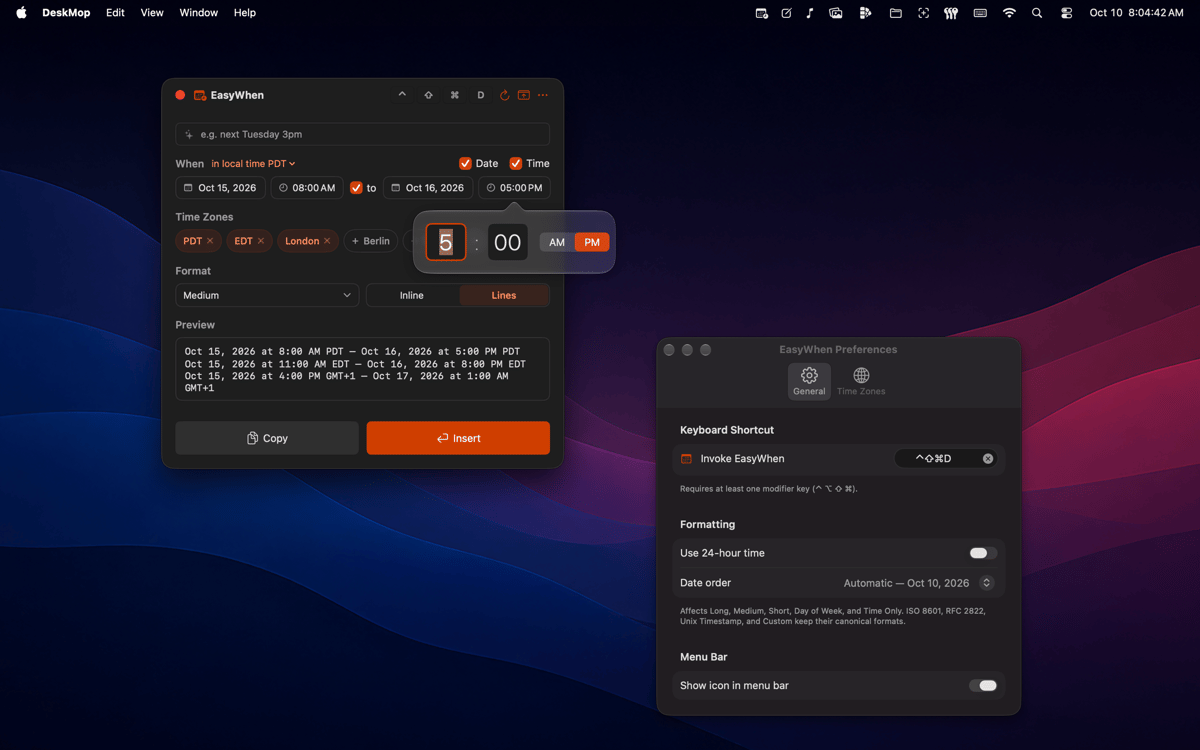
DateDrop sits in your menu bar with every date and time format you actually use. Pick your date and time, then copy or insert — no typing, no re-formatting, no second-guessing. It speaks every time zone, every locale, and any custom format you save.
Meeting times across time zones
Timestamps for files and exports
Invoices and receipts, dated right
Custom formats — save once, reuse forever
DateDrop features
Always one shortcut away
A global hotkey brings DateDrop up from anywhere on your Mac — mid-document, mid-email, mid-anything. No switching windows, no hunting through apps. It's just there when you need it.
Every format you actually use
ISO, RFC, polite-email, filename-safe — DateDrop comes loaded with the formats that show up in real work. Switch between them in a click. No formatting guides needed, ever again.
Time-zone aware from the start
Set up the time zones you work with and DateDrop remembers them. Pick your time, choose your zone, paste — and everyone on the other end sees the right time in their locale. No mental math, no timezone converters.
Build your own formats
Build your own formats
Menu-bar native, nothing to manage
DateDrop doesn't ask for a window or a spot in your Dock. It sits quietly in the menu bar and appears on demand. Clean, lightweight, and always exactly where you left it.
Tiny on memory
Native Swift, no Electron, no background drain.
Get hundreds of apps with Membership
Become Setapp member and use hundreds of stellar apps with one subscription.
Try 7 days free, then pay one simple fee.
Install Setapp on Mac
Explore apps for Mac, iOS, and web. Find easy ways to solve daily tasks.

Get the app you came for
That one shiny app is waiting inside Setapp. Install with a click.

DateDrop
Choose your subscription
One app or more with a Setapp membership. Get apps the way you want.

Get hundreds of apps with Membership
Become Setapp member and use hundreds of stellar apps with one subscription.
Try 7 days free, then pay one simple fee.
1
Install Setapp on Mac
Explore apps for Mac, iOS, and web. Find easy ways to solve daily tasks.
2
Get the app you came for
That one shiny app is waiting inside Setapp. Install with a click.
DateDrop
3
Choose your subscription
One app or more with a Setapp membership. Get apps the way you want.
Home to the top apps
From planning and routine tasks to creative pursuits and coding, tackle tasks with apps on Setapp.


DateDrop
Drop a date and time in a click