
Deskspace
Unlock the Power of Your Mac's Spaces
Mac
Version 26.9.1
macOS 15 or later
13 MB
3 languages
Deskspace is a virtual desktop manager for Mac. It turns macOS Spaces — the built-in feature most people forget exists — into a powerful workflow tool. Deskspace enables named workspaces, a menu-bar switcher, and a clear view of which apps are open on which Space. Switch Spaces from the menu bar, with a hotkey, or from a floating toolbar that you can place exactly where you want it on your displays. Whether you keep one Space per project, one per client, or one per mood, Deskspace makes Spaces a truly powerful tool.
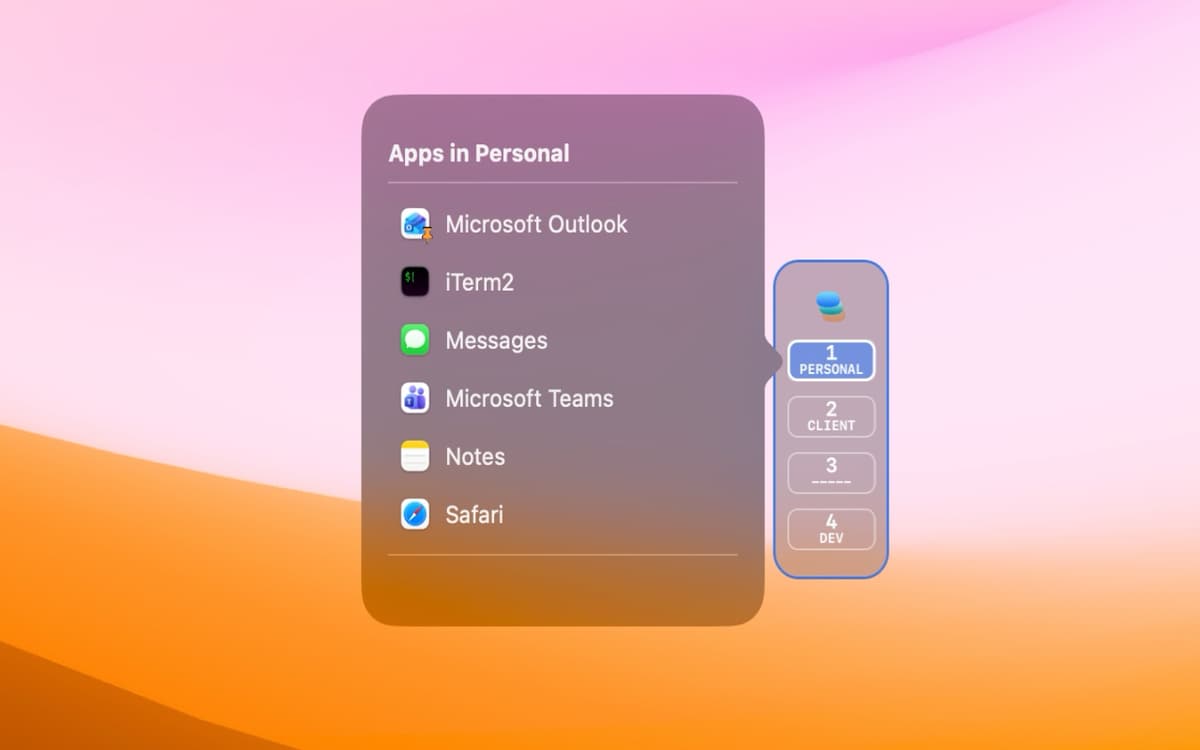
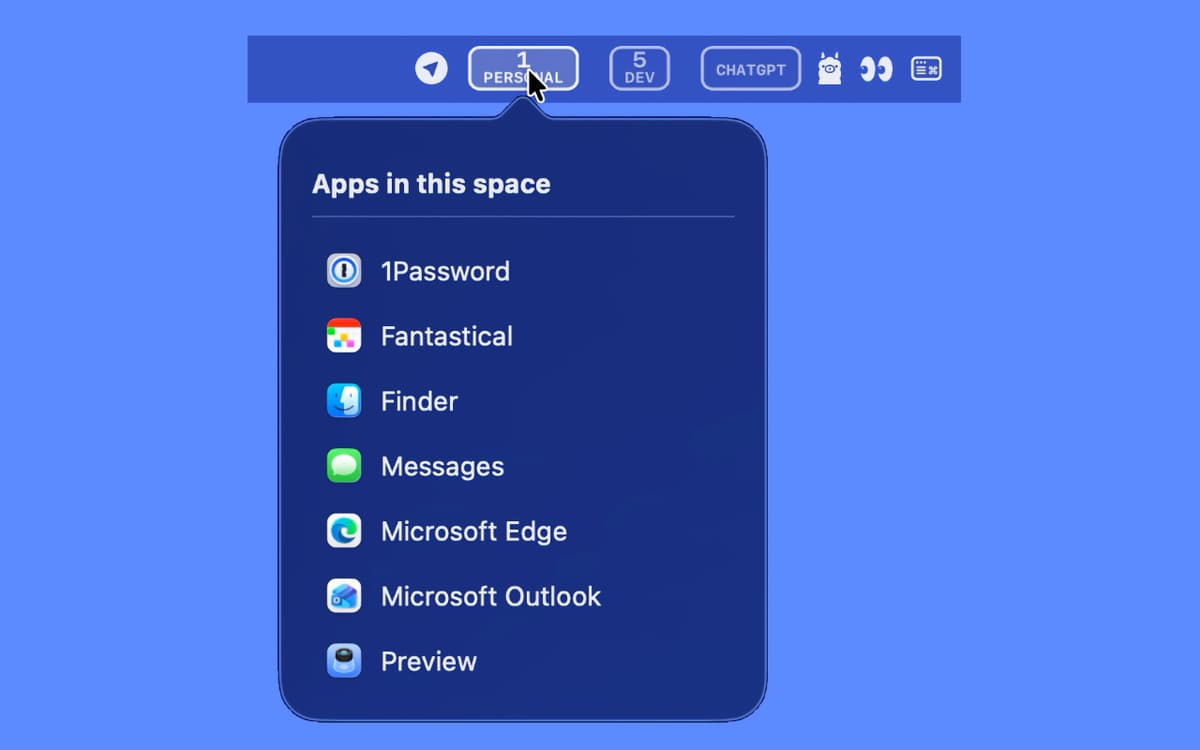
Switch Spaces straight from the menu bar
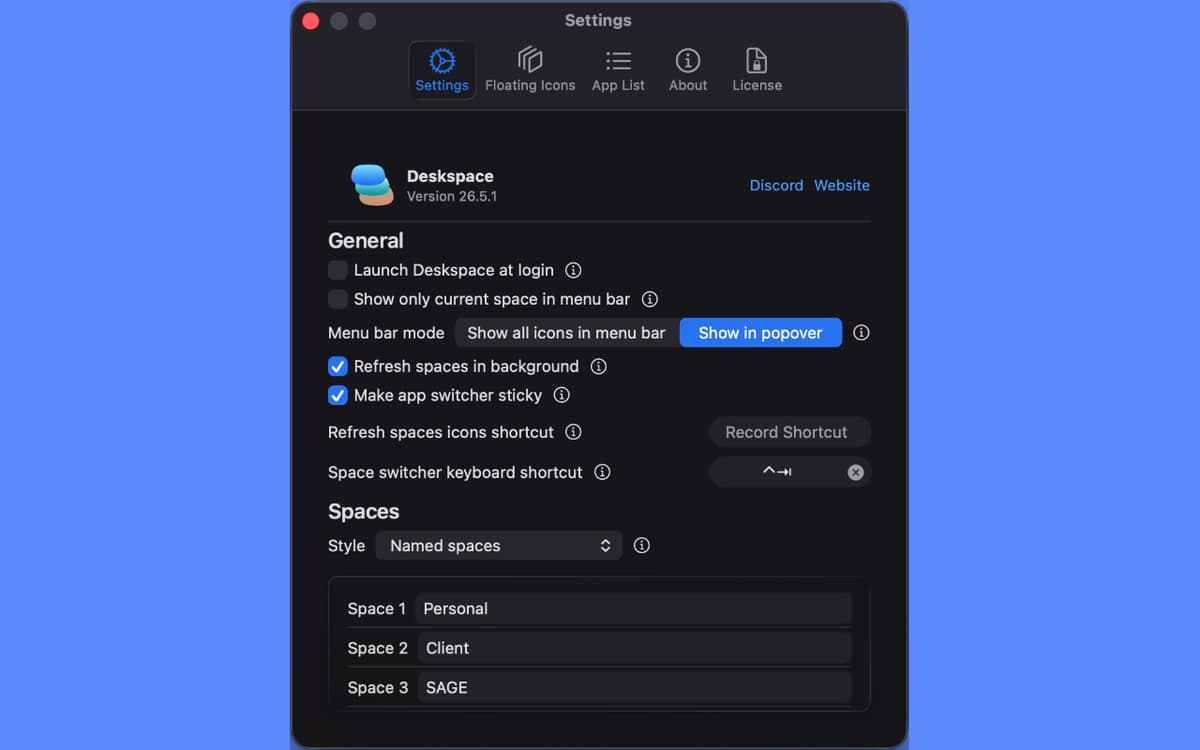
Give every Space a name based on your workflow
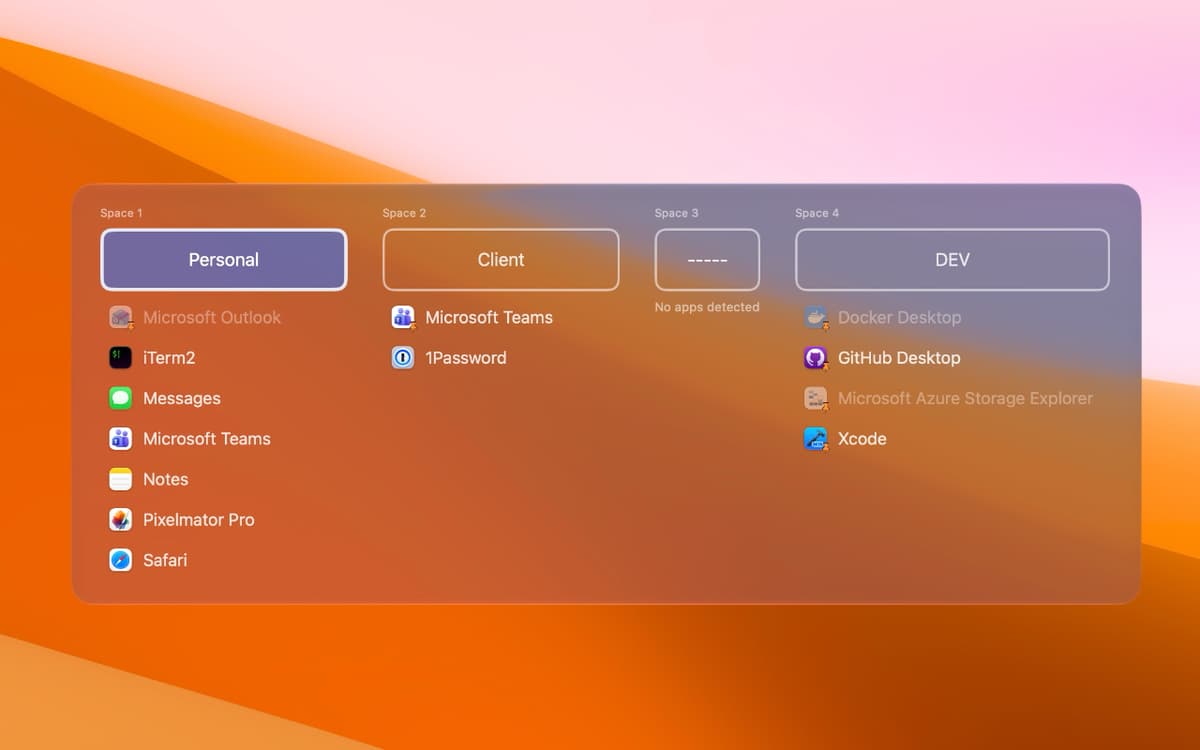
See which apps are running on each Space
Jump to any app on any Space, fast
Deskspace features
Named Spaces
Give every Space a real name instead of "Desktop 3." Names stick across reboots, so your setup stays put.
Switch your way
Hop between Spaces from the menu bar, with a customizable keyboard shortcut, or from a floating toolbar. Pick whichever feels natural and ignore the rest.
Apps at a glance
See exactly which apps are open on each Space without leaving the menu bar. Great for finding that one window you swear you opened somewhere.
One-click window focus
Click any app in any Space and Deskspace brings its window straight to the front — even on a different Space.
Floating toolbar
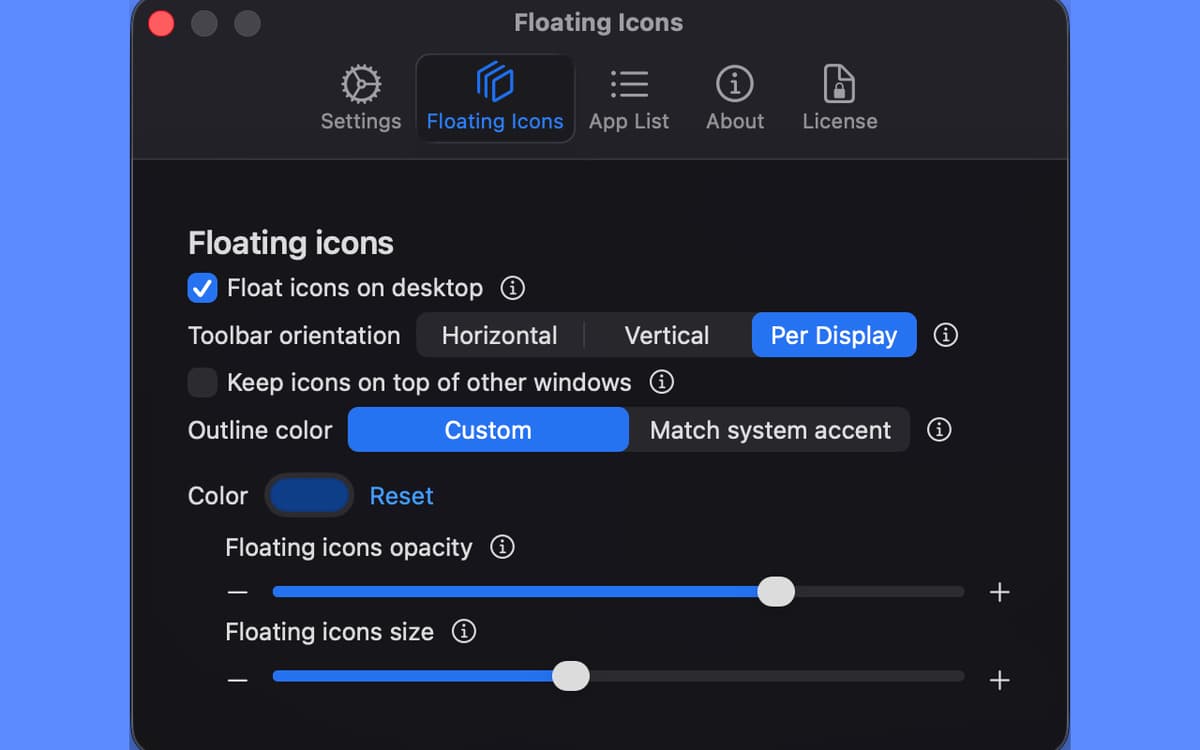
A slim Space indicator that floats on your desktop, resizable and styled to match your workflow. Separate toolbars per monitor if you've got more than one.
Multi-monitor friendly
Full support for multiple displays, with independent controls per screen so each monitor can do its own thing.
Ratings and reviews
Deskspace
•
2 ratings
Dan Locke
Oct 19, 2026
App version: 26.9.1
This is an excellent tool. Spaces has been around a long long time, but it’s value has been pretty low due to it not having a way to name the spaces. So it is very easy to forget what apps are in what space. Spaces Has needed an upgrade for a long, long time. Deckspace has done it. They've really delivered on this one and for just six bucks, this adds a lot of value and a lot more workability to the whole concept of spaces. Thank you very much, Deckspace creators.
Get hundreds of apps with Membership
Become Setapp member and use hundreds of stellar apps with one subscription.
Try 7 days free, then pay one simple fee.
Install Setapp on Mac
Explore apps for Mac, iOS, and web. Find easy ways to solve daily tasks.

Get the app you came for
That one shiny app is waiting inside Setapp. Install with a click.

Deskspace
Choose your subscription
One app or more with a Setapp membership. Get apps the way you want.

Get hundreds of apps with Membership
Become Setapp member and use hundreds of stellar apps with one subscription.
Try 7 days free, then pay one simple fee.
1
Install Setapp on Mac
Explore apps for Mac, iOS, and web. Find easy ways to solve daily tasks.
2
Get the app you came for
That one shiny app is waiting inside Setapp. Install with a click.
Deskspace
3
Choose your subscription
One app or more with a Setapp membership. Get apps the way you want.
Home to the top apps
From planning and routine tasks to creative pursuits and coding, tackle tasks with apps on Setapp.


Deskspace
Unlock the Power of Your Mac's Spaces