
Echo
Resume where you left off


Mac
Version 1.0.29
macOS 13.0 or later
22.1 MB
1 languages
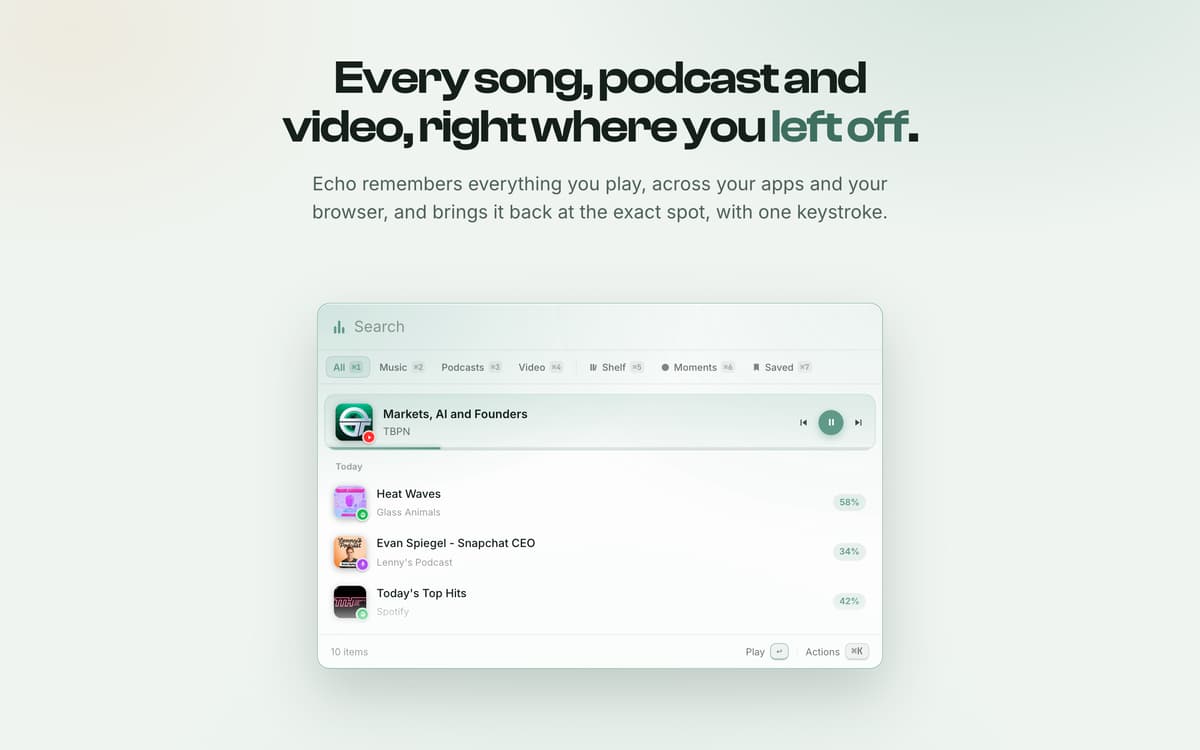
Echo is a menu-bar app for Mac that remembers every song, podcast and video you play, across your apps and the browser. Press the shortcut and a fast, keyboard-first overlay lets you resume any of it at the exact spot you left off.
Back at the exact second
Float any video
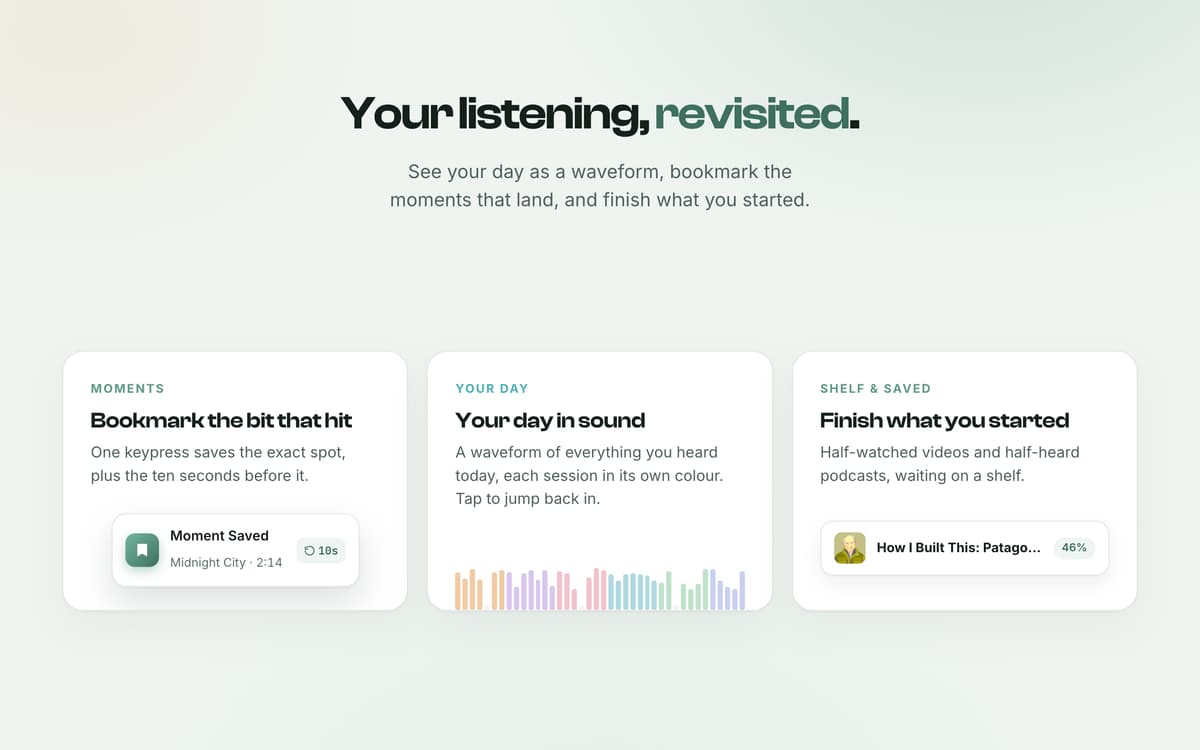
Bookmark the bit that hit
Pick it up on your phone
Echo features
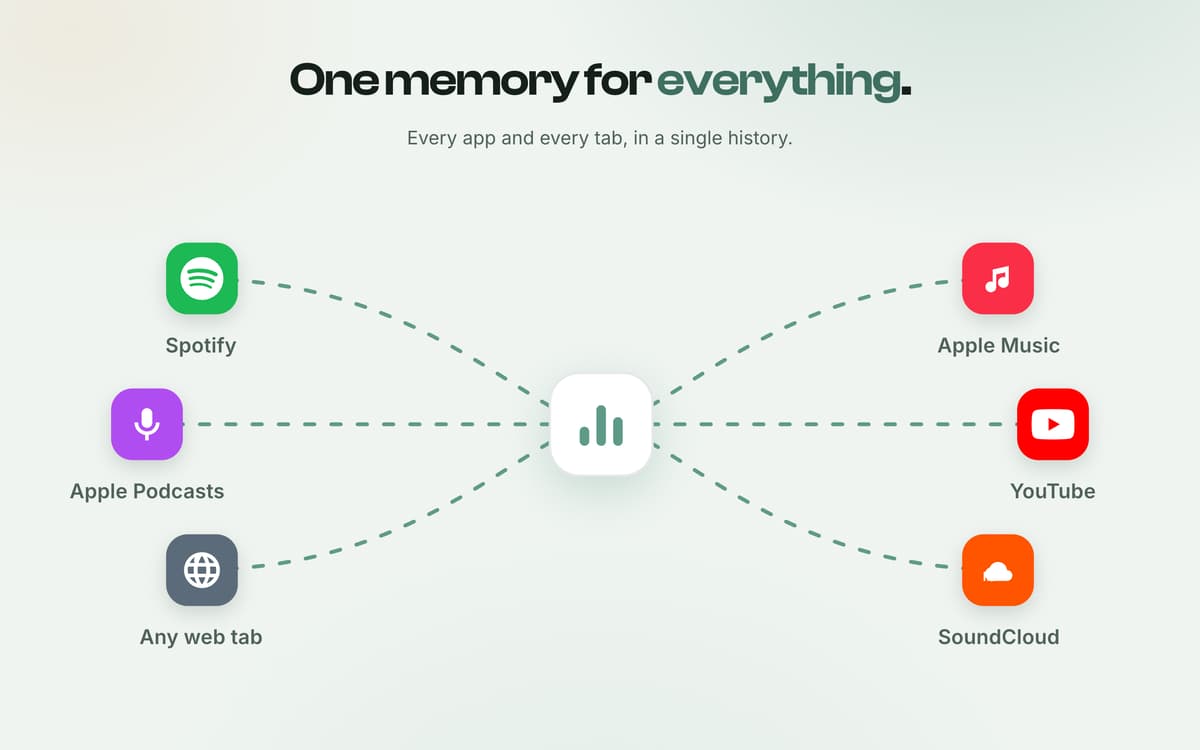
One memory for everything
Every app and every tab, in a single history. Native apps that publish to macOS Now Playing (Spotify, Apple Music, Apple Podcasts and more), plus anything you play in your browser through the companion extension: YouTube, Spotify Web, SoundCloud, podcasts, and any tab with audio or video.
Back at the exact second
Not just what you played, but where. Echo lands on the moment and hands you the controls: scrub, speed, skip. Press the global shortcut from anywhere, even over another app, and Echo's overlay appears with your recent media.
Float any video
It hovers over your work, then turns to glass so you can click straight through. Half-watched videos and half-heard podcasts, waiting on a shelf.
Your day in sound
A waveform of everything you heard today, each session in its own colour. Tap to jump back in. One keypress saves the exact spot, plus the ten seconds before it.
Pick it up on your phone
Scan the code and keep going, at the exact second, on your phone. Hit Cmd-K on anything: pin, rename, recategorise, copy a timestamped link.
Get hundreds of apps with Membership
Become Setapp member and use hundreds of stellar apps with one subscription.
Try 7 days free, then pay one simple fee.
Install Setapp on Mac
Explore apps for Mac, iOS, and web. Find easy ways to solve daily tasks.

Get the app you came for
That one shiny app is waiting inside Setapp. Install with a click.

Echo
Choose your subscription
One app or more with a Setapp membership. Get apps the way you want.

Get hundreds of apps with Membership
Become Setapp member and use hundreds of stellar apps with one subscription.
Try 7 days free, then pay one simple fee.
1
Install Setapp on Mac
Explore apps for Mac, iOS, and web. Find easy ways to solve daily tasks.
2
Get the app you came for
That one shiny app is waiting inside Setapp. Install with a click.
Echo
3
Choose your subscription
One app or more with a Setapp membership. Get apps the way you want.
Home to the top apps
From planning and routine tasks to creative pursuits and coding, tackle tasks with apps on Setapp.


Echo
Resume where you left off