
Evenlight
Control app’s brightness
Mac
Version 1.2.12
macOS 14 or later
41.4 MB
1 languages
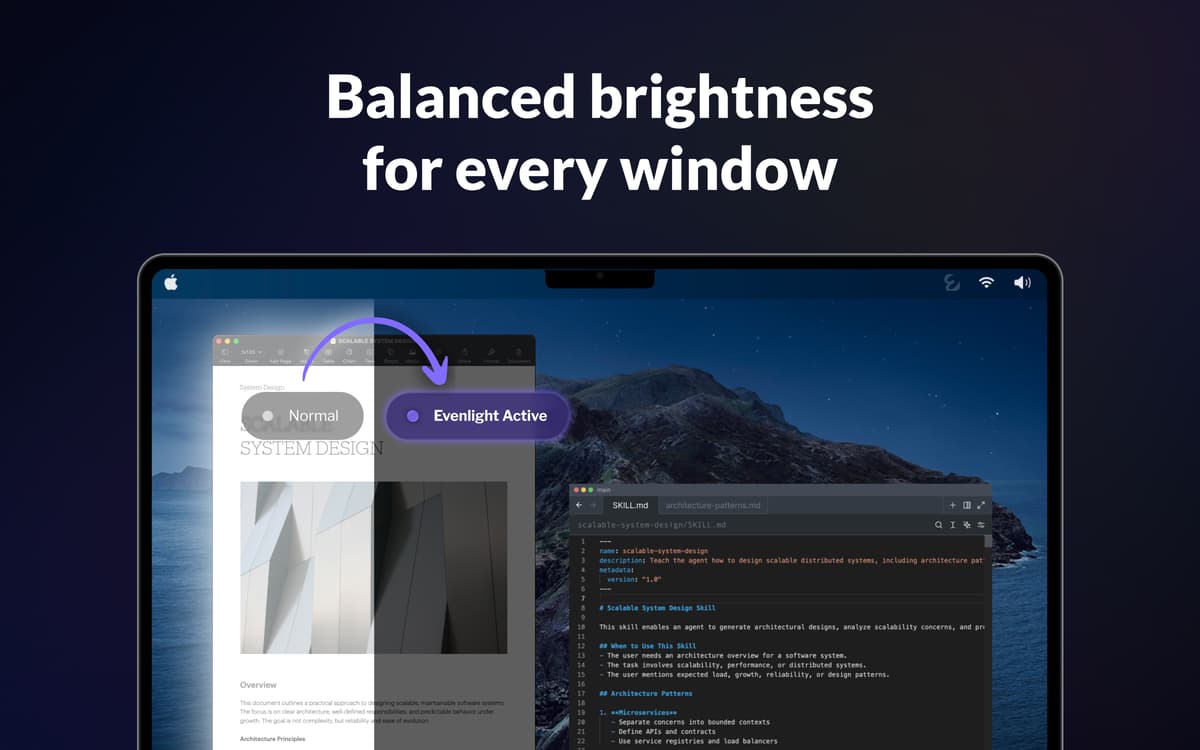
You open Slack — blinding white. Switch to your code editor — suddenly dark. Back to a Google Doc — white again. Do that a hundred times a day and your eyes are wrecked by 3pm. Evenlight sits quietly in the background and evens out the brightness between windows, so every switch feels natural instead of jarring.
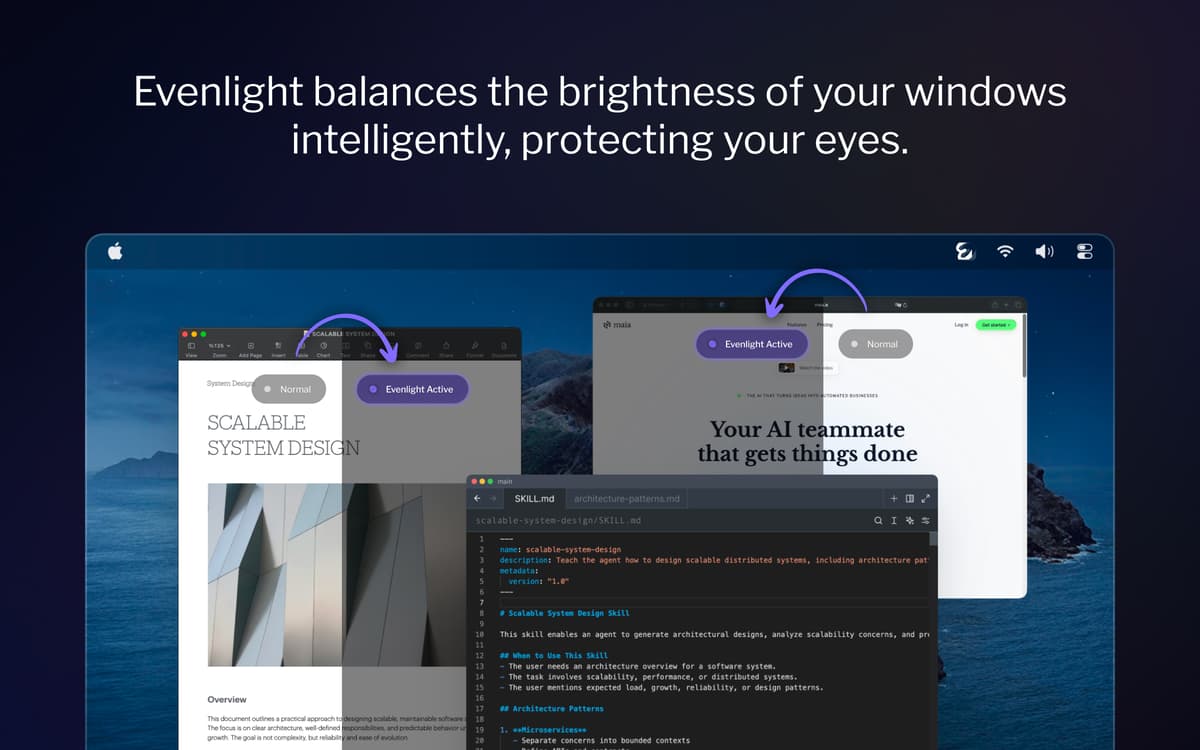
Balance brightness across all windows
Reduce eye strain on long screen sessions
Boost productivity and mental clarity
Set a dimming schedule for your workday
Evenlight features
Balance brightness between every open window
Each time you jump between a dark and a light app, your eyes have to readjust. Evenlight smooths those transitions intelligently — across all your monitors — so the contrast stops being something you notice.
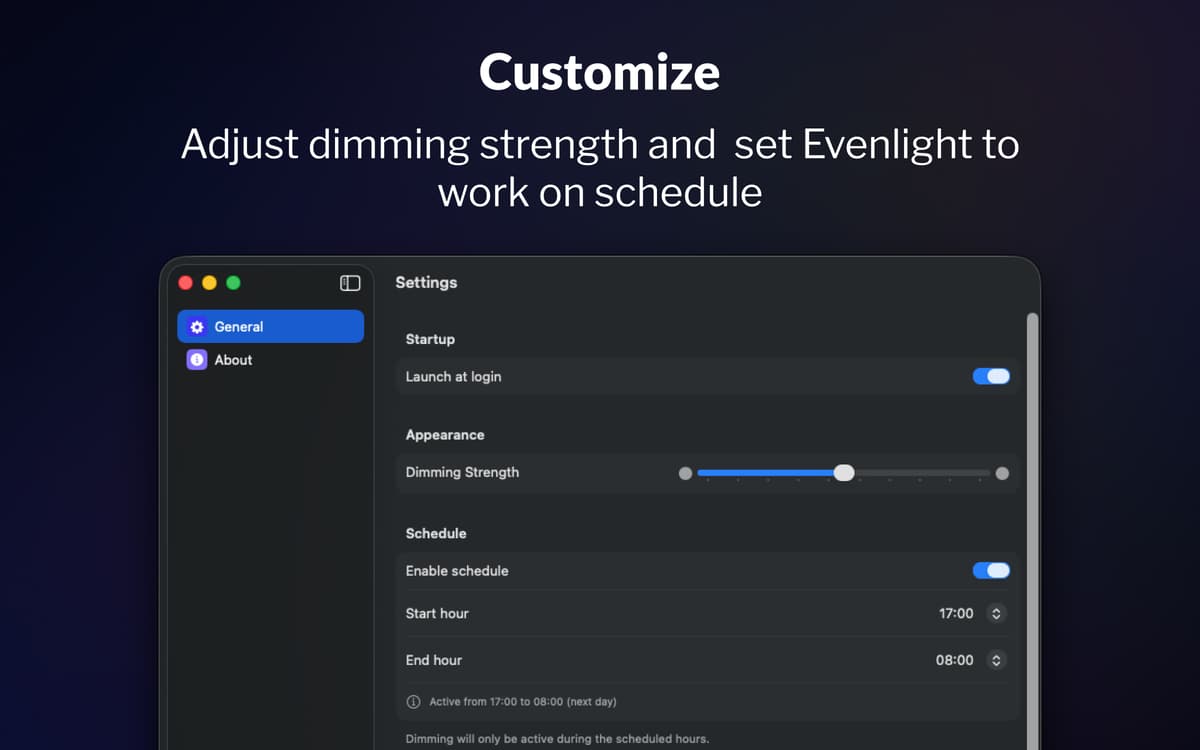
Schedule dimming around your day
Most people forget to adjust their screen brightness until their eyes are already tired. With Evenlight’s scheduling, you choose exactly when dimming turns on and when it turns off. Set your start time, set your end time, and the app follows your routine.
Adjust and control it instantly from the menu bar
Evenlight lets you fine-tune the dimming strength at any moment using a simple slider, so you can increase or reduce the intensity depending on how your eyes feel. If you need full brightness for a while, you can pause dimming instantly or set a temporary break for a specific period. It’s always accessible from the menu bar, so adjustments take seconds and never interrupt your workflow.
Ratings and reviews
Evenlight
•
33 ratings
Shrikant Meena
May 17, 2026
App version: 1.2.0
Not a quality app, the dimming mask keeps slipping with bright window visible when moved across screen
Response from Developer
May 17, 2026
Hi Shrikant, thank you for your feedback. It is the best macOS allows, so the quality is on Apple's part, but thank you for the comment.
Randy
Apr 2, 2026
App version: 1.1.5
This is a very useful utility! I would like to have an option to either disable it for blacklisted apps, or enable it only for whitelisted apps. I want to be able to manage this so that it does not affect watching movies or gaming.
Jeremy Weathers
Apr 2, 2026
App version: 1.1.5
This doesn’t work at all, and in fact is worse, with the menu bar and dock in light mode. The developer acknowledged that they are unable to modify the menu bar or dock brightness at least with macOS Tahoe.
Get hundreds of apps with Membership
Become Setapp member and use hundreds of stellar apps with one subscription.
Try 7 days free, then pay one simple fee.
Install Setapp on Mac
Explore apps for Mac, iOS, and web. Find easy ways to solve daily tasks.

Get the app you came for
That one shiny app is waiting inside Setapp. Install with a click.

Evenlight
Choose your subscription
One app or more with a Setapp membership. Get apps the way you want.

Get hundreds of apps with Membership
Become Setapp member and use hundreds of stellar apps with one subscription.
Try 7 days free, then pay one simple fee.
1
Install Setapp on Mac
Explore apps for Mac, iOS, and web. Find easy ways to solve daily tasks.
2
Get the app you came for
That one shiny app is waiting inside Setapp. Install with a click.
Evenlight
3
Choose your subscription
One app or more with a Setapp membership. Get apps the way you want.
Home to the top apps
From planning and routine tasks to creative pursuits and coding, tackle tasks with apps on Setapp.


Evenlight
Control app’s brightness