
Insomniac
Keep your Mac awake, smartly
Mac
Version 1.0.2
macOS 13.5 or later
21.8 MB
15 languages
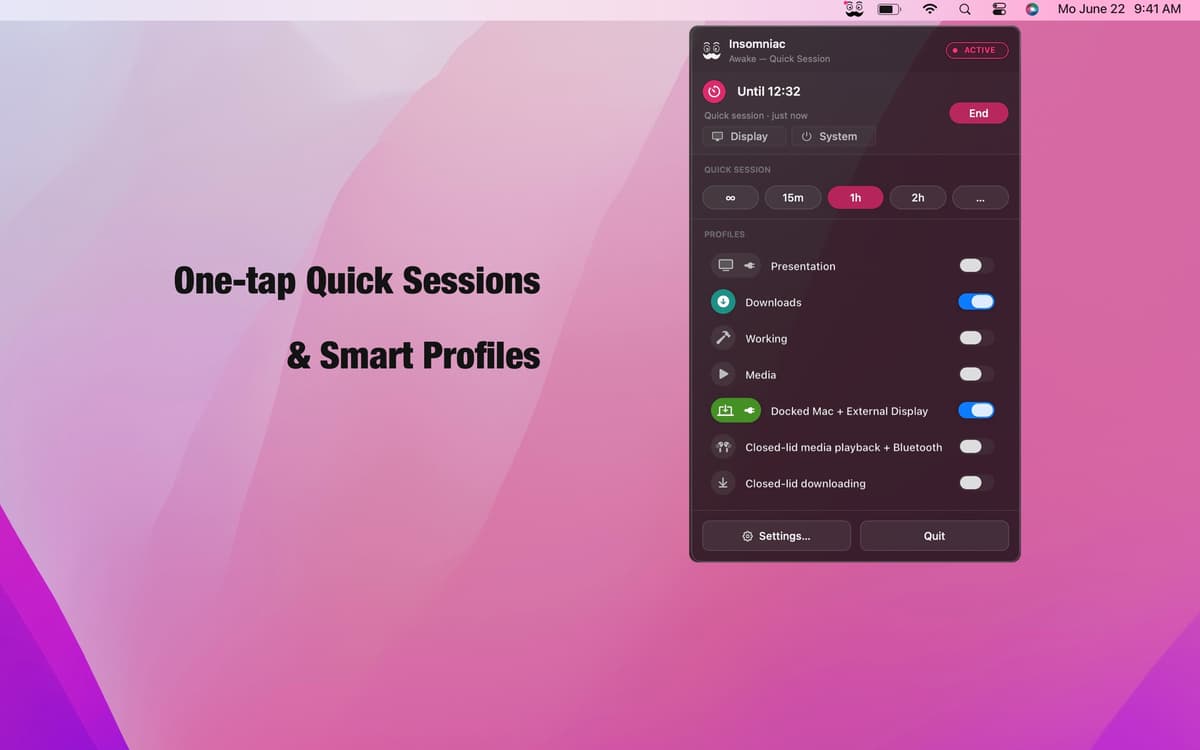
Insomniac is a context-aware sleep prevention app for Mac. Forget the always-on toggle — it runs a rules engine instead. Build profiles from 30+ triggers like lid state, audio playback, CPU load, calendar events, and AC power, and Insomniac handles the rest: wake when the condition fires, sleep when it doesn't. Smart overrides for battery, heat, and your calendar make sure it never works against you. Lives in your menu bar. Stays out of your way.
Keep Mac awake during presentations
Prevent sleep while downloading files
Stay awake when external display is on
Auto-pause when battery runs low
Insomniac features
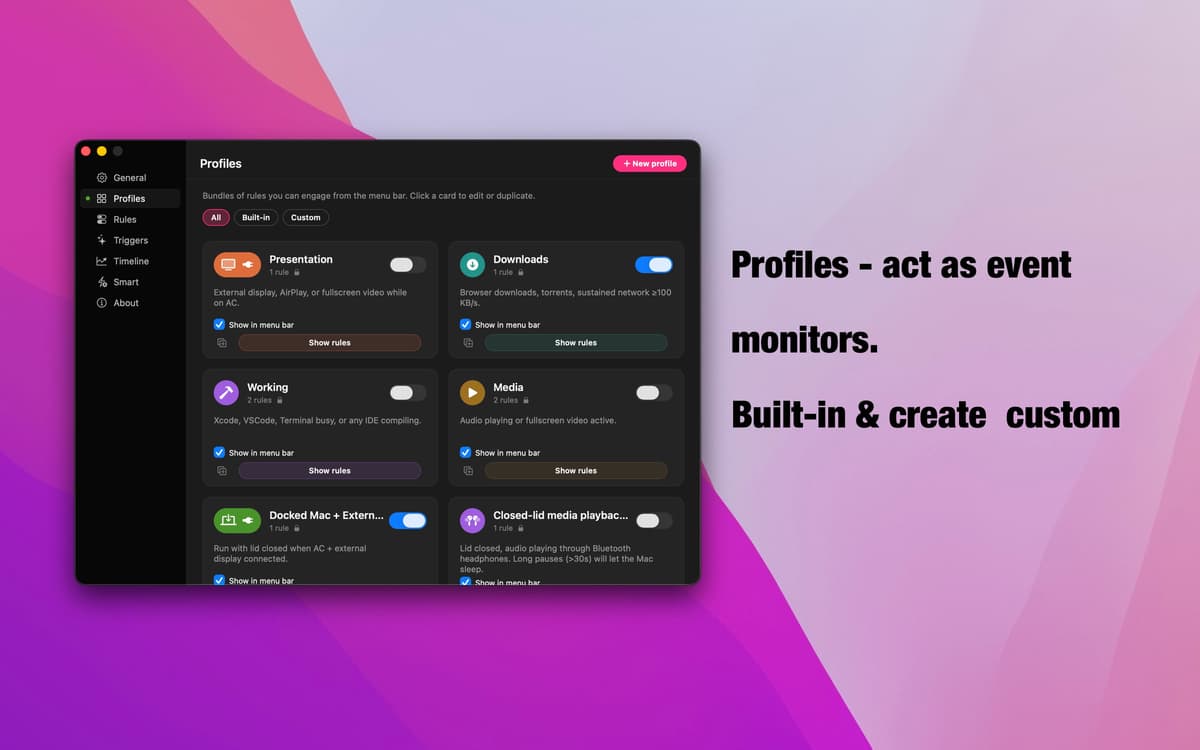
Profiles — event-driven monitoring
Seven ready-to-go profiles cover the most common scenarios: presentations, downloads, media playback, docked setups, closed-lid mode, and more. Each one watches for a specific signal, kicks in automatically when it fires, and steps back when it's done. Build your own in seconds — name it, add your rules, and you're set.
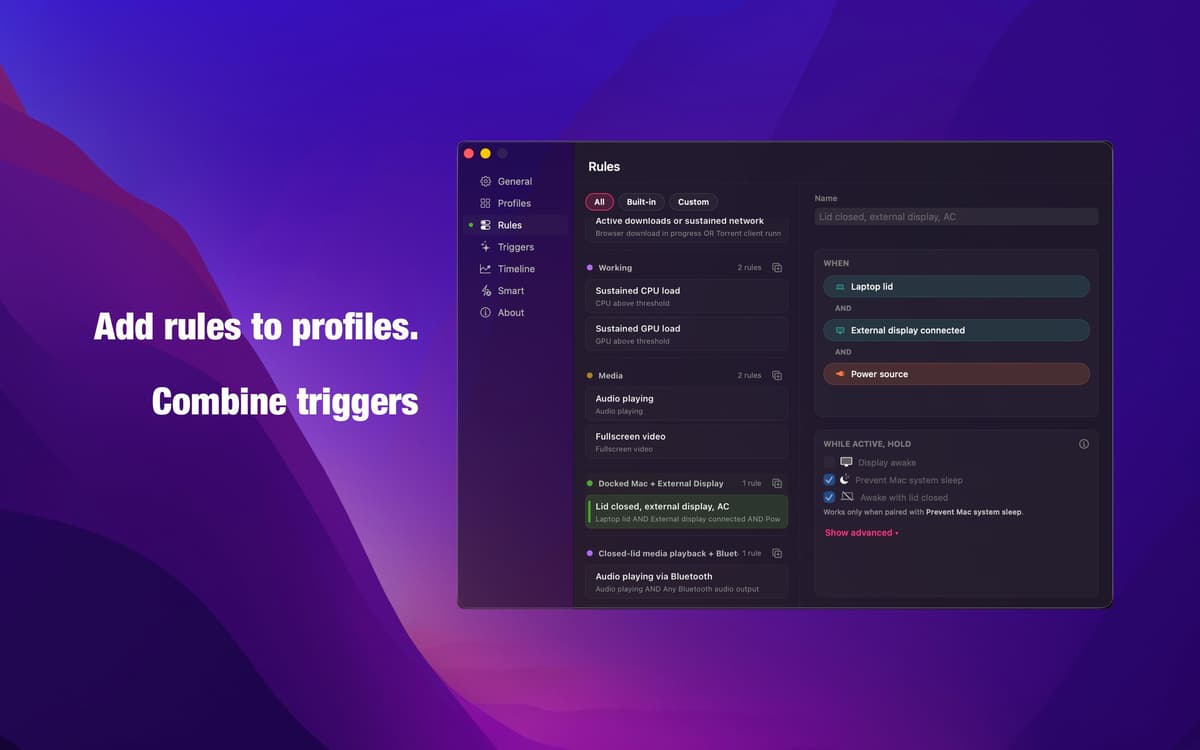
Rule editor — logic that means what you say
Combine any triggers with AND, OR, and NOT logic to build the exact condition you need. No vague auto modes, no guesswork. The same engine powering every built-in profile is fully open to you — precise, transparent, and yours to configure.
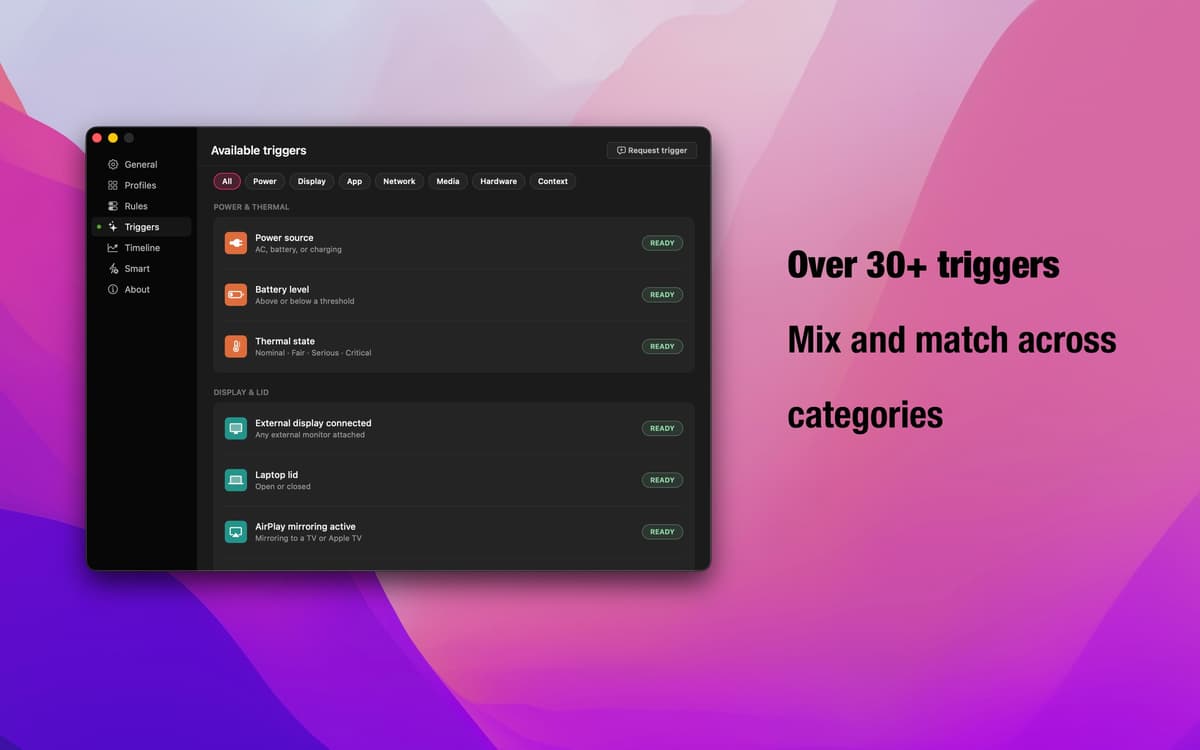
30+ triggers — every signal macOS has
Lid state, external display, AirPlay, running apps, browser downloads, audio playback, Bluetooth connections, calendar events, CPU and GPU load, time-of-day windows, AC power, network throughput — and more. Mix and match across categories to cover any workflow.
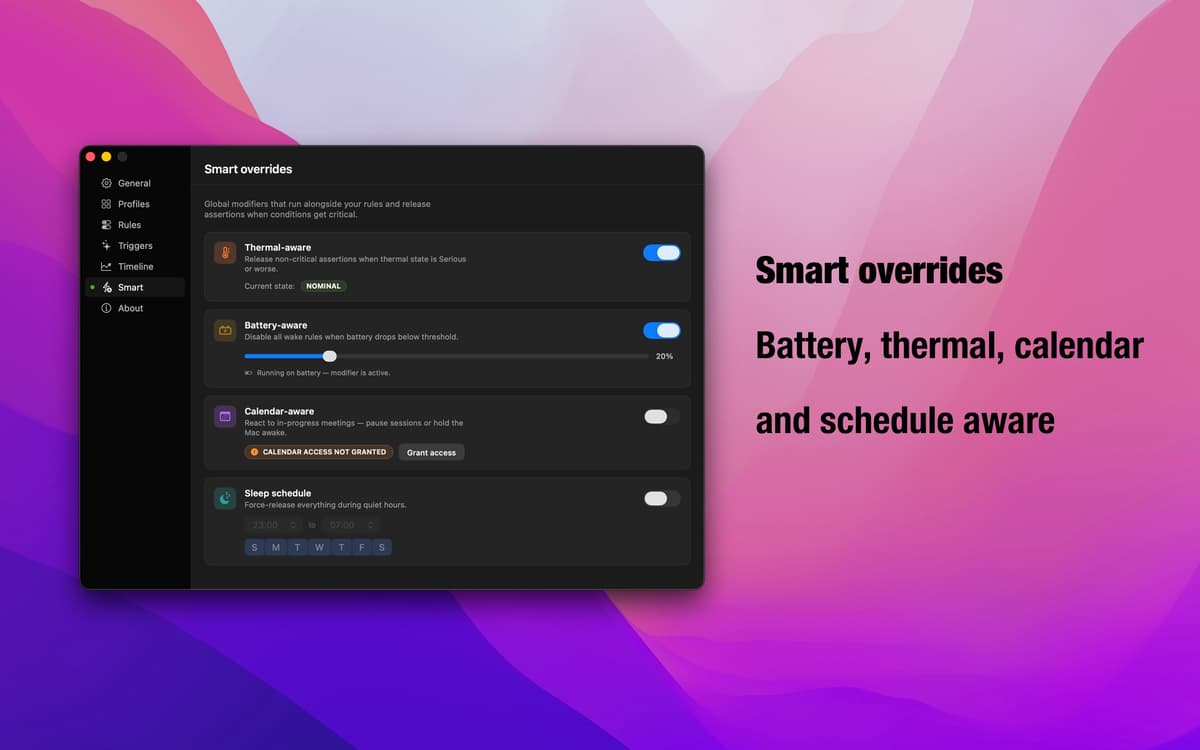
Smart overrides — your safety net
Running low on battery? Mac throttling from heat? Back-to-back meetings? Smart overrides detect these conditions and automatically pause active profiles. You decide whether each override pauses sleep prevention or holds the Mac awake. Insomniac adapts to what's actually happening.
Menu bar app — always there, never in the way
Insomniac lives quietly in your menu bar. Check what's active, switch profiles, or adjust settings without breaking your flow. No dock icon, no full-screen setup windows — just the controls you need, exactly when you need them.
Get hundreds of apps with Membership
Become Setapp member and use hundreds of stellar apps with one subscription.
Try 7 days free, then pay one simple fee.
Install Setapp on Mac
Explore apps for Mac, iOS, and web. Find easy ways to solve daily tasks.

Get the app you came for
That one shiny app is waiting inside Setapp. Install with a click.

Insomniac
Choose your subscription
One app or more with a Setapp membership. Get apps the way you want.

Get hundreds of apps with Membership
Become Setapp member and use hundreds of stellar apps with one subscription.
Try 7 days free, then pay one simple fee.
1
Install Setapp on Mac
Explore apps for Mac, iOS, and web. Find easy ways to solve daily tasks.
2
Get the app you came for
That one shiny app is waiting inside Setapp. Install with a click.
Insomniac
3
Choose your subscription
One app or more with a Setapp membership. Get apps the way you want.
Home to the top apps
From planning and routine tasks to creative pursuits and coding, tackle tasks with apps on Setapp.


Insomniac
Keep your Mac awake, smartly