
Kerlig
Write smarter in any Mac app
Mac
Version 2.8.4
macOS 12.0 or later
573.5 MB
1 languages
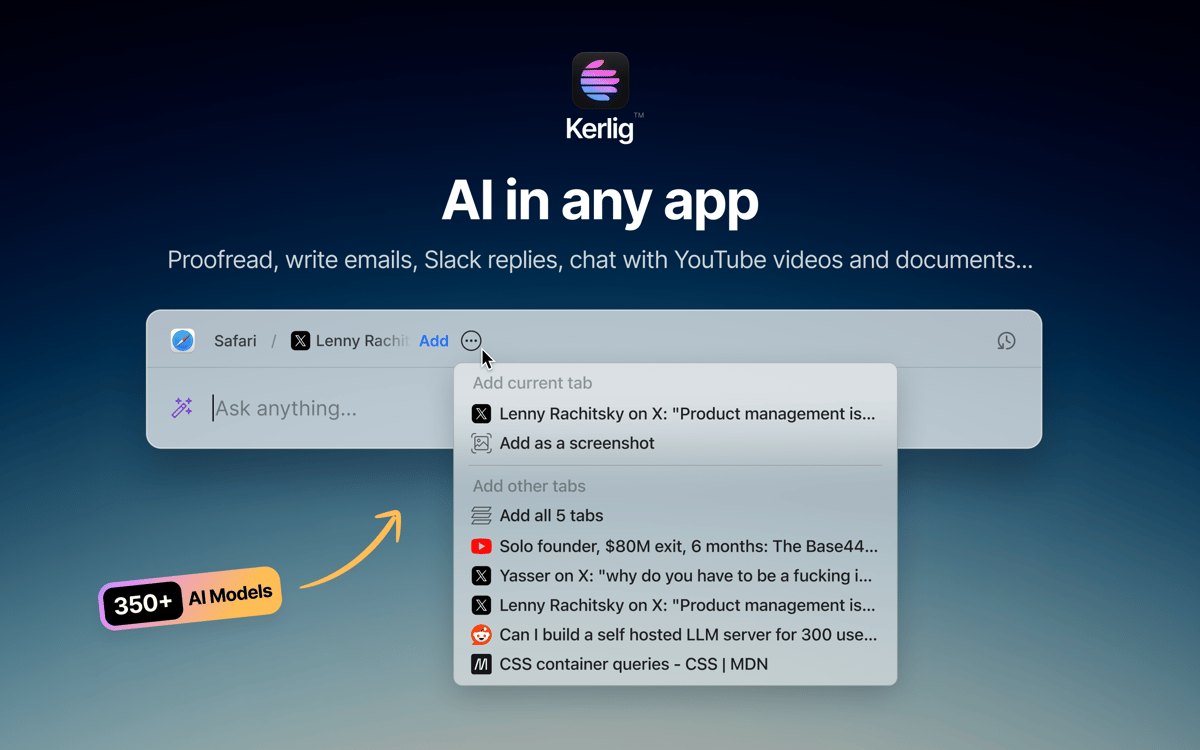
Kerlig is an AI writing assistant that lives in your Mac’s menu bar. Press a shortcut and it’s there — no browser tabs, no context-switching. Use it to proofread messages, draft replies, summarize documents, or run custom actions across any app. It works with 350+ models from OpenAI, Anthropic, Google, and more using your own API keys.
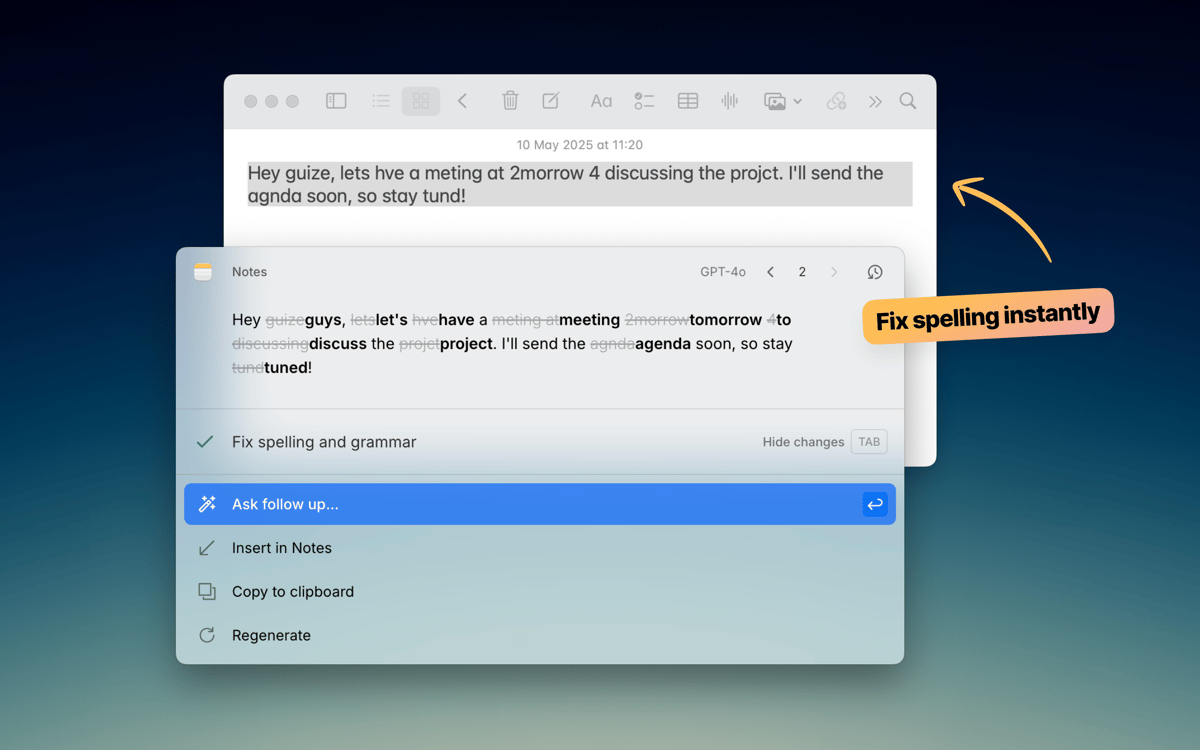
Proofread text before you hit Send
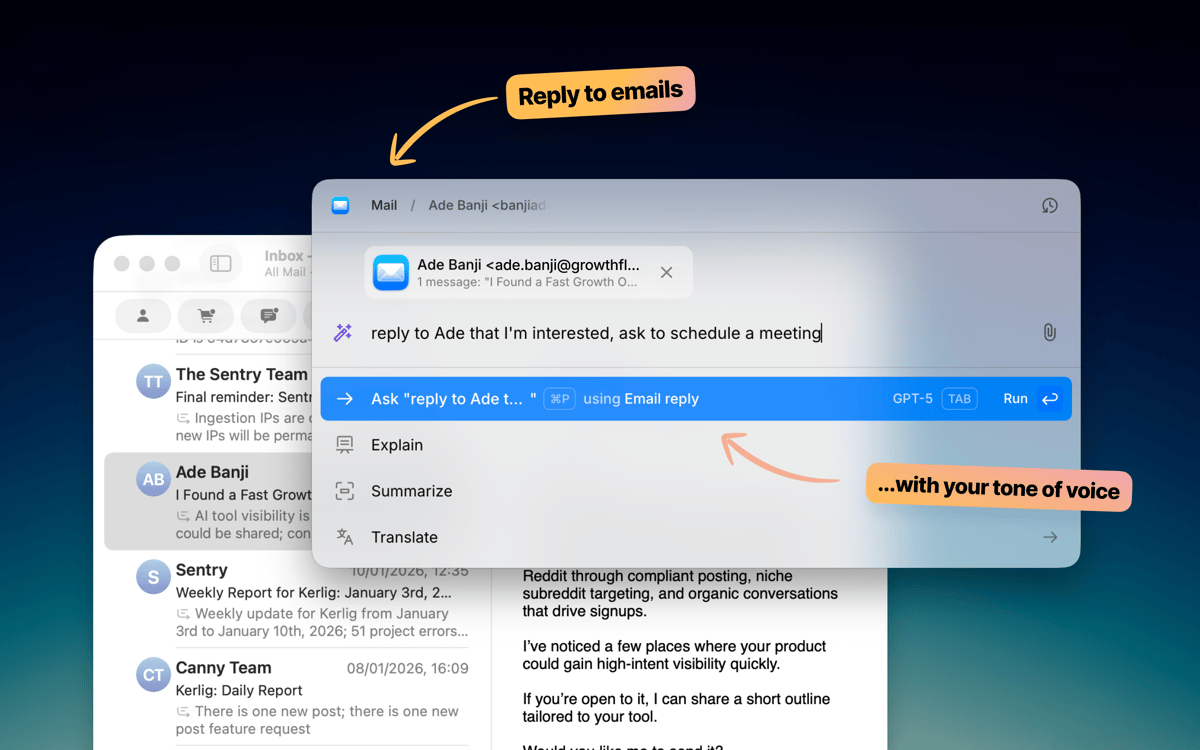
Draft emails and Slack replies faster
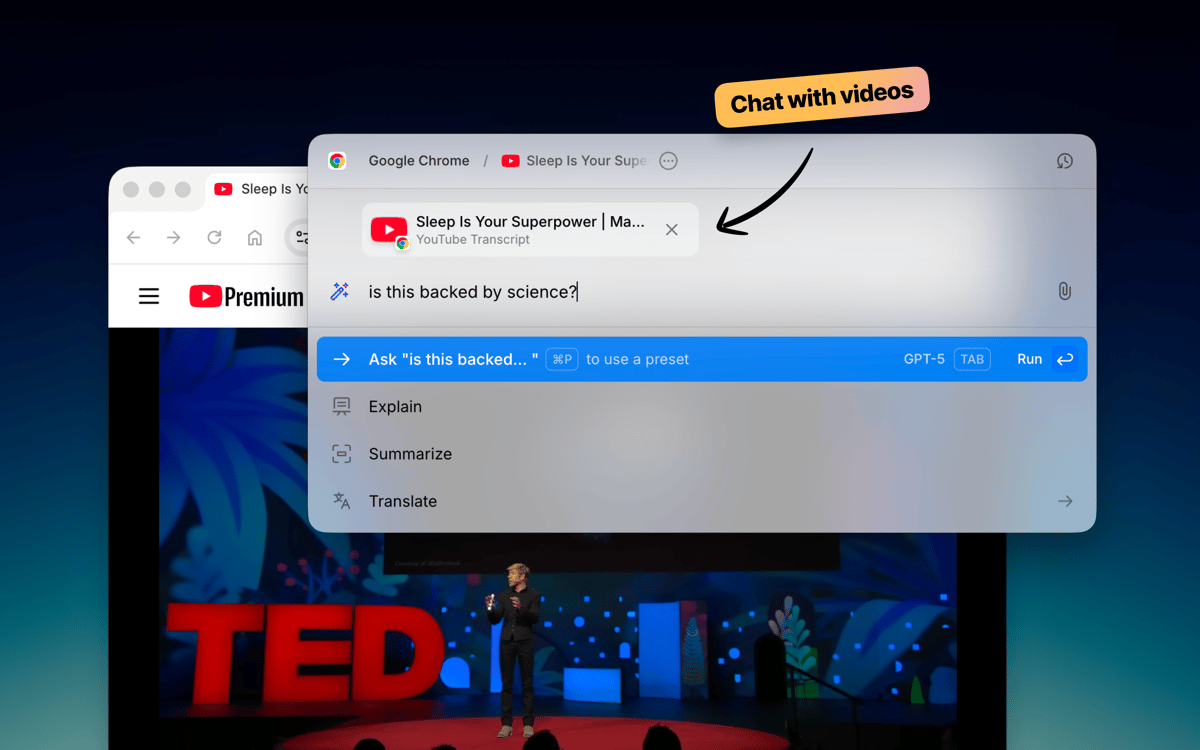
Chat with documents and web pages
Run custom AI actions in any app
Kerlig features
Write without leaving your app
Kerlig stays out of the way until you need it. Hit a keyboard shortcut and it pops up right where you’re working — whether that’s Mail, Slack, Notion, or anything else. Fix grammar, improve a message, or draft a reply without opening a single browser tab. It fits right into how you already work on your Mac.
Pick your AI model
Not all tasks need the same model. Kerlig connects to 350+ models across OpenAI, Anthropic, Google, Groq, Perplexity, and more. Switch between them in one click. You can also run local models through Ollama, LM Studio, or Apple Foundation Models if you prefer to keep things on-device.
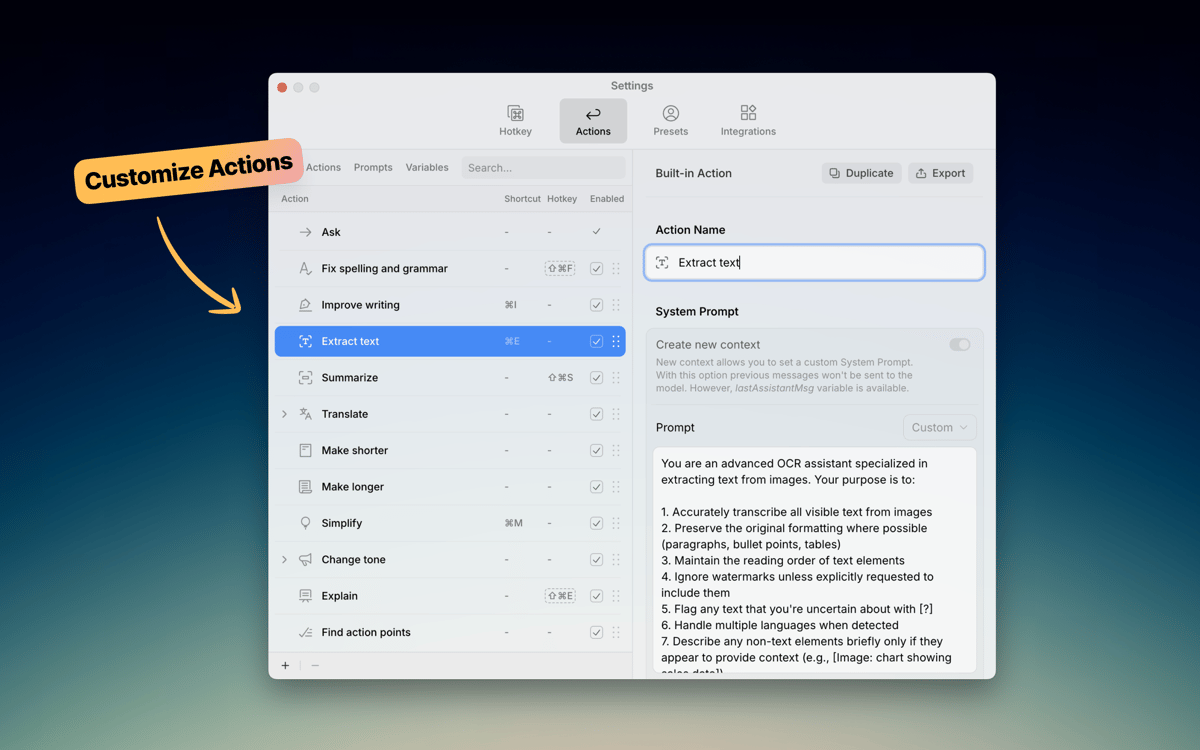
Build your own actions
Kerlig comes with handy built-in actions like proofreading, summarizing, and translating. But the real power is making your own. Create custom prompts for things you do often — writing Jira tickets, converting code, generating social posts — and trigger them instantly from the shortcut menu. Your workflows, your rules.
Chat with documents
Drop in a PDF, webpage, ebook, or image and start asking questions. Kerlig lets you analyze and summarize documents right inside the app, without copy-pasting chunks of text into a browser. It’s a fast way to pull insights from files you’re already working with.
Set your tone of voice
Everyone writes differently. Kerlig lets you save tone presets — casual for Slack, polished for client emails, concise for tickets — so your AI-generated text sounds like you. Switch between tones in a click and keep your voice consistent across every message.
Keep your writing private
Kerlig doesn’t store or use your data for training. Your chat history stays encrypted on your Mac, and you’re always in control of which AI provider handles your requests. Write freely, knowing your messages and documents aren’t being collected or shared behind the scenes.
Ratings and reviews
Kerlig
•
25 ratings
Matthias Honert
Jul 15, 2026
App version: 2.6.0
Yeah, nice tool. Text review is now easier than before in during different apps
kyo kou
May 8, 2026
App version: 2.5.5
This app is really amazing! I particularly love its action feature, which makes everything so much easier. Before, I had to open a website to get certain AI responses, but now I can do it all with just a shortcut key.
Bowser
May 1, 2026
App version: 2.5.4
This app is fantastic. I LOVE it. It’s easy to use, does what it says, and is great for changing copy on the fly without using the Claude / ChatGPT platform. Highly Recommended.
Get hundreds of apps with Membership
Become Setapp member and use hundreds of stellar apps with one subscription.
Try 7 days free, then pay one simple fee.
Install Setapp on Mac
Explore apps for Mac, iOS, and web. Find easy ways to solve daily tasks.

Get the app you came for
That one shiny app is waiting inside Setapp. Install with a click.

Kerlig
Choose your subscription
One app or more with a Setapp membership. Get apps the way you want.

Get hundreds of apps with Membership
Become Setapp member and use hundreds of stellar apps with one subscription.
Try 7 days free, then pay one simple fee.
1
Install Setapp on Mac
Explore apps for Mac, iOS, and web. Find easy ways to solve daily tasks.
2
Get the app you came for
That one shiny app is waiting inside Setapp. Install with a click.
Kerlig
3
Choose your subscription
One app or more with a Setapp membership. Get apps the way you want.
Home to the top apps
From planning and routine tasks to creative pursuits and coding, tackle tasks with apps on Setapp.


Kerlig
Write smarter in any Mac app