MacNotch
Notch utility for Mac
Mac
Version 1.9.9.6
macOS 14.0 or later
241.6 MB
11 languages
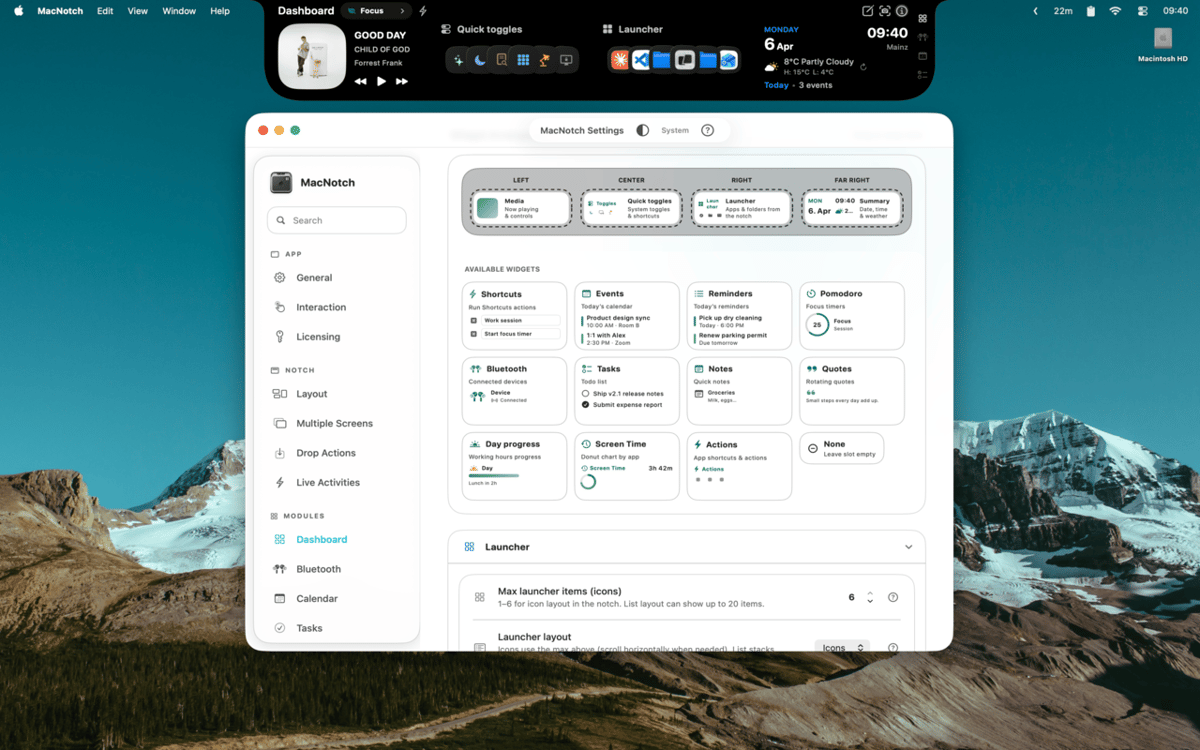
MacNotch — notch utility for Mac. Turn the MacBook notch into a smart control hub for music, tasks, and quick actions. Control playback, track your day, and access tools without breaking focus. It keeps what matters visible, but never in your way.
Control music without switching apps
Track tasks, events, and timers fast
Customize your notch with widgets
Drop files to act instantly
MacNotch features
Control your music and media
See what's playing with album art, animated music bars, and full playback controls - right from the notch. MacNotch works with Spotify, Apple Music, YouTube, and other browser players, so it doesn't matter where the sound is coming from. Switch tracks, scrub through a song, or just glance at the artwork without opening anything.
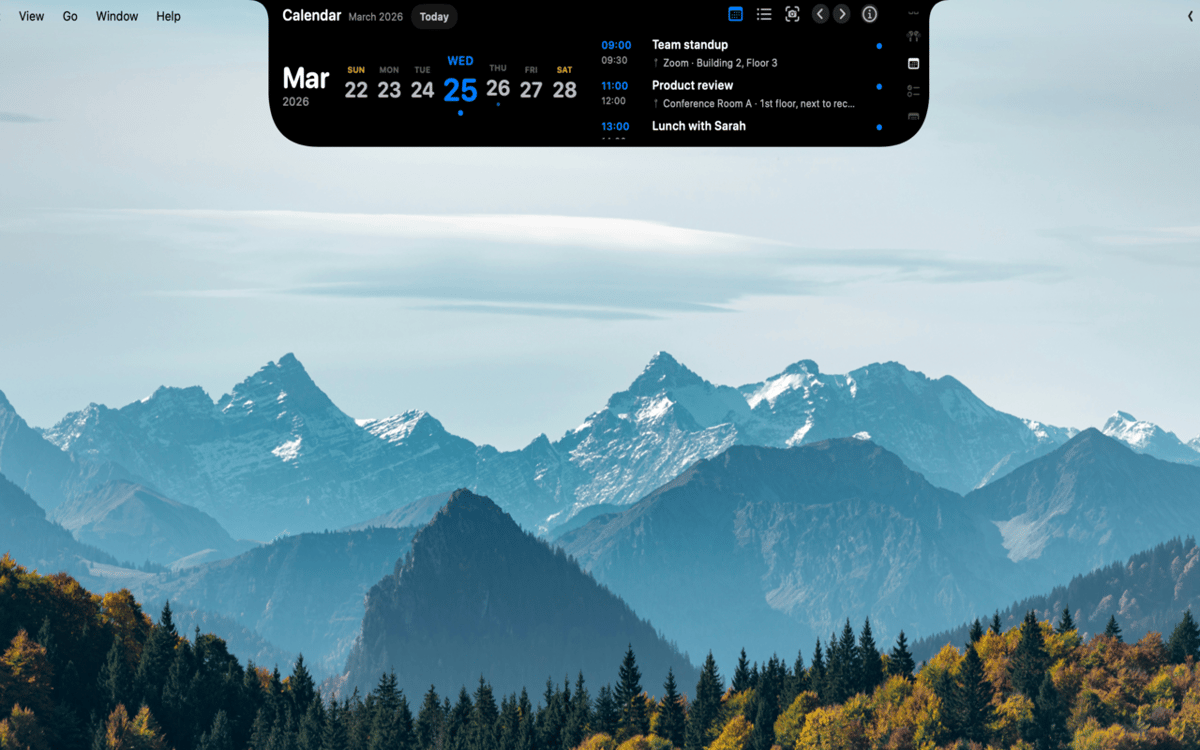
Stay on top of your day
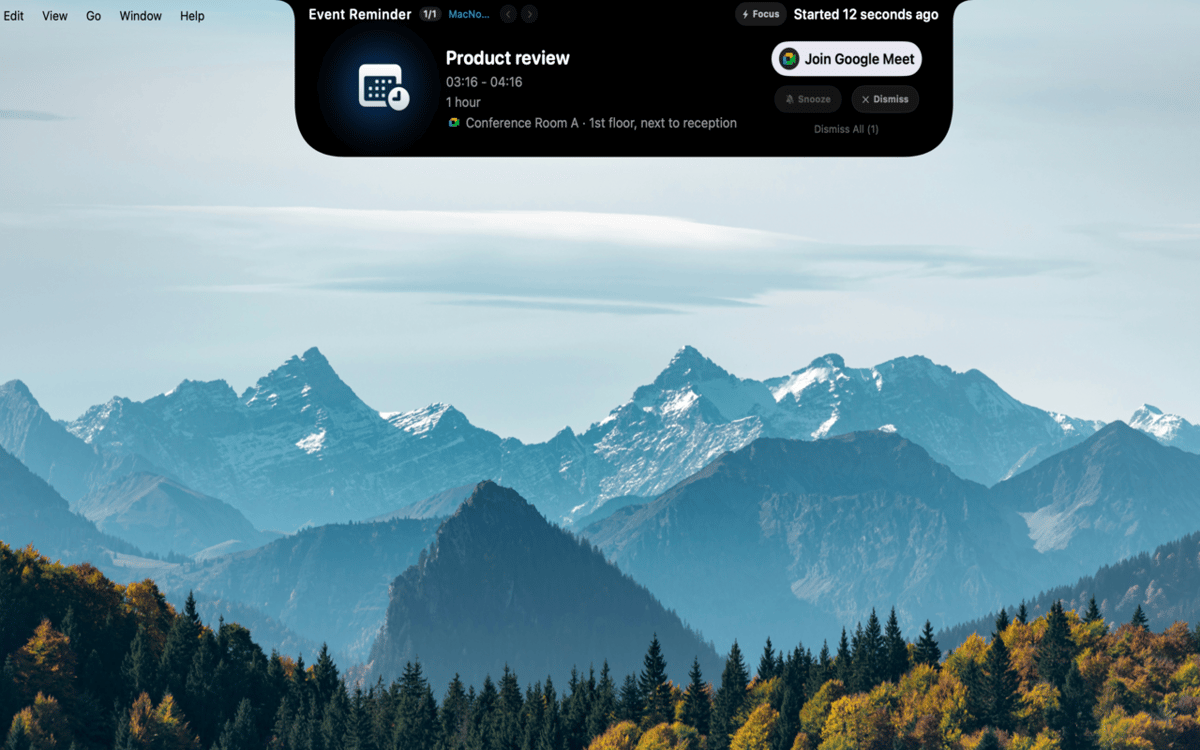
Keep events, reminders, and focus sessions in one place. MacNotch shows upcoming calendar events with countdown timers and detects active meetings so you always know what's next. There's a built-in Pomodoro timer with visual progress, a lightweight task list that syncs with macOS Reminders, and a quick-capture notes module - all without leaving your workflow.
Build your own dashboard
Fill a customizable widget grid with weather, app launchers, and quick toggles for Dark Mode, True Tone, and Night Shift. Create profiles like Work, Personal, or Focus so your setup adapts to what you're doing. You can also keep an eye on CPU, RAM, and storage usage or translate text on the fly with OpenAI or a local Ollama instance.
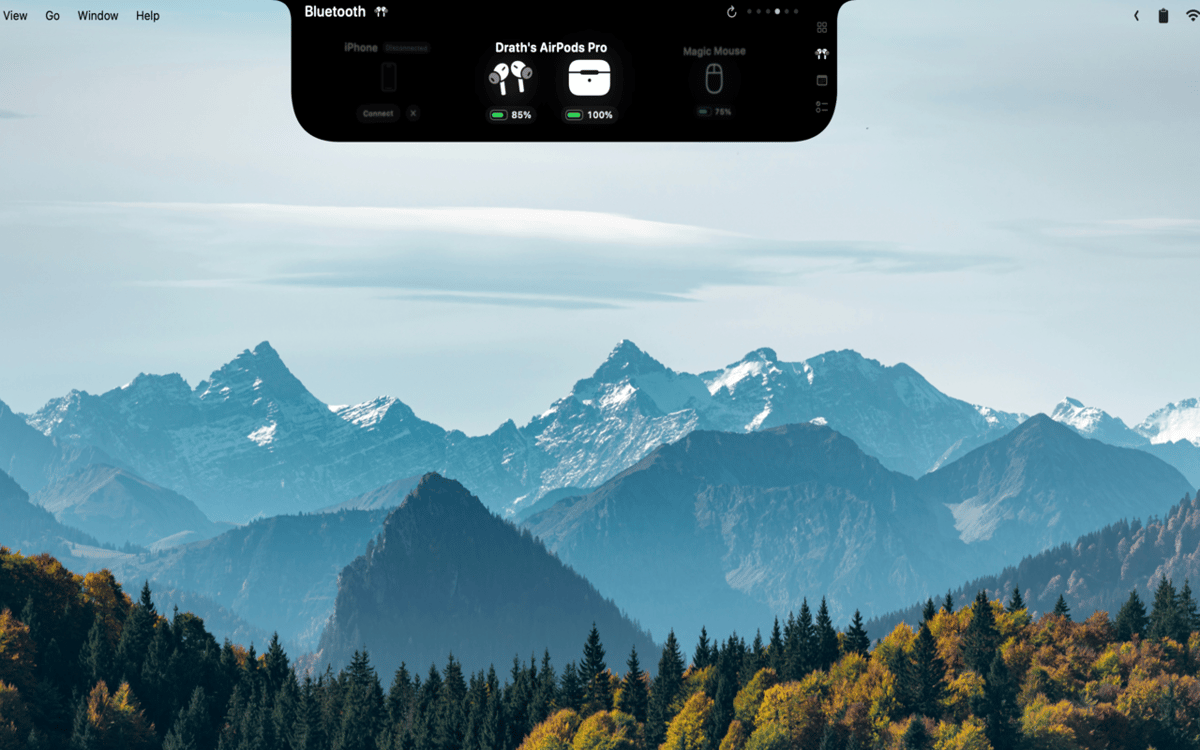
Keep tabs on your devices
See real-time battery levels for AirPods (left, right, and case), headphones, mice, keyboards, trackpads, and game controllers. MacNotch sends you a heads-up when any device runs low, so you're never caught off guard mid-call or mid-game.
Drop files, get things done
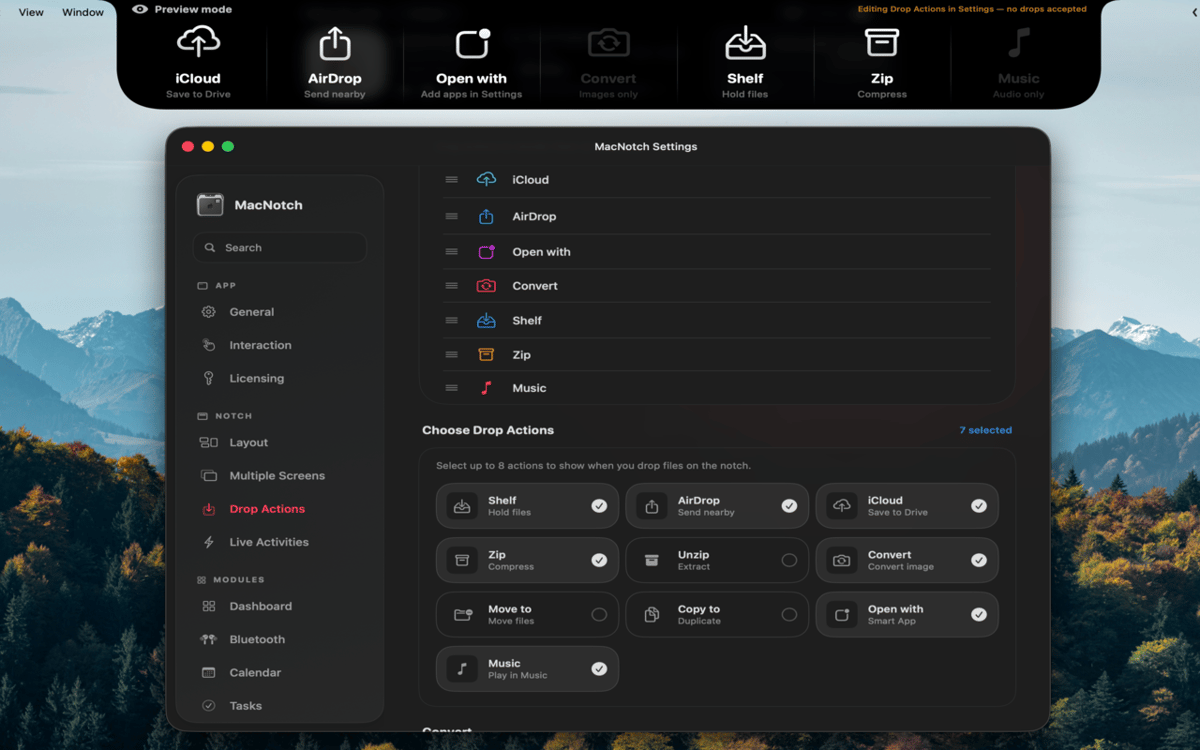
Drag a file onto the notch to instantly AirDrop, zip, convert images, move or copy to a folder, or open with a specific app. No digging through Finder menus - just drop and go. It's the kind of shortcut that feels obvious once you have it.
Always useful, even when collapsed
When the notch is tucked away, it still shows live activities: now playing info, Pomodoro countdowns, upcoming events, and Bluetooth status. Volume and brightness changes pop up as a system HUD right in the notch. The info you care about is always there, never in the way.
Ratings and reviews
MacNotch
•
33 ratings
Aarsh Oza
Sep 21, 2026
App version: 1.9.9.5
The app is looking and functioning top notch. Just few things that needs to be there is first to polish the look and also able to resize the notch when its active instead of taking up half of the width of screen.
Marcelo
Sep 10, 2026
App version: 1.9.9.4
Estou gostando bastante do MacNotch! Só notei algo que talvez seja um bug: depois que desliguei e liguei o notebook novamente, a opção de mostrar em telas externas ficou desativada, mesmo estando ativada antes. Mas a ferramenta é sensacional!
Georgi Kolev
Sep 9, 2026
App version: 1.9.9.4
Not bad but it needs live sports and finance tickers.
Get hundreds of apps with Membership
Become Setapp member and use hundreds of stellar apps with one subscription.
Try 7 days free, then pay one simple fee.
Install Setapp on Mac
Explore apps for Mac, iOS, and web. Find easy ways to solve daily tasks.

Get the app you came for
That one shiny app is waiting inside Setapp. Install with a click.

MacNotch
Choose your subscription
One app or more with a Setapp membership. Get apps the way you want.

Get hundreds of apps with Membership
Become Setapp member and use hundreds of stellar apps with one subscription.
Try 7 days free, then pay one simple fee.
1
Install Setapp on Mac
Explore apps for Mac, iOS, and web. Find easy ways to solve daily tasks.
2
Get the app you came for
That one shiny app is waiting inside Setapp. Install with a click.
MacNotch
3
Choose your subscription
One app or more with a Setapp membership. Get apps the way you want.
Home to the top apps
From planning and routine tasks to creative pursuits and coding, tackle tasks with apps on Setapp.


MacNotch
Notch utility for Mac