
PasteJet
Smarter clipboard, faster pasting

Mac
Version 1.5.2
macOS 14.6 or later
6.2 MB
1 languages
PasteJet is a clipboard manager for Mac that remembers everything you copy. It lives in your menu bar and works with a simple twist on Command+V — tap it to paste normally, hold it to browse your history. Text, images, files, links — it keeps them all and lets you find what you need fast.
Paste from your full clipboard history
Organize copied items into collections
Quick-paste with a single keystroke
Save favorites for things you reuse
PasteJet features
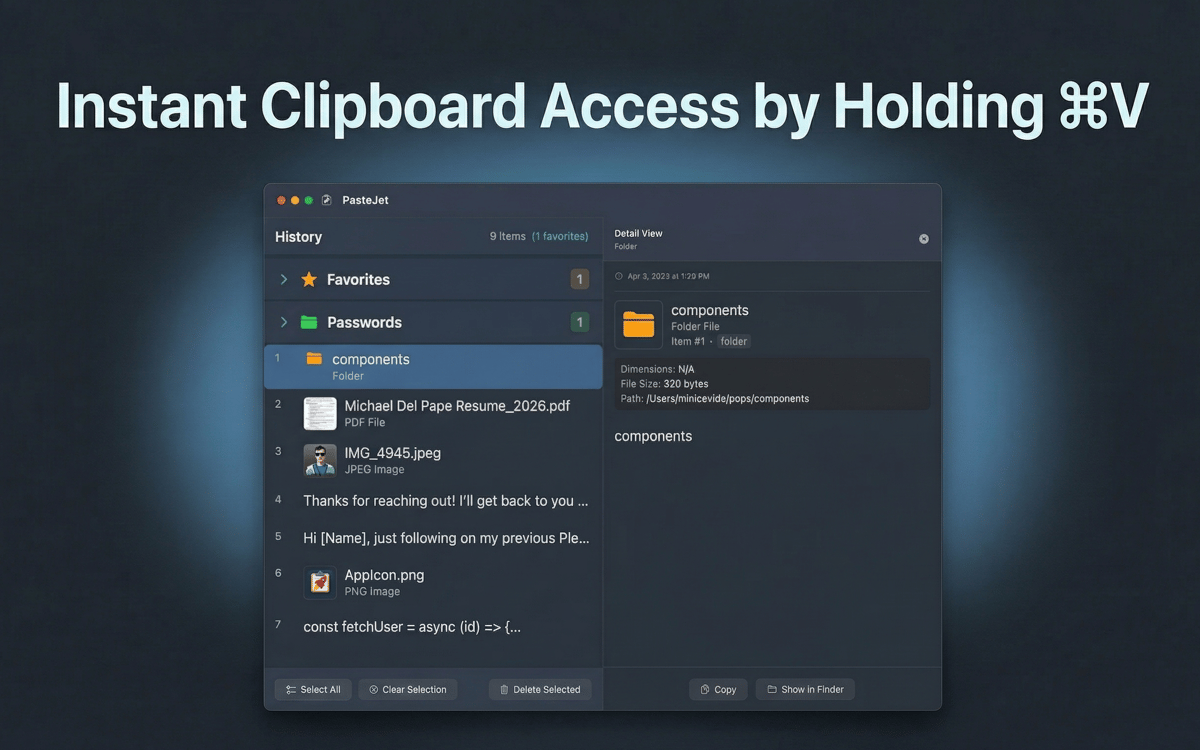
Hold Command+V to browse, tap to paste
No new shortcuts to learn. PasteJet hooks into the keyboard shortcut you already use. A quick tap pastes your latest item. Hold it down and a popup appears with your full clipboard history, ready to pick from.
Keep up to 500 items in your history
PasteJet automatically saves everything you copy — text, images, files, and links. Scroll through your history or search to find that thing you copied three hours ago.
Pin your go-to items as favorites
Email signatures, code snippets, addresses — save up to 10 items you paste all the time. They're always one click away, no digging required.
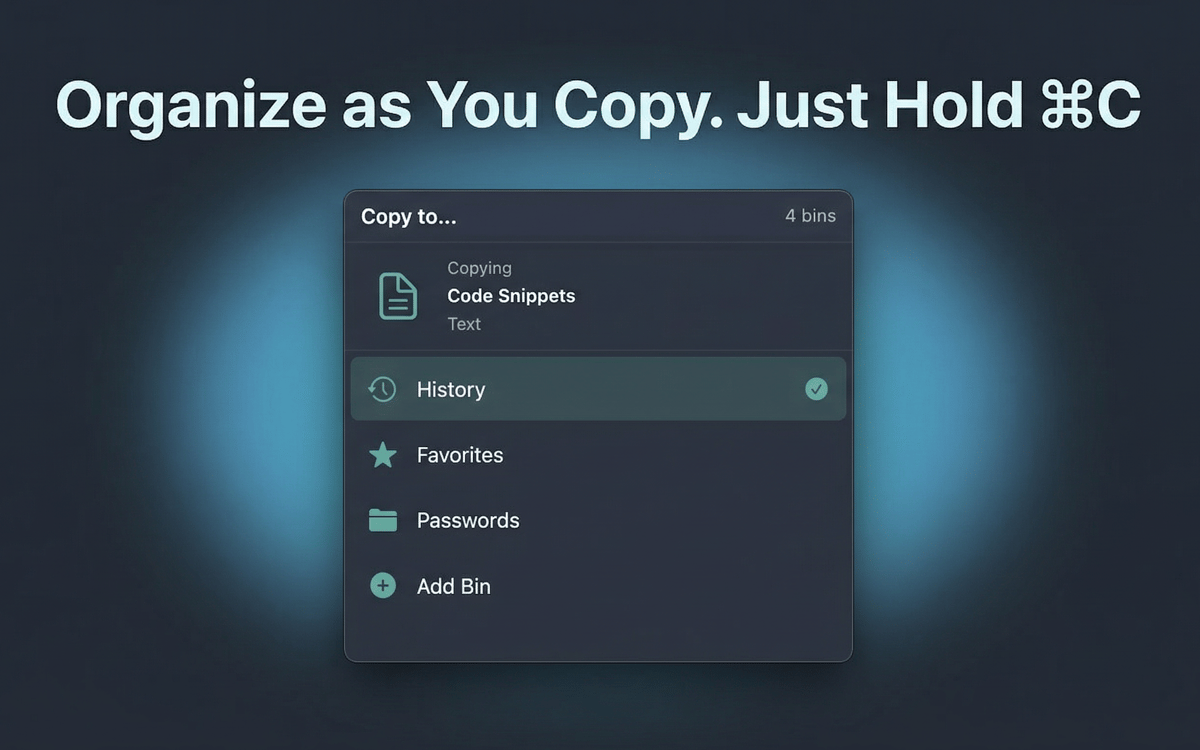
Organize with bins
Group related items into custom collections. Keep project assets, reference links, or templates neatly sorted instead of lost in a long list.
Works quietly in your menu bar
PasteJet stays out of your way until you need it. No dock icon, no floating windows. Click the menu bar icon or hold Command+V — that's it.
Your data stays on your Mac
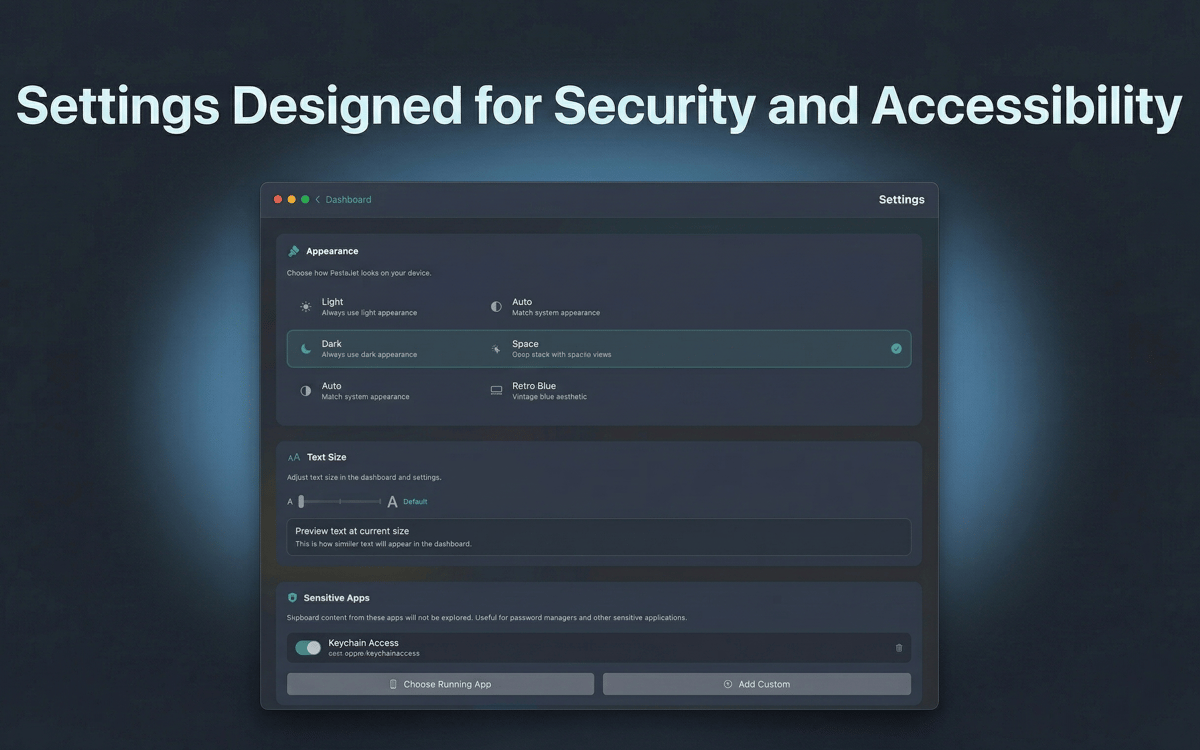
Clipboard history is stored locally with AES-256 encryption. Nothing leaves your machine, nothing hits a server.
Get hundreds of apps with Membership
Become Setapp member and use hundreds of stellar apps with one subscription.
Try 7 days free, then pay one simple fee.
Install Setapp on Mac
Explore apps for Mac, iOS, and web. Find easy ways to solve daily tasks.

Get the app you came for
That one shiny app is waiting inside Setapp. Install with a click.

PasteJet
Choose your subscription
One app or more with a Setapp membership. Get apps the way you want.

Get hundreds of apps with Membership
Become Setapp member and use hundreds of stellar apps with one subscription.
Try 7 days free, then pay one simple fee.
1
Install Setapp on Mac
Explore apps for Mac, iOS, and web. Find easy ways to solve daily tasks.
2
Get the app you came for
That one shiny app is waiting inside Setapp. Install with a click.
PasteJet
3
Choose your subscription
One app or more with a Setapp membership. Get apps the way you want.
Home to the top apps
From planning and routine tasks to creative pursuits and coding, tackle tasks with apps on Setapp.


PasteJet
Smarter clipboard, faster pasting