
ProcessSpy
See what your Mac is up to


Mac
Version 1.15.1
macOS 14.0 or later
16.5 MB
2 languages
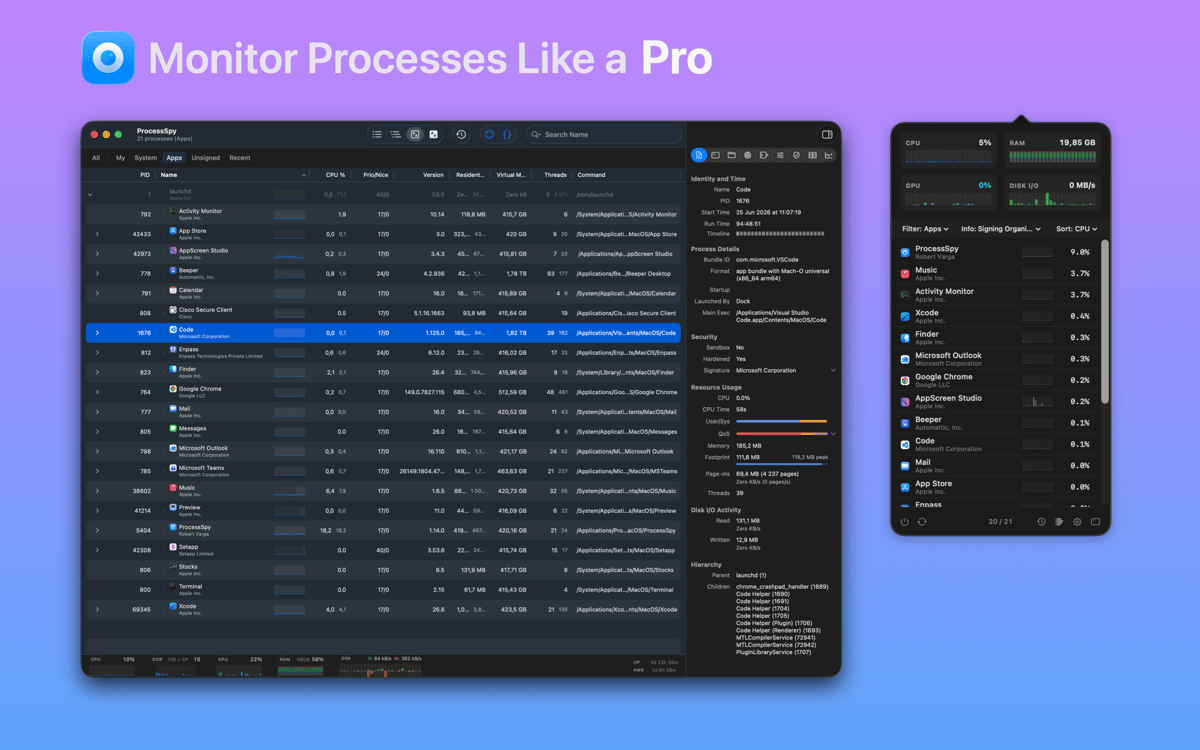
ProcessSpy — process monitor for Mac. It shows you everything happening on your system right now: which processes are eating your CPU, what's writing to disk, and where your memory's going — all without opening Terminal. Whether you're debugging an app, investigating a slowdown, or just curious what's running in the background, ProcessSpy makes it clear at a glance. Built for developers and power users, but easy enough for anyone who wants to understand their Mac.
Track CPU and memory hogs live
Catch short-lived background processes
Inspect threads and process hierarchies
Filter busy lists to find what matters
ProcessSpy features
See your Mac in real time
ProcessSpy gives you a live view of every process on your system — CPU load, memory usage, disk activity, and open network connections — updating as it happens. No refreshing, no guesswork. Just a clear, continuous picture of what's going on under the hood.
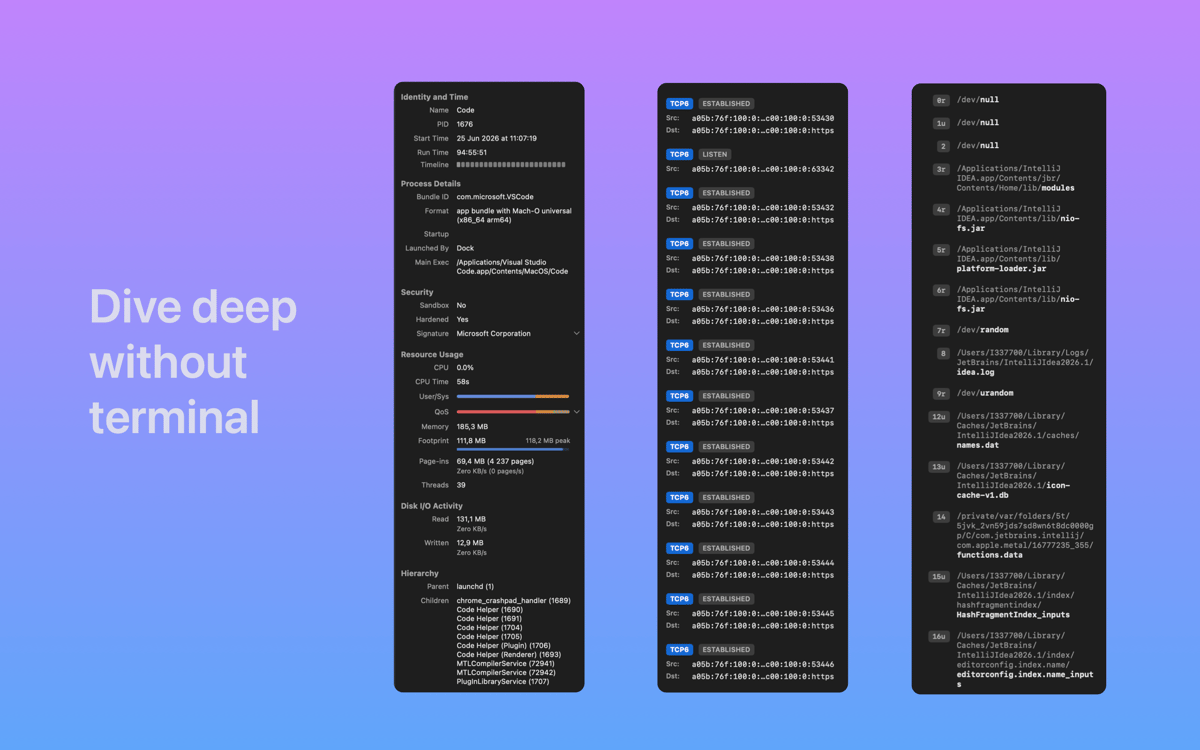
Dig deeper without the command line
You used to need Terminal to get this kind of detail. ProcessSpy puts it all in a clean interface — process metadata, thread counts, parent-child hierarchies — so you can inspect what you need without running a single command.
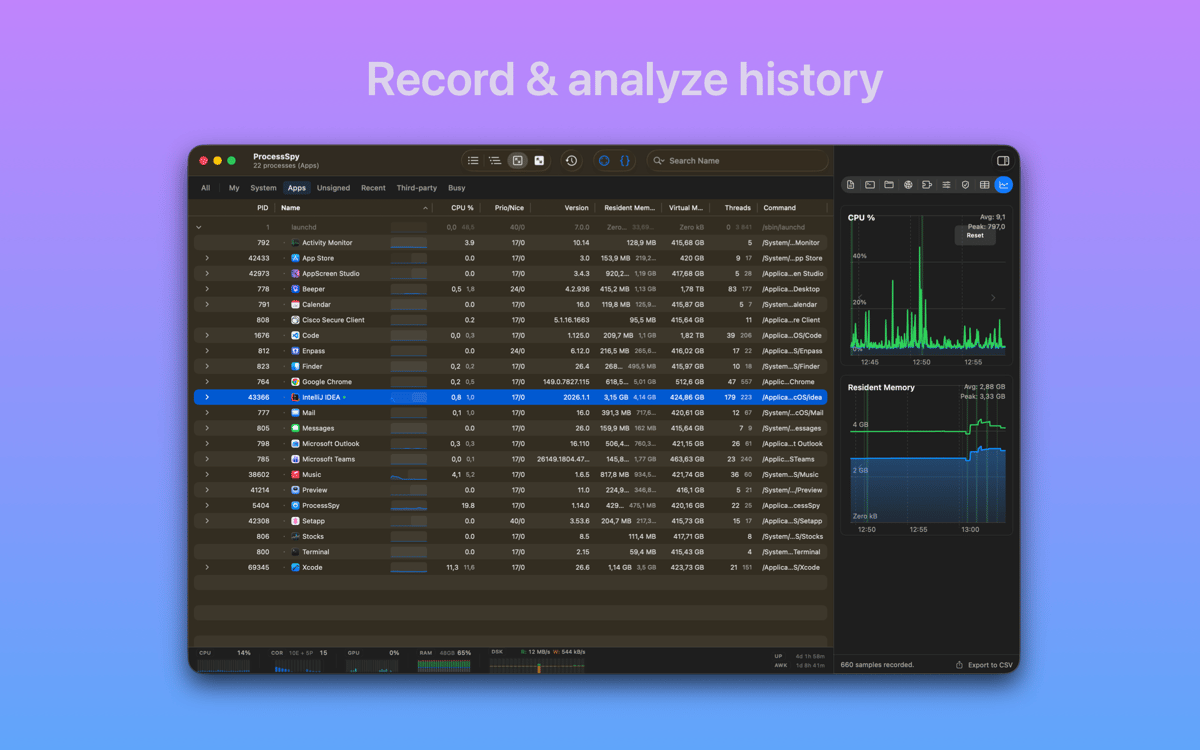
Catch processes that come and go
Some processes start, do their thing, and disappear before you can blink. ProcessSpy keeps a record of finished processes so you can go back and see what ran — even after it's long gone from the active list.
Identify any app with a click
Not sure what a mystery window on your screen belongs to? Point at it and ProcessSpy jumps straight to the underlying process — no digging required.
Filter and find fast
When your process list runs into the hundreds, finding the culprit takes patience — unless you have good filters. ProcessSpy lets you sort and narrow down the list quickly so you spend less time hunting and more time fixing.
Aggregate stats at a glance
Not every situation calls for diving into process details. Sometimes you just want to know: is my Mac working too hard right now? ProcessSpy's summary view gives you a quick read on overall system health without wading through rows of data.
Get hundreds of apps with Membership
Become Setapp member and use hundreds of stellar apps with one subscription.
Try 7 days free, then pay one simple fee.
Install Setapp on Mac
Explore apps for Mac, iOS, and web. Find easy ways to solve daily tasks.

Get the app you came for
That one shiny app is waiting inside Setapp. Install with a click.

ProcessSpy
Choose your subscription
One app or more with a Setapp membership. Get apps the way you want.

Get hundreds of apps with Membership
Become Setapp member and use hundreds of stellar apps with one subscription.
Try 7 days free, then pay one simple fee.
1
Install Setapp on Mac
Explore apps for Mac, iOS, and web. Find easy ways to solve daily tasks.
2
Get the app you came for
That one shiny app is waiting inside Setapp. Install with a click.
ProcessSpy
3
Choose your subscription
One app or more with a Setapp membership. Get apps the way you want.
Home to the top apps
From planning and routine tasks to creative pursuits and coding, tackle tasks with apps on Setapp.


ProcessSpy
See what your Mac is up to