RAW to HEIC
Turn RAW photos into HEIC
Mac
Version 2.14
macOS 15.0 or later
18 MB
1 languages
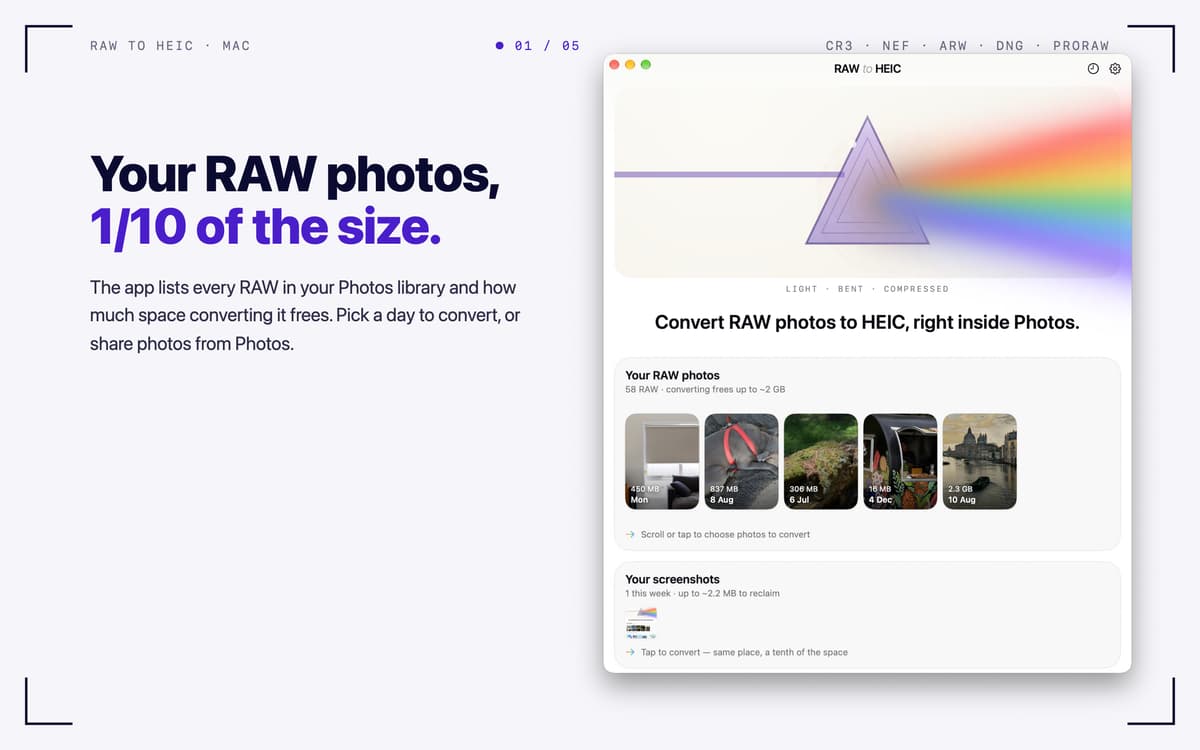
RAW to HEIC — RAW photo converter for Mac. It turns camera RAW files and iPhone ProRAW into HEIC, the format Apple Photos uses natively. You keep the look of your photos and often win back 70–90% of the storage. Convert right from Photos, Finder, or the app window, and your lens details, albums, edits, and HDR come along. You decide what happens to the originals, and everything stays on your Mac.
Free up storage after a big shoot
Convert iPhone ProRAW right in Photos
Keep HDR and metadata intact
Batch-convert RAW files from any camera
RAW to HEIC features
Convert where you already work
Select RAWs in Photos, share them to RAW to HEIC, and the converted HEICs land back in your library, in the same albums. In Finder, share files or drop them on the app window, and each HEIC is saved next to its original. You can also pick photos from your library with one click.
Keep what matters
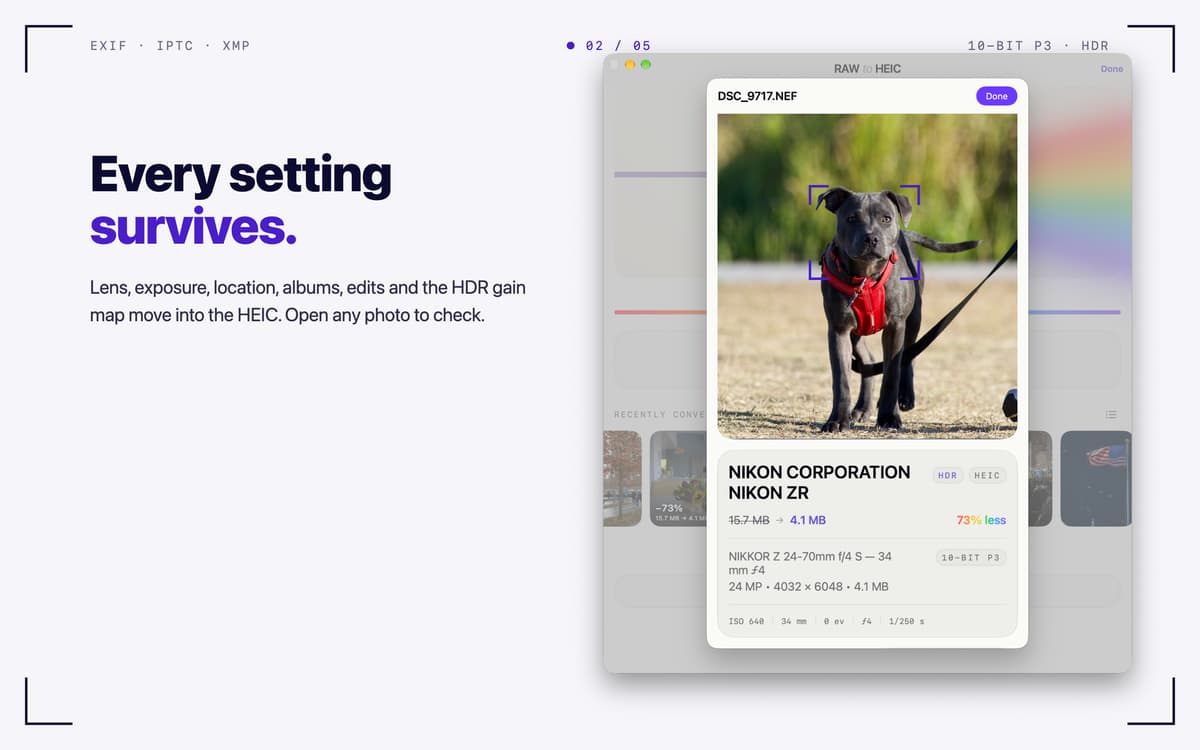
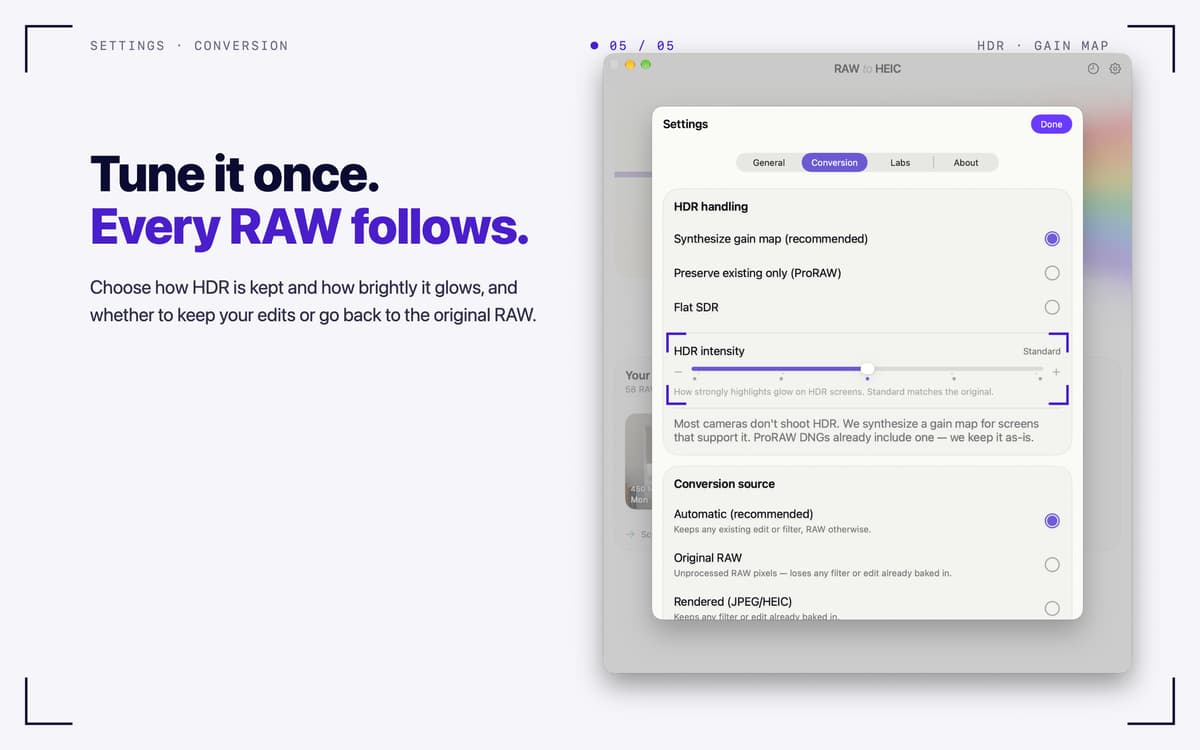
Lens, exposure, date, and location (EXIF, IPTC, XMP) carry over into the HEIC. Your albums and edits in Photos stay put. HDR photos stay HDR, thanks to a gain map in the ISO standard that Photos and macOS display. Output is 10-bit Display P3.
Your originals, your call
After conversion, delete the RAWs (macOS always asks first), move them to an archive folder, or keep them. A RAW is only removed once its HEIC is safely in your library and verified. Files you dropped in are never deleted.
Built for big shoots
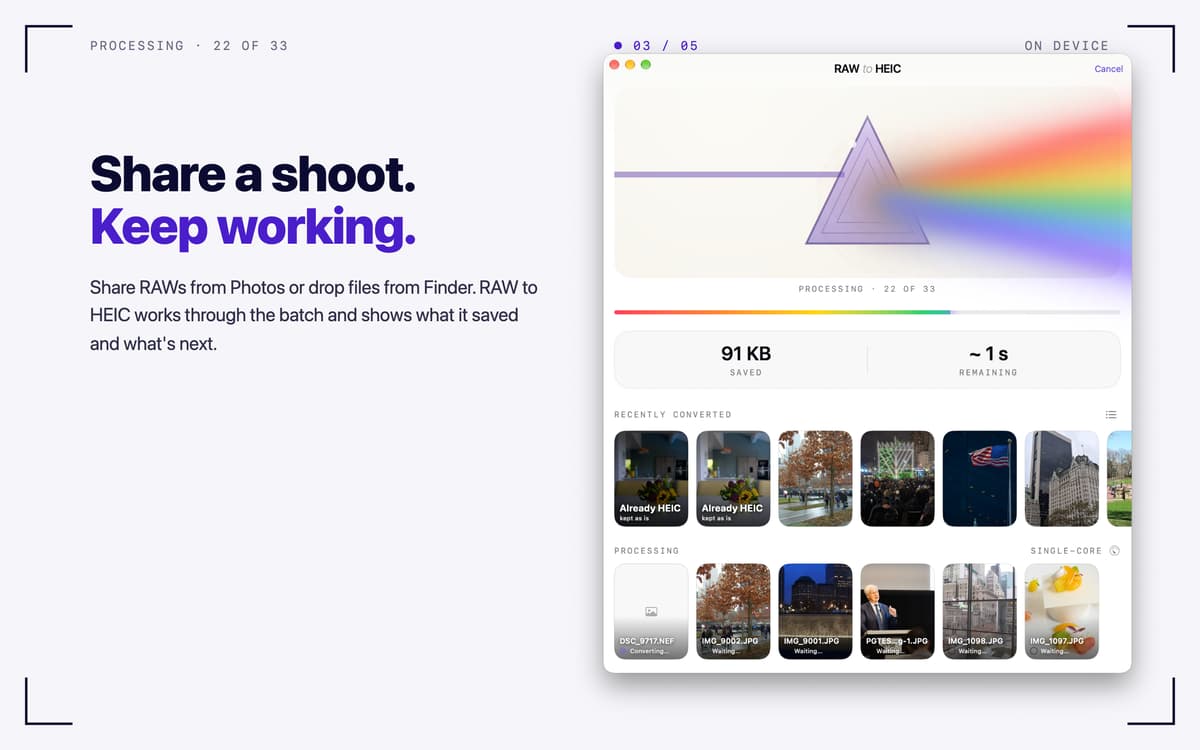
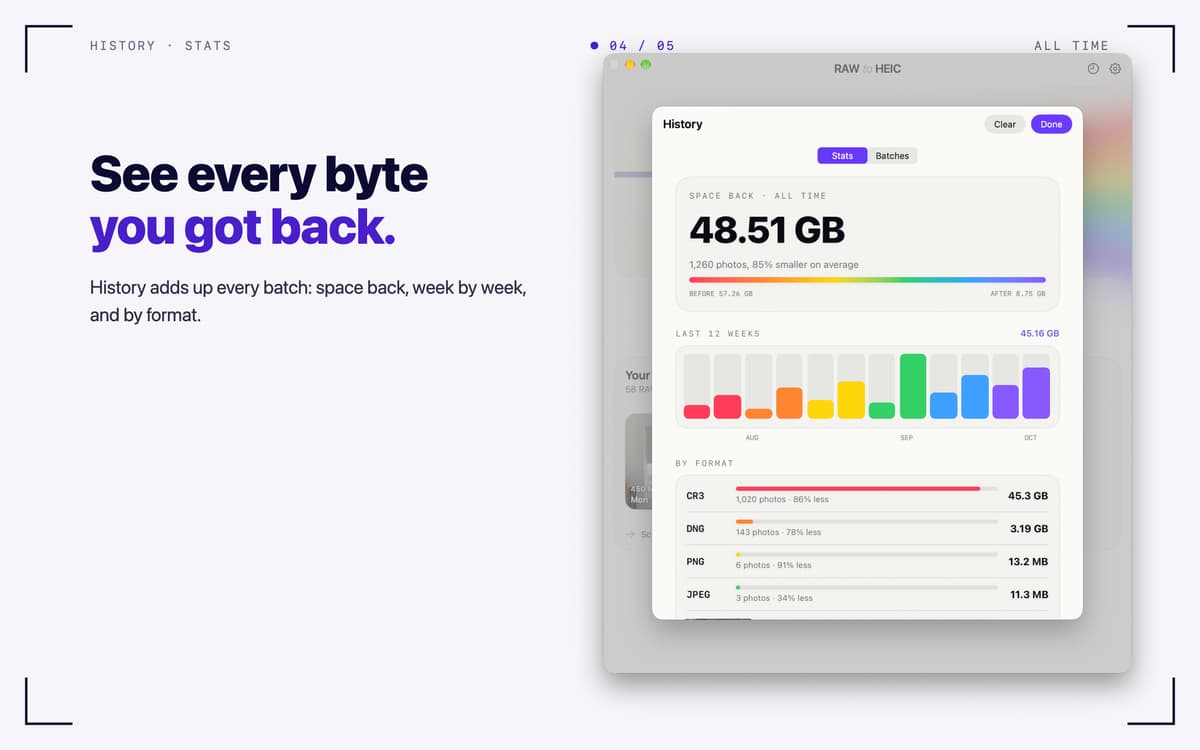
Turbo Mode converts several photos at once on Apple silicon. Keep working while it runs, and check progress in the menu bar. History lists every batch, and Stats show how much space you got back, week by week and by format.
Works with the files you have
Canon CR3/CR2, Sony ARW, Nikon NEF, Fujifilm RAF, Adobe DNG, iPhone ProRAW, and other RAW formats macOS can read. It also handles JPEG, PNG, TIFF, and HEIC.
Private by design
Everything runs on your Mac. No accounts, no analytics, no uploads.
Get hundreds of apps with Membership
Become Setapp member and use hundreds of stellar apps with one subscription.
Try 7 days free, then pay one simple fee.
Install Setapp on Mac
Explore apps for Mac, iOS, and web. Find easy ways to solve daily tasks.

Get the app you came for
That one shiny app is waiting inside Setapp. Install with a click.

RAW to HEIC
Choose your subscription
One app or more with a Setapp membership. Get apps the way you want.

Get hundreds of apps with Membership
Become Setapp member and use hundreds of stellar apps with one subscription.
Try 7 days free, then pay one simple fee.
1
Install Setapp on Mac
Explore apps for Mac, iOS, and web. Find easy ways to solve daily tasks.
2
Get the app you came for
That one shiny app is waiting inside Setapp. Install with a click.
RAW to HEIC
3
Choose your subscription
One app or more with a Setapp membership. Get apps the way you want.
Home to the top apps
From planning and routine tasks to creative pursuits and coding, tackle tasks with apps on Setapp.


RAW to HEIC
Turn RAW photos into HEIC