
Slidr
Slide to control your Mac

Mac
Version 1.3.2
macOS 12.0 or later
7.8 MB
1 languages
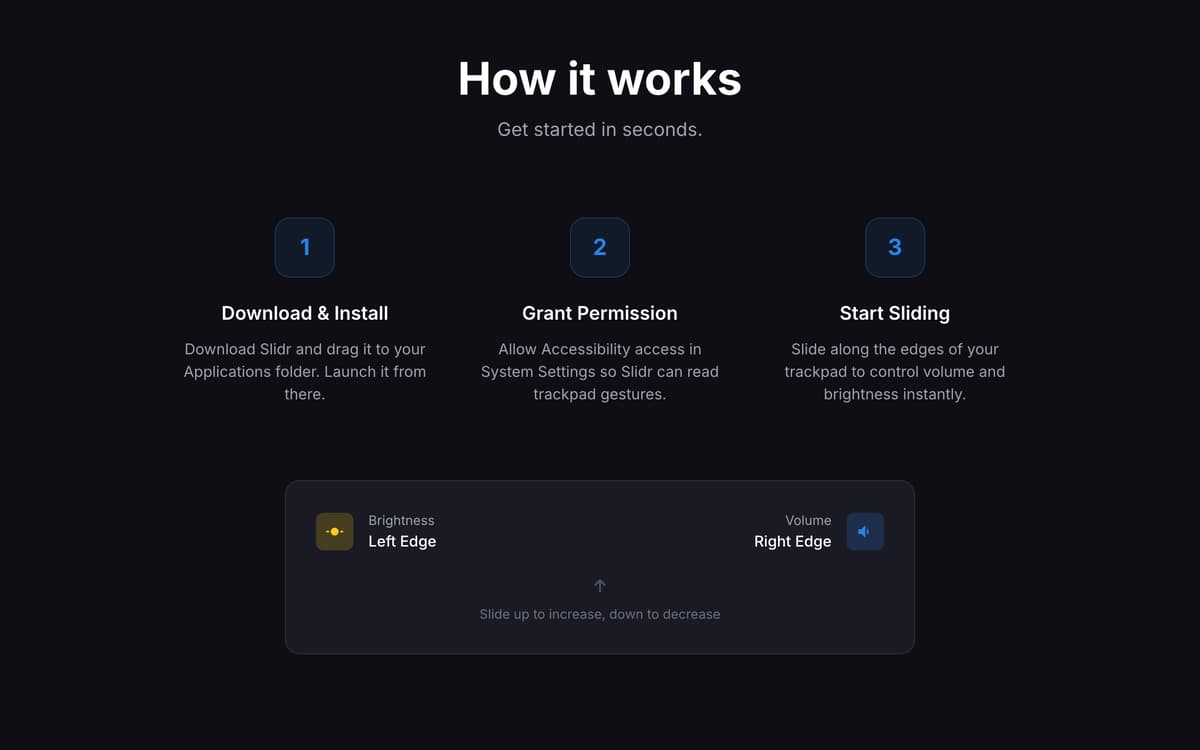
Slidr is a trackpad control app for Mac that turns simple edge swipes into fast volume and brightness controls. Slide along the right edge for volume or the left edge for brightness. It feels oddly natural. Like your Mac forgot to ship with it. Haptic feedback makes every adjustment feel physical, while smart typing detection helps avoid accidental triggers. Slidr also supports external monitor brightness through DDC, so you can stop hunting for monitor buttons like it’s 2009. The app lives quietly in your menu bar, launches at login, and stays ready whenever your fingers are.
Adjust volume with one swipe
Control brightness naturally
Manage external display brightness
Add middle click to your trackpad
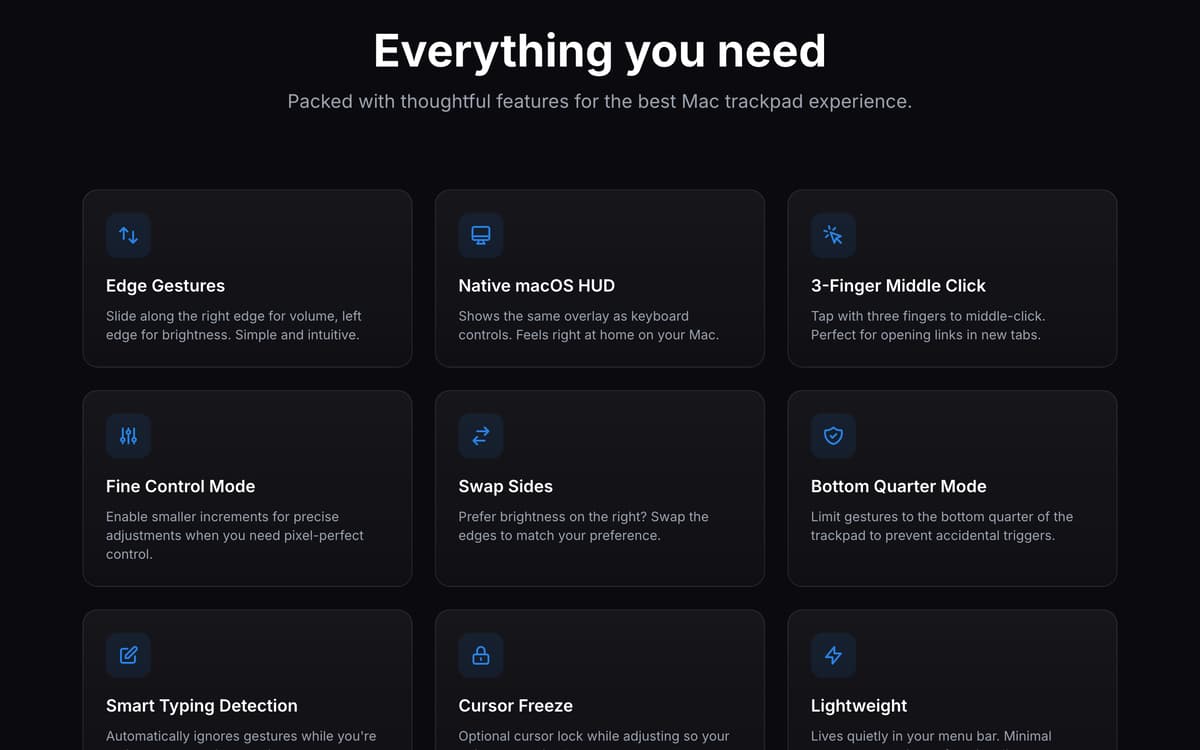
Slidr features
Control volume and brightness with gestures
Slide along your trackpad edges to adjust sound and brightness without touching keys or opening menus.
Feel every adjustment with haptics
Haptic feedback adds a tactile response to every change, making controls feel smooth and surprisingly physical.
Adjust external monitor brightness
Control connected displays through DDC support directly from your MacBook trackpad.
Customize how gestures work
Choose modifier keys, swap gesture sides, enable toggle mode, or limit gestures to specific trackpad areas.
Get precise control when needed
Use fine adjustment mode for smaller changes and freeze the cursor while adjusting settings for better accuracy.
Add extra trackpad shortcuts
Enable 3-finger tap for middle click and keep everyday actions fast, simple, and keyboard-free.
Get hundreds of apps with Membership
Become Setapp member and use hundreds of stellar apps with one subscription.
Try 7 days free, then pay one simple fee.
Install Setapp on Mac
Explore apps for Mac, iOS, and web. Find easy ways to solve daily tasks.

Get the app you came for
That one shiny app is waiting inside Setapp. Install with a click.

Slidr
Choose your subscription
One app or more with a Setapp membership. Get apps the way you want.

Get hundreds of apps with Membership
Become Setapp member and use hundreds of stellar apps with one subscription.
Try 7 days free, then pay one simple fee.
1
Install Setapp on Mac
Explore apps for Mac, iOS, and web. Find easy ways to solve daily tasks.
2
Get the app you came for
That one shiny app is waiting inside Setapp. Install with a click.
Slidr
3
Choose your subscription
One app or more with a Setapp membership. Get apps the way you want.
Home to the top apps
From planning and routine tasks to creative pursuits and coding, tackle tasks with apps on Setapp.


Slidr
Slide to control your Mac