SlouchSniper
Improve posture while working
Mac
Version 1.10.0
macOS 12.0 or later
327.9 MB
1 languages
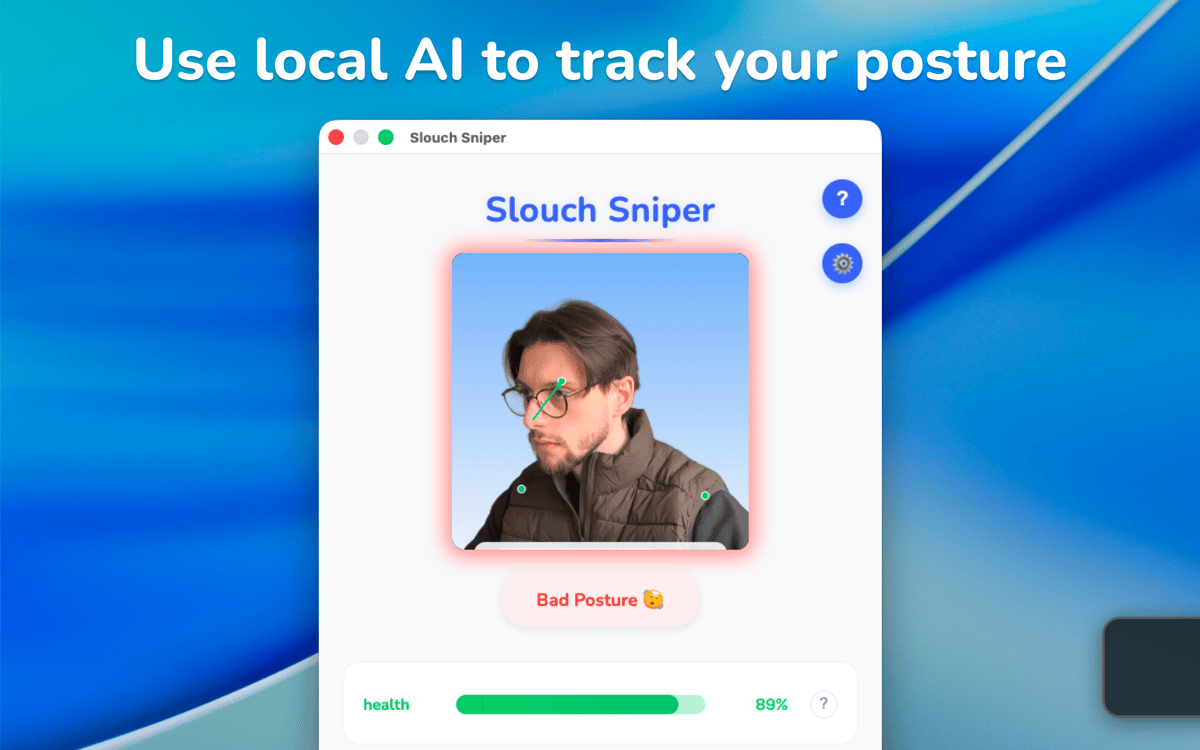
Most of us spend our workdays hunched over like a shrimp, which crushes our energy and strains our backs. SlouchSniper turns your webcam into a posture coach that keeps you sitting tall. It gently dims your screen the moment you slouch and brightens back up as soon as you correct your position.
Improve posture with gentle screen nudges
Reduce back/neck pain and brain fog
Analyze sitting habits in Posture History
Stay private with on-device AI
SlouchSniper features
Build better posture habits
SlouchSniper keeps an eye on your body position to help you fix any bad poses. Once you’ve got your camera set to the right angle, showing your head and shoulders, and run a quick calibration, the AI should recognize your ideal alignment. If you lean too far forward or slump, the screen dims. The dimming goes away as soon as you sit back. This helps your body learn to stay in a good position over time.
Customize the reminders
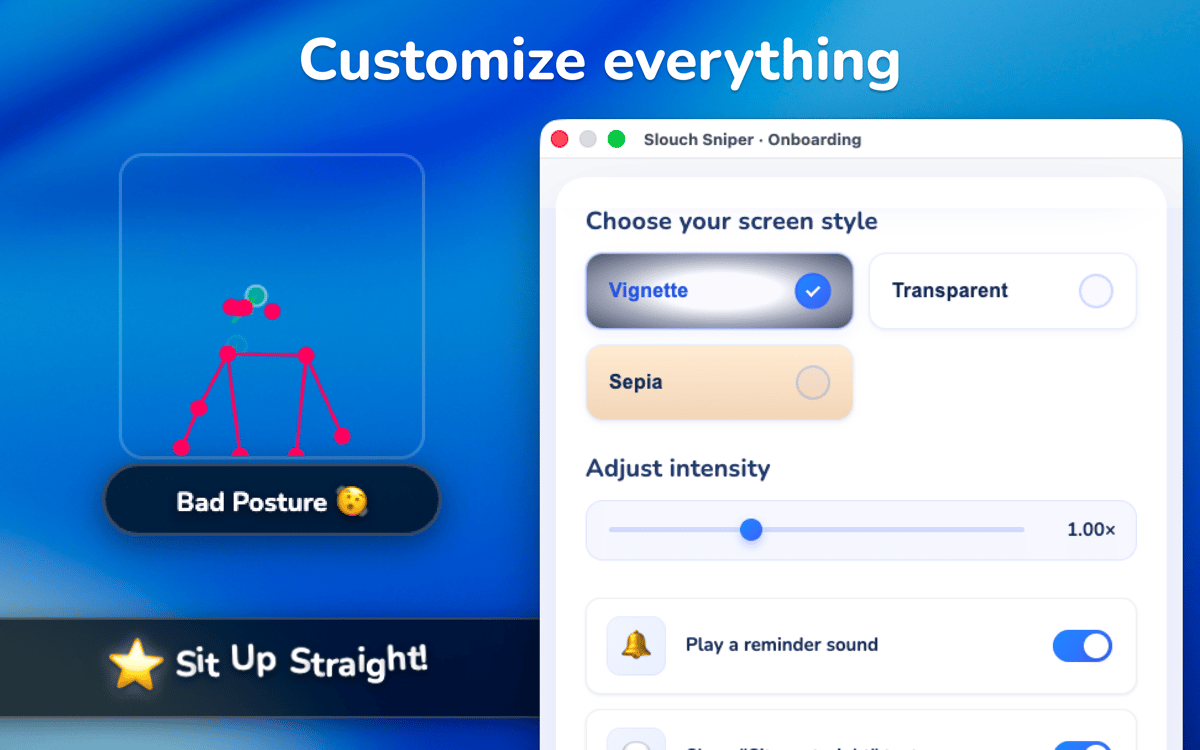
Worried the app might mess up your focus? You’ve got total control over how SlouchSniper nudges you. If the reminders start to feel too frequent, you can switch to another mode with less frequent notifications or customize the slouch alert delay manually using a slider.
Analyze your posture habits
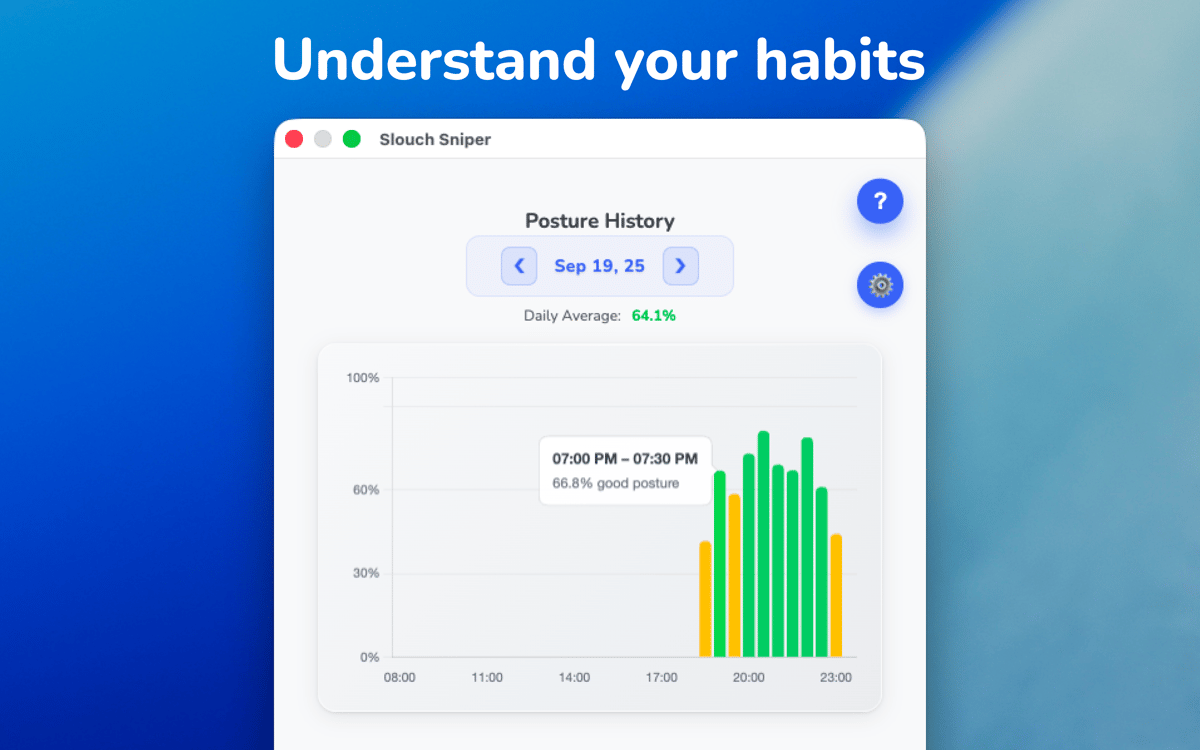
If you want to fix long-term habits, you’ve got to understand your posture history. The app makes a graph of your movements, so you can see exactly when your form collapses during the day. Most people slouch more as they get tired in the afternoon. Seeing these patterns can help you figure out when you need a break and show you how your posture improves over time.
Secure your data
Your privacy is the main focus of the design. All posture analysis happens on your device. The AI keeps track of your position in real-time, but the camera feed never leaves your Mac. You can rest assured that nothing is ever recorded or uploaded anywhere. Any optional data sharing, if enabled, is strictly opt-in and requires explicit consent.
Ratings and reviews
SlouchSniper
•
39 ratings
Kevin
Jul 5, 2026
App version: 1.9.2
Sadly, this didn't work at all for me. Not from the front, not from the side. I had to bend really far down for it to even recognize I am moving. In this state, it's not usable.
Kenneth
May 6, 2026
App version: 1.9.2
I have serious Tech-Neck, and after only a few days of this app, I am feeling relief. I see that the developer is actively improving on this app, including the onboarding, which can be a little confusing, but who cares? Even as-is, it works great. Great idea, and thank you.
Daniel Masters
Mar 25, 2026
App version: 1.9.2
Update: The below issue still occurs in v1.9.2. Original review: Great idea and algorithm works pretty well - but doesn’t resume after screen locks, so it makes it pretty useless. Even when I reopen the app, it says “Posture detection paused while screen is locked” and I have to manually click “Enable Posture Detection”.
Get hundreds of apps with Membership
Become Setapp member and use hundreds of stellar apps with one subscription.
Try 7 days free, then pay one simple fee.
Install Setapp on Mac
Explore apps for Mac, iOS, and web. Find easy ways to solve daily tasks.

Get the app you came for
That one shiny app is waiting inside Setapp. Install with a click.

SlouchSniper
Choose your subscription
One app or more with a Setapp membership. Get apps the way you want.

Get hundreds of apps with Membership
Become Setapp member and use hundreds of stellar apps with one subscription.
Try 7 days free, then pay one simple fee.
1
Install Setapp on Mac
Explore apps for Mac, iOS, and web. Find easy ways to solve daily tasks.
2
Get the app you came for
That one shiny app is waiting inside Setapp. Install with a click.
SlouchSniper
3
Choose your subscription
One app or more with a Setapp membership. Get apps the way you want.
Home to the top apps
From planning and routine tasks to creative pursuits and coding, tackle tasks with apps on Setapp.


SlouchSniper
Improve posture while working