SmoothDroid
Move Android files by USB
Mac
Version 1.1.1
macOS 12.0 or later
19 MB
1 languages
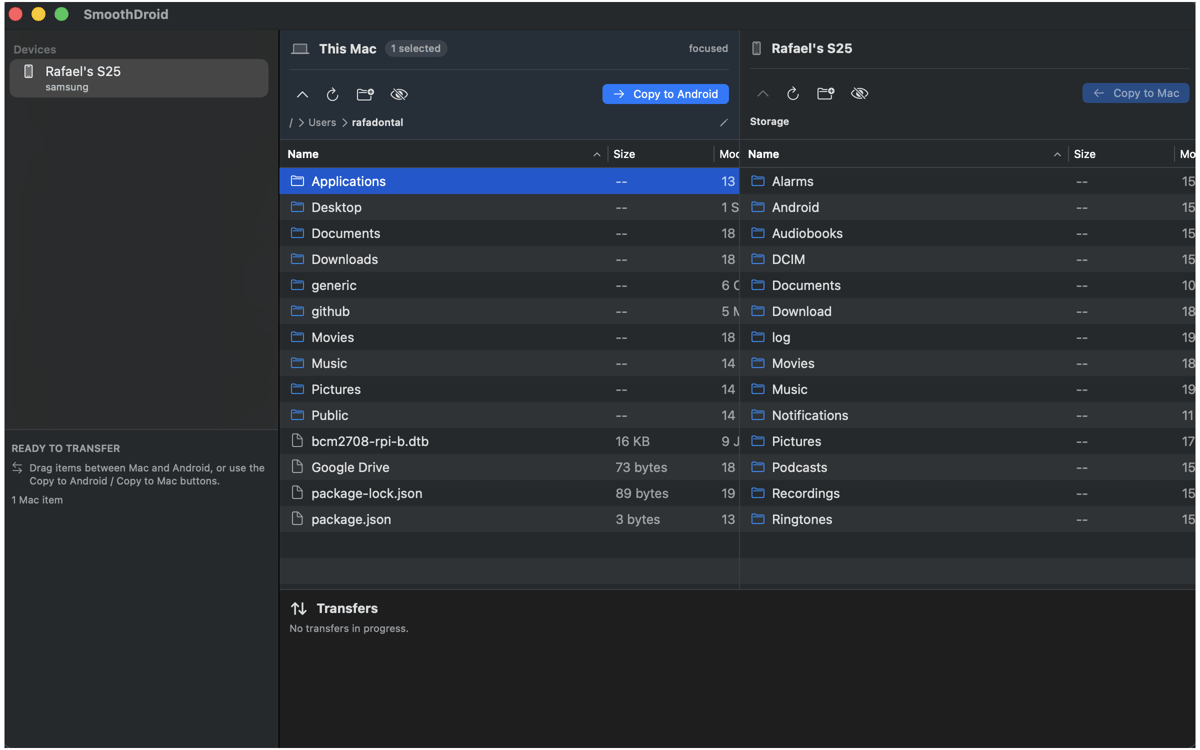
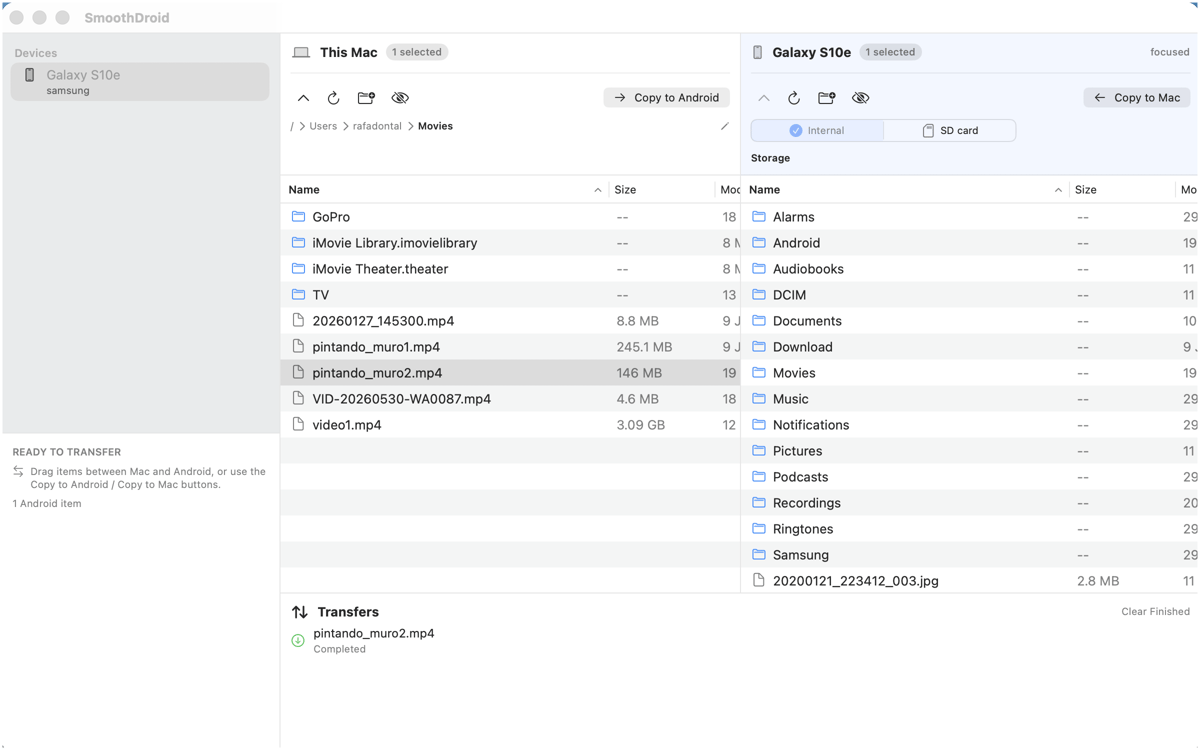
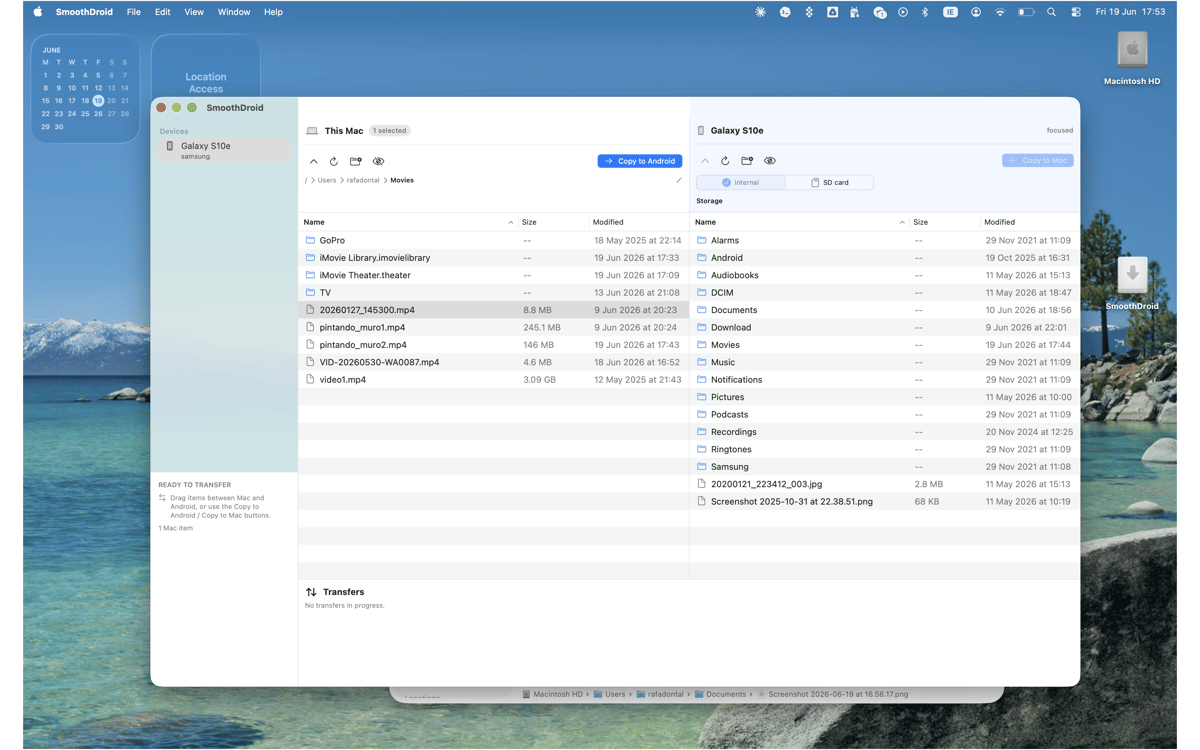
SmoothDroid — Android file transfer app for Mac. Move files and folders between macOS and Android over USB/MTP, with your Mac and phone shown side by side. Drag, copy, rename, delete, and create folders simply and easily without sending anything to the cloud. If another Mac app gets in the way, SmoothDroid gives clear recovery steps, because “try again later” isn’t a plan.
Move photos and videos to Mac
Send files to Android by USB
Copy whole folders both ways
Spot common MTP blockers
SmoothDroid features
Transfer files both ways
Copy photos, videos, music, APKs, downloads, and folders from Android to Mac or Mac to Android smoothly. It’s direct USB transfer, so your files don’t take a scenic route through a cloud account.
Browse side by side
See your Mac on one side and your Android storage on the other. Open folders, switch storage locations, and move what you need from one focused window.
Drag, drop, done
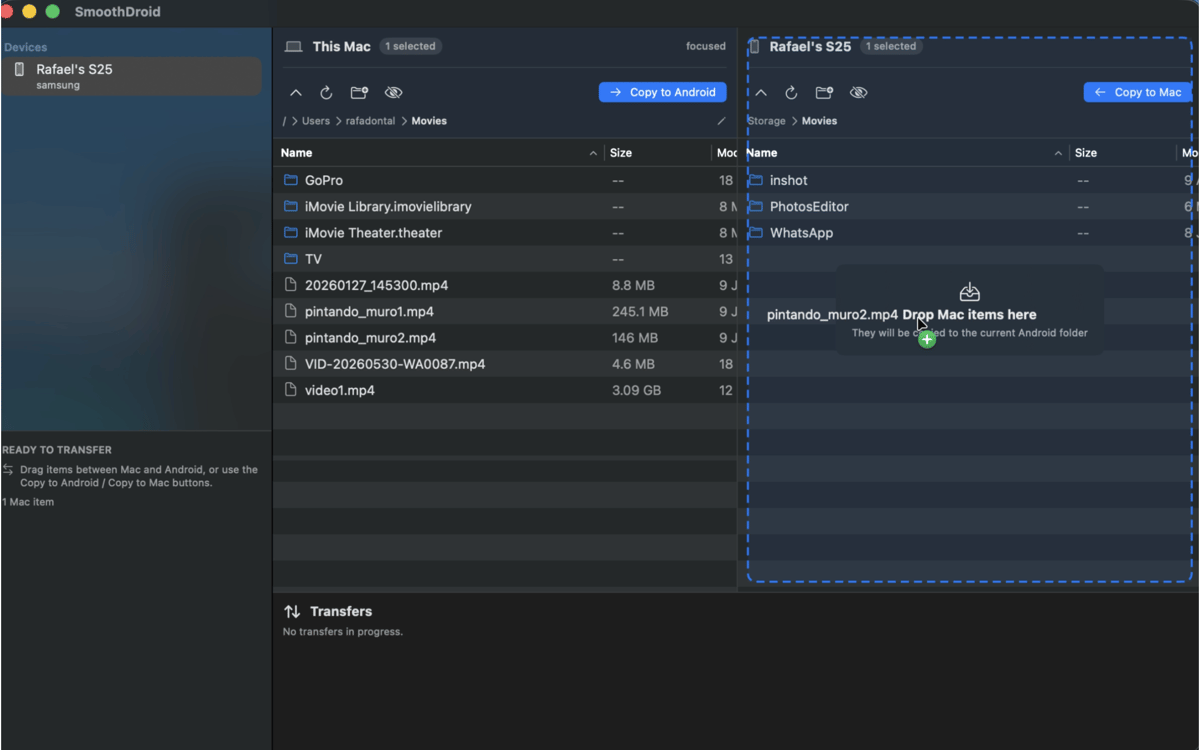
Drag files and folders between panes, or use copy and paste if that’s more your rhythm. SmoothDroid handles whole-folder transfers too, so big camera rolls don’t need babysitting.
Manage Android storage
Create folders, rename files, delete old items, and tidy up your Android device without opening another tool. Small file chores, neatly contained.
Track every transfer
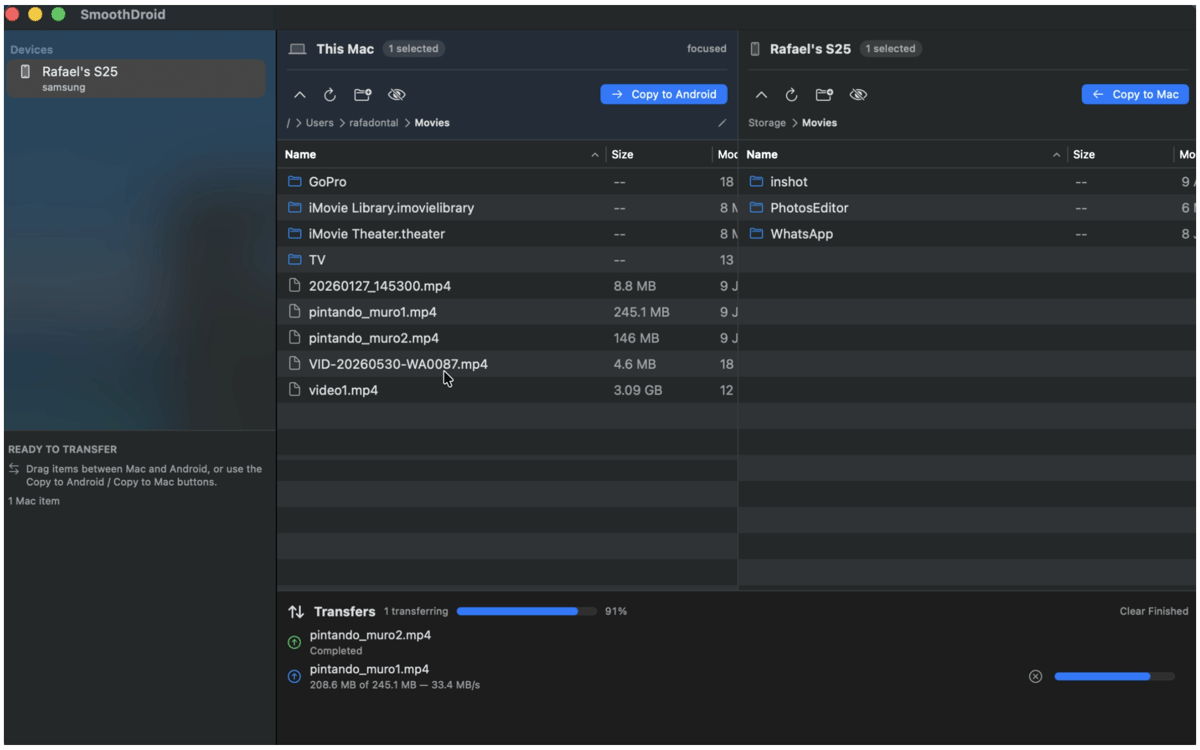
See active transfers, file names, progress, and errors in plain view. You’ll know what’s moving, what finished, and what needs attention.
Get past MTP hiccups
macOS and other transfer apps can sometimes grab the USB connection first. SmoothDroid detects common blockers and points you to practical recovery steps.
Get hundreds of apps with Membership
Become Setapp member and use hundreds of stellar apps with one subscription.
Try 7 days free, then pay one simple fee.
Install Setapp on Mac
Explore apps for Mac, iOS, and web. Find easy ways to solve daily tasks.

Get the app you came for
That one shiny app is waiting inside Setapp. Install with a click.

SmoothDroid
Choose your subscription
One app or more with a Setapp membership. Get apps the way you want.

Get hundreds of apps with Membership
Become Setapp member and use hundreds of stellar apps with one subscription.
Try 7 days free, then pay one simple fee.
1
Install Setapp on Mac
Explore apps for Mac, iOS, and web. Find easy ways to solve daily tasks.
2
Get the app you came for
That one shiny app is waiting inside Setapp. Install with a click.
SmoothDroid
3
Choose your subscription
One app or more with a Setapp membership. Get apps the way you want.
Home to the top apps
From planning and routine tasks to creative pursuits and coding, tackle tasks with apps on Setapp.


SmoothDroid
Move Android files by USB