TranscribeX
Convert audio & video into text
Mac
Version 10.3
macOS 14.6 or later
267.9 MB
1 languages
Audio and video can have a lot of valuable info, but getting it out manually takes time and messes with your workflow. TranscribeX can turn your recordings into clean, editable text in seconds, so you can focus on thinking, writing, and creating. Everything runs on your Mac, so it’s super fast, totally accurate, and totally private.
Convert recordings into accurate text
Transcribe content in 100+ languages
Summarize with advanced AI tools
Keep every file private on your Mac
TranscribeX features
Transcribe audio and video with exceptional accuracy
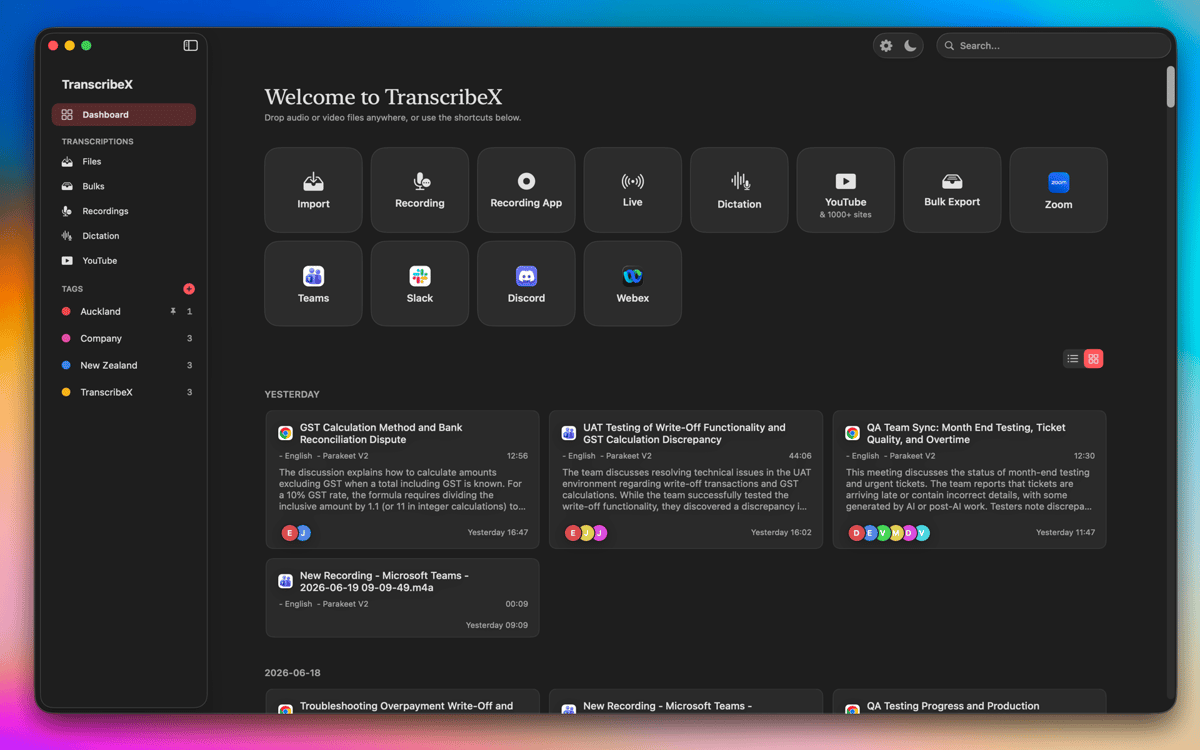
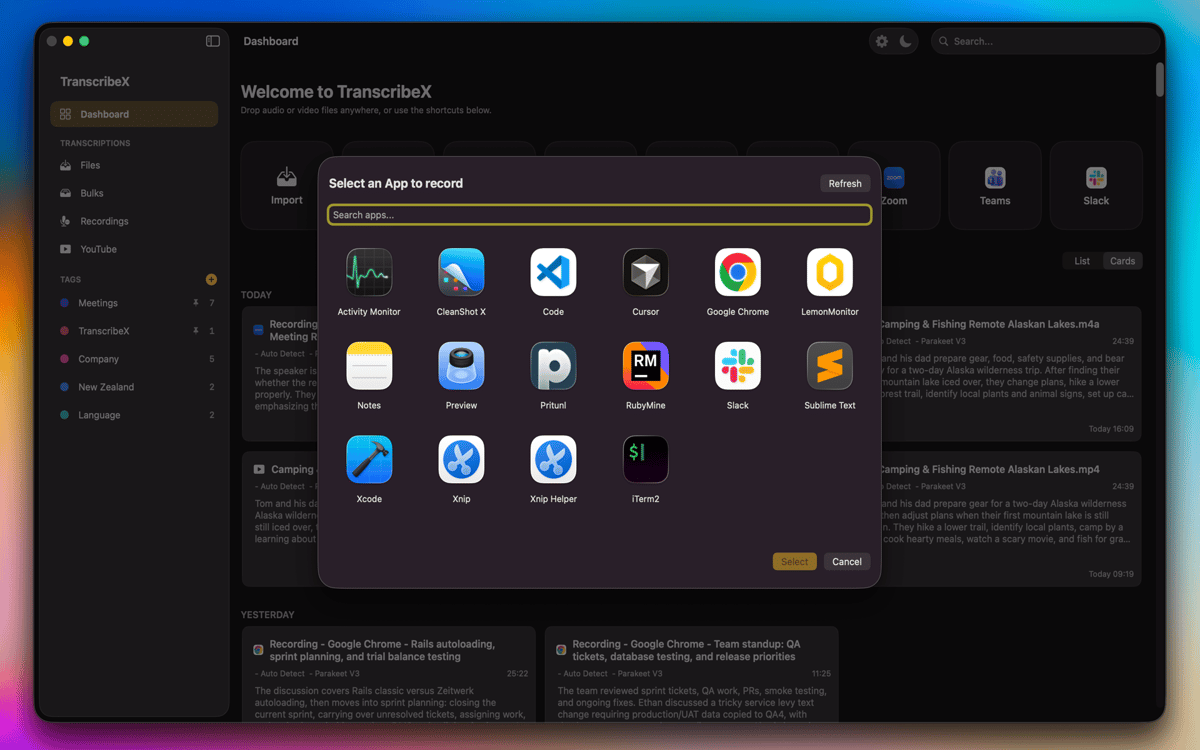
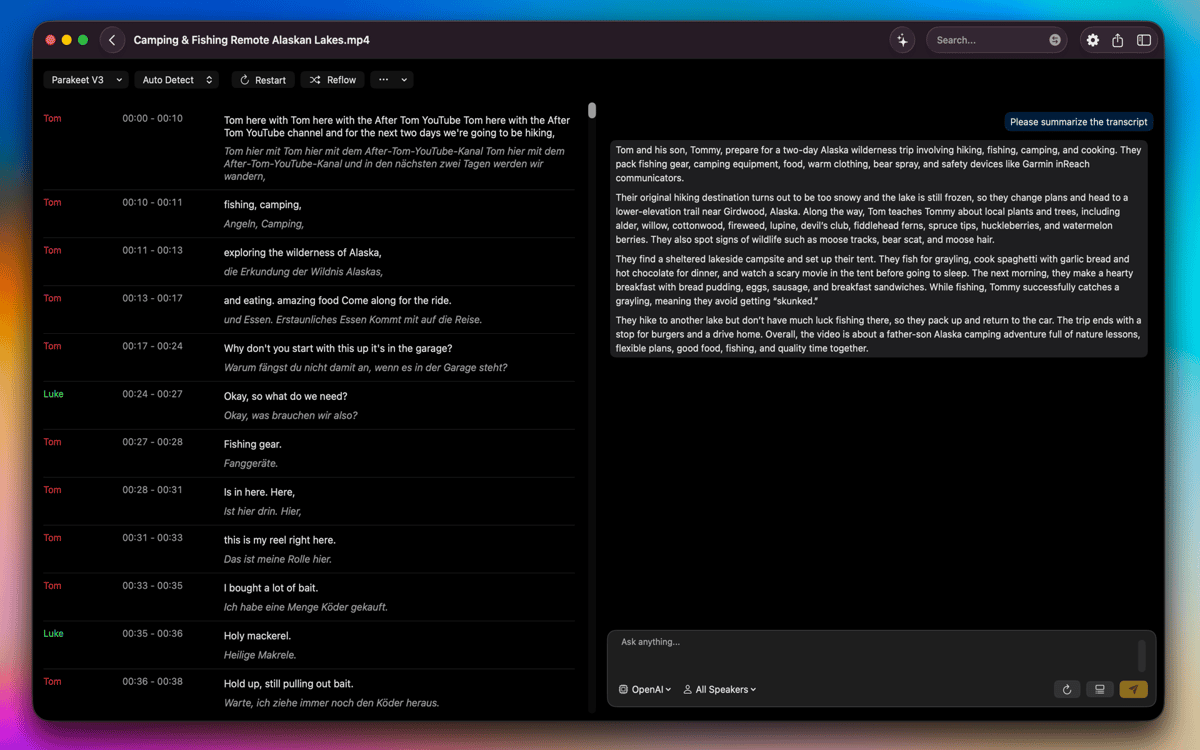
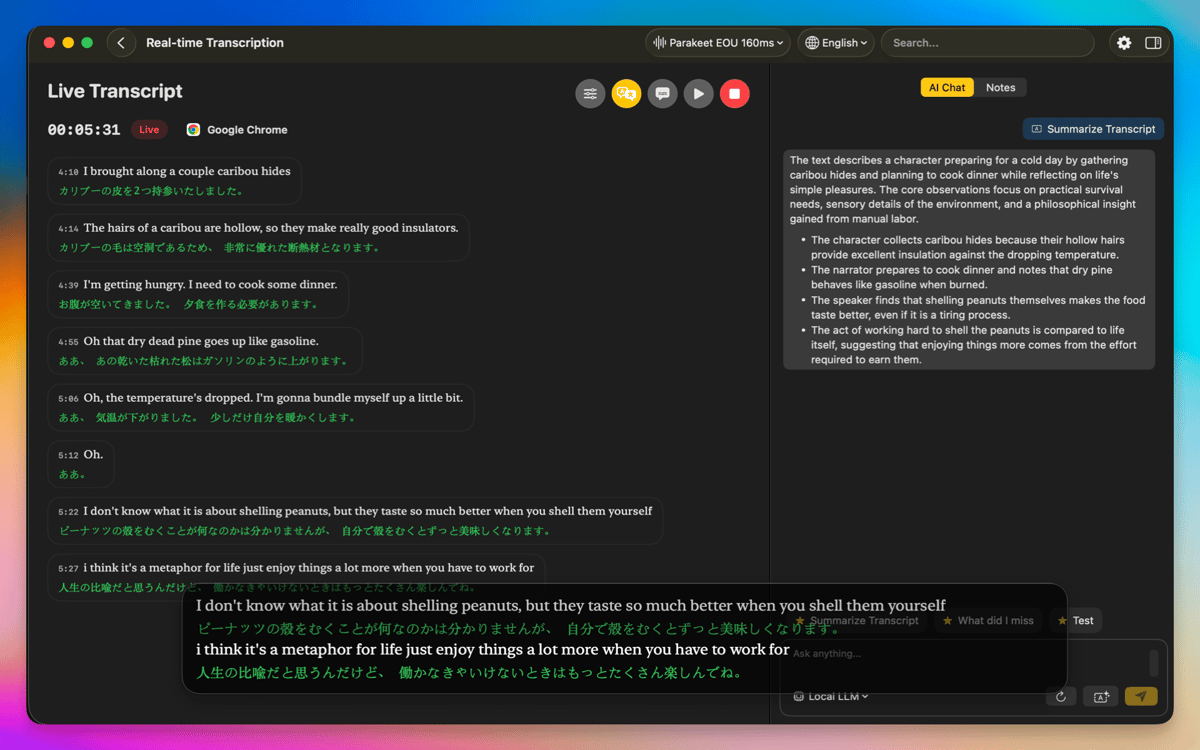
TranscribeX makes it easy to turn your recordings into precise transcripts using OpenAI Whisper, Parakeet, and Apple Intelligence. Simply import audio or video files from your Mac, drag and drop them into the app, or record directly using your microphone. You can even capture audio from other apps (Zoom, Google Meet, etc). And when you’re dealing with larger projects, you can transcribe multiple files at once, saving time and keeping your entire workflow moving smoothly.
Translate, summarize, and streamline your workflow
With built-in translation tools (Apple Translate and DeepL), you can translate transcripts into multiple languages. If you need a quick overview of long recordings, you can create summaries with ChatGPT, Gemini, and other AI models by entering your own API key. TranscribeX also includes predefined prompts to help you accelerate your workflow.
Edit and refine transcripts with powerful text tools
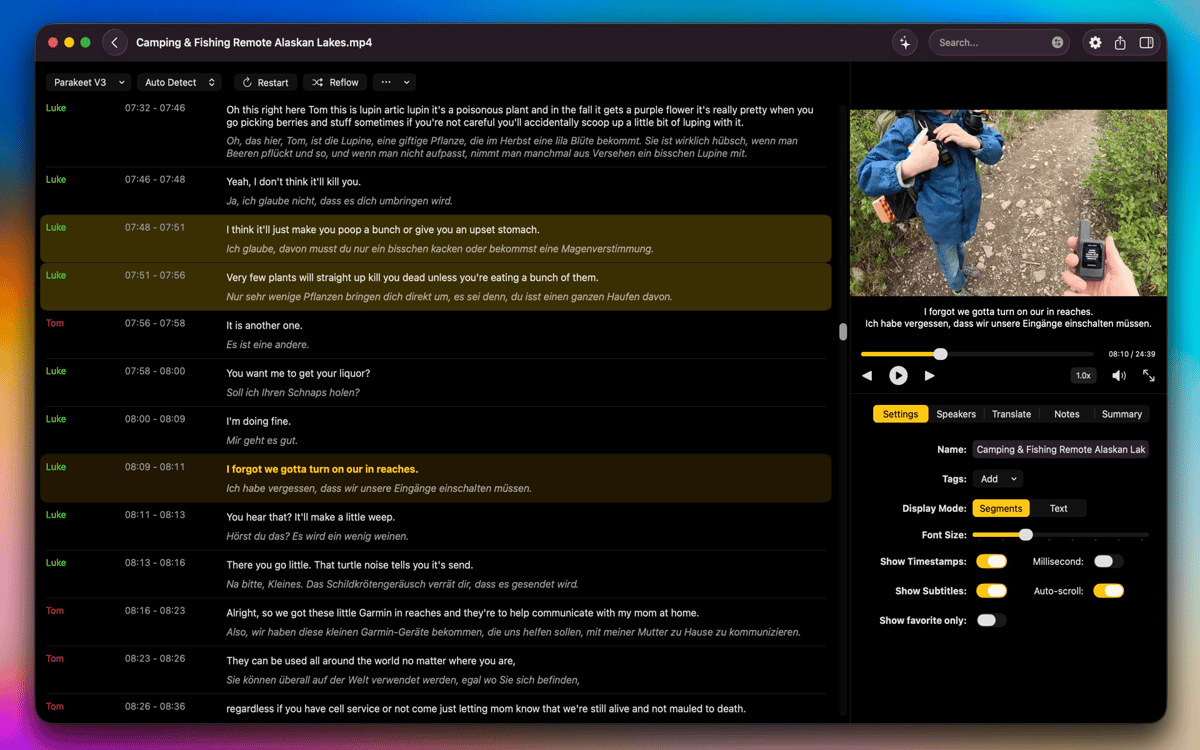
Once your transcript is ready, you can merge or split segments, customize speaker names, reflow segments by character or word count, or manually adjust timestamps for perfect alignment. Word-level text following keeps your place as you play the audio or video, and speaker diarization automatically identifies and labels different voices.
Work locally with full privacy and enhanced performance
All transcription and translation processes happen on your Mac, giving you maximum privacy with no data leaving your device. GPU acceleration ensures fast performance, even with long or complex recordings. TranscribeX supports a wide range of formats, lets you switch between compact and segment views, and includes options to reveal or delete original files directly from Finder. Everything is designed to help you work smoothly, securely, and efficiently.
Ratings and reviews
TranscribeX
•
110 ratings
Tobias
Oct 7, 2026
App version: 10.3
Crashed on first use
Response from Developer
Oct 7, 2026
Hey, could you send us the crash report please? [email protected]
Angela
Sep 21, 2026
App version: 10.2
Works as described! I just use it for transcribing a video every week for YouTube captioning and it has worked great!
Michael
Aug 31, 2026
App version: 9.3
Praktische Diktierhilfe. Funktioniert besser als die Diktierfunktion von Apple.
Get hundreds of apps with Membership
Become Setapp member and use hundreds of stellar apps with one subscription.
Try 7 days free, then pay one simple fee.
Install Setapp on Mac
Explore apps for Mac, iOS, and web. Find easy ways to solve daily tasks.

Get the app you came for
That one shiny app is waiting inside Setapp. Install with a click.

TranscribeX
Choose your subscription
One app or more with a Setapp membership. Get apps the way you want.

Get hundreds of apps with Membership
Become Setapp member and use hundreds of stellar apps with one subscription.
Try 7 days free, then pay one simple fee.
1
Install Setapp on Mac
Explore apps for Mac, iOS, and web. Find easy ways to solve daily tasks.
2
Get the app you came for
That one shiny app is waiting inside Setapp. Install with a click.
TranscribeX
3
Choose your subscription
One app or more with a Setapp membership. Get apps the way you want.
Home to the top apps
From planning and routine tasks to creative pursuits and coding, tackle tasks with apps on Setapp.


TranscribeX
Convert audio & video into text