
Typedesk
Type less, say more
Mac
Version 3.3.4
macOS 12.0 or later
636.1 MB
1 languages
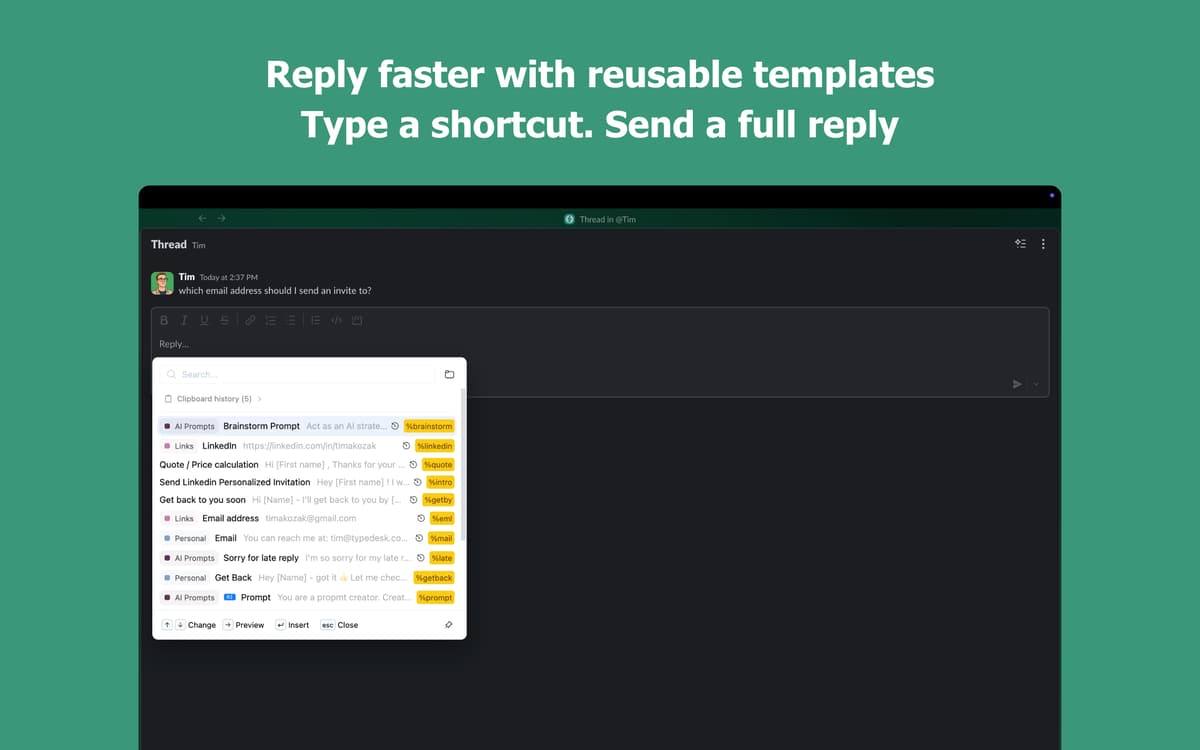
Tired of typing the same things over and over? Typedesk lets you create simple shortcuts for anything you type repeatedly — email replies, signatures, code snippets, you name it. Works seamlessly across your Mac apps, so you save time wherever you work.
Create shortcuts for repeated text snippets
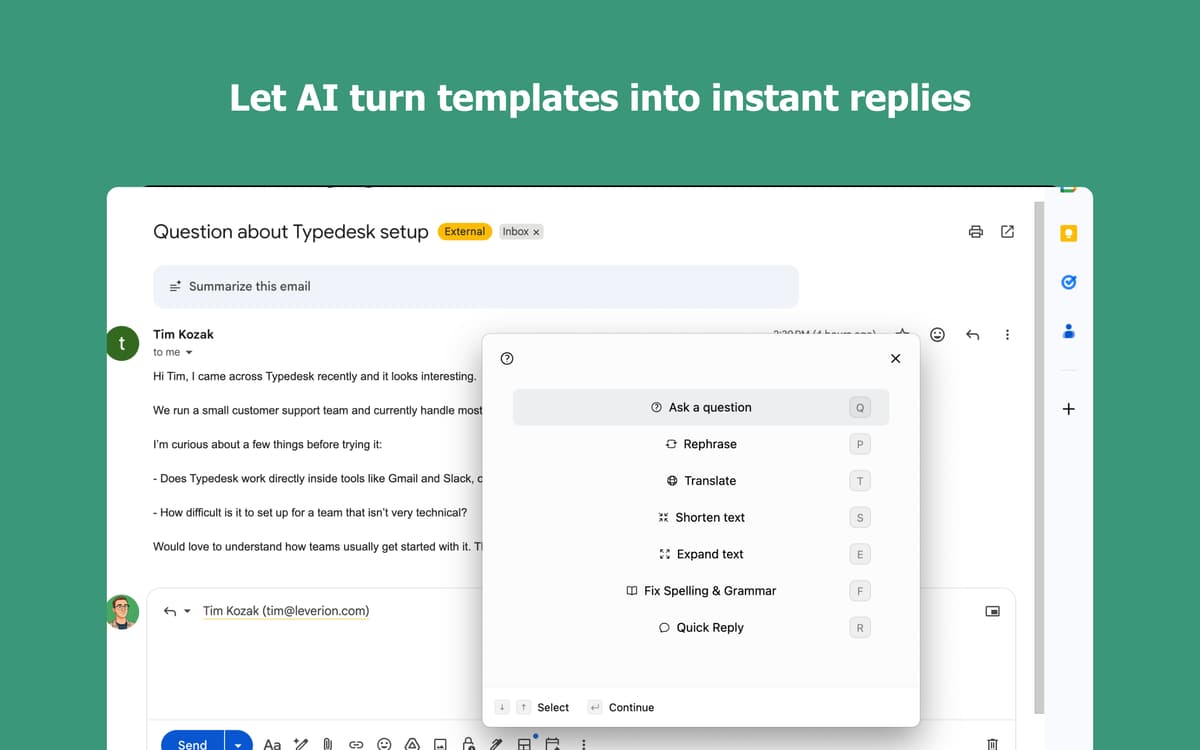
Insert templates with a few keystrokes
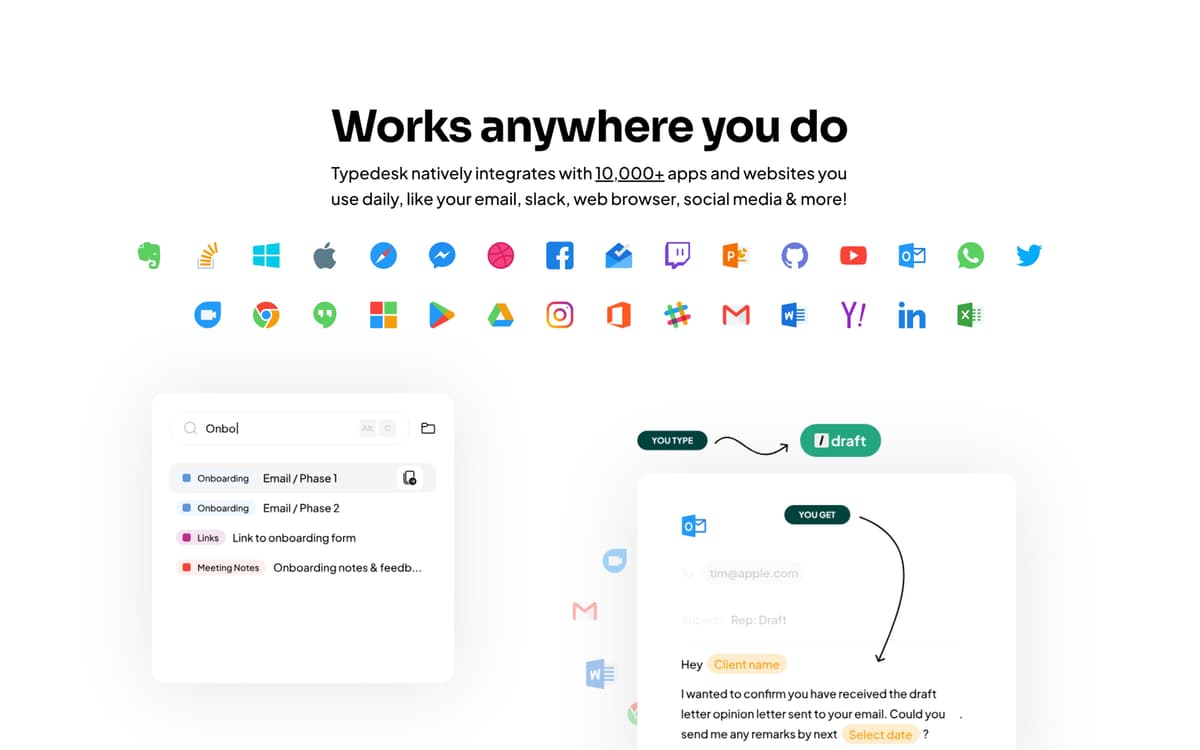
Works in every app on your Mac
Sync shortcuts across all your devices
Typedesk features
Speed up typing
Type a short abbreviation and watch it instantly expand into the full text. Type 'addr' and your complete address appears — just like that. Works in every app you already use, from email to messages to documents. Your fingers will thank you.
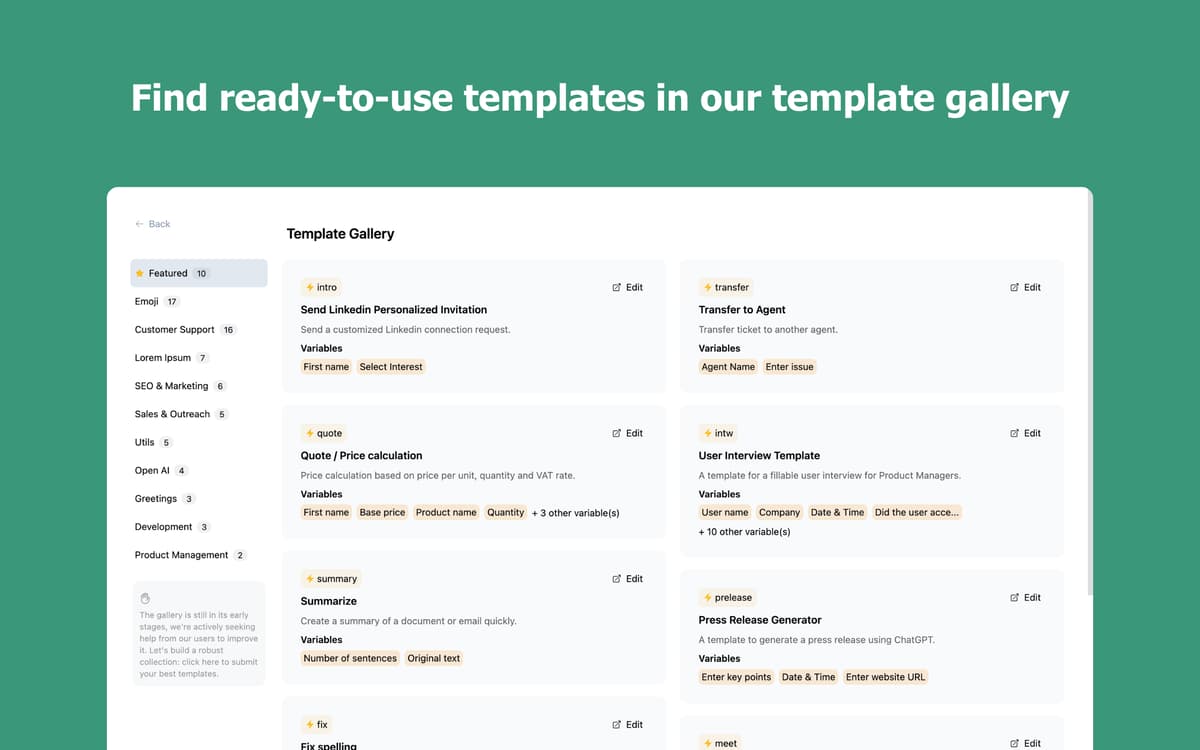
Build a snippet library that's yours
Save the emails, greetings, and phrases you type every day. Organize them into folders, find what you need in seconds, and insert it without breaking your flow. The more you use it, the more it works for you.
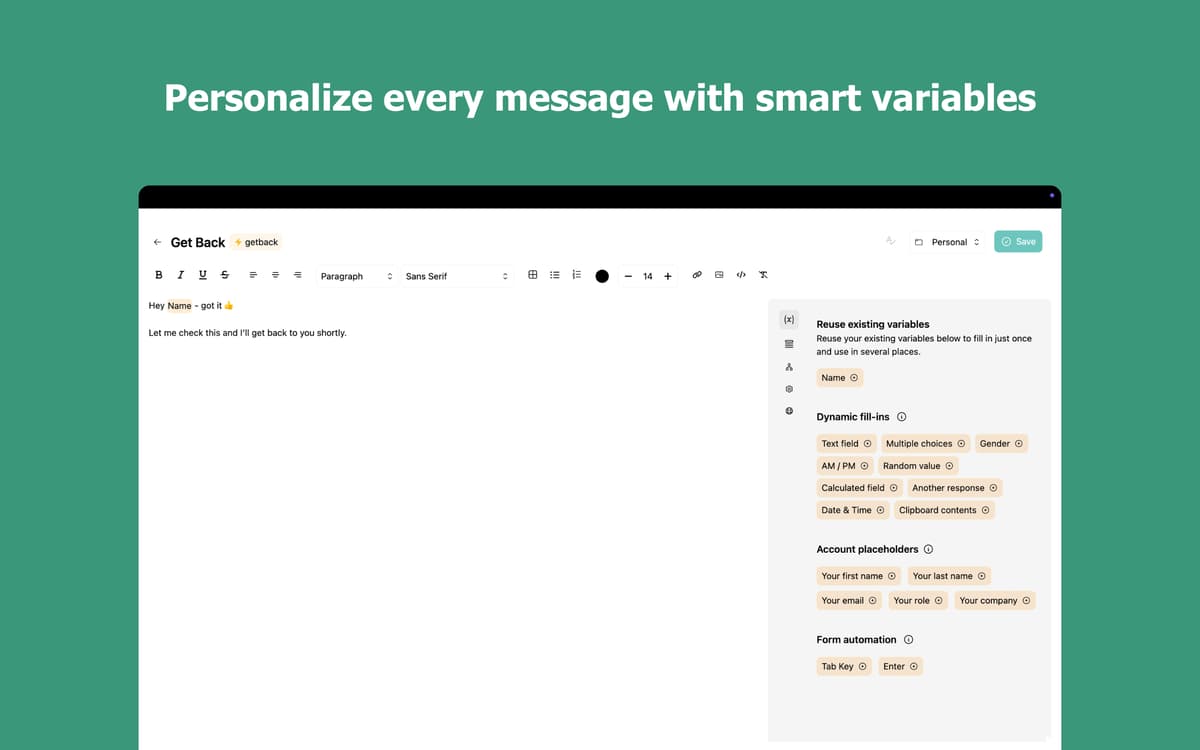
Make every snippet smarter with variables
Add personalized details like names, dates, or custom fields directly inside your snippets. Choose from multiple options on the fly with multi-select variables. Stop rewriting the same message just to change a few words.
Type in any app, on any device
Typedesk works everywhere on your Mac: email clients, browsers, chat apps, and code editors. Your shortcuts sync across your devices so you're always productive, wherever you are.
Ratings and reviews
Typedesk
•
46 ratings
Nadir Palacios
Sep 11, 2026
App version: 3.3.4
Works amazing
Mark van Silfhout
Aug 20, 2026
App version: 3.3.3
This is the app I have been waiting for for a long time. Default substitution on a Mac works, however this is easier and works on any app/browset! I can’t wait to see them develop an iPhone/iPad version :-D Unfortunately it stopped working?: can not log you in with Setapp :-(
Christian Saborio
Aug 6, 2026
App version: 3.3.3
Wonderful app - in less than 5 minutes it has already replaced Atext (which I have been using for years but interface is a bit meh). Nice to have a fresh UI with an app that works really well - love the \ * 2 feature!
Get hundreds of apps with Membership
Become Setapp member and use hundreds of stellar apps with one subscription.
Try 7 days free, then pay one simple fee.
Install Setapp on Mac
Explore apps for Mac, iOS, and web. Find easy ways to solve daily tasks.

Get the app you came for
That one shiny app is waiting inside Setapp. Install with a click.

Typedesk
Choose your subscription
One app or more with a Setapp membership. Get apps the way you want.

Get hundreds of apps with Membership
Become Setapp member and use hundreds of stellar apps with one subscription.
Try 7 days free, then pay one simple fee.
1
Install Setapp on Mac
Explore apps for Mac, iOS, and web. Find easy ways to solve daily tasks.
2
Get the app you came for
That one shiny app is waiting inside Setapp. Install with a click.
Typedesk
3
Choose your subscription
One app or more with a Setapp membership. Get apps the way you want.
Home to the top apps
From planning and routine tasks to creative pursuits and coding, tackle tasks with apps on Setapp.


Typedesk
Type less, say more