
Veilnote
Notes only you can see



Mac
Version 1.2.0
macOS 14.0 or later
6 MB
1 languages
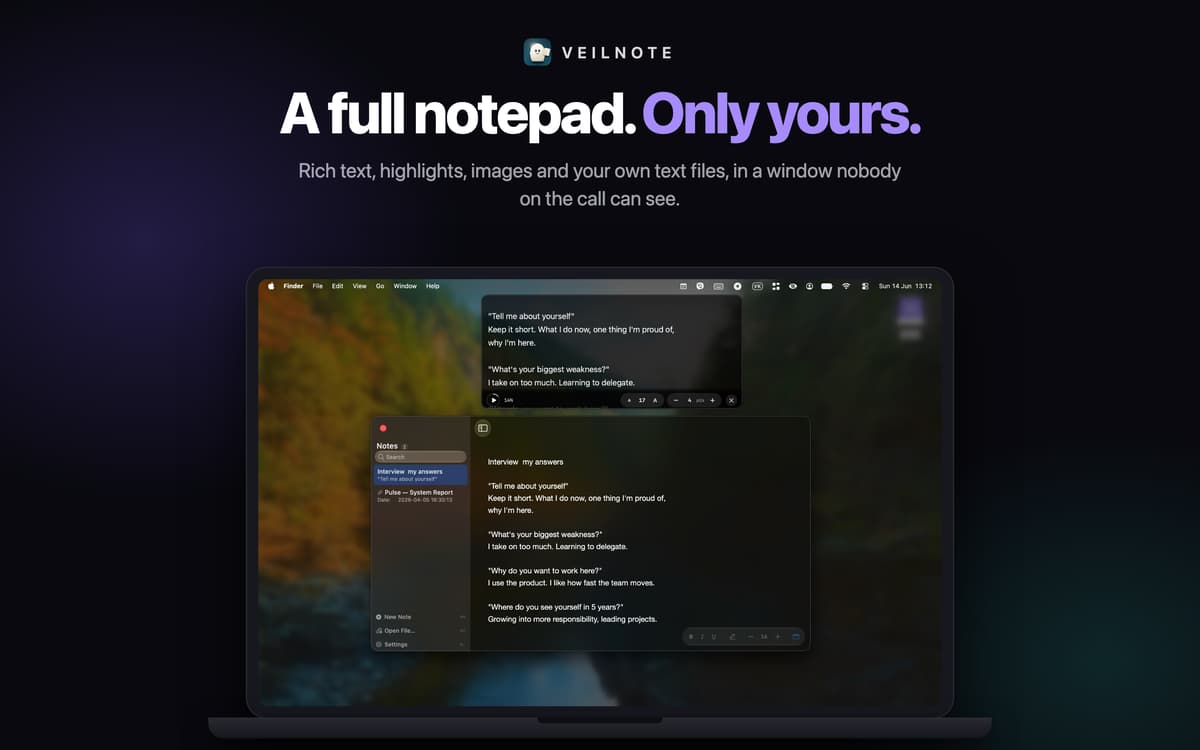
Veilnote is a floating notepad and notch teleprompter for Mac that stays invisible when you share or record your screen. Keep your talking points, script or interview notes right on screen. Everyone on the call sees your slides, browser or demo. Only you see Veilnote. It's not a transparency trick. Veilnote uses macOS capture exclusion, so its windows are left out of the captured video entirely. That works in Zoom, Google Meet, Microsoft Teams, Loom, OBS, QuickTime recordings and screenshots. One honest note: Veilnote hides from screen capture, not from cameras. A phone pointed at your monitor will still see it, and FaceTime isn't covered.
Sales demos and discovery calls
Webinars, keynotes, and presentations
Remote job interviews
Video tutorials and screen recordings
Veilnote features
Hidden from screen sharing
Your notes stay on your screen and out of everyone else's. Share your entire screen without closing anything first.
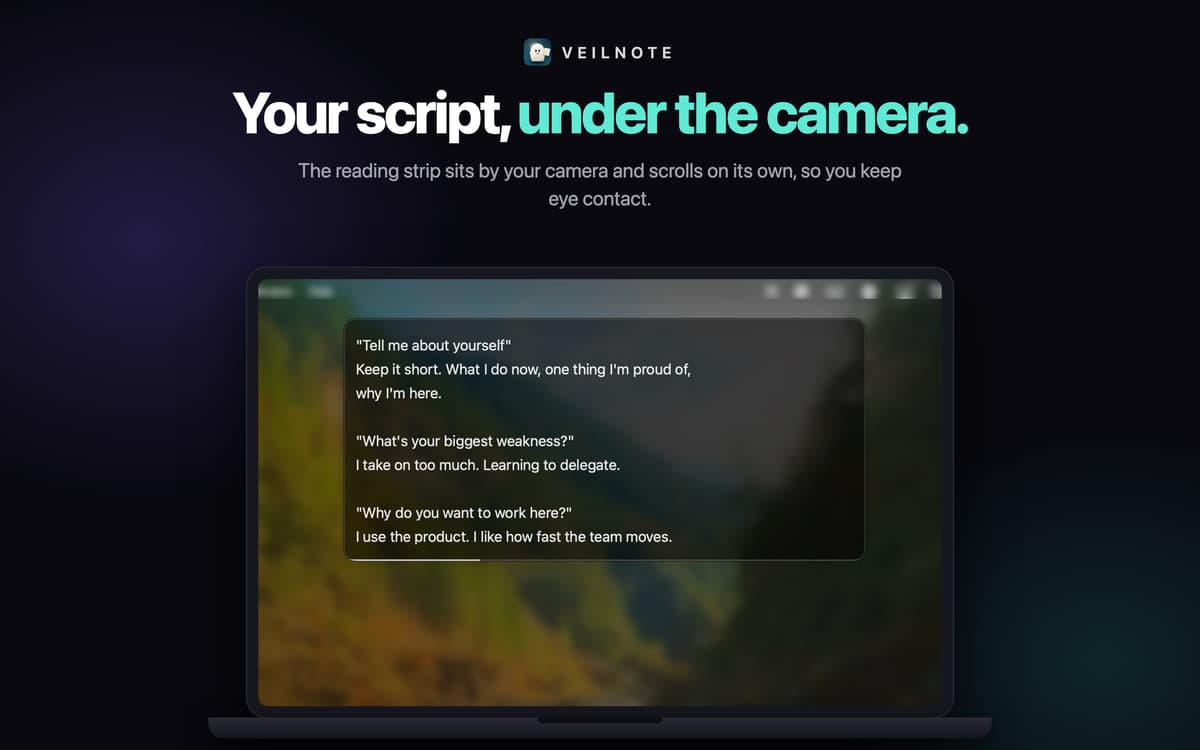
The brow: a teleprompter by your camera
A slim reading strip sits at the top of your screen, right under the camera, and mirrors the open note. It scrolls on its own at the speed you set, so you can read your script and keep eye contact. Adjust its width, height, text size and opacity. Hover it for play and speed controls.
A real rich text editor
Write and edit live, mid-call. Bold, italic, underline and five highlight colors. Paste or drag in images. Your first line becomes the note's title. Tweak font size, line height and padding.
All your notes in one sidebar
Unlimited notes with instant search and an archive. Open and edit plain-text files from your Mac right in Veilnote. Export a note as Rich Text, Plain Text or Markdown, or export all of them at once.
Global hotkeys
⌘⇧G shows or hides your notes, ⌘⇧B shows or hides the brow, and ⌘⇧P plays or pauses the scroll. They work from any app, so you never switch away from your presentation. Every shortcut can be changed.
Out of your way
Veilnote floats above other windows, follows you across Spaces and lives in the menu bar, with no Dock icon. No account, no network access, no data collection. Your notes stay on your Mac.
Get hundreds of apps with Membership
Become Setapp member and use hundreds of stellar apps with one subscription.
Try 7 days free, then pay one simple fee.
Install Setapp on Mac
Explore apps for Mac, iOS, and web. Find easy ways to solve daily tasks.

Get the app you came for
That one shiny app is waiting inside Setapp. Install with a click.

Veilnote
Choose your subscription
One app or more with a Setapp membership. Get apps the way you want.

Get hundreds of apps with Membership
Become Setapp member and use hundreds of stellar apps with one subscription.
Try 7 days free, then pay one simple fee.
1
Install Setapp on Mac
Explore apps for Mac, iOS, and web. Find easy ways to solve daily tasks.
2
Get the app you came for
That one shiny app is waiting inside Setapp. Install with a click.
Veilnote
3
Choose your subscription
One app or more with a Setapp membership. Get apps the way you want.
Home to the top apps
From planning and routine tasks to creative pursuits and coding, tackle tasks with apps on Setapp.


Veilnote
Notes only you can see