The best Freshdesk alternatives in 2026 are Help Scout for small email-first teams, Zendesk for enterprise support, and Zoho Desk or FreeScout for tight budgets. Help Scout and Zoho Desk also have free plans. Freshdesk raised prices and cut its free program to one or two agents for six months. I compared nine options, plus four Mac apps that speed up replies.
Next, I’ll show you each alternative in detail: what it does, its key features, its pros and cons, and which team it suits.
Tool
Best for
Mac app
Free tier
Price from (paid)
Help Scout
Small email-first teams
Browser
Free, up to 5 users
$25/user/mo (billed monthly)
Zendesk
Enterprise-scale support
Browser
Free trial
$19-$115/agent/mo
Intercom
In-app SaaS support
Browser
14-day trial
$29/seat/mo
Front
Shared inbox teams
Desktop app
14-day trial
$25/seat/mo
HubSpot Service Hub
HubSpot CRM users
Browser
Free, up to 2 users
From $7/seat/mo
Zoho Desk
Zoho users
Browser
Free, up to 3 agents
$7-$40/agent/mo
Chatwoot
Open-source omnichannel
Browser
Free, self-hosted
$19/agent/mo (cloud)
FreeScout
Free self-hosted desk
Browser
Free, self-hosted
Free + paid modules
Gorgias
Shopify stores
Browser
7-day trial
$10/mo, 50 tickets
Why do teams leave Freshdesk?
Freshdesk is the cloud-based helpdesk from Freshworks. It turns customer emails, chats, and calls into tickets, so a team can track every request in one place. Here are the four reasons teams look for Freshdesk alternatives, and what to know before you switch:
Free tier limits. Freshdesk’s free program now covers one or two agents for six months, not 10 agents. The free plan also lacks the automations and service level agreement (SLA) management that arrive on Growth.
Paid tier scaling. Freshdesk raised prices in 2026: Growth is $19, Pro is $55, and Enterprise is $89 per agent. Ten agents on Pro cost $550 a month before the $29 Freddy AI Copilot add-on.
Extra costs for chat and AI. Live chat means moving to Freshdesk Omni, which starts at $29 per agent. AI is billed separately almost everywhere, from $0.75 to $0.99 per resolution at Help Scout and Intercom.
Bundling and interface density. Freshdesk cross-sells Freshchat, Freshsales, Freshservice, and Freshcaller, and its interface can feel busy next to Help Scout or Front. If you want just a helpdesk, cleaner options exist.
To be fair, Freshdesk is genuinely good at what it does. It’s an established, reliable, feature-rich helpdesk with accessible prices and a useful Freshworks product suite. This guide is for teams whose fit is different. If you do switch, budget one to two weeks of slower replies while your team learns a new desk.
Help Scout: Best small-team email-first support
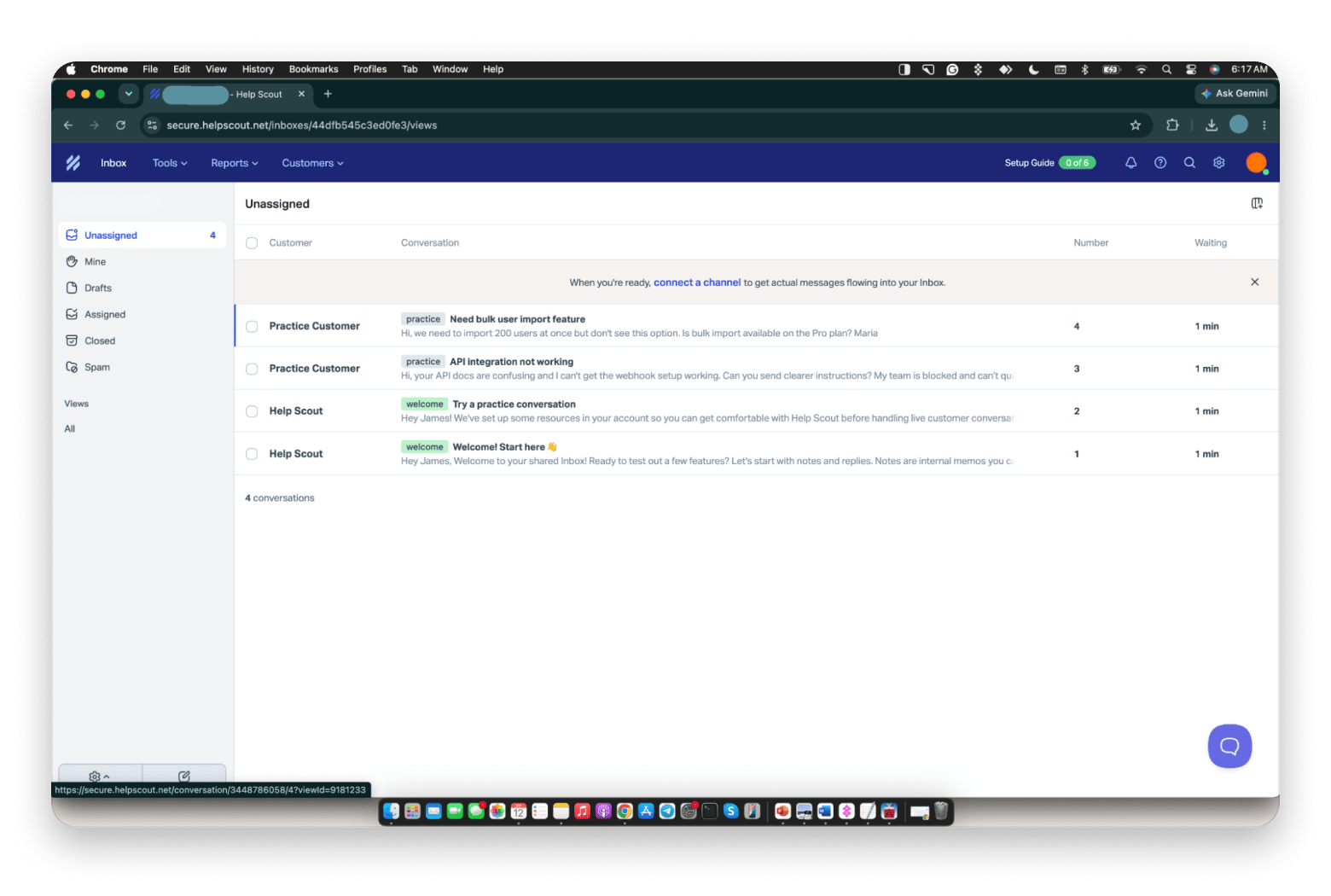
Help Scout is the best Freshdesk alternative for small, email-first teams: an email-style shared inbox with a free plan for up to 5 users. Help Scout is customer support software from the Boston-based company of the same name. It’s an email-first shared inbox, so conversations feel like emails, not tickets. A shared inbox means the whole team answers from one support address, such as support@. It includes Docs (a knowledge base), Beacon (a live chat widget), and reporting. For startups leaving Freshdesk, setup is simple, so a small team can start the same afternoon.
What won me over was the onboarding. My new inbox came pre-loaded with practice conversations, and one walked me through a sample workflow that tagged a feature request, replied to the customer, and closed the conversation in one click.
Key features:
Shared inbox with assignment and private notes
Docs knowledge base and Beacon chat widget
Workflows and reporting
Pros:
Customers get replies, not ticket numbers
Free for up to 5 users
Quick to set up
Cons:
Less automation than Freshdesk
No built-in phone channel
The free plan caps you at 100 contacts a month
Price: Free for up to 5 users. Standard is $25, Plus is $45, and Pro is $75 per user per month, billed monthly (about $21, $38, and $63 on annual billing). A 15-day trial covers Standard and Plus.
Best for: A small SaaS support team of 5 to 25 people that values simplicity over feature depth.
Zendesk: Best for enterprise-scale support
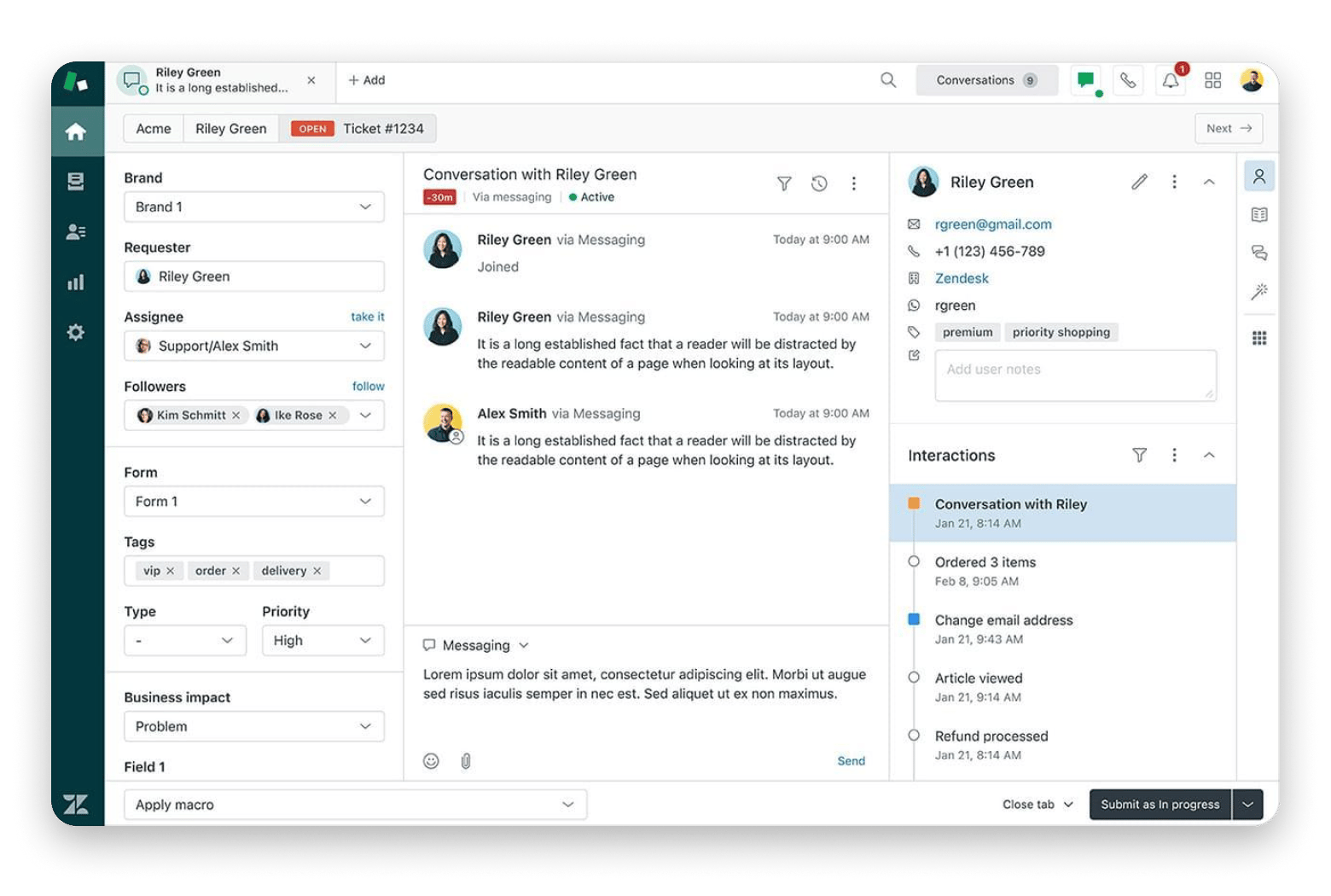
Zendesk is the best Freshdesk alternative for enterprise-scale support, with routing, service level agreement (SLA) management, and chat and voice channels on Suite plans. Zendesk is a customer service platform from the San Francisco company of the same name. It is more feature-rich than Freshdesk. It handles help desk ticketing with ticket routing, SLA management, and multi-channel customer service across email, chat, voice, WhatsApp, and Instagram, with AI triage at scale. In help desk ticketing, every customer request becomes a ticket with its own number, status, and owner, so nothing slips through the cracks. It has native mobile apps and an extensive marketplace.
I priced Zendesk for a two-person inbox of mostly password resets, and the quote made the decision for me. It’s built for a bigger operation than mine.
Key features:
Ticket routing and SLA management
Email, chat, voice, WhatsApp, and Instagram
Extensive app marketplace
Pros:
Handles medium to enterprise volume
Mature voice and AI triage
Native mobile apps
Cons:
Pricier than Freshdesk
Dense interface and slower setup
Price: Support Team is $19 (email only), Suite Team $55 (adds chat, messaging, and voice), and Suite Professional $115 per agent per month. Prices reflect annual billing; monthly billing costs more.
Best for: A medium to enterprise support operation that needs Freshdesk’s features and more.
Intercom: Best for SaaS in-app support
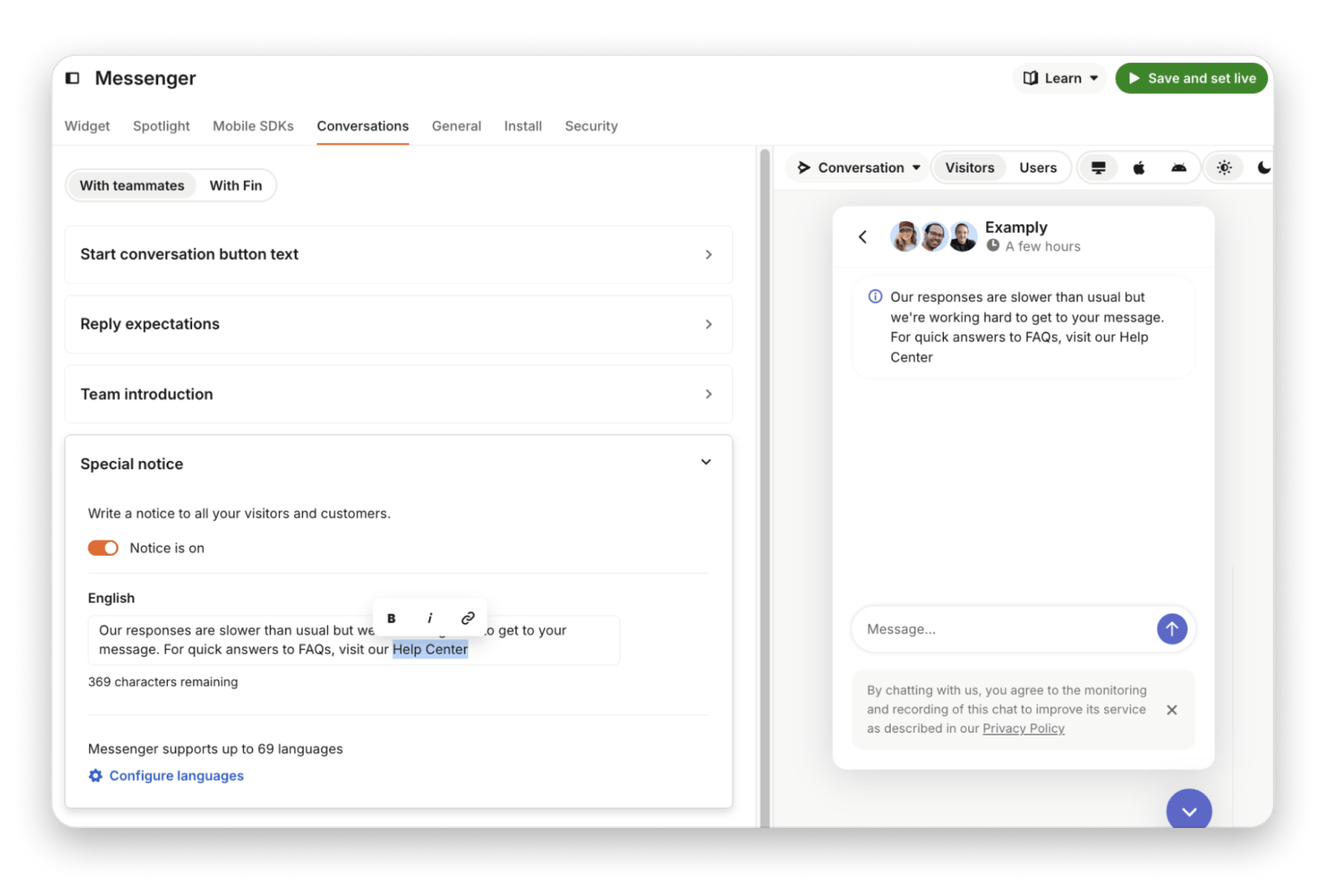
Intercom is the best Freshdesk alternative when customers ask for help inside your product, thanks to in-app chat and its Fin AI agent. Intercom is a customer messaging platform and a popular choice for in-product messaging. In-product messaging means the chat window lives inside your website or app, so customers ask for help without leaving the page they’re on. You get the chat widget, in-app messages, product tours, and Fin, its AI agent, which handles first-line questions. It’s the strongest option when customers ask for help inside your product.
I signed up for Intercom’s trial to test it. There is no free plan to fall back on, so line up your test conversations before you start the clock.
Key features:
In-app messenger and product tours
Fin AI agent billed per resolved outcome
Shared inbox and help center
Pros:
Best-in-class in-product messaging
One of the most mature AI agents
Published pricing
Cons:
No free plan, only a 14-day trial
Fin’s fee adds up at volume
No desktop app for Mac
Price: Essential is $29 per seat per month on annual billing ($39 monthly). Fin costs $0.99 per resolved outcome.
Best for: A small SaaS support team whose main channel is in-app chat.
Front: Best shared inbox model
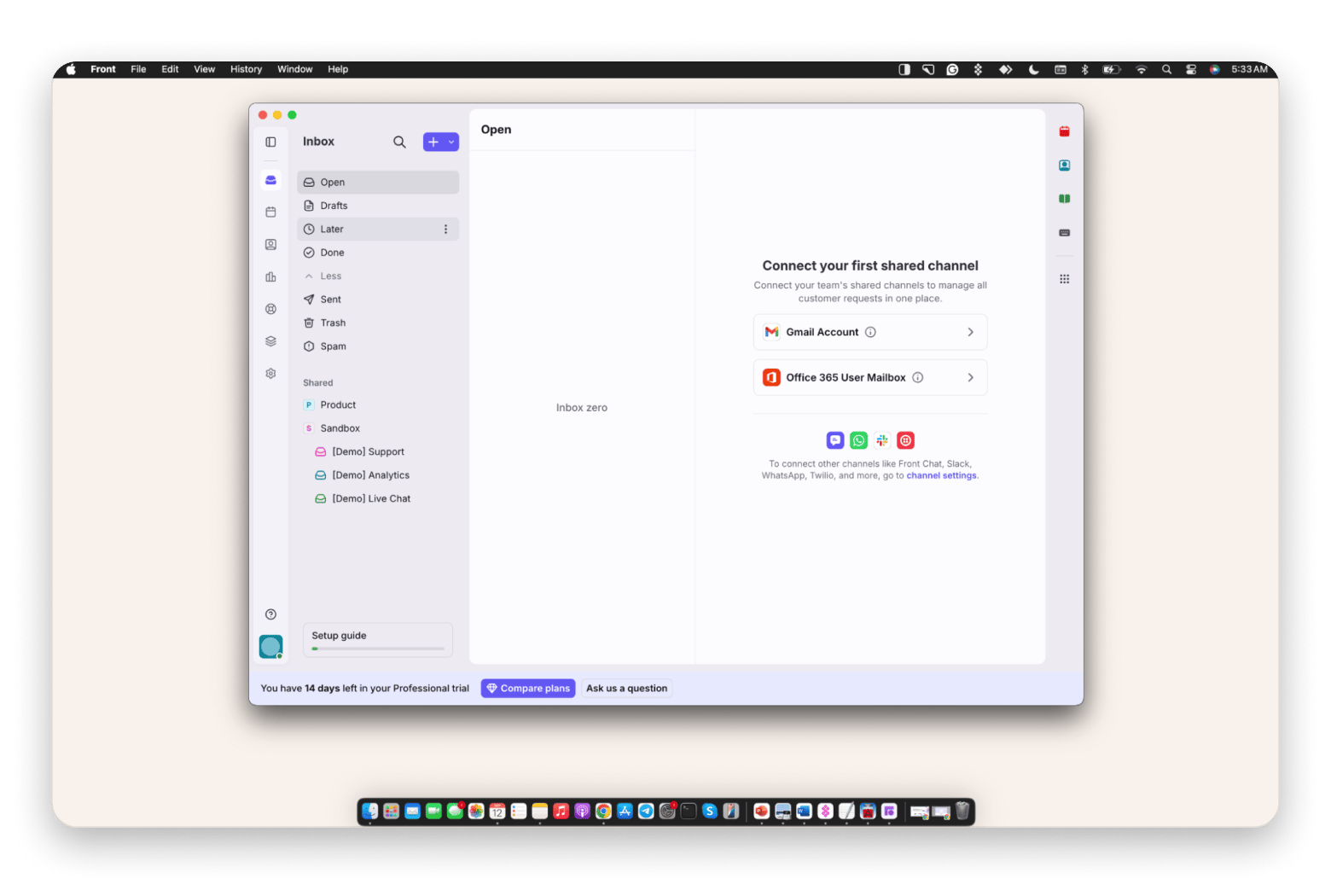
Front treats email, SMS, and social messages as one shared inbox app for the whole team. Front is a customer operations platform that sits on top of the email accounts you already use. Instead of forwarding messages or sharing one login, every teammate sees the same conversations and who owns each one. Teammates assign, comment on, and draft replies together. It feels like an email client built for teams, and it’s the only desk here I found with a native Mac app.
Key features:
One inbox for email, SMS, and social
Assignment, comments, and shared drafts
Native Mac app
Pros:
The only desktop app on this list
Works across support, sales, and ops
Trial includes demo inboxes
Cons:
Starter caps you at 10 seats
Most teams need Professional at $65
AI features cost extra below Enterprise
Price: Starter is $25, and Professional is $65 per seat per month on annual billing. There’s a 14-day trial.
Best for: A small team where support, sales, and operations share one inbox.
HubSpot Service Hub: Best if you use HubSpot CRM
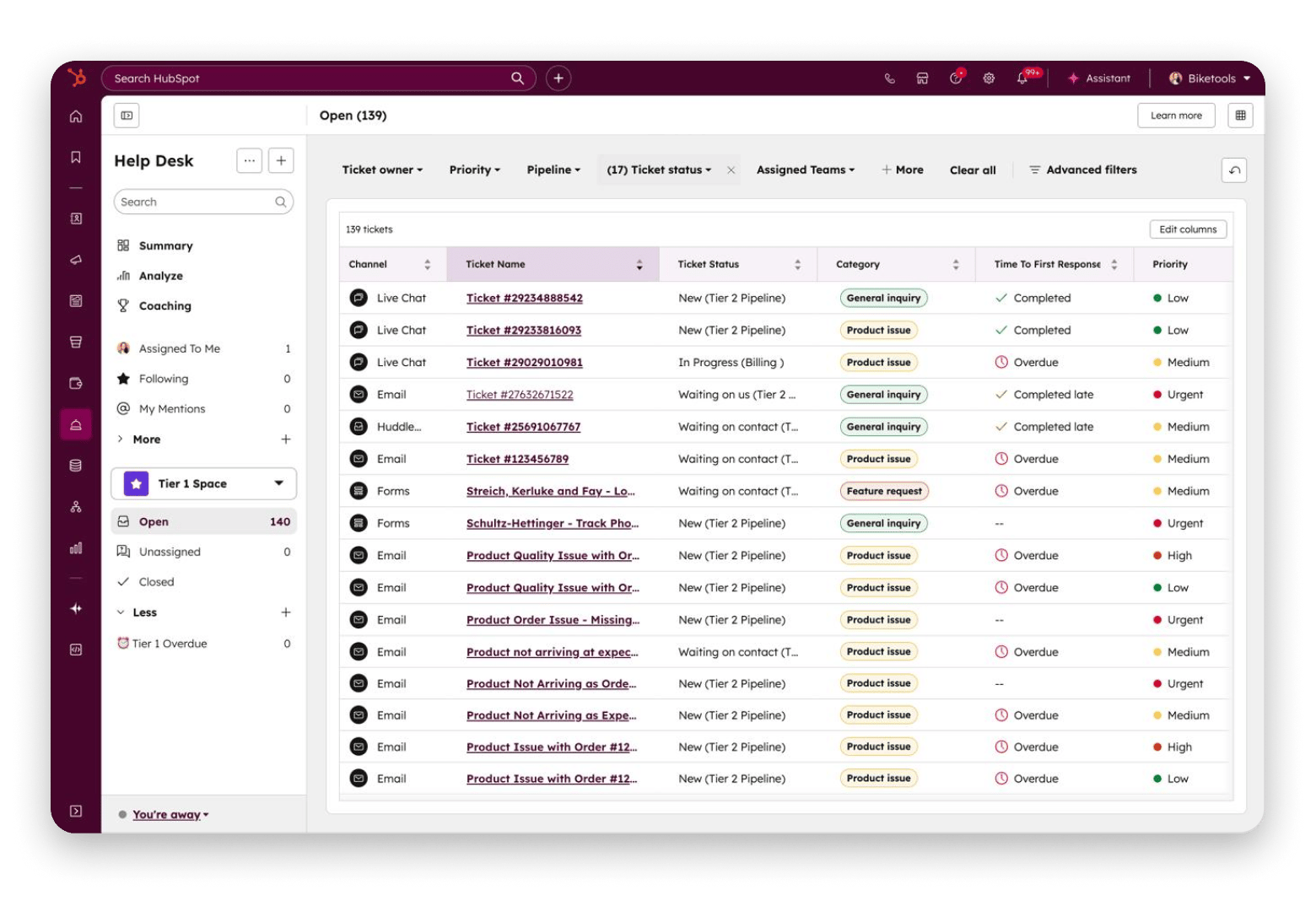
Service Hub is the customer service product inside HubSpot’s customer platform, and it is built on HubSpot’s CRM. A CRM (customer relationship management system) is the shared database of contacts, companies, and deals behind HubSpot’s marketing, sales, and service tools. You get tickets, a knowledge base, live chat, and feedback surveys, with the customer’s full sales history beside every conversation. A free tier is available.
I signed up for HubSpot’s free tools to test Service Hub. The free tier is enough to see tickets and the CRM working together, but automation and SLAs stay locked until Professional.
Key features:
Tickets, shared inbox, and live chat
Feedback surveys
Deep link to HubSpot CRM data
Pros:
Free tools cover 2 users
Support sees full sales history
Grows with HubSpot Marketing and Sales
Cons:
Professional jumps to $90 plus a $1,500 onboarding fee
Less useful without HubSpot CRM
Price: Free for up to 2 users. Starter is $7 per seat on annual billing ($20 monthly), and Professional is $90.
Best for: A team already on HubSpot Marketing or Sales.
Zoho Desk: Best for Zoho users
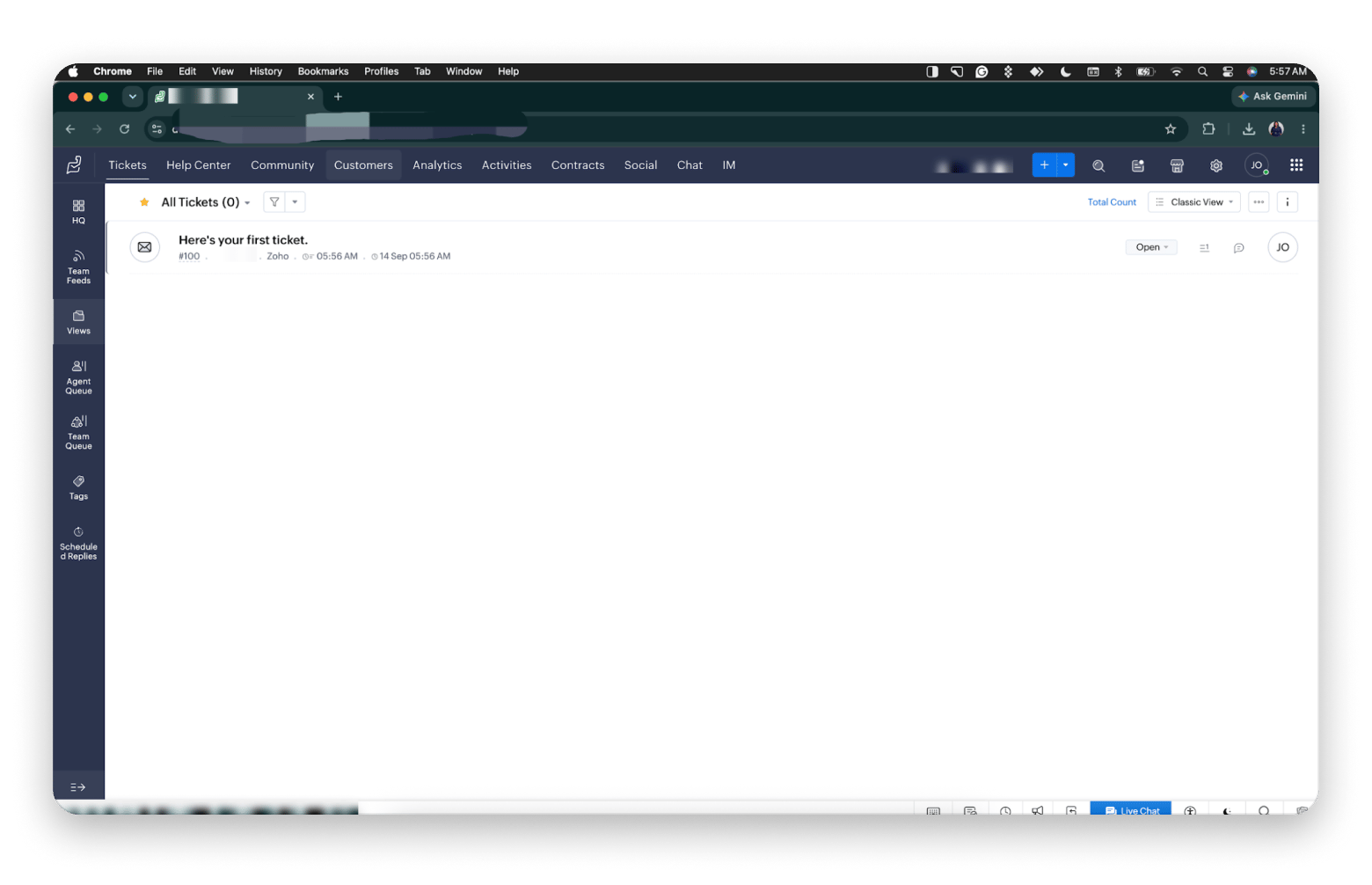
Zoho Desk is the helpdesk from Zoho, an India-based software company that sells dozens of business apps under one account. It is a solid small business helpdesk at competitive prices. The free tier covers 3 agents, and AI features arrive on paid tiers. It connects with Zoho CRM, Mail, and the rest of the Zoho suite.
The first thing I noticed was how much Zoho Desk puts in front of you: tickets, help center, community, analytics, contracts, social, chat, and IM all sit in the top bar on day one. It’s powerful, but it’s the busiest interface here. My account was hosted in Zoho’s EU data center.
Key features:
Ticketing with agent and team queues
Help center and community forums
Social, chat, and messaging channels
Pros:
Free for up to 3 agents
Some of the lowest-priced options
Works closely with Zoho CRM
Cons:
The busiest interface here
Express caps at five agents
Price: Free for 3 agents. Express is $7, Standard $14, Professional $23, and Enterprise $40 per agent per month billed annually.
Best for: A team already using Zoho CRM, Mail, or other Zoho products.
Chatwoot: Best open-source omnichannel alternative
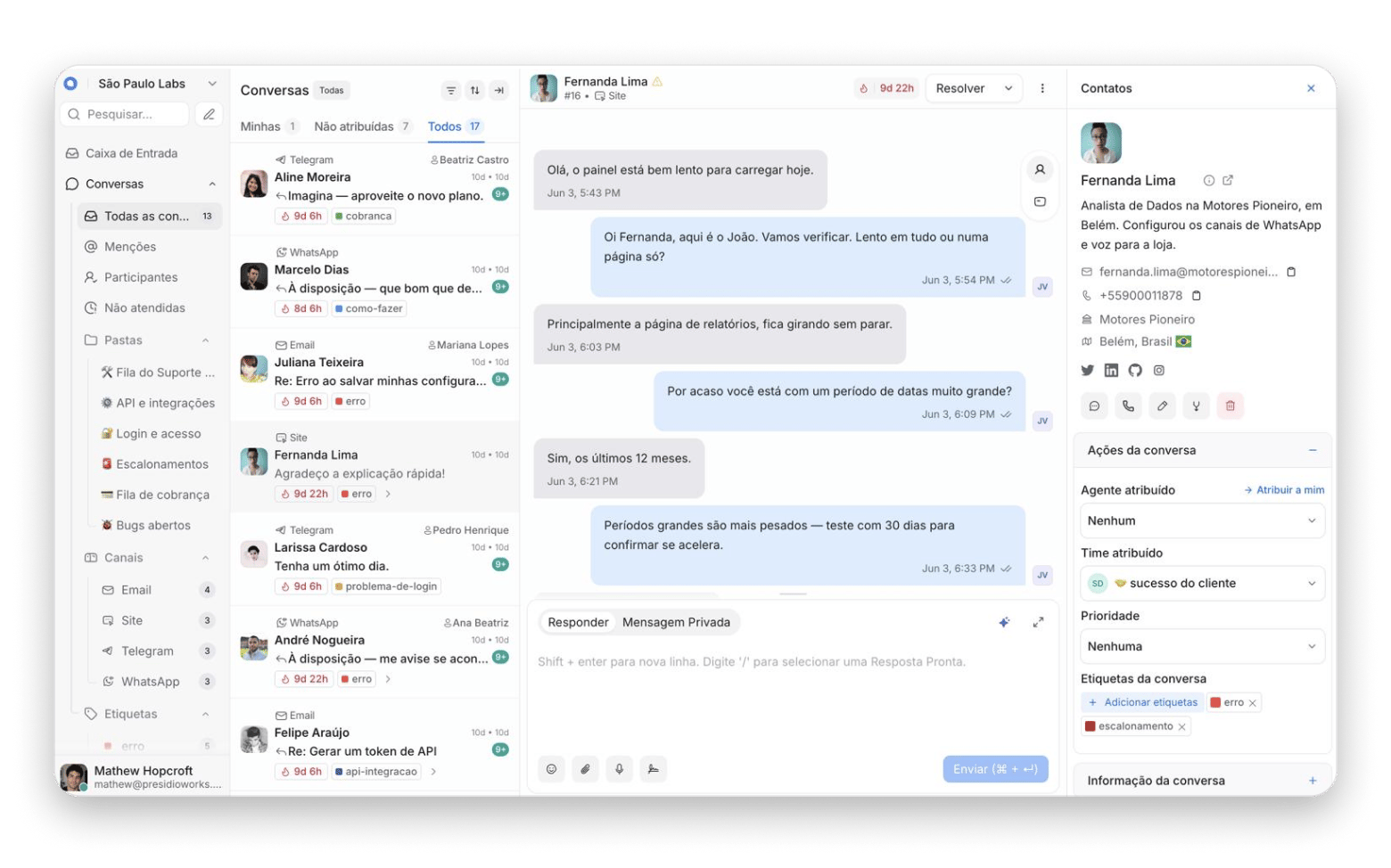
Chatwoot is the open-source Freshdesk alternative many teams pick for chat. Open source means its code is public, so anyone can run it. Omnichannel means every channel lands in one shared inbox. It connects WhatsApp Business, Facebook Messenger, Instagram DMs, email, and website chat. You can host it yourself or use their cloud, which suits teams that want to self-host.
I signed up for Chatwoot Cloud rather than self-hosting it. The free cloud plan covers 2 agents and live chat only, so testing email or WhatsApp means a paid plan or your own server.
Key features:
WhatsApp, Messenger, Instagram, email, and chat
Help center
Captain AI with monthly credits on paid plans
Pros:
Full data control when self-hosted
Free community edition
Wide channel support
Cons:
Self-hosting means you run the server
Some enterprise features need a paid license
Price: The community edition is free. Cloud is free for 2 agents, then Startups is $19, Business $39, and Enterprise $99 per agent per month.
Best for: A small SaaS support team that wants data sovereignty and many channels in one open-source stack.
FreeScout: Best free open-source alternative
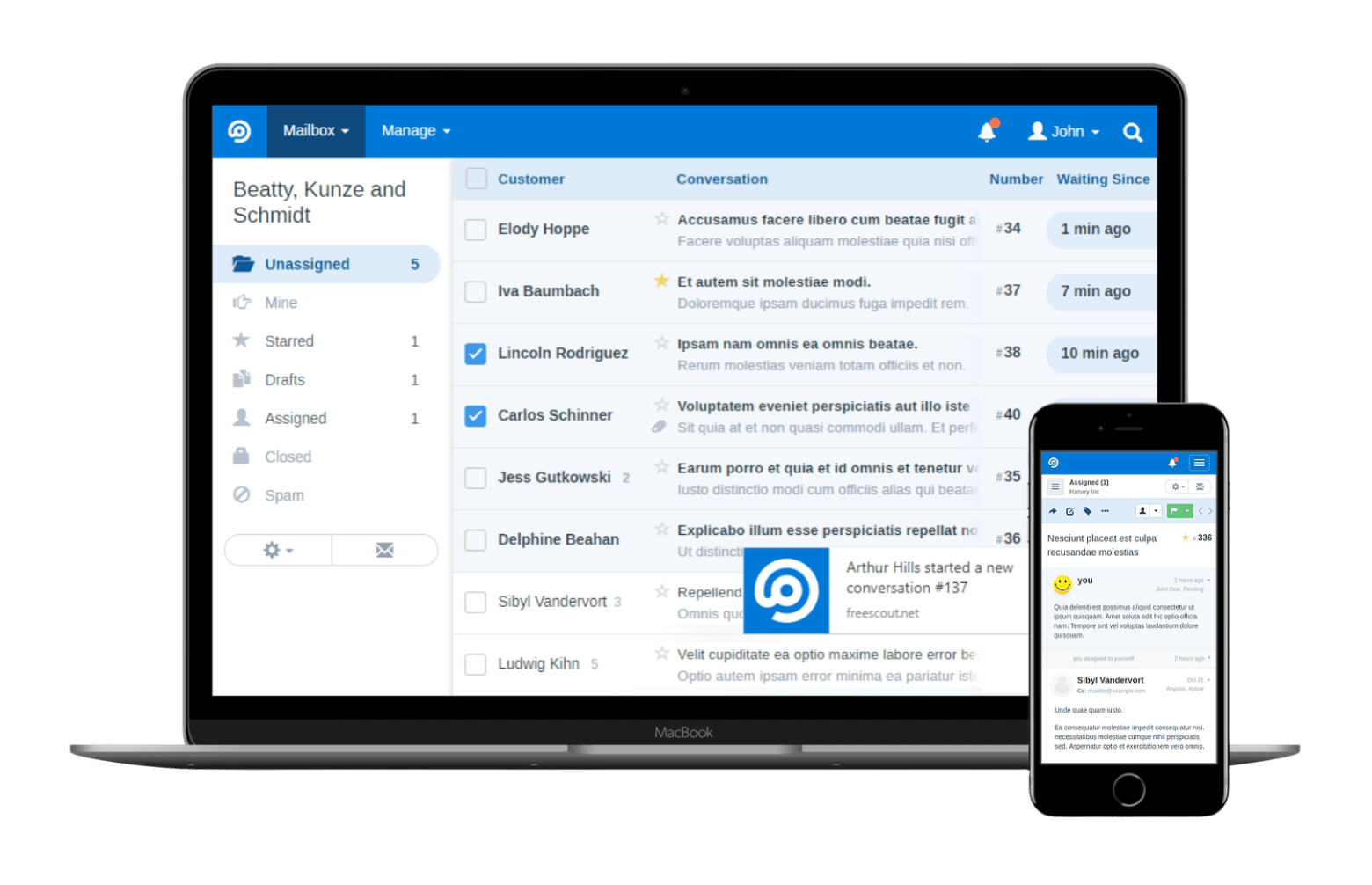
FreeScout is a free helpdesk built on PHP, a common web programming language, that you host yourself, modeled on Help Scout’s simplicity. Self-hosted means you install the software on a server you rent or own, rather than paying a vendor to run it for you. You get email tickets and shared mailboxes, while a knowledge base and workflow automation come as optional one-time paid modules. It has a small but active community. It’s the most direct, cheaper alternative to Freshdesk if you can run a server.
I tried FreeScout through its online demo rather than installing it. That is the quickest way to judge the interface before you commit to a server.
Key features:
Shared mailboxes and email tickets
Help Scout-style interface
Optional modules for knowledge base and workflows
Pros:
No license fee
Modules are paid once
Your data stays on your server
Cons:
You manage the server
Knowledge base and automation aren’t free
Price: Free, plus your server and any modules you add.
Best for: A solo entrepreneur or tiny team that can manage a virtual private server (VPS).
Gorgias: Best for e-commerce and Shopify
Gorgias is a helpdesk purpose-built for e-commerce. Shopify is the online store platform many small brands sell through, and Gorgias plugs straight into it. Customer conversations show order history, shipping status, and refund options inline, with automation for common store questions. You pay per billable ticket rather than per agent, which suits a Shopify owner with spiky volume.
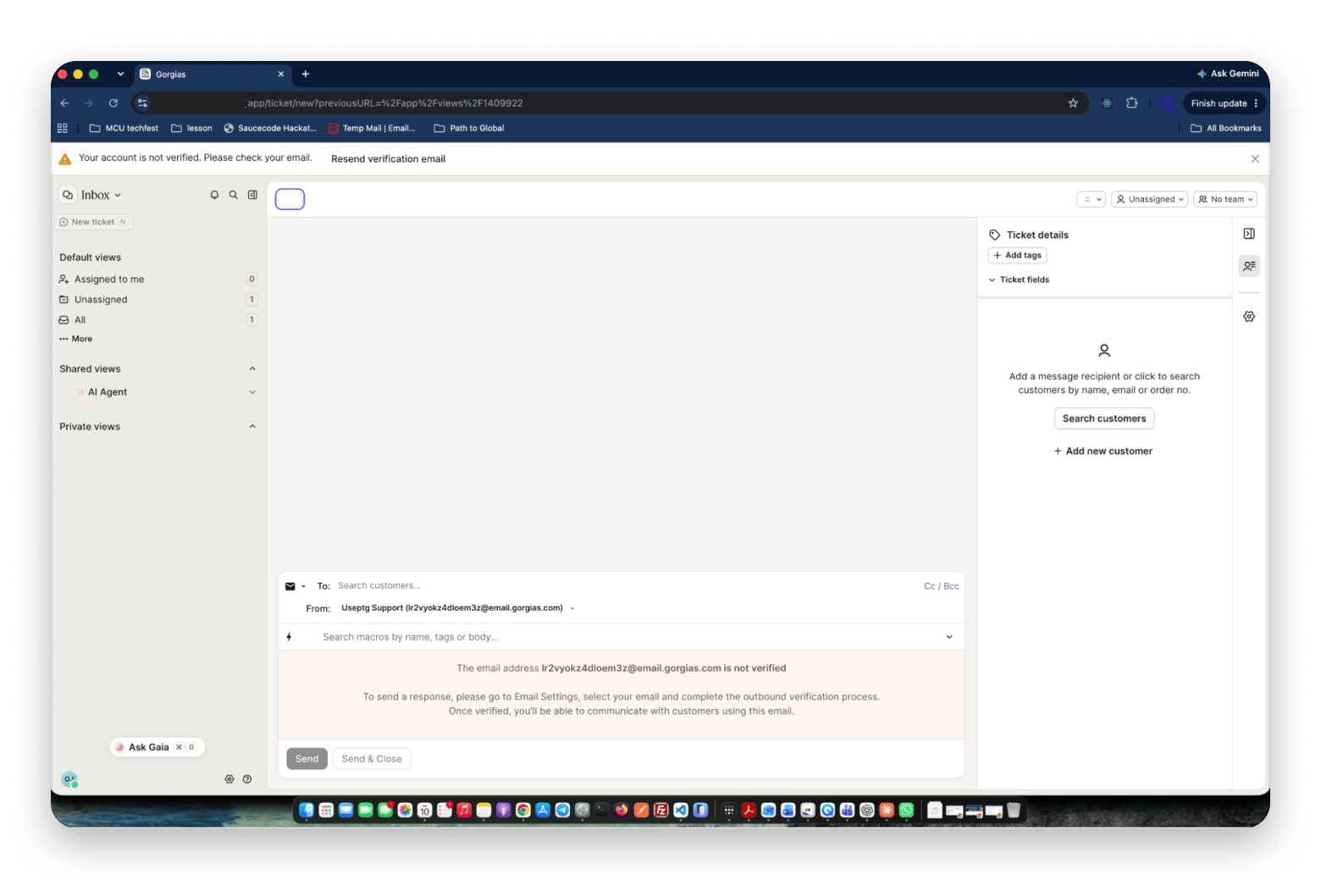
My trial opened with a welcome ticket from the Gorgias team, and the reply box already suggested macros before I had typed a word. I did not connect a live store for this test, so the Shopify details come from Gorgias’s documentation.
Key features:
Shopify order data inside the ticket
Macros (saved reply templates) with suggestions
AI Agent billed per resolution
Pros:
Built for e-commerce
Priced per ticket, not per agent
7-day free trial
Cons:
Busy months bring overages of $0.36 to $0.40 per ticket
Starter is limited to 50 tickets and 3 users
Price: Starter is $10 a month for 50 tickets. Basic is $60, Pro $360, and Advanced $900.
Best for: A Shopify store owner whose ticket volume spikes seasonally.
Which Mac apps speed up helpdesk work?
None of these helpdesk apps are on Setapp, so I won’t pretend otherwise. Setapp is a subscription service from MacPaw that bundles a curated catalog of 300+ Mac, iOS, and web apps under one monthly fee. Wondering how a bundle compares with paying for each app? We broke it down in Setapp vs buying apps individually. Setapp does have Mac apps for the small jobs around support: writing replies, cleaning pasted logs, showing the fix, and editing text. Here are four I’d use with any desk above:
Spark Mail: Run support from one inbox before you need a desk
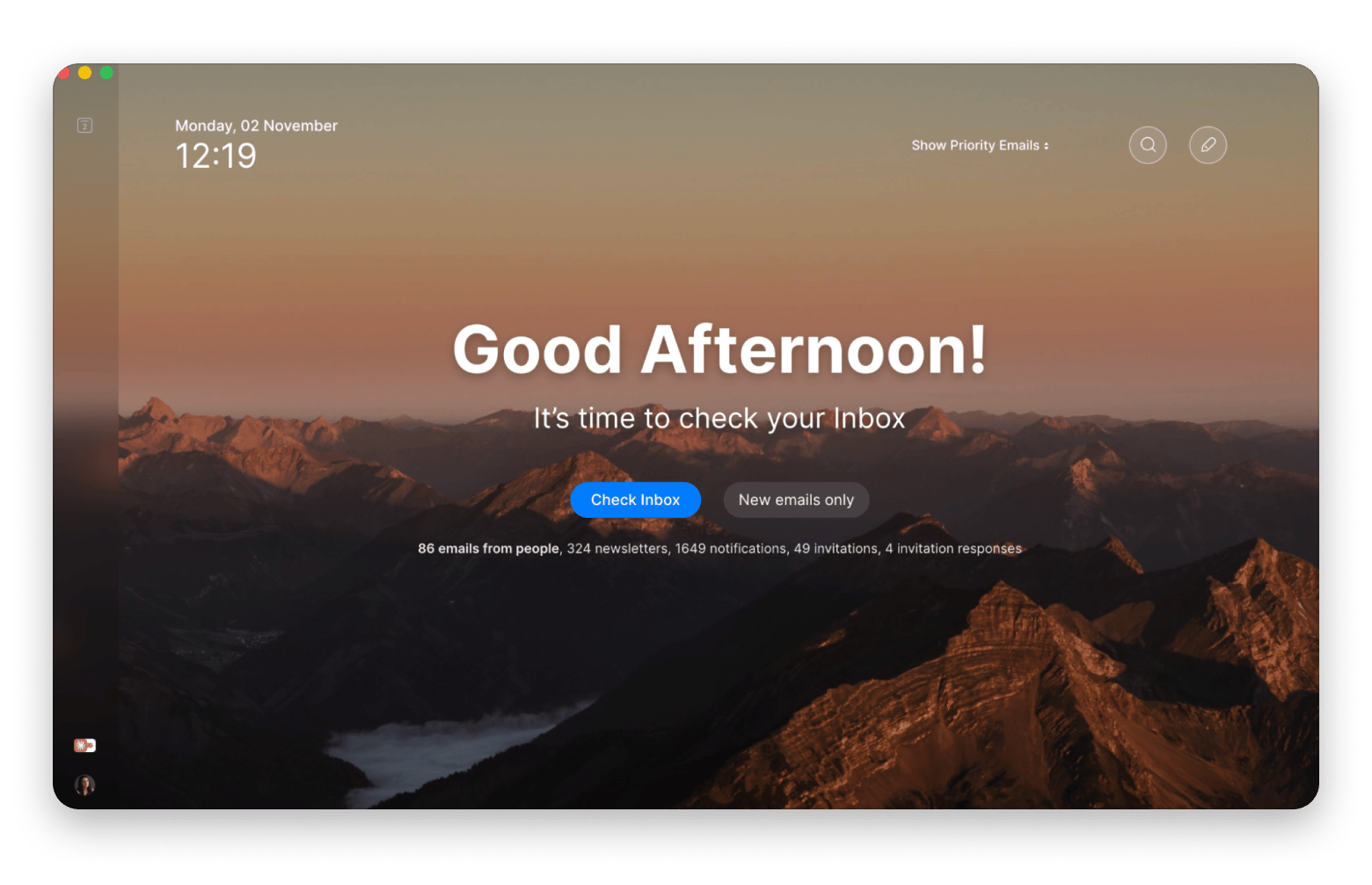
Spark Mail is an email client with a Smart Inbox and real-time collaboration, so a teammate can edit a reply before you send it. An email client is the app you use to read, write, and organize email, and Spark is made by Readdle. It suits solo entrepreneurs handling support without a formal helpdesk yet. See the guide to the best email clients for Mac. If you’re still deciding where your support email should live, the the best free email services and apps for Mac is worth a skim.
I used it to rework a refund reply with a teammate. We edited the same draft, and it went out once.
Key features:
Smart Inbox
Real-time collaboration
AI writing assistant
TextSoap: Clean up logs, errors, and HTML fragments
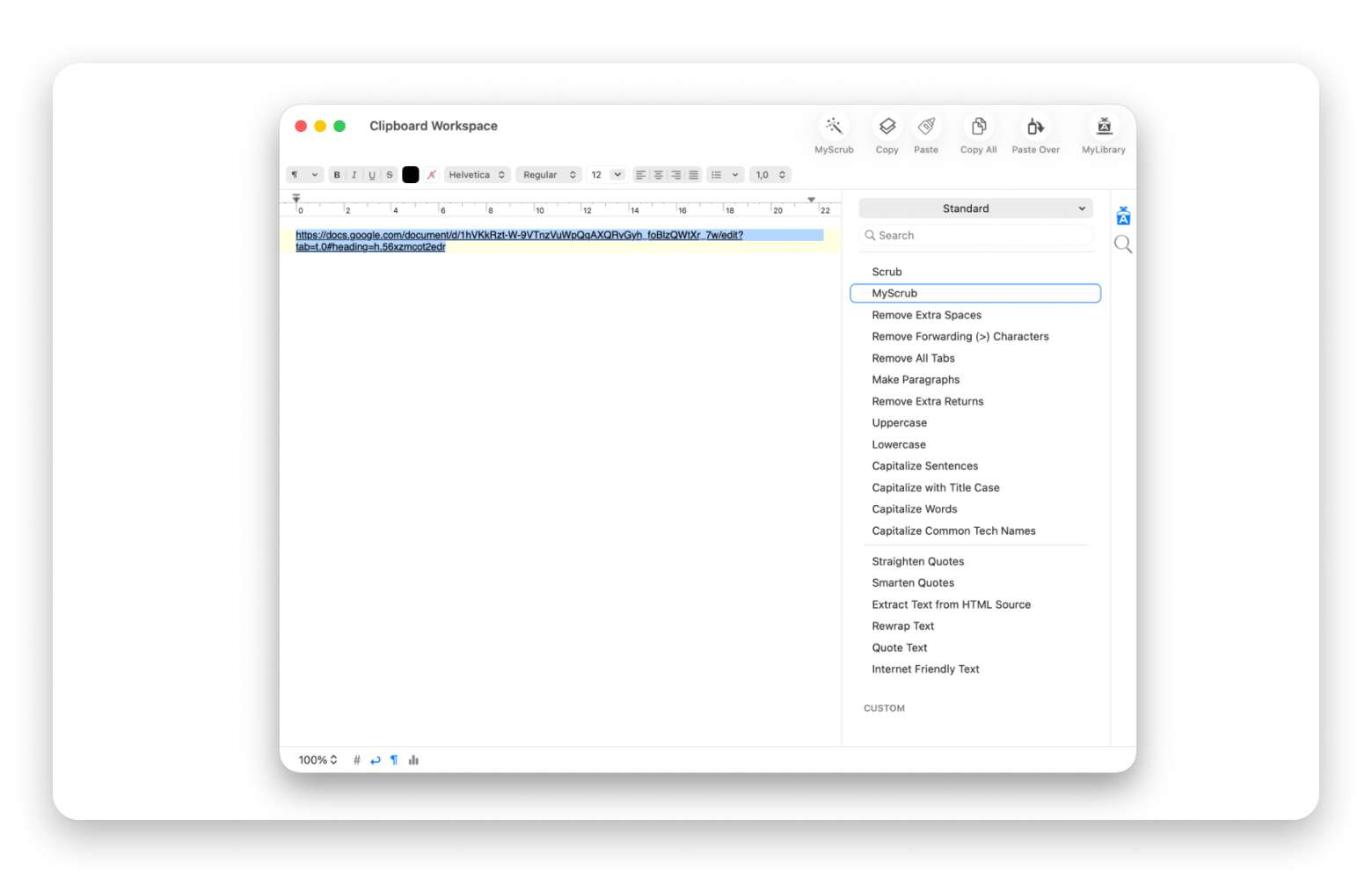
TextSoap is a text-cleaning app for Mac from Unmarked Software. A text cleaner strips unwanted formatting and stray characters from anything you paste. Customers paste logs, error messages, and HTML fragments full of stray spaces and tabs. TextSoap fixes that in one action, with over 100 cleaners.
The cleaners I reach for most are Remove Extra Spaces, Remove Extra Returns, and Remove Forwarding (>) Characters, which strips the > marks out of a forwarded email thread before you quote it back to a customer.
Key features:
Over 100 built-in cleaners
Extract Text from HTML Source
Custom cleaners you can script
CleanShot X: Show customers the fix
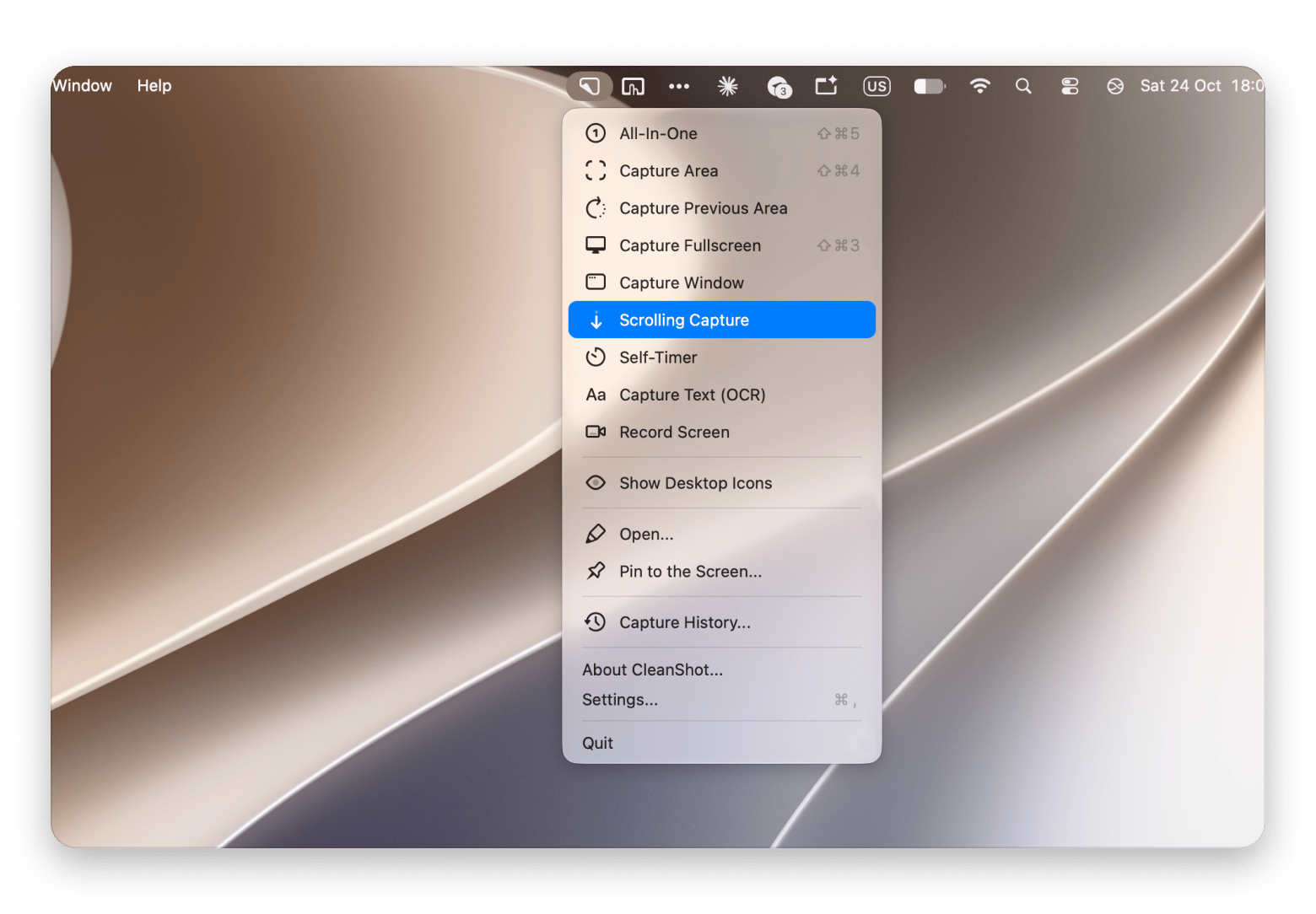
CleanShot X is a screenshot and screen recording app for Mac. Made by MTW, it replaces the built-in macOS screenshot shortcut with one that adds editing, cloud links, and recording. It captures a window without desktop clutter, lets you blur sensitive customer data, and gives you an instant shareable link. See our comparison of the best screenshot apps for Mac.
I used CleanShot X while writing this article. I captured the Setapp window, drew an arrow to point at the app, and pixelated a block of text I did not want to show, all in the same editor before saving. That is exactly the workflow a support reply needs.
Key features:
Clean window captures
Annotations and blur
Scrolling capture and screen recording
PopClip: Instant actions while you draft replies
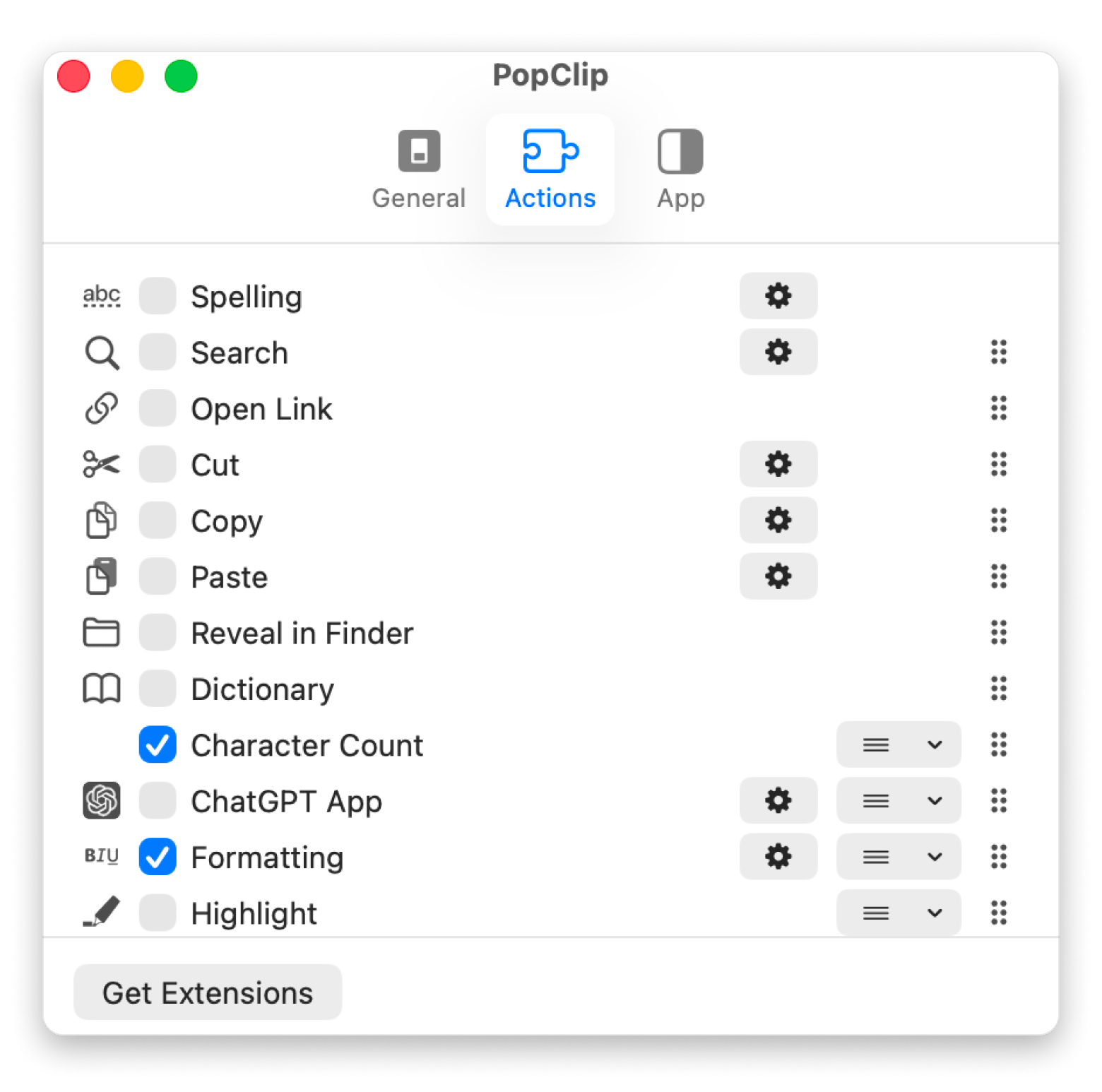
PopClip is a productivity app for macOS that shows an iOS-style action menu directly beneath your cursor when you select text in any app. Made by Pilotmoon Software, it works like a right-click menu that appears on its own. With PopClip, you can select a customer’s message and translate it, search your knowledge base, or paste as plain text. It also carries TextSoap actions (through the free TextSoap Agent). Pair it with clipboard history on Mac.
I installed PopClip through Setapp for this test. The four actions highlighted on its Setapp page are the ones I would lean on in a support inbox: copying and pasting replies faster, opening a link a customer pasted as plain text without right-clicking, spell-checking a reply before it goes out, and searching for selected text.
How do you migrate from Freshdesk to a new helpdesk?
Moving helpdesks is mostly about keeping your history intact and your customers undisturbed. Here are the steps I’d take, in order:
Export tickets, contacts, and knowledge base articles through Freshdesk’s built-in export or its API.
Check the new vendor’s documentation for a Freshdesk importer before doing manual work.
Tell customers only if the change affects them, such as a new support address or URL.
Retrain agents and budget for 1 to 2 weeks of reduced efficiency.
Keep Freshdesk running for 90 days if your plan allows, so you can access ticket history.
Check what happens to your data when you cancel, so you don’t lose access to old tickets.
Which Freshdesk alternative fits your team?
Not sure which one to pick? Match your team to the desk built for it:
Small team, email-first support: Help Scout
Enterprise-scale support operation: Zendesk
SaaS with in-app chat as the main channel: Intercom
Team wanting a shared inbox model: Front
We already use HubSpot CRM: HubSpot Service Hub
We’re on Zoho already: Zoho Desk
Self-hosting for control: Chatwoot or FreeScout
Shopify store: Gorgias
Solo entrepreneur handling all support: Spark Mail plus Help Scout’s free plan
If two look equal on paper, pick the one your team can configure unaided.
Picking a Freshdesk alternative you won’t regret
The right answer depends on your team’s shape. Choose Help Scout for email-first support, Zoho Desk or FreeScout on a tight budget, and Gorgias on Shopify. For the best Freshdesk alternative for small business budgets, start with Help Scout’s free plan.
Whatever you pick, the work around the desk happens on your Mac. Spark Mail handles solo support email, TextSoap cleans pasted logs, CleanShot X shows the fix, and PopClip speeds up drafting.
All four come with Setapp Membership, one subscription to 300+ Mac, iOS, and web apps from $14.99 USD + tax per month. Try them free for 7 days.
FAQ
What is the best free Freshdesk alternative?
For a hosted desk, Help Scout is free for up to 5 users and Zoho Desk is free for 3 agents with no time limit. For self-hosting, FreeScout and Chatwoot’s community edition cost nothing but the server. Freshdesk’s own free program is now limited to six months.
Which Freshdesk alternative works best for small businesses?
Help Scout suits small email-first teams, Zoho Desk suits tight budgets, and Gorgias suits Shopify stores. Help Scout needs very little setup, and customers see replies rather than ticket numbers.
Is Help Scout a real Freshdesk replacement?
For small teams doing email and chat support, yes. You get shared inboxes, a knowledge base, live chat, and reporting. You give up Freshdesk’s deeper automation and any built-in phone channel, so it feels thin for phone-heavy teams. If you’re a solo founder who isn’t ready for a helpdesk yet, Spark Mail lets a teammate co-edit replies right in your inbox.
Can I self-host a Freshdesk alternative?
Yes. Chatwoot and FreeScout are both open-source and built to be self-hosted. Chatwoot is more capable, with WhatsApp, Instagram, and chat in one inbox, while FreeScout is lighter. Both need someone comfortable running a server. If you answer email from a Mac, try Spark Mail to keep replies tidy.
What is the best Freshdesk alternative for Shopify stores?
Gorgias. It shows order history, shipping status, and refund options inside the conversation, and it prices per ticket rather than per agent. Starter costs $10 a month for 50 tickets, and a 7-day trial is available.
Powerful apps live on Setapp
Ditch defaults and discover new gems on one app platform.






 Best solution
 Best solution