- Setapp offers huge savings for power users vs buying apps individually
If you use 6–10 premium Mac apps, Setapp Membership saves you money with its flat monthly fee compared to $400–$800/year when buying apps separately. You save 50–75% and get access to over 270 full-featured tools across writing, productivity, dev, and utility categories.
- Two ways to get started: Membership or Marketplace
Setapp Membership gives you the full 270+ app catalog under one subscription. If you're not ready to commit, Setapp Marketplace lets you buy or subscribe to individual apps one at a time. Same quality standards and on your own terms. You can always upgrade to Membership later.
- Setapp is flexible and risk-free to try
With a 7-day free trial, you can explore and install as many apps from the 270+ app library as you like. If your needs change, cancel anytime — no lock-in or long-term commitment. The Mac + iOS plan covers 1 Mac and 4 iOS devices + 1,000 credits for AI apps.
- Setapp is the smartest way to simplify your Mac workflow
Whether you're a developer, student, freelancer, or creative, Setapp offers unbeatable value. Try Setapp free for 7 days and replace $400+ worth of apps with a single subscription that grows with your needs.
A typical user has a stack of 6 to 10 premium apps, which would cost around $400 annually. In comparison, the Setapp subscription has a fixed fee, and I get access to over 270 full-featured apps. Since the catalog covers all major app categories, I save 50-75% on software costs.
The tradeoff is that I don’t own specific apps within the library, and sometimes an app may leave the catalog. However, I still enjoy the flexibility and variety since I can try new premium apps without extra charges.
I’ll show you my Setapp vs one-time purchase research, so you can see exactly how much money you’re actually saving and whether the subscription is really worth it.
What is Setapp, and how does it work compared to buying apps individually?
Setapp now comes in two forms, and I've tested both:
- Setapp Membership gives you access to 270+ curated apps for Mac, iPhone, and iPad under one subscription for a fixed monthly fee (plus 40% discount if billed annually). Every app comes fully featured, ad-free, and with automatic updates. No in-app purchases and no separate licenses to track.
- Setapp Marketplace is a newer option for those who don't want a full subscription. It's a curated store where you can buy or subscribe to individual apps one at a time, but with the same quality standards and on your own terms. It's a good fit if you have one specific need and prefer paying per app rather than committing to a membership.
I've tested dozens of Mac apps both through Setapp and as one-time purchases, and the difference surprised me. With Setapp Membership, I got access to tools I already loved (like CleanMyMac and Ulysses), plus a bunch I didn't even know I needed. Here's what I found when comparing both Setapp options to buying apps individually.
Not sure which Setapp apps are worth your time? I tried the Productivity Tools GPT assistant before committing to a plan, and it helped me figure out which tools from the catalog genuinely fit my workflow. Took about two minutes and pointed me to apps I wouldn't have thought to look for.
How does Setapp’s subscription model work?
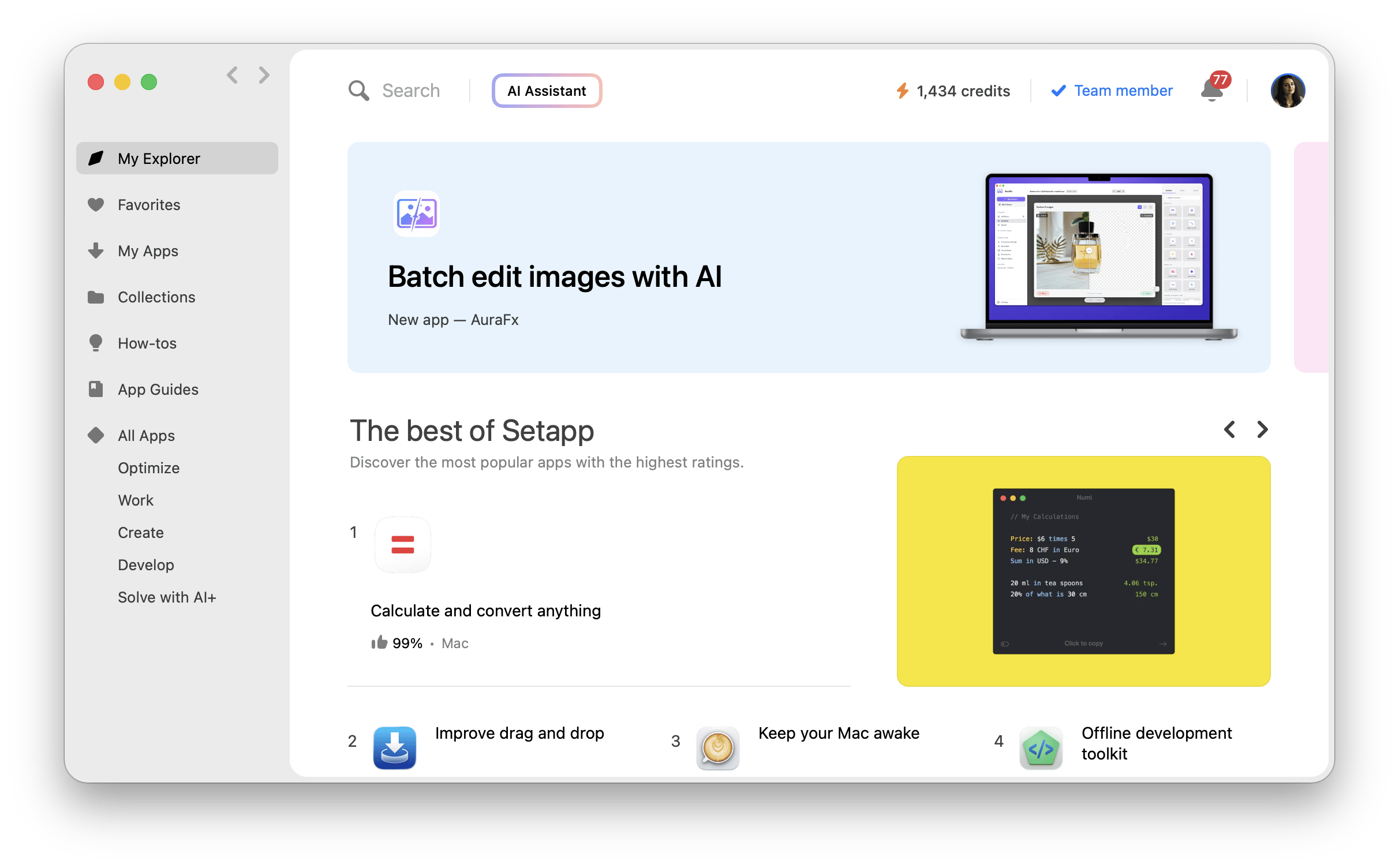
Setapp operates on a flat monthly or annual subscription model. So, instead of paying for apps individually, you only pay for a single subscription and get access to 270+ premium Mac, iOS, and web apps. There are no extra costs as each app is ad-free and fully unlocked.
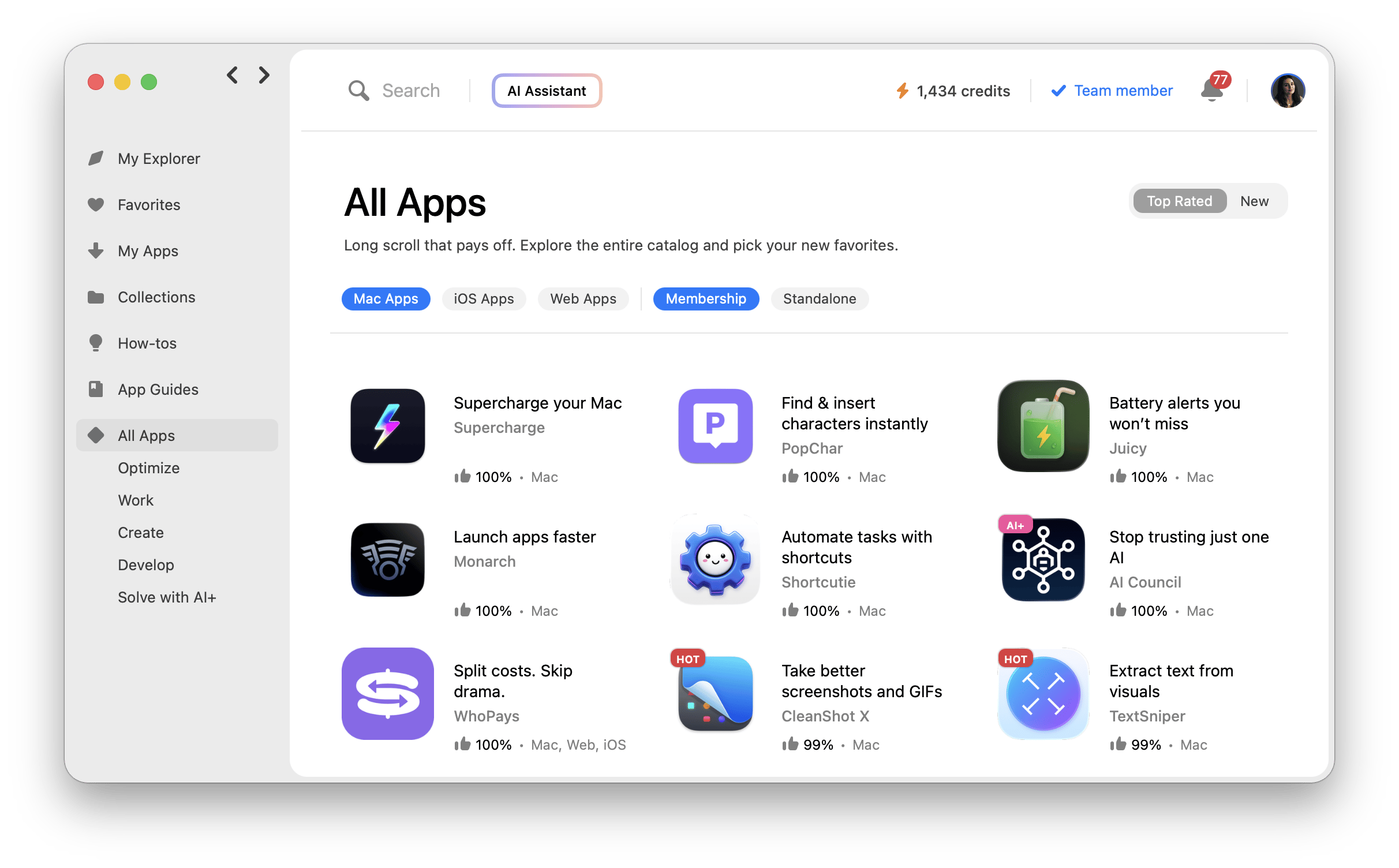
You can install as many apps as you like, across main categories such as:
- Optimize
- Work
- Create
- Creativity
- Develop
- Solve with AI+ and more.
With Setapp Membership, you only pay a fixed monthly fee, with discounted annual rates available. Setapp handles all updates and continuously adds new apps to the catalog.
If you'd rather not commit to a full membership, Setapp Marketplace lets you buy or subscribe to individual apps on your own terms. On each app's product page, you'll find a Buy Now button where you can choose the number of devices (if applicable) and your preferred billing cycle. Pricing and billing types vary by app. For example, CleanMyMac on the Marketplace offers three options:
- Yearly subscription
- Monthly subscription
- One-time purchase
So whether you want one app or access to the whole suite, Setapp gives you a way in.
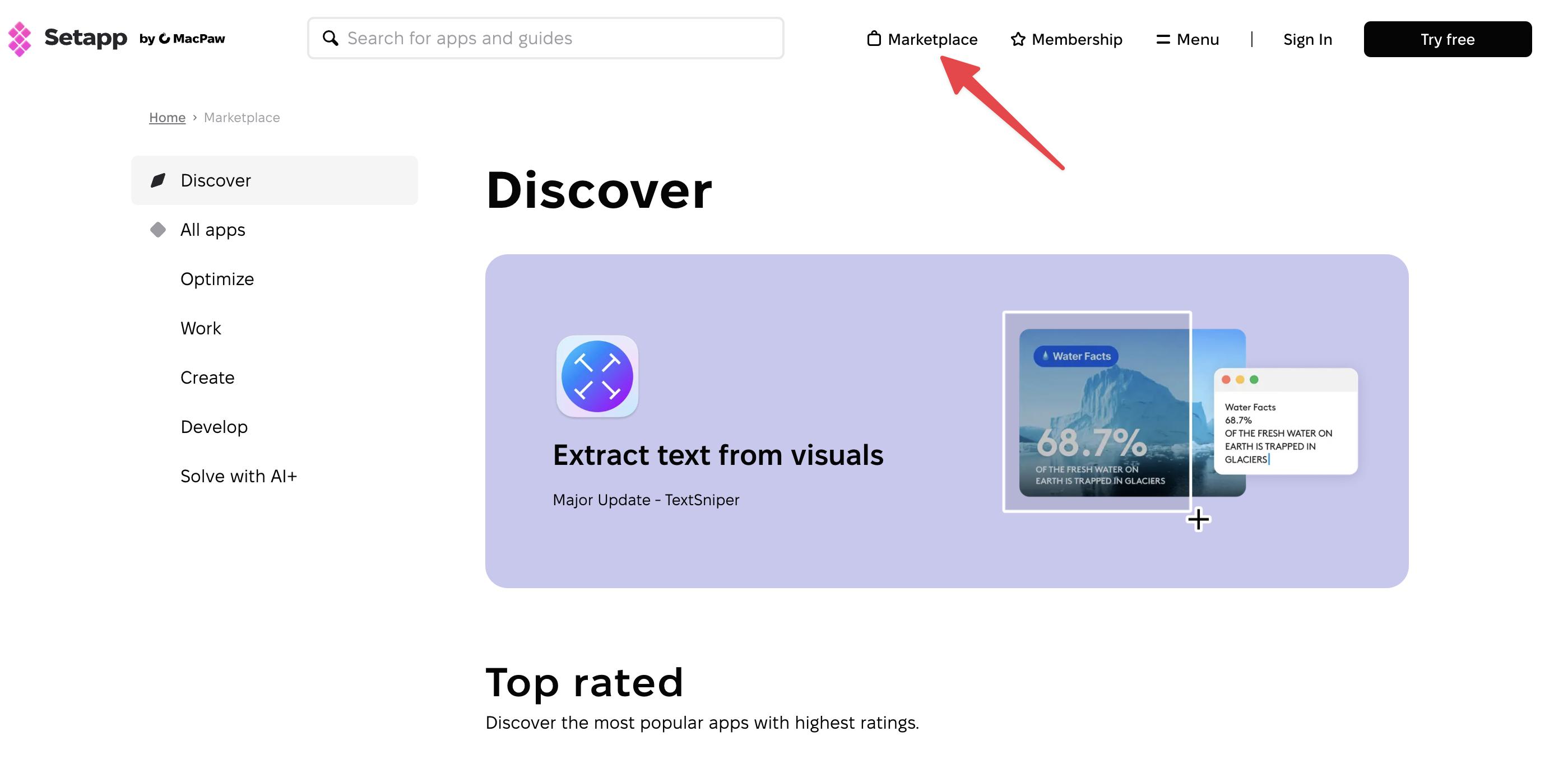
Check out the article on how Setapp picks the best apps.
How is Setapp different from the Mac App Store or one-time purchases?
Setapp Membership simplifies app purchases by allowing users to install multiple apps for a flat monthly or annual fee. There are no extra costs as you get an ad-free experience and full versions of all apps with updates included. And if you only need one specific app, Setapp Marketplace lets you buy or subscribe to it individually, with the same quality curation and no full membership required. Either way, you know exactly what you're paying for: handpicked, high-quality apps with automated updates and no surprise charges. And if you start buying individual apps through the Marketplace and find yourself wanting more, switching to Setapp Membership is a natural next step — one subscription unlocks 270+ apps at once, which tends to work out as a real bargain once you're using more than a couple of tools regularly.
In contrast, buying apps through the Mac App Store or from developers means multiple licenses. You need to pay for each app and manage its license individually, and sometimes, this may include paying extra for full functionality. Discovering the apps is also manual, as you need to read reviews and test them one at a time (which can be tough if there’s no free trial). Setapp makes this easy as it curates high-quality apps across all categories, from productivity to utility tools.
How much do Mac power users actually spend on apps every year?
According to a study conducted by Setapp, the average Mac user spends around $139 per year on app licenses. It goes even higher for power users as they rely on several specialized tools to get things done, whether that’s in writing, development, or design. When you take an average of 6 to 10 apps per user, this raises the cost to about $400 to $800 per year.
What does a typical power user’s app stack look like?
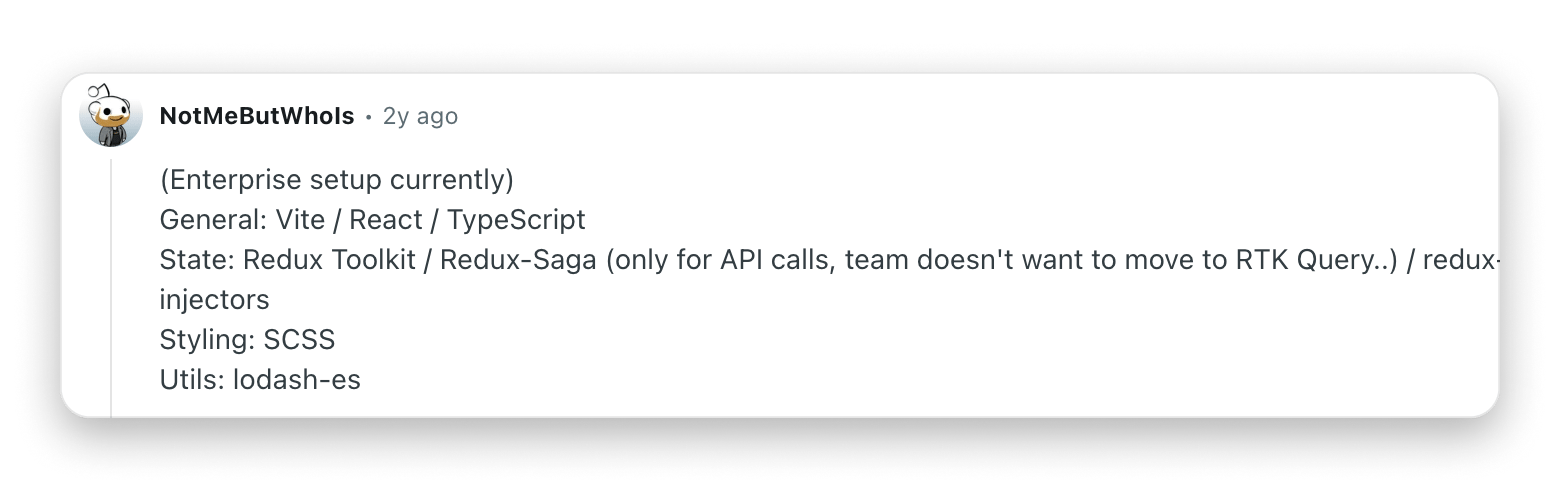
Based on conversations across Reddit, Hacker News, and the Setapp community, here’s what the app libraries of power users look like:
- Developer stack: Vite, React, TypeScript, VS Code, iTerm2, TablePlus, Insomnia, Dash, DevUtils.
- Writer/Editor stack: Obsidian, Ulysses, Grammarly, TextExpander, MindNode Classic, Marked 2
- Creative stack: Figma, Affinity Photo, DaVinci Resolve, CleanShot X, Procreate.
- Utility stack: CleanMyMac, Raycast, Rectangle, BetterTouchTool, Paste, Alfred.
Most power users have apps across all these categories, as well as others like task management.
What are the real prices of top Mac apps used by power users?
To understand how the costs add up quickly, let’s look at the individual prices of the most popular premium apps used by power users:
| App | Pricing type | Approx. price (USD) |
| TablePlus | One-time license | $99 |
| Insomnia | Freemium | $120/year (Pro) |
| Dash | One-time license | $14.99 |
| DevUtils | One-time license | $40 |
| Obsidian | Freemium | $48/year (Sync) |
| Ulysses | Subscription | $39.99/year |
| Grammarly | Subscription | $144/year (Pro) |
| TextExpander | Subscription | $39.96/year (Individual) |
| MindNode Classic | Subscription | $24.99/year |
| Marked 2 | One-time license | $13.99 |
| Figma | Freemium | $192/year (Professional) |
| Affinity Photo | One-time license | $69.99 |
| DaVinci Resolve | Freemium / Studio | $295 (Studio license) |
| CleanShot X | One-time license | $29 (plus $19/year updates) |
| Procreate | One-time (iOS only) | $12.99 |
| CleanMyMac | Subscription or one-time | $47.40/year or $119.95 |
| Raycast | Free or Pro | $96/year (Pro plan) |
| BetterTouchTool | One-time license | $24 |
| Paste | Subscription or lifetime | $29.99/annually or $89.99/lifetime |
| Alfred | Free or Powerpack | $34 (lifetime Powerpack) |
Even with a mix of free and one-time purchase apps, the cost can quickly get out of hand.
"As a video editor, I used to spend over $1,000 a year on separate software licenses. Switching to Setapp replaced my entire toolkit and saved me a ton of money — without compromising on quality or performance", says Stefan-Radu Gogolan, video editor, digital marketing specialist.
What’s the total cost of buying apps individually for a power user?
Power users may pay over $400 for their macOS and iOS apps.
To get a clear idea of how these costs add up, let’s take a typical developer’s app stack. They’ll need to build, test, and deploy code daily while still managing their system to ensure performance and boost productivity, so here are 7 apps they might use:
- TablePlus ($99) – [Database management]
- Insomnia ($120/year) – [API design and testing]
- Dash ($14.99) – [Documentation and code snippets]
- DevUtils ($40) – [Various dev tasks]
- CodeRunner ($19.99) – [Script testing]
- Raycast Pro ($96/year) – [Launcher and command center]
- CleanMyMac ($47.40/year) – [Mac optimization and cleanup]
The upfront one-time purchases come to $173.98, with the annual subscriptions totaling $263.40 per year. When you add the two, you get $437.38 for the first year.
NoteMost one-time purchases only offer 1-year updates, so you’ll still need to pay extra to get the latest versions.
|
What do you actually get for a fixed monthly with Setapp?
Considering the information above, I’ll show you what Setapp offers subscribers.
How does Setapp Membership pricing compare to the cost of owning apps?
Setapp Membership becomes a cost-effective solution if you use just three to five premium apps from the collection.
Here’s a breakdown of the cost and value of using Setapp versus buying apps individually, working with a power user app stack of 6-10 premium apps.
| Cost & value factor | Setapp Membership subscription | Buying individually |
| Annual price with 10% discount | Fixed fee
| ~$400–$800 (year 1) + ongoing upgrades |
| Included apps | 270+ curated Mac, iOS, and web apps | Only the apps you buy |
| Updates | Always included | Often paid upgrades |
| Flexibility | Add/remove apps anytime | Locked to purchased tools |
| App discovery | 7-day free trial for all apps | Limited trials, pay per app |
| Cross-device access | Yes (if on Mac + iOS plan) | Often separate licenses |
So, even if you only use about 3-5 premium apps, Setapp will still give you a more affordable Mac app stack. Not ready for Membership? Then you can start exploring apps through Setapp Marketplace.
What’s included in a Setapp Membership subscription that you don’t get elsewhere?
While App Stores and developers offer free apps, bundles, and flexible subscriptions, Setapp Membership offers value that you won’t get anywhere else:
- A complete app library with a single subscription.
- Full-feature apps with no ads, upsells, or “lite” editions.
- Updates in the background.
- The chance to explore new premium tools without risk or limited trial versions.
- macOS, iOS, and web versions with no extra purchases.
- Zero maintenance. No license keys or managing multiple subscriptions.
This makes Setapp a great way to replace multiple paid apps and get a more flexible Mac experience where your tools adapt to your workflow, not the other way around.
Are Setapp apps the full version or limited?
Setapp apps are the full premium versions. There are no ads, trial periods, or demos. If a developer offers multiple tiers, say “Standard” and “Pro,” Setapp gives you the highest tier available to individual users (Pro). The platform also partners directly with the app developers to ensure you always get the latest version.
Is Setapp better than buying apps when it comes to value, flexibility, and updates?
Setapp Membership offers more value and flexibility than buying Mac apps individually. For a flat monthly fee, you get access to 270+ full-featured apps with automatic background updates. This eliminates the need to manage multiple licenses or download and install updates manually.
Here’s the comparison of Setapp Membership and individual app purchases in terms of flexibility:
| Feature | Setapp Membership | Individual app purchases |
| Upfront cost | Low | High (varies by app, often $10-$30+) |
| App access | 257+ curated apps | Only the apps you buy |
| Updates | Always included | Often require paid upgrades |
| Flexibility | Cancel anytime, no lock-in | Stuck with purchased versions |
| Maintenance | One subscription to manage | Dozens of licenses, keys, or renewals |
This makes Setapp a smart way to reduce app spending, as the entire catalog is even cheaper than individual licenses.
Final verdict — Is Setapp the smarter choice for Mac power users?
As a Mac power user who relies on multiple apps, I find Setapp to be a smarter and more streamlined alternative to paying for each app individually. Instead of spending $400-$800 annually on subscriptions and one-time license purchases, I only pay a fixed fee and get 270+ premium apps in all categories.
What makes it an even easier decision in 2026 is that Setapp now works for all types of users, not just those who want the full suite. If you're not ready to commit to a membership, Setapp Marketplace lets you buy or subscribe to individual apps on your own terms — same quality standards, no strings attached. And once you realize you're reaching for three, four, or five Marketplace apps regularly, upgrading to Setapp Membership starts to feel like the obvious move
It's also a great fit for regular Mac users, and you can learn if it’s right for you by taking advantage of Setapp’s 7-day free trial. You may even find that you can replace multiple paid apps in your app library with a single subscription!
Frequently asked questions about Setapp vs buying apps
Is Setapp worth it for heavy users?
Yes, Setapp Membership is worth it for users who rely on multiple apps, as Setapp savings are in the hundreds of dollars a year. The more tools you use, the more value you get from Setapp’s flat-fee model.
What happens when an app leaves Setapp?
If an app leaves Setapp, you’ll get notified in advance, and Setapp will even recommend replacements within the library. Otherwise, your data remains safe, and you’ll have enough time to decide whether you want to purchase it from the developer. While it’s rare, it’s one of the few trade-offs in the subscription model.
Can I use Setapp on multiple Macs or iOS devices?
Yes, you can use Setapp on multiple Macs and iOS devices, depending on your plan. With Setapp Membership, the Mac + iOS plan covers 1 Mac and up to 4 iOS devices + 1000 credits for AI apps, while the Power User plan supports 4 Macs and 4 iOS devices + 2000 credits for AI apps. If you're using Setapp Marketplace to buy individual apps, the number of devices depends on both the app itself and the plan you select at checkout.
Are Setapp apps updated as often as App Store versions?
Yes, Setapp apps are updated as often as App Store versions since they are maintained by the original developers. They typically receive updates at the same time as their standalone or App Store counterparts.
Are there hidden costs or limitations?
No, a Setapp subscription includes all available apps, updates, and features. There are no ads, in-app purchases, or upgrade fees. You also won’t have to deal with licenses as long as you are logged in to Setapp.






 Best solution
 Best solution