For long-form writing, Ulysses is the top Microsoft Word alternative — distraction-free Markdown writing with direct publishing to WordPress and Medium.
The best free option is Apple Pages — it's pre-installed, opens .docx files natively, and covers everyday writing without a subscription.
For real-time collaboration with non-Mac users, Google Docs or OnlyOffice handle shared editing best.
Academic writers should look at MonsterWriter for BibTeX citation management and LaTeX export.
Microsoft Word is still the most widely used writing tool and the default choice in many workplaces, schools, and organizations. But that doesn’t mean it’s the best option for every Mac user.
The cost alone is enough to make people look elsewhere, and it still feels like a Windows app adapted for Mac. Its strengths also don’t always align with the needs of writers who spend days drafting blog posts, articles, books, research papers, or long reports.
I’ve tried several other options over the years, and I’ve shortlisted the best Microsoft Word alternatives for Mac. They range from traditional word processors to Mac-native academic writing apps.
Quick comparison table: Microsoft Word alternatives at a glance
Need a quick recommendation? Here’s an overview of the tools we’ll look at:
Available on Setapp with 270+ apps for $14.99/mo + tax
Nisus Writer Pro
Mac-native power word processor
Excellent
Yes
$65 one-time
When I was narrowing down this list, I ran a few borderline picks through Productivity Tools just to sanity-check the fit. It's a quick way to match a Mac workflow to the right app category before you commit to trying one.
Detailed reviews of each Microsoft Word alternative
Now let’s look at how the different tools approach writing, collaboration, and document management.
Apple Pages: Best free Mac-native alternative
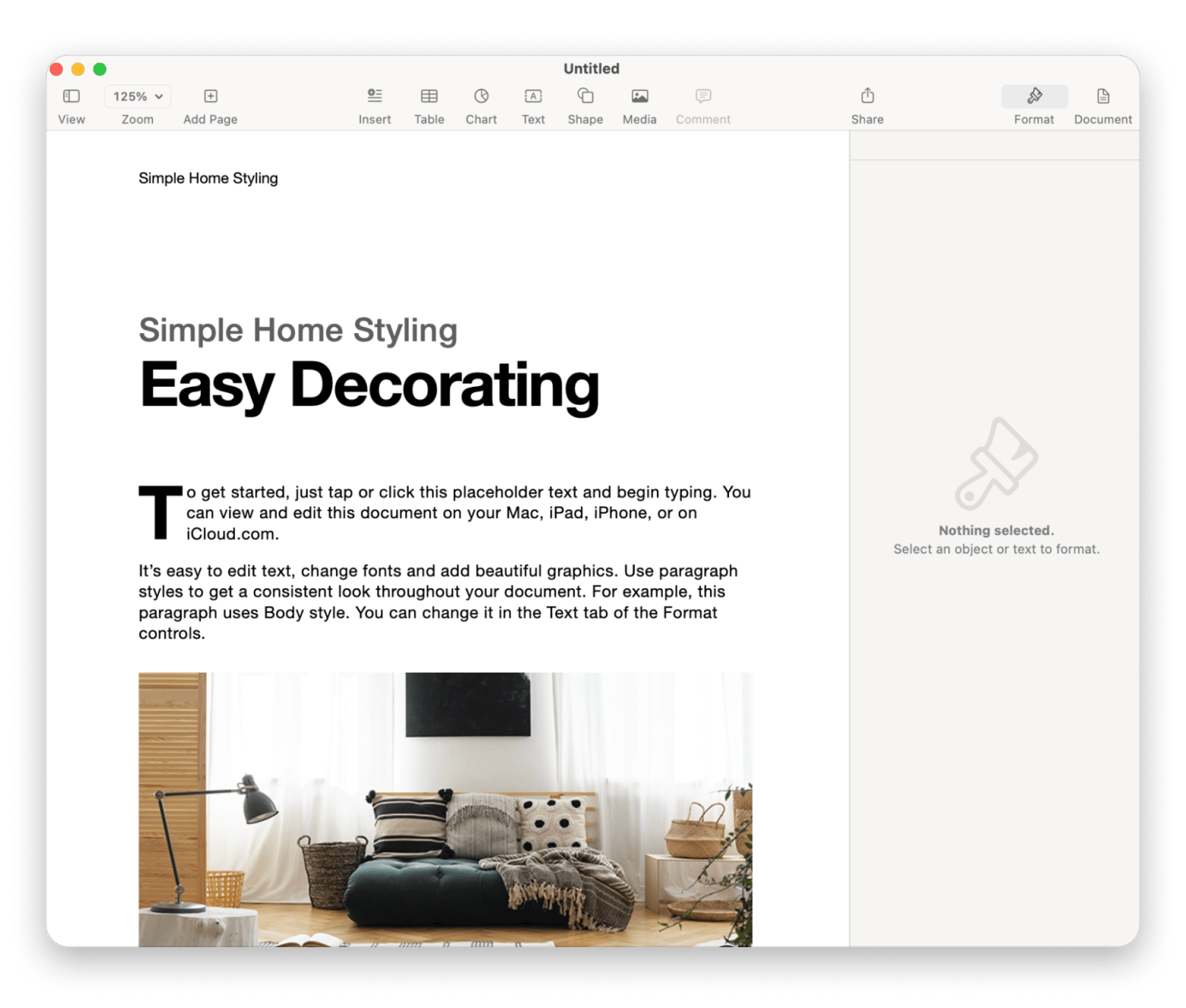
Pages is the best free Microsoft Word alternative because it's free, pre-installed, and opens .docx files directly. And also, it’s the answer to "I just need to open this .docx file” on Mac.
Being from Apple, it follows macOS design conventions far more closely than MS Word. Instead of a ribbon, the controls are neatly tucked away in a clean sidebar.
The tool handles almost everything you need for everyday writing. It also has a strong template library for various documents and allows real-time co-editing with other Apple users through iCloud. However, there are no advanced features like mail merging, and Word documents with complex details like tracking don’t always transition well.
Pros:
Free, Mac-native interface
Opens and exports .docx files
Excellent for everyday writing
Cons:
Limited advanced features
Formatting degrades on complex .docx files
Pricing: Free with macOS
Google Docs: Best for real-time collaboration
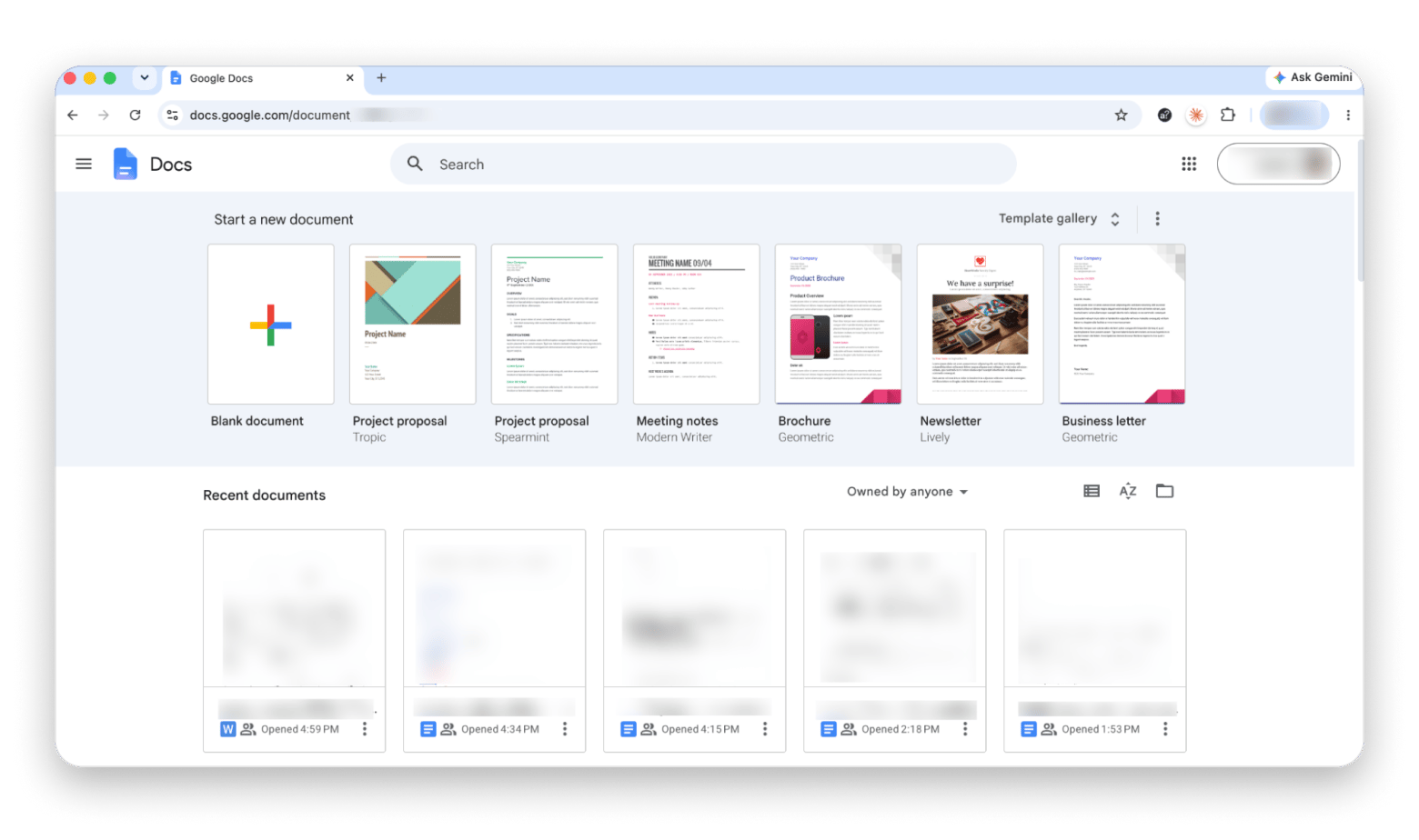
Google Docs leads all other tools in real-time collaborative editing, making it a strong candidate for the best word processor alternative to Microsoft Word. It’s free but very powerful, with comment threads, suggestion mode, version history, simultaneous multi-author editing, and instant sharing via a link.
The main trade-off is that it only works on the browser, and the offline mode is limited to Google Chrome. The documents also feel sluggish, and importing complex Word documents can often cause styles and spacing to shift.
Pros:
Best-in-class real-time collaboration
Free and works on any device
Easiest sharing
Cons:
Browser-based (not Mac-native)
Formatting can degrade on complex imports
Pricing: Free with a Google account.
LibreOffice Writer: Best free open-source full Word replacement
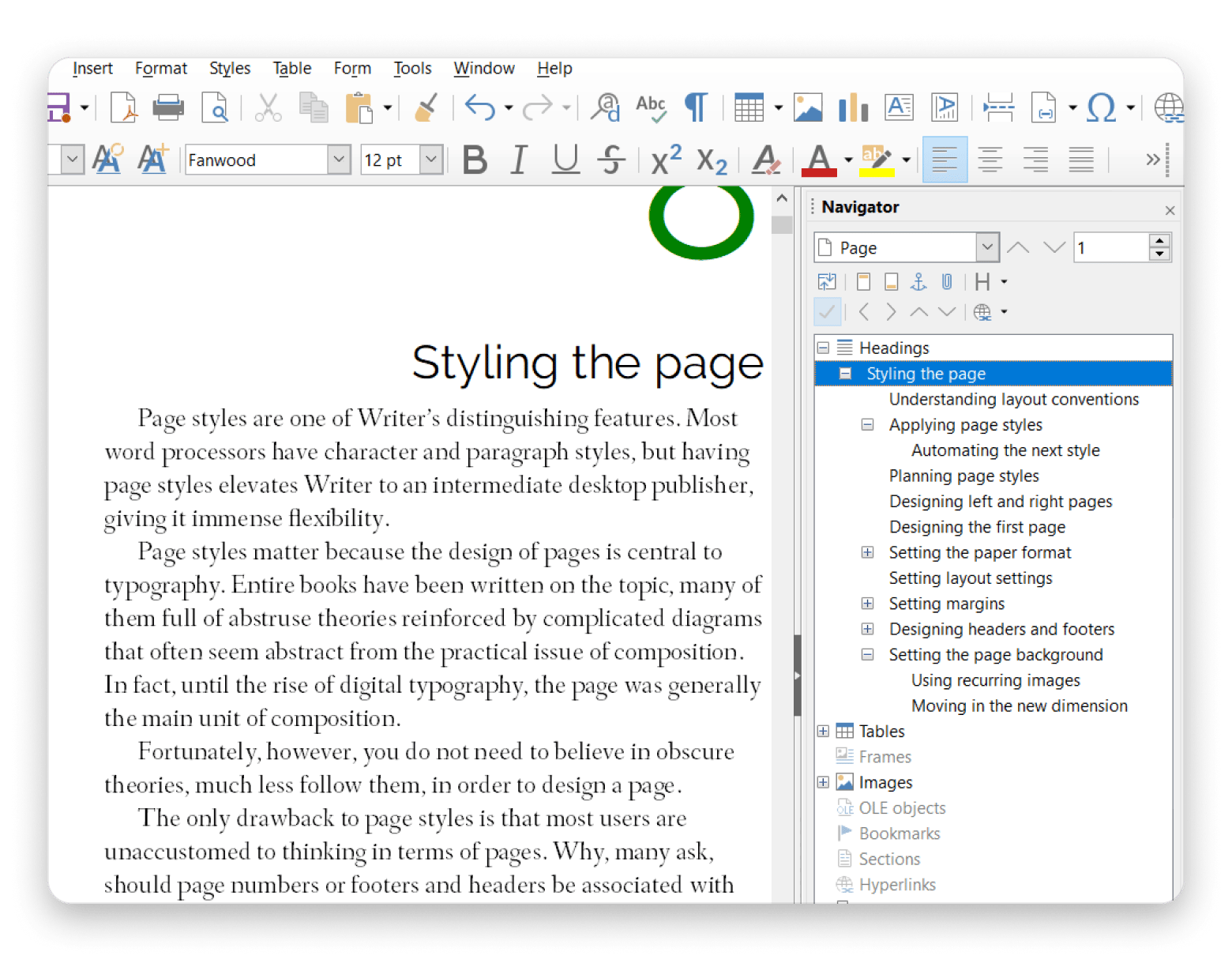
LibreOffice is the best MS Word alternative for Mac if you want the full feature set without paying a dime. It offers advanced formatting styles, footnotes, tables, fields, mail merge, and many of the advanced document features that most MS Word users rely on. It also has the best .docx compatibility of any free tool for tracked changes and complex formatting.
The only problem is that the software feels dated compared to modern Mac-native apps. The overall design also feels more functional than elegant.
Source: libreoffice.org
Pros:
Feature set is largely on par with MS Word
Strongest .docx compatibility among free tools
Completely free and open-source
Cons:
Dated interface
Less Mac-native than Pages and other modern alternatives
Pricing: Free and open source.
WPS Office Writer: Best for users who want Word's look and feel
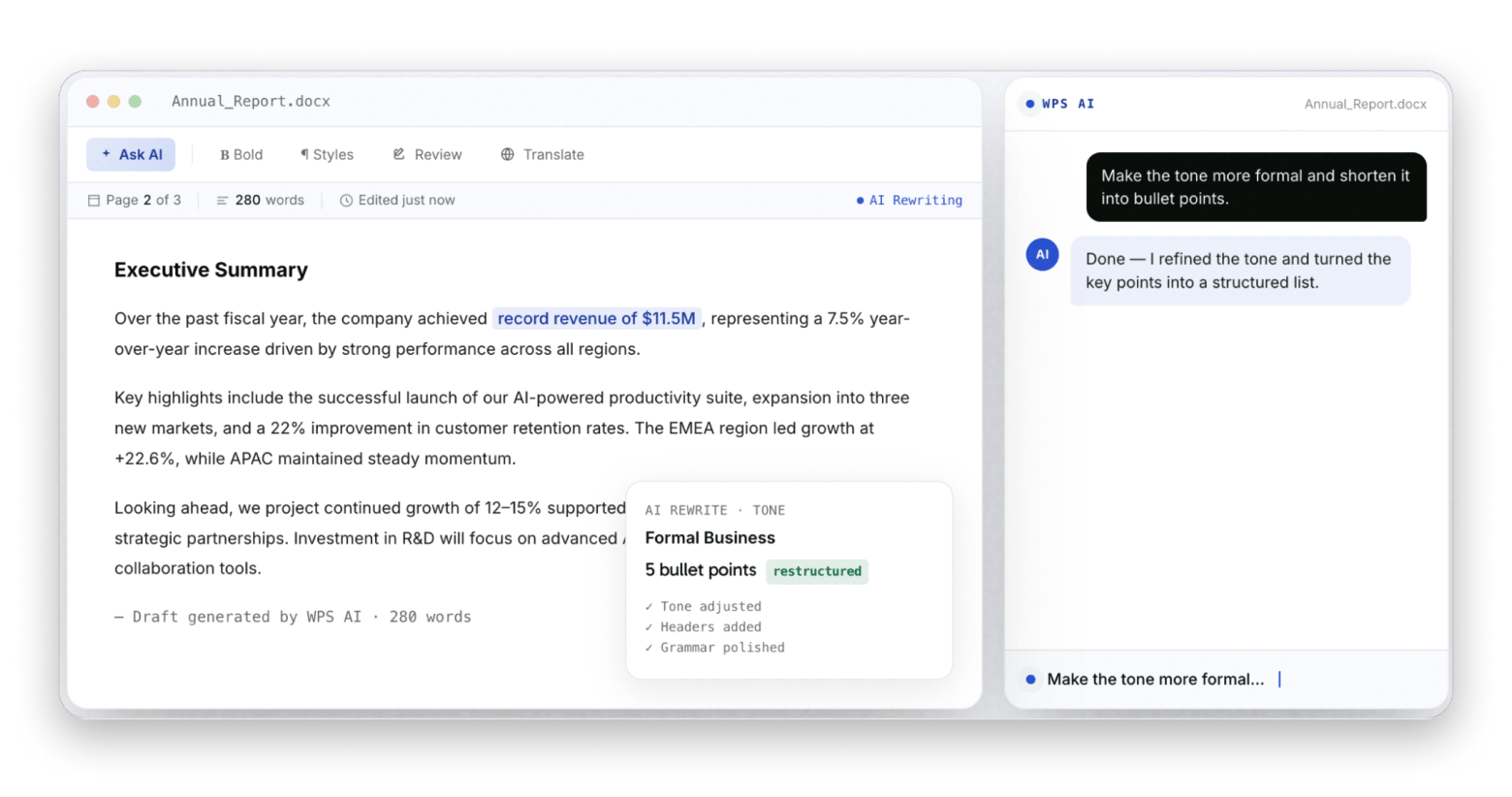
WPS Office Writer is the closest visual match to Microsoft Word available on Mac. It uses pretty much the same ribbon interface toolbar layout and keyboard shortcuts, so there’s no learning curve.
The tool is highly compatible with .docx files and preserves most of the formatting during import and export. It’s great for those switching from Windows or shared environments who don’t want to match Word’s price tag. There’s also a free version, but it has ads, limited features, and occasional upgrade prompts.
Pros:
Closest interface match to Word on Mac
Strong .docx compatibility
Full office suite included.
Cons:
Free version is ad-heavy
There are privacy concerns around data handling
Pricing:
Free (with ads)
WPS Premium at $69.99/year
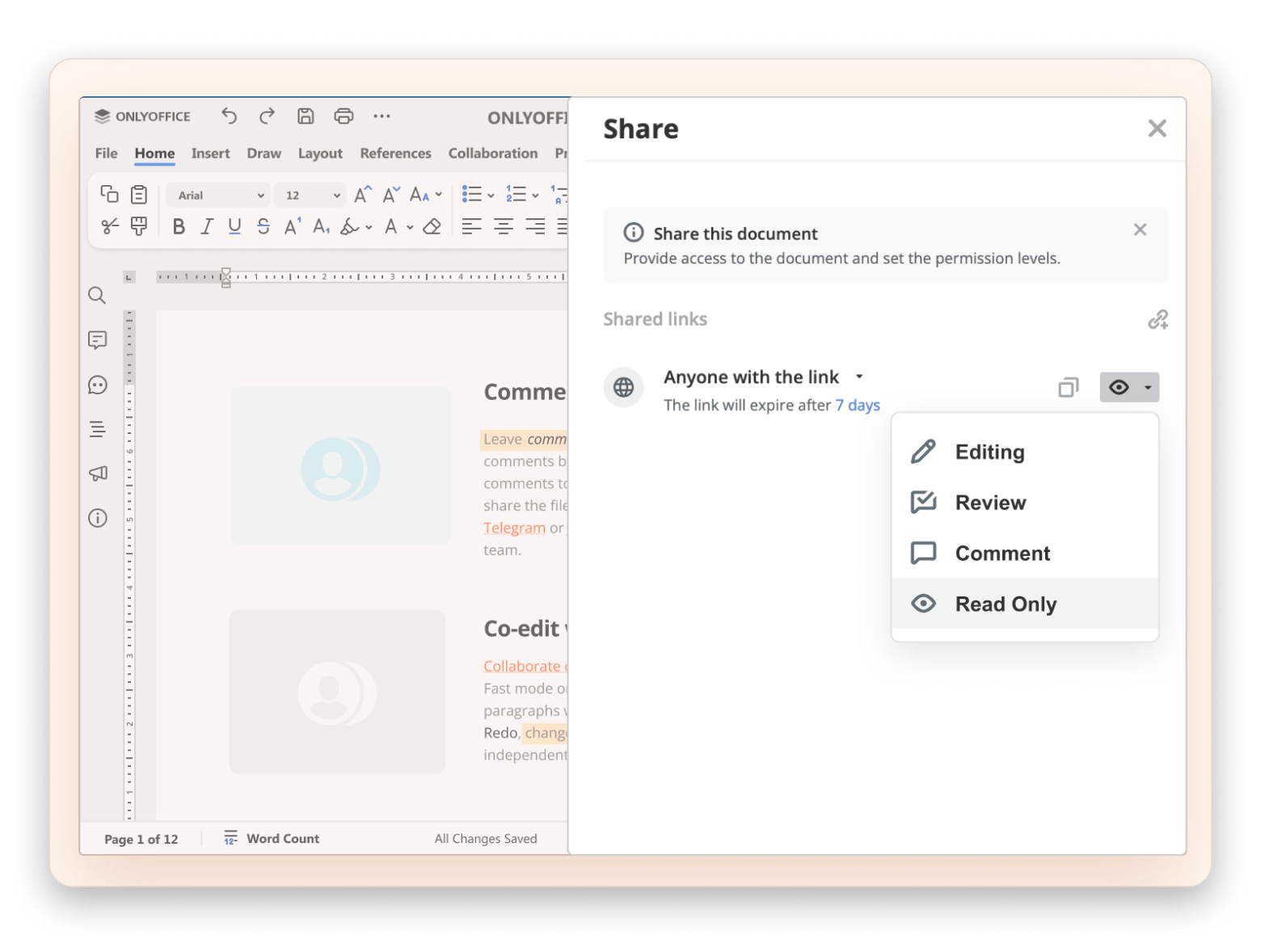
OnlyOffice: Best for collaboration with Microsoft formats
OnlyOffice takes a different approach to other MS Word alternatives by not converting the format. If you import your docx, .xlsx, and .pptx files, you can edit and export them in the same format. This greatly boosts .docx compatibility if you are in a team that exchanges MS Word documents.
Collaboration features are also quite strong, as you can edit documents with others in real-time, leave comments, track changes, and review revisions. The interface feels quite familiar, and the software is open-source and self-hostable. It’s mostly meant for teams.
Pros:
Excellent .docx compatibility
Real-time collaborative editing
Free open-source options available
Cons:
Best experience often requires the web app (not a Mac app)
Interface feels less Mac-native than some alternatives
Pricing:
Free community edition, free cloud tier
Cloud plans start at $30/admin/month
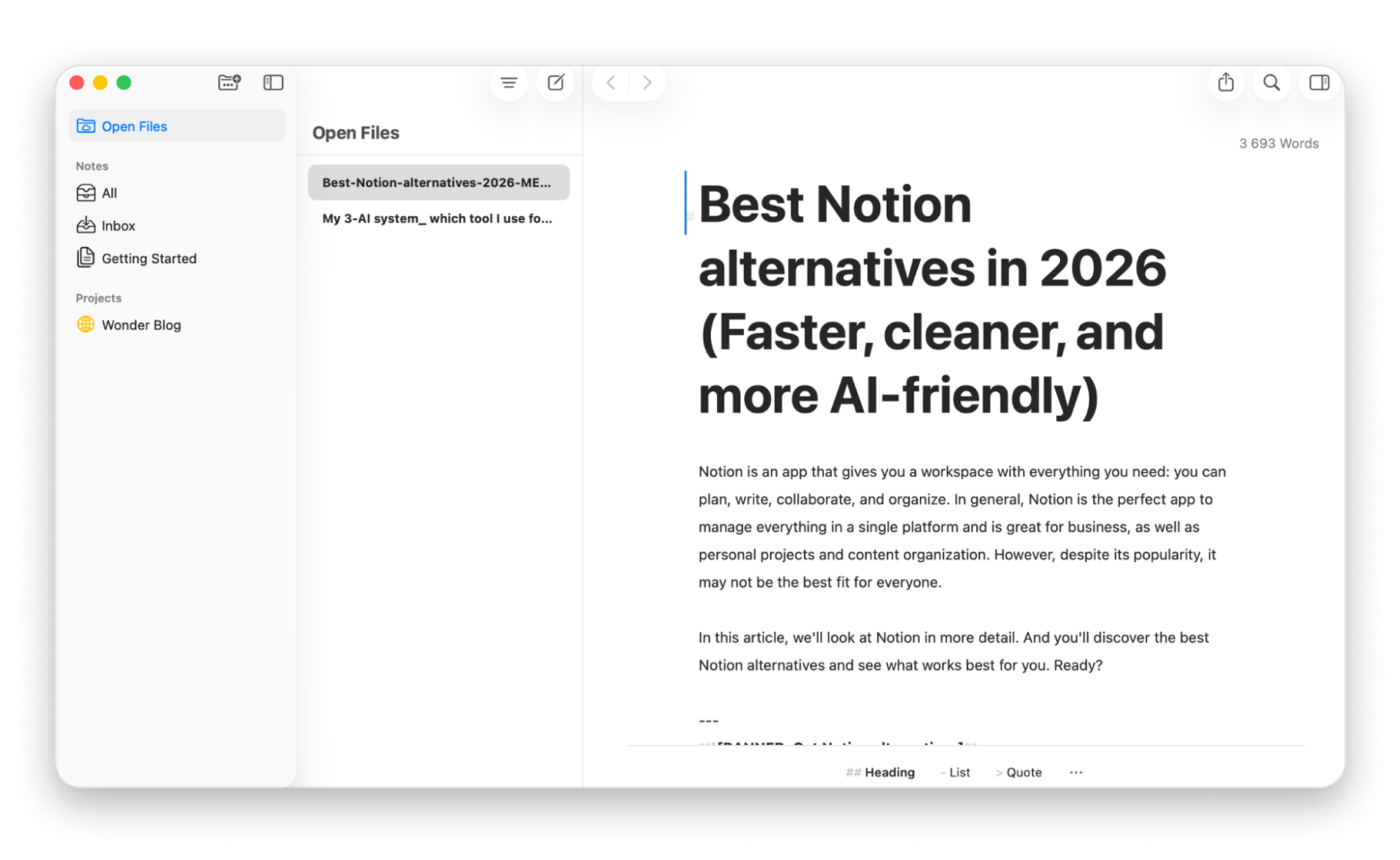
Ulysses: Best long-form writing app on Mac
Ulysses is a Markdown writing app and long-form writing software built for writers who need to manage their work without losing their minds. The tool is built around a distraction-free writing experience, which helps it top the list of the best Word processing apps for writers and bloggers.
It’s not a traditional word processor, but it still offers all the features bloggers, novelists, journalists, and content marketers need. Everything is then neatly arranged in a unified library where you can organize posts and chapters. You can then publish directly to WordPress, Ghost, Medium, and Micro.blog.
Compared to switching between Word's endless toolbar and Google Docs' comment threads, Ulysses felt almost too quiet at first. No distractions also meant no safety net. It took about a week before the plain-text approach clicked for me.
Pros:
Library-based organization for managing multiple projects
Markdown writing app with clean .docx export
Direct publishing to WordPress, Medium, Ghost, and Micro.blog
Cons:
No real-time collaboration
It’s not a traditional word processor
Pricing: Available on Setapp from $14.99 + tax, alongside 270+ macOS and iOS apps.
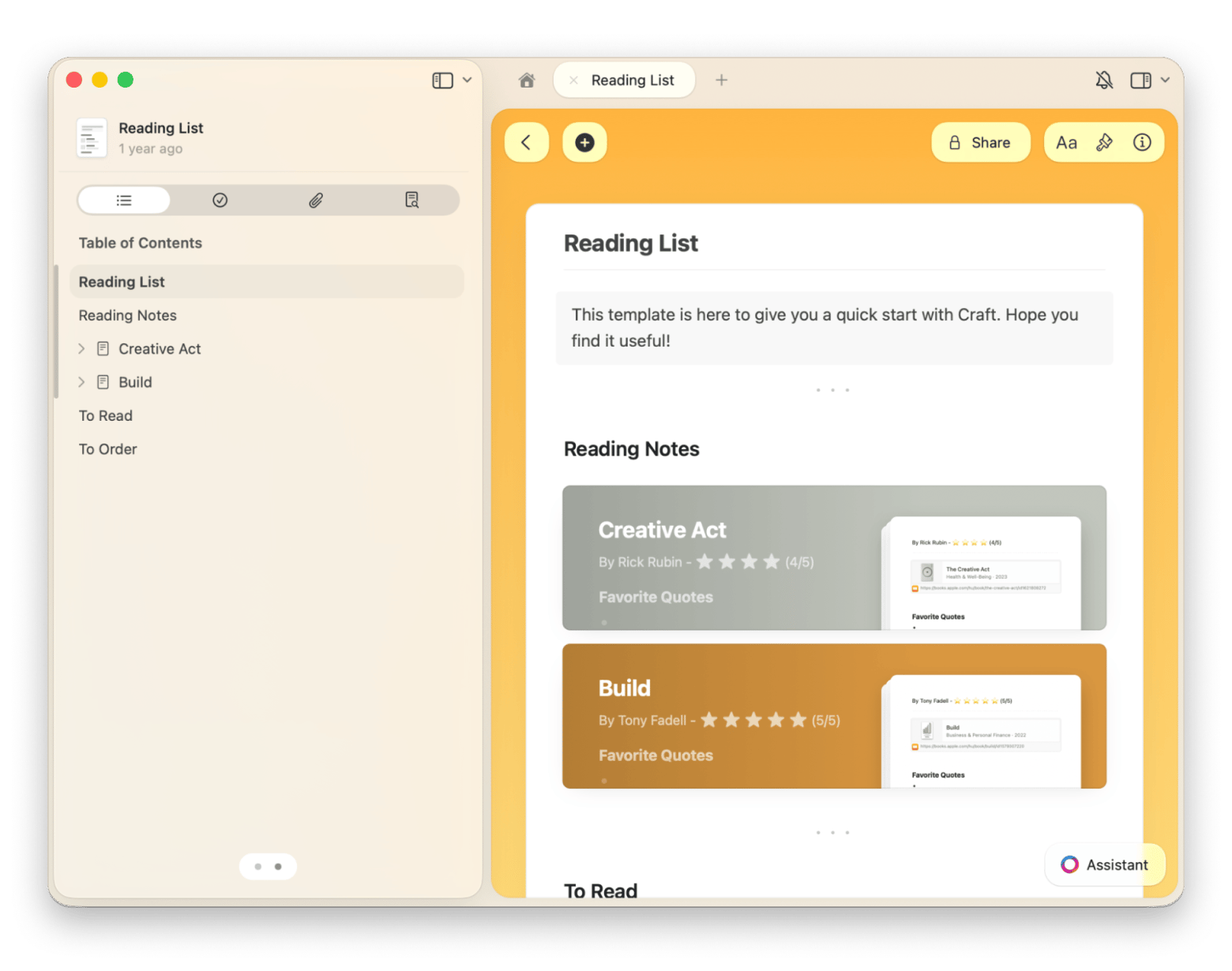
Craft: Best for structured writing and knowledge work
Craft is designed for tasks that require thinking in connected pieces. It’s not a traditional word processor, but it’s a great MS Word and Google Docs alternative when you need to work with research notes, meeting summaries, outlines, references, and draft documents.
The writing software treats different sections as blocks, making it easy to reorganize content, create linked pages, and connect ideas across projects. I’ve found it particularly useful when creating client-facing documents, as they require a lot of build-up based on research, meetings, and creativity.
Importing is not its greatest suit, but you can comfortably export in .docx, Markdown, and PDF.
Pros:
Excellent organizational tools
Linked documents and real-time collaboration
Beautiful Mac-native interface
AI assitant
Cons:
Not ideal for Word-centric workflows
Some collaboration scenarios work better in dedicated document tools
Pricing: Available on Setapp from $14.99 + tax, alongside 270+ macOS and iOS apps.
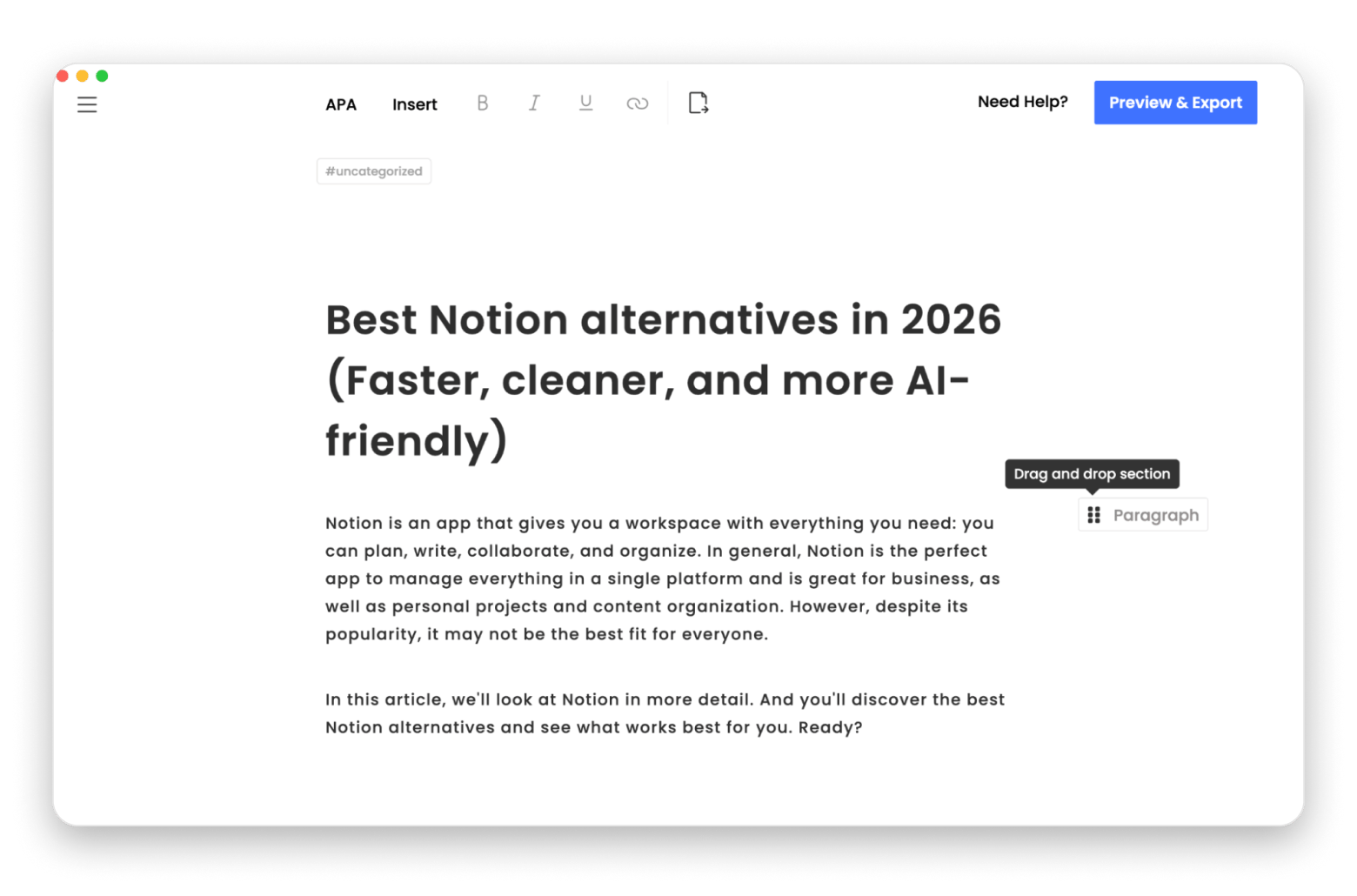
MonsterWriter: Best for academic and structured documents
MonsterWriter is a Mac-native word processor and one of the best MS Word alternatives if you want to focus on theses, dissertations, research papers, and technical documentation. It’s designed as an academic writing app to make it easy to manage citations, footnotes, references, and section numbering in a long research paper.
One of the features I find super-useful is citation management. The app supports BibTeX (a citation management format popular in academic writing), which reduces the manual formatting headaches that come with MS Word.". You can then export to Word, PDF, and LaTeX. Plus it haa a Preview mode where you can pick a format (e.g. PDF) and see the final result.
When I tried exporting a 40-page draft to LaTeX for the first time, I expected to spend an hour fixing broken citations. But the BibTeX handoff was cleaner than switching between Word and a separate reference manager ever was.
The only problem is that it’s a niche tool, so you may need an alternative for blog posts, business proposals, or marketing content.
Pros:
Excellent citation management
Structured writing tools
Ideal for academic work
Different formats preview
Cons:
Specialized in research and technical writing
Overkill for everyday documents
Pricing: Available on Setapp from $14.99 + tax, alongside 270+ macOS and iOS apps.
Still manually reformatting citations every time your reference manager glitches? MonsterWriter's BibTeX support handles it natively. Fix My Citations.
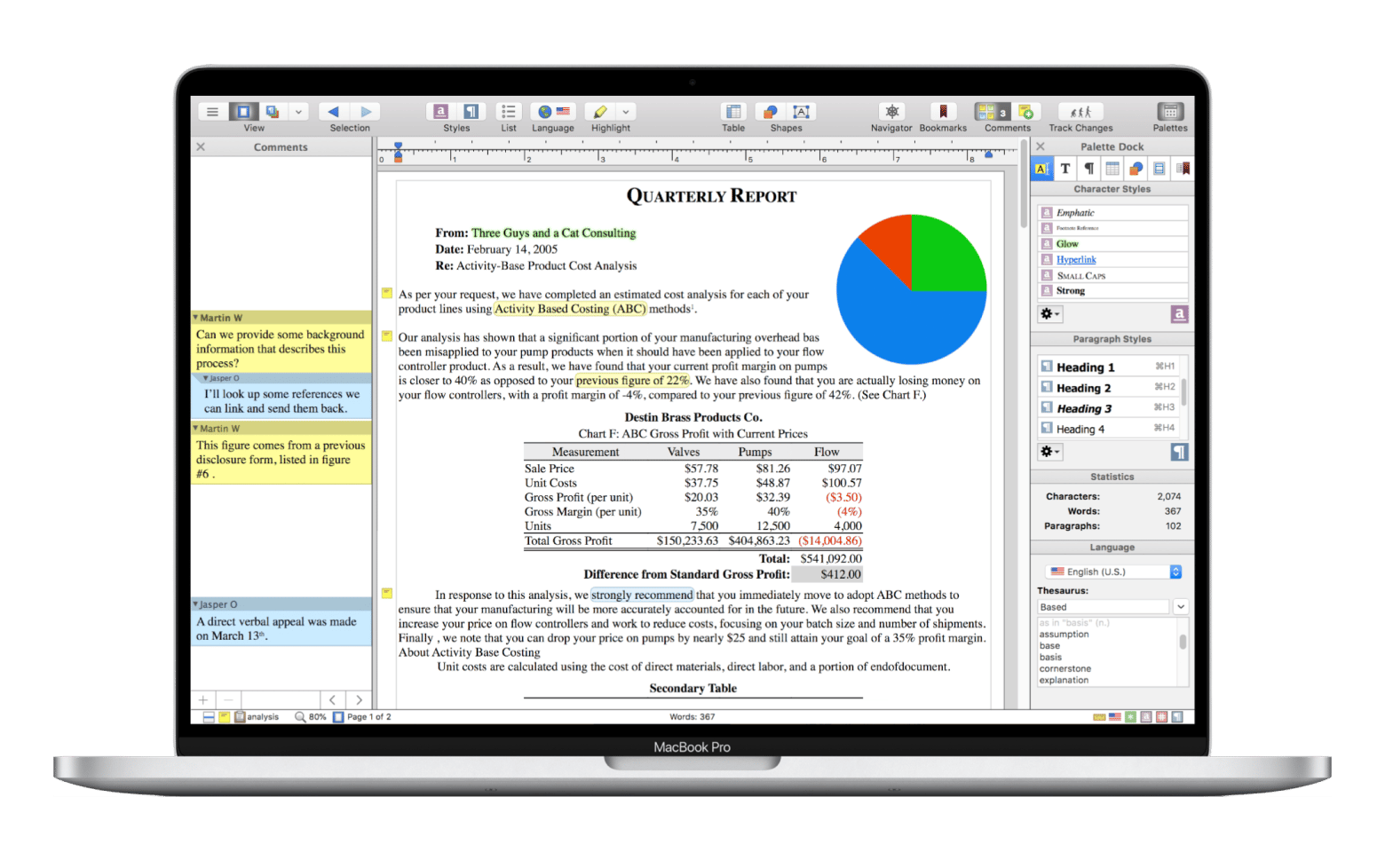
Nisus Writer Pro: Best Mac-native power word processor
Nisus Writer Pro is a Mac-native word processor that has been around since the 80s. It's powerful and highly customizable, making it one of the best Microsoft Word processors for Mac.
If you've ever pushed Word to its limits with long documents, complex formatting, or specialized workflows, you’ll love the depth. The features are even more advanced than MS Word's, but the interface still feels approachable thanks to a Mac-native design.
However, it’s not as actively developed as the other tools on this list.
Source: nisus.com
Pros:
Deep feature set
Highly customizable
Genuinely Mac-native experience
Cons:
More complex than most alternatives
Not actively developed
Pricing: One-time purchase, at $65 (Standard license)
Other Mac tools that make any Word replacement better
Writing itself is only one of the steps in creation. We all need several supporting tools, and below is a look at the ones I often rely on.
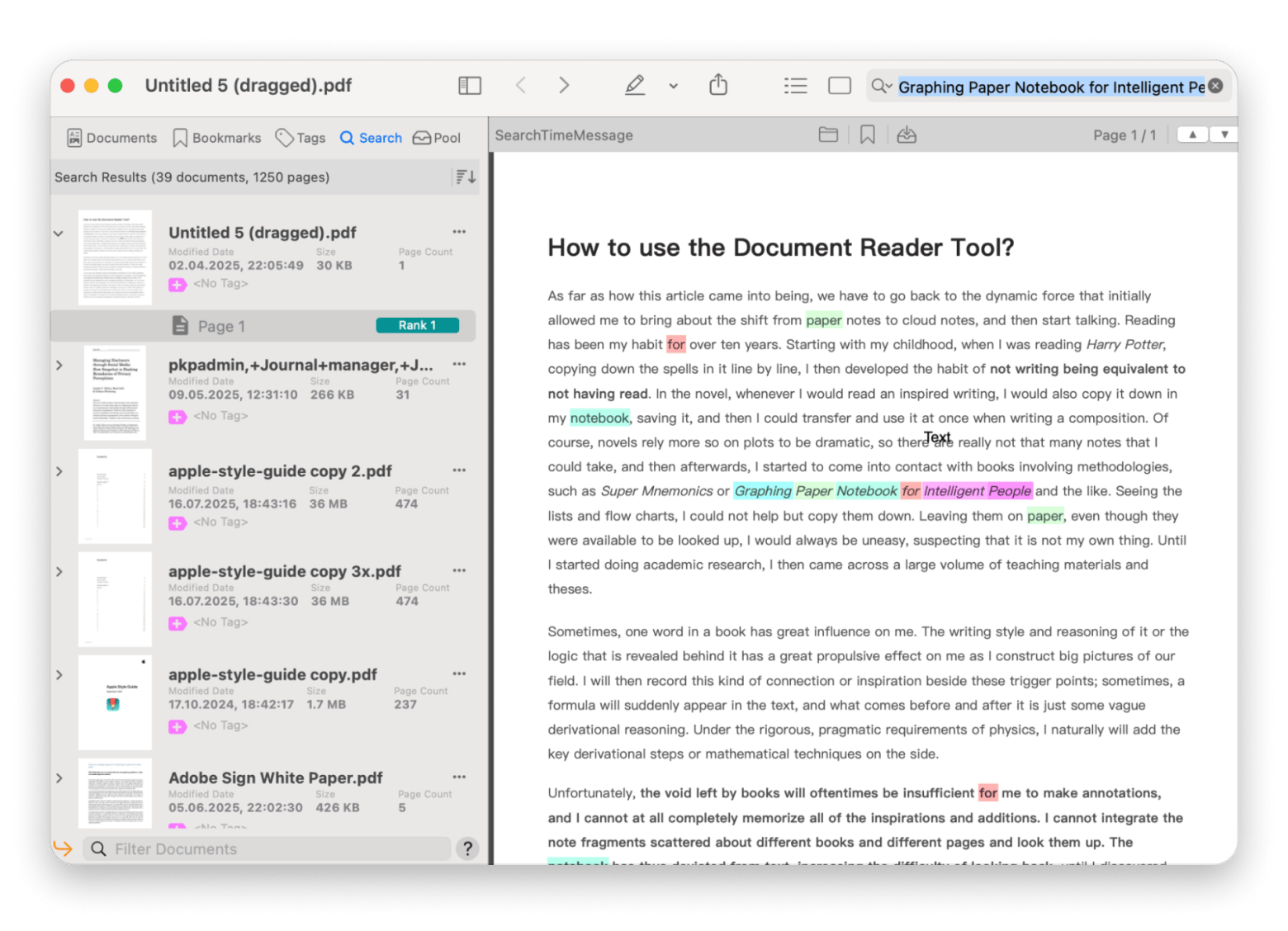
PDF Search – It comes in handy during research by making it easy to find quotes, references, and specific passages across large collections of PDFs. No need to open files one by one.
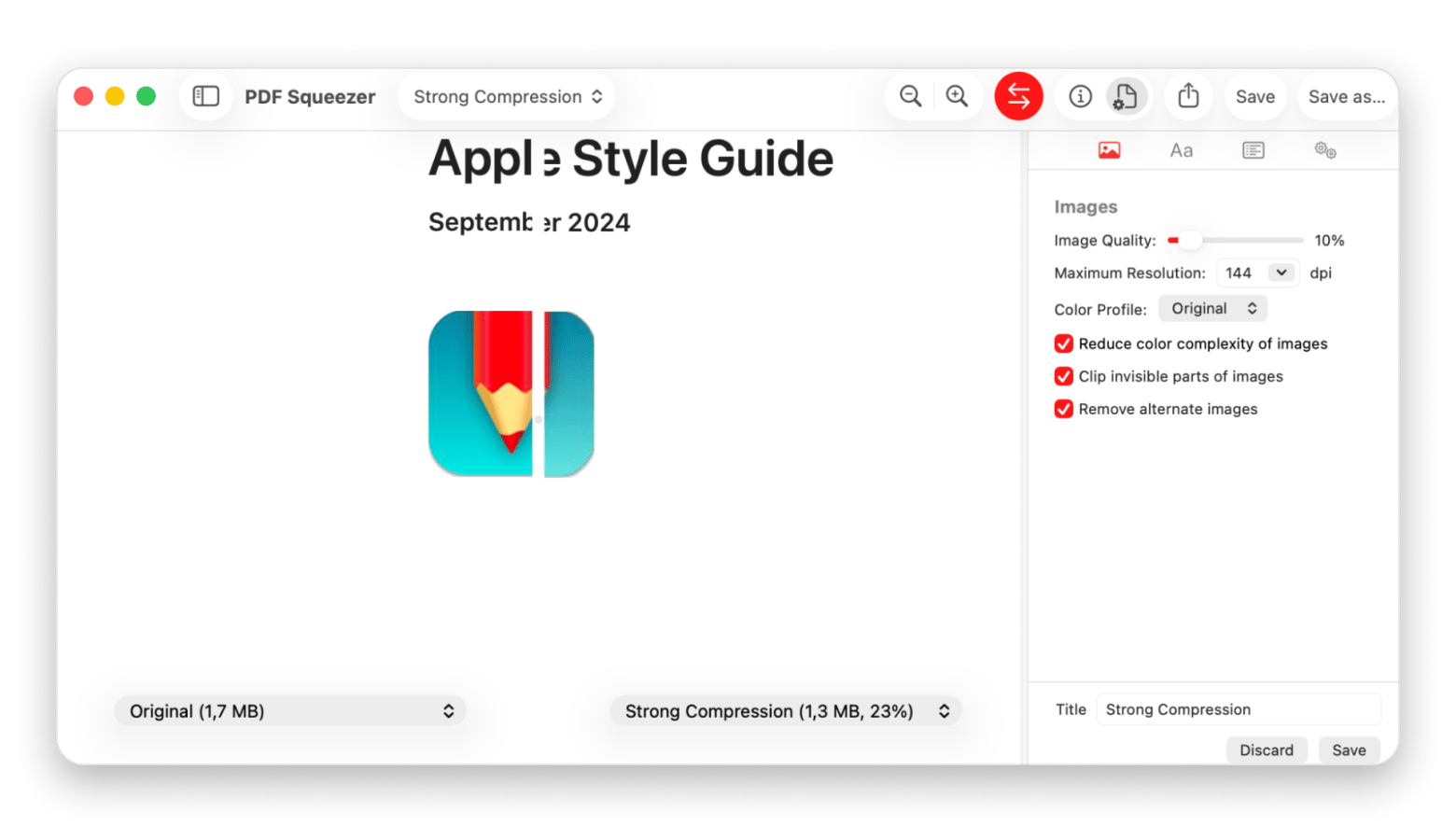
PDF Squeezer – Some of the documents I create are too large for sharing via email. After converting to PDF, I use PDF Squeezer to reduce the size while preserving the quality. Plus, it has an iOS version.
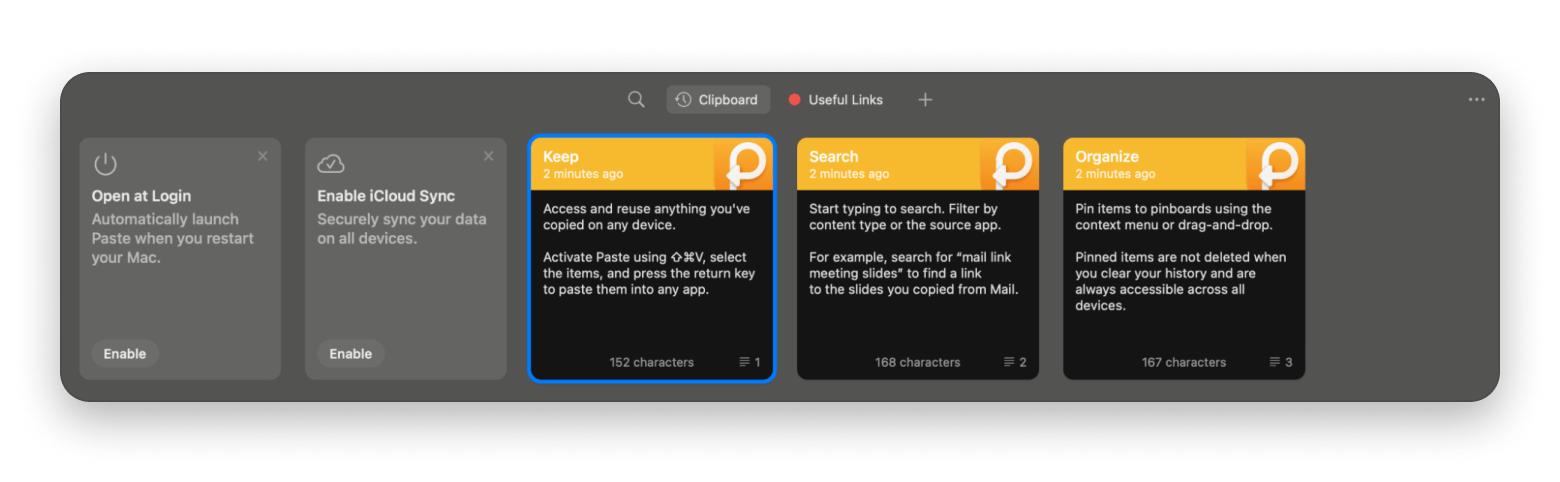
Paste – My writing process involves lots of copying and pasting as I research information from different sources. Paste helps make the process easy by keeping a searchable history just a shortcut away.
While they are not actual word processors, they complete the workflow to enhance productivity.
How do you migrate from Word to a new writing tool?
Switching from Word is easy, but it’s good to ensure you follow the right steps.
Save your important documents as .docx instead of .doc for better compatibility.
Open the files in your new tool and check for formatting issues. Especially tracked changes, footnotes, and styles.
Rebuild or create new templates in the new tool.
Set a free fallback option like Pages or LibreOffice in case of the occasional compatibility issue.
Configure export settings in your new tool to ensure clean .docx files for the people who still need them.
Note that docs with macros, fields, or mail merges may not import into some tools. You may still need Word or at least LibreOffice.
Why do Mac users need an alternative to Microsoft Word?
Mac users look for Word alternatives mainly for three reasons:
Cost
Non-native interface
Long-form writing needs that Word doesn't serve well.
When you are on a budget or only write the occasional report, forking out $9.99 per month or $129.99 per year for Microsoft 365 Personal can feel excessive.
Other Mac users also never feel at home with the interface. While Microsoft has improved it over the years, it has never really adapted Word to be a Mac-native app like Pages or Ulysses.
There are then long-form writers, bloggers, and researchers. While Word does well for business documents, it’s not the best for managing daily posts, writing an 80,000-word novel, or organizing a large research project.
Choosing the right Microsoft Word alternative for your use case
The best alternative to Microsoft Word ultimately comes down to how you work. Here’s a selection shortcut I’ve created based on that logic.
I just need to open a .docx file someone sent me → Apple Pages is already on your Mac.
I write blog posts, articles, or long-form content → Ulysses offers distraction-free writing, Markdown, and document management.
I work on shared documents with non-Mac users in real time → Google Docs or OnlyOffice are great.
I need a full Word feature replacement without paying monthly → LibreOffice Writer is free, and Nisus Writer Pro has a one-time license.
I write academic papers with citations → MonsterWriter has BibTeX support and LaTeX export built in.
I want my writing tool to double as a knowledge base → Craft uses a block-based structure that connects ideas.
Ulysses, MonsterWriter, and Craft are all available on Setapp under a 7-day free trial. And so are other supporting apps like PDFSearch, PDFSqueezer, and Paste. This means you only need a single license to access them, and it will also give you access to hundreds of other Mac, iOS, and web apps. You've found your Word alternative. Now try it risk-free. Start My 7-Day Trial. Or buy Setapp apps individually via Marketplace if you only need one.
FAQ
Is there a free alternative to Microsoft Word for Mac that opens .docx files?
Yes. Apple Pages, LibreOffice Writer, and Google Docs all open and edit .docx files.
What is the best Microsoft Word alternative for writers and bloggers on Mac?
Ulysses is the best Microsoft Word alternative for long-form writers and bloggers. It offers distraction-free writing, Markdown writing, and library management.
Can I collaborate with Word users if I switch to an alternative on Mac?
Yes. Most alternatives can import and export .docx files. Tools like Google Docs and OnlyOffice also support real-time collaborative editing.
Does Apple Pages fully replace Microsoft Word on a MacBook?
Apple Pages replaces MS Word on a MacBook for simple, everyday writing. But if you want advanced features like macros or mail merge, you may want to look at LibreOffice.
Which Microsoft Word alternative is best for academic writing on a Mac?
MonsterWriter is the best MS Word alternative for Mac academic writing as it offers citation management, footnotes, and structured writing tools designed for academic documents.
Get the best writing tool
Write undistracted and edit texts on the fly with Ulysses.






 Best solution
 Best solution