The best Adobe Premiere Pro alternatives aren't full NLE replacements — they're task-specific tools that handle individual jobs faster. Instead of forcing Premiere to do everything, pairing it with specialized apps for screen recording, subtitles, color grading, thumbnails, and timelapses can cut your editing time by 30–40%.
VidCap replaces Premiere for subtitles. AI-powered captioning with customizable templates — what took 2–3 hours in Premiere now takes 20 minutes.
CameraBag Pro replaces Premiere for quick color grading. Intuitive filters and real-time preview without Lumetri's complexity — 10 minutes instead of 45.
iShowU replaces Premiere's screen recording workflow. AI background removal during recording means no post-production keying.
SnapMotion replaces Premiere for thumbnail extraction. Full-resolution frame grabs in seconds instead of Premiere's clunky export-frame process.
I'm constantly working on creating and editing videos on demand. My to-do list includes tasks like creating tutorials, promo videos, content for bloggers, and experimenting with new tools. For 10 years of working as a video creator, I've been using Adobe Premiere Pro all the time, but since I started using Setapp, I've expanded my toolkit.
Discovering Setapp's collection of specialized video tools, I realized I could build a more flexible, cost-effective workflow. Instead of forcing Premiere to handle every single task, I now use Adobe Premiere Pro alternatives that excel at specific functions. As a result, I’m finishing projects 30-40% faster and producing higher-quality work.
Premiere Pro alternatives: my picks for professionals
Don't get me wrong – Adobe Premiere Pro is powerful. But the subscription costs keep climbing, and honestly, I was spending way too much time on repetitive tasks that could be automated.
I'm not one of those who were unhappy with the complexity and price of Adobe Premiere Pro. One Reddit user wrote that “My main complaint with Premiere is that, at the end of the day, it just ends up wasting a lot of my time. Five minutes here and there to restart the program or computer, to close and open a project to get some feature to work, it all adds up”.
Another video creator also encountered difficulties with Premiere Pro, complaining about its price and crashes. “I think that the program it's a very powerful editor when it works, but I don't know why it's getting worse and worse with each upgrade, and it's just getting super frustrating. It's not a cheap subscription to have, and it's just only sad that I can't work faster because of the program crashing all the time or not working correctly”.
Okay, guys, for everyone who is in the same boat with us, here's how I've restructured my entire video production process using Premiere Pro alternatives available at Setapp.
Automated process that previously took 1-2 hours of manual editing
Using these apps as part of Setapp Membership (I pay once a year and use 270+ apps without buying each one separately), I can create a full-fledged, high-quality video, and I'm going to show you how.
Tip: If you need an even more personalized solution, check out this free custom GPT: Mac video editing software. Describe your needs to it, and it will suggest the right tool or solution for your needs in seconds.
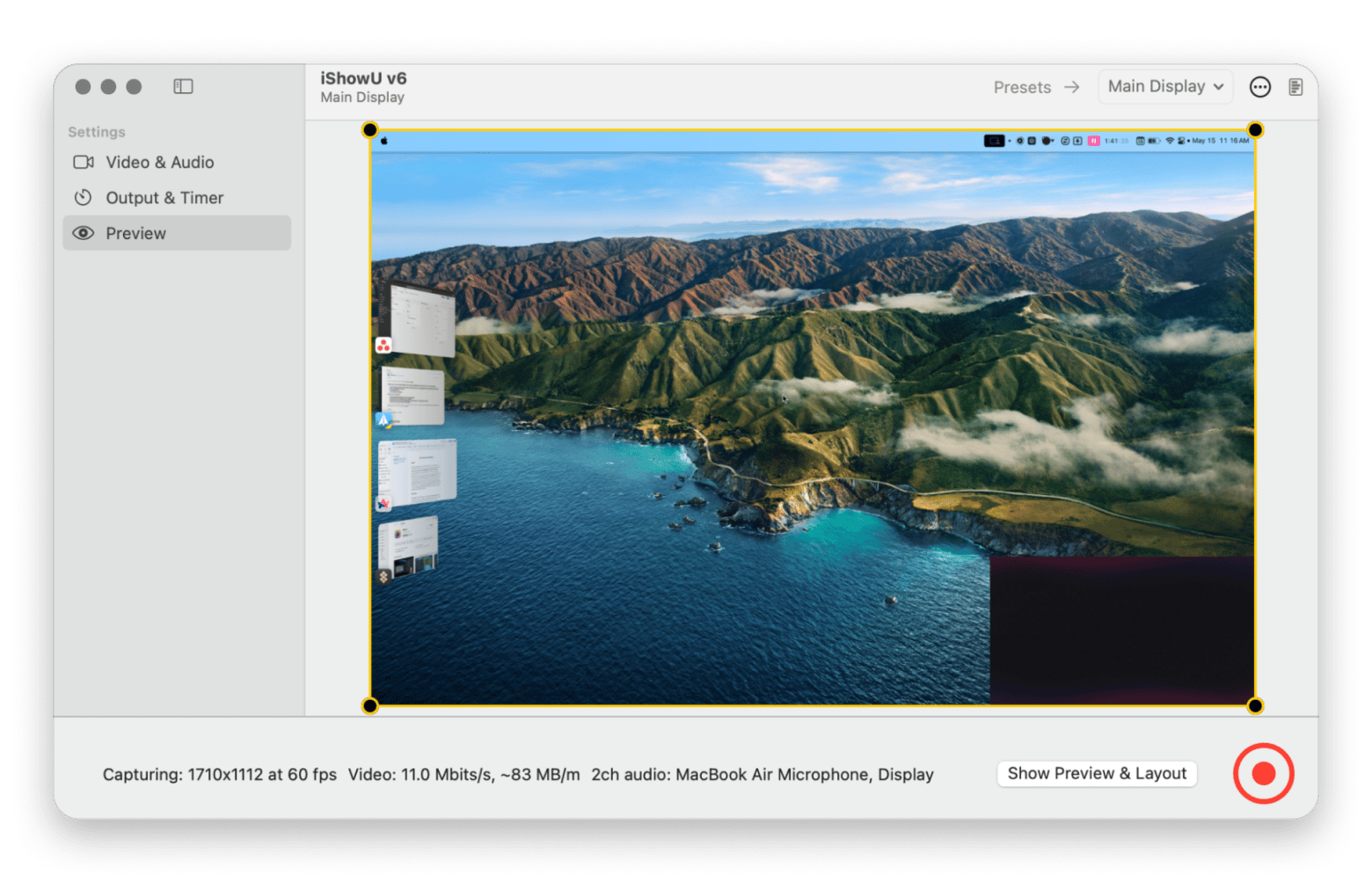
iShowU: My screen recording Adobe Premiere alternative
For tutorial creation and product demos, iShowU, included in Setapp, replaced my old QuickTime-based journey. Previously, I'd record with QuickTime, import into Premiere, and spend ages keying out backgrounds or dealing with inconsistent lighting. Now I just use iShowU’s AI background removal feature and save hours of mundane work.
What I like most:
AI-powered background removal that works in real-time
Smart face overlay positioning that analyzes screen content
Preset profiles that eliminate setup time
Professional-quality recordings without post-production
If your tutorials need more than a face overlay — like automatic cursor zoom-ins and click highlights — FocuSee is a great companion. It records your screen with intelligent camera follow, so viewers always see what matters. Also on Setapp.
Price: Included in Setapp Membership as part of a flat monthly subscription, along with 270+ other Mac apps.
VidCap: The Premiere Pro alternative for subtitles
Since I found VidCap in the Setapp collection, I can now create subtitle templates for each of my regular clients. When a new project comes in, I just apply the appropriate template, and VidCap handles the rest. What used to take 2-3 hours now takes 20 minutes.
Captioning used to be my least favorite part of video editing. I'd either spend hours manually typing subtitles in Premiere or pay for expensive transcription services. This Setapp tool changed everything.
What I like most:
High accuracy rates, especially with technical terminology
Customizable templates for different clients and projects
Direct editing capabilities without round-tripping to other apps
Faster processing times in comparison to Adobe Premiere Pro
AI subtitles in 20 minutes — not 3 hours. Customizable templates, high accuracy on technical terminology, and direct editing without round-tripping to Premiere. Try VidCap Free.
“I used to create subtitles on my phone, send the file to my Mac, and spend a lot of time trying to make a proper video out of it. But with VidCap, I can finally create subtitles right on my Mac, exactly the way I want them. The subtitles look professional and clean, without the typical mobile app limitations” shares Alina Shevchenko, video editor, director of photography.
Price: Included in Setapp Membership as part of a flat monthly subscription, along with 270+ other Mac apps.
Camera Bag Pro: Adobe Premiere alternative for color grading
For client work that doesn't require extensive color grading, Camera Bag Pro is my go-to from the Setapp collection. I can enhance footage quality in minutes rather than getting lost in Premiere's extensive color panels. The interface of this Premiere Pro alternative is so intuitive that I can apply adjustments quickly during fast-paced editing sessions.
What I like most:
Intuitive filter system that's faster than Premiere's Lumetri
Real-time preview without rendering delays
Wide range of filters and creative effects
Professional results with just a few clicks
Price: Included in Setapp Membership as part of a flat monthly subscription, along with 270+ other Mac apps.
SnapMotion: Premiere Pro alternative for frame extraction
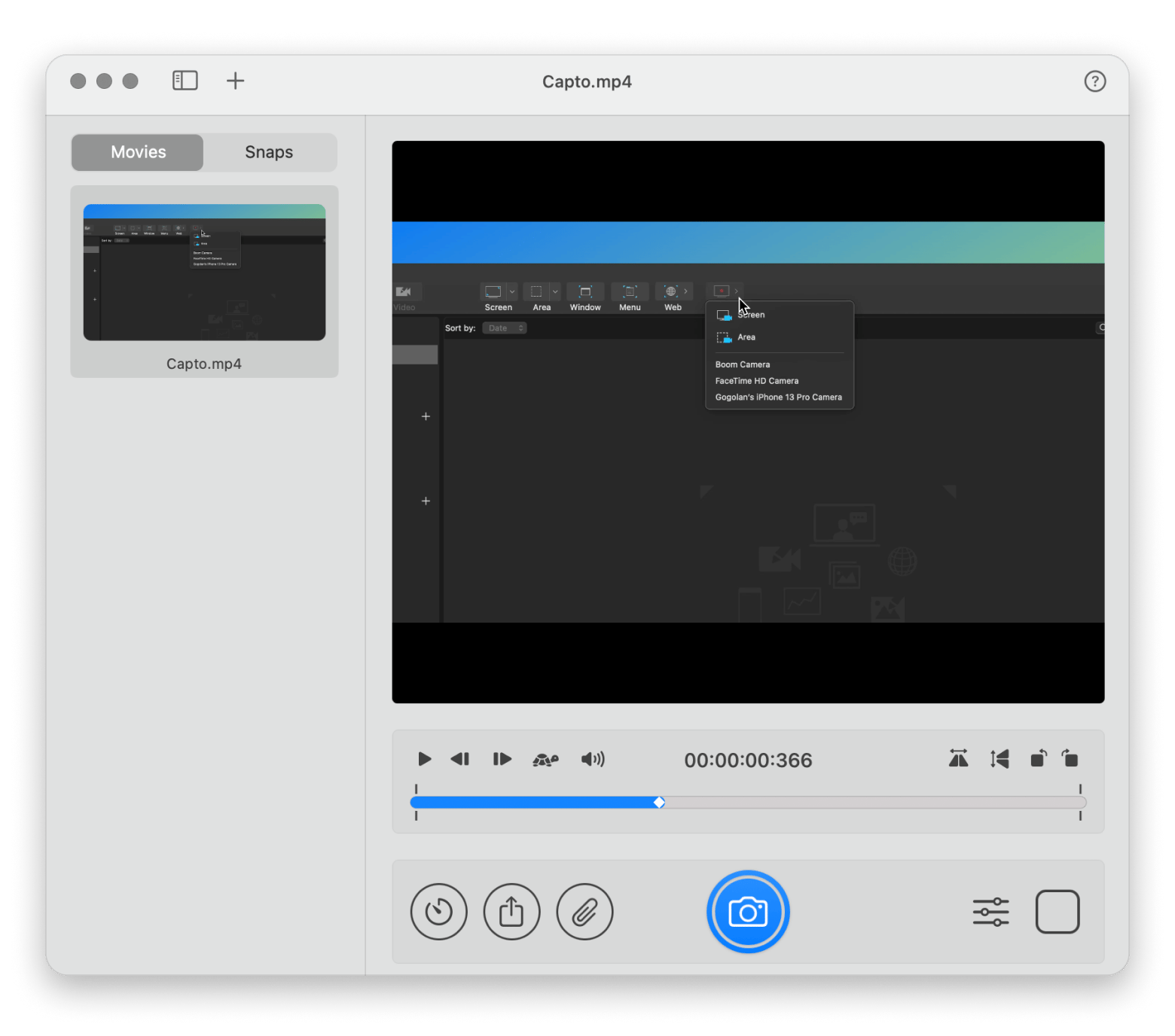
I use SnapMotion for creating YouTube thumbnails, client presentation materials, and visual references. The precision and speed are unmatched compared to Premiere's clunky frame export process. All I do is import my video, choose the exact frame I want, and extract it – simple as that.
What I like most:
Full resolution output without quality loss
Precise frame selection tools
Perfect shots extracted in seconds
No messy manual pauses or cropping needed
Price: Included in Setapp Membership as part of a flat monthly subscription, along with 270+ other Mac apps.
Hustl: Adobe Premiere Pro alternative for timelapse creation
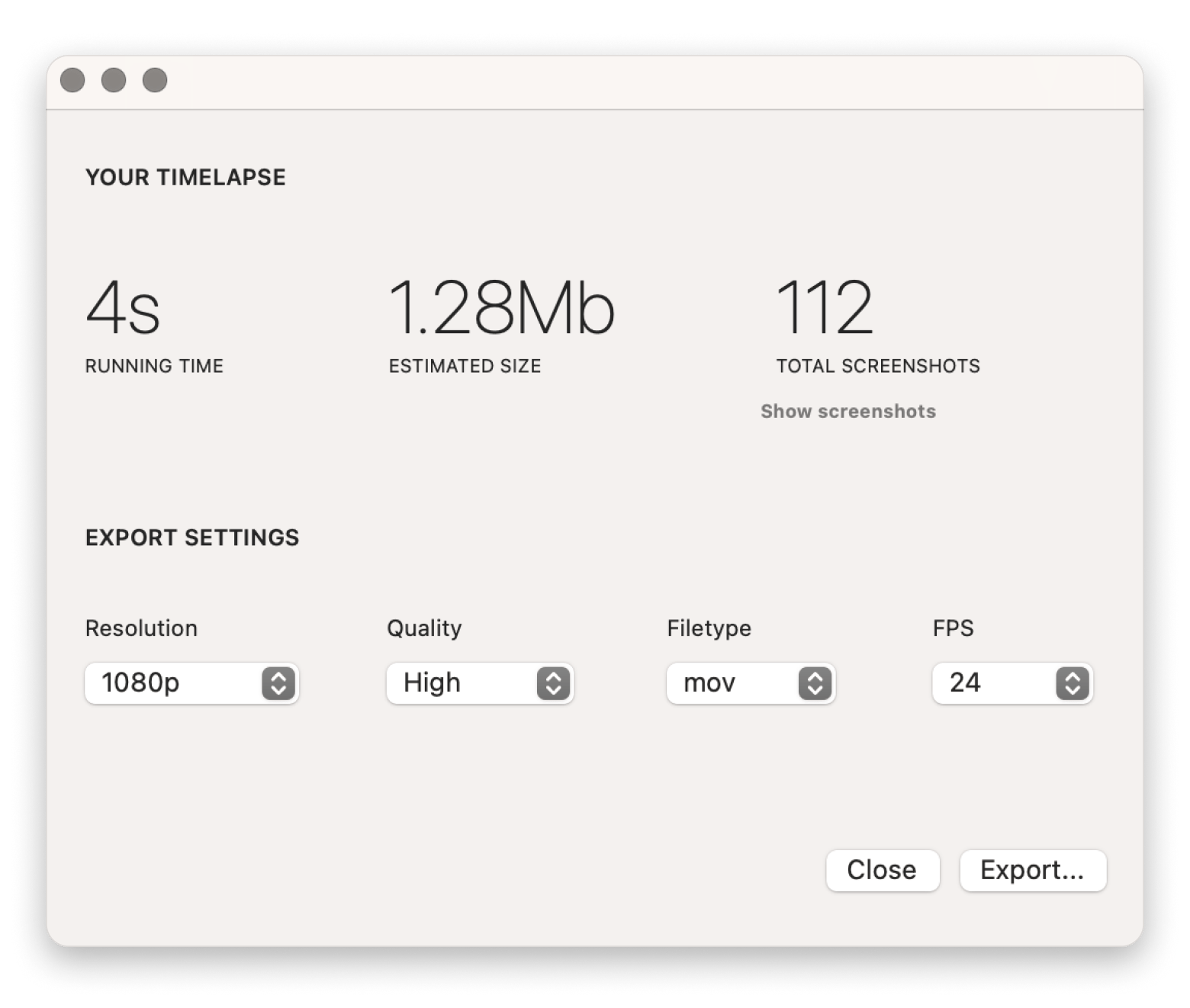
The insights Hustl provides about my workflow patterns have actually helped me optimize my work habits. Plus, the timelapses I create serve as excellent marketing content for my services. The ability to focus only on specific apps or parts of my screen keeps recordings clean and distraction-free.
Documenting creative processes and creating behind-the-scenes content has become a huge part of my business. This Adobe Premiere Pro alternative, included in Setapp, makes professional timelapses effortless.
What I like most:
Selective screen recording (only capture what matters)
Pause and resume functionality for long sessions
Up to 8K export resolution
Customizable aspect ratios and frame rates
Worth noting: Hustl is specifically for screen timelapses (recording your desktop workflow). If you need camera/photo-based timelapses, like turning a folder of stills into a video with deflicker and ProRes export, GlueMotion handles that side. Also on Setapp.
Price: Included in Setapp Membership as part of a flat monthly subscription, along with 270+ other Mac apps.
Final words on Adobe Premiere Pro alternatives from Setapp
With Premiere Pro alternatives, I can complete specialized tasks faster and more efficiently. I record the screen with iShowU, use VidCap for subtitles and Camera Bag Pro for color, which increases efficiency in post-production. SnapMotion is my go-to tool for thumbnails, and Hustl for timelapses.
You don't need to replace Premiere. You need to stop using it for everything. Subtitles, color, screen recording, thumbnails, timelapses — five specialized tools, all on Setapp. Get 270+ Apps.
However, I still continue to combine these apps with the functionality of Premiere Pro. It remains my main tool for complex editing and assembly and advanced motion graphics. In the future, I plan to explore more apps from the Setapp collection for video editors and share my insights on the blog. Stay tuned.
FAQ
What is the best alternative to Adobe Premiere Pro?
For full NLE replacement, DaVinci Resolve (free tier available) and Final Cut Pro are the most common picks on Mac. But if your goal is to speed up specific tasks like subtitles, color grading, or screen recording, specialized tools like VidCap, CameraBag Pro, and iShowU can handle those jobs faster than Premiere — without replacing it entirely.
Is there a free version of Adobe Premiere Pro?
Adobe offers a time-limited trial, but there's no permanently free version of Premiere Pro. For free editing, DaVinci Resolve's free tier is the strongest option on Mac. For task-specific alternatives included in a subscription, Setapp covers screen recording, subtitles, color, and more for $9.99/mo + tax.
Can I use these tools instead of Premiere Pro completely?
Not for complex timeline editing, multicam, or motion graphics — Premiere (or Final Cut/Resolve) is still the right tool for that. These apps replace specific Premiere workflows: subtitles (VidCap), color grading (CameraBag Pro), screen recording (iShowU), frame extraction (SnapMotion), and timelapses (Hustl).
Is Premiere Pro good for beginners?
It's powerful but has a steep learning curve. Beginners may find task-specific tools easier to start with — for example, using VidCap for subtitles or CameraBag Pro for color correction before investing time in learning Premiere's full interface.
Curious how others get more done with Setapp?
See how real users apply Setapp apps for writing, creative work, productivity hacks, and beyond.






 Best solution
 Best solution