Luminar Neo is the closest all-around Snapseed alternative on Mac. Its AI tools handle sky replacement, portrait enhancement, and background swaps — the kind of editing Snapseed users expect.
TouchRetouch replaces Snapseed's Healing tool. It's the fastest way to erase objects, power lines, or blemishes from a photo.
Batch jobs and colorization have dedicated tools. PhotoBulk handles bulk resizing and watermarking, while PhotosRevive brings old black-and-white photos to life.
All of these apps come with Setapp. Instead of buying Photoshop or Lightroom separately, get 270+ Mac and iOS apps for one flat fee. Try Setapp free for 7 days.
Snapseed is great for editing photos on iPhone, but what if you prefer working on larger screens? Well, the bad news is you can’t install the Snapseed app on Mac. But worry not, because I found several professional photo editors that are comparable to or better than Snapseed. More importantly, some are super easy to use, especially for non-photographers like me.
What is Snapseed?
Snapseed is a mobile photo editing app that runs on iOS and Android. Hobbyists and professionals alike love Snapseed because of the extensive features it offers. Whether you want to crop a photo or apply effects to different layers, Snapseed has the exact tools for you. Overall, Snapseed seems like an ideal photo editor, except that it might be overwhelming for some of us.
Tip: If your camera roll is where most of your Snapseed editing happens, CleanMy®Phone is worth a look too. It helps you clear out duplicates and clutter on your iPhone before you move your best shots over to a Mac editor.
No. Currently, there isn’t an official Snapseed for Mac. While Snapseed’s developer did roll out a version for Mac more than 10 years ago, it has ceased to do so. If you want to edit photos with Snapseed, the only way is to download it on your iOS or Android device. Otherwise, consider these Snapseed macOS alternatives:
Included in Setapp for a flat monthly fee, along with 270+ other Mac apps
Adobe Photoshop
Known as a comprehensive photo editor with extensive generative AI tools.
From $22.99 USD/month
Adobe Lightroom
Has simple photo editing workflow plus access to editing tools.
From $11.99 USD/month
Found one that piqued your interest? Great. Otherwise, read on to learn more.
Best Snapseed alternatives for Mac
I know that choosing a Snapseed equivalent for Mac is tough. If you don’t have the time to explore every piece of photo editing software available, consider the ones I’ve tested.
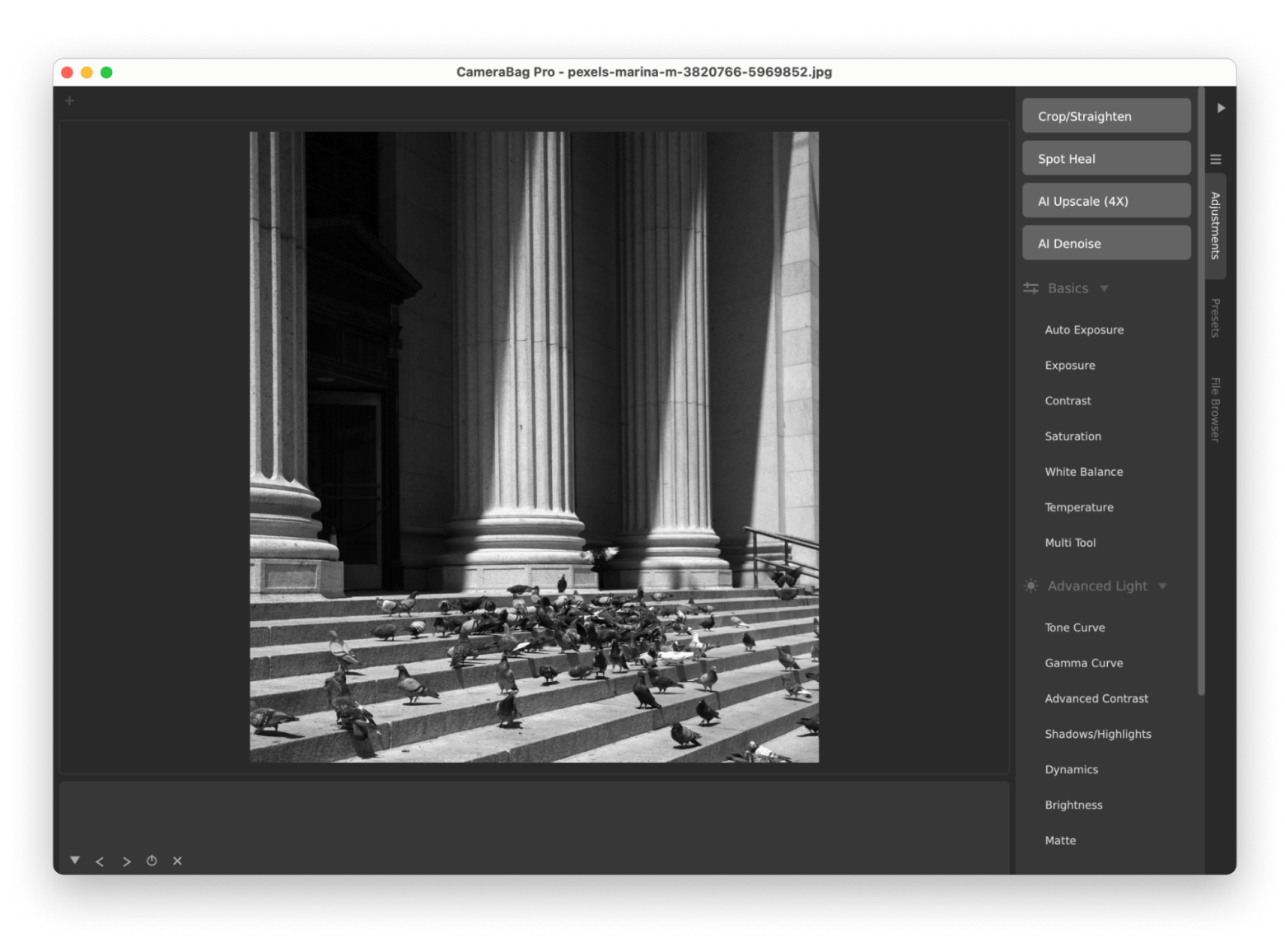
Camerabag Pro: Professional photo and video editing software
Camerabag Pro is a great Snapseed alternative for Mac. It’s sleek, easy to use, and provides advanced features that professionals approve of. You can apply advanced lighting, color, and photography effects or prebuilt presets to enhance a photo. Plus, Camerabag Pro also includes an AI denoising and upscaling tool, which cuts short editing time.
To be frank, PhotosRevive isn’t an exact Snapsheed alternative if we strictly compare their features. PhotosRevive is simpler. That said, you don’t need a full-blown photo editor if you want to bring black-and-white photos to life. PhotosRevive, being a lightweight colorizer, is more than enough. It lets you colorize photos manually, with AI, or both.
What I like:
AI-powered colorizer provides consistent results
Provides tools for manual touch-up
Easy to use
What I don’t like:
May lack some editing features that Snapseed offers
Finally see old photos the way they were meant to look. PhotosRevive colorizes automatically or lets you fine-tune by hand. Try PhotosRevive Free.
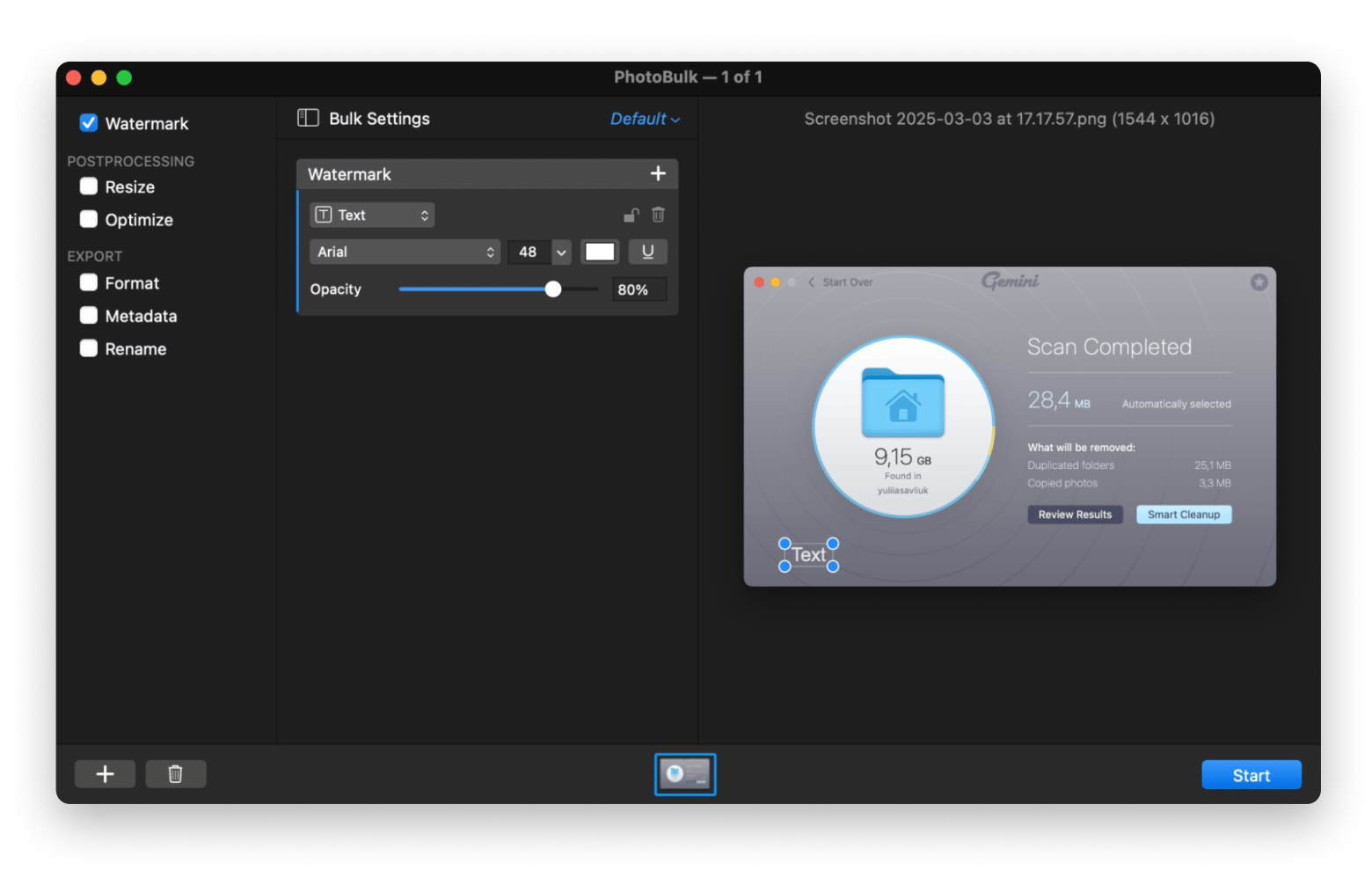
PhotoBulk: For high-volume editing
PhotoBulk is another special photo editing tool worth considering if you want to add a watermark to multiple photos simultaneously. Whether text, image, or script, you can customize the watermark and position it on the photos. Not only that, but it also lets you reduce the photo size without losing its quality.
What I like:
Make edits to multiple photos easily
Various choices of watermarks to choose from
What I don’t like:
Lacks advanced photo editing features
Tip: Once you've resized and watermarked a batch, Squash is a handy next step. It compresses and converts formats (including WebP and AVIF) in bulk, so your exports stay small without losing quality.
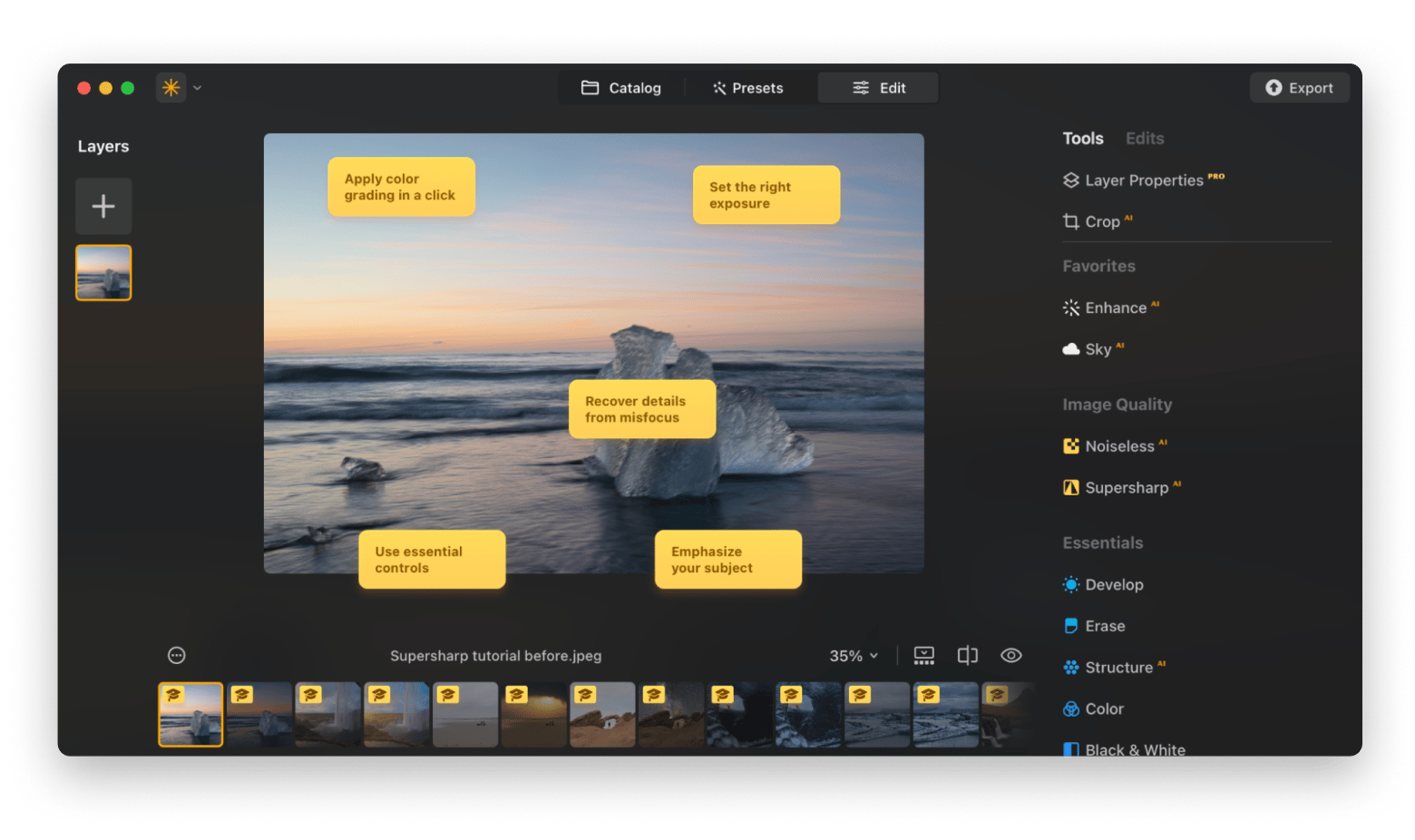
Luminar Neo: Advanced tool for professional use
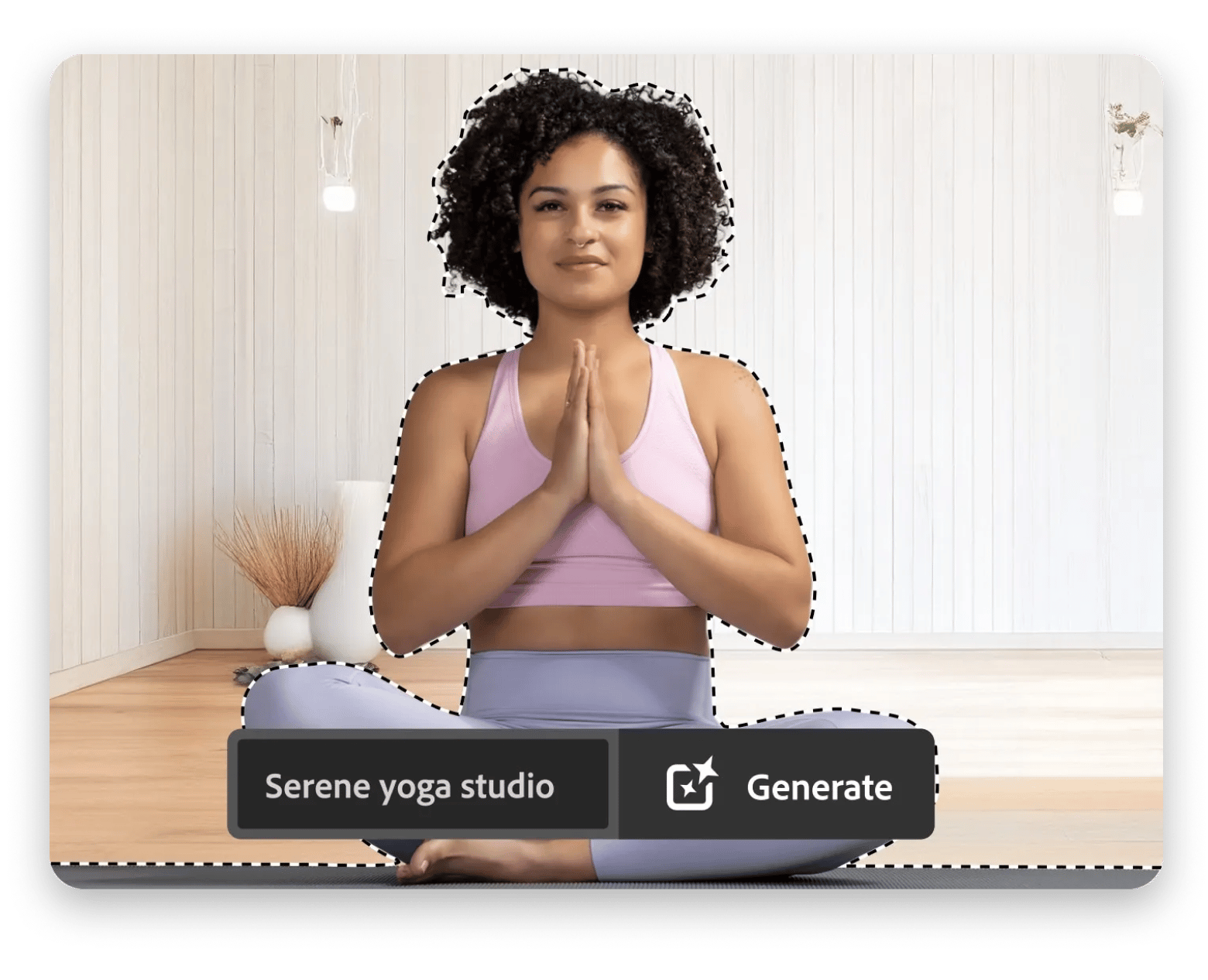
Luminar Neo is a powerful photo editing app that more than gives Snapseed a run for money. What makes Luminar Neo a favorite amongst photographers is the extensive editing tools, particularly AI-powered ones. For example, you can replace the sky in an outdoor shot by simply using the app’s AI sky replacement tool.
And that’s only the tip of the iceberg of what you get with Luminar Neo. If you want more control of the editing workflow, you’ll be pleased with the effects, adjustments, and extensions the app offers. But what truly amazes me is the choice of presets available to make a photo more beautiful.
What I like:
Plenty of AI-powered editing tools
Minimalist, easy-to-use interface
Various choices of presets, filters, and effects
What I don’t like:
Takes up lots of RAM
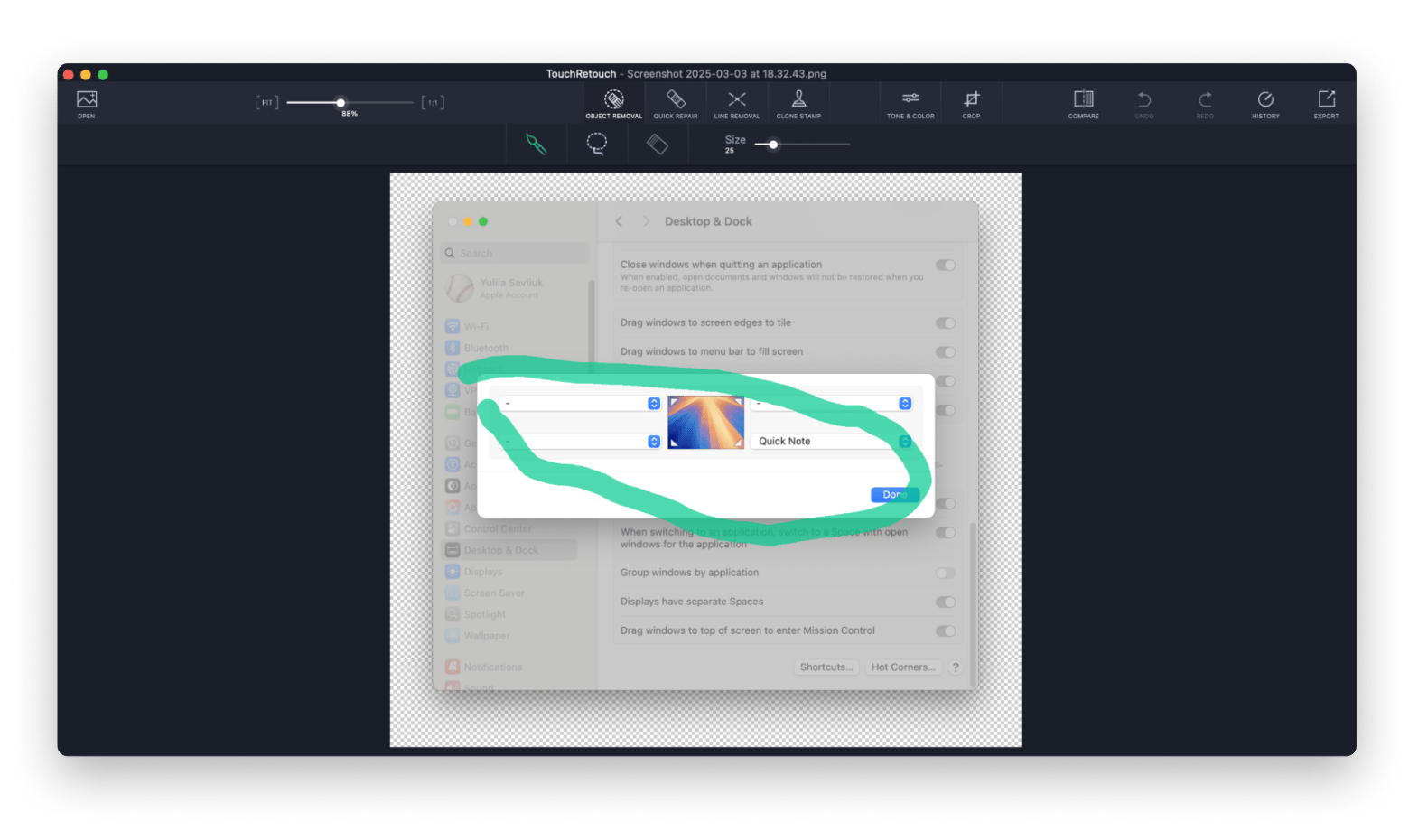
TouchRetouch: Best for quick object removing
If you need to quickly remove an object from your photo, you don’t need Snapseed for MacOS. From what I’ve tried, TouchRetouch is the better app for that. All you need to do is open a photo, mask the object you want to remove, and click Go. Like magic, the app removes the object and automatically renders the background with AI.
What I like:
High-quality photo retouching and object removal
Easily undo changes
Lets users export the photo to various apps
What I don’t like:
AI line and object removal might not always be accurate
Still stuck with power lines and photobombers ruining your shots? TouchRetouch removes them with one mask and a tap. Remove It Free.
GlueMotion: Batch processing with high-quality time-lapse video feature
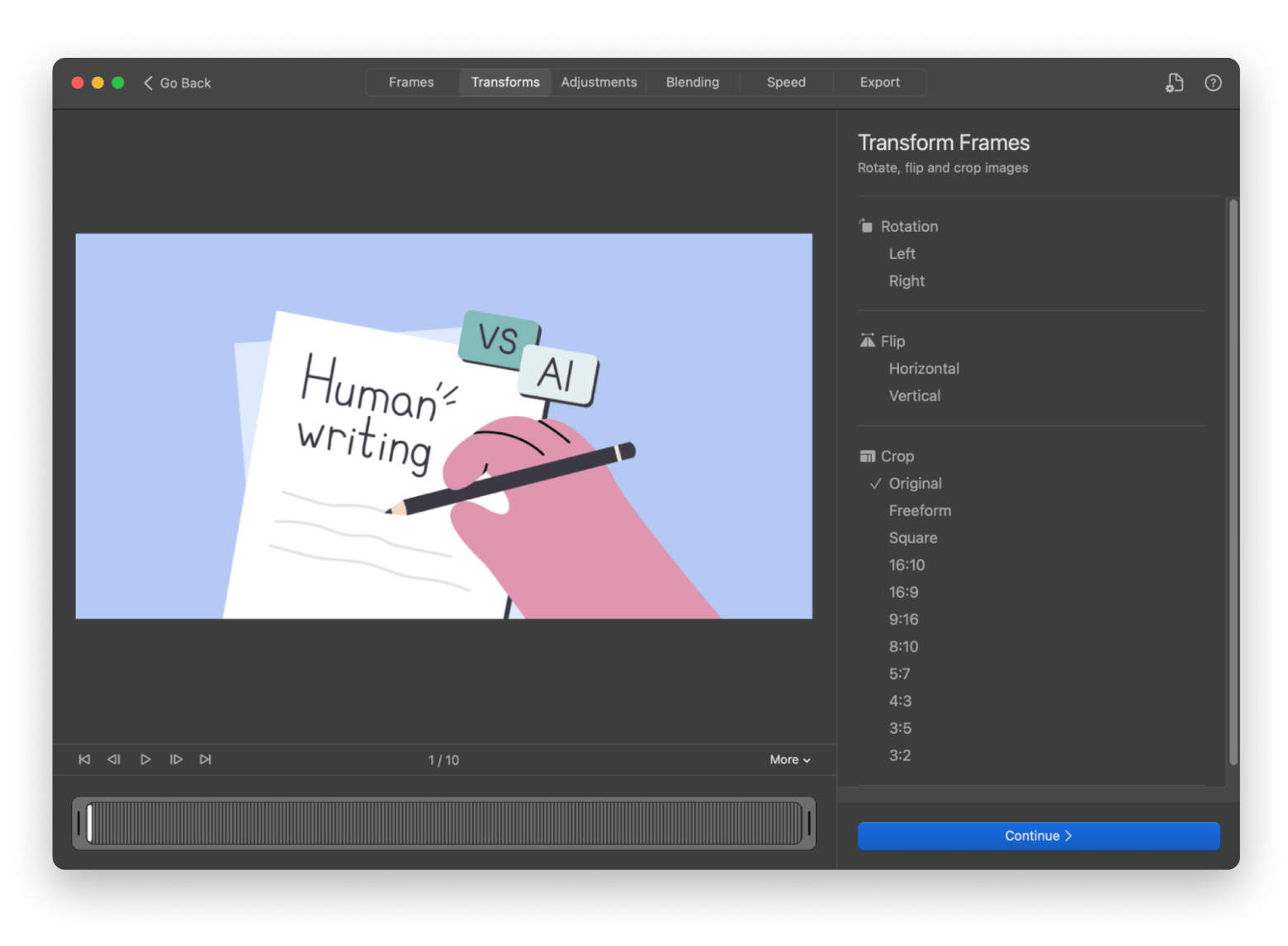
GlueMotion lets you create a time-lapse video from thousands of photos. It might not be an apple-to-apple comparison with Snapseed, but for me, it’s a handy companion. The app automatically imports all the photos stored in a folder and lets you preview each frame in the video. In addition, you can adjust the colors, blending, and speed before exporting the video.
What I like:
Can import hundreds of thousands of photos
Simple controls
Useful time-lapse videography features like deflickering and blending
What I don’t like:
Professional users may find its color correction options too limited
Adobe Photoshop: Powerful tool for professionals
Adobe Photoshop needs no introduction. It’s a powerful photo editing software that has everything Snapseed could offer — and more. Photographers use Photoshop to make complex edits, such as merging multiple images into a composite.
Over the years, Photoshop has expanded its features to support animation, publishing, 3D arts, and other creative tasks. But its strength in editing people and objects in photos remains unrivaled. With Photoshop, you can easily select and edit facial features with tools like Lasso, Magic Wand, and Marquee.
Adobe Lightroom: Best for professional photography edits
Adobe Lightroom is worth mentioning because it simplifies the photo-editing workflow. Although it’s meant for professionals, Lighthouse is easy to use and has incorporated more beginner-friendly tools. You can organize your photos, enhance them, apply presets, and more with Lightroom. And if you need help, you’ll find tons of helpful tutorials.
What I like:
Lets you organize photos easily
Non-destructive editing that preserves the original file
Lets you create a customized preset collection
What I don’t like:
Limited photo manipulation features
How to choose the best Snapseed equivalent?
Before you sign up for any photo editing app that you think might be a good fit, ask yourself these questions.
Does it work on a Mac? Some apps, like Snapseed, only run on mobile or tablets.
Does it have the features I need? Snapseed offers a great range of editing tools, but sometimes, you might only need a handful for your work.
Is it easy to use? You don’t want to end up with an app that takes hours to master, particularly if you’re not a professional editor.
Get the best Snapseed alternative for Mac
Don’t wait for Snapseed to release a macOS version. They’ve done that, and for some reason, they decided to stick with iOS and Android. Instead, try some of the photo editing apps I mentioned. Who knows, you might find one that helps you in your editing workflows.
GlueMotion can create time-lapse videos from hundreds of thousands of photos.
You can download these apps on Setapp, along with dozens of others that help you become a more productive editor. Snapseed's not coming to Mac. These six apps are. Editors, colorizers, and batch tools — all included with Setapp. Get 270+ Apps. Or see individual app pricing on Marketplace if you only need one
FAQ
Is Snapseed available for Mac in 2026?
No. Google discontinued the official Mac version of Snapseed in 2013 and hasn't brought it back. It remains iOS and Android only, so Mac users need a dedicated Mac photo editor like Luminar Neo or CameraBag Pro.
What's the closest Snapseed equivalent on Mac for retouching?
TouchRetouch is the closest match to Snapseed's Healing tool — it removes unwanted objects and blemishes with AI in a couple of taps.
Is Snapseed actually free?
Yes, Snapseed itself is free on iOS and Android. There's no official paid tier and no Mac version to buy.
Photo editing made easy
Discover photo editing and colorization tools among the 260+ apps on Setapp.






 Top-rated on Setapp
 Top-rated on Setapp