The best-reviewed Mac apps in 2026 span five categories: productivity, creative work, utility, writing, and time management. Nine of the 13 picks below — including CleanMyMac, Ulysses, Craft, and Timing — are on Setapp with a free 7-day trial.
But why waste a Saturday night swiping apps when I’ve already done that for you? My list of the best-reviewed Mac apps in 2026 includes only stable, trusted apps praised by real users who’ve been where you are now.
Best Mac apps for 2026: Quick overview
Here's all the info you need on tools that actually deliver.
| App | Category | Top feature | Included in Setapp |
| Craft | Productivity | Block-based docs with real-time collaboration | Yes (free 7-day trial) |
| Things 3 | Productivity | Natural language task entry with Apple Watch sync | No (one-time $49.99) |
| Spark Mail | Productivity | Smart Inbox with team email collaboration | Yes (free 7-day trial) |
| Affinity Photo 2 | Creative | RAW editing with Photoshop file compatibility | No (one-time $69.99) |
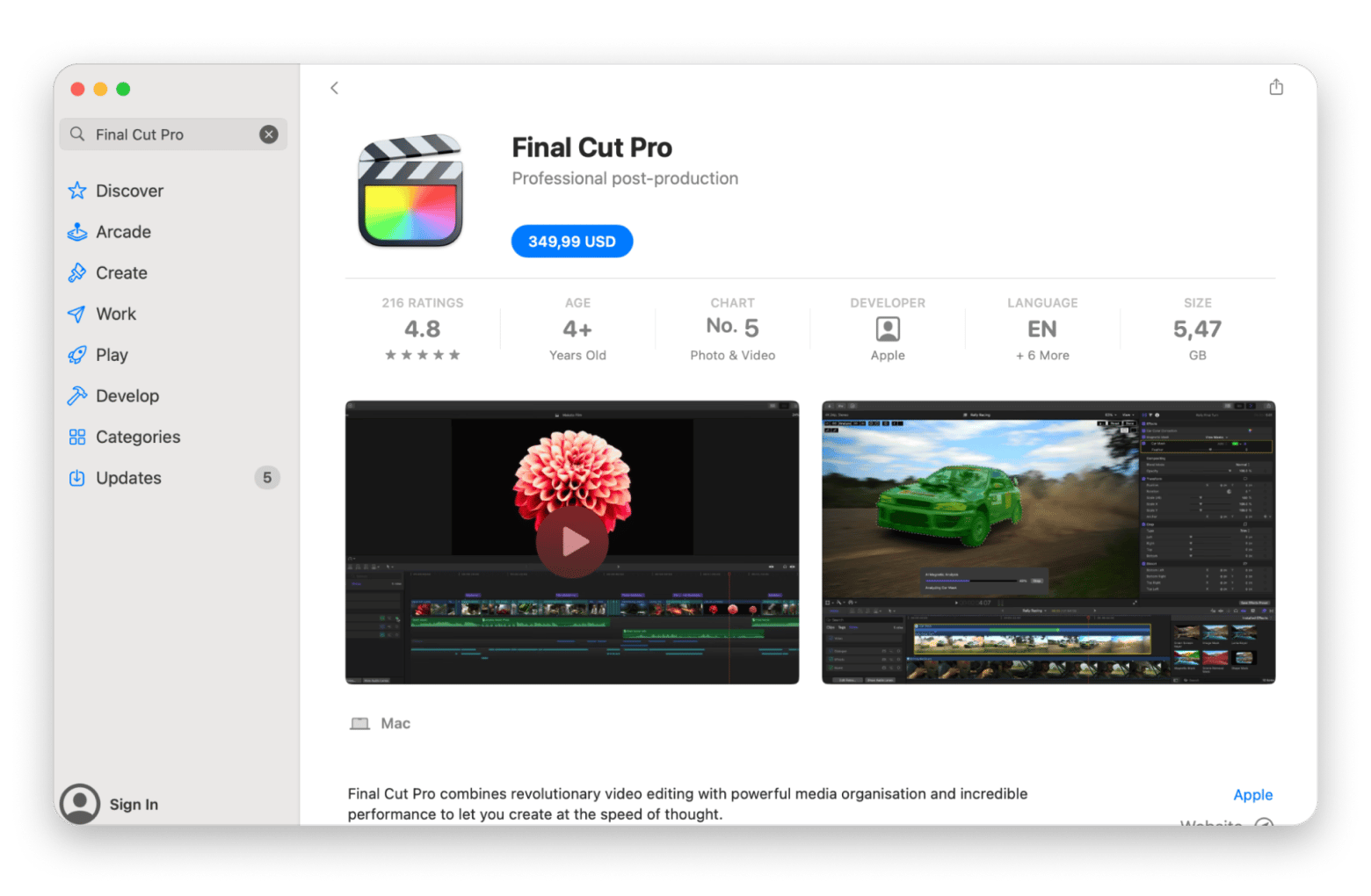
| Final Cut Pro | Creative | Magnetic Timeline with ProRes RAW support | No (one-time $299.99) |
| Capto | Creative | Screen recording + annotation + editing in one app | Yes (free 7-day trial) |
| CleanMyMac | Utility | Junk cleanup + Moonlock malware protection | Yes (free 7-day trial) |
| Bartender Pro | Utility | Menu bar organization with hidden groups | Yes (free 7-day trial) |
| iStat Menus | Utility | Real-time CPU / GPU / RAM / battery monitoring | Yes (free 7-day trial) |
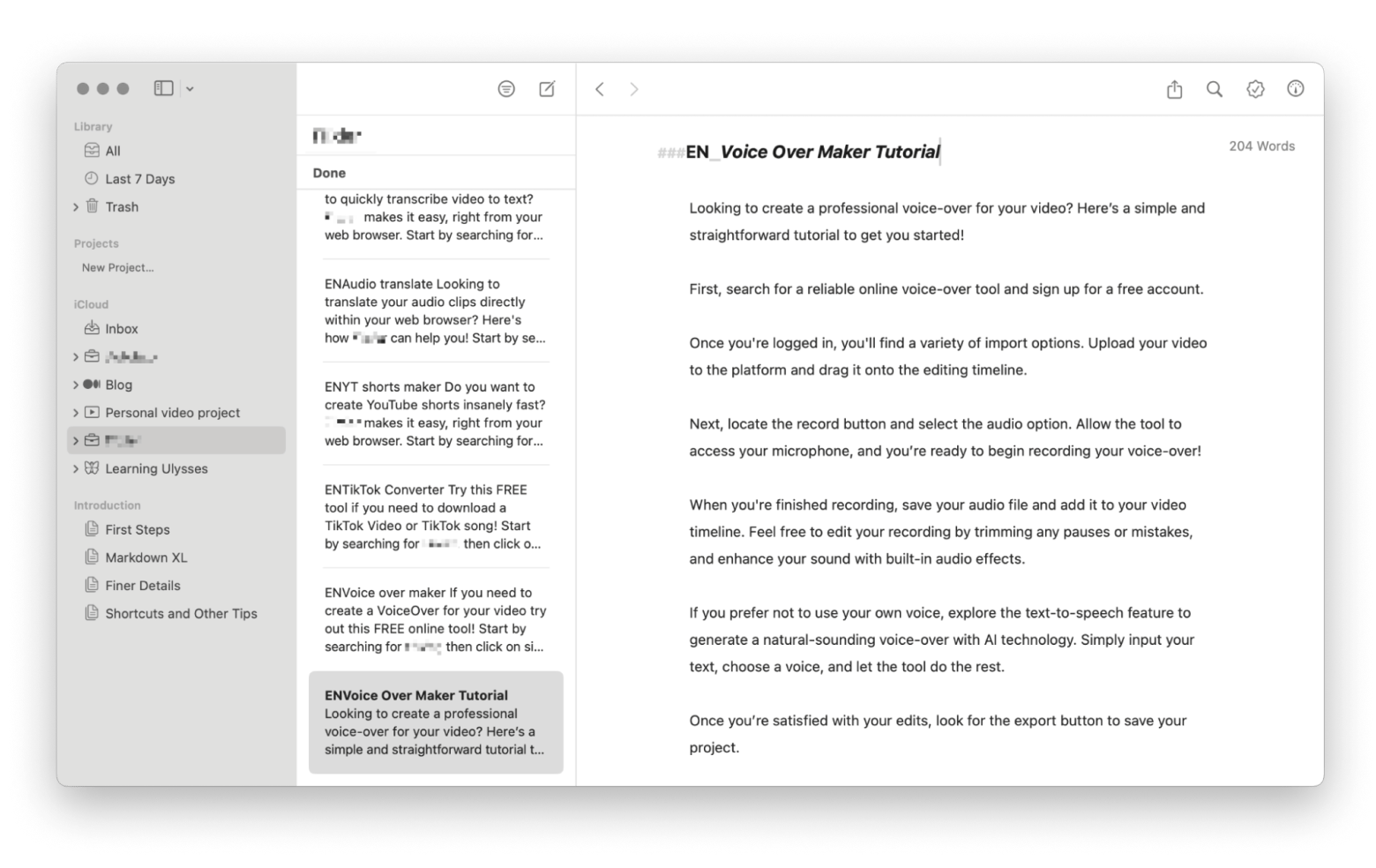
| Ulysses | Writing | Markdown editor with direct WordPress / Medium publishing | Yes (free 7-day trial) |
| Grammarly | Writing | Real-time grammar and tone suggestions across apps | No ($12/mo) |
| Timing | Time & focus | Automatic time tracking with rule-based categorization | Yes (free 7-day trial) |
| Focused Work | Time & focus | Pomodoro timers with session templates and statistics | Yes (free 7-day trial) |
What are the best-reviewed productivity apps?
When your Mac is your command center, productivity tools can make or break your day. They influence your level of organization and output.
But the sheer number of productivity apps in 2026 is just dizzying. The best ones usually share traits like usability, dependability, and the ability to smooth out your day.
Below is my hand-picked list of the most vetted productivity apps for Mac.
Craft – Best for document structuring & team collaboration
- Price: Included with Setapp Membership
- Available on Setapp: Yes (free 7-day trial)
- Best for: Structured writing, note-taking, and team document collaboration
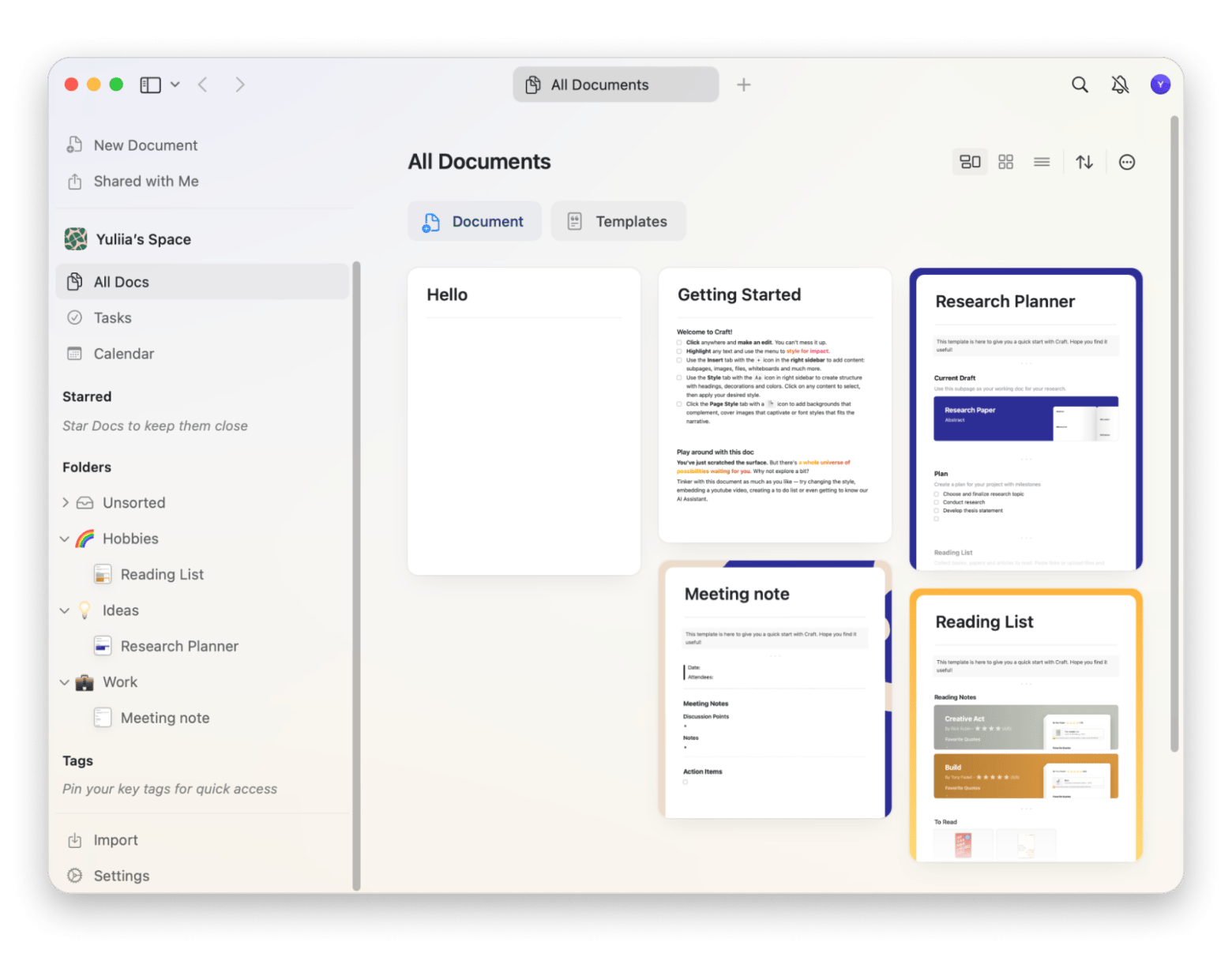
If productivity had a style icon, it would be Craft from Setapp (a 7-day trial is available with Setapp Membership). This thoughtfully designed writing and note-taking app has earned a loyal following for combining elegance with structure.
What it offers:
- Block-based document editor with pages, sub-pages, and nested structures
- Real-time collaboration with shared docs, inline comments, and @mentions
- Native iCloud sync across Mac, iPad, and iPhone with full offline mode
- Export to PDF, Markdown, Word (.docx), and HTML
Works well with: Spark Mail on Setapp — turn email threads into structured meeting notes and shared project docs.
Check out the best methods for making a flowchart on Mac.
Things 3 – Best for personal project and task management
- Price: One-time purchase ($49.99 Mac / $19.99 iPad / $9.99 iPhone)
- Available on Setapp: No
- Best for: Personal project and task management
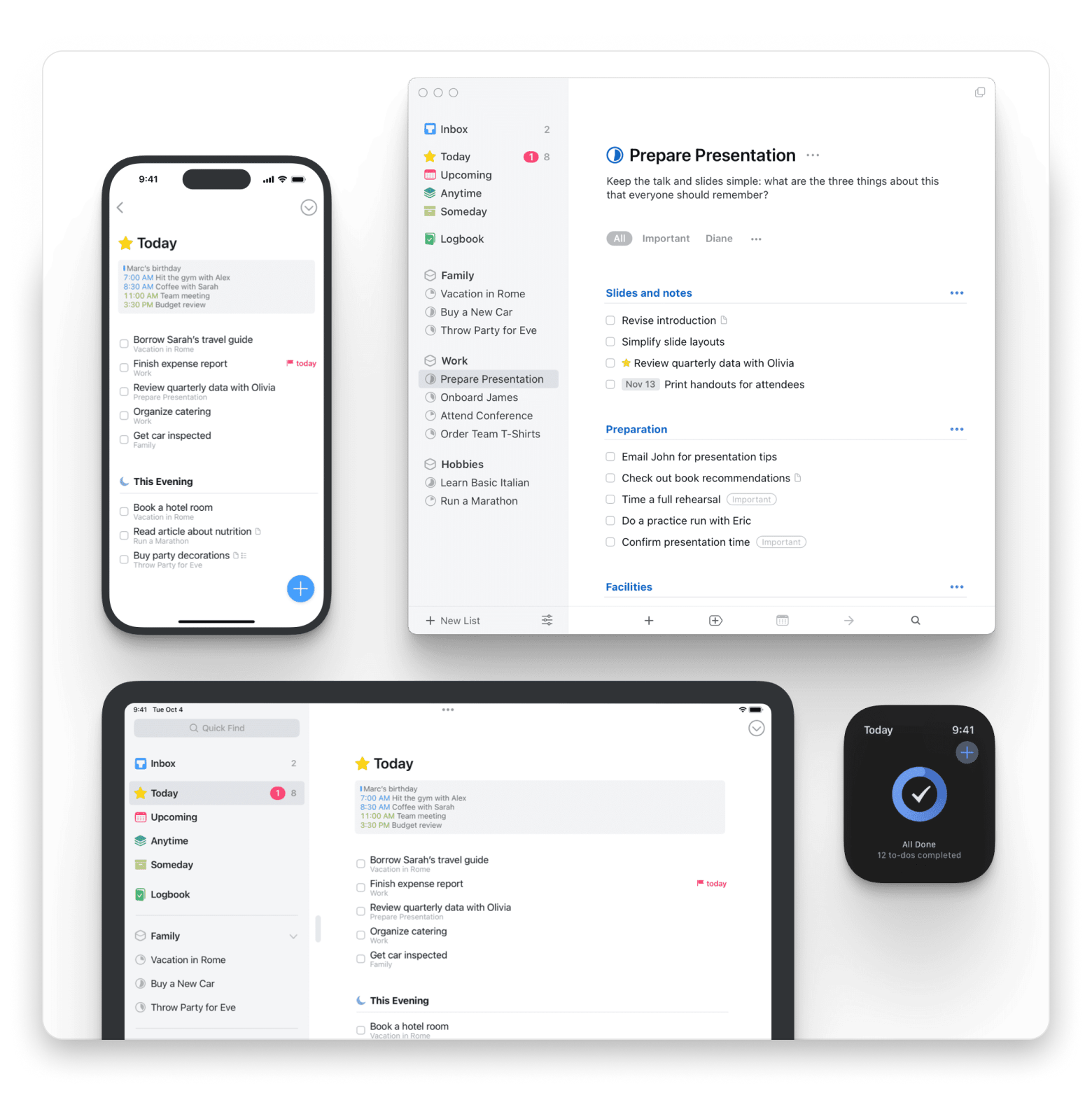
If to-do lists make you feel more guilty than productive, Things 3 might just change your mind. Its ability to turn task management from a chore to a thing of joy has generated a cult following among Mac users.
What it offers:
- Task management with projects, areas, headings, and checklists
- Natural language date parsing (e.g., "tomorrow at 5pm every week")
- System-wide Quick Entry keyboard shortcut for capturing tasks from any app
- Native sync across Mac, iPhone, iPad, and Apple Watch via Things Cloud
Works well with: Timing on Setapp — compare how much time each Things 3 project actually consumed vs your estimates.
Source: culturecode.com
Spark Mail – Best for unified inbox and team email
- Price: Included with Setapp Membership
- Available on Setapp: Yes (free 7-day trial)
- Best for: Unified inbox management and team email collaboration
Managing emails often feels like a battle. Spark Mail from Setapp (a 7-day trial is available with Setapp Membership) turns a messy inbox into a controllable workspace.
What it offers:
- Smart Inbox that automatically categorizes emails by importance and sender
- Shared inboxes with real-time collaboration on email drafts
- Customizable swipe actions, snooze, send-later, and follow-up reminders
- Supports Gmail, Outlook, iCloud, Yahoo, IMAP, and Exchange accounts
Works well with: Craft on Setapp — turn action items from email straight into shared project docs without leaving your workflow.

Combine that with its reliable syncing across devices, and Spark becomes your best communication control room.
Craft and Spark Mail are both on Setapp with a free 7-day trial, so you can test them together as your productivity core before deciding.
What are the best-reviewed creative apps?
Creative pros and hobbyists alike need tools that are fast, stable, and powerful. Nothing kills inspiration faster than a lifeless interface, a spinning beachball, or a crash mid-project.
The Mac apps below are known to squash the usual bottlenecks to creativity, helping you focus on the work, not the software.
One pick — Capto, free for 7 days via Setapp — is bundled; Affinity Photo 2 and Final Cut Pro are one-time purchases direct from their developers.
Affinity Photo 2 – Best for pro photo editing (no subscription)
- Price: One-time purchase ($69.99 Mac; $164.99 Universal License)
- Available on Setapp: No
- Best for: Pro-level photo editing without a subscription
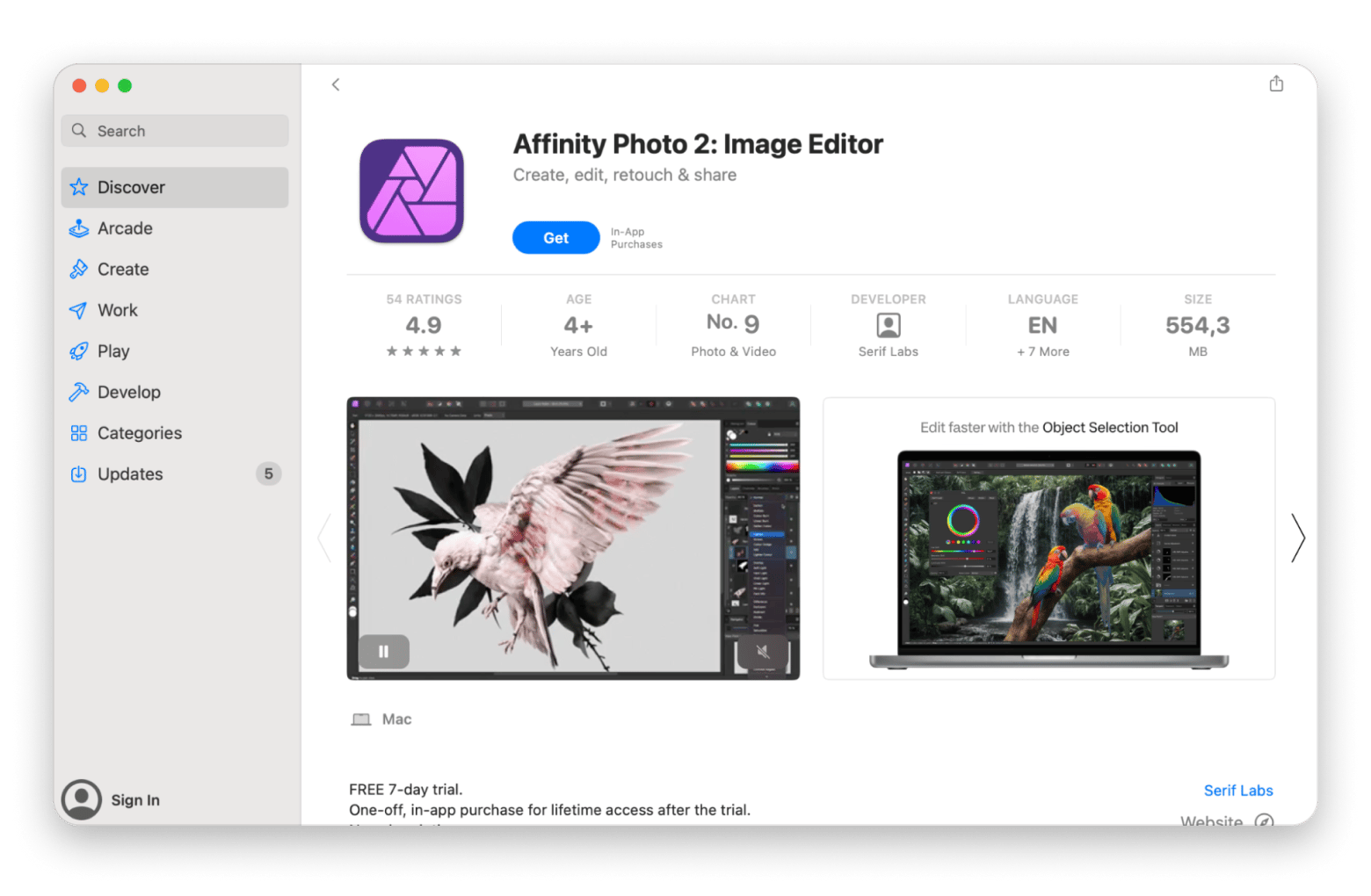
Affinity Photo 2 is pretty cool because it gives you professional features without needing a subscription. Instead of paying monthly, you just pay once, which a lot of designers really like. It’s kind of like the big names like Adobe and Canvas, but more wallet-friendly over time.
What it offers:
- Non-destructive RAW editing with 32-bit HDR and 16-bit-per-channel support
- Photoshop (.psd) file import and export with layer preservation
- Advanced retouching: frequency separation, inpainting, and focus stacking
- One-time purchase with free updates within version 2 and cross-platform Universal License
Works well with: CleanMyMac on Setapp — free up RAM and cache space before opening 500MB+ layered PSDs.
Final Cut Pro – Best for professional video editing
- Price: One-time purchase ($299.99, Mac App Store)
- Available on Setapp: No
- Best for: Professional video editing on Mac
Final Cut Pro is still pretty popular and has been a creative go-to for years. In 2026, it’s still leading the way with cool features and smooth Mac support.
What it offers:
- Magnetic Timeline with automatic clip syncing and multicam editing
- Native ProRes RAW support, HDR grading, and 360° VR editing
- Apple Silicon optimization with Metal-accelerated rendering and background export
- Integration with Motion (motion graphics) and Compressor (encoding)
Works well with: CleanMyMac on Setapp — Final Cut render files and caches eat 50+ GB fast; CleanMyMac's System Junk scan reclaims that space in one click.
Capto – Best for screen recording and annotation
- Price: Included with Setapp Membership
- Available on Setapp: Yes (free 7-day trial)
- Best for: Screen recording, annotation, and video editing in one app
Not every creative project is a blockbuster. Sometimes, clarity and simplicity are all it takes. Capto has Mac users raving about the clean interface and high-quality output for screenshots.
What ot offers:
- Full-screen, window, or area screen recording with system audio and mic capture
- Built-in video editor with cut, trim, transitions, and text overlays
- Screenshot annotation with arrows, blur, callouts, and step numbers
- Direct export to YouTube, Vimeo, or MP4 / MOV / GIF
Works well with: Ulysses on Setapp — capture the screenshots and screen recordings in Capto, embed them straight into your Ulysses documentation drafts.
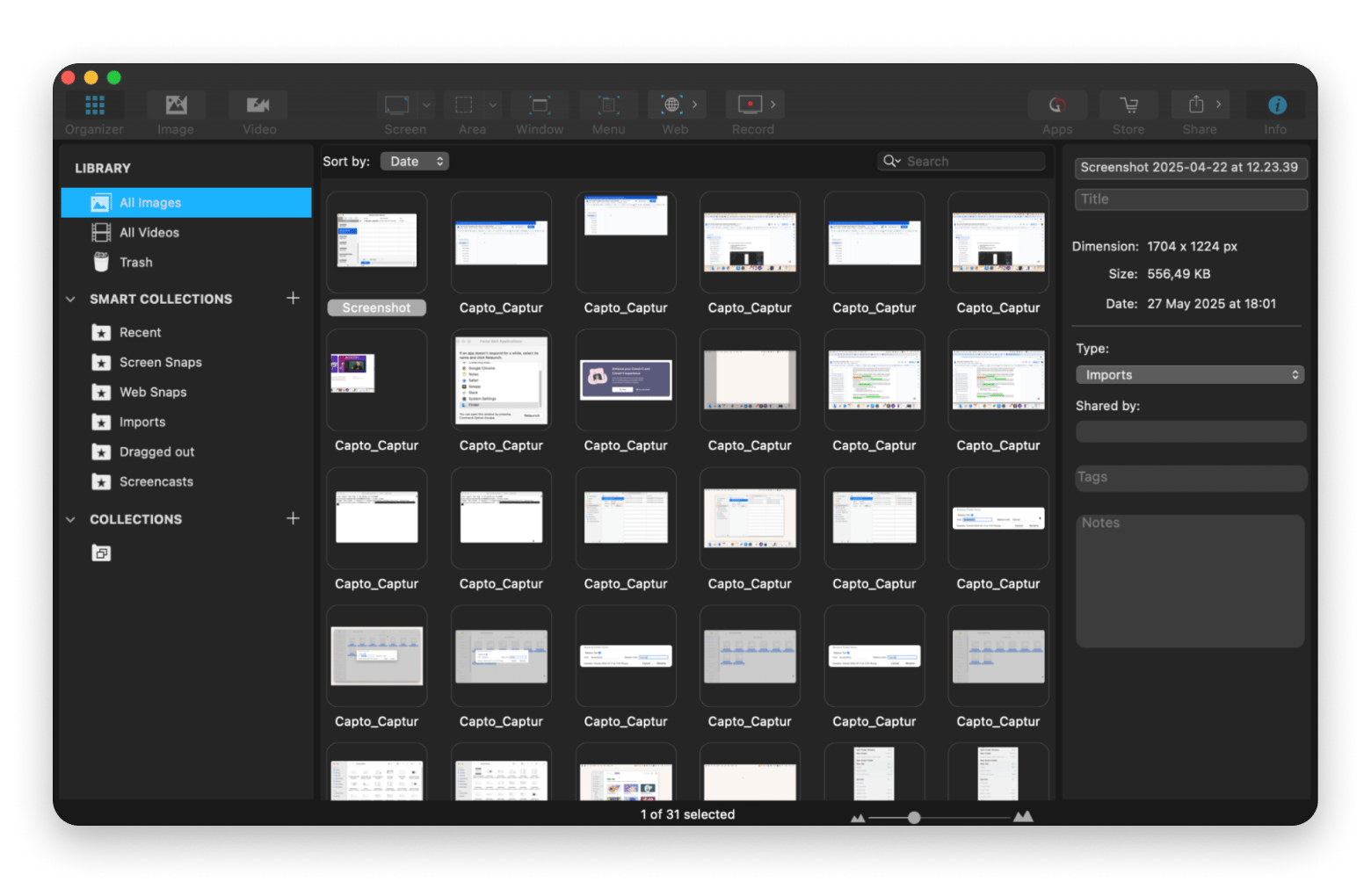
If your ideas live on screens instead of cameras, Capto is the simplest way to create polished, shareable visuals.
What are the best-reviewed utility & maintenance apps?
The best utility and maintenance apps in 2026 are loved for their rock-solid reliability, smart system management features, and thoughtful designs that make maintenance effortless.
Here are my top choices.
CleanMyMac – Best for system cleanup and malware protection
- Price: Included with Setapp Membership.
- Available on Setapp: Yes (free 7-day trial)
- Best for: System cleanup, malware removal, and Mac optimization
CleanMyMac from Setapp is widely recognized as a leading Mac utility. Users appreciate its comprehensive, multilayered approach to optimization and maintenance speed.
What ot offers:
- Junk file cleanup, cache clearing, and large/duplicate file detection
- Malware scanner powered by the Moonlock Engine
- App uninstaller with automatic leftover file removal
- Space Lens disk visualization and Cloud Cleanup for iCloud, Google Drive, OneDrive, and Dropbox
Works well with: heavy creative apps like Final Cut Pro or Affinity Photo 2 — a weekly Smart Care scan clears the caches and orphan files those apps leave behind, keeping export times fast.

Bartender Pro – Best for menu bar organization
- Price: Included with Setapp Membership.
- Available on Setapp: Yes (free 7-day trial)
- Best for: Menu bar organization
Does your menu bar look like a cluttered city skyline? Bartender Pro from Setapp (a 7-day trial is available with Setapp Membership) can make your minimalist’s dream come true.
What it offers:
- Hide, rearrange, and group menu bar items into a collapsible tray
- Conditional triggers to show items only when relevant (e.g., battery only when below 20%)
- Keyboard shortcut and hotkey support for revealing hidden icons
- Full compatibility with the latest macOS and Apple silicon Macs
Works well with: iStat Menus on Setapp — iStat adds multiple monitoring icons; Bartender tucks the ones you only need on demand behind a single hidden group.

A clean menu bar isn't just eye candy. It helps you get to what you need faster, cuts down on distractions, and makes your desktop feel more organized and in control.
Also, check out the 2026 guide on how to organize files and folders on Mac.
iStat Menus – Best for real-time system monitoring
- Price: Included with Setapp Membership.
- Available on Setapp: Yes (free 7-day trial)
- Best for: Real-time CPU, GPU, RAM, and battery monitoring
If you’re keen on knowing exactly what’s happening under the hood of your Mac, iStat Menus from Setapp is the ultimate system monitor.
What it offers:
- Real-time monitoring of CPU, GPU, memory, disk, network, and battery
- Temperature sensor readings and fan speed control
- Customizable menu bar dropdowns with historical graphs
- Threshold-based notifications for CPU spikes, low disk space, or battery health drops
Works well with: CleanMyMac on Setapp — iStat flags RAM and CPU spikes, CleanMyMac clears the junk causing them.
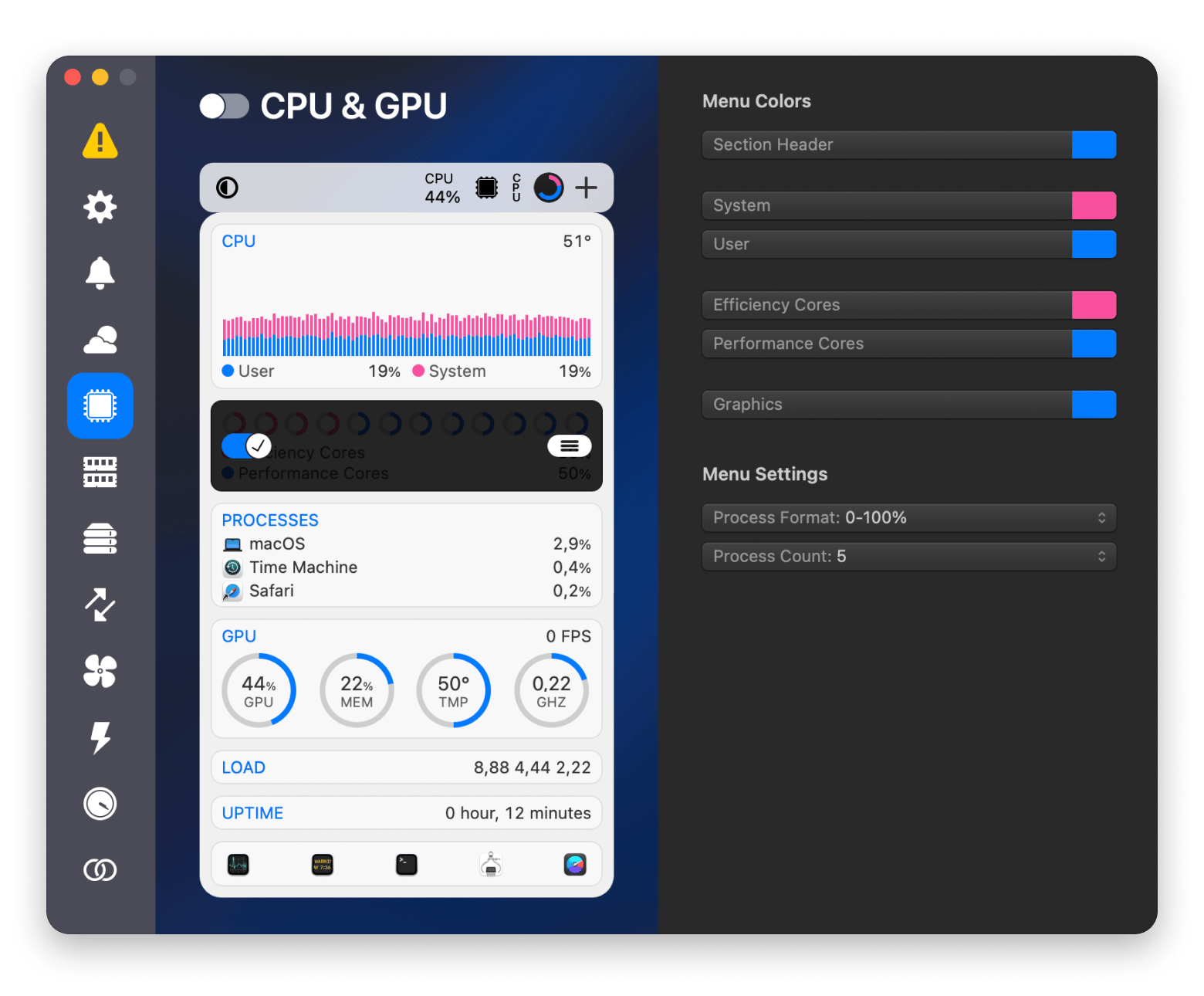
All three — CleanMyMac, Bartender Pro, and iStat Menus — are on Setapp with a free 7-day trial, so you can install the full maintenance stack in one go.
What are the best-reviewed writing & content tools?
The wrong tools can break your flow in seconds. Great writing apps do the opposite. They reduce friction, boost creative flow, and fade into the background so you can focus entirely on your words.
In this category, my picks act like true creative partners, helping you stay organized, confident, and fully immersed in the craft.
Ulysses – Best for distraction-free long-form writing
- Price: Included with Setapp Membership
- Available on Setapp: Yes (free 7-day trial)
- Best for: Markdown-based long-form writing and publishing
Ulysses from Setapp is a cool writing app that helps you get your thoughts down without the usual distractions. It keeps things organized and makes the writing process a lot smoother.
What it offers:
- Markdown-based writing environment with distraction-free full-screen mode
- Library with groups, filters, keywords, and goals for organizing manuscripts
- Direct publishing to WordPress, Medium, and Ghost
- Native iCloud sync across Mac, iPad, and iPhone; export to ePub, PDF, DOCX, and HTML
Works well with: Focused Work on Setapp — start a 25-minute Focused Work timer, then write in Ulysses' distraction-free mode until it rings.
Grammarly – Best for real-time grammar and style checks
- Price: Free tier; Premium from $12/mo
- Available on Setapp: No
- Best for: Real-time grammar, clarity, and tone suggestions across apps
As your communication partner, Grammarly helps you share your thoughts with more confidence and precision.
What it offers:
- Real-time grammar, spelling, and punctuation checks across apps and browsers
- Style, clarity, and tone suggestions with contextual explanations
- Plagiarism detection (Premium tier)
- Native integrations with Microsoft Word, Google Docs, Outlook, and all major browsers
Works well with: any Setapp writing app — Grammarly's plugin sits on top of Ulysses, Craft, and email in Spark Mail.
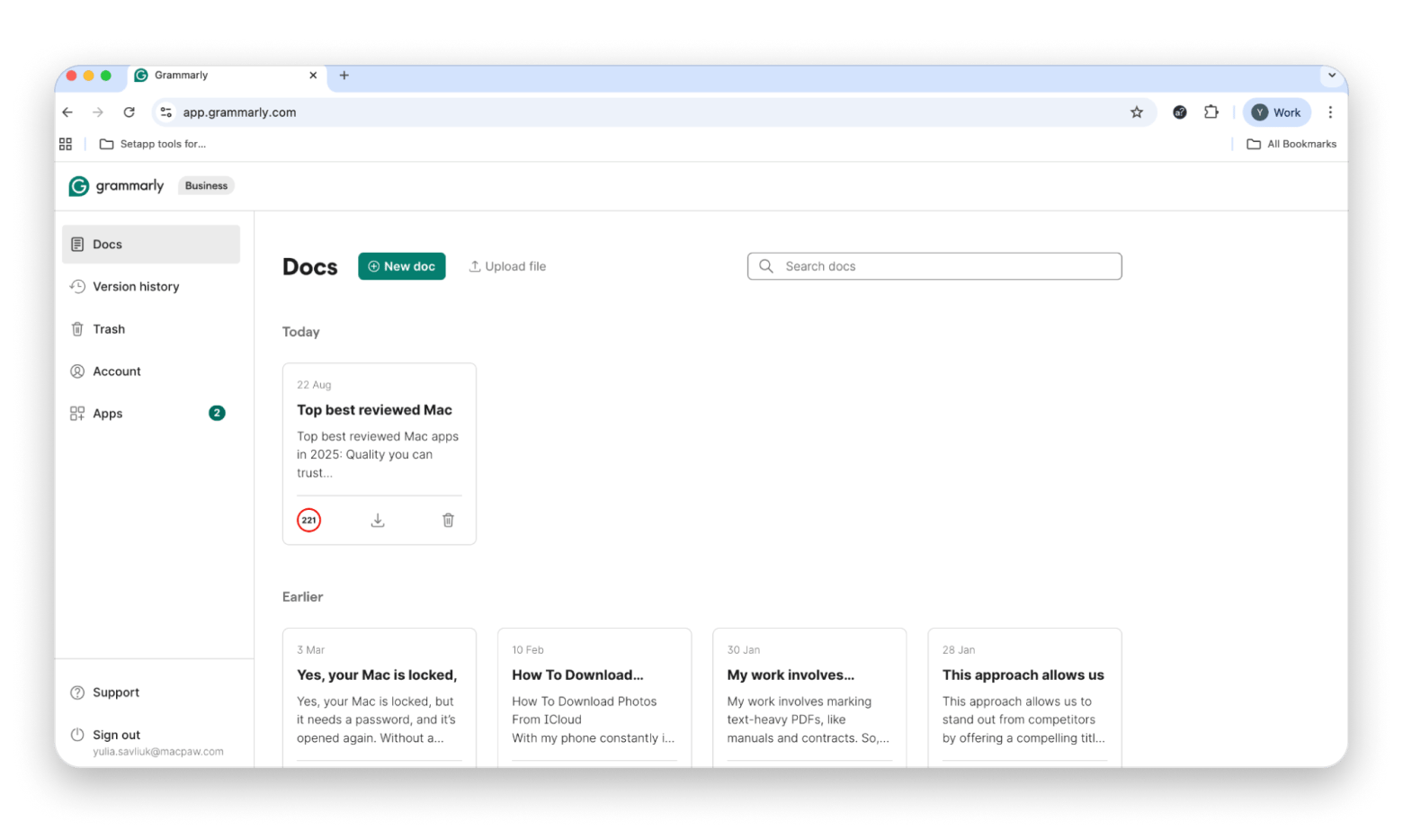
Ulysses is on Setapp with a free 7-day trial; Grammarly runs as a standalone freemium browser and app plugin.
What are the best-reviewed time & focus apps?
The best timing apps in 2026 can turn time into your superpower. Whether you want to reclaim focus, track your hours, or give your day more structure, these apps provide the clarity and discipline you need to stay productive.
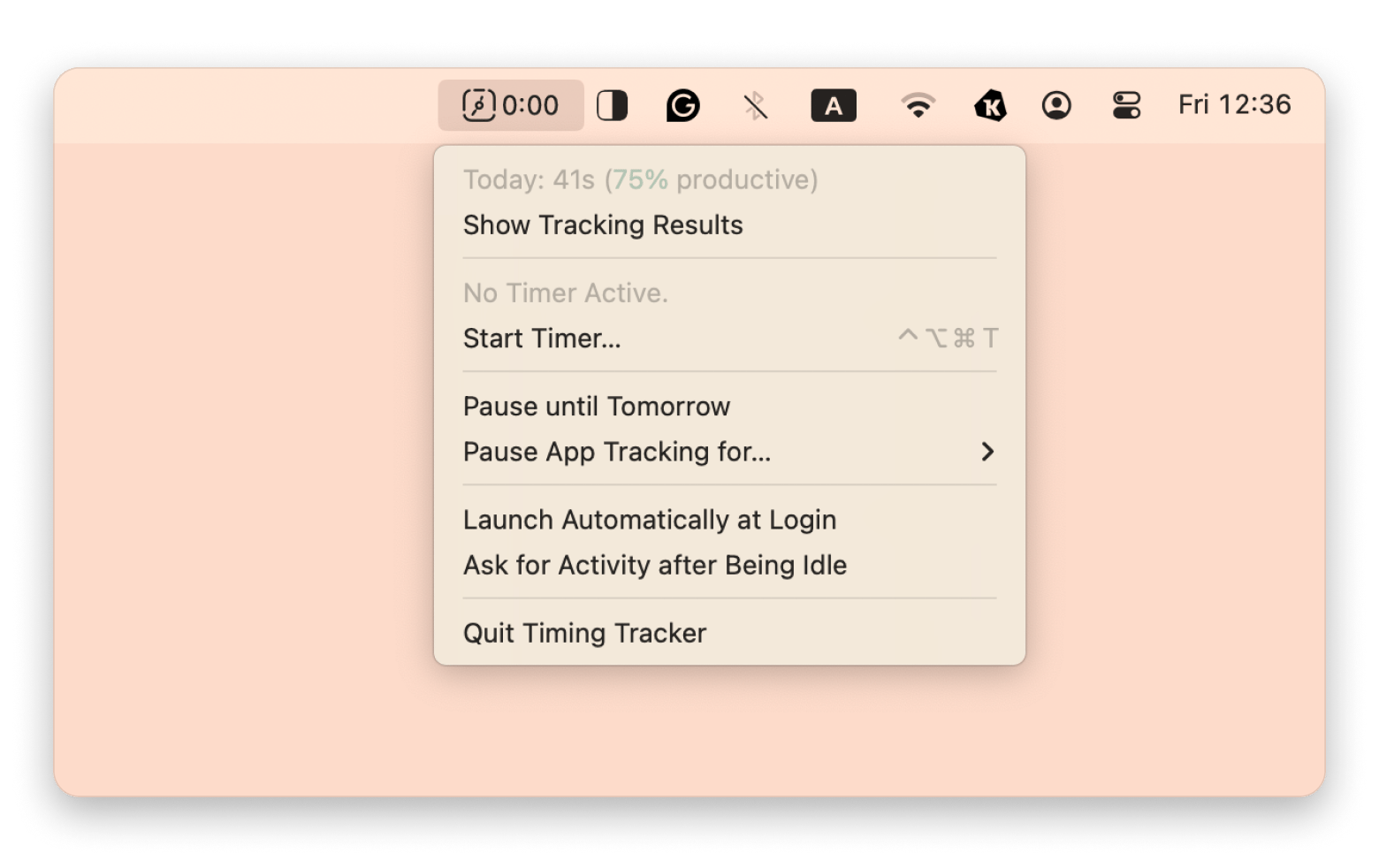
Timing – Best for automatic time tracking
- Price: Included with Setapp Membership
- Available on Setapp: Yes (free 7-day trial)
- Best for: Automatic Mac time tracking
Imagine knowing exactly where all your hours go without manually logging a single minute. Timing’s automations are time-saving gold.
What ot offers:
- Automatic time tracking across apps, websites, and specific documents
- Rule-based auto-categorization (e.g., all Figma time → Design project)
- Exportable timesheets (CSV, PDF) with billable-hour calculations
- Menu bar timer with idle detection and per-app privacy controls
Works well with: Focused Work on Setapp — Focused Work structures your Pomodoro sessions; Timing quietly records what actually happened in each one.
Focused Work – Best for Pomodoro and focus sessions
- Price: Included with Setapp Membership
- Available on Setapp: Yes (free 7-day trial)
- Best for: Pomodoro-style focus sessions and structured deep work
Need a more proactive approach to time management? Focused Work from Setapp doesn't just show you where your time goes; it helps you take control over every moment.
What it offers:
- Customizable Pomodoro-style timers (25 / 50 / 90-minute sessions)
- Session templates for deep work, learning, exercise, or writing
- Statistics dashboard tracking focus streaks and time by category
- Notifications and integration with macOS Focus Modes
Works well with: Timing on Setapp — start a Focused Work session for the task, then let Timing log every minute you spend on it in the background.
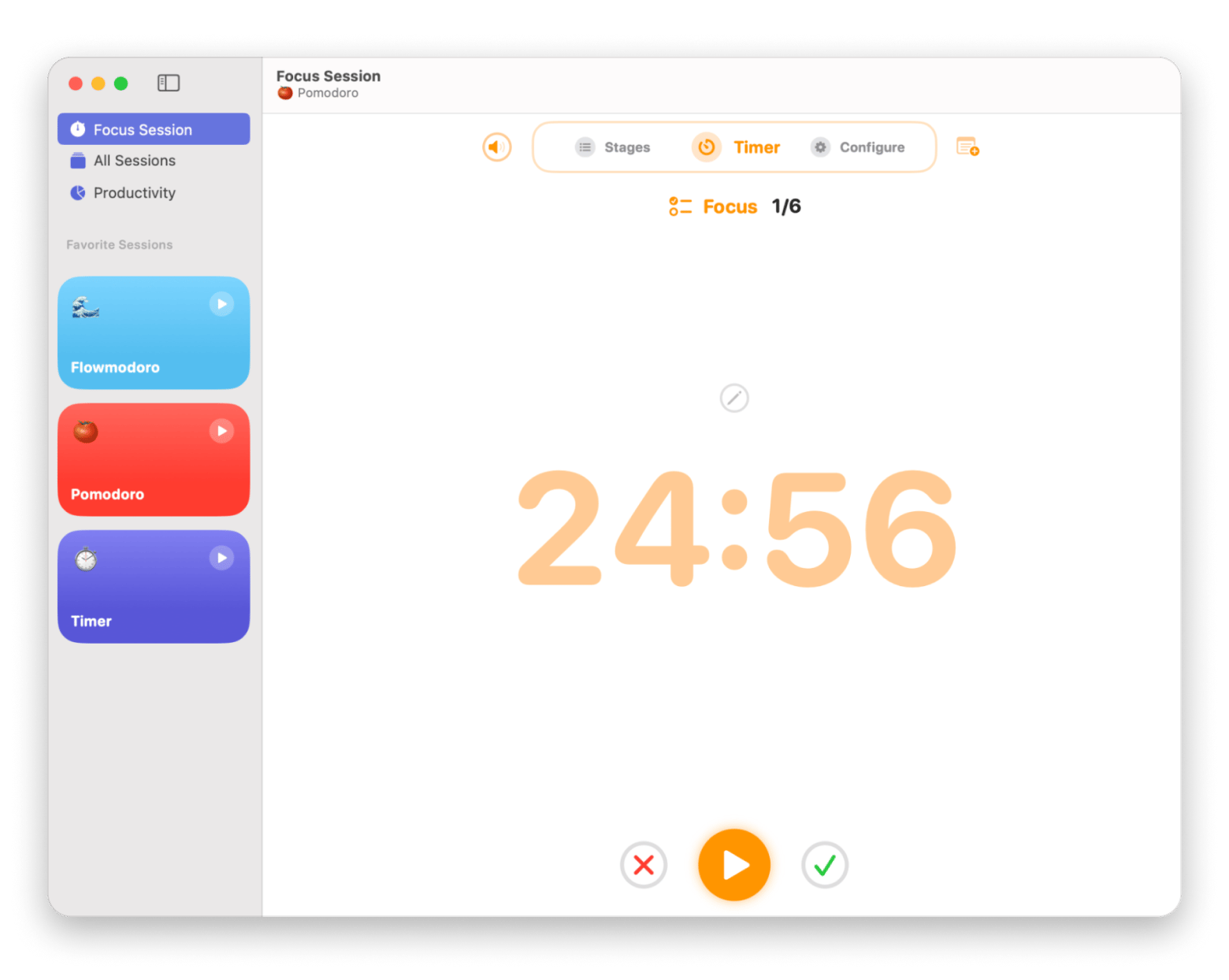
Both — Timing and Focused Work — are on Setapp with a free 7-day trial.
Apps that consistently get high praise in bundles like Setapp
Some of the best-reviewed apps are also featured in trusted bundles like Setapp Membership, offering over 270 Mac, iOS, and web apps under a single subscription plan.
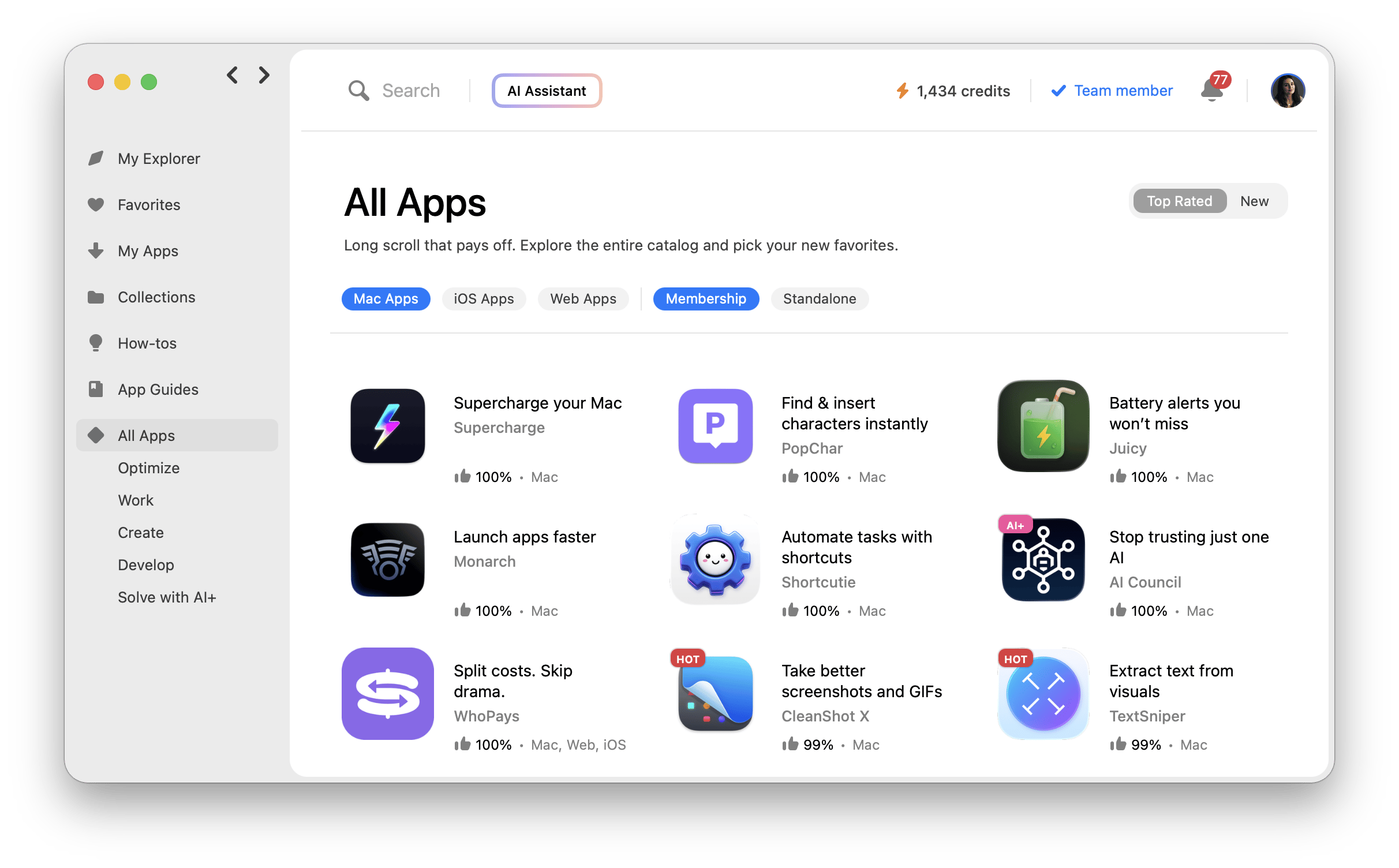
Setapp doesn’t just scoop up apps from anywhere. Most of their tools had already made a name for themselves long before joining the bundle. The platform features only “A-listers”, apps that users would happily pay for on their own.
A few standouts include:
- CleanMyMac: System cleaning, optimization, and privacy with zero compromise. A star in standalone sales and a pillar of the Setapp ecosystem.
- Ulysses: Distraction-free interface, seamless syncing, and elegant design. A fan-favorite both on Setapp and beyond.
- Bartender Pro: Streamline your menu bar and ramp up focus. Often overlooked at first, but once discovered, it becomes an essential.
Personal advice: When I first started using Setapp, I wasn't ready to commit to the full membership either. I grabbed just CleanMyMac through Setapp Marketplace (basically a way to buy or subscribe to individual Setapp apps without getting the whole bundle) because that's all I needed at the time. A few months later, I found myself wanting Ulysses and Bartender Pro too, so I switched to Setapp Membership with no hassle; it just made more sense for my workflow.
What do these top-rated apps all have in common?
From productivity to creativity, utilities, writing, and focus, these apps may serve different purposes, but some common traits differentiate them from the crowd. That includes the following.
Clean & native Mac design
Great Mac apps feel like they have been on your desktop since day one. Imagine the calm writing environment of Ulysses or the well-organized menu bar settings of Bartender Pro. These apps embrace Apple’s design principles: minimal clutter, intuitive navigation, and smooth animations while also adding their own personality.
Consistent developer support
These aren’t apps that sit stagnant for months, risking security vulnerabilities and compatibility problems. Apps like CleanMyMac and Final Cut Pro demonstrate what consistent support looks like:
- Regular updates that keep pace with Apple’s system changes.
- Bug fixes and performance improvements that show the developers listen.
- Feature evolution that adapts to how people actually use the app.
These top-reviewed apps earn trust because they’re in it for the long haul.
Community trust and social proof
Community trust only comes naturally. All these apps have:
- 4.5-star ratings or higher on the Mac App Store and independent tech reviewers.
- Active word-of-mouth recommendations from real users on forums, Reddit, and professional circles.
How do I choose these apps?
I started with a simple gut check: Would I trust this app to live on my Mac for the long haul? If the answer wasn’t a confident yes, it didn’t make the cut.
From there, I layered in a clear framework to keep things fair and transparent. Every app on this list has the following.
User ratings
Every app here holds at least a 4.5-star average on the Mac App Store and beyond. Anything lower usually signals performance, design, or support issues. I also checked independent reviews, forums like Reddit, and real-world user feedback, so these picks are trusted by actual people, not just marketing.
Update consistency
Numbers alone don’t tell the story. Apps need active development and support. If a tool hasn’t been updated in a year, it’s out. The ones that made the cut are built to keep up with macOS changes and squash bugs quickly.
Design & usability
Good looks aren’t optional. An app should feel natural to use, blending power with simplicity. Whether it’s a quick to-do list or a pro editing suite, we chose tools that reduce friction and fit different kinds of users.
Price variety
From free essentials to pro-grade premium apps, this list balances budgets and needs. Students, freelancers, and professionals all get solid options.
Final thoughts — Choose quality over quantity
More apps rarely equal more productivity. The best-reviewed Mac apps of 2026 promote calm, clarity, and focus. Just a few carefully chosen tools — a writing app, a focus app, and a smart utility — can do more than dozens of "maybe useful" downloads.
Setapp Membership makes it easy: 270+ premium apps, constantly updated, stable, and future-proof. Or if you know exactly which tool you need, Setapp Marketplace lets you buy or subscribe to just that one app. Either way, you're choosing quality over clutter.
Fewer, better apps reduce frustration and boost productivity. If you're into top tools, you can grab your 7-day free trial of Setapp Membership and simplify your digital toolkit today.
FAQs — Top reviewed Setapp apps
What is the best maintenance app for Mac?
CleanMyMac from Setapp (a 7-day trial is available with Setapp Membership) is the best maintenance app for Mac. It has simple solutions for every maintenance need, such as removing junk files, optimizing system performance, protecting privacy, and detecting threats.
Does Setapp give you the full version of CleanMyMac?
Yes, you get the full version of CleanMyMac on Setapp with all features unlocked — including system junk and mail attachment cleaning, Protection powered by Moonlock Engine, app uninstaller, app updater, file leftover removal, clutter scanning that looks for large files, duplicates, and similar images, Space Lens that visualizes your disk space, and Cloud Cleanup that works with iCloud, Google Drive, OneDrive, Dropbox, and more. All major CleanMyMac updates are delivered automatically as long as your Setapp subscription is active.
Is there a better app than CleanMyMac?
It depends on what you need CleanMyMac for, because it's really an all-in-one Mac utility: cleaning junk, optimizing performance, managing extensions, and privacy. For most users, it's tough to beat its combination of features, polish, and ease of use.
What is the best app for Mac?
The best app for Mac would be one that tackles every single need a user has. That's practically impossible. However, zoom in on a specific area — productivity, creativity, maintenance, or focus — and a clear winner begins to emerge. Top contenders in these categories include CleanMyMac, Ulysses, Timing, and Paste from Setapp (a 7-day trial is available with Setapp Membership).
How to find the best Mac apps?
To find the best Mac apps:
- Start by checking based on the app's reviews and reputation. Prioritize apps with 4.5 stars or higher on the App Store and independent tech sites.
- Apps featured in reputable bundles like Setapp are also strong contenders because they've been rigorously vetted.






 Best solution
 Best solution