The best Bluebeam alternative for Mac is Adobe Acrobat Pro if you need the closest feature match — advanced markup, measurement tools, OCR, forms, and team collaboration. For a Mac-native option included in Setapp, Nitro PDF Pro covers OCR, annotation, redaction, and version comparison at a fraction of the cost.
Bluebeam Cloud is the only official way to use Bluebeam on Mac. It runs in your browser and supports markup and collaboration, but it doesn't fully replicate Revu's desktop power — custom tool sets and some advanced features are missing.
Budget-conscious users have strong one-time-purchase options. Qoppa PDF Studio ($99–$139) and Master PDF Editor ($79.95) both avoid subscriptions while covering essential markup, OCR, and editing for AEC work.
UPDF stands out for AI-powered PDF workflows. Its built-in AI assistant lets you chat with documents, generate summaries, and create templates — useful for spec review and submittal comprehension.
For compressing oversized drawing sets, add PDF Squeezer to your toolkit. It downsizes PDFs for email limits, portal uploads, and RFI submissions without destroying print quality.
If your day revolves around site drawings or sending markups back and forth, you’ve probably used Bluebeam Revu at some point. It was once the go-to PDF workflow solution for AEC professionals until it dropped Mac support a few years ago.
The good news is that many equally powerful alternatives are now on the market that offer similar capabilities to this former favorite.
In this article, I’ll walk you through the 6 best Bluebeam alternatives for Mac that offer features like annotations, measurements, and cloud-based teamwork.
The top 6 Bluebeam alternatives for Mac in 2026
I've started running my productivity tool searches through the Productivity Tools GPT tool before testing anything new. It asks about your work style first, which saves time weeding out apps that won't stick.
Let's get down to the fun part. I've tested a dozen tools and picked six of the best Bluebeam alternatives for Mac that are tailor-made for AEC workflows. Each of them brings something unique to the table:
Included in Setapp Membership for $14.99 USD/mo including 270 Mac, iOS and web apps
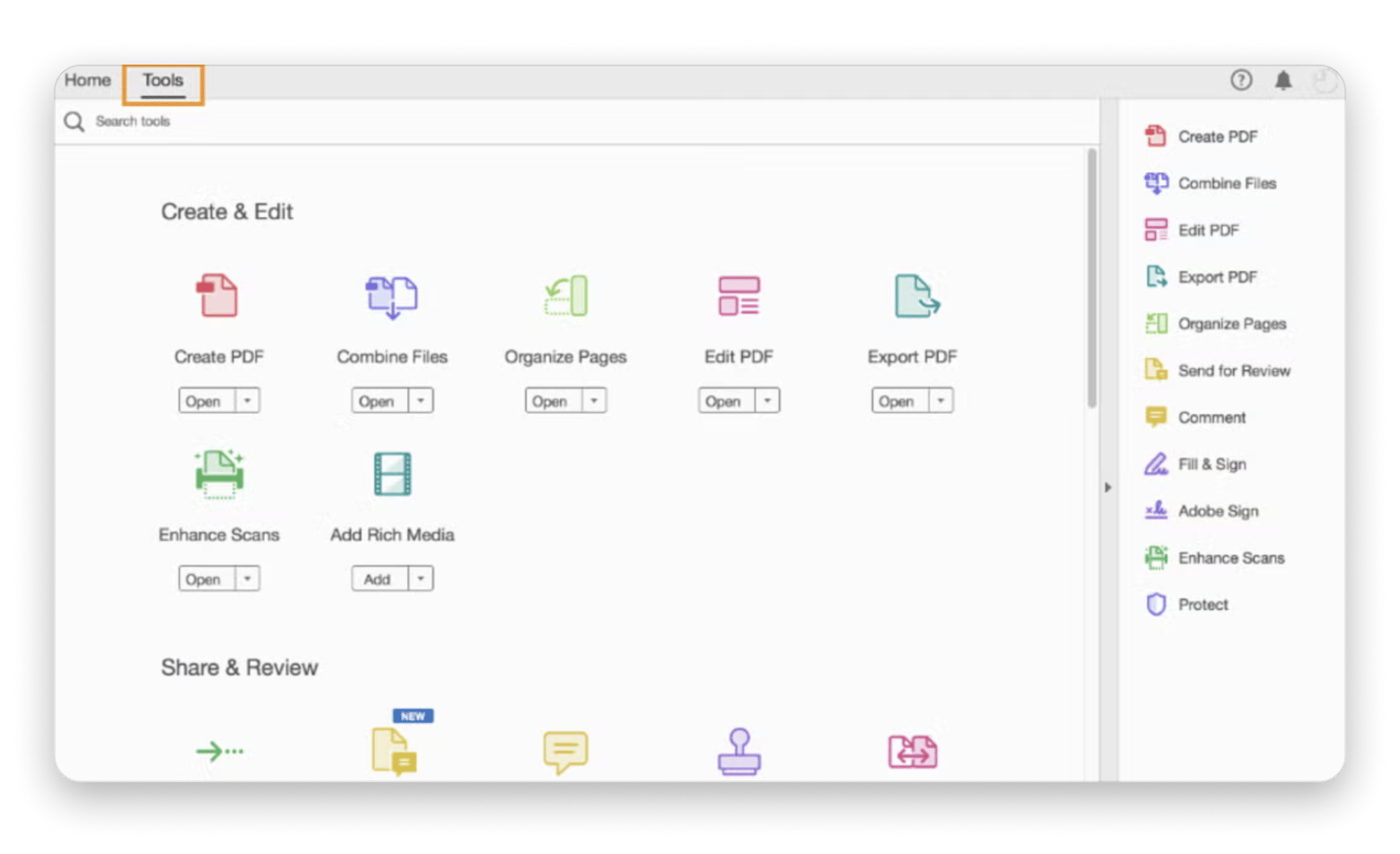
1. Adobe Acrobat Pro DC — Best overall PDF tool
You can’t talk about PDF tools without mentioning Adobe Acrobat Pro DC. The program continues to be the gold standard and is the best Bluebeam alternative for Mac. It offers advanced markup features, accurate measurements, OCR, form creation, and collaboration features.
adobe-acrobat-professional.en.softonic.com
In 2026, Adobe also added AI features to make workflows faster and smoother. My highlight is the AI Assistant, which uses generative AI to help users summarize and understand documents.
Great for: All-in-one editing, collaboration, and review workflows
Pricing: Subscription-based ($29.99/month or $239.88/year)
2. Bluebeam Cloud — Best web-based Bluebeam option
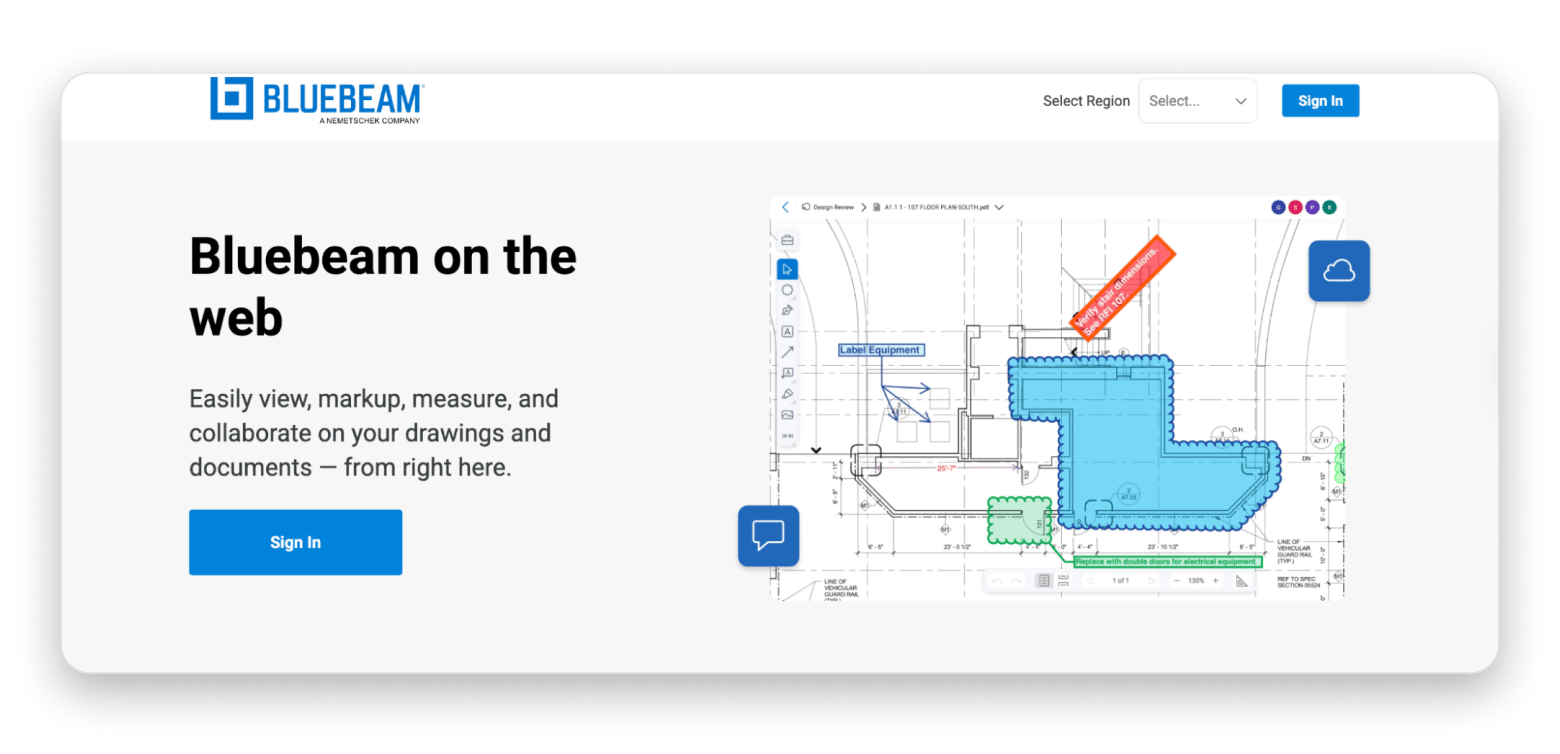
If you're still tied to the Bluebeam ecosystem, Bluebeam Cloud is the official alternative. It’s a cloud-based version, and it runs entirely on your browser. It supports markup tools, layer visibility, real-time collaboration, and integration with PlanGrid.
Source: app.bluebeam.com
That said, it won’t really give you the full Revu experience. It lacks some advanced features, like custom tool sets, but it’s a great alternative, especially if your team has Windows users.
Great for: Staying within Bluebeam’s workflow on macOS
Pricing: Included with Bluebeam subscription tiers, plans start at $260 per user
If your team often shares meeting recaps or walkthroughs, read this article on where Zoom recordings go on a Mac so you can quickly reference or share them alongside your project files.
3. UPDF for Mac — Best AI-Powered PDF editor
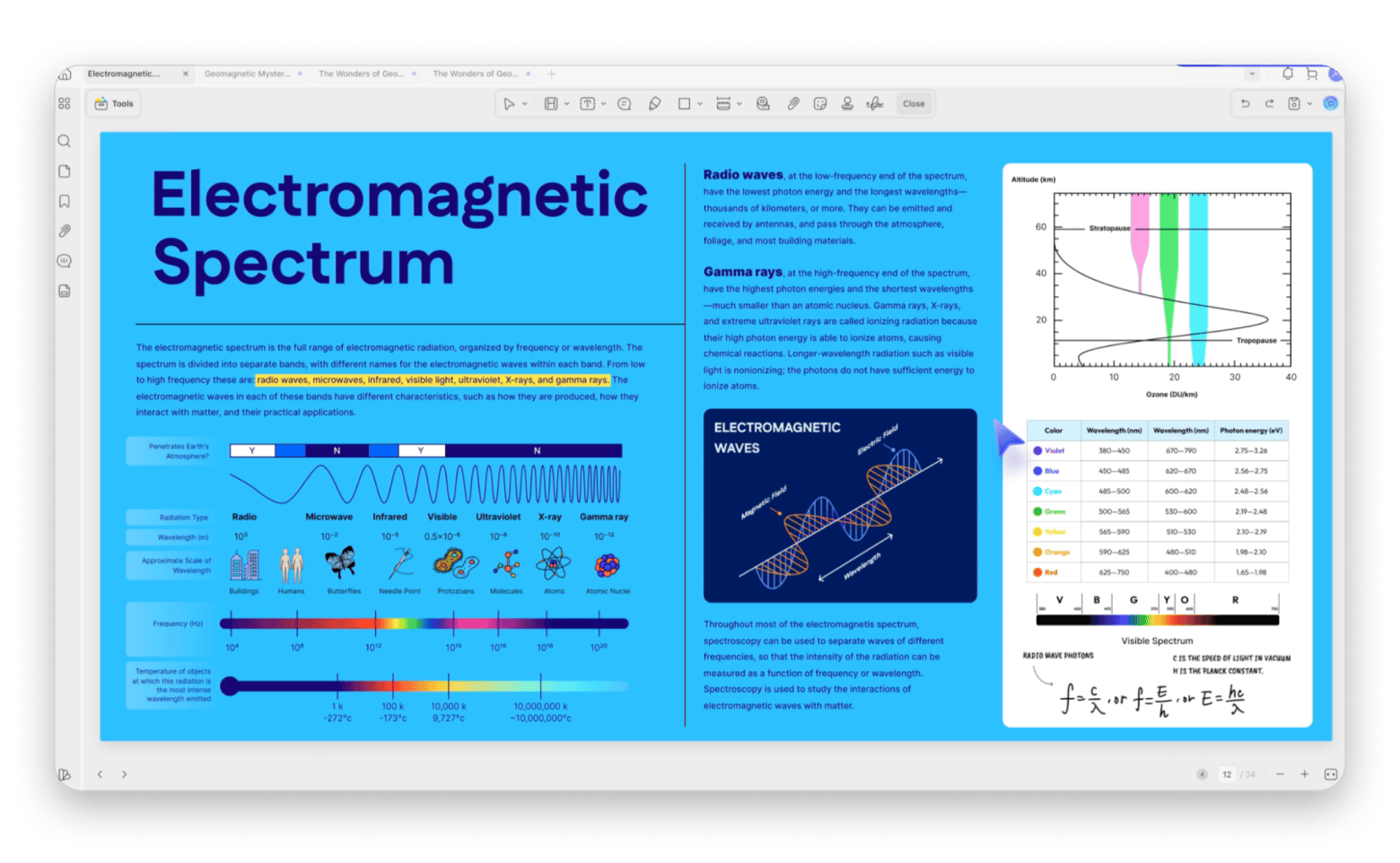
UPDF is the fastest rising star among PDF editing tools. It stands out for its clean UI, many capabilities, and a built-in AI assistant. The assistant lets you chat with your PDF, not just ask for a summary.
Source: updf.com
It offers the basics like annotations, editing, image adjustments, and conversions. Its 2026 version, UPDF 2, has even better workflow functionalities like search and replace/delete, reply/hide annotations, inserting multiple PDFs, and creating templates for repetitive tasks. If you're looking for something smart and affordable, this might be it.
Great for: Quick edits, AI-driven insights, and solo workflows
Pricing: One-time fee ($69.99), AI Assistant add-on ($79.99/year)
4. PDF Expert — Best for clean UX and fast annotation
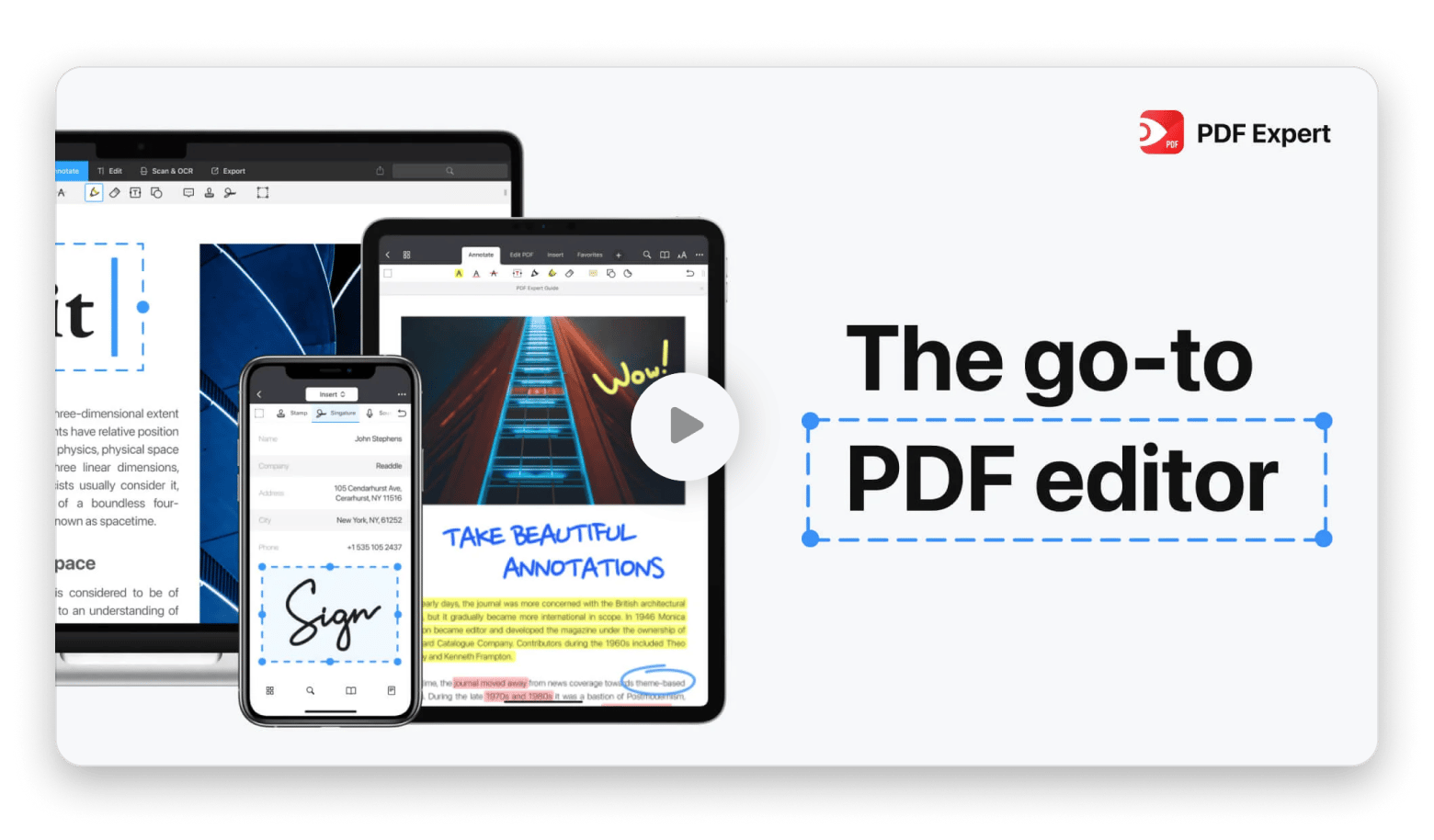
PDF Expert is a favorite in the Mac community, and for good reason. It’s super-fast and easy to use, and on the plus side, it's packed with powerful features. You get features like editing, annotating, converting, OCR, multi-tab markup, and organizing PDFs.
Source: pdfexpert.com
The annotations are even more advanced in the 2026 update, and the app supports Apple Pencil, which is a great perk if you like using your iPad alongside your Mac. It also syncs with your iPhone, so you can take your documents on the go. If you want tips on making the most of PDFs on mobile, check out this guide on how to read PDFs on an iPhone.
Great for: Fast markups, clean interface, and mobility
Pricing: Subscription (from $79.99/year)
5. Qoppa PDF Studio — Best for one-time purchase users
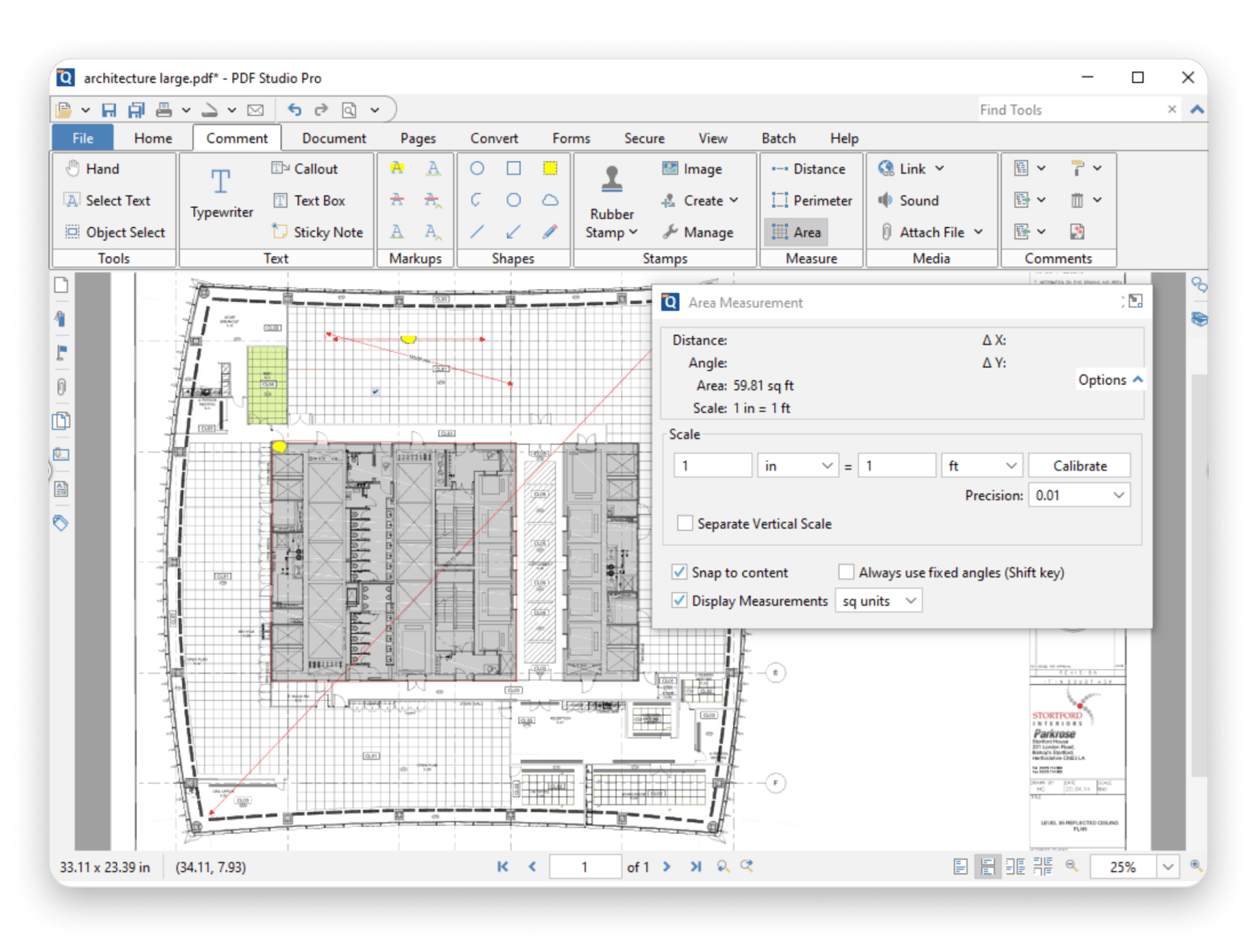
If you prefer to buy software instead of dealing with monthly or yearly subscriptions, Qoppa PDF Studio might be one of the best Bluebeam alternatives for you. It comes with features like content editing (text and images), scan to PDF, precision measuring, annotation and markups, sanitizing, and batch processing. If you don’t want the whole package, there’s a cheaper standard version that's still very capable.
Source: qoppa.com
In the latest update, Qoppa updated the OCR and made the measuring tools more accurate. There’s also a new dark mode option that makes it suitable for long editing sessions, which is great considering the app comfortably works offline.
Great for: Offline use, file comparison, and detailed document editing
Pricing: One-time fee — Standard ($99), Pro ($139)
6. Master PDF Editor — Best for budget-conscious users
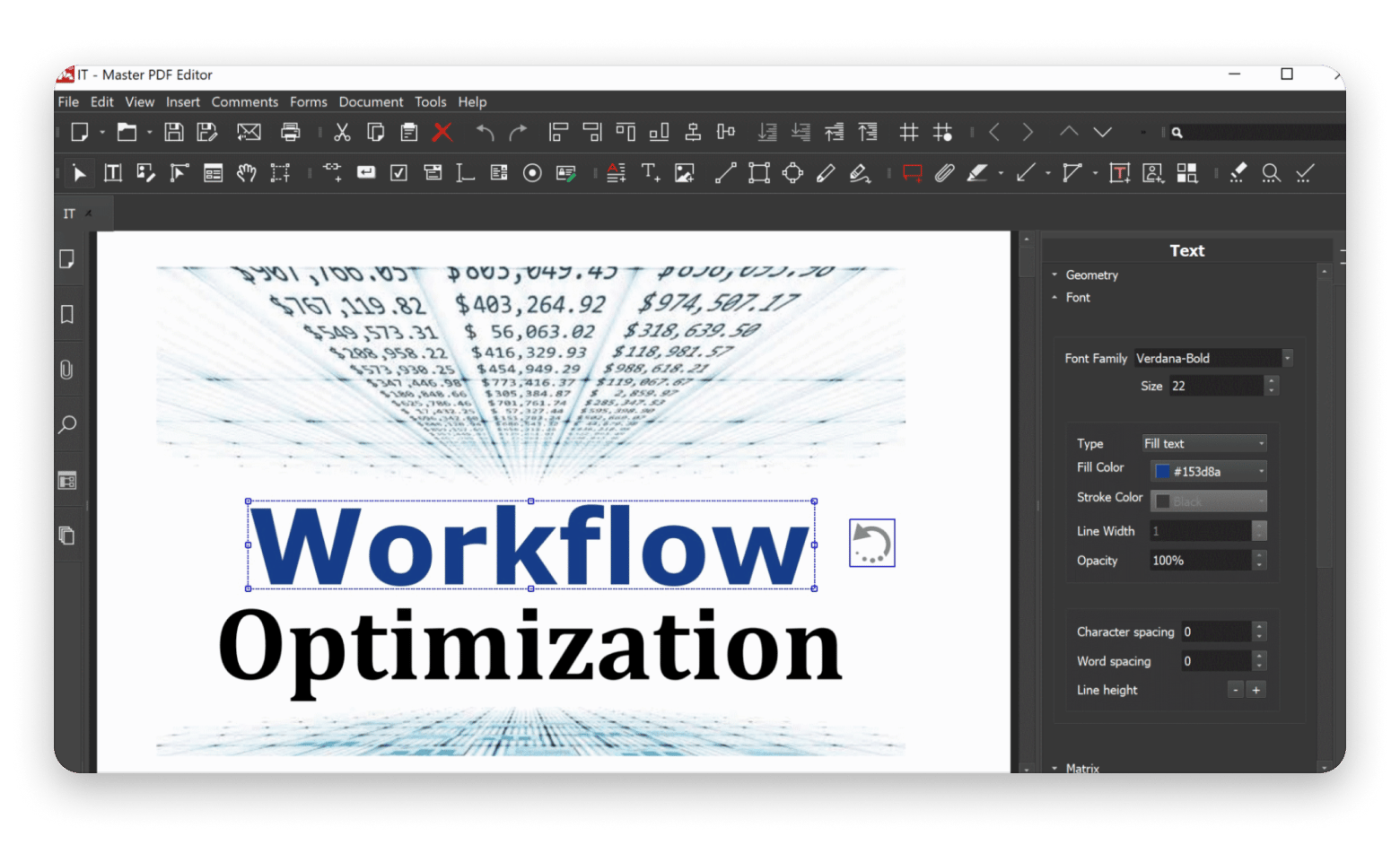
Master PDF Editor is a lightweight yet powerful tool for users operating on a limited budget. It doesn’t have the marketing polish of the other tools on this list, but it covers the basics. It allows you to modify text and objects, sign, scan, OCR, and annotate PDF documents. It also supports interactive forms.
Source: code-industry.net
The app’s latest update has made the interface easier to navigate and maximize the workspace. It also added support for page alignment options, Z-reordering multiple objects simultaneously, and fractional scale values.
Great for: Basic markup, solo projects, and affordable licensing
Pricing: One-time purchase ($79.95)
Honorable mentions: Web & construction-focused tools
Maybe you aren’t looking for a full-on PDF editor, but you still want a solid tool that gets the job done.
Several other Mac tools can help you manage your documents. They aren’t true Bluebeam Revu replacements, but they support AEC workflows well.
Autodesk Build (PlanGrid)
AutoDesk Build evolved from PlanGrid, and it’s a great option if your work goes beyond just markup. It streamlines the entire construction workflow and makes it easy to handle RFIs, submittals, and field reports in one place.
The best part? It’s cloud-based, so you can use it on Safari or Chrome without needing a Windows machine. Its functionalities are available in the larger Autodesk Construction app.
Sure, you won’t find the markup tools of Bluebeam Rave, but if your goal is keeping everyone on the same page (literally) across different tasks, it fits the bill.
PDFBilt
PDFBilt was created specifically for professionals in the AEC space. Its best feature is that it was meant for those who just want the PDF part to work, so it’s great at managing PDF files.
It understands the construction workflow quite well and offers features like batch renaming, document linking, and real-time markup via the cloud. While it doesn’t match Bluebeam’s features, it supports annotations, callouts, and highlighting.
Fieldwire / STACK / Procore
If you’re not only focused on marking up drawings but also managing teams, schedules, RFIs, and inspections, you should check out tools like Fieldwire, STACK, and Procore.
These aren’t direct Bluebeam replacements, but they all have some form of PDF support, like viewing, basic markup, and team comments. They also work well on Mac browsers, so collaboration should be easy.
Their full strength lies in broader project features like scheduling, team coordination, budgeting, and inspection management. You'll be able to keep track of all projects and collaborate in real time.
Bonus tools: Allume, Nitro PDF Pro and PDF Search
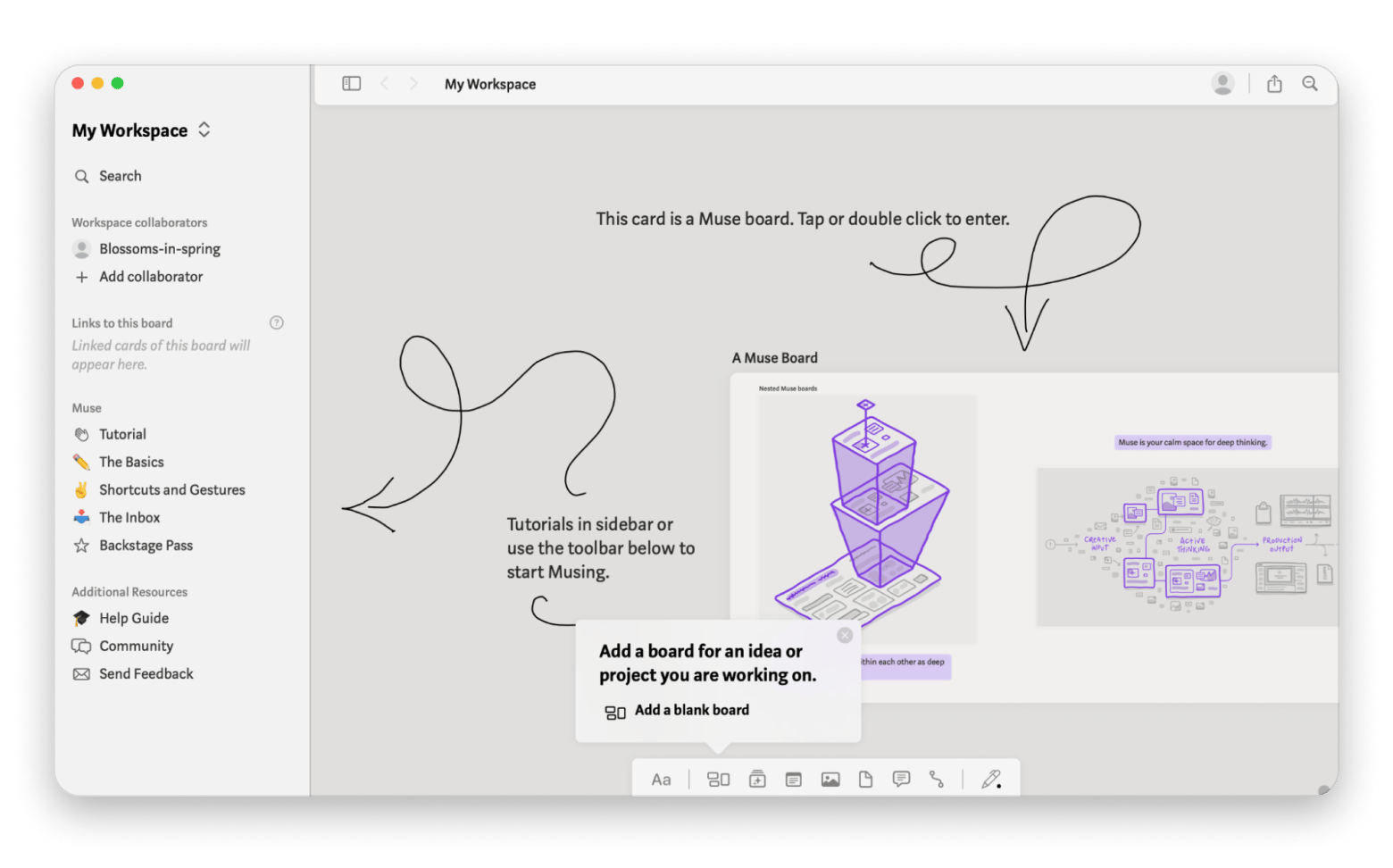
Allume is a visual thinking and project management tool that helps you organize ideas, notes, sketches, and images in a flexible, free-form canvas. You can group related content, link ideas together, and arrange them visually. It's perfect for brainstorming sessions, design planning, or mapping out project workflows.
Nitro PDF Pro is a full-featured PDF editor that lets you create, edit, annotate, merge, convert, and encrypt PDFs. It includes OCR (optical character recognition) for making scanned documents searchable, plus tools for filling out and signing forms.
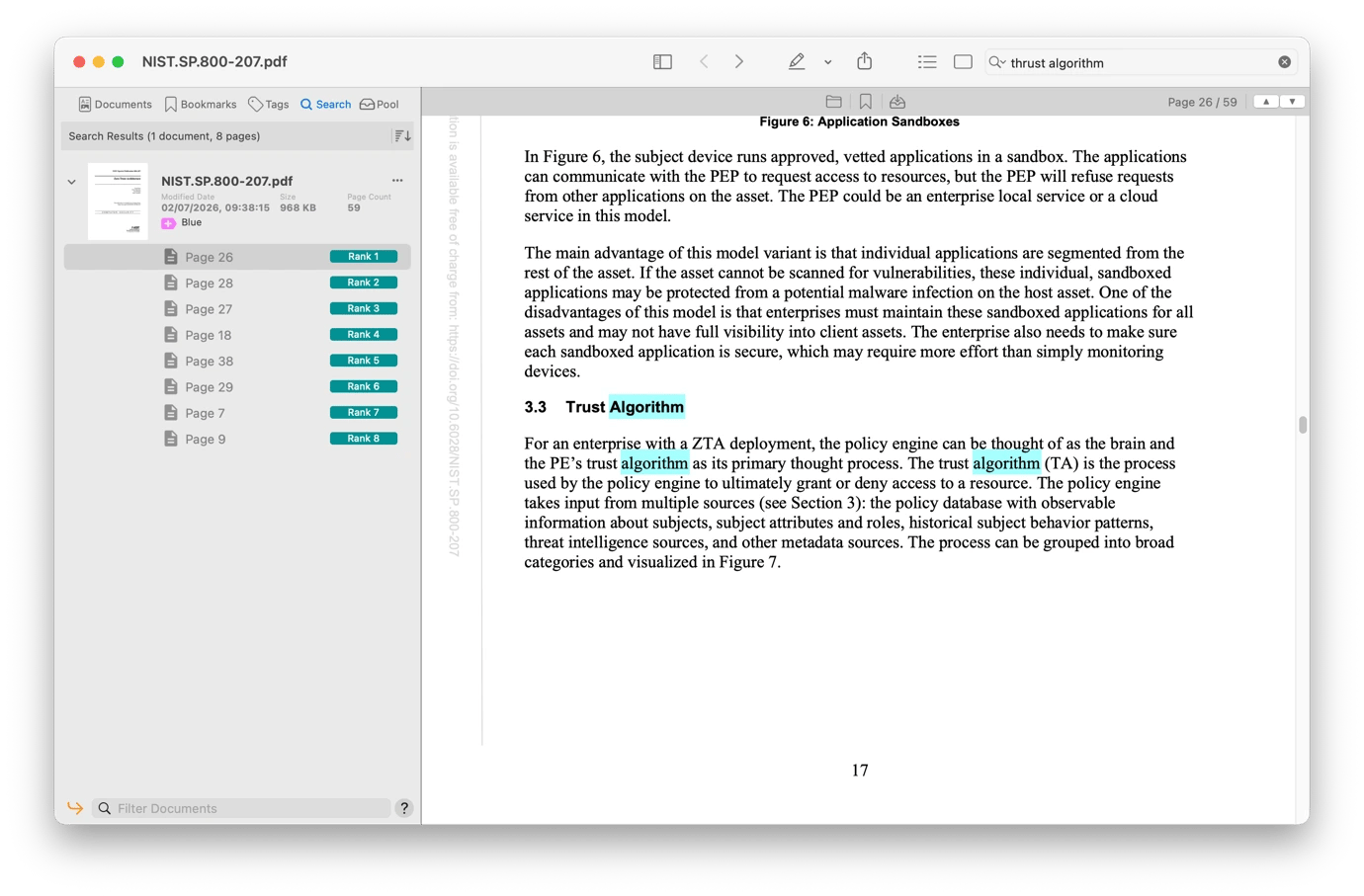
If your team deals with large plan libraries, spec binders, or archived submittals, PDF Search makes cross-document discovery dramatically faster. It indexes content across hundreds of PDFs and lets you search them all at once — much faster than opening files one by one in any PDF editor.
Running Bluebeam Revu on Mac in 2026
If you’re determined to stick with Bluebeam on your Mac, there are some workarounds that can give you access to the Bluebeam features you know.
Option 1: Use Parallels Desktop + Windows
This is your best bet at getting the full Bluebeam functionality. Parallels Desktop lets you run Windows inside your Mac. It works smoothly, and you won’t even need to reboot or deal with dual-boot drama.
Simply set up Parallels Desktop on your Mac and install Windows. You can then run the latest version of Bluebeam, and you’ll get access to every tool.
That said, you’ll have to deal with a Parallels and Windows license (alongside a few tech gymnastics), but for pros who live and breathe Revu, the investment will pay off in productivity.
And if you ever need to view large drawings more comfortably, check out this guide on how to rotate your Mac screen. It’s a neat trick for working with vertical or extra-wide documents.
Option 2: Stick to Bluebeam Cloud
The other option is to stick with Bluebeam Cloud, the official Revu alternative for Mac. This will save you from having to install Windows through Parallel Desktop, and you also won’t have to switch to a Bluebeam alternative for Mac. All you need to do is fire up your browser, and you're good to go.
Final thoughts on the best Bluebeam alternative for Mac
As you've seen, there are several great Bluebeam alternatives for Mac. Some offer similar levels of functionality, but others offer new ways to manage your documents. Either way, you’ll get something that works for you.
You can even complement your AEC workflows with tools like Nitro PDF Pro, Muse, Craft, Godspeed, and Merlin Project Express to handle everything from polished PDF editing and idea visualization to organized note-taking, lightning-fast task management, and streamlined project planning.
One last tool worth mentioning: PDF Squeezer is invaluable when you need to compress oversized drawing sets for email, portal uploads, or RFI packages. It downsizes PDFs with granular quality control, so you can hit file-size limits without destroying print-ready resolution. Also on Setapp.
Bluebeam left Mac behind. Your AEC workflow doesn't have to. Nitro PDF Pro, PDF Squeezer, PDF Search, Craft, Godspeed, and 270+ more — all on Setapp. Get 270+ Apps.
FAQ
What happened to Bluebeam Revu for Mac?
The Bluebeam team discontinued Bluebeam Revu for Mac in 2020 and dropped its support in 2023. If you're on macOS, the official alternative is Bluebeam Cloud. It runs on the browser, although it won’t give you the full desktop experience. For advanced features, you can consider tools like Adobe Acrobat Pro DC, UPDF for Mac, and PDF Expert.
Is there a free Bluebeam alternative for Mac?
There are some free Bluebeam alternatives for Mac, including tools like Skim and LibreOffice Draw. They’ll let you do some basic markup, but if you need to annotate, markup, and manipulate PDFs on a budget, consider Nitro PDF Pro.
Can I run Bluebeam Revu on Mac in 2026?
Yes, you can run Bluebeam Revu on Mac, but only through a workaround. Install Parallels Desktop to run Windows inside macOS, then install the Windows version of Bluebeam Revu. It'll give you the full feature set, though it requires extra licenses and a bit of setup.
Which Bluebeam alternative is best for AEC professionals?
The best Bluebeam alternative depends on your workflow. If you want a full set of features like in Bluebeam, Adobe Acrobat Pro is the top pick. But if you want a dedicated AEC solution, Autodesk Build or Fieldwire will help you manage the broader project beyond PDFs.
Which app is best for advanced markups on Mac?
The best app for advanced markups on Mac is PDF Expert, especially if you're focused on advanced and AI-assisted markups. Qoppa PDF Studio Pro is another great option, but if you need cloud collaboration, go with Adobe Acrobat Pro.
Why look for a Bluebeam alternative on Mac in 2026?
You need a Bluebeam alternative on Mac in 2026 because the app no longer supports macOS. Professionals who rely on real-time markups, precision tools, and desktop-level performance can’t use it natively anymore, and switching to Windows just for one program isn’t practical. That’s why finding a reliable Mac-friendly replacement has become essential.
What makes a good Bluebeam alternative?
The best Bluebeam alternative for Mac should come with these essential features:
Solid PDF markup tools.
Accurate measurement tools for scale-based drawings and quantity estimates.
Markup and annotation options like stamps, shapes, text boxes, and callouts.
Support for team collaboration, like version control and synced updates.
Smooth performance on macOS, especially when working with heavy projects.
Is there a Bluebeam Revu for Mac?
Not as a native macOS app. Bluebeam discontinued Revu for Mac several years ago. Your options are Bluebeam Cloud (browser-based, included with Bluebeam subscriptions) or running Windows Revu through Parallels Desktop on your Mac.
Is there a free alternative to Bluebeam?
For basic markup and annotations, macOS Preview and free PDF viewers can handle simple tasks. But for AEC-grade features like measurement, OCR, collaboration, and review management, free tools fall short. The closest affordable options are one-time-purchase editors like Qoppa PDF Studio ($99) or Master PDF Editor ($79.95).
Is there a cheaper version of Bluebeam?
If your main need is markup, OCR, and document editing (not measurement/takeoff), Mac-native editors like Nitro PDF Pro (included in Setapp for $9.99/mo + tax) or PDF Expert ($79.99/yr) cover most workflows at a fraction of Bluebeam's $260+/user pricing.
Does Bluebeam Cloud work on Mac?
Yes, Bluebeam Cloud runs in Safari or Chrome on macOS. It supports markup, layer visibility, and real-time collaboration, but it doesn't fully replicate Revu's desktop feature set. Custom tool sets and some advanced capabilities are missing.
What are the best apps like Bluebeam Revu for Mac?
Nitro PDF Pro is the most capable Bluebeam Revu alternative available through Setapp — it covers PDF editing, OCR, annotation, redaction, and version comparison.
PDF Search adds AI-powered semantic search across PDF libraries, useful for navigating large document sets.
PDF Squeezer handles compression for oversized drawing files.
PDF Pals brings AI chat to individual PDFs for quick comprehension of dense documents.
All apps are included in Setapp and are free to try for 7 days. Check Setapp pricing.






 Best solution
 Best solution