- Two ways to access Mac apps: Membership or Marketplace
Setapp Membership offers 270+ premium apps — ideal for users needing multiple tools. Setapp Marketplace lets you buy or subscribe to individual apps like CleanMyMac with flexible payment options (monthly, yearly, or one-time). Both offer the same quality-tested apps.
- Individual app subscriptions add up fast and become expensive.
Five popular apps (Ulysses, CleanShot X, CleanMyMac, Paste, and Craft) cost $291.85 per year separately, while Setapp Membership provides all of them plus 270+ more for just $107.88 annually.
- The Mac App Store isn't always efficient for finding quality apps.
With thousands of duplicate apps and inconsistent reviews, the App Store makes it hard to identify which tools truly fit your needs. Setapp's curated collection removes the guesswork.
- Bundle deals like StackSocial and BundleHunt work for specific needs.
These platforms offer lifetime deals and deep discounts, ideal for users who want to own apps outright. However, the selection is limited, and quality isn't guaranteed like with Setapp.
- Choose the subscription that matches your workflow
Try Setapp Membership free for 7 days if you need variety and productivity tools. Browse Setapp Marketplace if you want specific apps without the full subscription. Or explore bundle deals (StackSocial, BundleHunt), Notion Plus for collaboration, or Microsoft 365 for traditional office suites.
Choosing the right Mac apps can feel like a chore. There’s always a “top-rated” recommendation, another trending tool to try, and half of them hide their best features behind subscriptions.
I'm breaking down which Mac app subscriptions are actually worth it, so that you don't get stuck with a bunch of apps you never open.
But first, here's a quick overview of the best Mac app subscriptions, along with their cost, features, and who each one is best for:
What's the app? | What's the price? | What do I get? | Who will love it |
Setapp Membership | A flat monthly subscription.
| Access to 270+ premium Mac and iOS apps for productivity, writing, utilities, coding, and more | People who use a lot of tools and want to try new apps |
StackSocial | Usually $30 to $100 per lifetime bundle | Big discounted bundles with apps you own forever | Deal hunters and users who want one-time payment deals |
BundleHunt | $3 unlock fee + $2 to $15 per app | Pick only the apps you want from a curated list | Users who want specific apps without paying for extras |
Notion Plus Plan | $100 per year/person | A customizable workspace for notes, tasks, databases, and team projects | Knowledge workers, teams, startups, and heavy planners |
Microsoft 365 | $99.99/year (Personal) or $129.99/year (Family) | Word, Excel, PowerPoint, Outlook, OneNote, plus 1TB of cloud storage | Students, professionals, and families who need a reliable office suite |
Want to find more apps worth trying? Use the free GPT assistant — it suggests the best picks based on your personal goals.
Who are the main players in Mac app subscriptions?
Let's look at some of the names dominating the Mac app subscriptions.
What is Setapp, and why is it the best Mac app subscription?
Having used Setapp for several years, I can confidently say it’s the best Mac app subscription.
Setapp offers two models:
- Setapp Membership offers 270+ fully featured apps for a flat monthly fee starting. This gives you access to the entire catalog with no extra spending on upsells, ad removal, or cloud storage. Everything is included, even if you install 30, 40, or more apps.
- Setapp Marketplace offers the same quality-tested apps, but you buy or subscribe to them individually. You get flexible payment options (monthly, yearly, or one-time purchase) with the same curated quality, just without the full subscription commitment.
Both options simplify Mac app management by giving you essential tools in one trusted place.
Why Setapp’s handpicked Mac apps make life easier
One of my favorite things about this all-in-one app subscription for the Mac platform is that every app is handpicked.
The Setapp team identifies apps that could enhance their ecosystem. And for an app to qualify, it has to offer functionalities that aren’t already covered. This makes it different from the App Store, where you can find 20+ apps that do the same thing.
Instead of going through Reddit threads, you only need to type what you want on Setapp. You’ll find several related apps to choose from, but each offers different functionalities.
The flexibility of exploring new apps is also one of Setapp’s main selling points.
For example, no one buys a troubleshooting app alongside a new Mac. But if you ever run into an error like “Mac won’t update,” you can always count on Setapp to give you tools like CleanMyMac and NetSpot to help narrow down the issue.
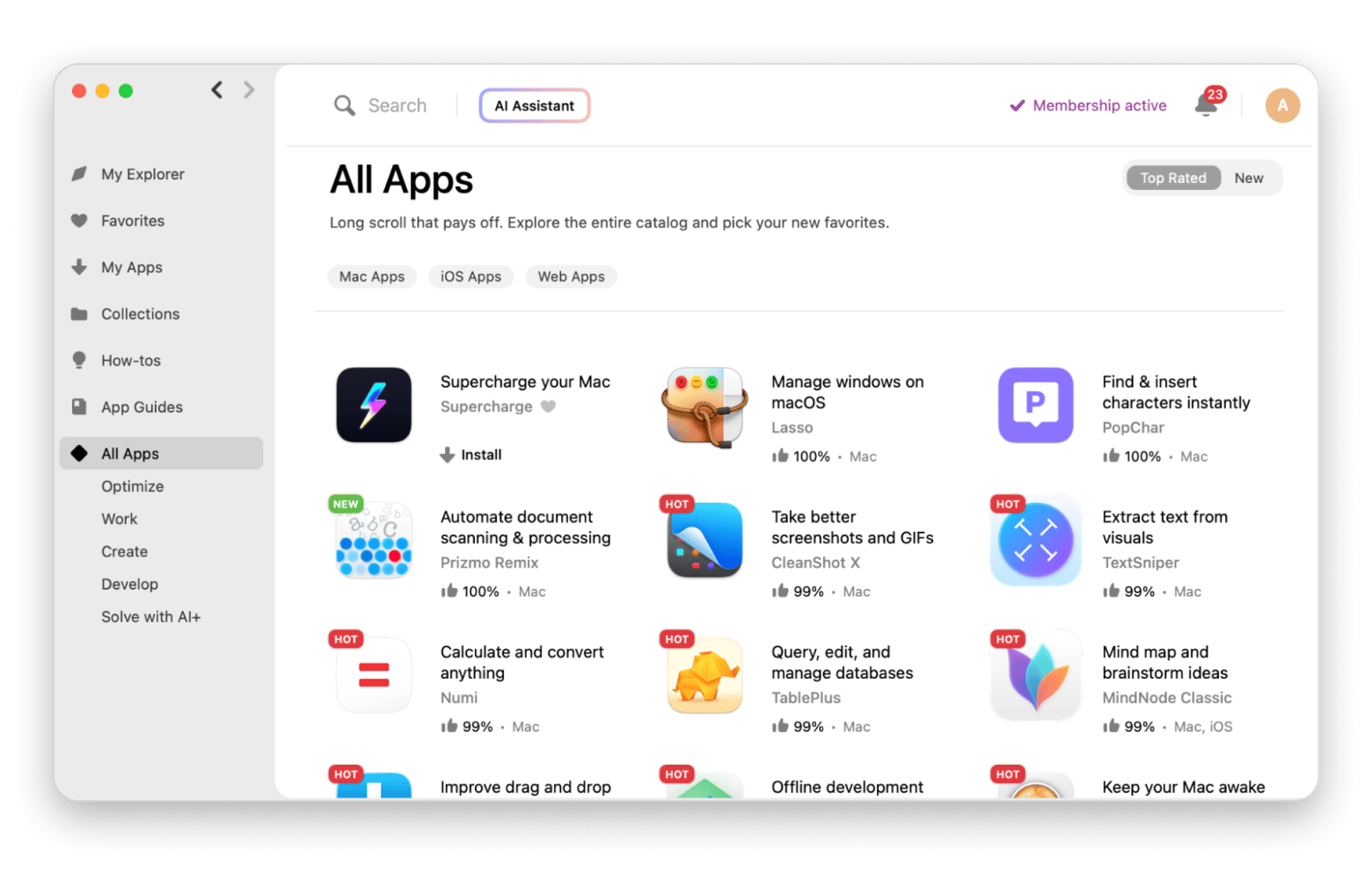
For more app suggestions, check out Productivity Tool Finder.
What alternatives exist, and how do they compare to Setapp?
While Setapp Membership may be the only Mac software subscription service that doesn't feel like a part-time job for me, it's not the only way to get Mac apps. And if you're not ready for a full subscription, Setapp Marketplace offers another path — buy individual apps with the same curated quality.
Let’s look at some popular alternatives.
App Store: A massive, trusted marketplace, but not always efficient
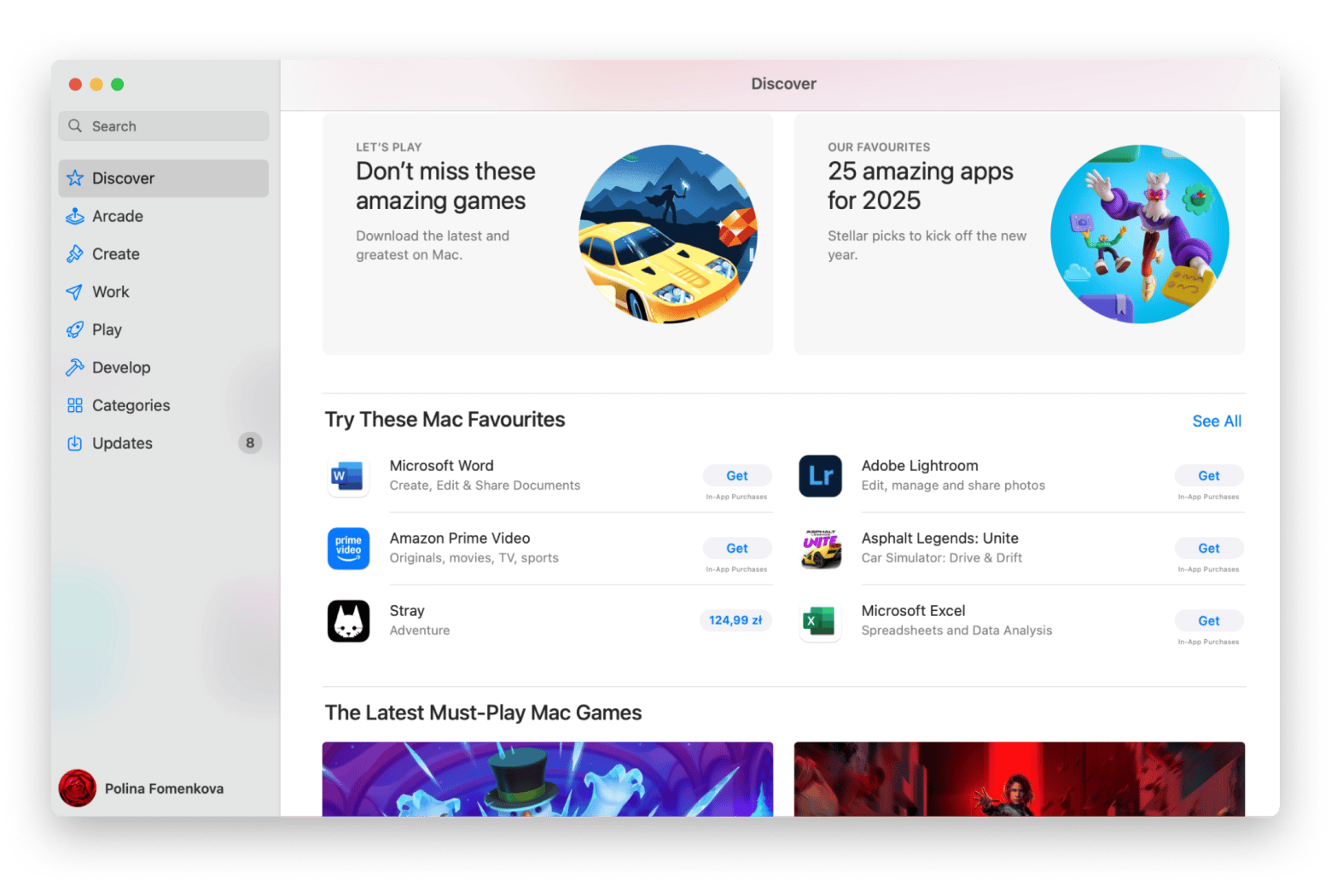
The Mac App Store is usually the first stop for most users. It’s built into every Mac, offers a familiar interface, and gives access to thousands of verified apps.
But while it’s great for grabbing some quick tools, it may not always be efficient, as there are too many Mac apps to choose from.
For example, the huge number of apps means there are lots of duplicates, and it’s hard to tell which one is right for you. The top charts don’t reflect quality or capabilities, and the search results aren’t curated.
Plus, some utility apps like recovery tools only have a limited version on the App Store due to Apple’s sandboxing restrictions.
Buying apps from developers: Control, but at a cost
This is what I used to do before Setapp, as I was determined to create a powerful stack. It gives you control, especially when it comes to lifetime licenses.
However, these are on a downward trend, and individual subscriptions can quickly add up. Even two or three subscriptions may be enough to cover the cost of Setapp Membership, so it’s not a reliable alternative.
That's where Setapp Marketplace comes in. You get the same apps you'd buy directly from developers, but with some key advantages: every app is vetted by Setapp's security team, and you often get more flexible payment options (monthly, yearly, or one-time purchase) than buying directly. Plus, everything is managed in one place.
Bundle deals (StackSocial, BundleHunt): Good value, limited options
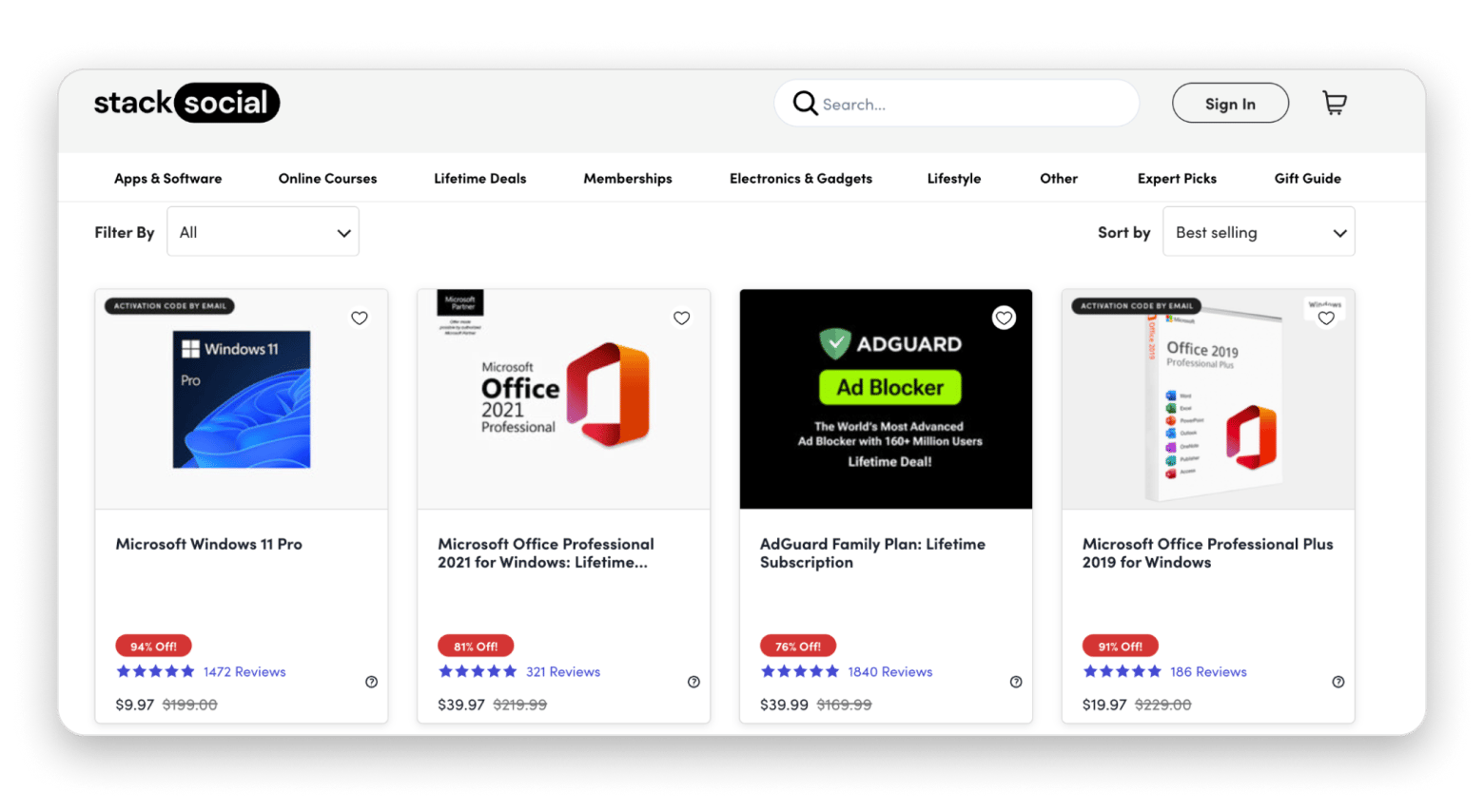
If you want to own several apps outright, you can look at StackSocial and BundleHunt. The two sell heavily discounted apps, and you can snag $100 worth of apps for just $30.
- StackSocial specializes in lifetime deals and discounted one-time payments. Ideal if you love snagging deep discounts on big-name apps. You pay once and keep the app forever, which makes it perfect for building a long-term toolkit without worrying about renewals.
- BundleHunt lets you handpick apps from a curated selection. It’s perfect for minimalists who don’t want a full subscription and prefer to build their own small, efficient toolkit. The unlock fee is low, and the individual app prices are often heavily discounted, so you can experiment without overspending.
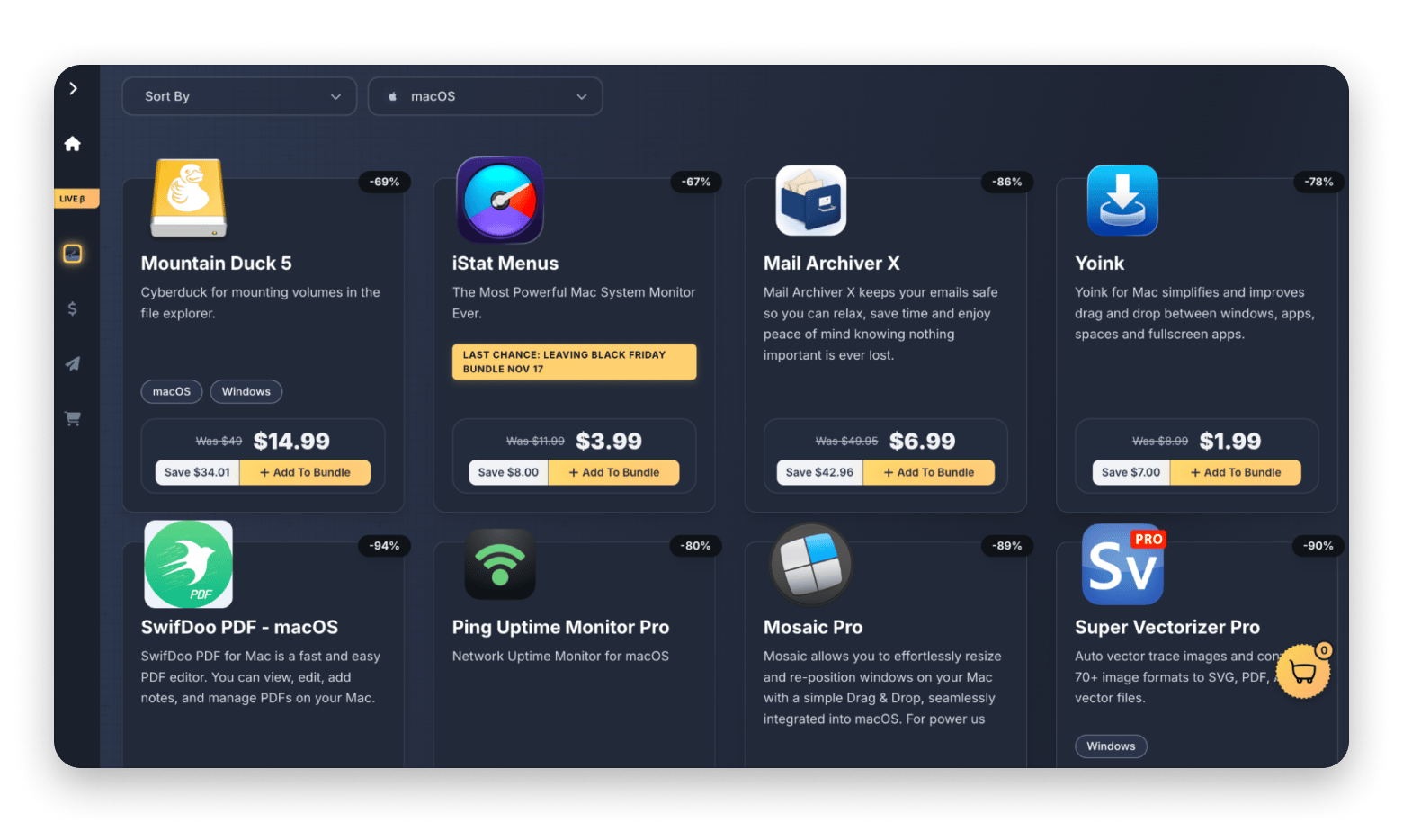
The downside with this option is that there’s no control over the apps available, and not every developer participates. So, while you’ll surely find a few PDF readers and VPNs at any time, you may not find the ones you're looking for. Plus, the quality isn’t guaranteed, unlike in Setapp.
Productivity suites & workspace subscriptions
All-in-one productivity subscriptions combine multiple tools into a single workspace or bundle. Instead of switching between separate apps for writing, planning, collaboration, and file storage, these platforms centralize everyday work in one system, making them easier to manage for individuals and teams.
Notion Plus Plan and Microsoft 365: Best collaboration subscription
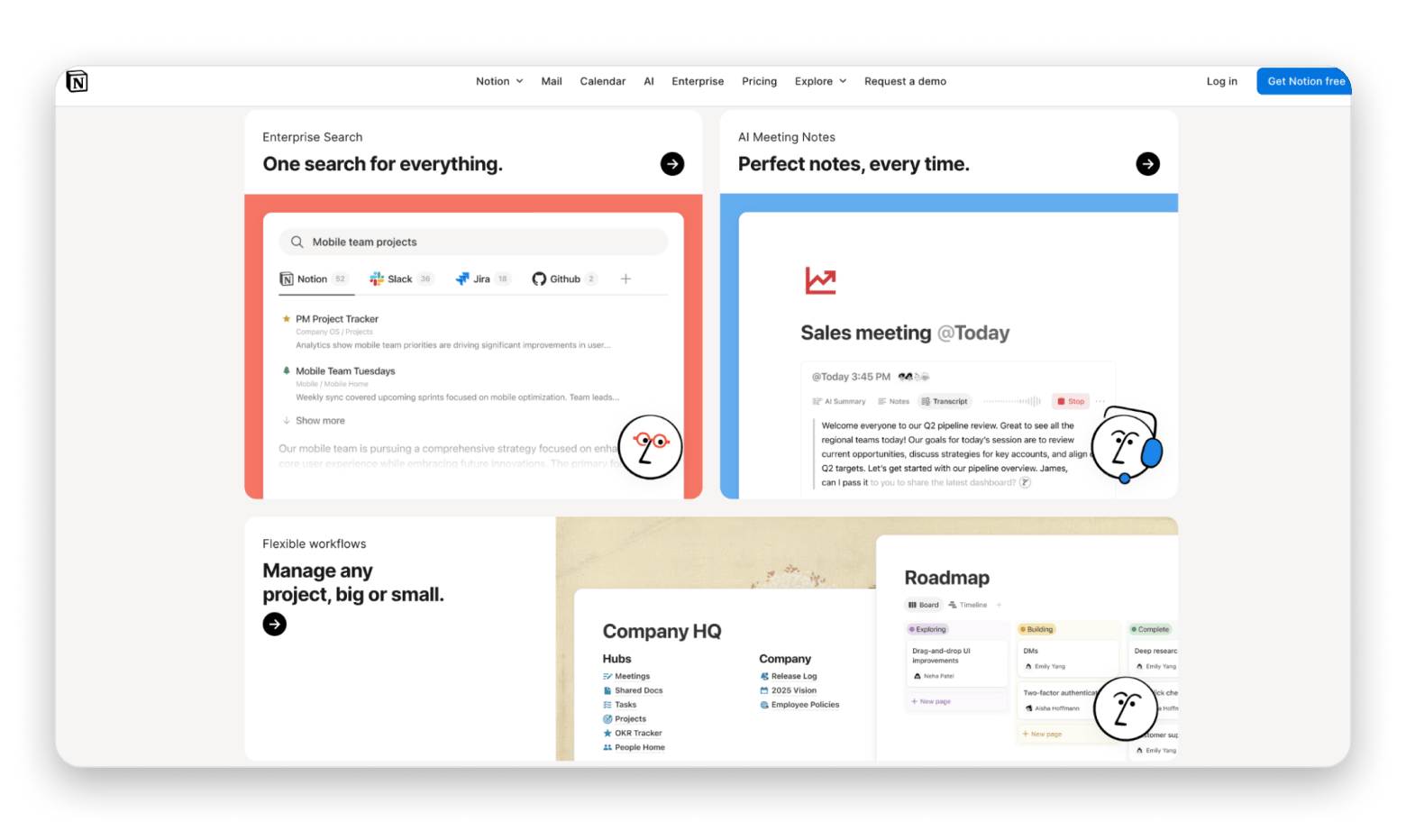
- Notion is a powerful all-in-one workspace for notes, tasks, databases, and team collaboration. The Plus plan gives you higher storage limits, larger file uploads, better sharing and collaboration features, and access to helpful integrations. It’s perfect for knowledge workers, project managers, and startups that need room to grow and manage bigger workflows.
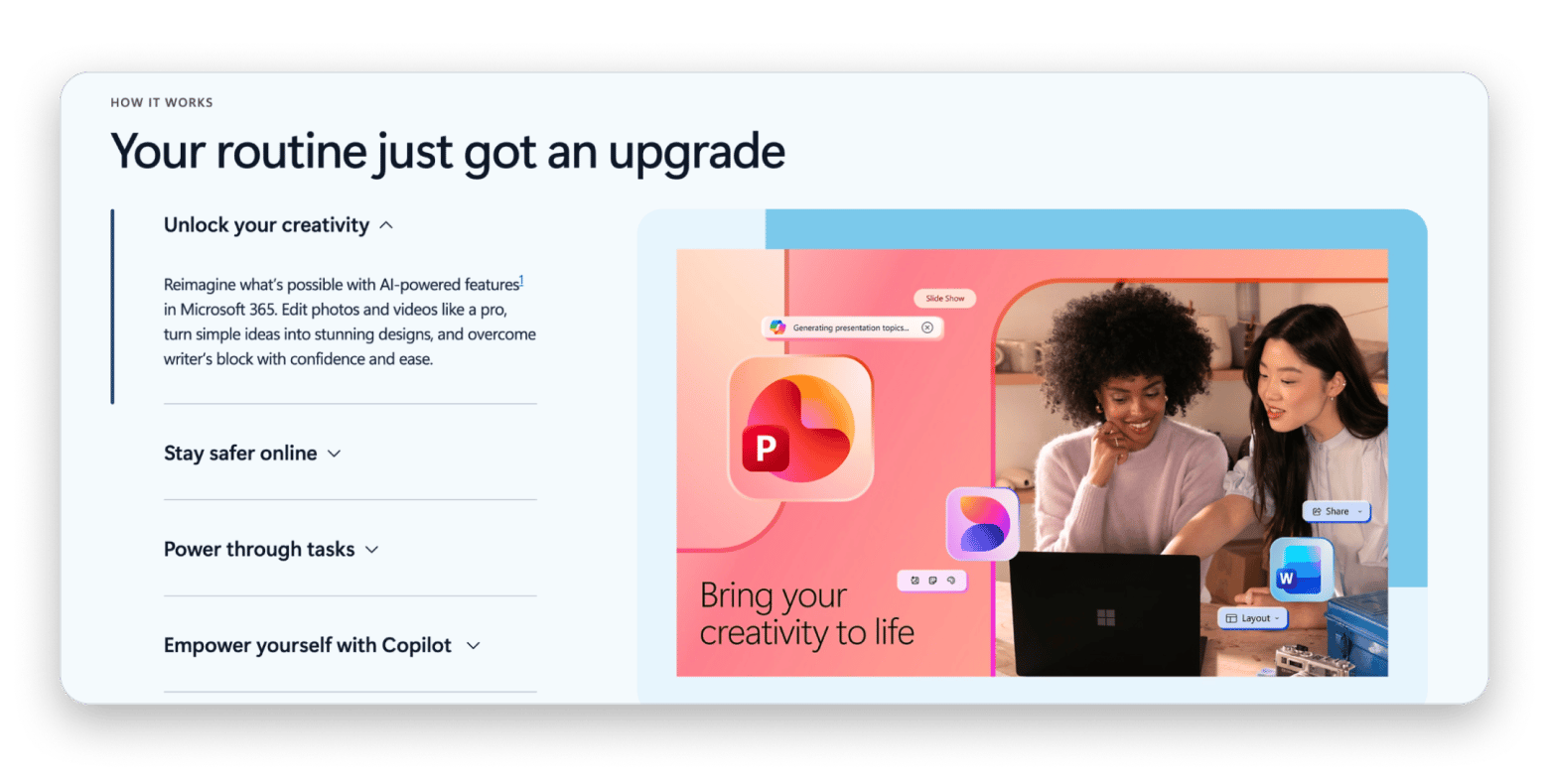
- A Microsoft 365 subscription gives you access to the full suite of essential productivity apps, including Word for documents, Excel for spreadsheets, PowerPoint for presentations, Outlook for email and calendar management, and OneNote for note-taking. You also get OneDrive cloud storage, allowing you to store, sync, and share files securely across all your devices. With regular updates, collaboration features, and integration across apps, it’s ideal for both personal productivity and professional workflows.
Who should use Setapp as their main Mac app subscription?
Setapp Membership is built for people who actively use their Macs and need a variety of productivity and utility tools without breaking the bank.
Here are some scenarios where Setapp would be a great pick:
Ideal for productivity-first users
If you're a writer, marketer, project manager, or a remote worker, your Mac is your HQ — and Setapp Membership offers one of the best Mac app bundles for productivity.
For example, if you handle different projects, Setapp gives you:
- Craft for structured note-taking.
- MindNode Classic for mapping out your ideas and projects.
- Taskheat for mapping out tasks visually.
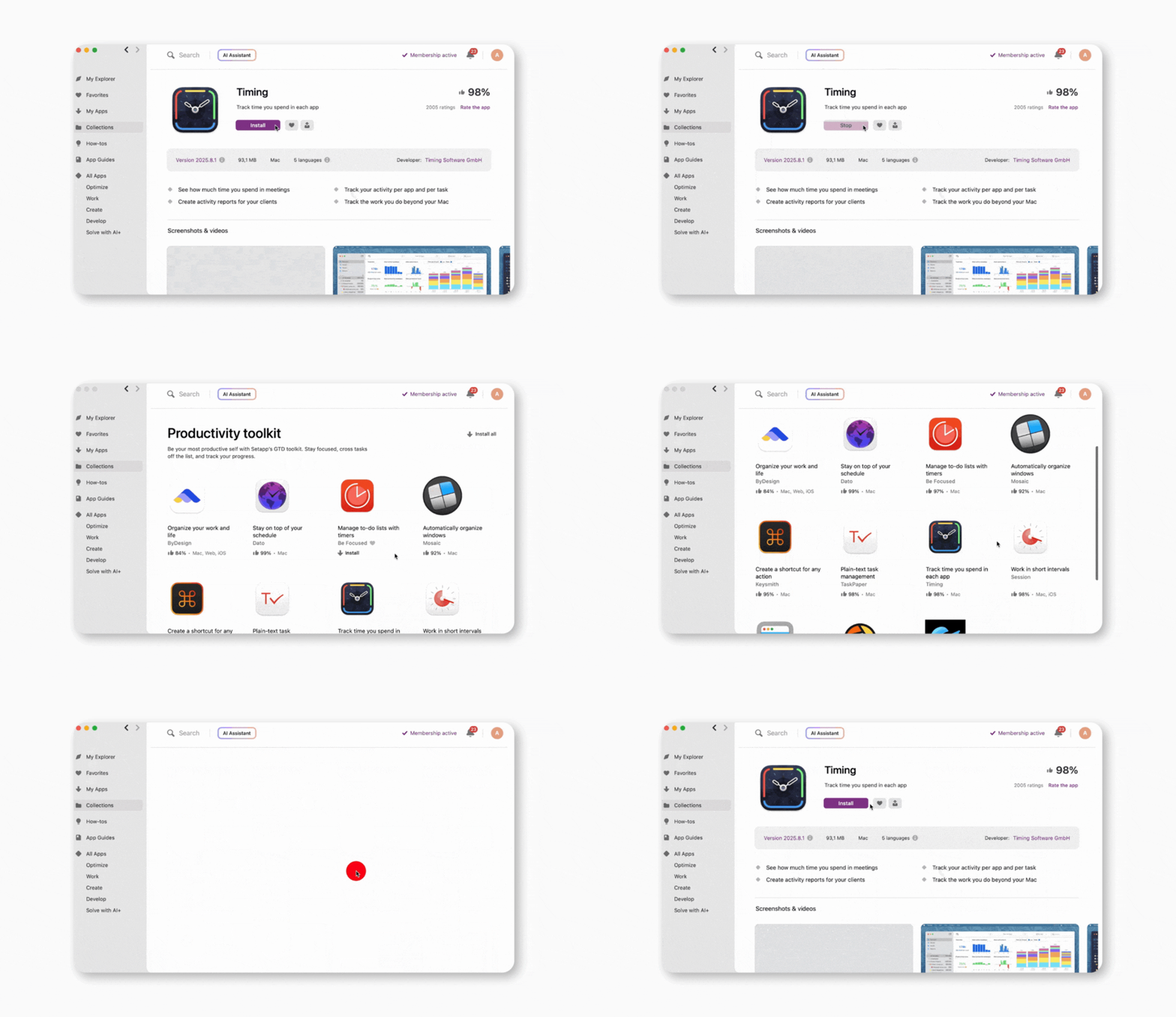
- Timing for knowing where your hours actually go.
- Paste for avoiding repetitive copying.
- Ulysses for creative writing and publishing.
These tools help you save time, and you can then install job-related tools at no extra cost.
Great for developers and tech-savvy users
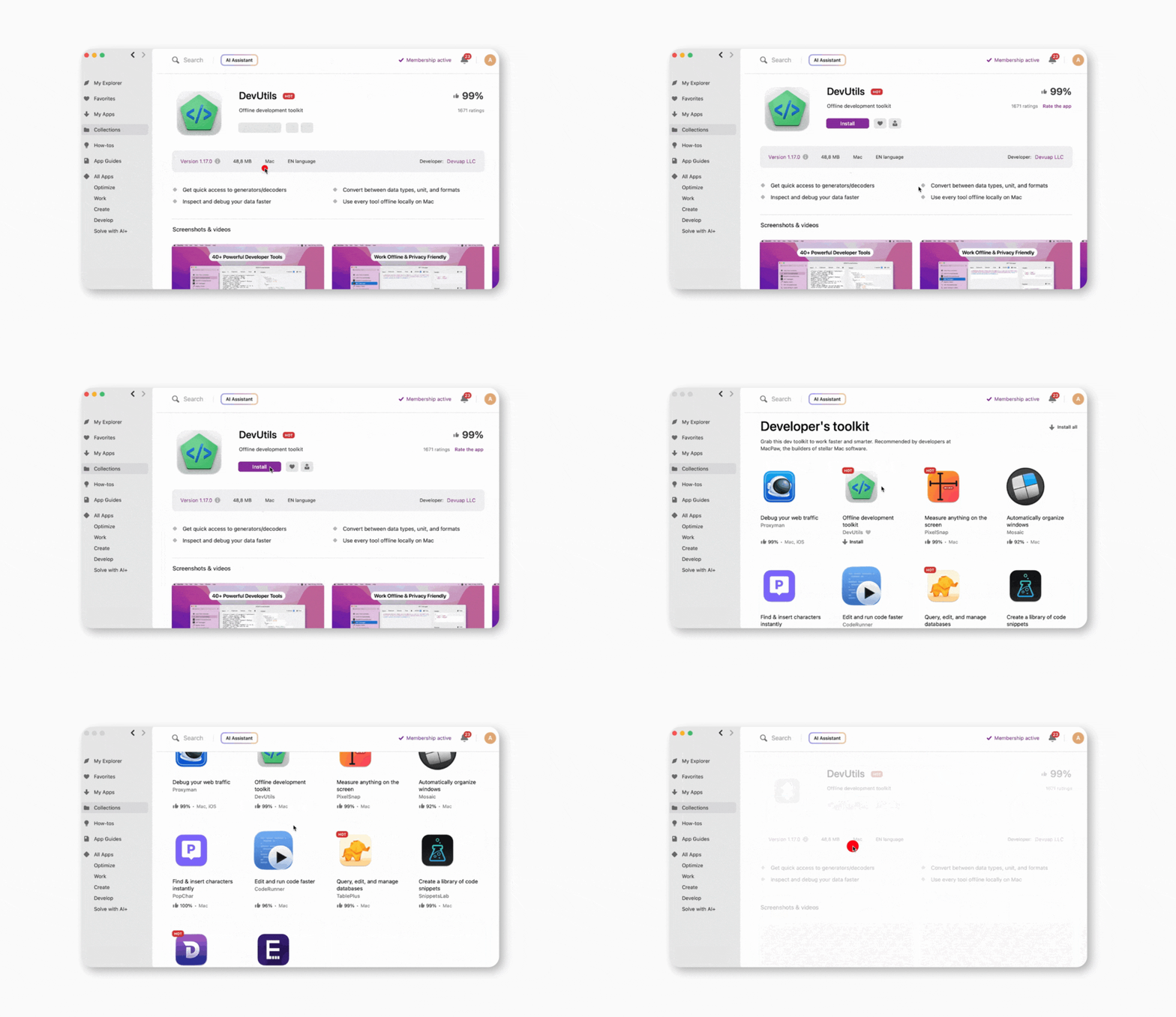
For developers and power users, Setapp provides tools you’d actually install on your own. These include:
The platform helps you quickly set up your environment and saves you hundreds of dollars.
Perfect for freelancers and creators
If you wear many hats, like designer, writer, video editor, and client manager, Setapp was built for you. It offers a wide range of high-quality apps that help do pretty much anything, from brainstorming to organizing your taskbar.
- CameraBag Pro for quick, high-quality photo and video filters.
- Capto for recording, annotating, and editing your screen content.
- n-Track Studio for multitrack audio recording and music production.
- CleanShot X for capturing and editing screenshots.
- Taskheat for visualizing project workflows.
- Timing for tracking your work hours.
- Downie for downloading videos from anywhere.
These make it easy to run your business or side hustle smoothly and without spending hundreds on separate tools.
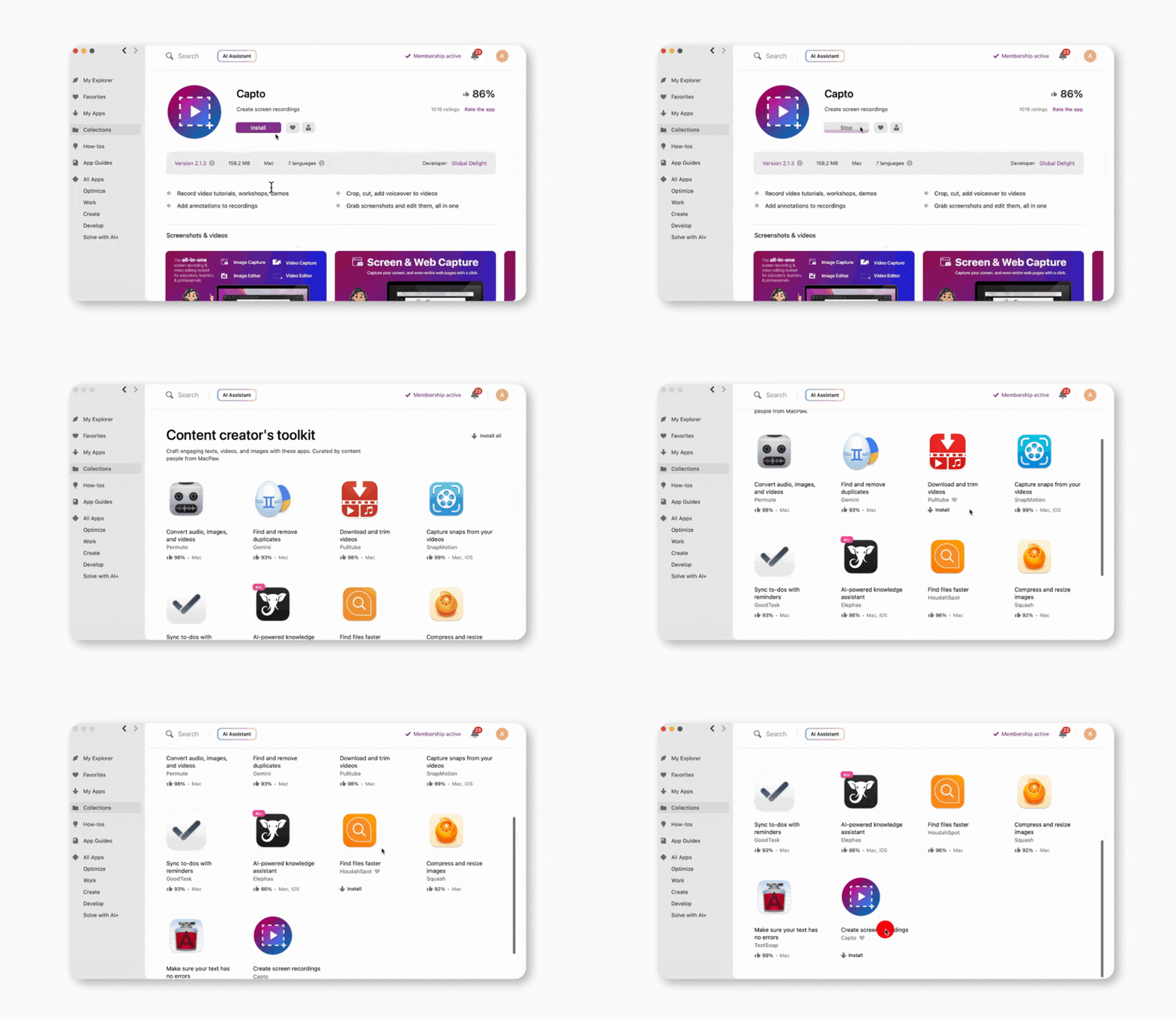
Why are Mac users overwhelmed by so many apps?
The Mac ecosystem has exploded in the past few years. There's an app for everything, and usually five more that do the same thing. While the options are good, choosing the best ones is time-consuming and overwhelming.
What makes choosing Mac apps so difficult in 2026?
The starting point for most users in 2026 is making a quick Google search to find suggestions and reviews.
For example, in my case, after researching for a few hours, I found about five screenshot apps that loyal users swear by. But I had to drop two of them because the first one didn't have scrolling capture, and the other one only exported in low quality.
Now, do the same process for writing apps, time trackers, task managers, and any other app you need, and you’ll end up frustrated.
If you don’t want to test the apps, you’ll have to go through all the app reviews on the App Store, which can be inconsistent. External reviews aren’t much better either, as affiliates, not real users, often rewrite them.
What are users looking for instead?
Most of us don’t want to test every tool or spend time going through Reddit threads. We just want something that:
- Works well out of the box
- Solves real user needs
- Offers comprehensive functionality
- It’s safe and reliable
For most users, this is a curated experience, which is what Setapp offers.
What makes a subscription worth it in 2026?
Some subscription services are fat with filler, others are lean but mighty. The best choice for you depends on your lifestyle, the type and number of devices you have, and your unique preferences.
Here are some things to consider before you subscribe:
Tool variety: Make sure the app packs all the tools you'll need for your work, like productivity, creative flow, system maintenance, and other tools.
Integration across apps: Look for tools that adapt seamlessly to your work environment. Think clipboard managers syncing with your note apps, or writing tools that feed straight into publishing platforms.
Transparent licensing terms: Always know what you’re paying for and what happens if you cancel. What version are you getting, limited or fully unlocked? Do you lose features without a subscription? Look for clear licensing that won’t surprise you down the road.
Frequent, meaningful updates: Your apps should grow with you. Regular updates can help maintain a sharp and focused user experience.
Privacy and security guarantees: The best Mac app bundles are upfront about how they use your data and keep everything locked down. If a service feels shady or looks like it might sell your info, it’s better to skip it.
How much money can you save with Setapp?
Setapp Membership is a smart way to save on Mac software. Instead of buying individual apps, you pay a single subscription that costs far less than purchasing apps separately.
Let’s take an example of a freelancer or professional who uses the popular tools below:
- Ulysses (writing) – $39.99 per year
- CleanShot X (screen capture & recorder) – $96.00 per year
- CleanMyMac (cleanup & optimization) – $29.99 per year
- Paste (clipboard manager) – $29.99 per year
- Craft (note-taking) – $95.88 per year
These are just five of Setapp’s 260+ apps, and they add up to $291.85 per year. Considering that Setapp costs just $107.88 per year, this proves its case as the best Mac app subscription of 2026.
Final thoughts: Which Mac app subscription is right for you?
In the end, the best Mac app subscription is the one that fits your needs:
If you like having lots of high-quality tools in one place, Setapp Membership is a great pick. One monthly fee gives you variety, regular updates, and apps for almost every task. Interested? Get the 7-day free trial and test all 270+ apps before committing.
If you only need one or two specific apps, Setapp Marketplace lets you buy or subscribe to individual tools like CleanMyMac or Ulysses. You get the same quality-tested apps with security vetting, just without the full subscription.
If you love deals, StackSocial is the winner. You can grab lifetime bundles at huge discounts and build a solid toolkit without worrying about renewals. If you prefer full control, BundleHunt is your match. You choose only the apps you want and skip everything else.
- Notion Plus is a strong choice if your work centers on planning, documentation, and shared knowledge. It combines notes, tasks, databases, and collaboration in one flexible workspace. Microsoft 365 suits those who want a familiar, all-in-one productivity suite. With Word, Excel, PowerPoint, Outlook, and OneDrive, it covers everyday work across devices.
The bottom line is simple: pay for what actually helps you. The right subscription should feel like a boost, not just another bill.
FAQs – Common questions about the best Mac app subscription
Is Setapp worth the monthly fee?
Yes, Setapp Membership is worth the monthly fee if you often use productivity or utility apps. Even using two apps like Ulysses and CleanShot X can beat Setapp’s monthly cost. When you add other apps like Paste and MindNode Classic, you’ll be saving serious money every year. Plus, you won’t have to spend extra on features, ads, or upgrades.
Can I cancel anytime?
Yes, you can cancel Setapp Membership anytime, as there are no contracts or commitments. When you do, you’ll still retain access for the remaining period of your current cycle, but you won’t be billed for the next cycle. It’s pay-as-you-go with zero pressure.
What if an app I like leaves Setapp?
It’s rare for an app to leave Setapp, but when it does, you’ll usually get a heads-up and probably a suggested replacement. However, even if an app you have installed is removed, you still retain full access. It’s only that you can’t reinstall it in the future, but Setapp is constantly adding new apps to fill any gaps.
Are all apps full versions or limited trials?
All Setapp apps are full, premium versions. There are no freemium tiers, ads, locked features, or paid upgrades. If the functionality is available, you’ll get it with Setapp.
Does Setapp replace the Mac App Store completely?
Setapp doesn’t replace the Mac App Store completely, as some apps or niche tools are only available through the platform. But if you are talking about utilities, coding, writing, task management, and file handling, Setapp covers nearly everything you need. It’s a high-quality alternative that eliminates the need for shopping around.
How do I look for subscriptions on a Mac?
To look for subscriptions on a Mac, open System Settings, click your Apple Account, then choose Media & Purchases and select Manage Subscriptions. This shows everything tied to your Apple account. For third-party services like Setapp or StackSocial, check their websites or your email for billing details.
How do I check the most-used apps on my Mac?
To check the most-used apps on your Mac, you can use a tracking tool. Setapp shows app usage stats inside your account dashboard. You can also use an app like Timing, which automatically logs how long you spend in each app and organizes everything into clear categories.
How do I see all my subscriptions?
To see all your subscriptions on your Mac, go to System Settings, click your Apple Account, then open Media & Purchases and select Manage Subscriptions. This shows everything billed through your Apple account, including App Store apps and Apple services. Third-party services like Setapp, StackSocial, or BundleHunt won’t appear here, so you’ll need to check those separately.
Can you download apps on a MacBook Air?
Yes, you can download apps on a MacBook Air directly from the Mac App Store, developer websites, or via subscription services like Setapp. The only challenge might be your system requirements. Heavier apps like video editors and apps for design might require more powerful processors and bigger memory to run.






 Best solution
 Best solution










