To plan campaigns and strategy:
• MindNode Next — map campaign ideas visually with audience segments, channels, and messages.
• SheetPlanner — manage content calendars and campaign deliverables with timeline views.
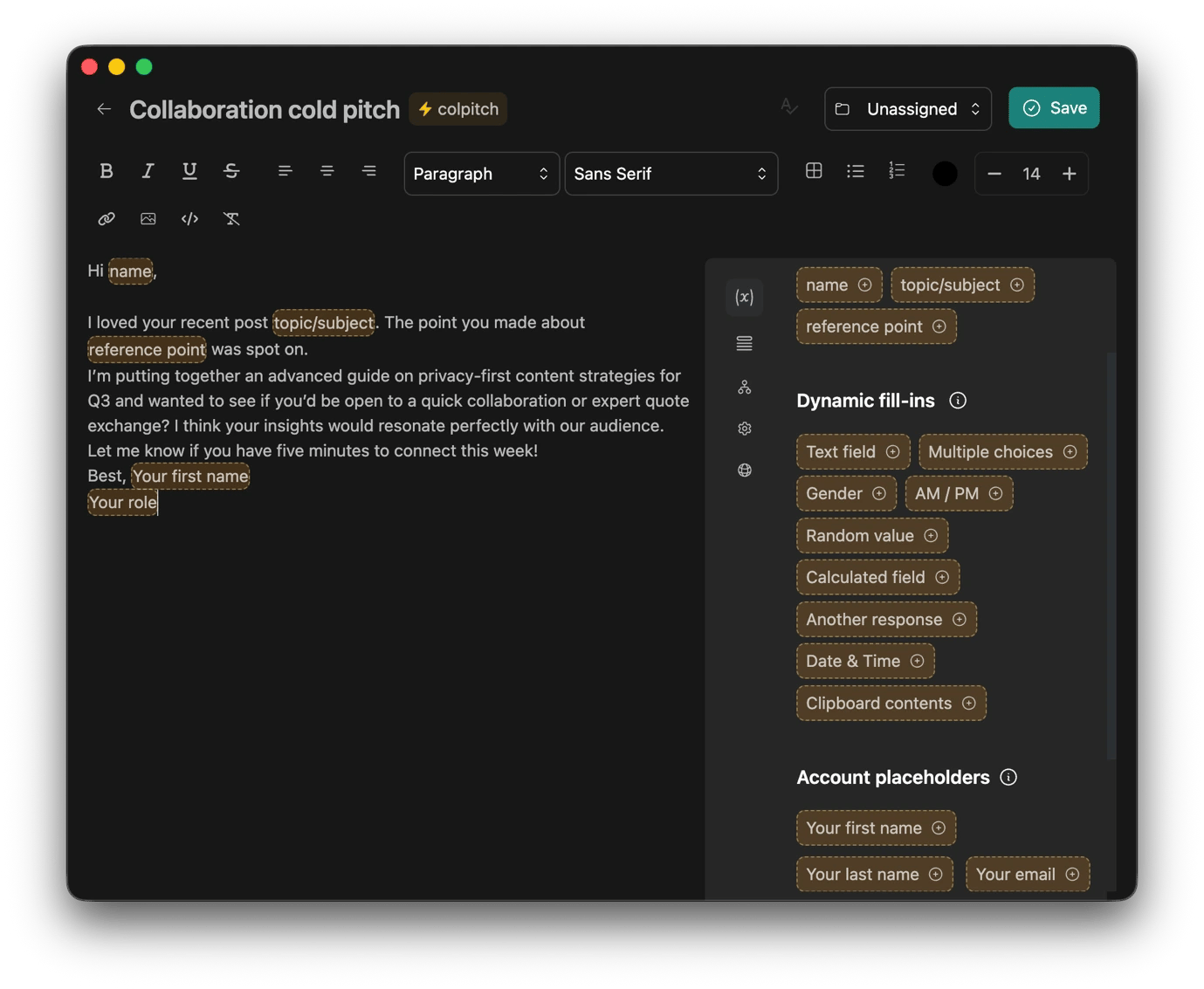
To research competitors and the market:
• News Explorer — aggregate competitor blogs and industry feeds into one smart inbox.
• Elephas — create a searchable knowledge base from your brand docs and strategy files.
To create content and copy:
• Typedesk — store taglines, boilerplate copy, and UTM parameters as reusable keyboard shortcuts.
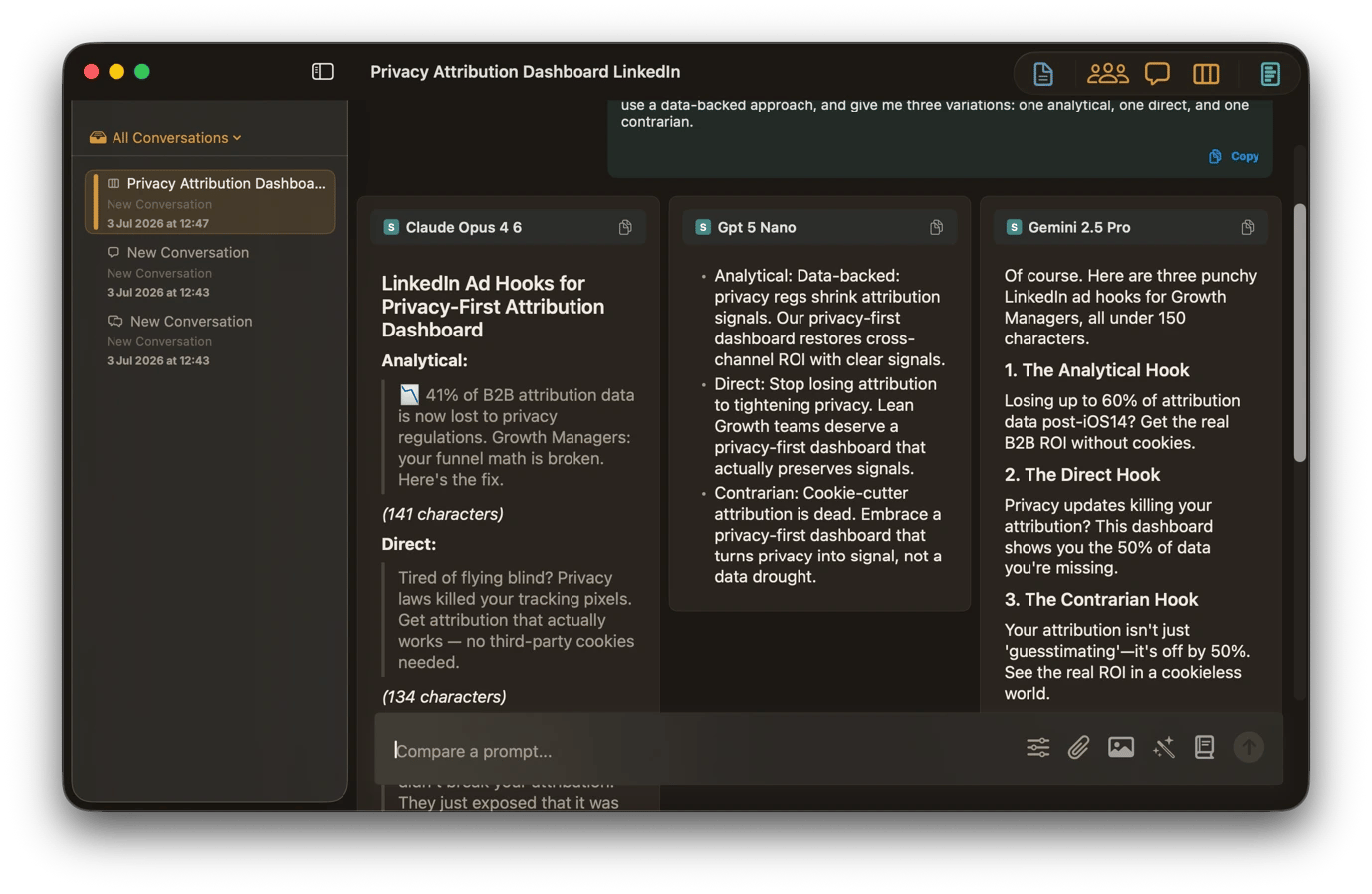
• AI Council — compare ChatGPT, Claude, and Gemini output side by side using the same prompt.
To measure campaign performance:
• Numerics — monitor KPIs from Google Analytics, HubSpot, Stripe, and social platforms in one dashboard.
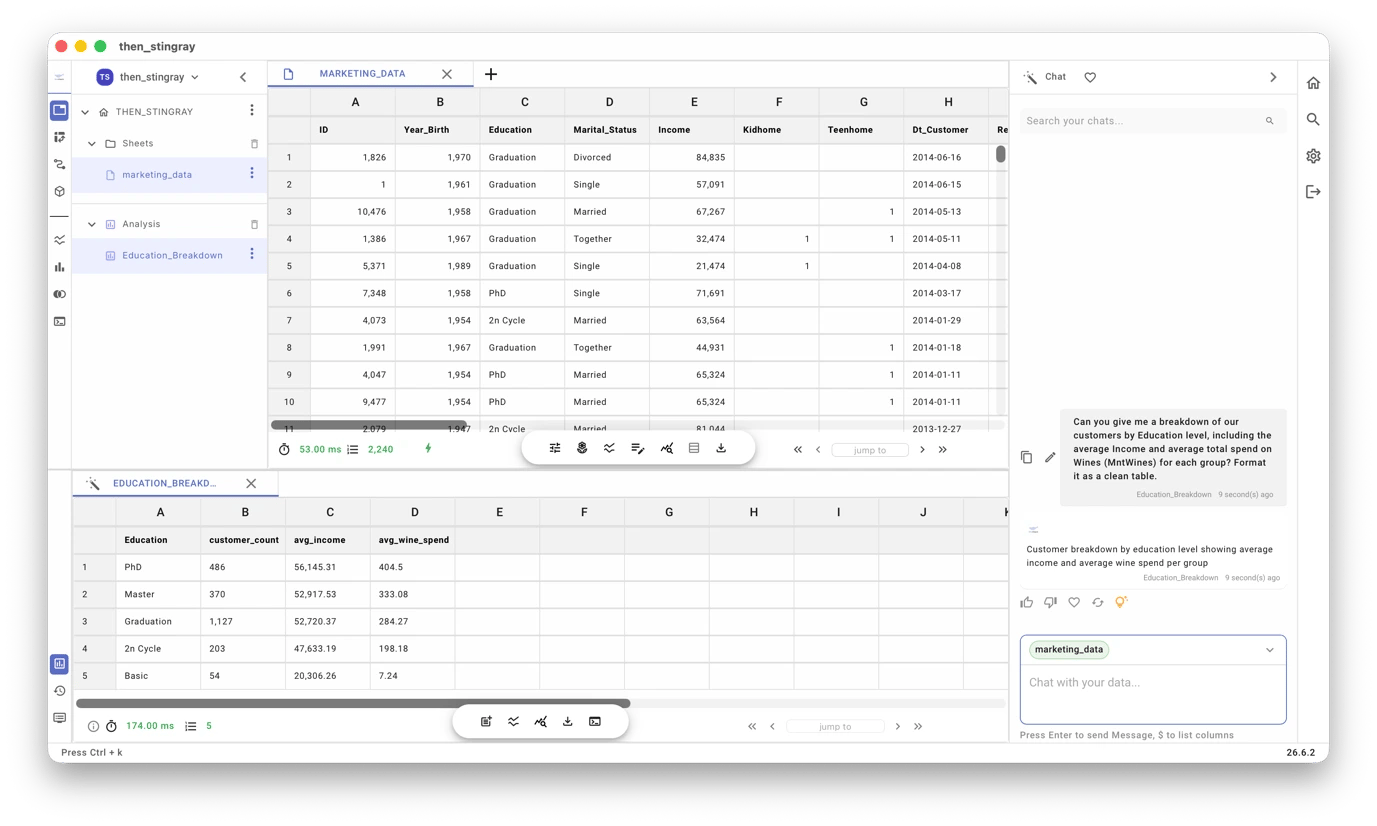
• OrcaSheets — ask marketing spreadsheets questions in plain English without formulas.
To manage email and outreach:
• Spark Mail — organize your inbox with smart prioritization, templates, and AI-assisted drafting.
• Leave Me Alone — bulk unsubscribe from competitor newsletters and PR lists in one click. Try all apps for marketers FREE for 7 days on Setapp — cancel before Day 7, $0 charged.
Marketing requires a tool for pretty much every process, but most stacks are never planned. You just get a new tool for every challenge you find on the way, and soon you are juggling 6 or 7 licenses.
Setapp helps build an intentional stack from its hundreds of curated Mac and iOS tools. You get tools for everything from competitor research to performance analysis, but only pay for a single license.
I’m familiar with pretty much every app in the stack, and I’ll take you through the best Setapp marketing tools you can add to your stack.
Which workflows can marketers automate with Setapp: Quick overview
Before we get into the workflows, here are a few picks that can help solve some of the most common marketing challenges.
Prioritize client emails and organize your inbox automatically.
Plan campaigns and marketing strategy
All campaigns start with an idea and a blank document or whiteboard, but Setapp gives you apps that help you download your ideas and structure them into a strategy.
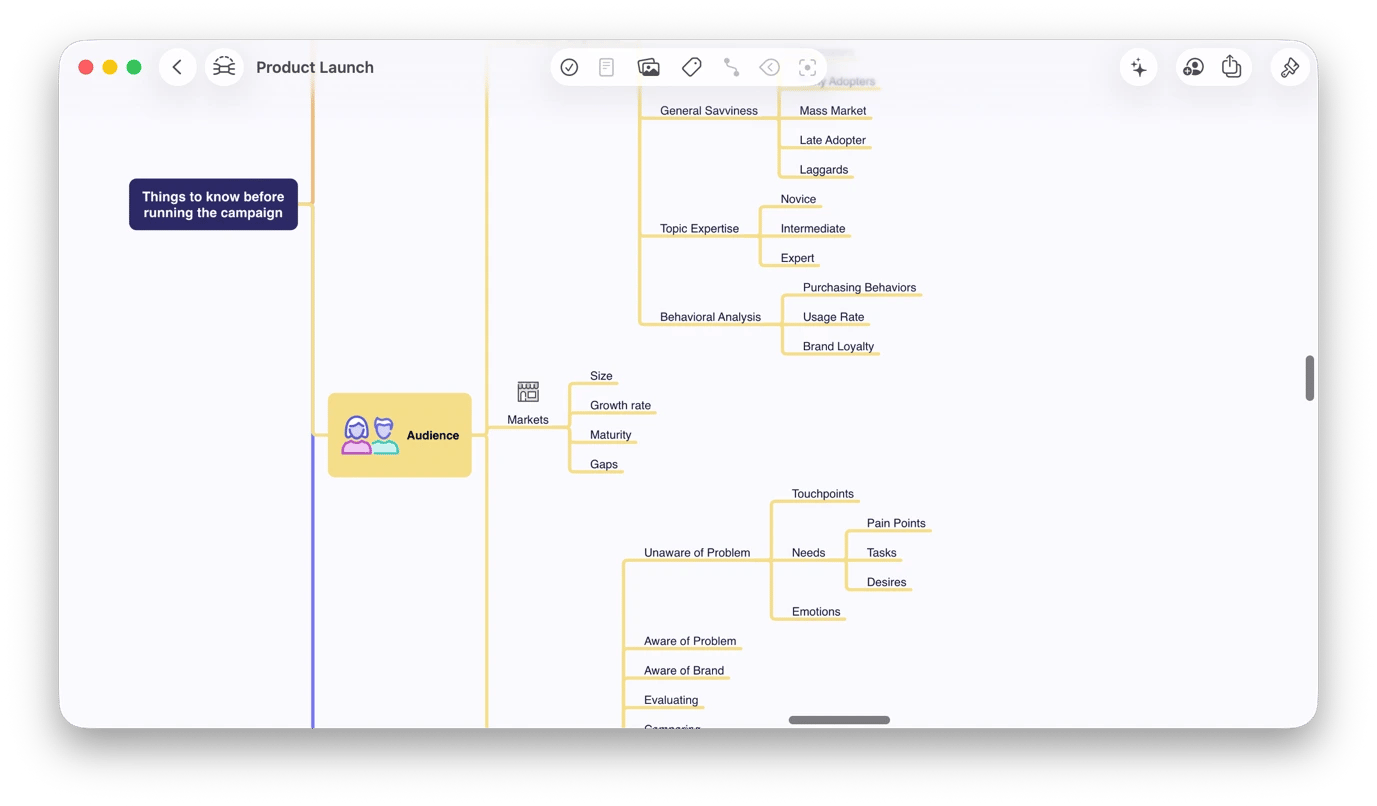
Map campaign ideas visually with MindNode Next
Planning a campaign has too many moving parts to think through linearly. MindNode Next gives you an infinite canvas where you can strategize visually.
Just drop in your main campaign idea, and you can then branch out into the different audience segments. From there, attach channels to each and connect messages to the channels. As your thinking evolves, you can rearrange the different branches, and your idea will start to look more like a strategy.
In case you get stuck, just use the built-in AI to brainstorm and improve your existing ideas or invite a member of your team to edit the same mind map.
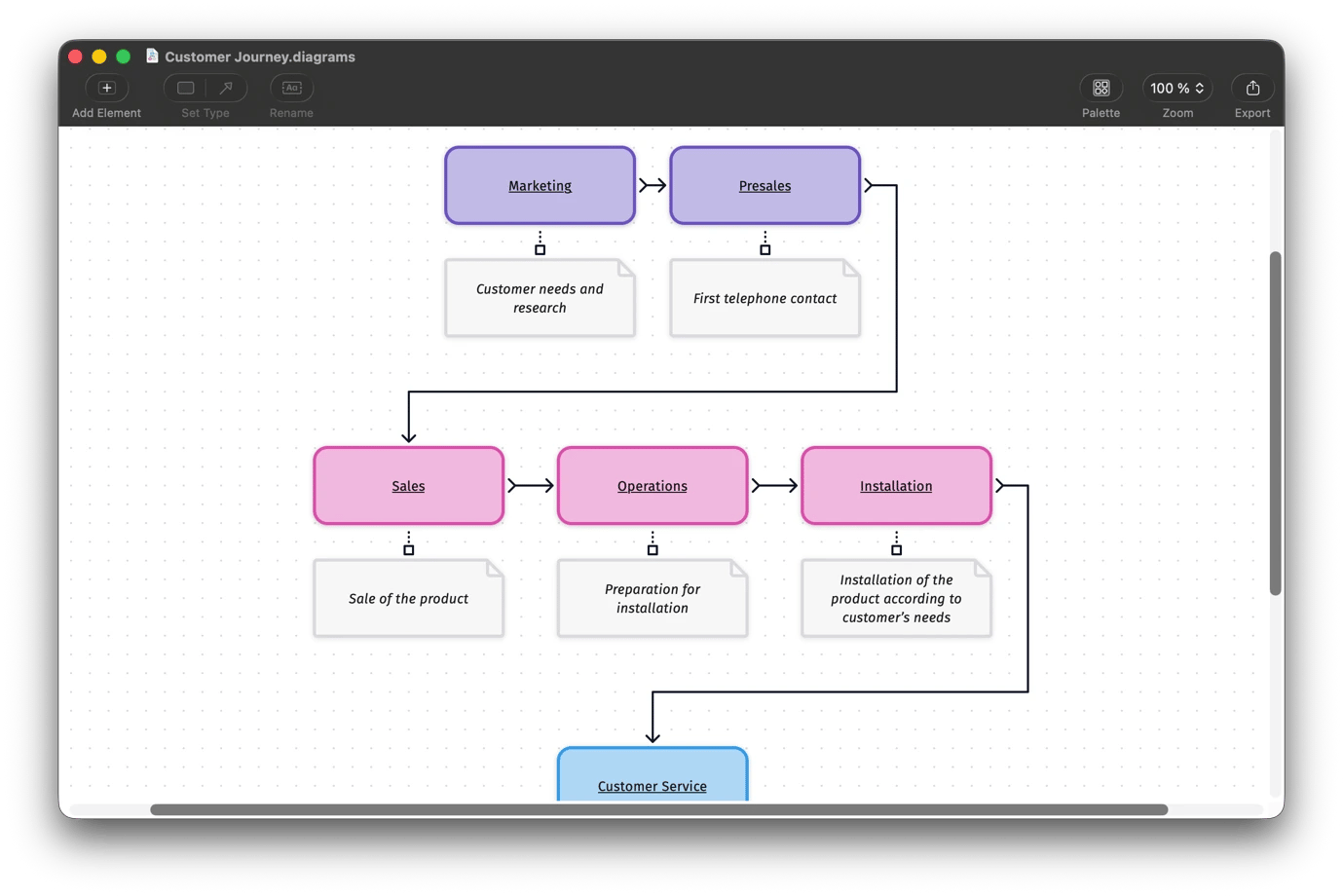
Visualize customer journeys and funnels with Diagrams
Some marketing ideas are easier to explain or understand when you can see them, and that’s what Diagrams is designed to help with.
When you want to build a customer journey map, you can use Diagrams to show all the touchpoints, channels, and conversions for a campaign audit. You can also create a complete funnel diagram that shows the entire customer journey without a complex design tool.
This way, it becomes easier to explain your strategy to a client or executive who already has a different mental model of how the whole thing should work. You’ll also have an easier time incorporating the creative and media teams as they can see exactly what you are describing.
Pitch your ideas to colleagues who don't speak your native language
When the customer journey or funnel needs to be presented to clients or teammates across languages, Transcrybe can add live subtitles to the walkthrough and translate audio from your Mac in real time.
Unlike most translation tools, Transcrybe doesn't send your data to a server — everything stays on your device, so your sensitive data remains private.
Manage campaigns from kickoff to launch
When the strategy is in place, you now need to keep fifteen interdependent deliverables on track across teams and a client who just asked if the launch can happen "just a few days earlier." These Setapp apps can help you handle the coordination layer.
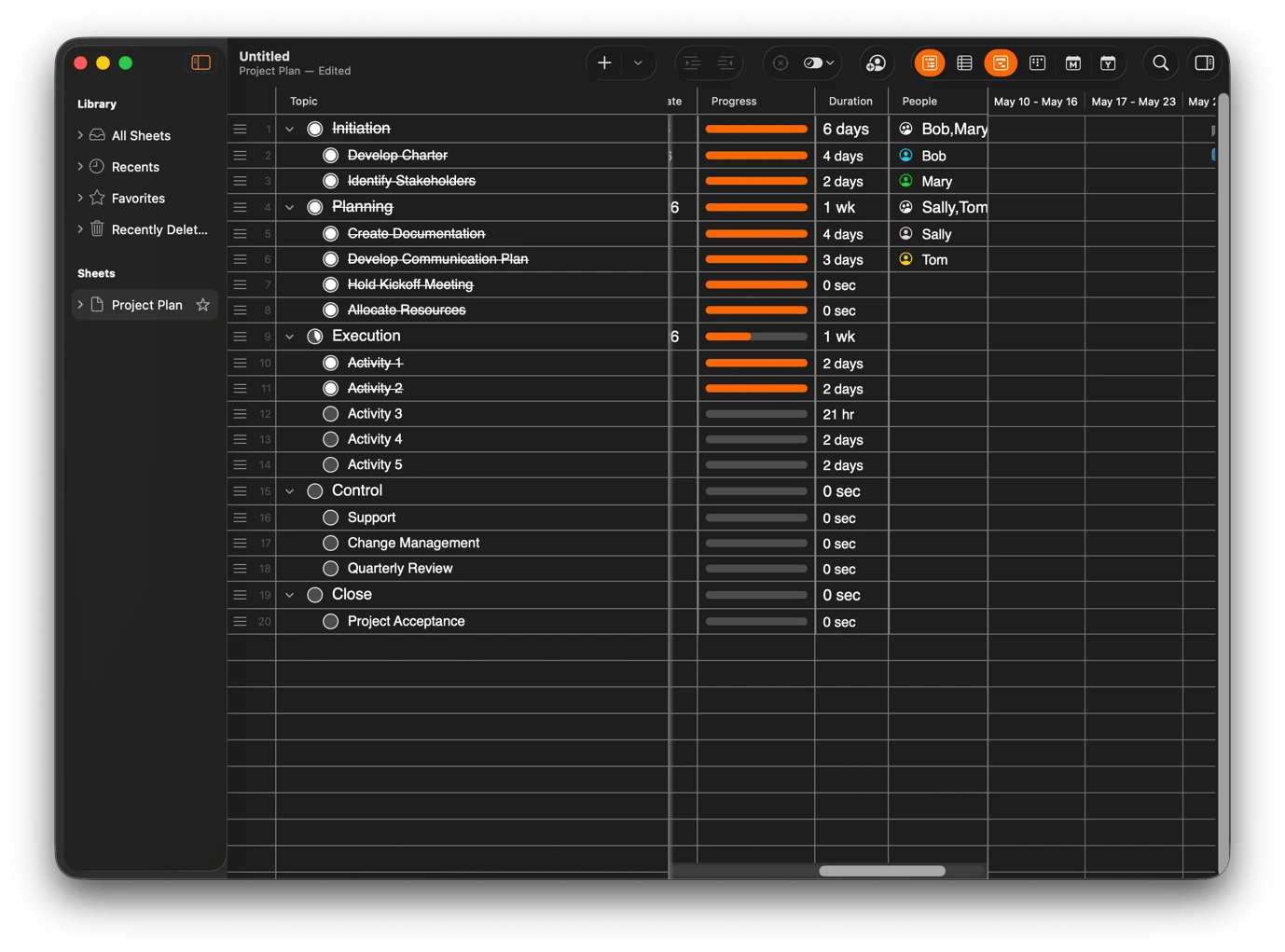
Build a content calendar and track deliverables with SheetPlanner
Sheetplanner combines the familiarity of a spreadsheet with project management features to let you manage your day-to-day when the timeline is set. You can organize and view your content calendars, content deliverables, and production schedules in one place. You can also track your campaign deliverables as a structured outline with custom columns for status, owner, deadline, and channel.
To make it easy for you and your team to get the full picture quickly, you can color-code rows by content type or campaign phase. You can also attach source files, briefs, and asset folders directly to project rows so that nobody has to dig through Slack or email to find the latest version.
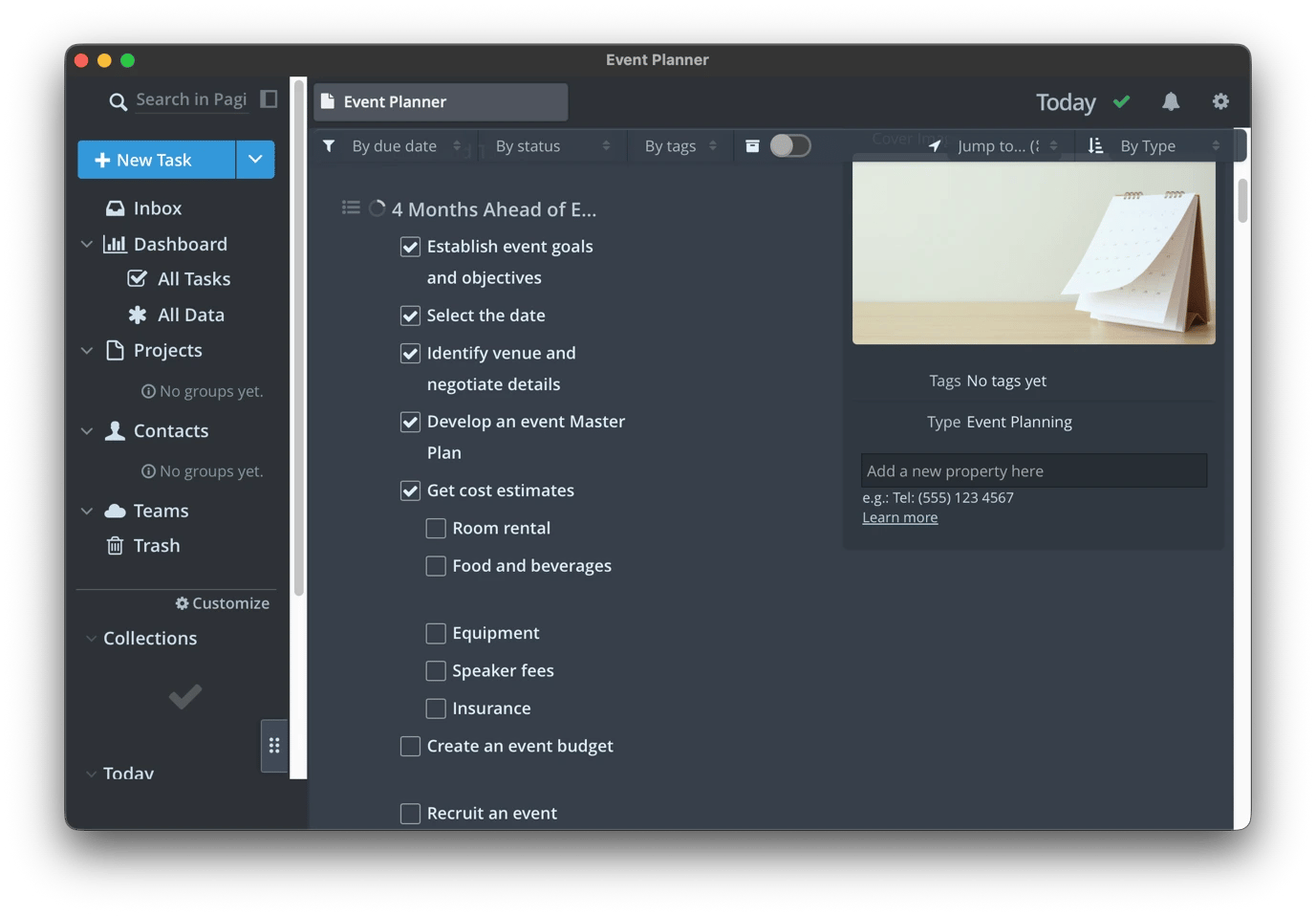
Keep every campaign asset in one place with Pagico
Before a campaign even launches, its assets are usually scattered across four tools, two inboxes, and a shared drive folder that some people don’t even have access to. Pagico lets you bring everything together in a way that your tasks, files, notes, and conversations all stay connected. You can use the timeline view to map the entire campaign from kick-off to launch with the dates for each task visible.
When you want to get clear views of upcoming tasks, you can use the variety of filters or tags the app facilitates to narrow down the view. You can also install the app’s browser extension to quickly add a reference article or competitor ad as a Pagico task.
Research competitors and understand the market
Setapp has several apps that can help you know when a competitor quietly changes their messaging or a new trend is gaining momentum, before everyone else does.
Monitor competitor content and industry news with News Explorer
Checking a competitor blog manually, scrolling through LinkedIn when something comes up, or Googling the brand every few weeks is too manual, unreliable, and ineffective. News Explorer lets you create a more efficient research and competitor monitoring structure by aggregating all the feeds you need. You can add competitor blogs, industry publications, and brand monitoring sources into a single inbox.
This makes it easy to monitor what your competitors are doing without visiting their sites every day. You can use the app’s smart filters to narrow down to the specific topics or brand names you want so that morning triage takes only a few minutes instead of the better part of an hour.
Build a searchable swipe file of ideas and insights with BeeMind
Every marketer has their own version of a swap file where they store screenshots and bookmarks of interesting ads or quotes they come across. But instead of cluttered notes and files, you can use BeeMind to bring everything together. You can capture competitor copy, campaign ideas, audience insights, and articles from any app and send them straight to BeeMind without opening the app.
What I like most about BeeMind is that it actually understands everything you store there, and you can chat with it in plain English. You can ask, "What did I save about competitor positioning last month?" You can even ask the app to create content based on what you’ve saved.
Create content and copy faster
Content and copy require quite a bit of effort in marketing, but Setapp has apps that can speed up brainstorming, refine your messaging, and adapt content for different channels.
Build a reusable library of brand copy and templates with Typedesk
Typedesk helps ensure that you only need to type some pieces of copy once and reuse them everywhere. You can use it to store your taglines, boilerplate brand descriptions, product taglines, legal disclaimers, UTM parameters, email signatures, and cold outreach templates. These usually only need a few details changed, but retyping them or trying to find them in your Slack messages wastes a lot of time.
Typedesk lets you save your templates as keyboard shortcuts and insert them anywhere. When you type something like :bio or %bio, it will automatically replace it with what you’ve saved as your company bio. If there’s some customization needed (like a name), TypeDesk will prompt you to type it before insertion to ensure everything is professional.
Generate marketing content faster with BoltAI
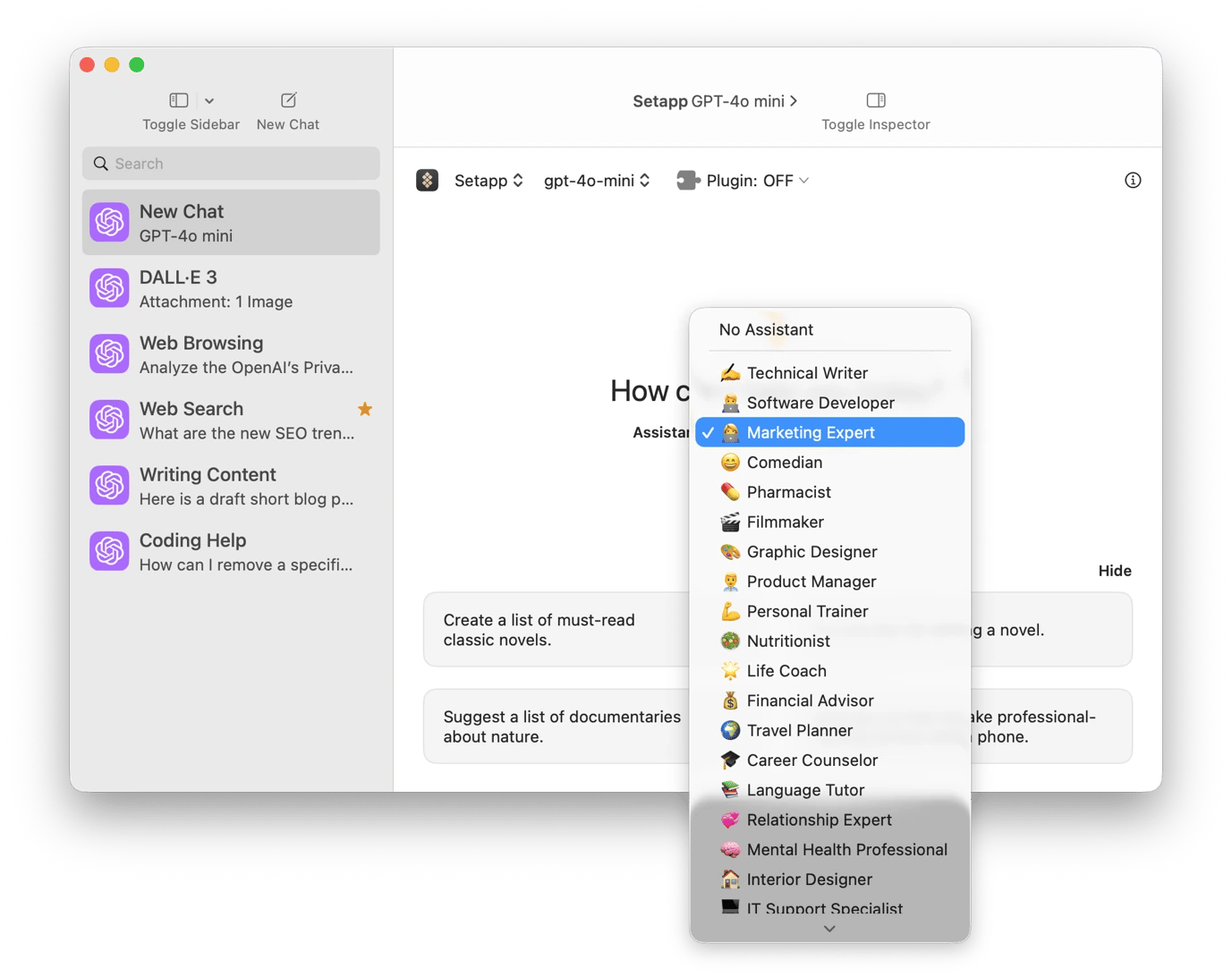
BoltAI comes in handy when you want to create the first drafts of your ad copy, email sequences, and social posts. It’s chat-oriented, so you just need to describe what you want, and it will give you a starting point. You just need to edit and polish from there.
What I like most about it is that it already has lots of pre-made personas (like technical writer or product manager), prompts, and commands you can use. You can also add your marketing persona and give it context, alongside custom prompts and commands. From there, just invoke any of these with keyboard shortcuts instead of typing new prompts every time.
Create and query your own brand knowledge base with Elephas
Elephas is different from BoltAI in that it’s powered by your own brand knowledge. You can feed it your brand guidelines, past campaigns, creative meeting notes, audience research, and strategy documents.
From there, ask the tool any question based on any of your documents to avoid manually going through the documents. Instead of simply using AI to write an email or produce generic copy, you get more value with queries like "Summarize what our customer interviews say about onboarding."
When you need to brainstorm or generate content ideas, you can ask Elephas to do it based on your own existing research instead of relying on generic AI output. It keeps all processing on-device, so you won’t have to worry about sensitive client briefs or your proprietary research.
Compare AI outputs before you commit with AI Council
Marketing needs creativity and sharpness, and you can’t count on one AI model to deliver every time. To optimize your campaign, you can use AI Council to get output from several models on the same page.
Choose the models you want to use, write your prompt, and compare the output. You can run the same prompt on AI Council to compare ChatGPT, Claude, and Gemini output instead of switching between tabs.
When doing research, you can then use the council feature. After selecting the council chair, it will gather insights from the other models and give you a stronger response than you would get from a single model.
If you don’t have the luxury of a full design team waiting for your next request, Setapp has apps that can help you create professional visuals quickly.
Generate campaign visuals with AirBrush
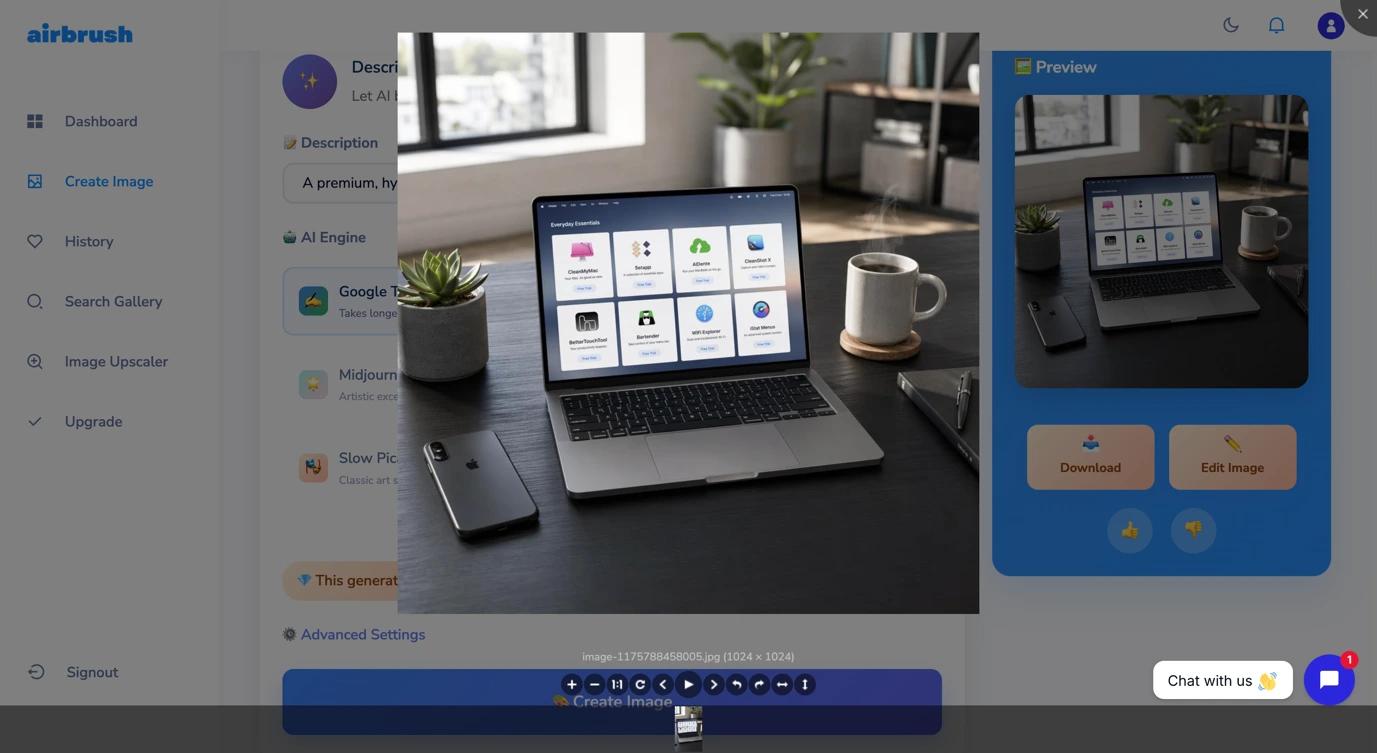
Stock photos are expensive and don’t always fit the idea in your head. You can use Airbrush to generate an original visual using only text prompts. Just type what you visualize for a specific blog header, social media graphic, ad concept, or product lifestyle image. Airbrush will give you a highly realistic image from an AI engine of your choice.
It’s also a great tool when you are still structuring your campaign, as you can generate rough visual concepts before commissioning proper design work. You can also quickly create multiple visual variations for A/B testing ad creatives.
Create device mockups for ads, decks, and social with Mockuuups Studio
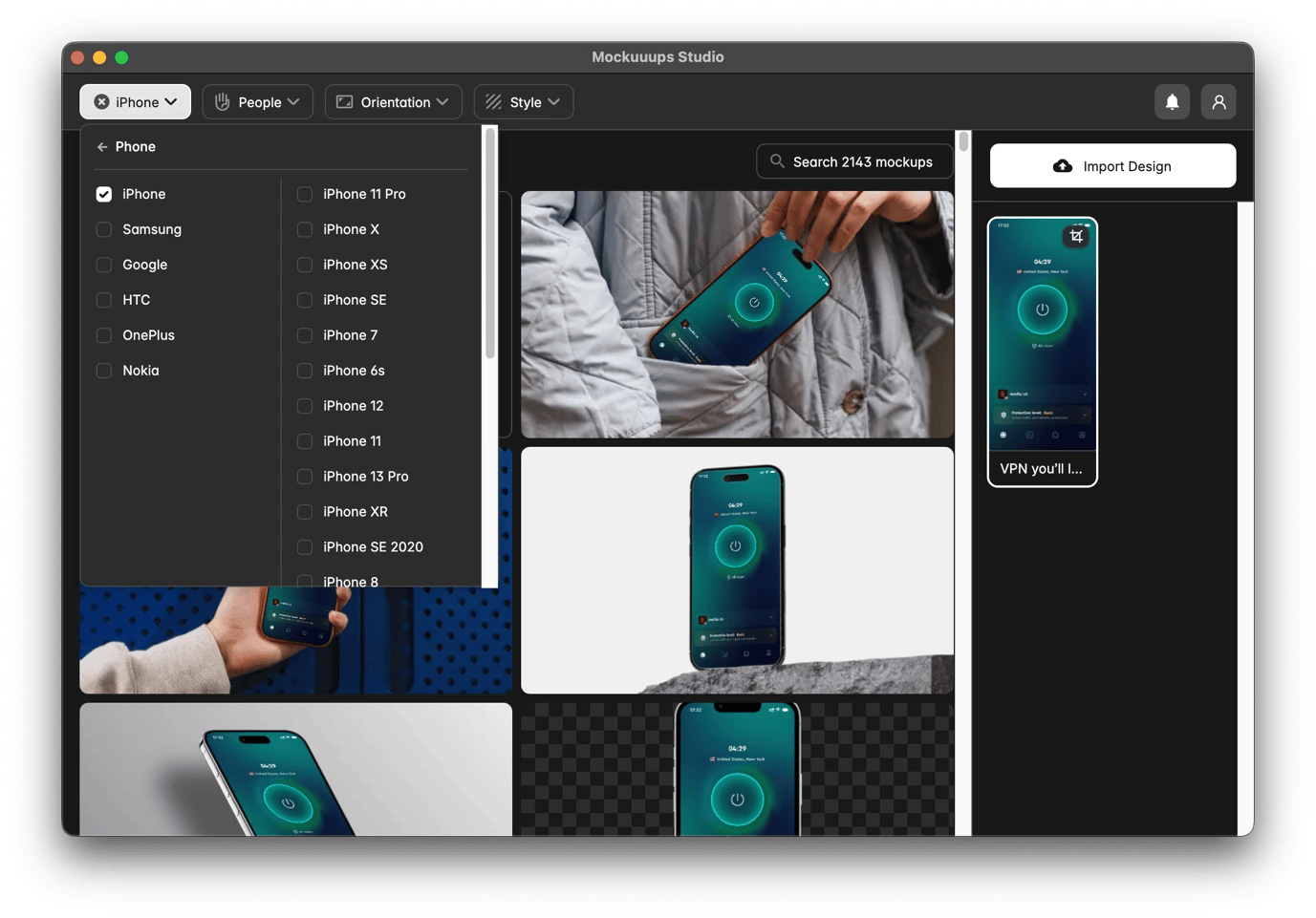
Mockuuups Studio lets you add a realistic device frame to your screenshots without a Photoshop template or a designer. When you take a screenshot on any device, just drop it in, and the tool will automatically add a range of device mockups.
You can switch between different devices like iPhone models, MacBooks, and iPads to narrow down to what you have in mind. It will help your product or concept land much better compared to a raw screenshot.
Measure campaign performance
You can only gauge your campaign's effectiveness by tracking it, and Setapp offers tools to monitor performance, analyze campaign data, and work with marketing numbers.
Track live marketing KPIs with Numerics
Instead of switching between six browser tabs and pulling old numbers from different platforms, you can use Numerics to create a real-time dashboard of a campaign’s performance. You can pull KPIs from Google Analytics, Stripe, HubSpot, social platforms, and more into a single dashboard. It updates in real time to ensure performance is visible without opening a browser, and you can even display some numbers on the menu bar or add a widget to your desktop.
One thing I like about the tool is that it’s highly customizable, and you can add different projects if you have multiple clients or campaigns. You can then share with stakeholders as a live view instead of a static screenshot.
Analyze marketing spreadsheets without formulas with OrcaSheets
Marketing data usually arrives as CSV imports packed with 40 columns and hundreds of rows. Most of it only makes sense to whoever set up the integration, and you need to write formulas or ask someone to extract something meaningful.
OrcaSheets removes that bottleneck by letting you ask your data sheets questions in plain English. You can just ask for the pieces you need, like "which channel had the highest CPL in Q2?" or "what was the conversion rate trend for paid search across the last three months?"
You can use it to analyze CSV exports from Google Analytics, Meta Ads, or HubSpot locally without uploading to a cloud tool.
Calculate budgets and projections in plain English with Soulver
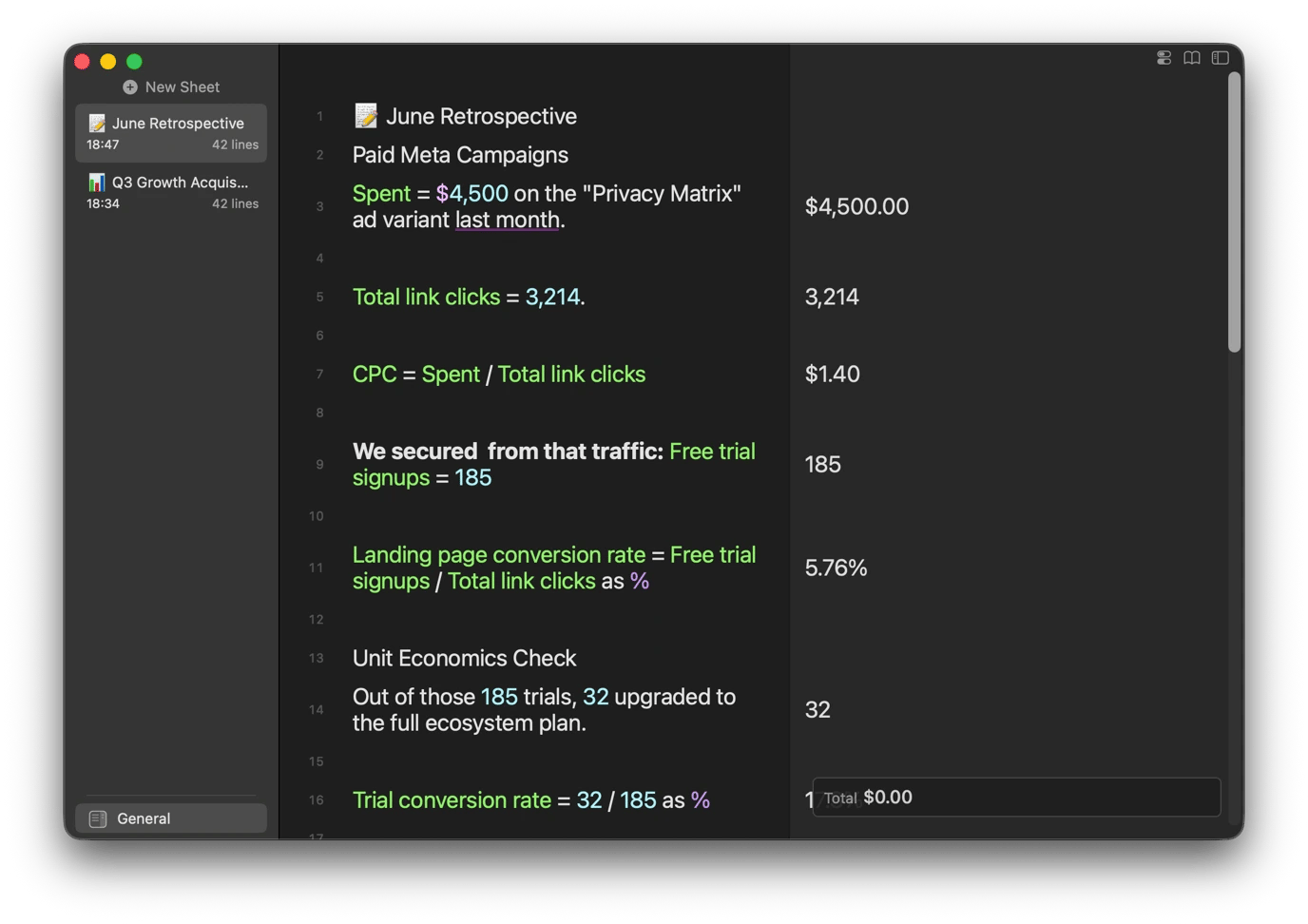
Instead of creating spreadsheets for simple calculations, you can use Soulver to calculate campaign budgets, CPL targets, and ROAS projections in plain English. It’s a notes app that’s good at math, which ticks two crucial aspects of marketing. You can use it to write down your ideas while solving the math inline.
You can then work out percentage changes, growth rates, and conversion benchmarks without switching to a spreadsheet. I find it quite useful for quick back-of-napkin media planning before I move to a full budget spreadsheet.
Manage email and outreach at scale
Chances are that your inbox is often full of chaos as you manage partnership requests, media inquiries, client approvals, vendor updates, and team discussions. These apps can help you spend less time managing email and more time acting on it.
Organize your marketing inbox with Spark Mail
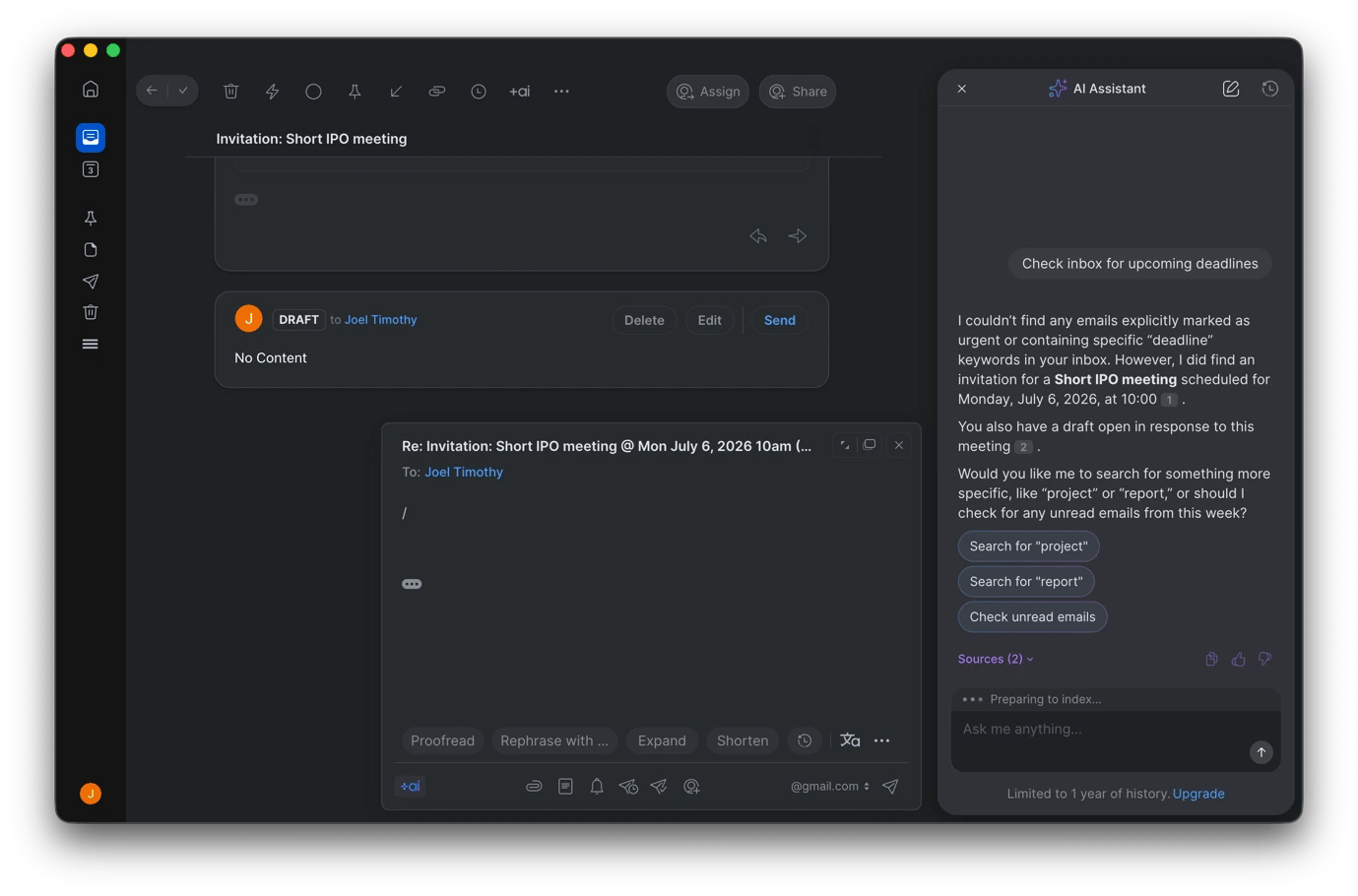
Spark Mail will help you separate genuine client, partner, and team emails from the newsletters and automated notifications that always fill up inboxes. The email client’s smart organization makes it easy to know what needs your attention, and it offers lots of filters and labels you can use to see just what you want to.
You can create email templates to use for recurring outreach to influencers, media requests, and agency briefs. You can also rely on the built-in AI to find information instead of manually going through every email. You can ask it about client feedback, check your calendar for upcoming tasks and events, or draft/edit your response.
Ready to Send works well alongside Spark Mail to draft your replies to client or partner emails. You can then review and adjust from there instead of writing from scratch, which will save you a lot of time in busy periods like during campaign launch.
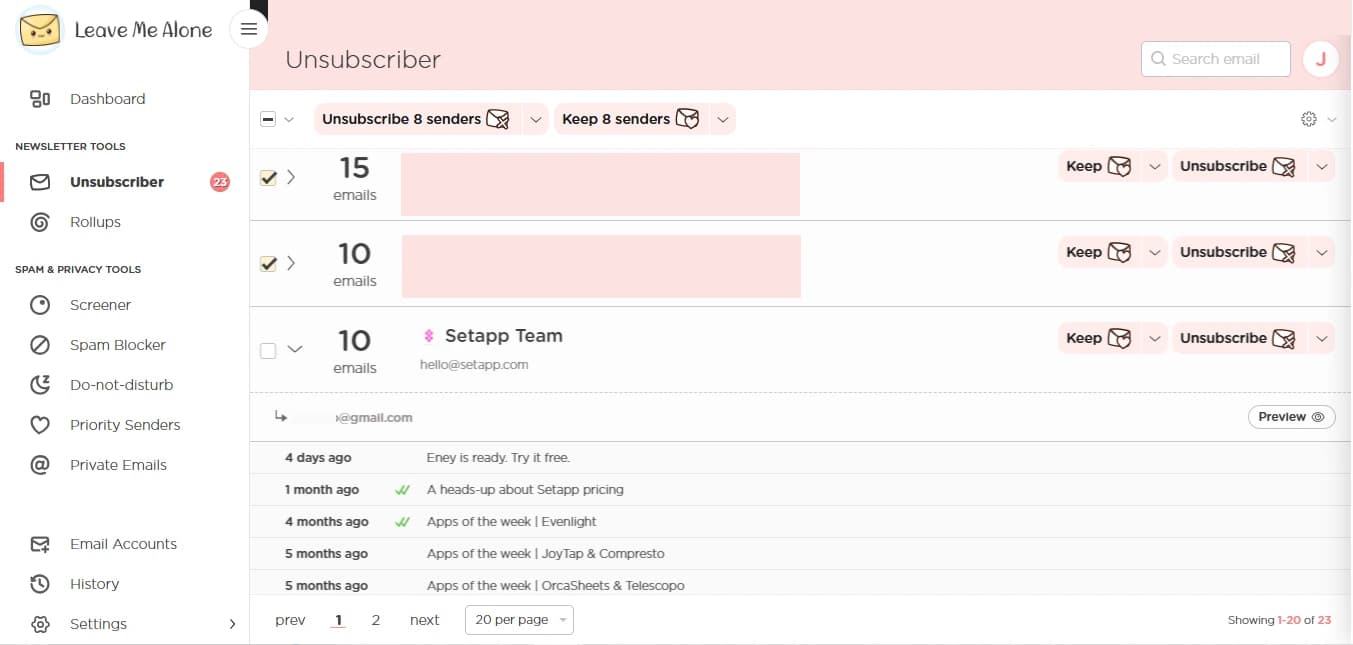
Clean up your inbox and cut the noise with Leave Me Alone
Every marketer signs up for competitor newsletters, brand lists, and industry publications during research, only to spend the next six months receiving emails they no longer need.
Leave Me Alone helps you regain control and handles the cleanup to ensure your inbox is clear for genuine client, partner, and team communications. It identifies subscriptions you no longer read and rolls up newsletters into a single daily digest instead of individual disruptions.
One of its best features is that you can unsubscribe from PR distributions and brand mailing lists in bulk, and you can also block cold outreach from mass-mailing tools to reduce noise from vendors and agencies.
Build a marketing toolkit that scales with your campaigns
Marketing toolkits keep expanding, but Setapp gives you the allowance to do that without piling on more subscriptions. Whether you are planning your campaign, researching competitors, creating content, analyzing performance, or managing outreach, you’ll find an app that solves the challenge you are facing.
All the listed Mac, iOS, and web apps are available within the platform’s single subscription catalog alongside hundreds of others. You can take advantage of the platform's 7-day free trial to check them out at no cost.
Superpowers for your Mac
Tackle your tasks with dozens of helpful apps on Setapp.






 Best solution
 Best solution