Research and manage source material: • BeeMind — build a searchable research library and query it in plain English.
• PDF Search — AI-powered search across hundreds of PDFs with fuzzy matching.
Capture interviews: • BackTrack — records everything in the background so you never miss an impromptu conversation.
• WhisperTranscribe — timestamped transcripts with speaker identification and key quote extraction.
Write and edit: • Ulysses — distraction-free long-form writing with direct publishing to WordPress and Medium.
• Manzoni — offline AI writing for sensitive drafts under embargo.
Manage photos and visual assets: • Gemini — finds and removes duplicate photos after events.
• MetaImage — strips GPS metadata from photos.
• PhotoBulk — resize, watermark, and rename photos in bulk.
Create video content: • FocuSee — record screen walkthroughs with auto-zoom, captions, and silence removal.
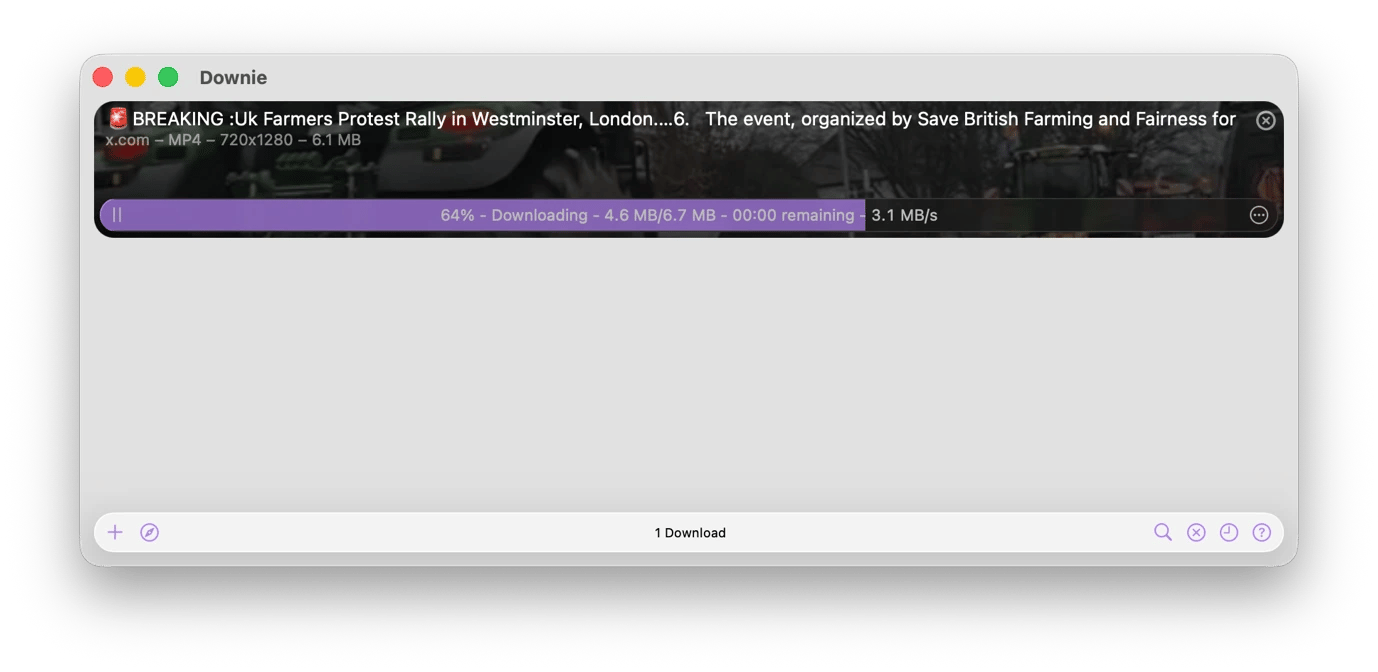
• Downie — download and archive videos from 1,200+ platforms as evidence or reference.
• VidCap — auto-generate and embed captions in 60+ languages for social clips.
Protect reporting and sources: • ClearVPN — AES-256 encrypted VPN with kill switch for reporting from restricted regions.
• iBoysoft Data Recovery — recovers deleted recordings and documents before storage is overwritten.
Journalism means that you have to find information, capture it, verify it, organize it, and turn it into something publishable before someone else does.
The tools that you use need to support all these and more to avoid costly errors and optimize reporting processes.
I've tried and used almost every app in the Setapp catalog, and I'll walk through the ones that fit into a journalist's actual workflow.
Setapp apps for journalists: Quick overview
Before we get into the details, here are a few Setapp tools that address the most common journalism bottlenecks.
Encrypted connection with kill switch and no-log policy.
Research stories and manage source material
Every story begins with finding information, but the quality of the final product depends on what happens after that. You need a way to organize and optimize quotes, interview notes, court filings, screenshots, and background research. Setapp offers apps that bring structure to this often chaotic phase of journalism.
Build a searchable research library with BeeMind
Research usually means that you are switching between PDFs, government reports, social media, and other diverse sources. This often results in good material being captured in too many places, in too many formats, and with no way to find it quickly three weeks later.
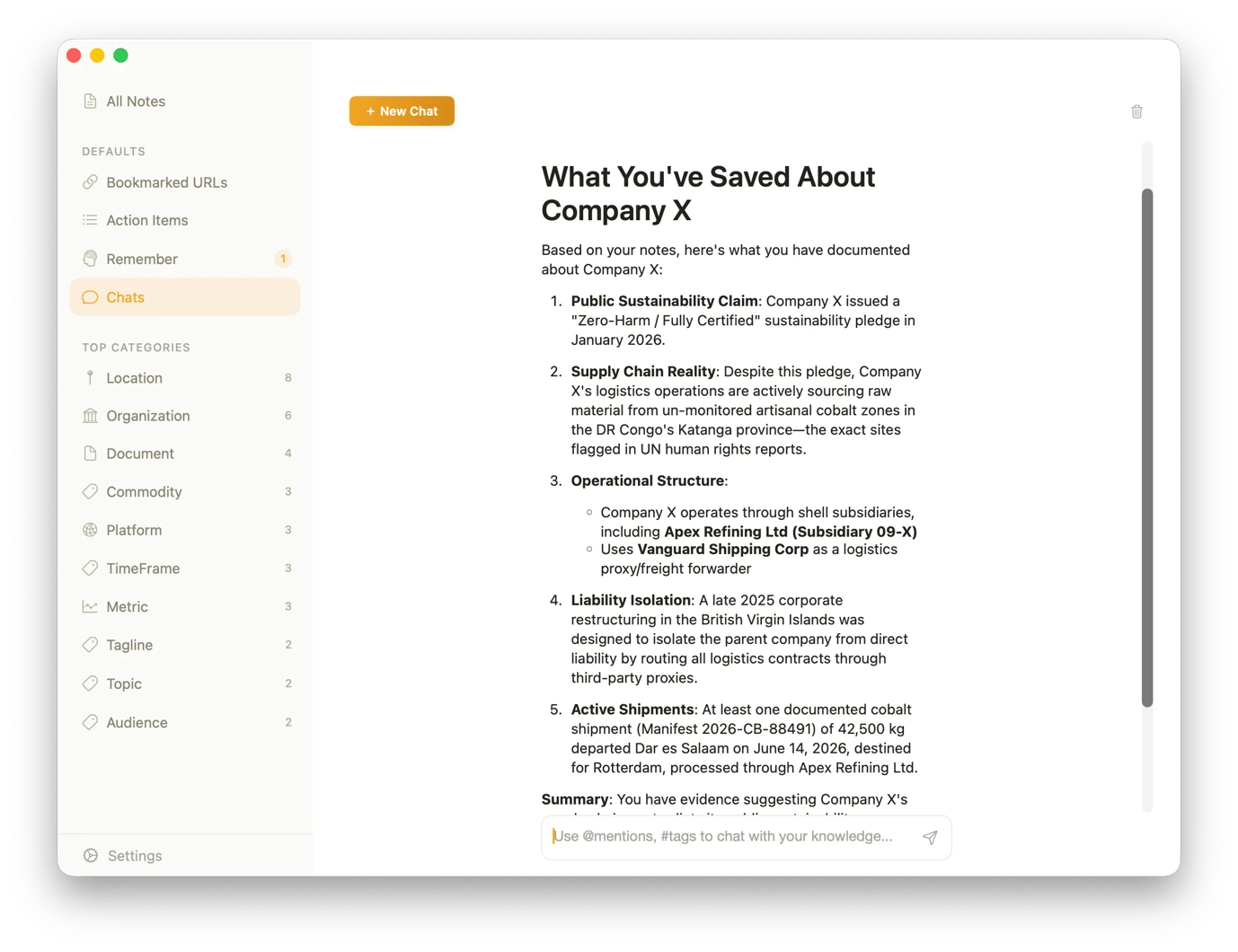
BeeMind from Setapp lets you build a library of all the information you need on a story. Wherever you are on your Mac, you can send information directly to the app through the context menu.
Everything you capture is then easily retrievable, even when you can't remember what you have. You can ask BeeMind questions like, "What did I save about Company X last month?" It searches your entire library and cites the original material for your reference.
Search across thousands of PDFs with PDF Search
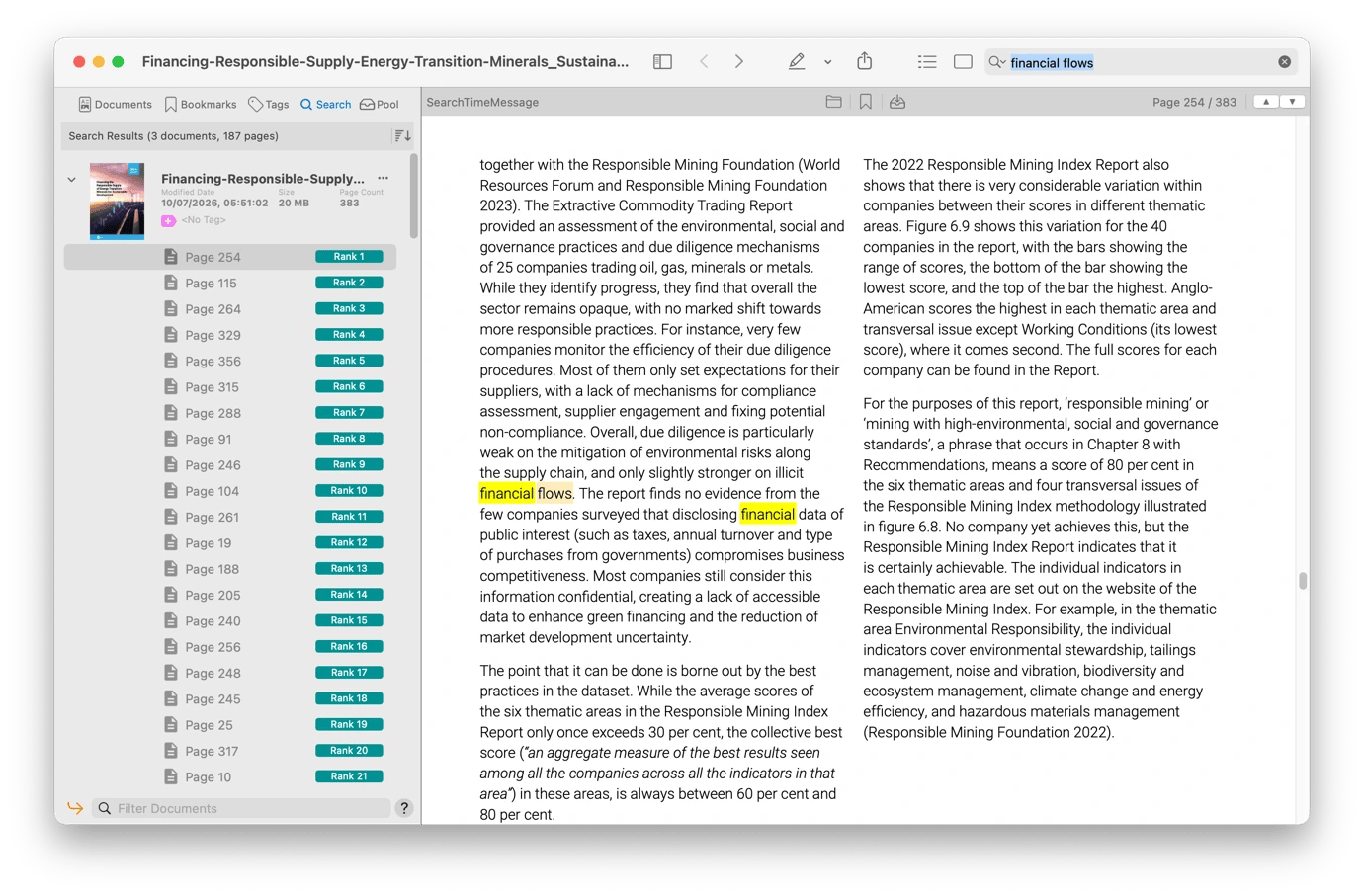
Legal beat journalists, investigative reporters, and anyone working with government documents are familiar with extracting specific information from hundreds of pages of filings, reports, and releases. After you've collected your PDFs, PDF Search from Setappmakes it easy to find information in any of them.
An interesting PDF Search feature is that you don't even have to know the specific PDF. Just search for the term, and PDF Search will highlight the document and the specific pages. Even if you mistype or have a word that appears in multiple spellings, the tool understands what you are trying to find through its AI-powered fuzzy matching.
Find any file on your Mac instantly with HoudahSpot
If you've been on a beat for more than six months, chances are that you have files that are scattered across folders and are pretty much unsearchable (at least manually).
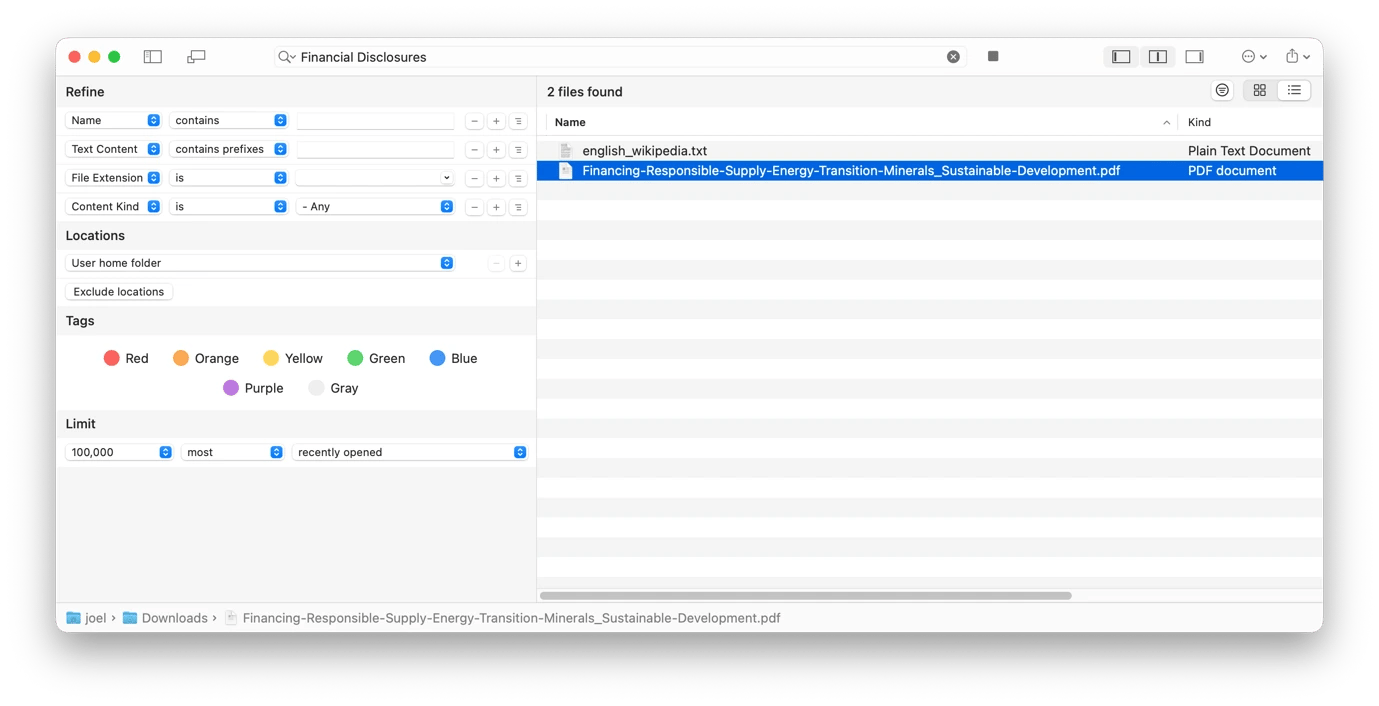
HoudahSpot helps make your entire Mac searchable, making it easy to find any file. The app's superpower is that you don't even have to remember the file name. All you need is an idea, like something contained in the document.
To narrow your search, you can combine the different search filters HoudahSpot provides. You can also see and reuse your recent searches or even create a search template like "court filings from source X" to run a search with a single click.
Link sources, notes, and documents together with Hookmark
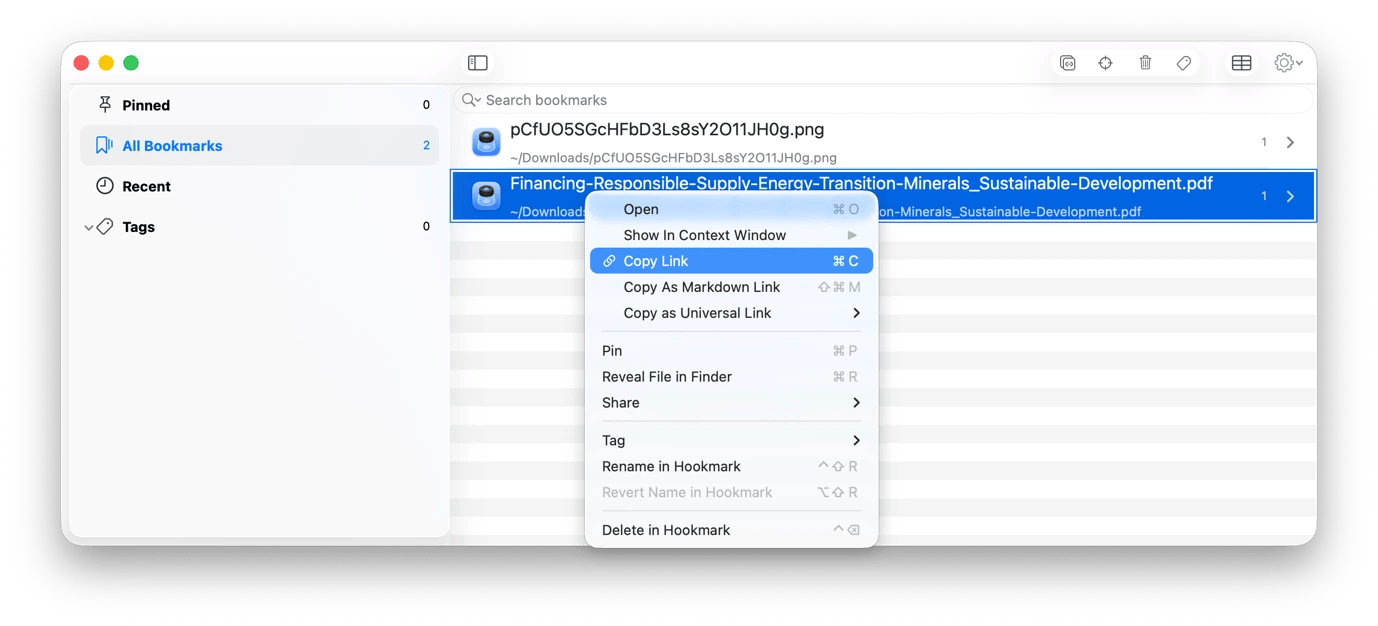
Hookmark comes in handy when you are trying to connect a story. Since investigative stories don't live in a single document, you can use it to point to an interview transcript in a court filing, link information to a particular email, and connect it to a report.
Hookmark then creates a connection through bidirectional links. This makes it easy to navigate to any file, note, website, or document directly, without hunting through folders. You can even share a link to a specific PDF location with a co-author or editor so that they can land directly on a relevant document instead of searching manually.
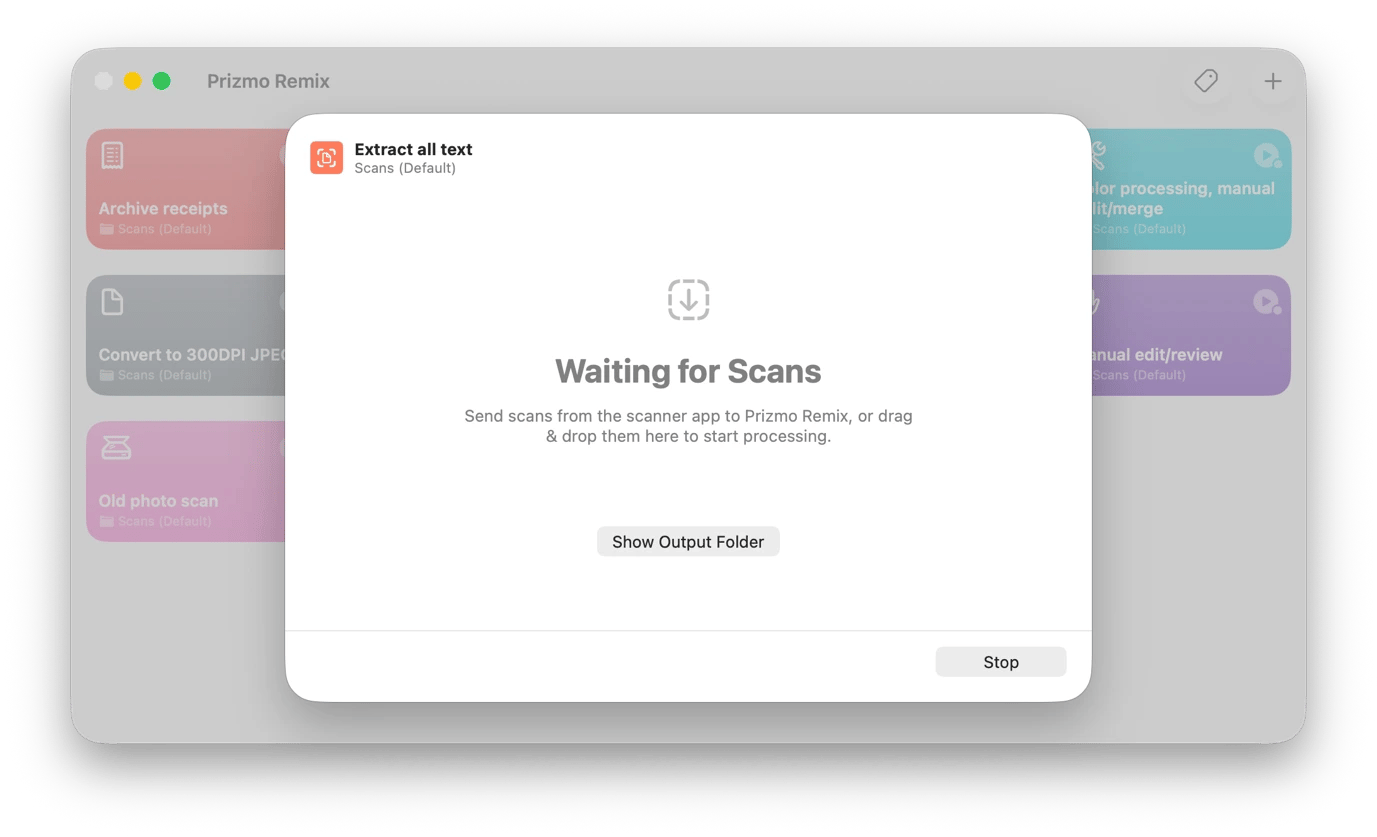
Turn printed documents into searchable text with Prizmo Remix
Some court documents are only hand-delivered and not easy to get in soft copy. And so are some source documents, government posters, and institutional notices.
Prizmo Remix makes it easy to copy text from any PDFs or other documents you come across. You can scan a printed document with your iPhone and get a text version immediately. You can also import photos of notices and posters, and Prizmo Remix will immediately convert them to a text document.
Prizmo Remix's OCR supports over 100 languages, and you can even translate directly in the app to 59 languages. You'll then have the chance to correct any errors or unusual layouts.
Capture interviews without missing important details
You can't really reconstruct an interview from memory alone, and sometimes your notes make sense in the room and then somehow don't two days later. The apps below help you capture every piece of your interview, quickly turn everything into text, and share captioned videos that generate interest before the full publication.
Recover conversations you forgot to record with BackTrack
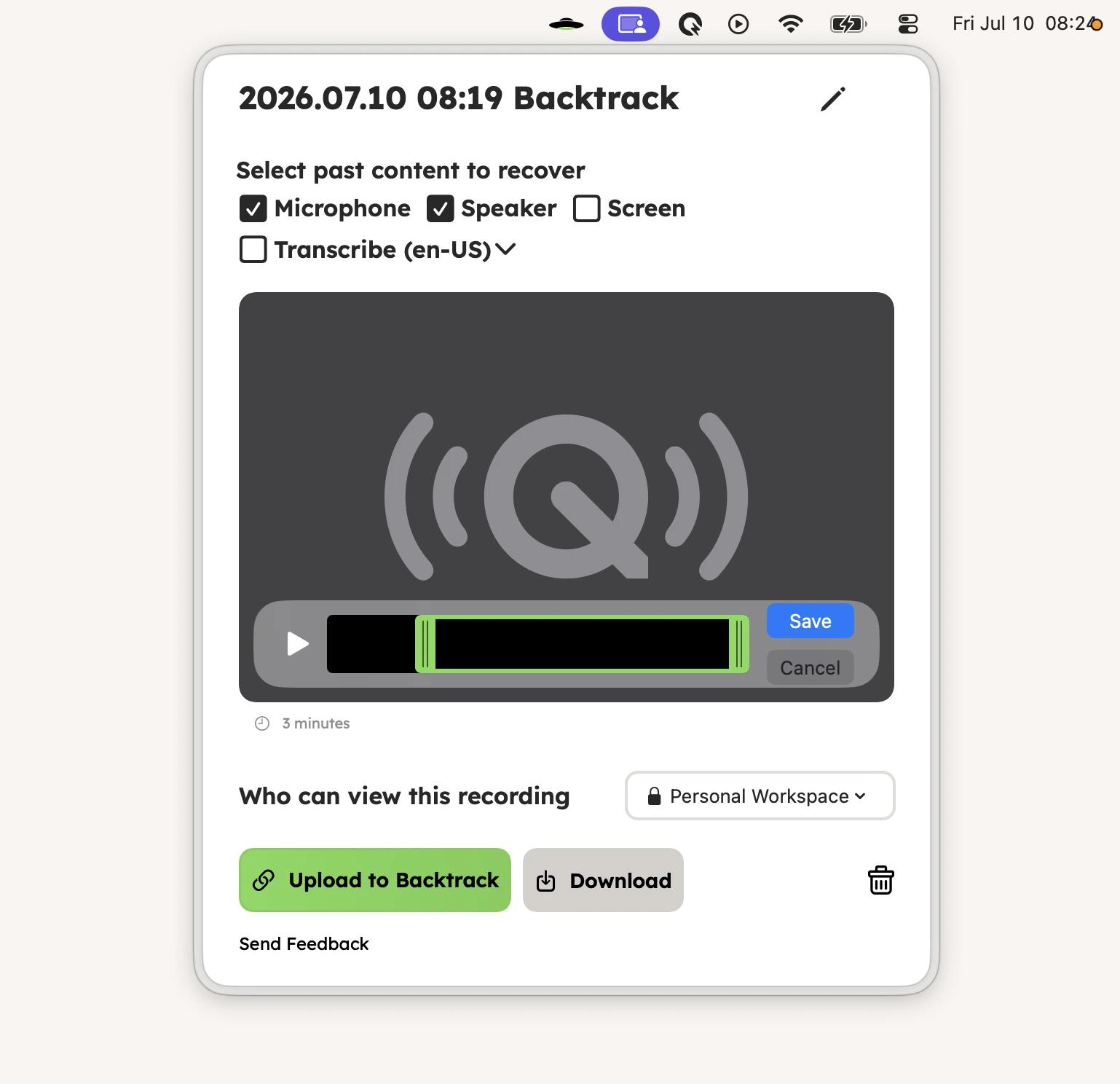
BackTrack exists to prevent the moments where a source can say something significant, only for you to realize later that you never pressed the record button. The app runs in the background and records everything locally, meaning you'll always capture every conversation, phone call, or video call. If your main recording tool fails to start, you'll always have a failsafe.
When you hear something significant, say from an impromptu phone call, you can just pull the BackTrack icon from the main menu to "track back". You can then transcribe your recording within the app and export it.
Transcribe recorded interviews with WhisperTranscribe
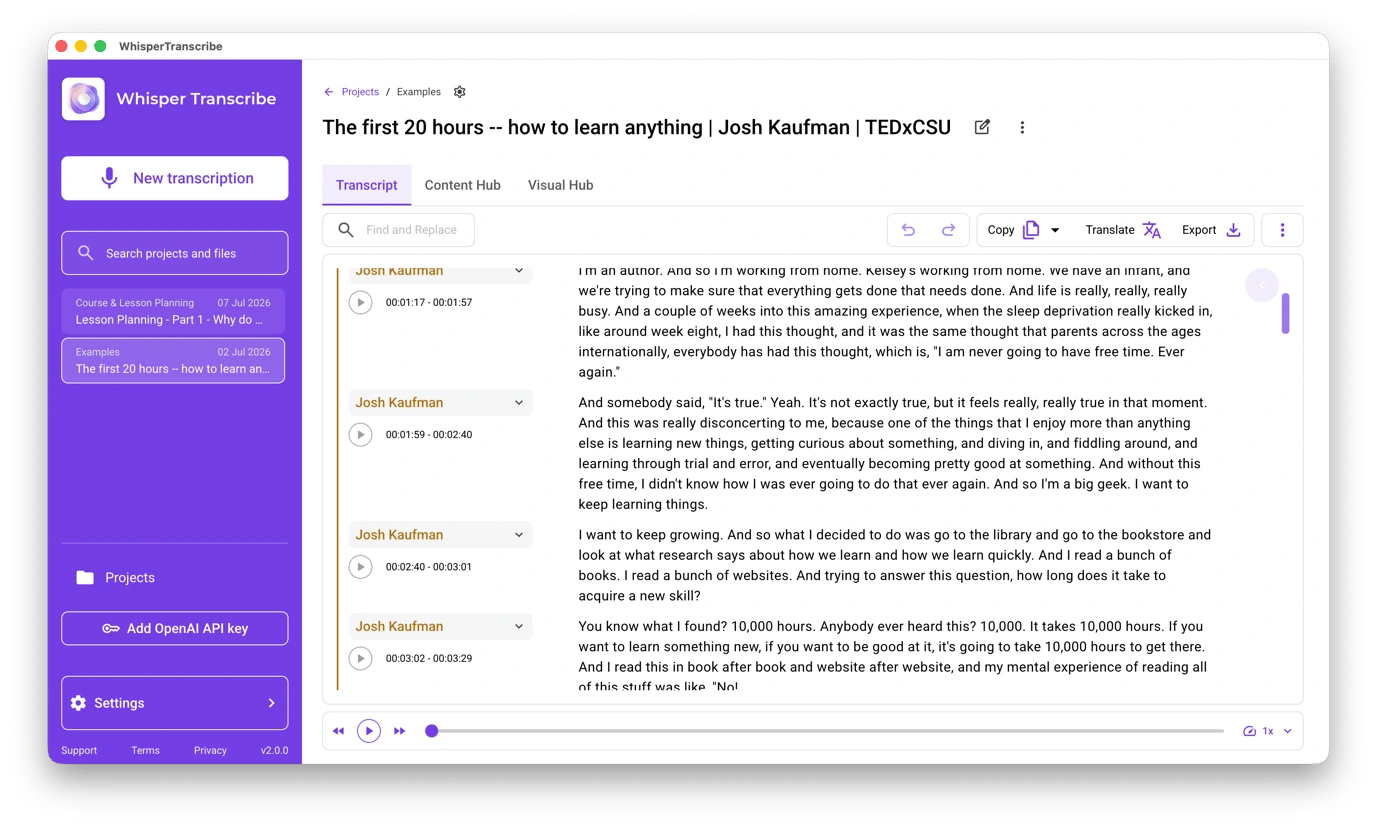
Manual transcription takes a lot of time and effort, but you can simplify the process with WhisperTranscribe. After you've recorded an interview, you can drag it to the app for transcription. The app will give you a time-stamped transcript that identifies the different speakers, and you can export it as SRT or TXT to hand to an editor or keep as reference material.
Apart from that, you'll love that the app can generate content from your transcription. You can ask for key quotes or even generate a full blog post based on an interview.
TranscribeX from Setapp also works in a similar way. It offers time-stamped transcripts, can transcribe multiple videos simultaneously, and even captures audio directly from your meetings.
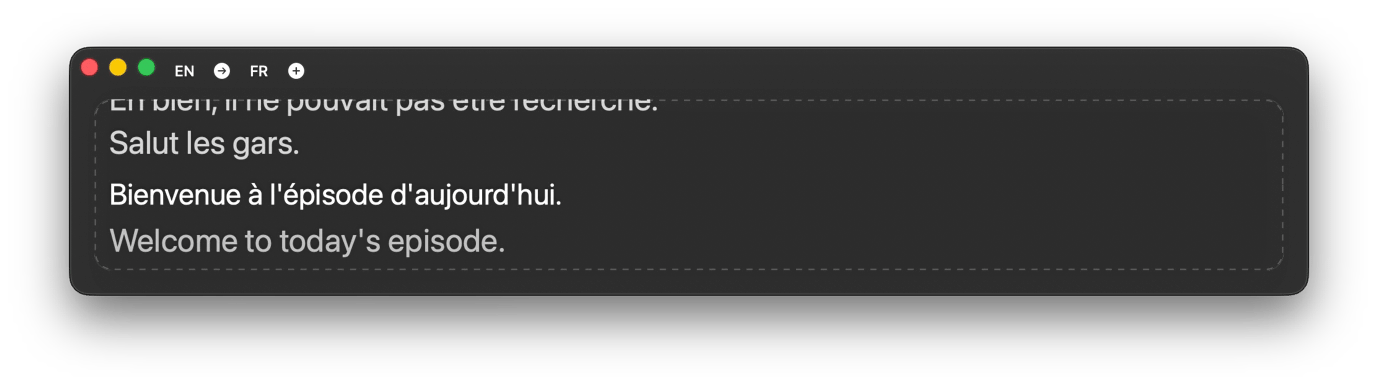
If you are covering a live event or want to translate a live interview, Transcrybe listens to your conversation in real time and displays translated captions in multiple languages.
Dictate field notes and quick notes with Murmurtype
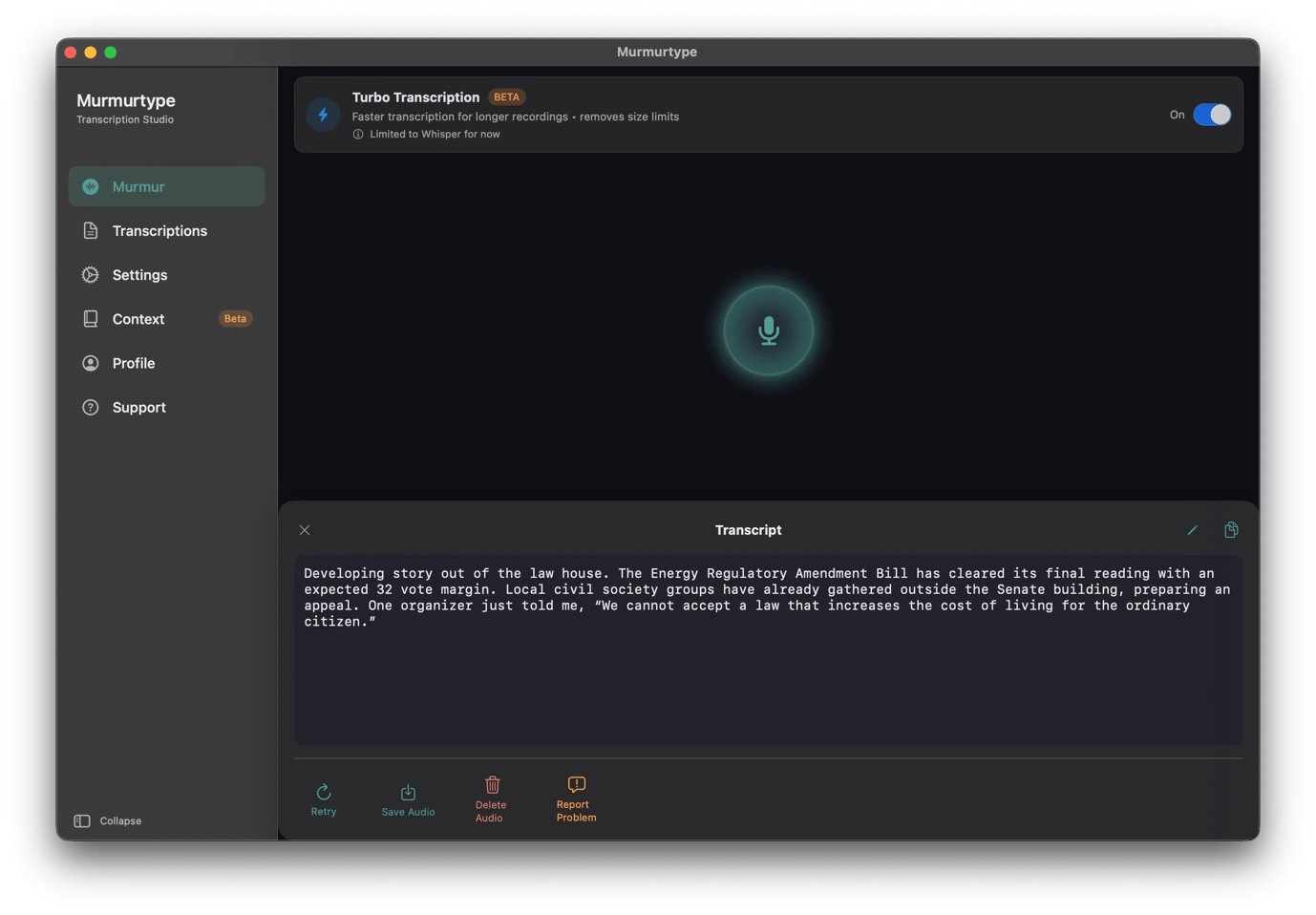
Typing on a laptop while watching an event is a reliable way to do both badly. Instead, you can take your notes or capture your thoughts by dictating them to MurmurType.
Whenever you press the start button, it captures everything you say and generates an accurate transcript you can copy, clean up afterward, or archive. You can even capture conversations in different languages, and MurmurType will automatically translate them.
JoyType is a great alternative, especially when you want a simpler option for quick notes or conversations. You can hold the hotkey when using any app, speak, and release. Its local LLM will clean up filler words and do punctuation for you.
Create captions for your interviews with VidCap
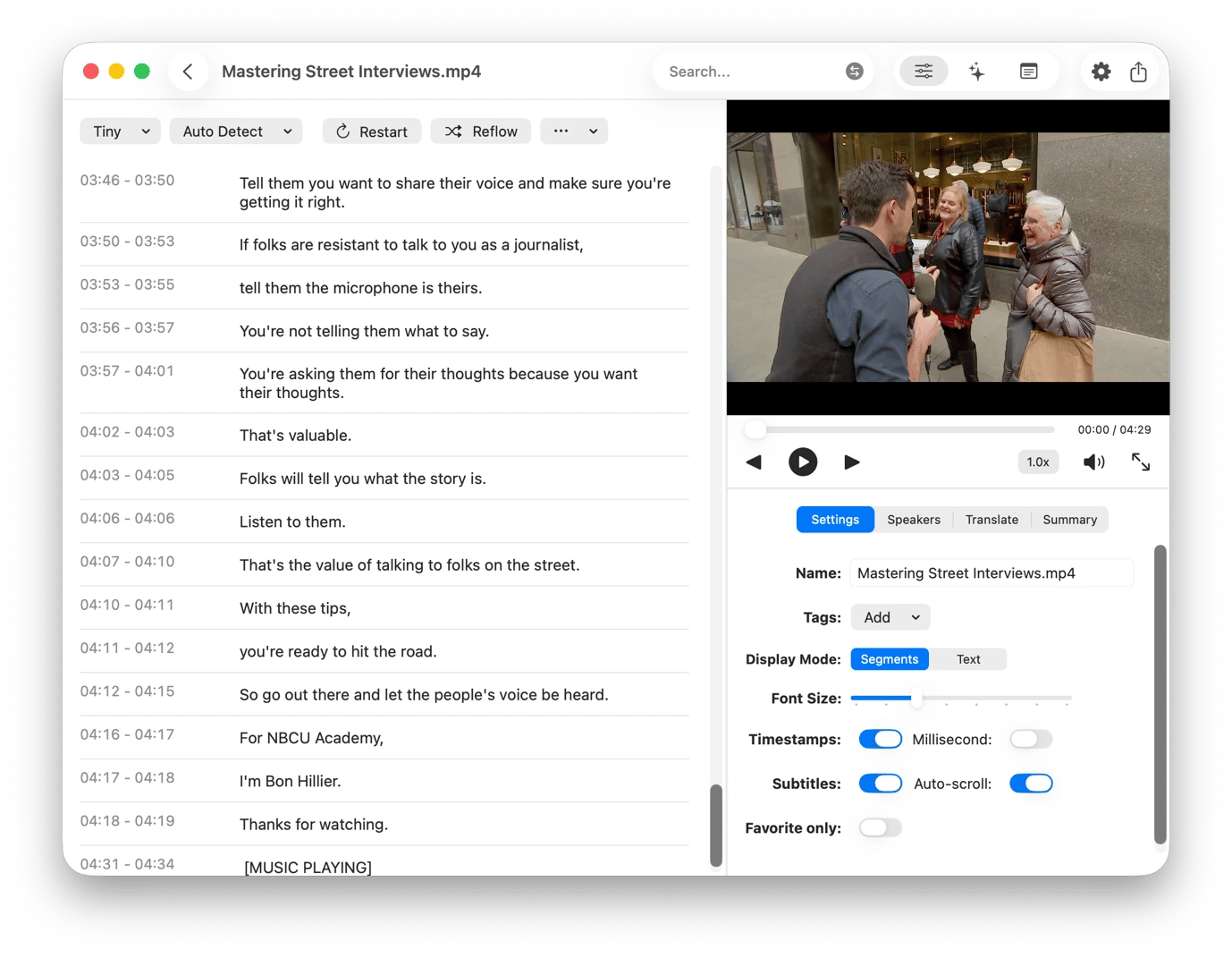
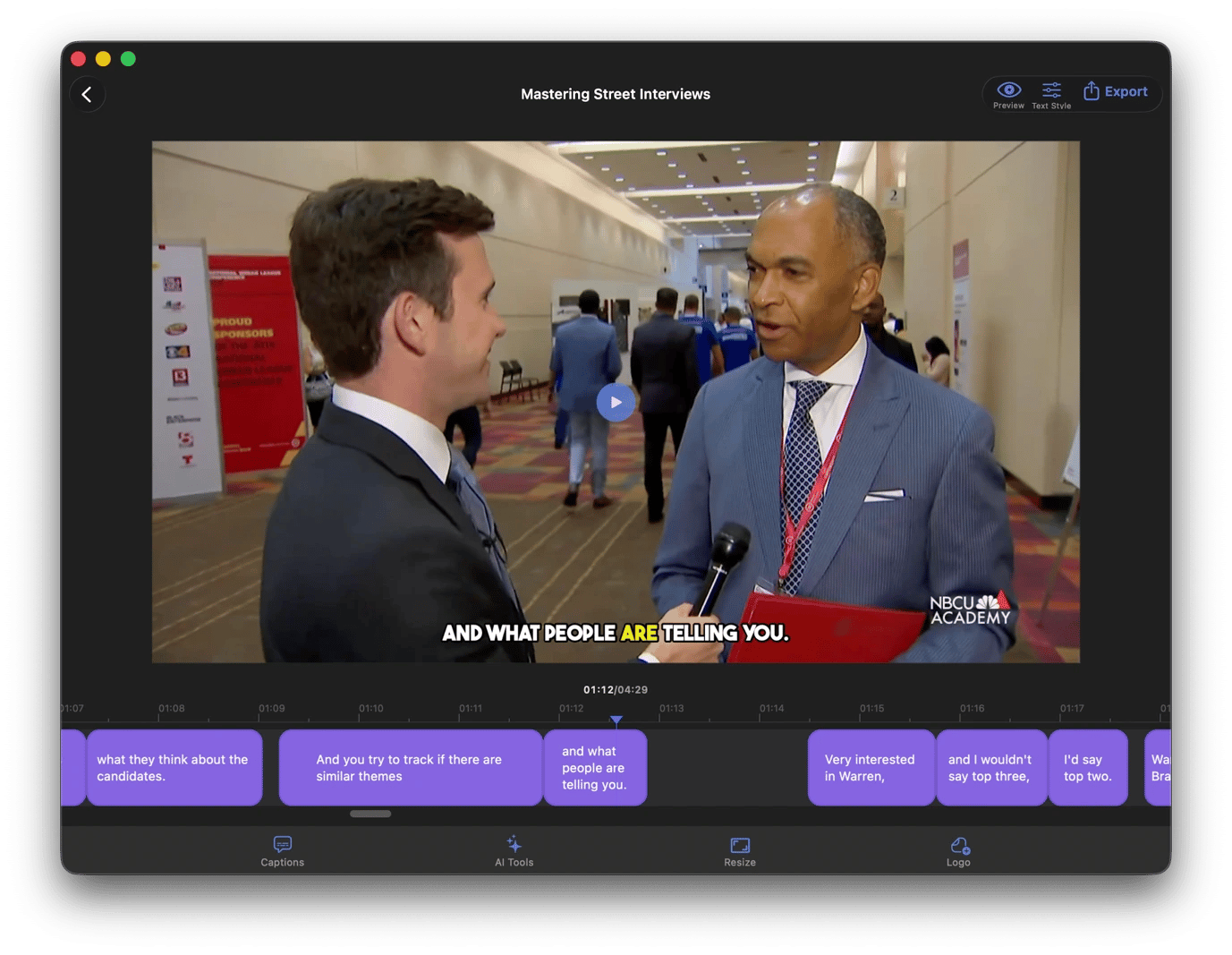
VidCap lets you automatically generate captions and embed them in a video interview clip before posting on social media, helping you meet accessibility requirements. This means that when you want to share a short clip, you don't need to generate transcripts and send the video and text file to an editor.
The Setapp tool supports 60+ languages and automatically highlights words as they are spoken. You'll have control over how the captions appear, and you can also export the transcription as TXT, SRT, or VTT for sharing across websites.
Manage interviews and meetings
Interviews and editorial meetings today are increasingly held on Zoom, Google Meet, MS Teams, and the like. The apps below help keep an accurate record of your conversations and save hours of note-taking.
Auto-record and transcribe interviews with Amie
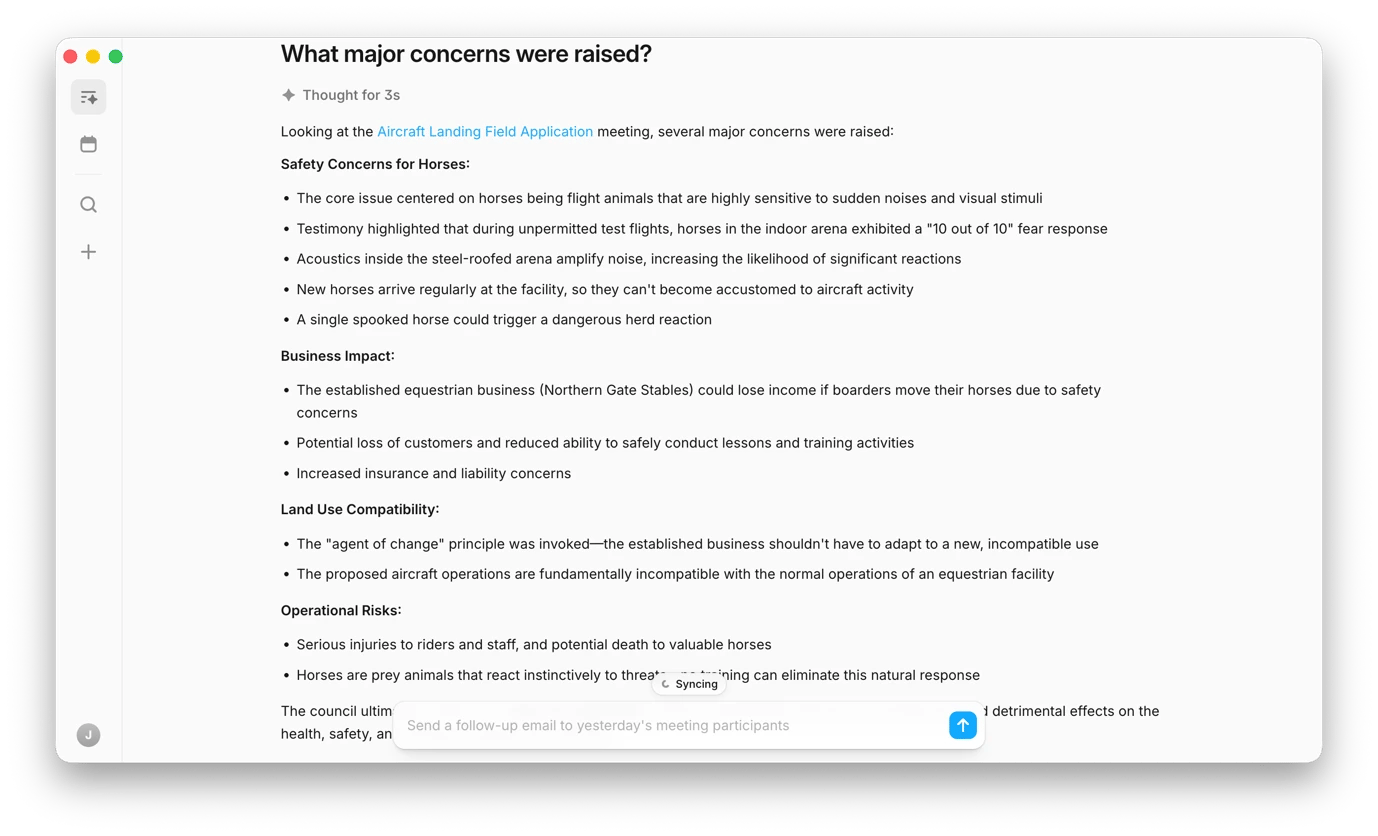
The standard meeting workflow involves recording, taking rough notes, manually extracting to-dos, and a long transcription session. Amie takes all these and compresses them into a single automated step.
Whenever you join a meeting or start an interview, the app starts recording immediately. After the meeting, it generates a labeled transcript and pulls commitments like "send the report by Thursday" or "follow up with the press office" into a to-do list you can push to Notion, Slack, or your calendar. As information accumulates, you can chat with Amie to retrieve details from your previous meetings.
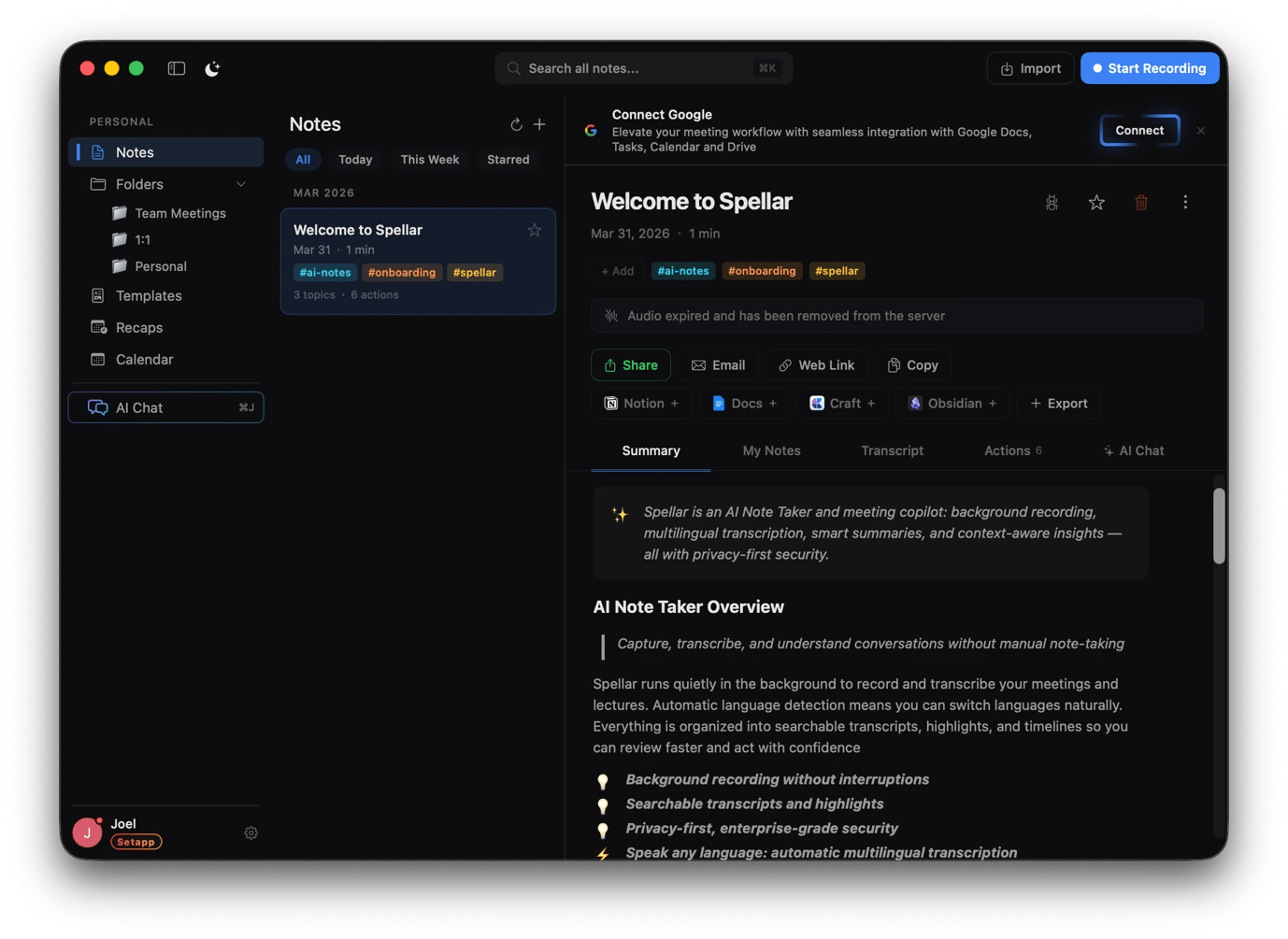
Capture sensitive source conversations safely with Spellar AI
Some conversations are too sensitive to be handled by a tool that sends your audio to external servers. SpellarAI lets you record natively on your Mac and keep everything local, which makes it useful for sensitive interviews and off-the-record sessions.
One interesting feature of the app is that it flags key topics as they come up to ensure you don't miss important moments. It then gives you a customizable summary with key decisions and action items you can add to your calendar.
Write and edit faster while protecting privacy
The Setapp apps below bring together weeks of research and reporting. They help you write more efficiently, polish your draft, and automate repetitive editorial tasks without compromising sensitive information.
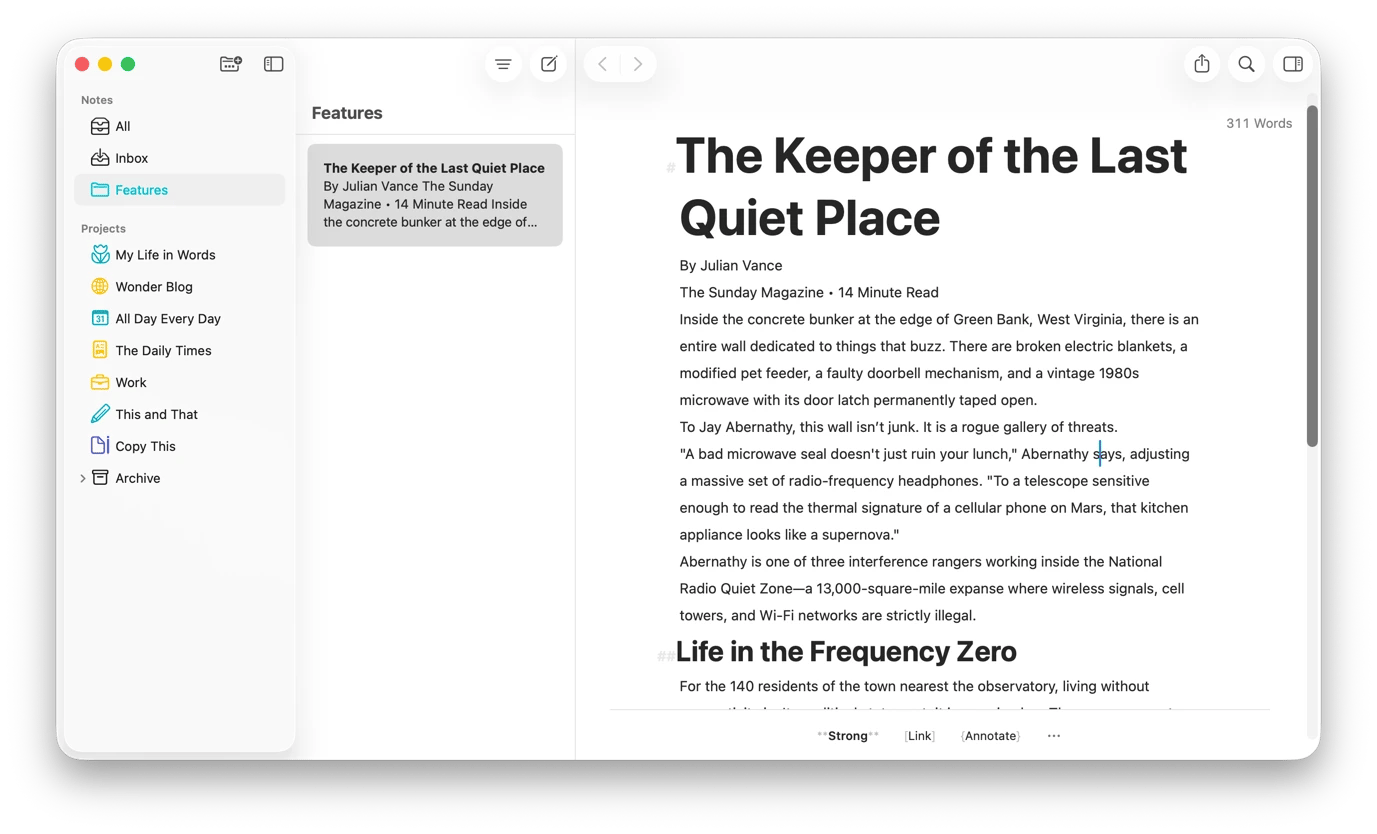
Draft long-form investigations and features in a distraction-free environment with Ulysses
When you are writing a long-form investigation or feature, Ulysses gives you a distraction-free environment. It has all the features you need to write and format, but it keeps them out of your way. You can then write and format in Markdown to structure your article with headings and footnotes without touching a mouse.
When it's time to publish, you don't need to copy and paste as Ulysses allows publishing directly to WordPress and Medium. It also lets you organize your finished articles and drafts, then syncs them via iCloud so you can pick up on your iPhone mid-commute or in a waiting room between interviews.
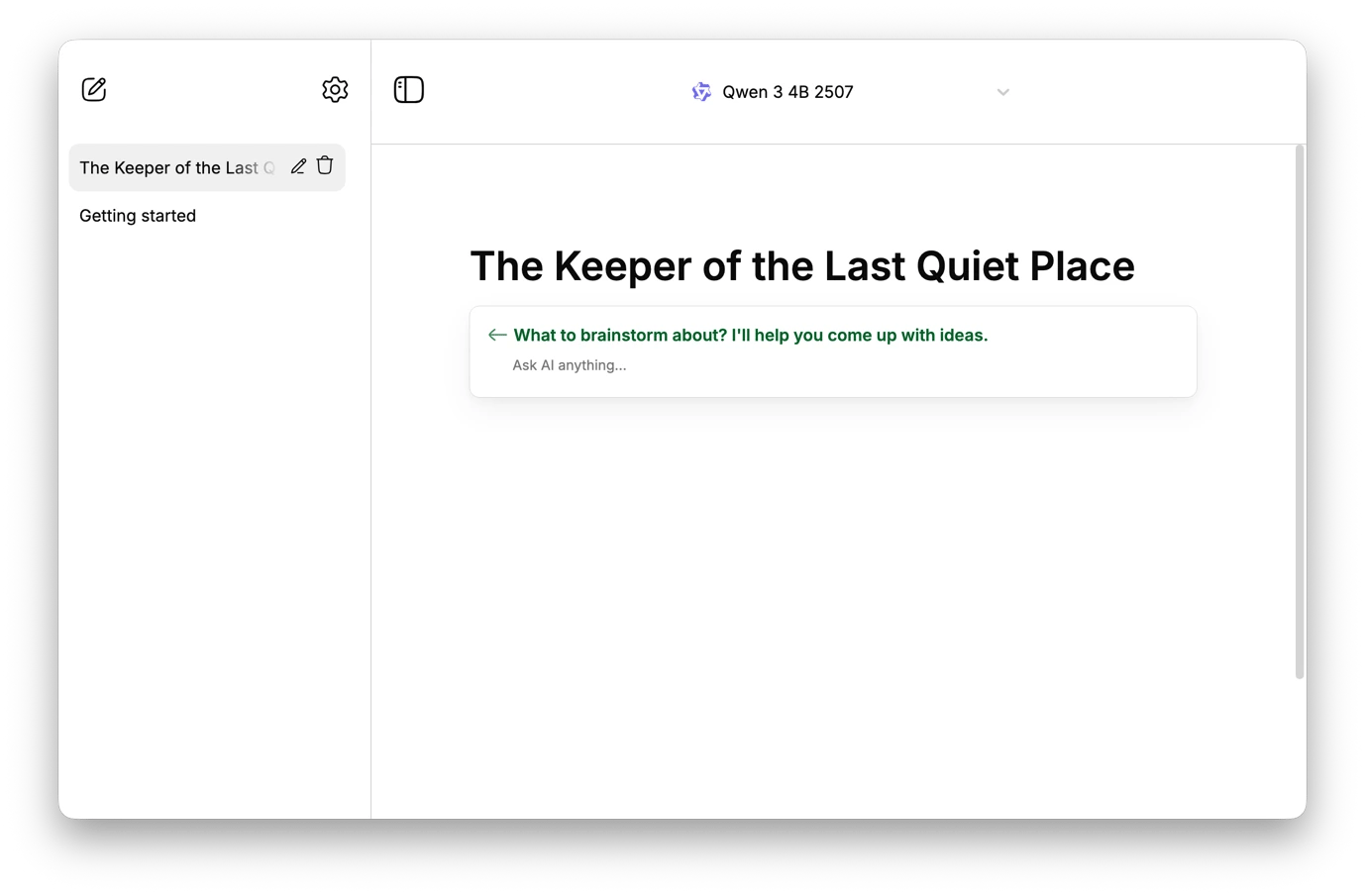
Write sensitive story drafts with on-device AI via Manzoni
Most AI writing sends your text to an external server, which is a problem when you want to protect your sources, create embargoed story drafts, or draft early investigation notes. Manzoni lets you get offline AI assistance when writing. It's primarily a Markdown word processor, but it also supports offline AI models.
You'll find some ready-made templates that can help you structure your features, and you can then invoke the AI to brainstorm headlines, rewrite paragraphs, summarize interview notes, or explore different angles. It's a great AI tool for investigative journalists, legal reporters, and anyone who often works under embargoes.
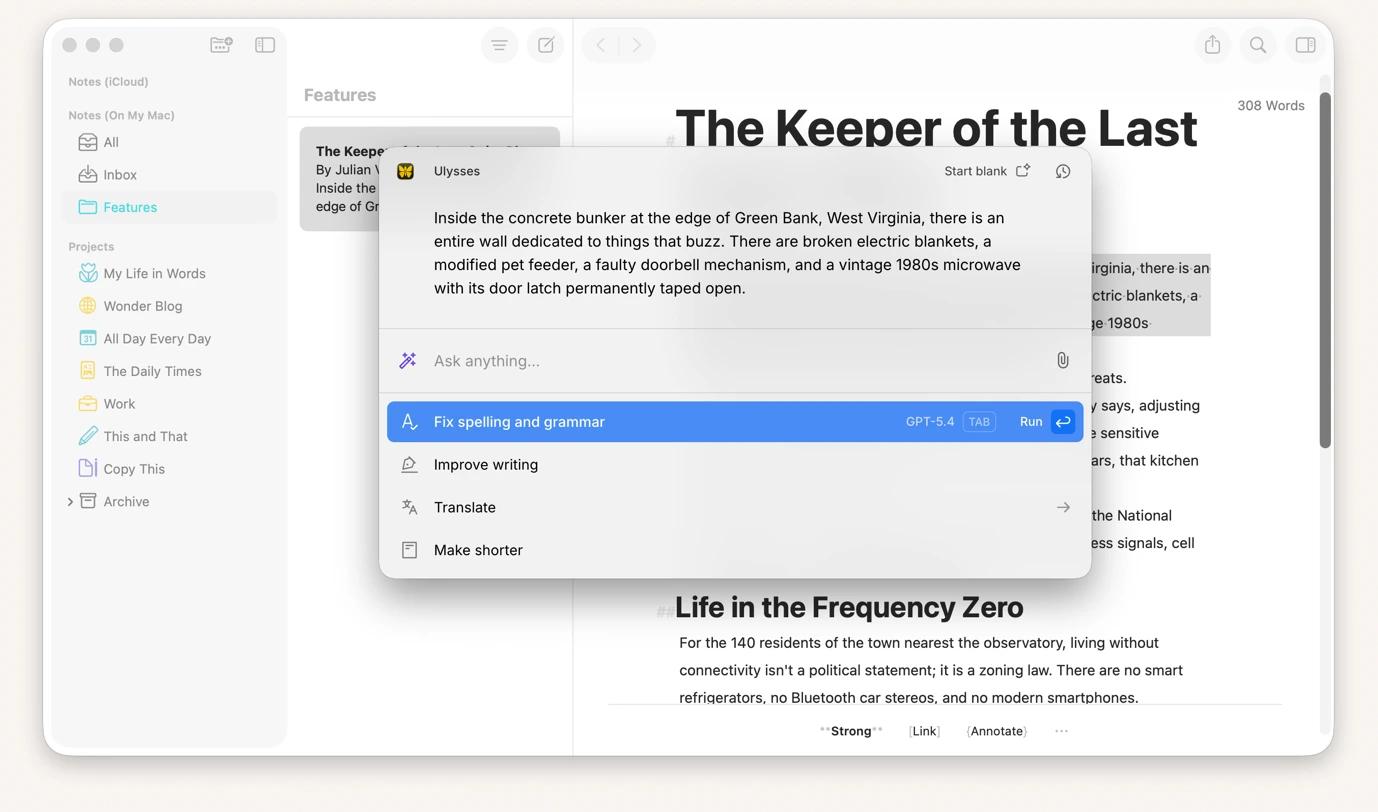
Edit and fact-check without leaving your draft using Kerlig
Every time you leave your writing up to look up a fact or enhance a paragraph with AI, you lose a bit of writing momentum. You might even get distracted and lose focus time.
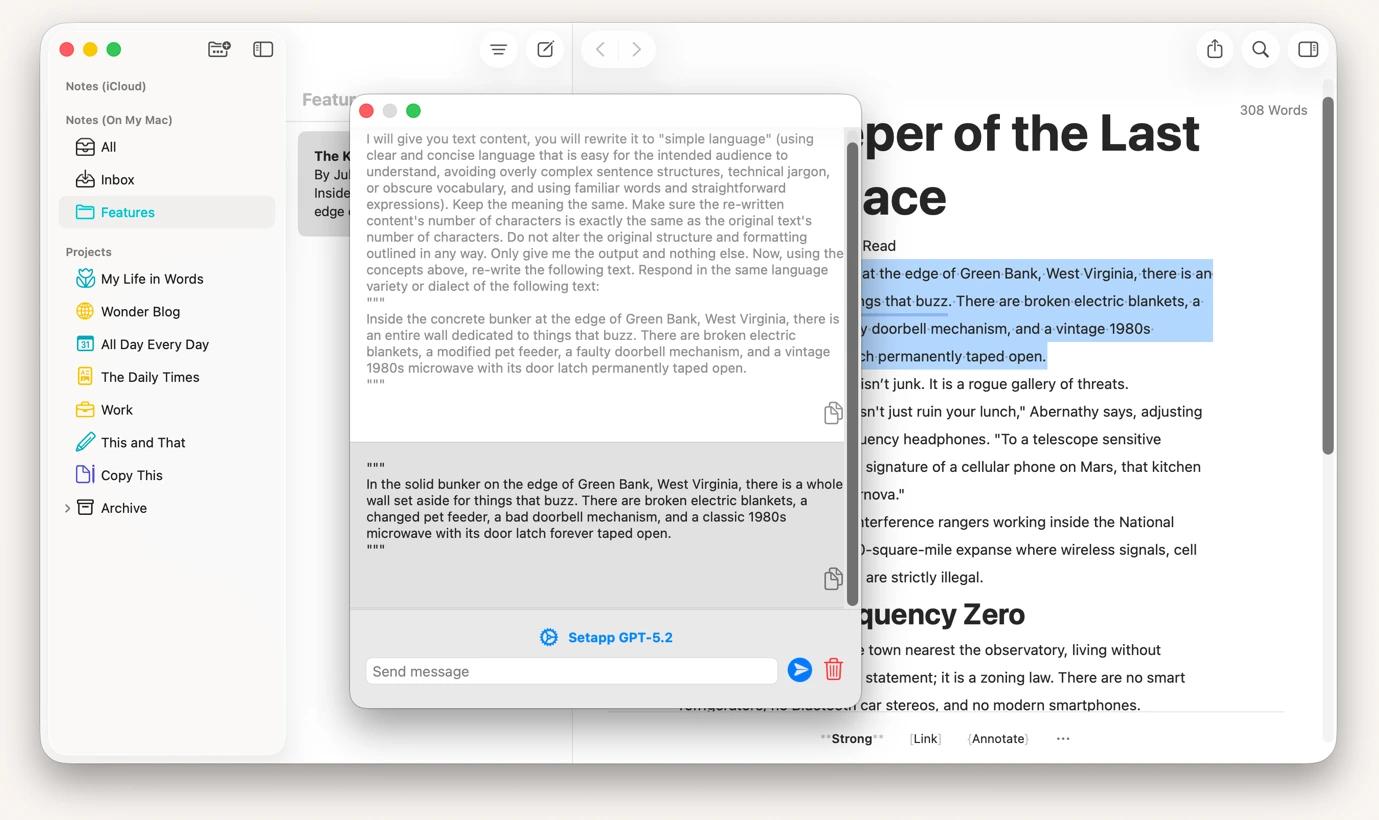
Kerlig lets you use AI without leaving the app you are using, whether it's a writing app or a browser tab. When you select text and hit ⌥ + ⌘, Kerlig opens a floating chatbot ready to act on the selected text. You can then use any of its actions, like fixing spelling, improving writing, summarizing, explaining, or fact-checking. You can also ask a question or create a custom action.
Plus offers a similar workflow but enhances it with lots of ready-made prompts. You can also create custom prompts tailored to your work.
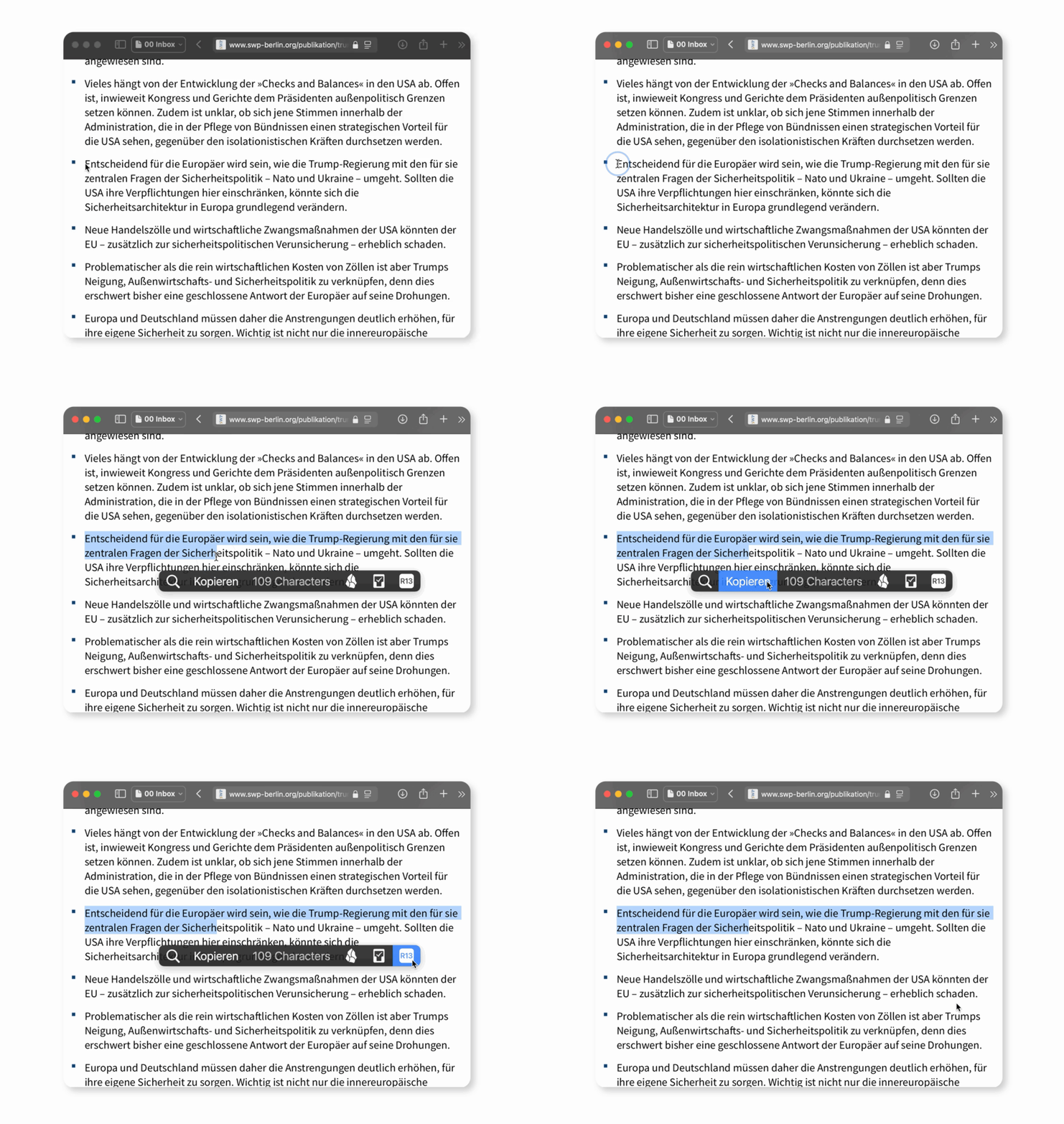
If you simply want to act on the text without AI, you can use PopClip. It helps avoid a lot of right-clicking by giving you a menu whenever you select text. You can use it to change the font size, copy, cut, translate, open a link, spell-check, search on Google, and more.
Clean up OCR output and pasted text with TextSoap
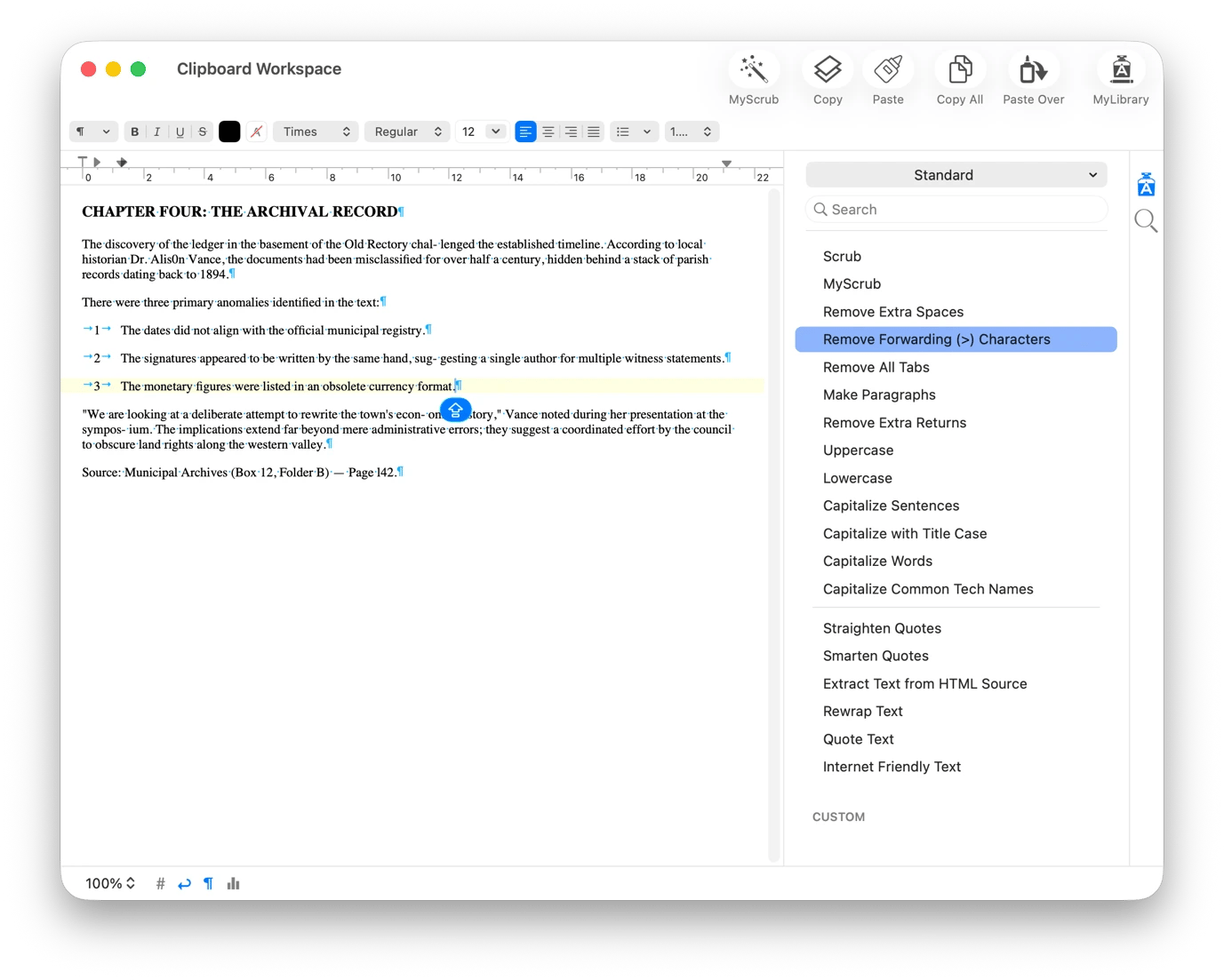
Text you get from OCR tools and heavily formatted PDFs rarely arrives in a presentable manner. You need to clean it up to make it usable, but you can automate the process with TextSoap.
Instead of deleting lines and weird spaces one by one, TextSoap recognizes formatting errors and offers a one-click option. If the issues are a bit more complicated, you can address them one by one using automated options for each. It's an easy way to reformat, fix common OCR errors, standardize punctuation, and prepare copied text for editing or publication.
Build a library of reusable outreach templates with Typedesk
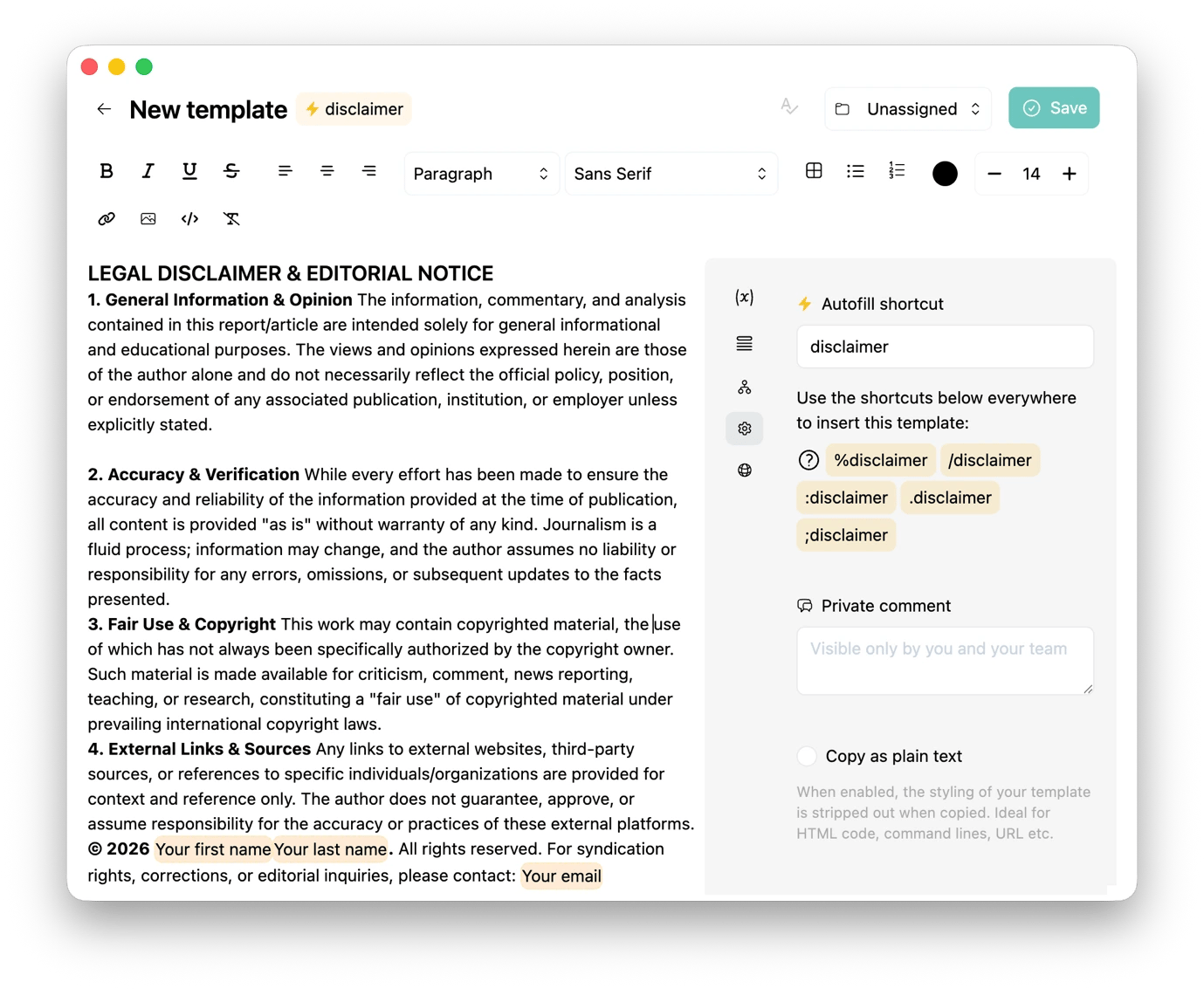
Journalists often type the same stuff when contacting a new source, sending a FOIA request, or sending a press inquiry. Instead of hunting for previous emails or typing repetitively, you can use Typedesk from Setapp to store reusable text.
You won't even have to open the app to copy it. When you assign an abbreviation, you can type it anywhere to insert your text in full. The standout feature here is that Typedesk asks for set variables, like a person's name or company, before insertion to avoid mistakes.
Plan investigations visually
A complex investigation involves lots of actors, document trails, and competing narrative threads that cannot be clear on a linear document. The Setapp apps below give you the visual space and flexibility you need to map your ideas.
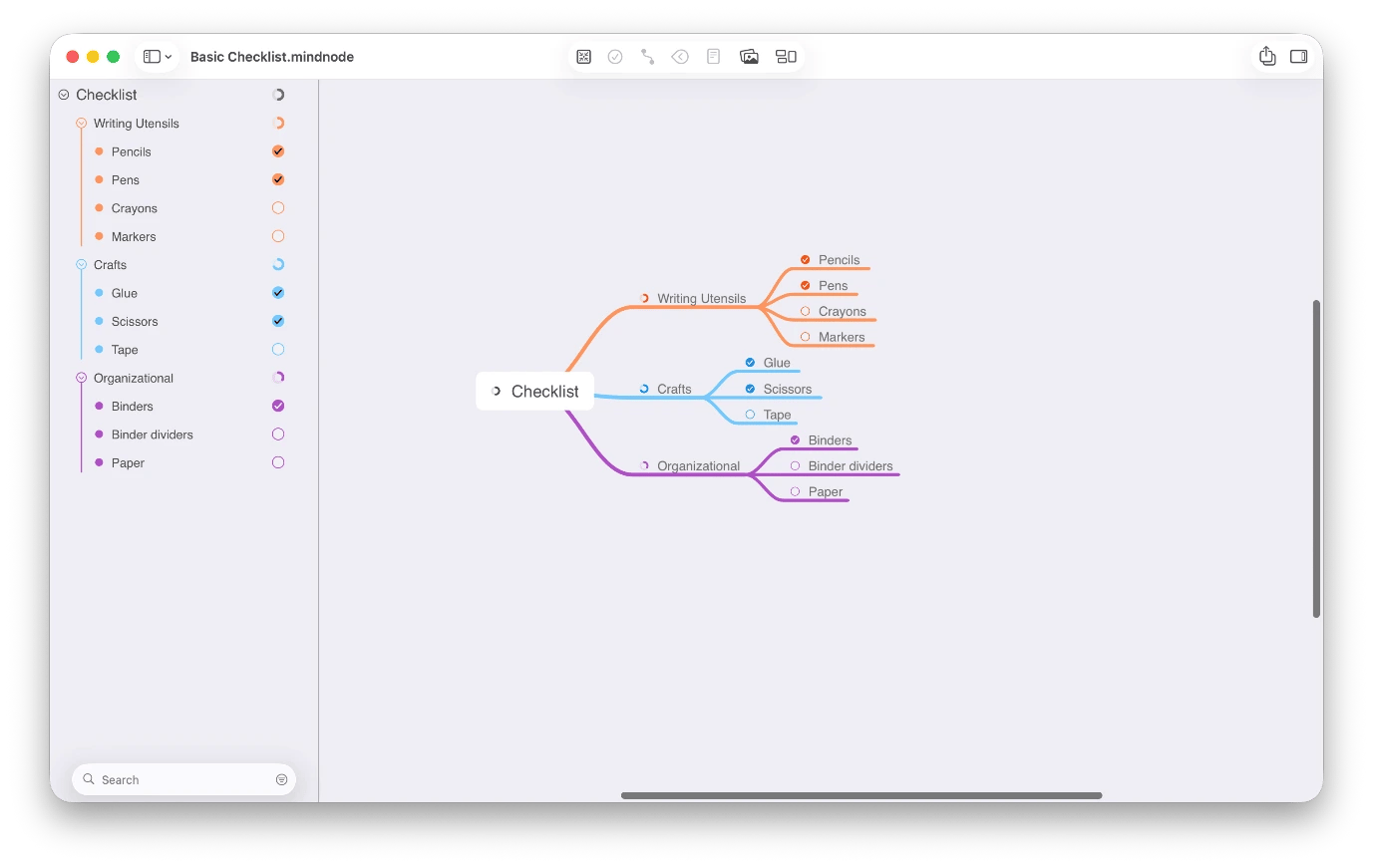
Map investigations and story relationships with MindNode Classic
When you are investigating a complex organization, event, or document, you need to connect everything to get a clear picture. MindNode Classic helps visualize all the relationships and turns your ideas into mind maps that grow naturally as your story develops.
If you have one central idea, you can branch out to different relationships or timelines and reorganize everything as the story evolves. You can also collapse sections to focus on one threat or switch to Outline view when you're ready to turn your research into a structured article.
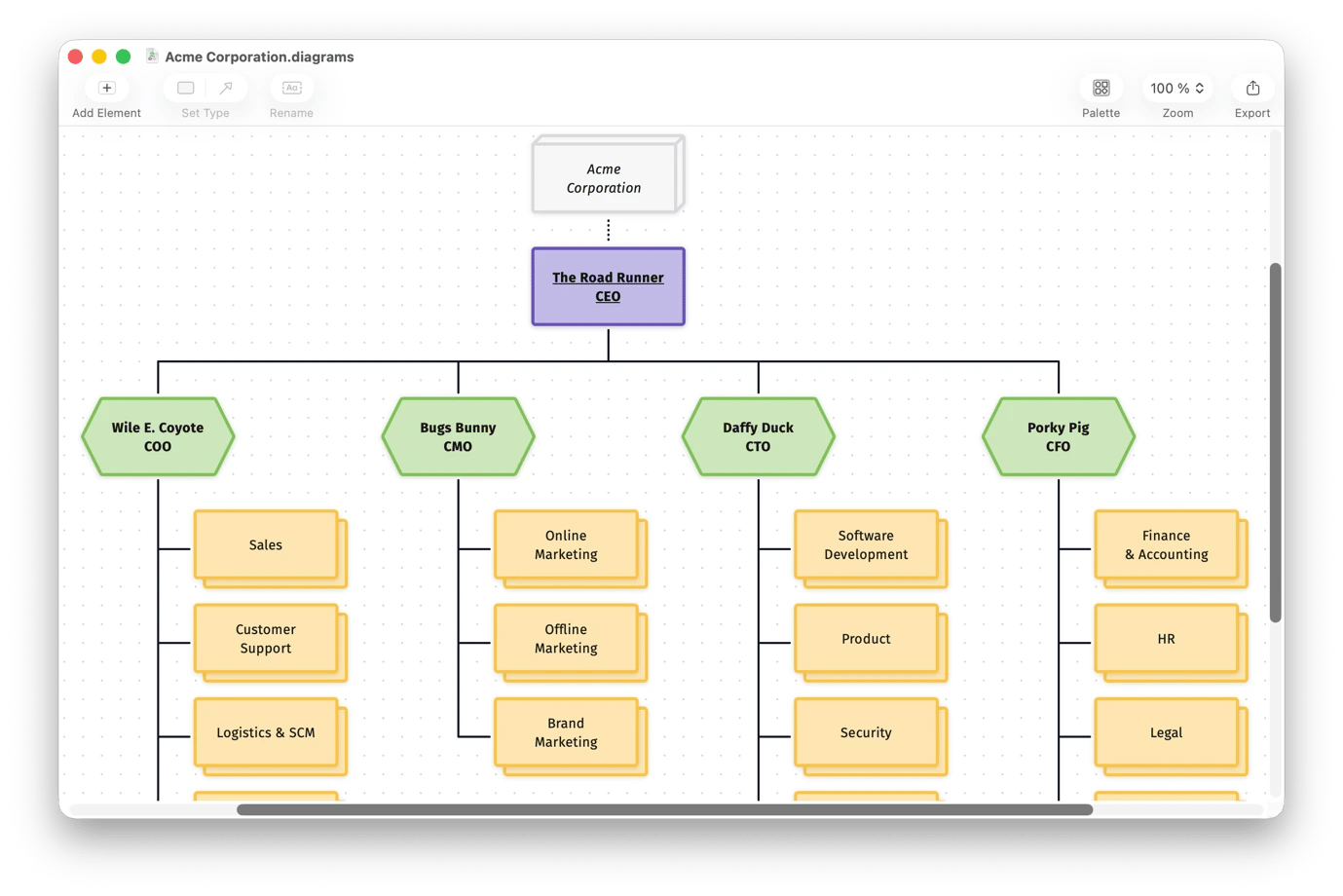
Diagrams complement MindNode by giving you a canvas that makes it easy to turn your thinking into polished flow charts and process maps. If you are investigating an organization, you can create a structure that visualizes its leadership or information flow to get a clear picture of its operations.
Build multimedia investigation boards with Allume
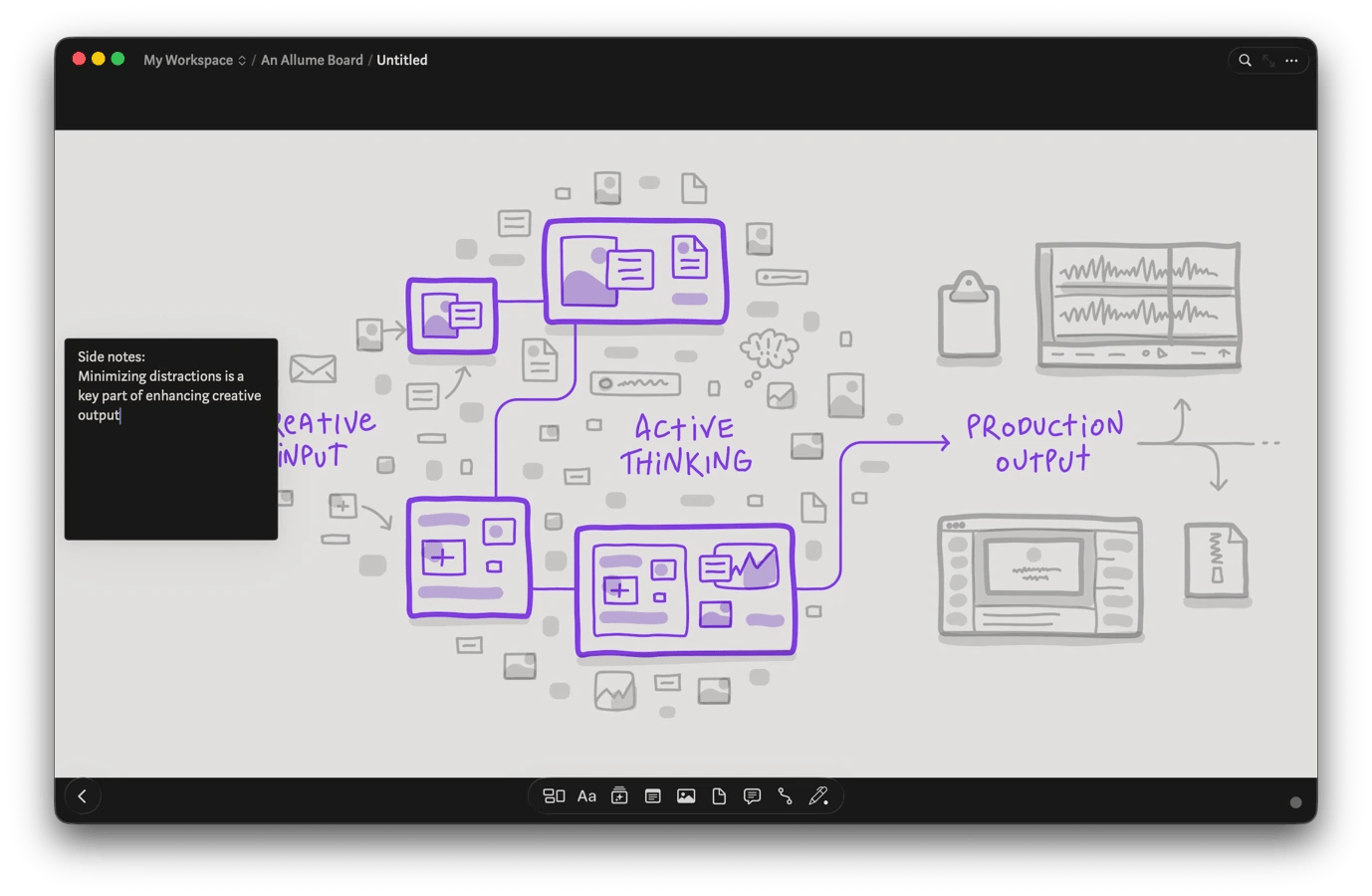
When you are doing your research and everything is still messy, Allume (formerly Muse) can help bring everything together and make connections that weren't obvious. It's a digital board that lets you pin your PDFs, quotes, links, and handwritten notes in one infinite canvas.
The tool makes it easy to think and draft final reports as you can place a leaked document next to the official statement it contradicts or a source's account besides the timeline it disrupts. It also makes it easier to see when a note sitting in the corner finally connects to something.
Manage daily reporting and story checklists with NotePlan
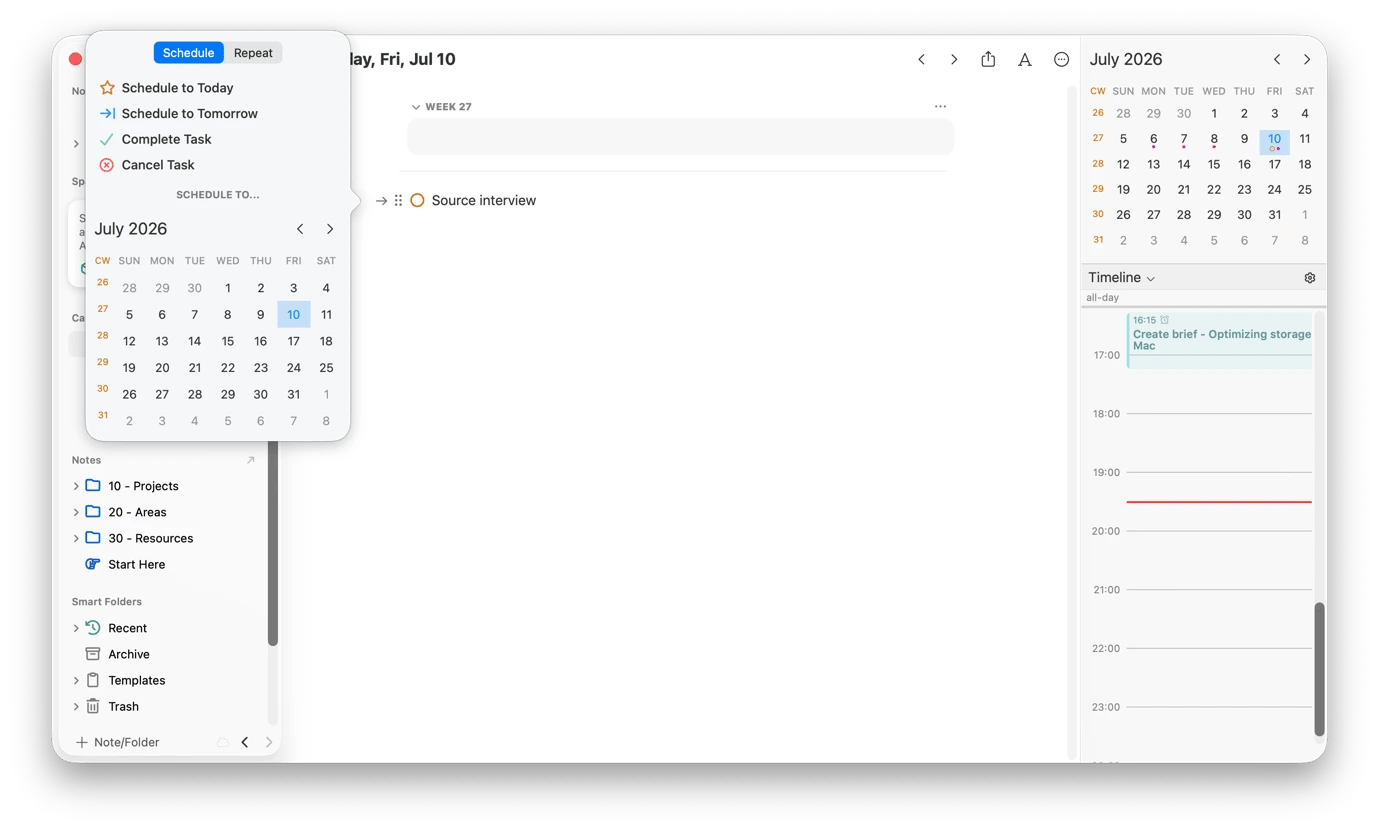
When running an investigation for weeks or months, you'll have lots of daily reporting tasks that connect to the larger story. NotePlan helps keep all these organized by connecting your notes, tasks, and calendar in one platform. You can add your notes, the sources you still need to call, documents you want to request, and claims that need verification.
You can then link your notes to specific reporting days and create daily checklists inside their related notes. This way, an interview at 2 pm will appear alongside the prep notes and follow-up tasks it belongs to.
Create video content and screen recordings
At some point in your reporting process, you'll need to work with videos either for the story or to collaborate with your editors. The apps below help record a screen walkthrough of a complex topic or story, download reference footage for analysis, film a statement for social media, or present findings during an editorial meeting.
Download and archive online videos with Downie
Social media is full of videos that can enhance your story, especially when covering news or historical events. Sometimes, you may also just need to archive video evidence, as online videos can be taken down or get buried behind new content.
Downie lets you save videos from over 1,200 platforms, so you can keep a copy you can edit into your video, reference, or save to review later. The tool even lets you extract audio from an interview or panel, saving space and speeding up transcription.
Play any video file from any source with Elmedia Player
You can receive videos in formats QuickTime won't play, like MKV or WebM. You may also need features beyond what the default Mac player offers.
Elmedia Player gives you playback flexibility. You don't need to install additional codecs or use conversion apps to play different media formats.
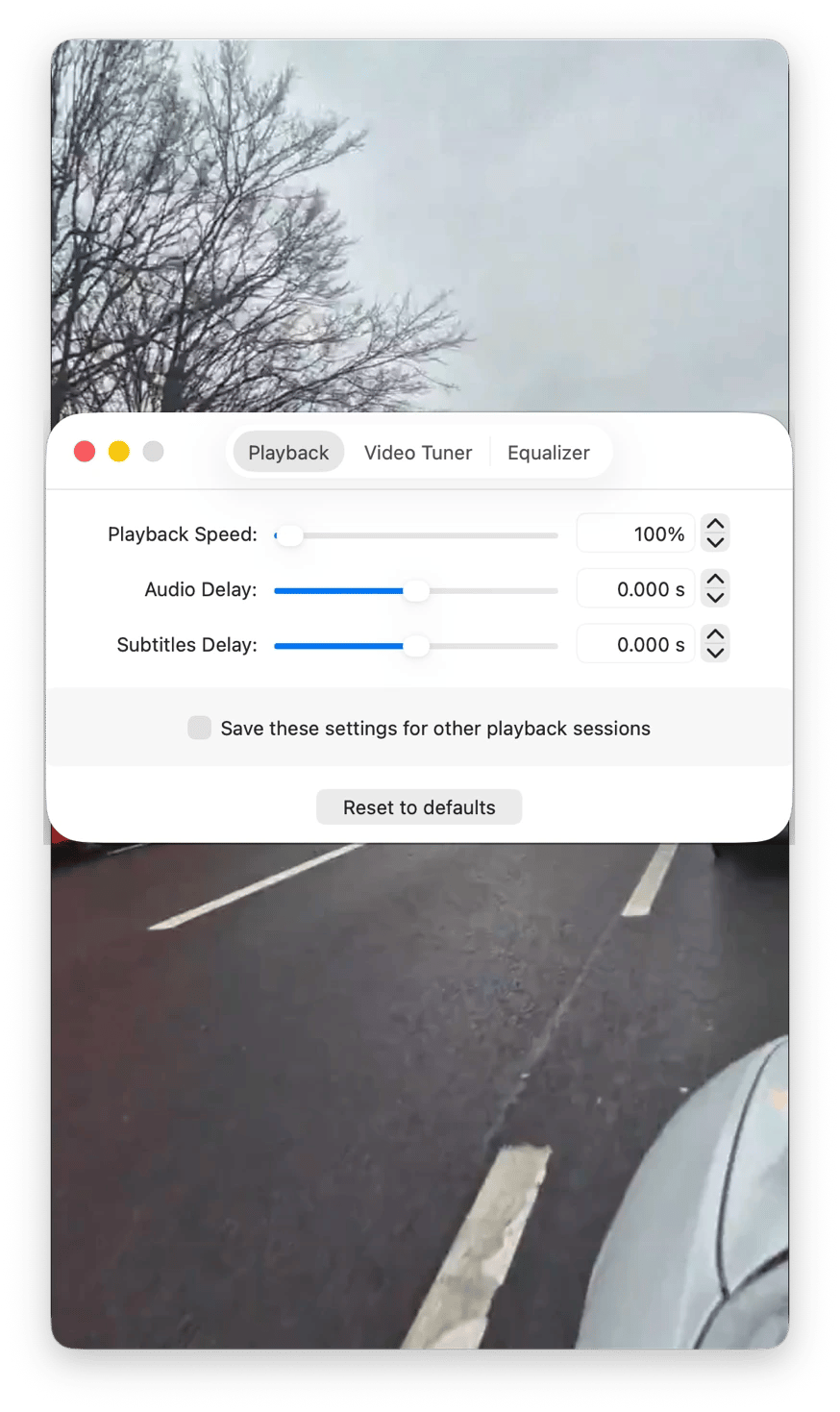
When reviewing footage during an investigation, you can slow down the playback to analyze key details or speed it up for a quick overview. Even more impressively, Elmedia Player lets you add bookmarks to interesting parts of a video you want to revisit later.
Record explainers and walkthroughs with FocuSee
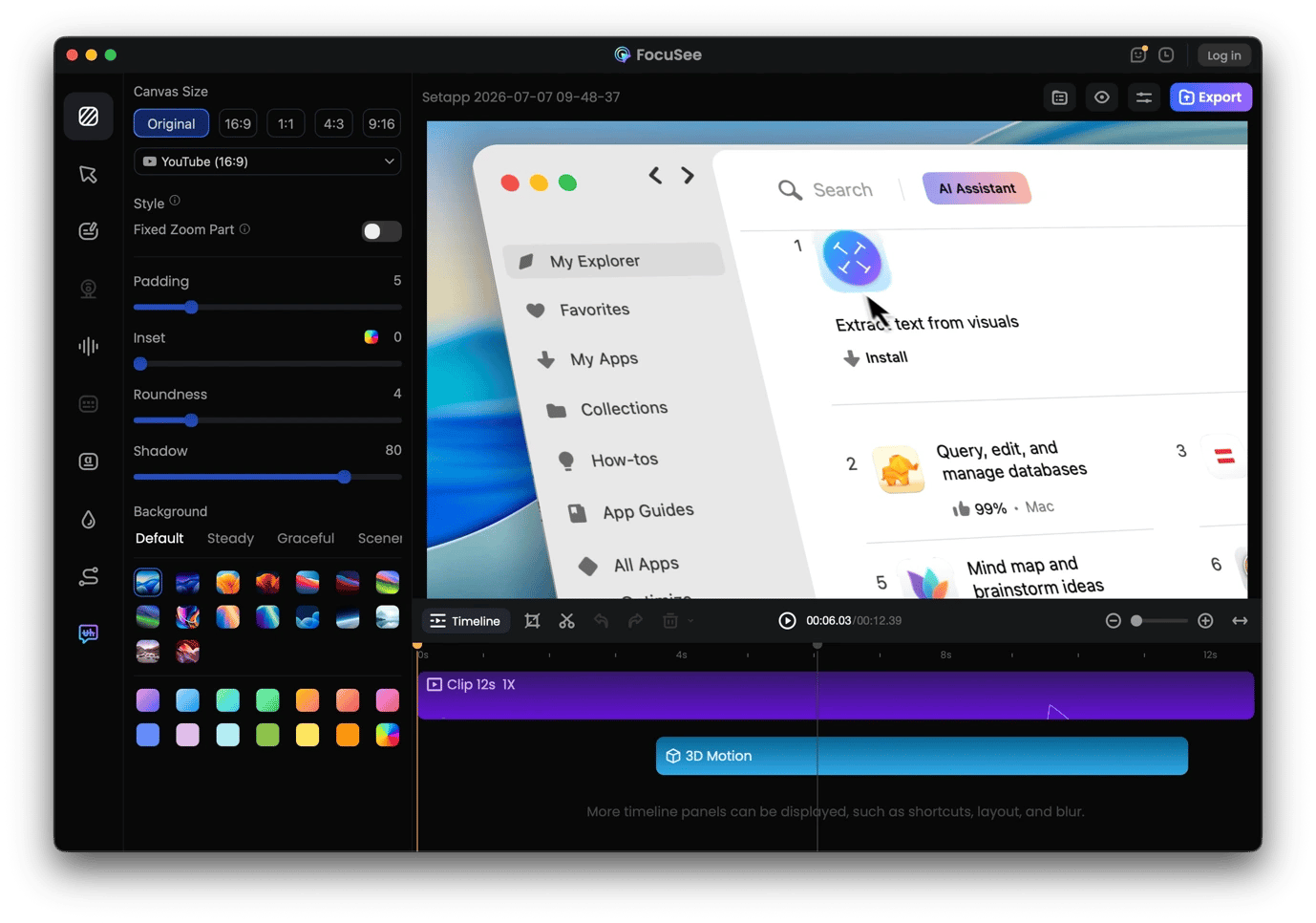
FocuSee comes in handy when you want to record a screen walkthrough of a data tool, government database, or online document with auto-zoom and cursor tracking. This makes it ideal for explainer videos that accompany investigative pieces, as it makes it easy for your audience to follow what you are showing. They don't need to squint to see the corner of your screen.
You can use FocuSee to record your screen, webcam, and audio at the same time instead of stitching them together afterward. You can also add auto-captions and tweak your videos inside the tool to give them a professional look.
Record scripted video statements with Teleprompter App
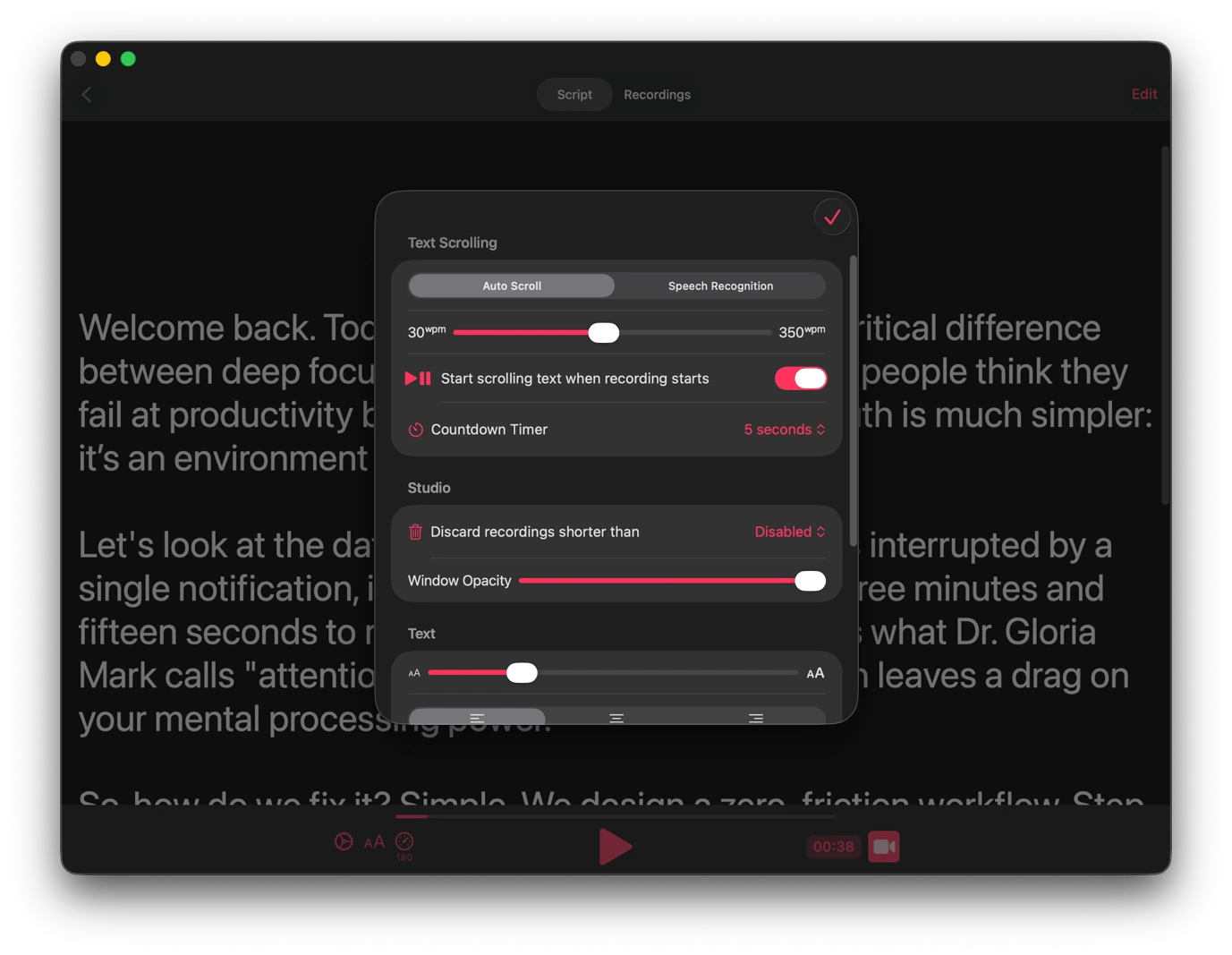
Recording to the camera is much easier when you don't have to memorize every line or scroll through a PDF. Teleprompter App lets you display your script on the screen and automatically scrolls as you read.
The most interesting feature is that you can set the script to match your natural reading speed or even match your live reading pace. It still gives you room for manual adjustment to accommodate areas where you might need to add a few unscripted explanations. You can then add captions and export the finished video directly to landscape, square, or story formats for different publication channels.
Annotate live during editorial meetings and pitches with Presentify
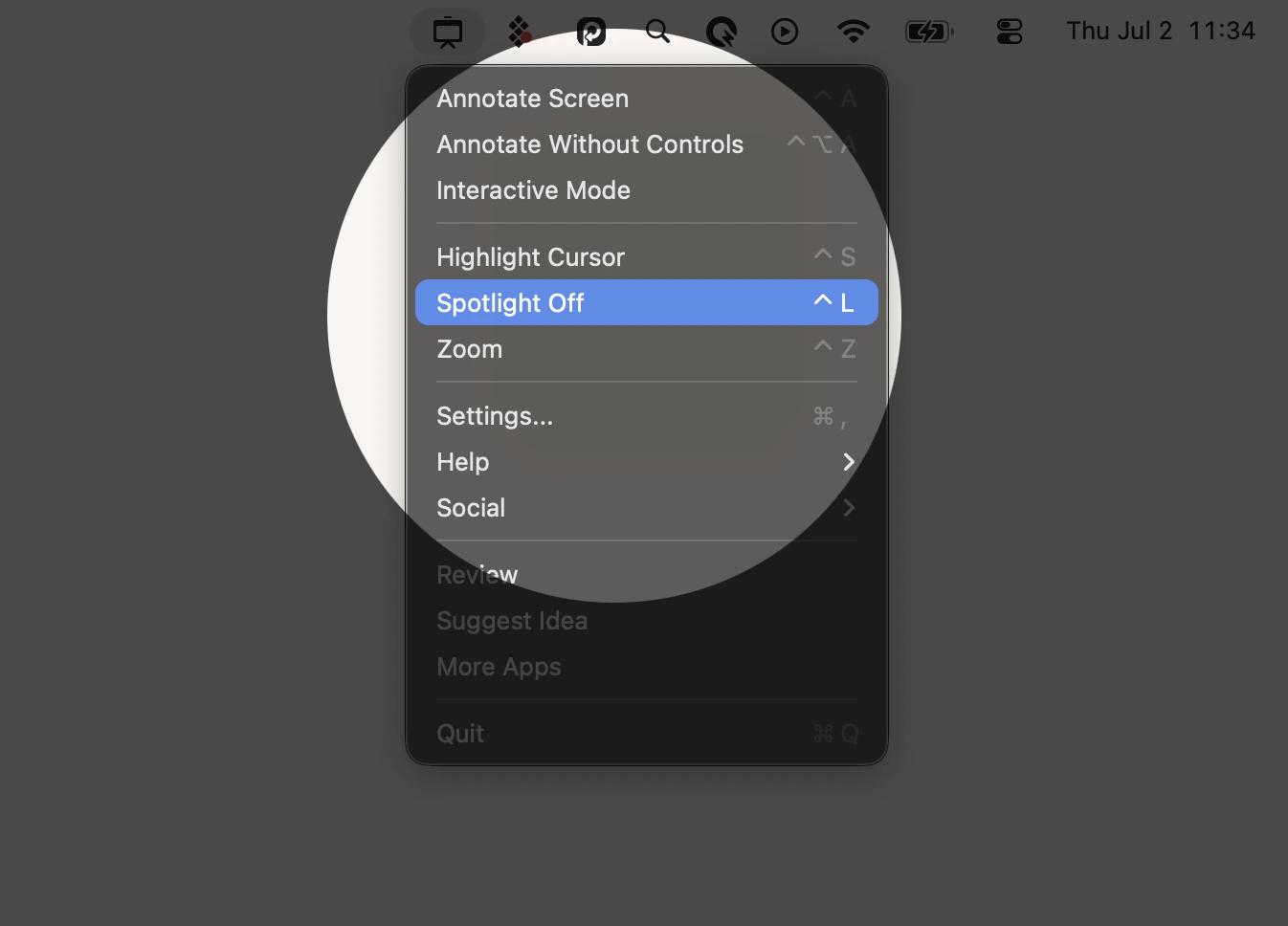
Presentify lets you annotate live on your screen during video calls or screen sharing sessions, giving you the precision and flexibility you need to explain a complex story structure or a network of relationships to an editor. You can draw on top of any document, chart, or screenshot to make your story more visual.
You can then complement this with other features like a cursor highlighter or a spotlight tool that focuses on a particular part of the screen. There's also a whiteboard you can switch to when you need a blank canvas for more complex explanations.
Produce audio content
Sometimes, you may need to turn features into an audio documentary, produce audio for a video, or turn an investigation into a podcast series. The Setapp apps below simplify the production process, whether you are recording original audio or repurposing written stories.
Produce podcasts and audio documentaries with n-Track Studio
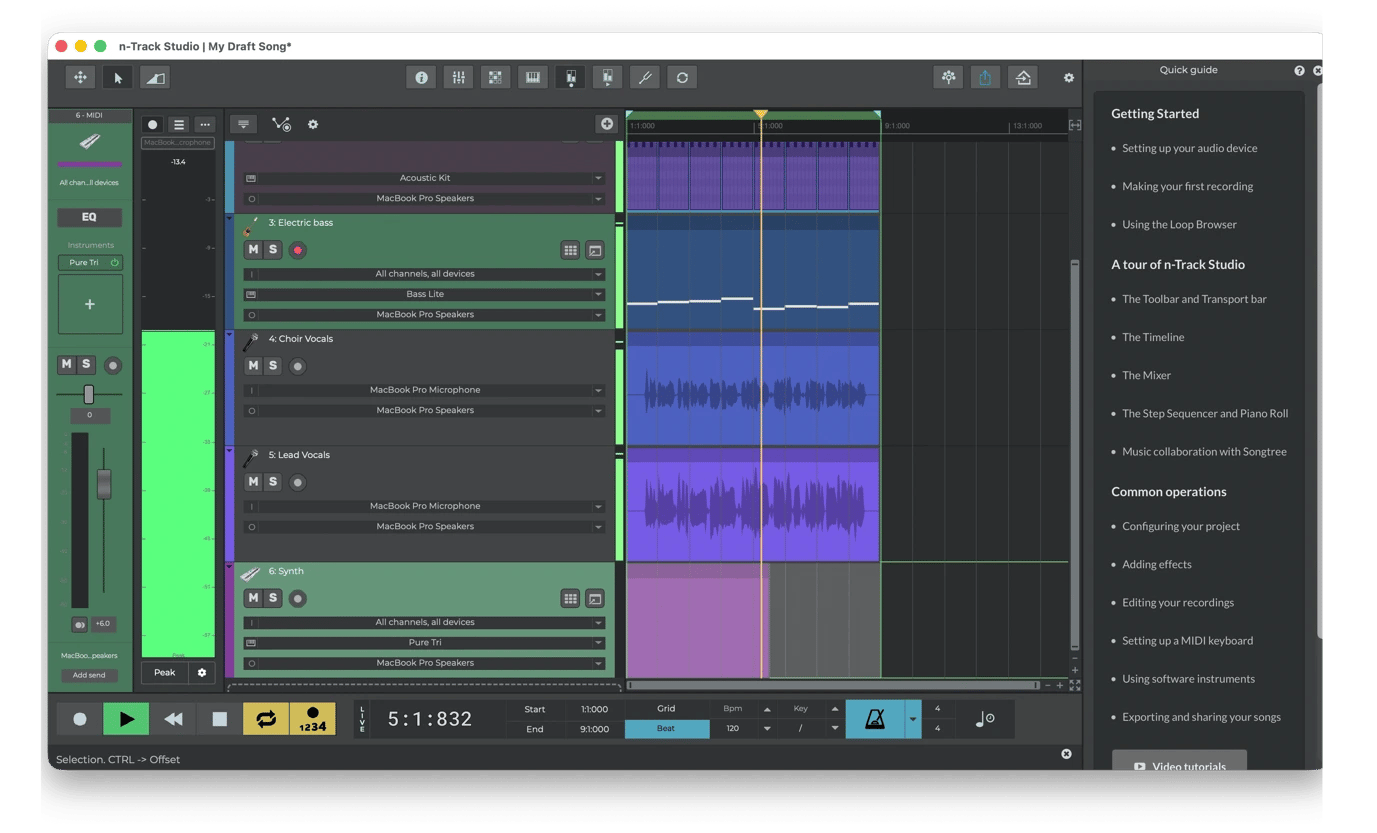
When your podcast episode or audio documentary has multiple participants, n-Track Studio ensures that you don't need a dedicated recording studio or a separate mixing engineer.
It lets you edit and mix audio with multitrack support, enabling you to combine voice recordings, music, sound effects, and ambient audio. You can edit everything independently, then mix it for a polished audio feature. You can then export the final mix as a WAV file for submission to a radio editor or an audio production platform.
Turn articles into narrated audio with Vexel
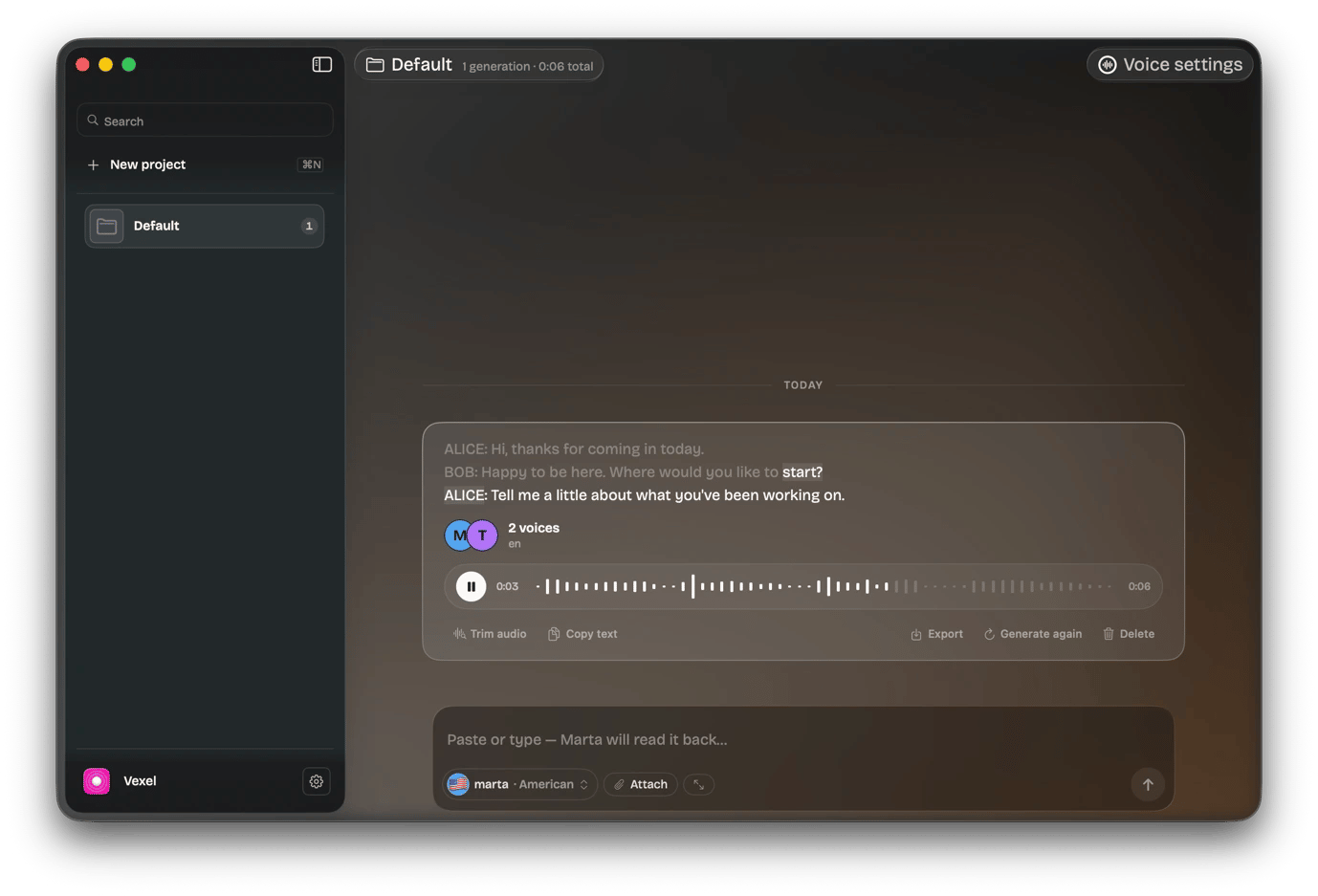
You don't need to manually record everything, as it requires time, a microphone, and a quiet room. If it's a simple piece of audio, you can use Vexel to convert text into audio within a few seconds.
All you need to do is paste a written article, summary, or conversation, then select a voice that matches the piece. You get a choice of 20+ varied professional English voices, and there's support for 25 other languages. Use multi-speaker voice casting when working on a dramatized piece or Q&A, and assign each speaker a distinct voice. You can then export your audio as a WAV file.
Sharpen your on-camera and on-air delivery with Speeko
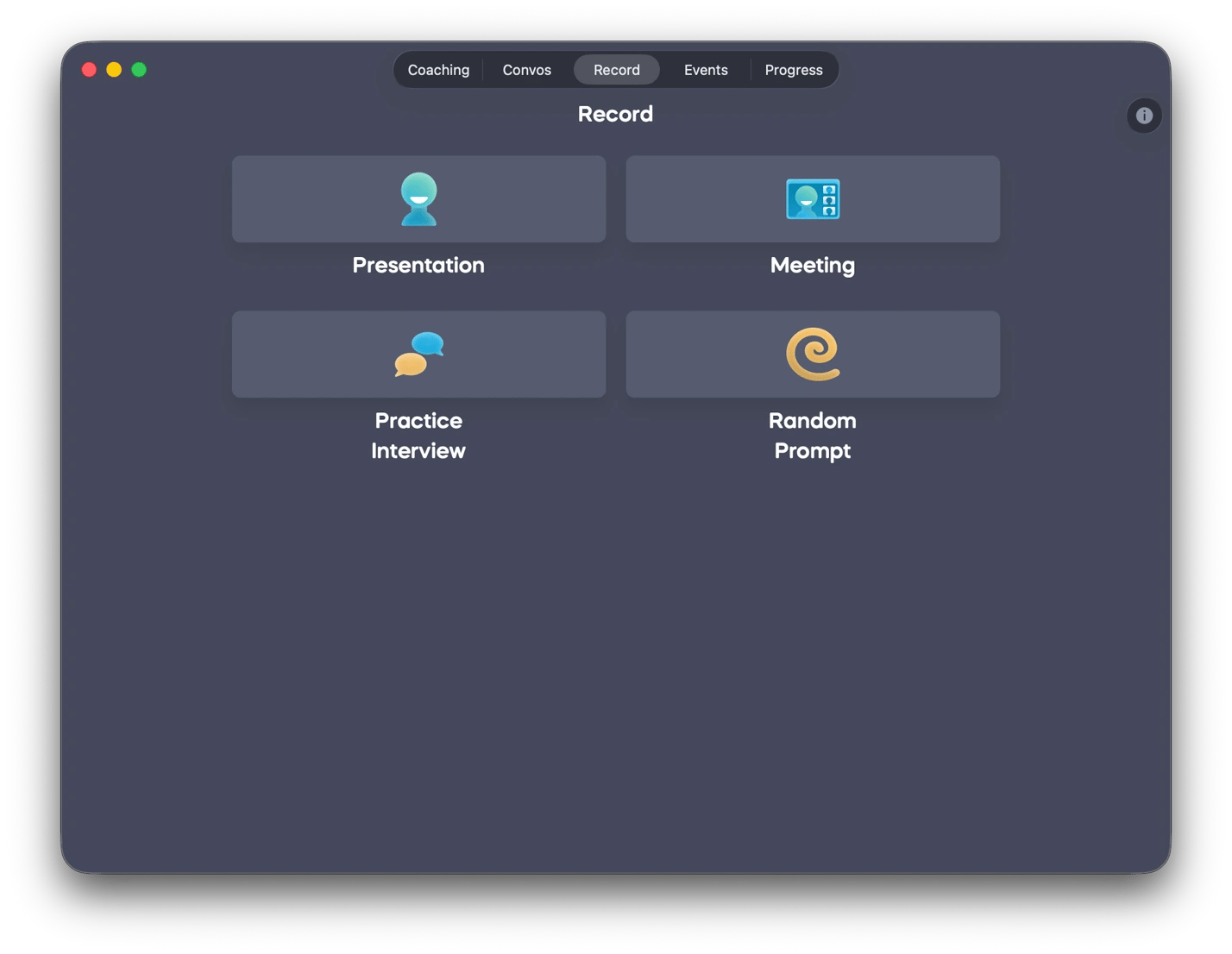
Everybody needs to work on their delivery to become an expert, and Speeko is the right tool for that. It lets you analyze your own recordings of interviews or on-camera segments for pacing, filler words, and clarity. It then gives you actionable feedback to improve your skills, all without a media trainer.
Speeko goes even further to offer storytelling and impromptu speaking courses you can use to sharpen your on-the-spot commentary skills for live radio or broadcast appearances.
Besides the actual reporting, you still need to stay in touch with sources and monitor your beat. These apps make it easy to organize the contacts you rely on, stay up to date on developing stories, and reduce daily communication overhead.
Organize sources and contacts with BusyContacts
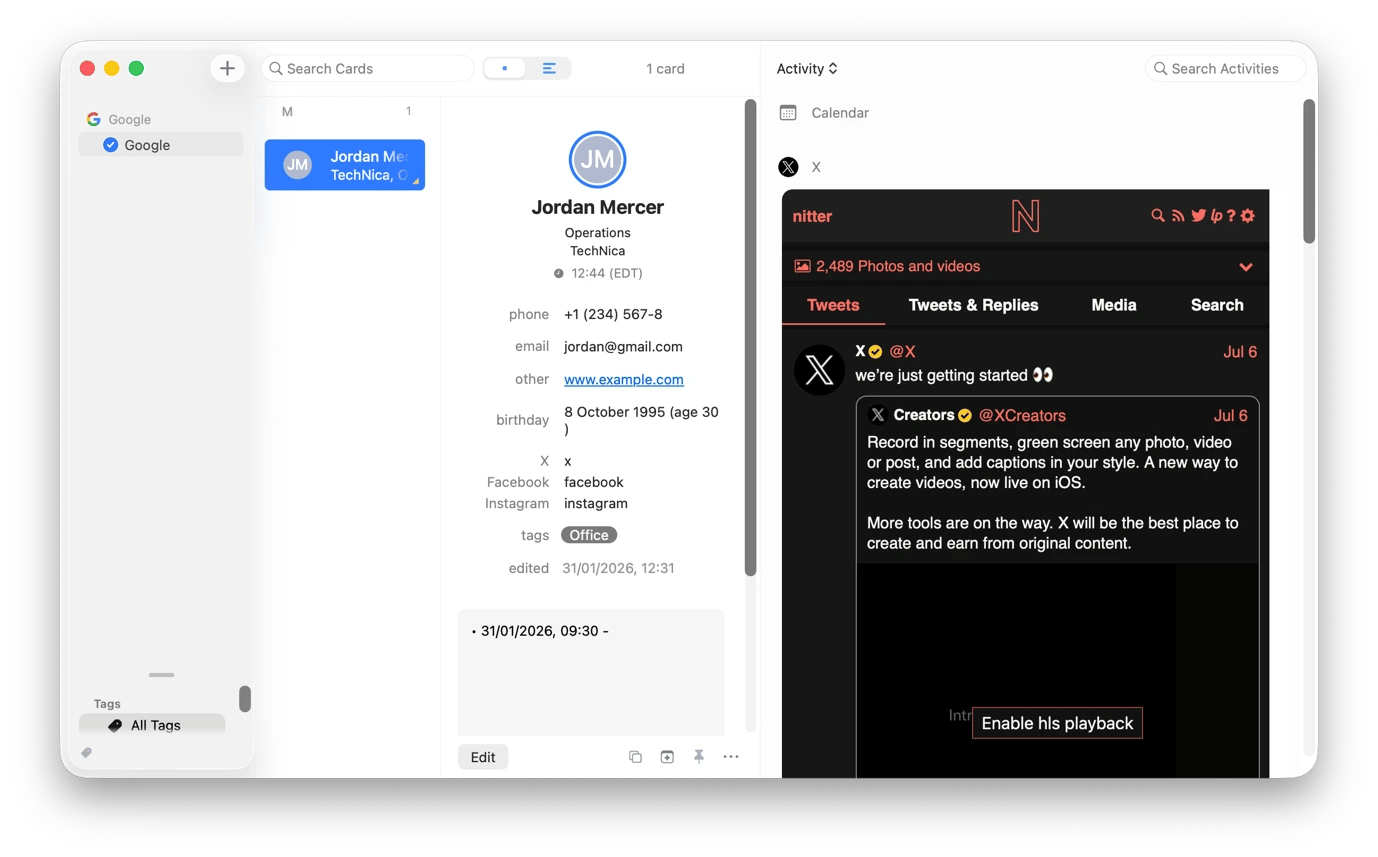
BusyContacts from Setapp makes it easier to manage complicated contacts and relationships beyond the usual name, number, and email address. When saving or editing a contact, you can add details like tags and a person's social media channels. If you tag sources by beat, reliability, or story, you can easily filter your entire contact list to just 5 relevant contacts.
A feature you'll like about the contacts is that it keeps track of your communication. You can view the entire interaction history with a source (emails, calls, meetings) in one place before you reach out again. You can even see their latest social posts for quick reference.
Monitor every beat from one place with News Explorer
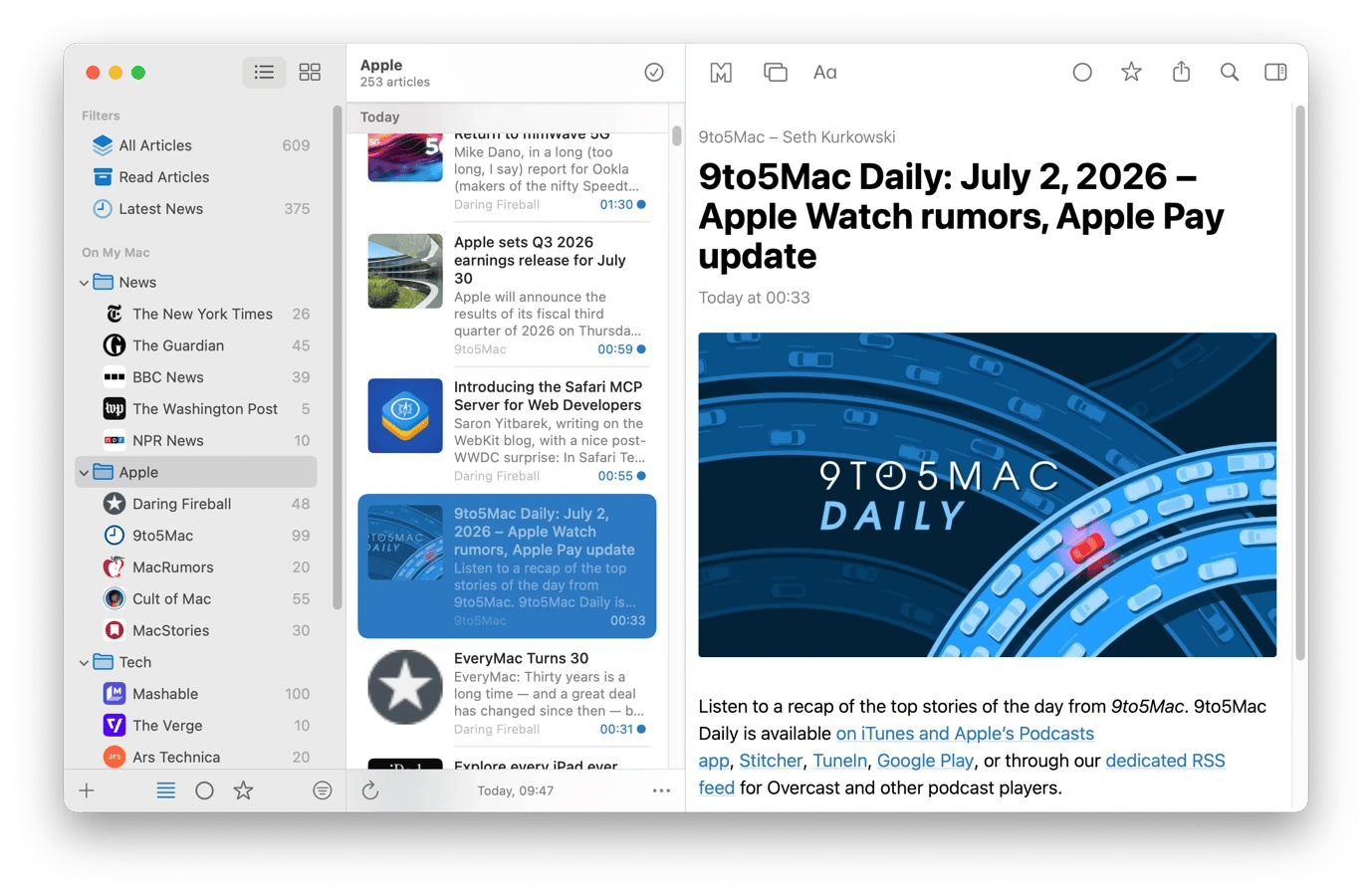
Keeping up with your beat often means checking dozens of websites throughout the day and making your way through content you aren't interested in. News Explorer helps avoid that hassle by aggregating RSS feeds from all relevant sites. You can add various government press offices, competitor publications, wire services, and think tank blogs into one inbox instead of checking each separately.
When triaging in the morning, use the app's smart filters to show only the articles that match specific topics or keywords. If you find something interesting, you can add it to your favorites to return to it later in the day without having to start the process over.
Clean up your inbox with Leave Me Alone
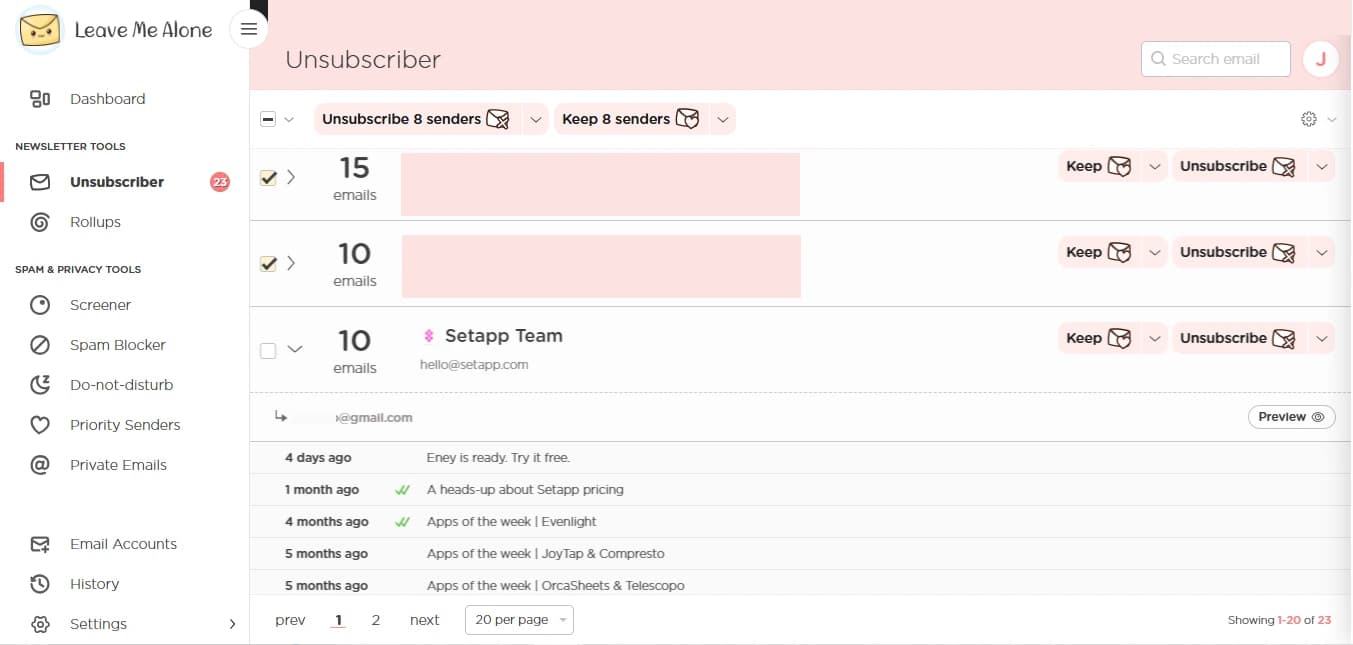
Leave Me Alone makes it easy to reduce the noise and clutter in your inbox. It triages your inbox and shows all your subscriptions. It groups them by source to simplify the view, and you can check each source's recent emails to decide whether to keep it. When you select those that you don't need, you can unsubscribe or block them in a single click.
Manage photos and visual assets
Managing media is often a time-consuming part of the reporting process, especially when you are sorting through hundreds of event photos, preparing images for publication, or managing archives. These Setapp apps will help you organize, optimize, and prepare your images for publication.
Remove duplicate photos and recordings with Gemini
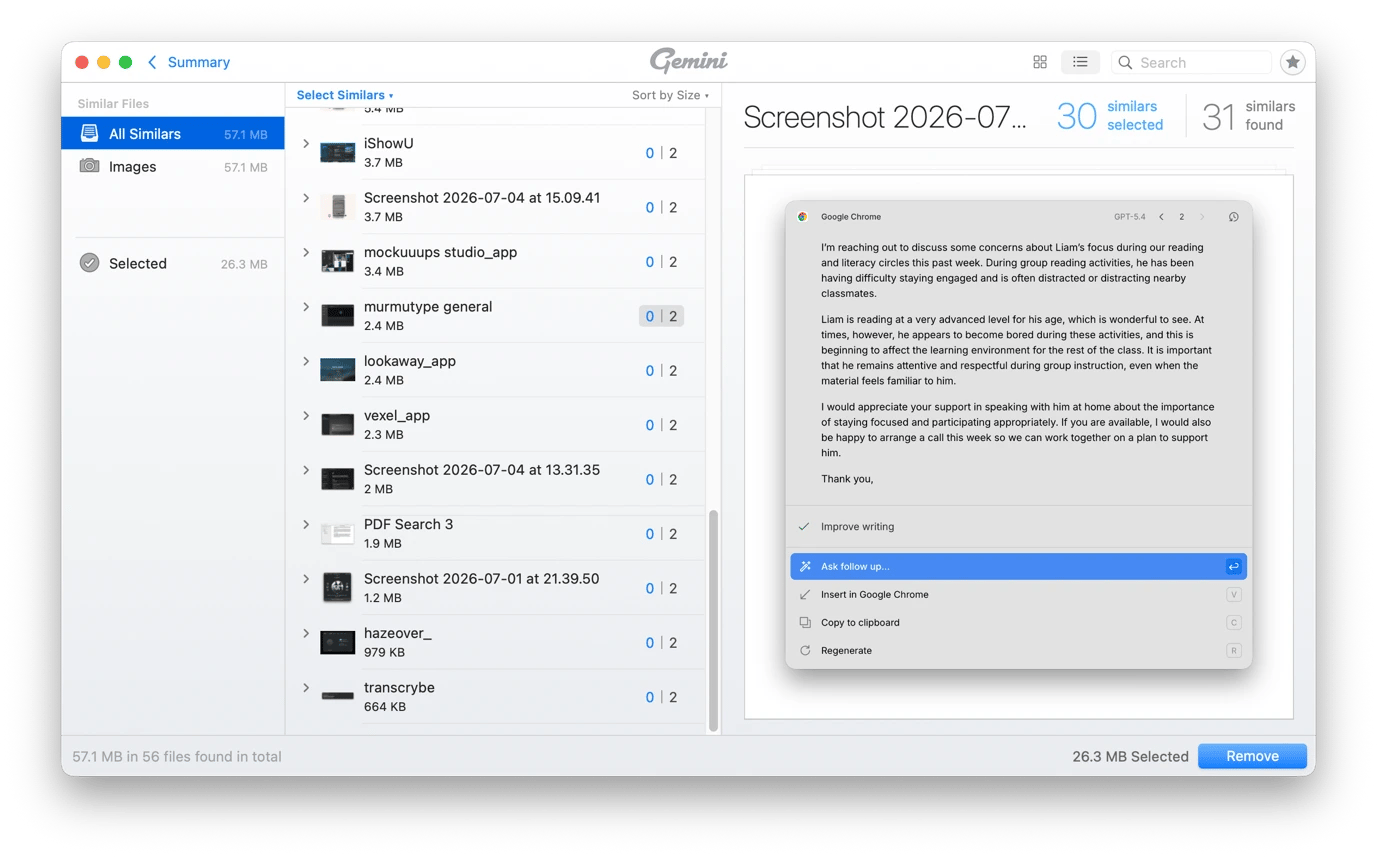
After covering a press conference, sporting event, or a breaking news story, you'll be left with dozens of nearly identical photos and videos. Instead of spending hours sorting through them manually, you can just scan the entire folder with Gemini. It sorts through your library and finds similar images by looking for the same composition but slightly different exposures.
It then recommends what you can clean up with a single click and shows others you can select manually. It can also detect duplicate documents and other files, making it easier to keep your Mac clean and files organized.
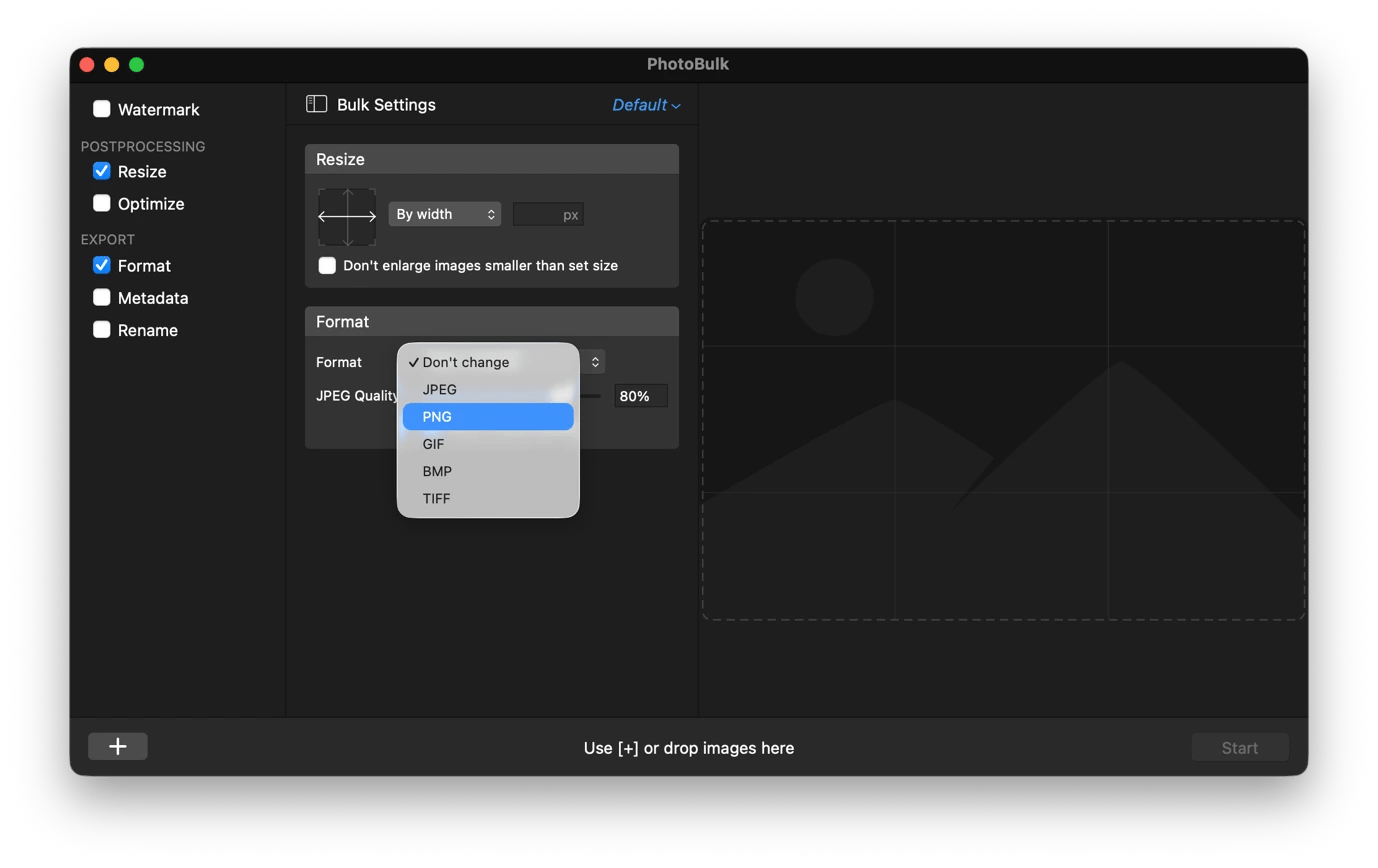
Resize, watermark, and rename photos in bulk with PhotoBulk
PhotoBulk helps ensure that you don't have to resize and optimize photos one by one. Before you publish images or send them to an editor, you can import the full set and process them in a single batch.
The app allows you to resize, watermark, and rename your photos. When you set your preferences, it applies them to all photos uniformly.
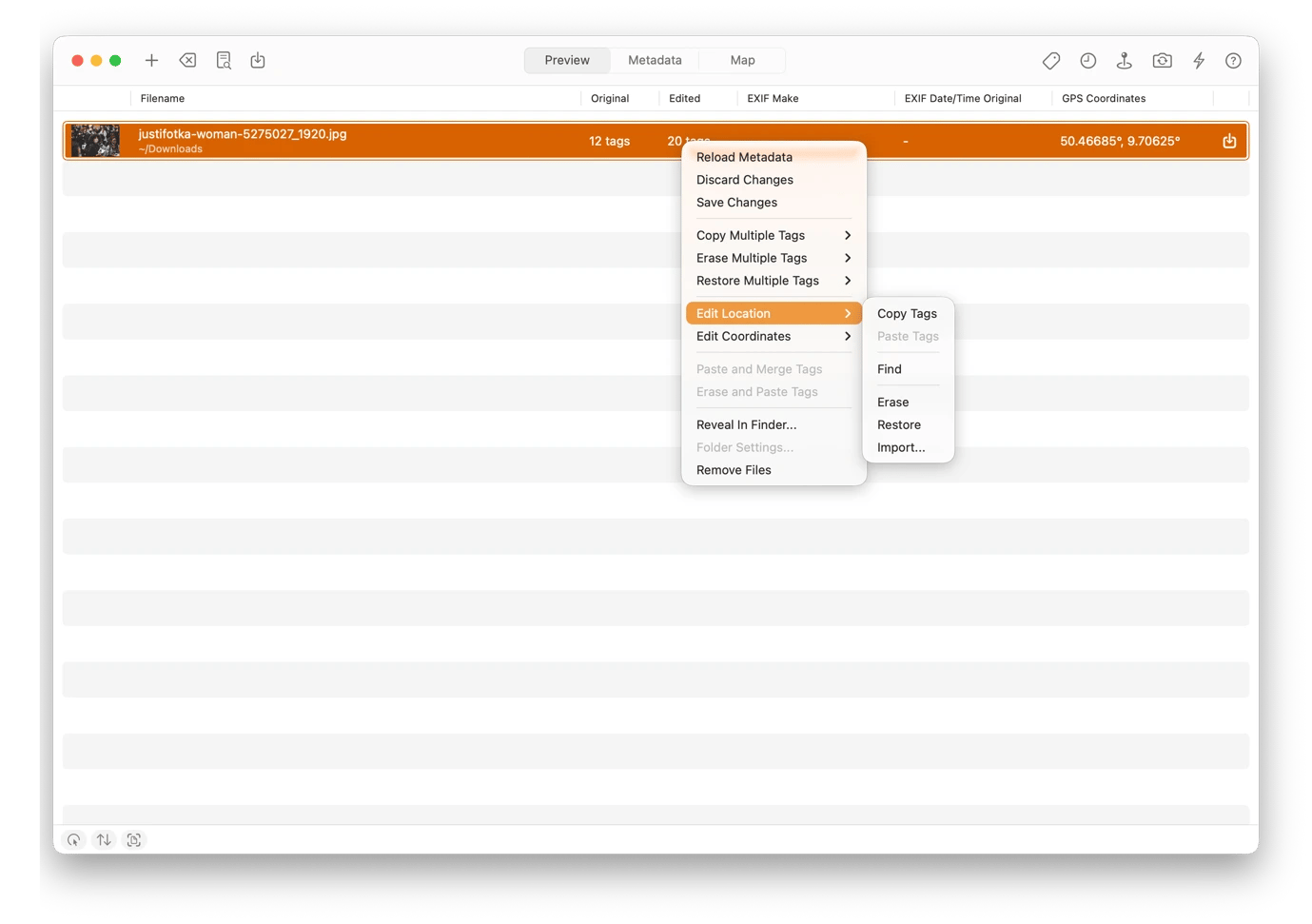
Add and strip metadata from photos before publishing with MetaImage
When you take or receive photos from a sensitive location, you need to strip the GPS coordinates before publishing or sharing. MetaImage lets you remove or add metadata as your images require. The tool can manipulate any image metadata details as you place.
Before you share your images online, you can add copyright and IPTC credits. You can even create reusable presets for your newsroom's workflow. MetaImage lets you apply them to an entire set of photos in bulk to maintain consistency and avoid accidental privacy leaks.
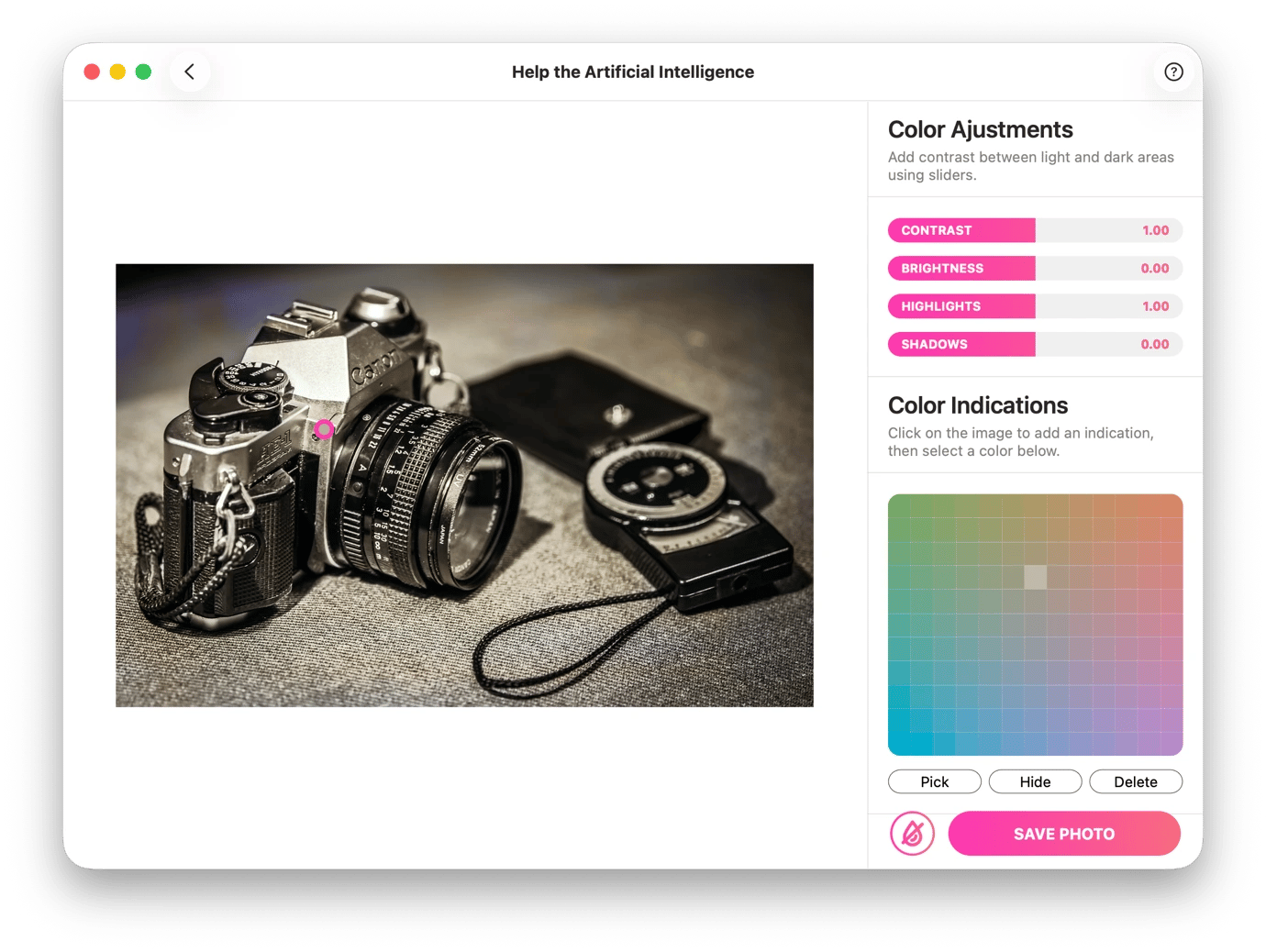
Restore historical photos with PhotosRevive
Historical photographs add valuable context to feature stories, anniversaries, and investigative pieces, but many are available only in black and white. PhotosRevive uses AI to intelligently colorize them while preserving original details. This makes them visually engaging for a digital audience without misrepresenting the original.
The app does most of the work automatically, but it also gives you manual controls to ensure that the colors are as accurate as possible.
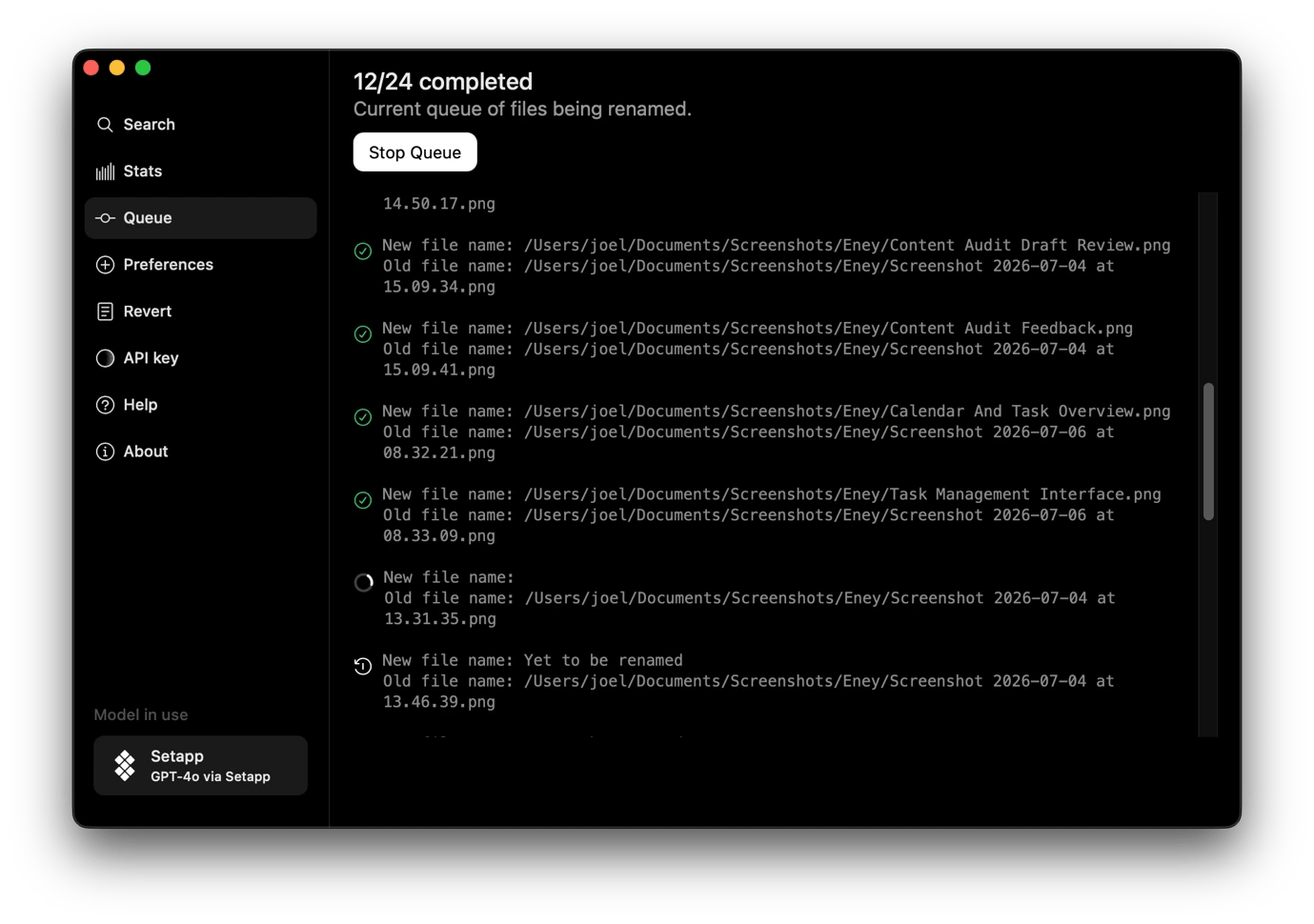
Auto-rename and search through screenshots with Keep It Shot
Screenshots pile up quickly when you are doing research, especially when collecting social media posts relevant to a story. Instead of keeping them as "Screenshot 2026-07-11 at 09.43.12," you can use Keep It Shot to rename them intelligently.
When you point the tool at a folder, it automatically renames images based on their content as they come in. You can set the rules it should follow and even choose the model it uses. This way, it will be easier to locate a reference image you need.
Organize files and story folders
Every story leaves behind interview recordings, transcripts, photos, videos, and lots of documents. The Setapp apps below can help save space and keep all your materials organized and easily accessible.
Automatically organize research folders and downloads with Refolder
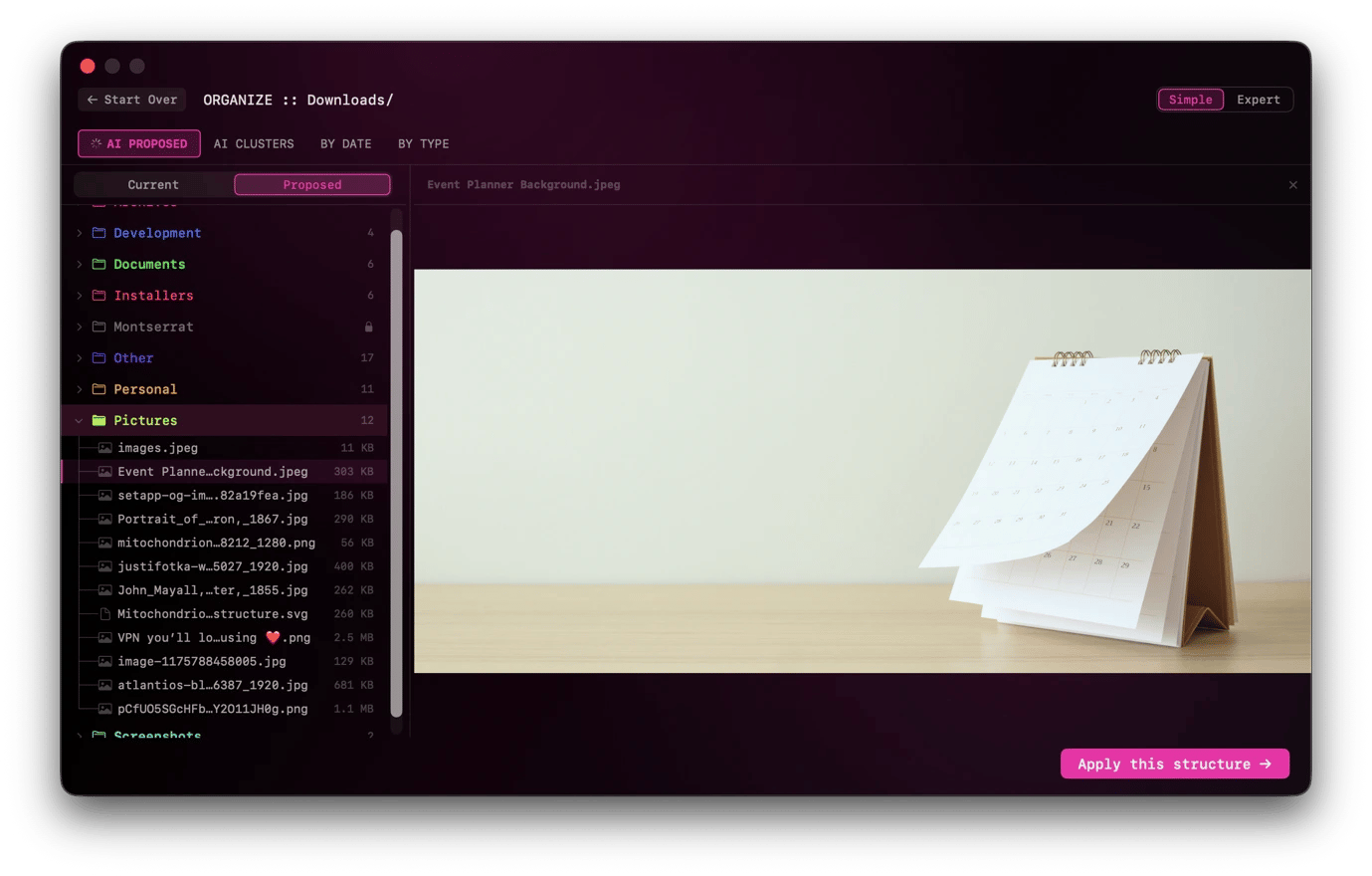
When you point Refolder from Setapp at the location where research files accumulate, it will help keep them organized. The app uses AI to analyze content, then proposes creating multiple folders to match. You can then review in bulk, alter the proposal, or approve to organize everything.
This makes it a great tool for sorting the Downloads and Desktop folders as they accumulate varying content quickly. The tool will monitor incoming files and automatically sort them in the background. You can also use it to rename hundreds of files using smart presets or custom patterns.
Move and upload files faster with Dropzone
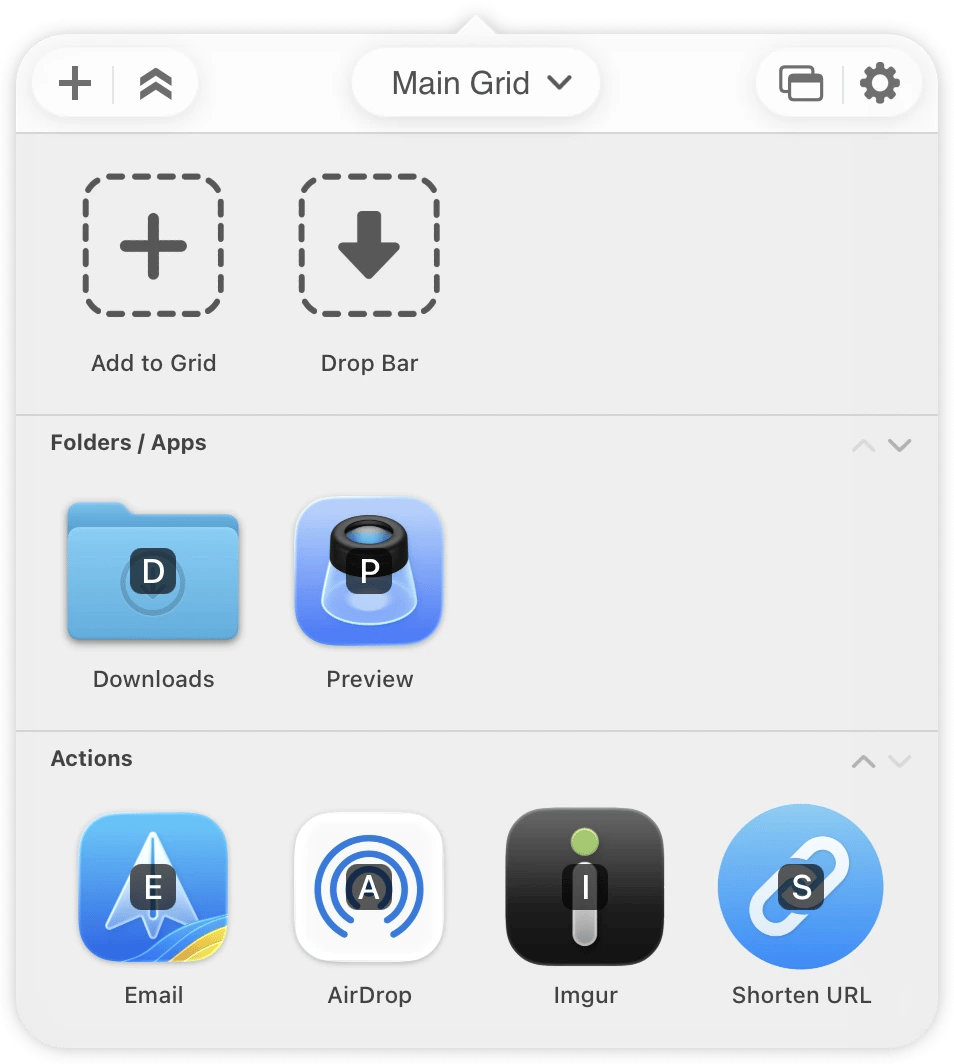
Chances are that you are always moving files between locations. Maybe uploading images to a CMS, sending a recording to an editor, copying docs to a cloud storage, or simply moving files between folders. Dropzone helps simplify this process. It hangs around in the menu bar, then lets you directly upload to an FTP client or shared folder without opening a full app.
You can also use the app to stash files in its holding area while moving them or assembling a folder of multiple sources. This way, temporary files won't clutter your desktop or working folder.
Compress large video and media files before sharing or filing with Compresto
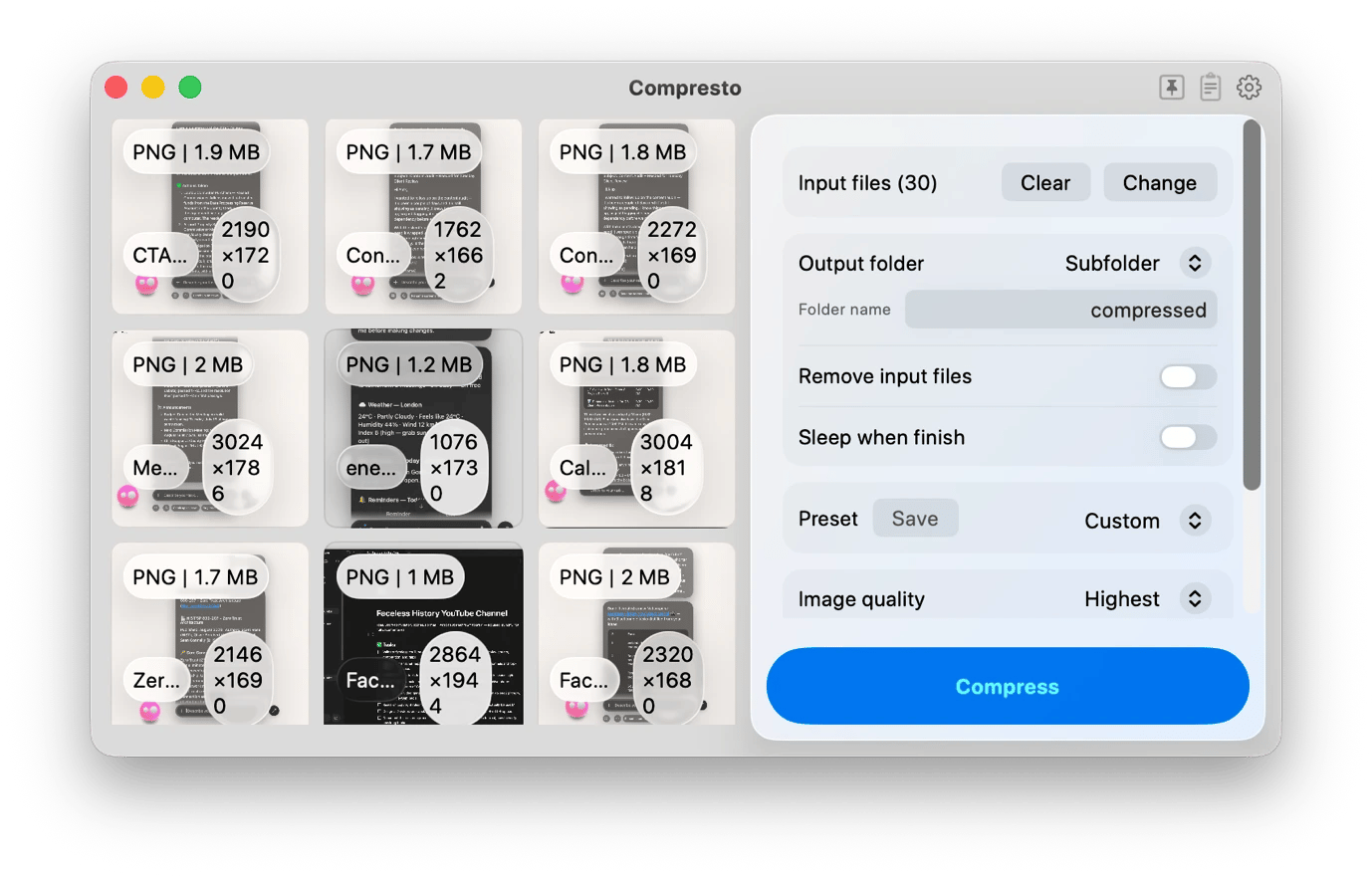
When you record a 4K video clip in the field or have a media-heavy PDF, you can rarely email it to an editor without issues. Compresto lets you compress your PDFs and videos by up to 90% without visible quality loss, making it possible to email or upload to a CMS.
When you have multiple files, say a folder full of photos or screenshots, you can process them in bulk. The compression happens entirely on your Mac, so you won't have to worry about your sensitive images or files.
Protect your reporting and sources
Journalists often work with sensitive information, whether it's confidential source material or unpublished investigations. These can't fall into the wrong hands, so you need to ensure you protect beyond passwords. The Setapp apps below do that in different ways.
Report safely from restricted regions with ClearVPN
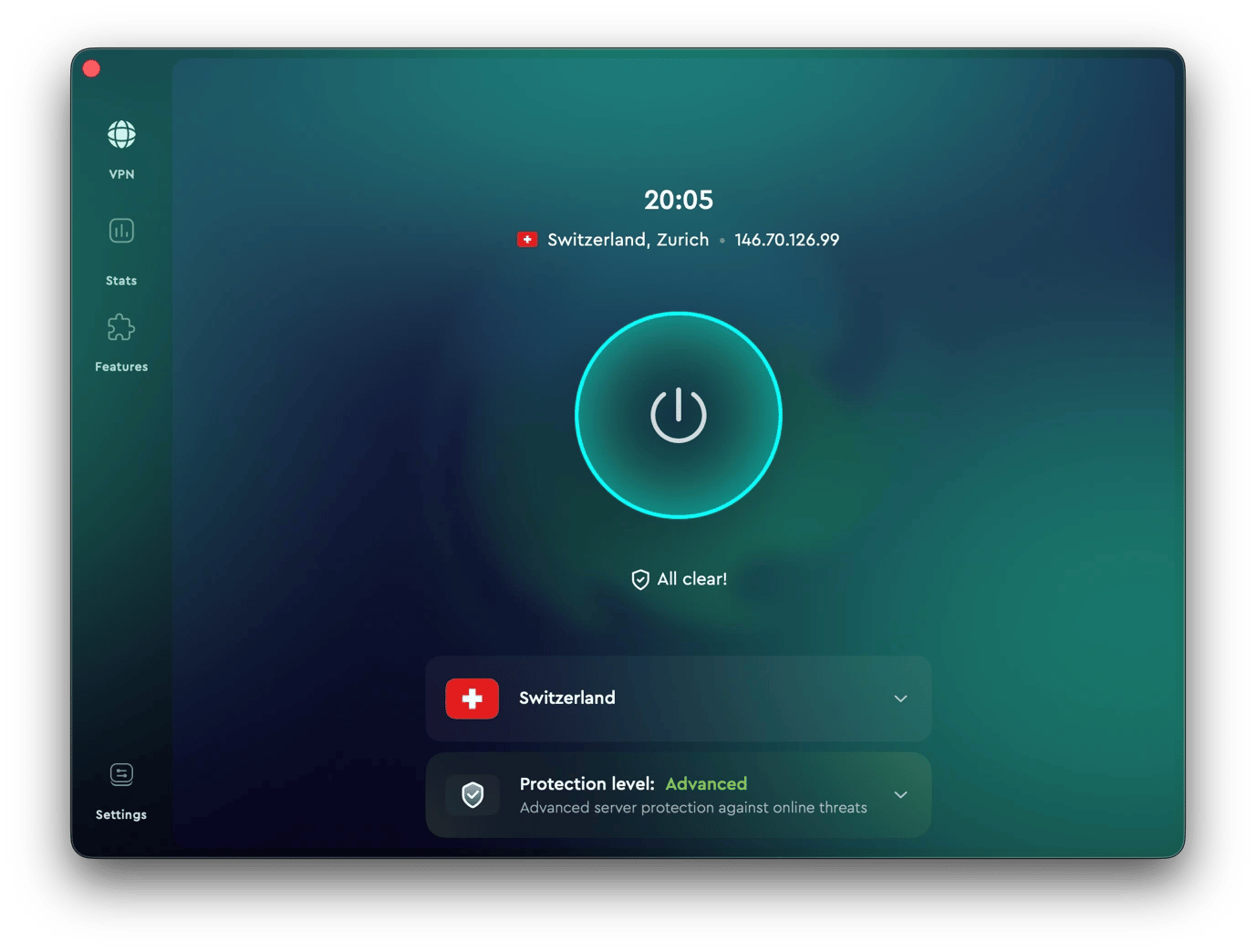
If you often travel to cover stories, you know that many countries restrict access to the internet. ClearVPN helps ensure that even if a country blocks social media sites or specific "unfriendly" websites, you can still access them. When you connect to a server in a different country, you'll access the internet as if you were physically in that region.
ClearVPN offers AES-256 encryption and an automatic kill switch, features that are crucial for journalists. The former ensures that no one can intercept your communication, while the latter blocks internet access whenever your VPN connection drops to prevent exposure. The VPN also offers a zero-log policy, ensuring that even governments can't collect personally identifiable data from the VPN servers you use.
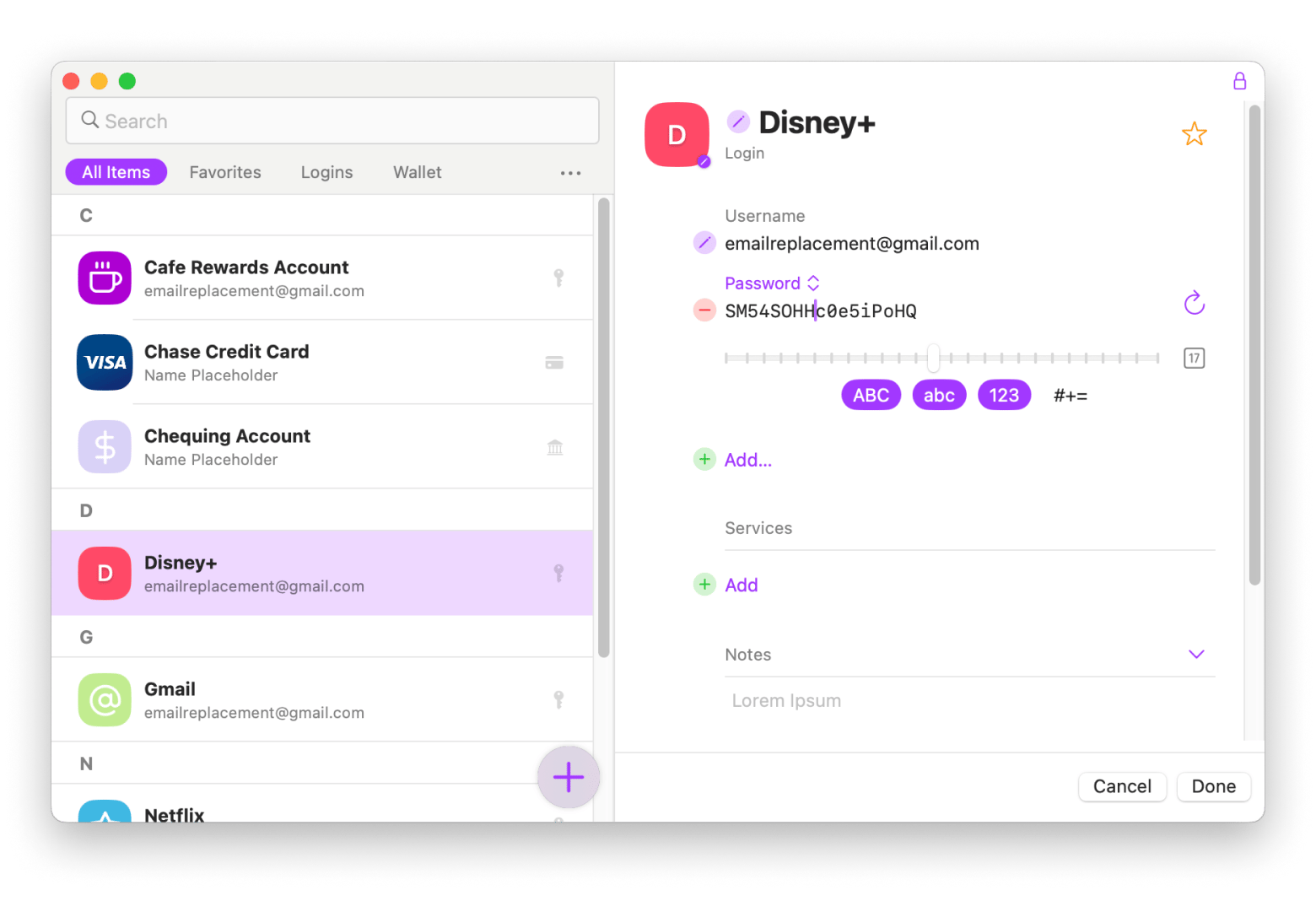
Store passwords and sensitive information securely with Secrets 4
Journalists are always hacking targets as they possess sensitive information, and the least you can do is to maintain high password hygiene. Secrets 4 ensures that you don't need to reuse your SecureDrop, Signal, CMS, or database passwords. It keeps them all encrypted so that nobody can access them by simply opening your browser or copying your browser cookies.
The tool is available for both Mac and iOS via Setapp, and you can use it to generate strong passwords for every site, not just the most sensitive ones. You can also store other sensitive information, such as your encryption keys, secure contact details, and access codes for confidential systems. They'll be highly protected but always with you.
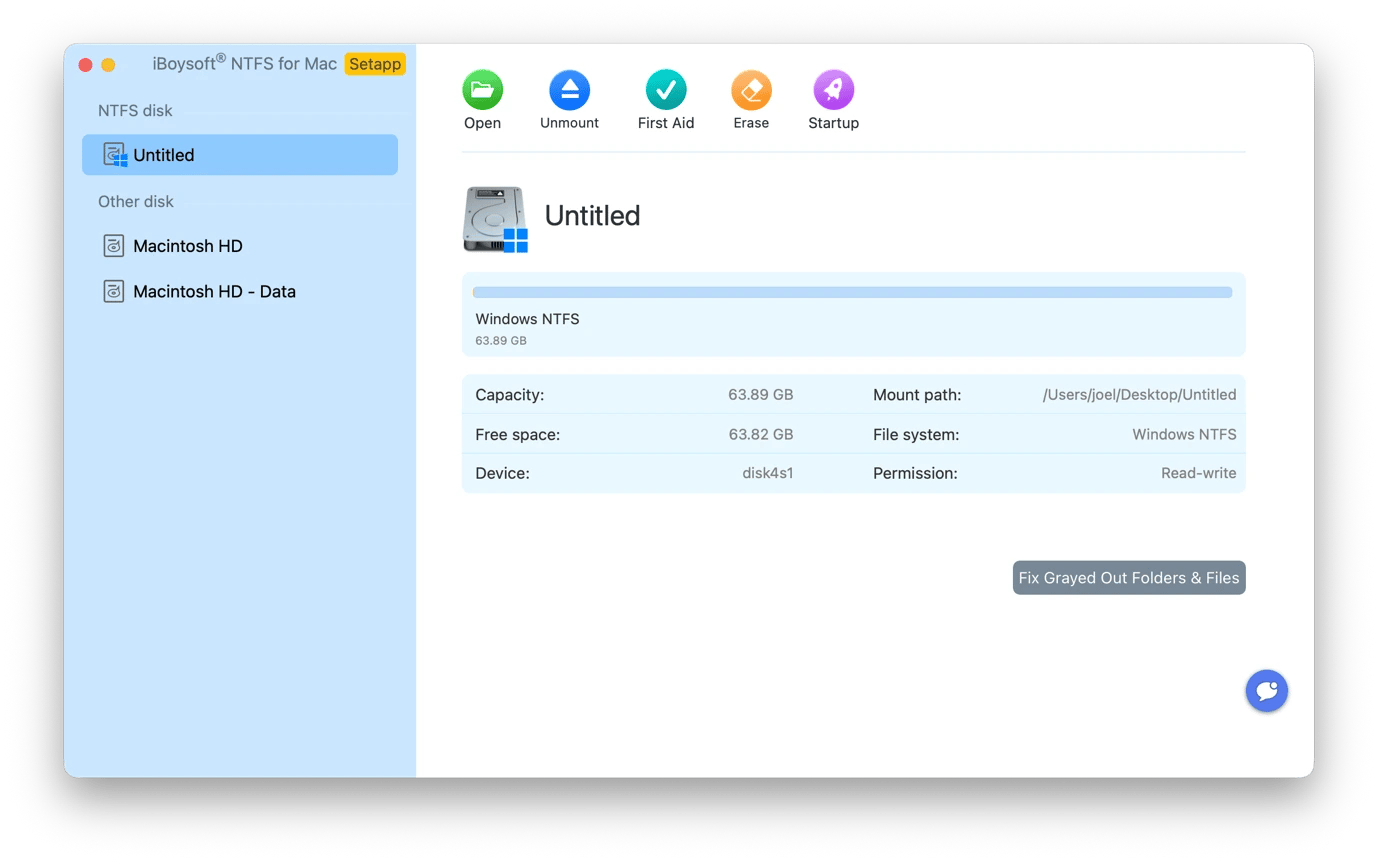
Work with Windows drives on your Mac using iBoysoft NTFS for Mac
You'll always come across Windows-formatted drives sent by sources, PR contacts, or just shared by colleagues. macOS can't edit them directly, but iBoysoft NTFS for Mac makes them fully compatible.
iBoysoft NTFS for Mac gives you full read and write access to NTFS-formatted drives without needing you to reformat them or use a PC as an intermediary. You can therefore copy files from source drives or move data files between a Mac and a Windows editing station.
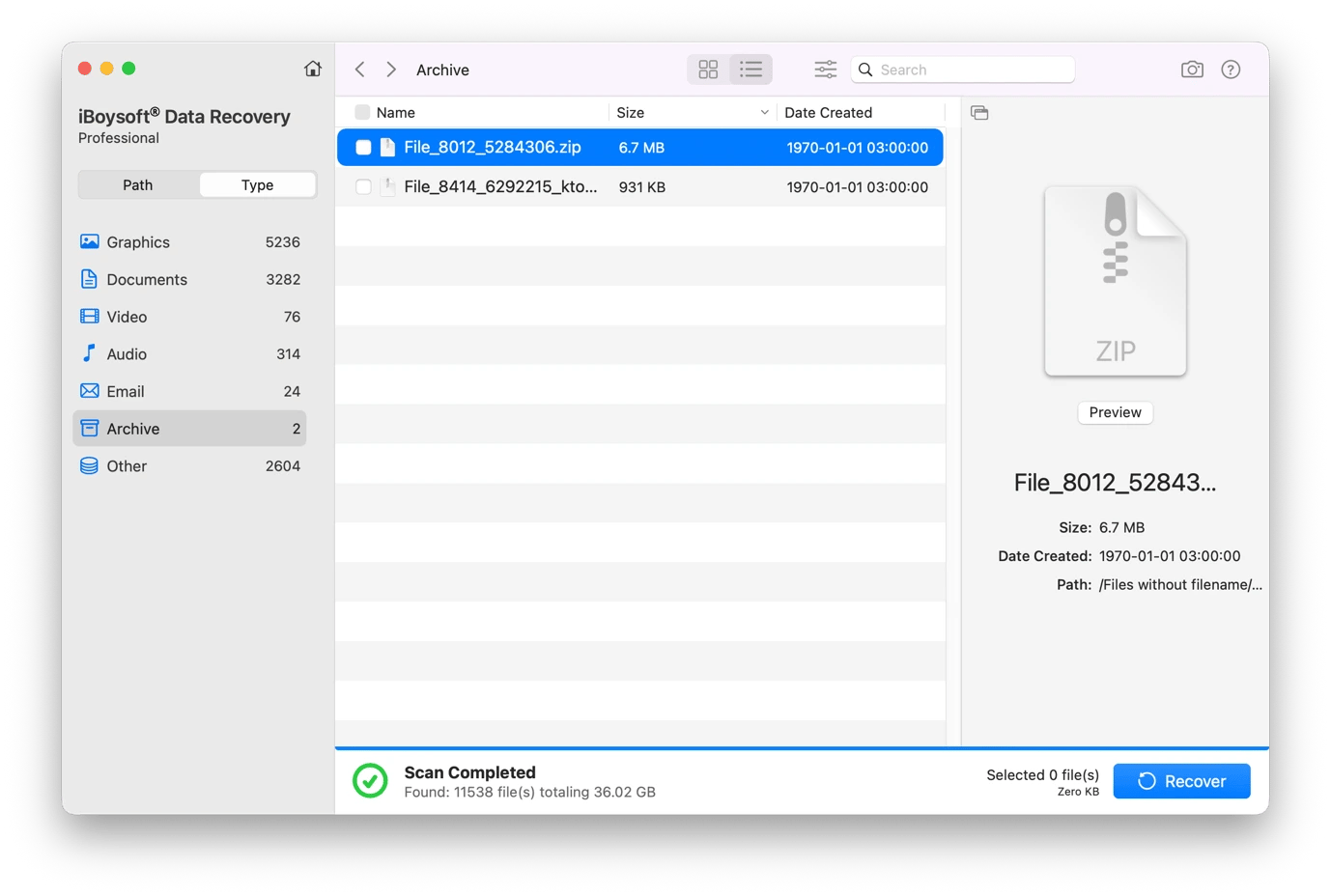
Recover deleted recordings and documents with iBoysoft Data Recovery
Anyone can accidentally delete or lose an important document during a busy day when files are moving between devices. iBoysoft Data Recovery helps recover your recordings or documents even if they have been cleared from the trash. It's a reliable fallback option that works really well if your storage space hasn't been overwritten, which is the window between a mistake and a permanent loss.
It's also reliable for recovering data from corrupted or unreadable external drives.
Publish and report from anywhere
At certain points in your work, you may be covering a story in another country or putting together a press kit before a product launch. These apps help present the final product, stay organized while traveling, and coordinate interviews across time zones.
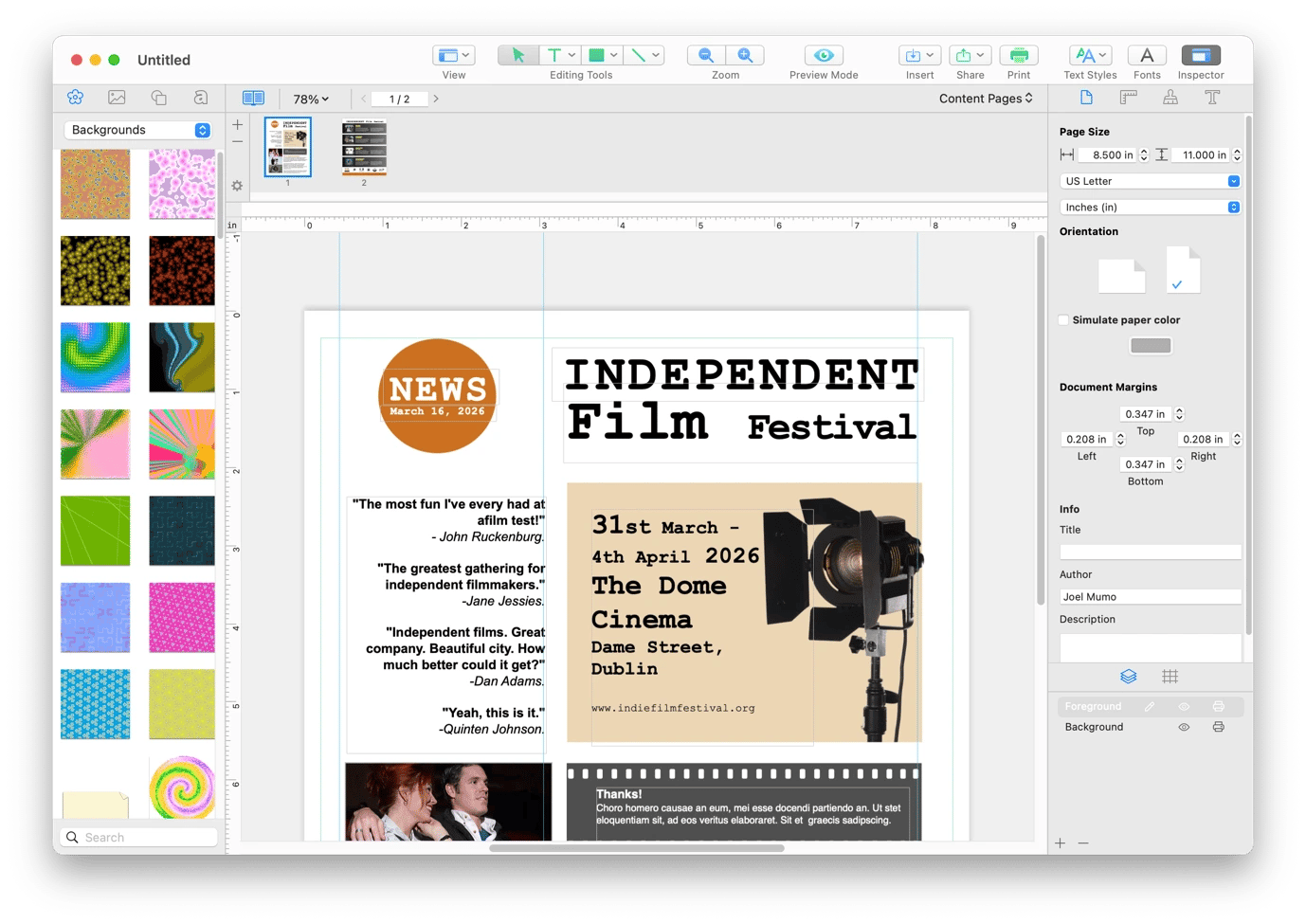
Design newsletters and press kits with Swift Publisher
Some publishing tasks need more than a word processor but don't require escalation to a graphic designer. You can use Swift Publisher to quickly create a print-ready press kit, a media one-pager, or a story pitch document.
The tool offers 300+ templates you can use for event programs, editorial supplements, or branded report covers, and you can customize them to match your publication's visual identity. You won't have to worry about multi-column and image wrapping, as these are handled automatically.
Organize reporting trips with Tripsy
A reporting trip is often more complicated than a business trip. You need to manage press accreditation, fixer contact details, and event schedule changes, in addition to the usual travel hassles. Tripsy makes everything a bit more manageable by letting you store all travel documents and details in one platform.
You can use the app for your flight confirmation, hotel booking, and press accreditation documents. You'll then get real-time flight status alerts and baggage claim information so that logistics don't eat up into reporting time. You can install it on your Mac, iPhone, and iPad via Setapp.
Control mobile data usage in the field with TripMode
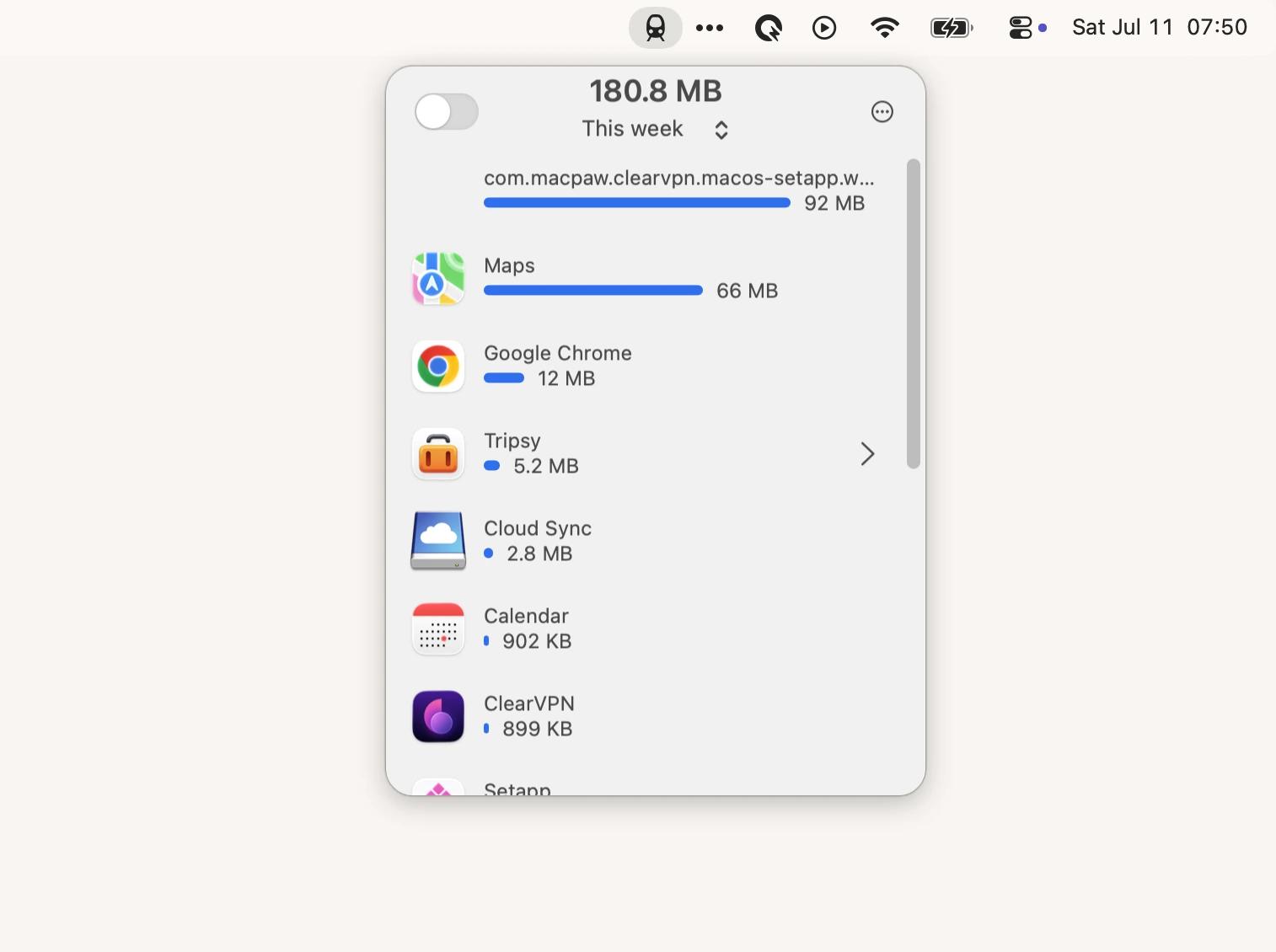
Filing a story from a mobile hotspot while in the field means that your Mac can quickly eat into your limited mobile data allowance. It's even more of a concern when traveling abroad, as roaming is quite expensive, and even unlimited data plans aren't really unlimited.
TripMode lets you take control of how your Mac uses mobile data way beyond the basics that macOS offers. You can choose which apps can use your mobile data and block all others. You can also monitor usage in real time from the menu bar or set a hard cap that can't be exceeded.
Find interview windows across time zones instantly with World Clock Pro
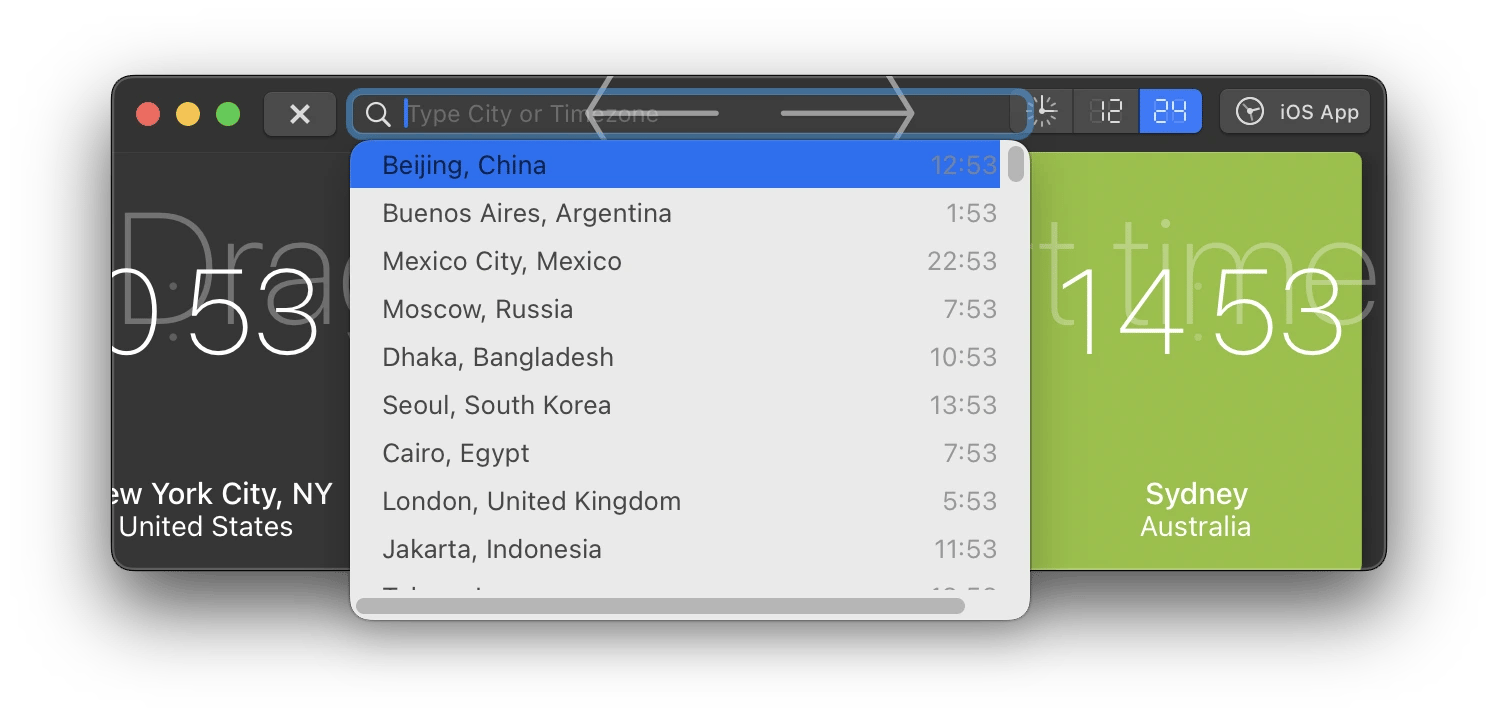
When you want to interview someone in Australia or London while you are in New York, you need to do some math to get the timings right. To avoid the manual and complicated process, you can just use World Clock Pro. It eliminates the arithmetic entirely, and you don't even have to Google whether that person is in Daylight Saving Time or not.
Before any conversion, you can see multiple clocks on the app's main interface, and you can even add the cities where your sources are often located. You can then drag time across multiple timelines to convert it and see how your ideal interview time translates across the world.
One subscription for every reporting workflow
Instead of juggling multiple subscriptions and one-time licenses, you can create a complete reporting toolkit with Setapp. All the tools mentioned in this guide – BeeMind, Ulysses, Downie, Kerlig, ClearVPN, and more – are available on Setapp, and you can try them all free for 7 days. Cancel before day 7 = $0 charged.






 Best solution
 Best solution